light KIA Sorento 2011 2.G Repair Manual
[x] Cancel search | Manufacturer: KIA, Model Year: 2011, Model line: Sorento, Model: KIA Sorento 2011 2.GPages: 377, PDF Size: 7.51 MB
Page 168 of 377
Features of your vehicle90
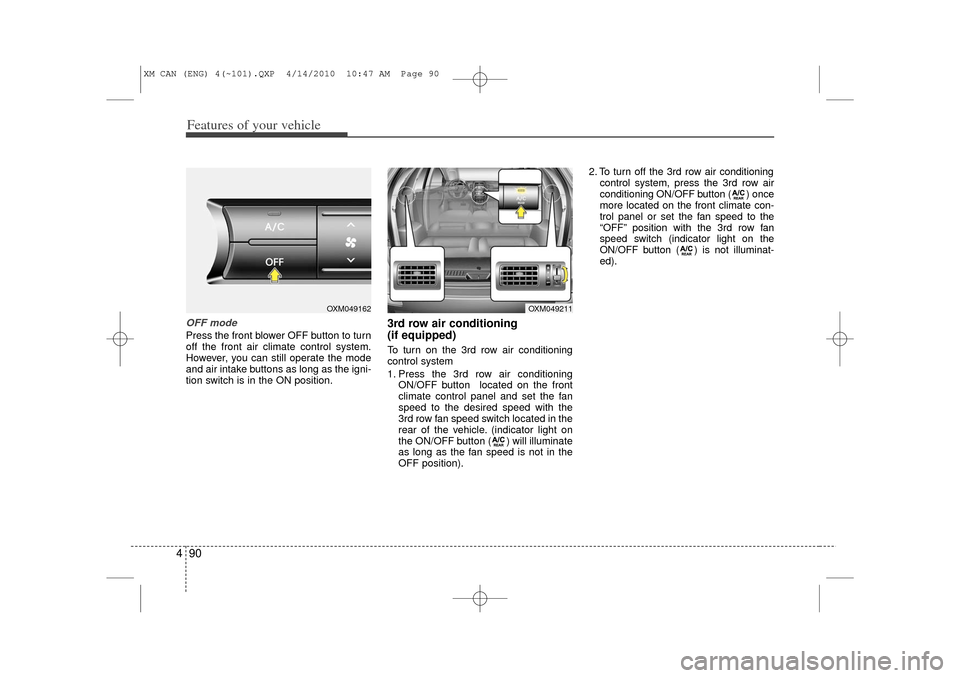
4OFF modePress the front blower OFF button to turn
off the front air climate control system.
However, you can still operate the mode
and air intake buttons as long as the igni-
tion switch is in the ON position.
3rd row air conditioning
(if equipped)To turn on the 3rd row air conditioning
control system
1. Press the 3rd row air conditioning
ON/OFF button located on the front
climate control panel and set the fan
speed to the desired speed with the
3rd row fan speed switch located in the
rear of the vehicle. (indicator light on
the ON/OFF button ( ) will illuminate
as long as the fan speed is not in the
OFF position). 2. To turn off the 3rd row air conditioning
control system, press the 3rd row air
conditioning ON/OFF button ( ) once
more located on the front climate con-
trol panel or set the fan speed to the
“OFF” position with the 3rd row fan
speed switch (indicator light on the
ON/OFF button ( ) is not illuminat-
ed).
OXM049162
OXM049211
XM CAN (ENG) 4(~101).QXP 4/14/2010 10:47 AM Page 90
Page 171 of 377
493
Features of your vehicle
Defogging logicTo reduce the possibility of fogging up
the inside of the windshield, the air intake
or air conditioning is controlled automati-
cally according to certain conditions such
as or position. To cancel or
return to the defogging logic, do the fol-
lowing.
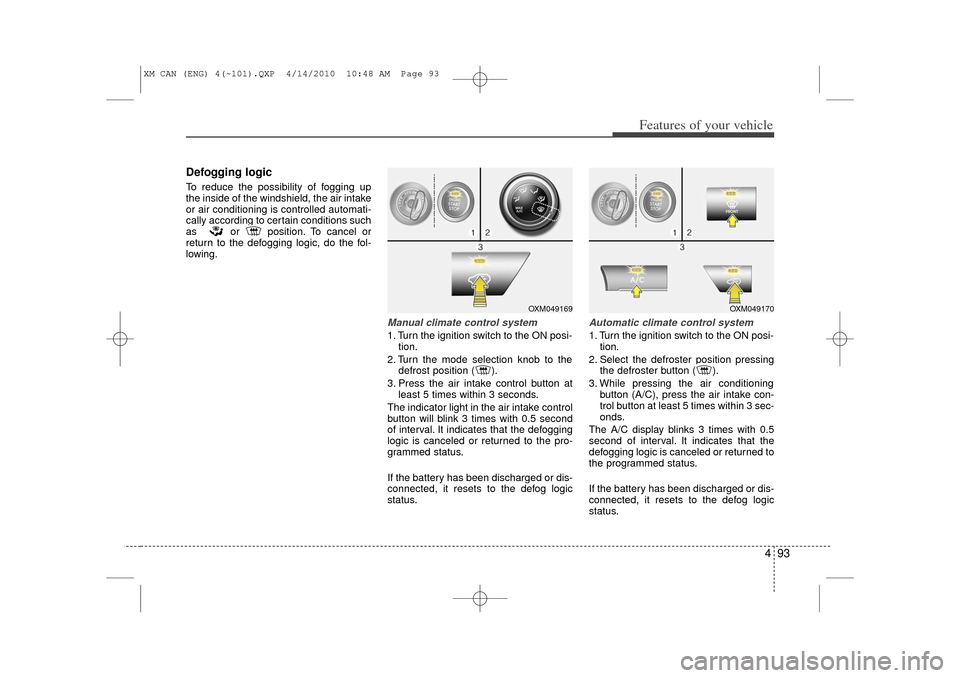
Manual climate control system1. Turn the ignition switch to the ON posi-tion.
2. Turn the mode selection knob to the defrost position ( ).
3. Press the air intake control button at least 5 times within 3 seconds.
The indicator light in the air intake control
button will blink 3 times with 0.5 second
of interval. It indicates that the defogging
logic is canceled or returned to the pro-
grammed status.
If the battery has been discharged or dis-
connected, it resets to the defog logic
status.
Automatic climate control system1. Turn the ignition switch to the ON posi- tion.
2. Select the defroster position pressing the defroster button ( ).
3. While pressing the air conditioning button (A/C), press the air intake con-
trol button at least 5 times within 3 sec-
onds.
The A/C display blinks 3 times with 0.5
second of interval. It indicates that the
defogging logic is canceled or returned to
the programmed status.
If the battery has been discharged or dis-
connected, it resets to the defog logic
status.
OXM049169
OXM049170
XM CAN (ENG) 4(~101).QXP 4/14/2010 10:48 AM Page 93
Page 172 of 377
Features of your vehicle94
4D270000AHMThese compartments can be used to
store small items.
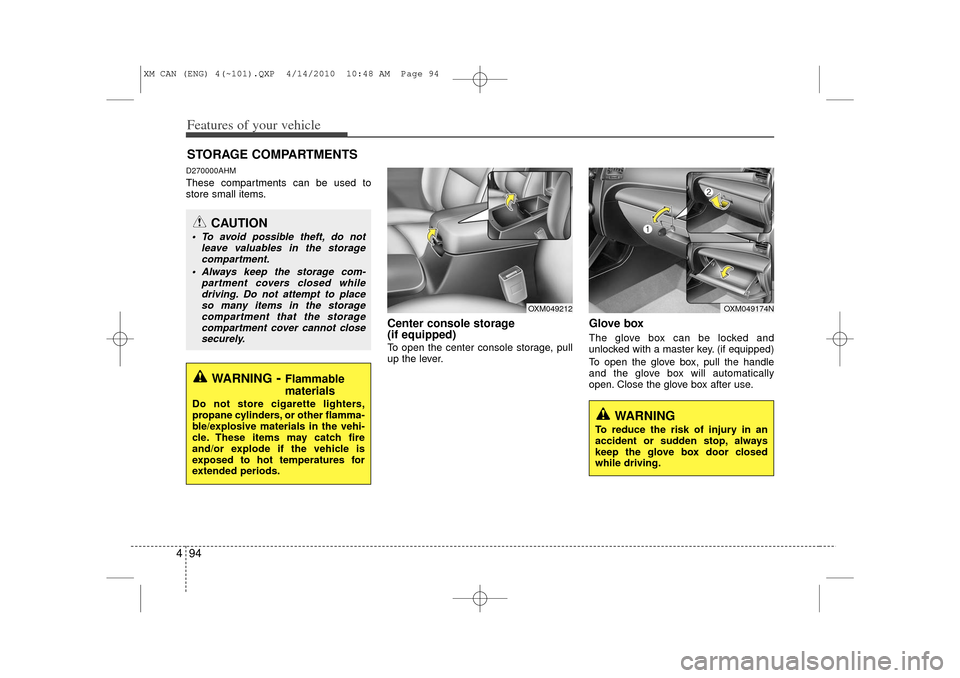
Center console storage
(if equipped)To open the center console storage, pull
up the lever.
Glove boxThe glove box can be locked and
unlocked with a master key. (if equipped)
To open the glove box, pull the handle
and the glove box will automatically
open. Close the glove box after use.
STORAGE COMPARTMENTS
WARNING
- Flammable
materials
Do not store cigarette lighters,
propane cylinders, or other flamma-
ble/explosive materials in the vehi-
cle. These items may catch fire
and/or explode if the vehicle is
exposed to hot temperatures for
extended periods.
CAUTION
To avoid possible theft, do not
leave valuables in the storagecompartment.
Always keep the storage com- partment covers closed whiledriving. Do not attempt to placeso many items in the storage compartment that the storagecompartment cover cannot closesecurely.
WARNING
To reduce the risk of injury in an
accident or sudden stop, always
keep the glove box door closed
while driving.
OXM049212
OXM049174N
XM CAN (ENG) 4(~101).QXP 4/14/2010 10:48 AM Page 94
Page 175 of 377
497
Features of your vehicle
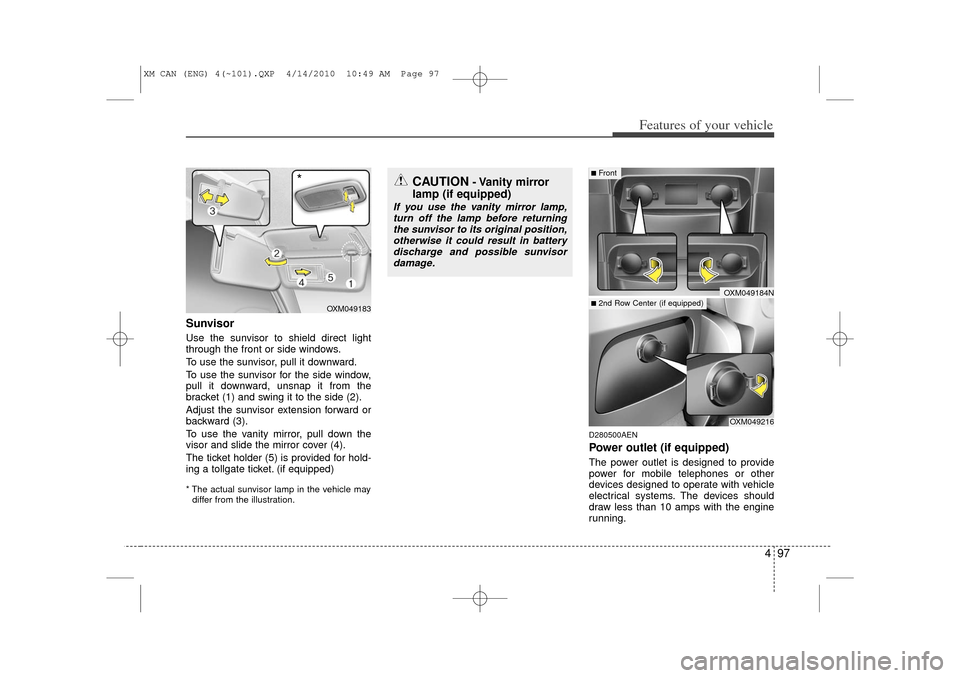
SunvisorUse the sunvisor to shield direct light
through the front or side windows.
To use the sunvisor, pull it downward.
To use the sunvisor for the side window,
pull it downward, unsnap it from the
bracket (1) and swing it to the side (2).
Adjust the sunvisor extension forward or
backward (3).
To use the vanity mirror, pull down the
visor and slide the mirror cover (4).
The ticket holder (5) is provided for hold-
ing a tollgate ticket. (if equipped)* The actual sunvisor lamp in the vehicle maydiffer from the illustration.
D280500AENPower outlet (if equipped)The power outlet is designed to provide
power for mobile telephones or other
devices designed to operate with vehicle
electrical systems. The devices should
draw less than 10 amps with the engine
running.
CAUTION
- Vanity mirror
lamp (if equipped)
If you use the vanity mirror lamp,
turn off the lamp before returningthe sunvisor to its original position, otherwise it could result in batterydischarge and possible sunvisor damage.
OXM049216
■Front■2nd Row Center (if equipped)
OXM049184N
OXM049183
*
XM CAN (ENG) 4(~101).QXP 4/14/2010 10:49 AM Page 97
Page 190 of 377
Features of your vehicle112
4Using CD Player
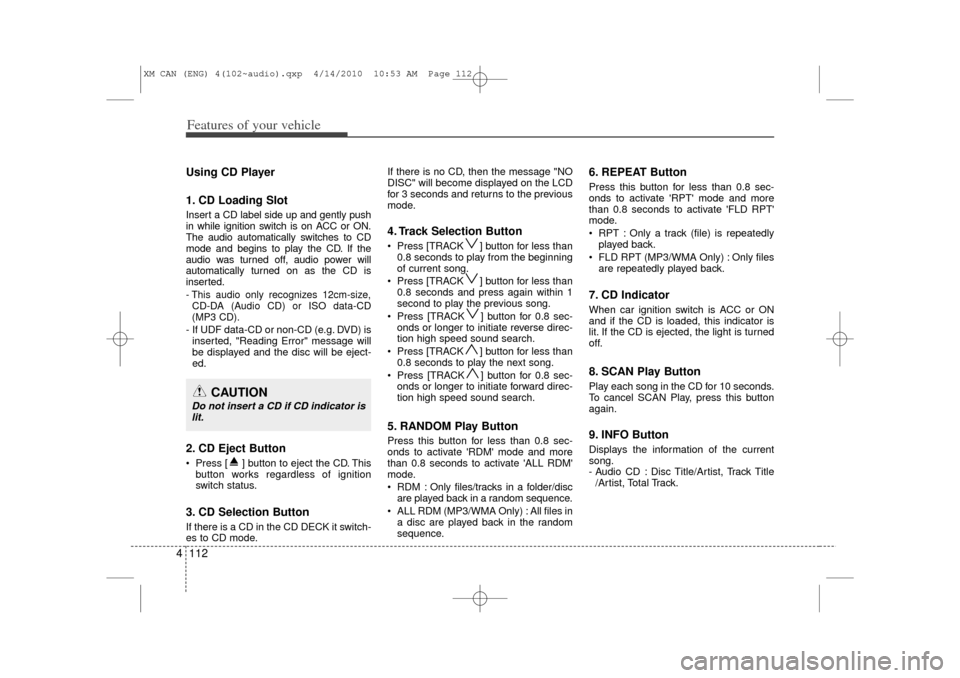
1. CD Loading SlotInsert a CD label side up and gently push
in while ignition switch is on ACC or ON.
The audio automatically switches to CD
mode and begins to play the CD. If the
audio was turned off, audio power will
automatically turned on as the CD is
inserted.- This audio only recognizes 12cm-size,
CD-DA (Audio CD) or ISO data-CD
(MP3 CD).- If UDF data-CD or non-CD (e.g. DVD) is inserted, "Reading Error" message will
be displayed and the disc will be eject-
ed.2. CD Eject Button Press [ ] button to eject the CD. This button works regardless of ignition
switch status.3. CD Selection ButtonIf there is a CD in the CD DECK it switch-
es to CD mode. If there is no CD, then the message "NO
DISC" will become displayed on the LCD
for 3 seconds and returns to the previous
mode.
4. Track Selection Button Press [TRACK ] button for less than
0.8 seconds to play from the beginning
of current song.
Press [TRACK ] button for less than 0.8 seconds and press again within 1
second to play the previous song.
Press [TRACK ] button for 0.8 sec- onds or longer to initiate reverse direc-
tion high speed sound search.
Press [TRACK ] button for less than 0.8 seconds to play the next song.
Press [TRACK ] button for 0.8 sec- onds or longer to initiate forward direc-
tion high speed sound search.5. RANDOM Play ButtonPress this button for less than 0.8 sec-
onds to activate 'RDM' mode and more
than 0.8 seconds to activate 'ALL RDM'
mode.
RDM : Only files/tracks in a folder/discare played back in a random sequence.
ALL RDM (MP3/WMA Only) : All files in a disc are played back in the random
sequence.
6. REPEAT ButtonPress this button for less than 0.8 sec-
onds to activate 'RPT' mode and more
than 0.8 seconds to activate 'FLD RPT'
mode.
RPT : Only a track (file) is repeatedlyplayed back.
FLD RPT (MP3/WMA Only) : Only files are repeatedly played back.7. CD IndicatorWhen car ignition switch is ACC or ON
and if the CD is loaded, this indicator is
lit. If the CD is ejected, the light is turned
off.8. SCAN Play ButtonPlay each song in the CD for 10 seconds.
To cancel SCAN Play, press this button
again.9. INFO ButtonDisplays the information of the current
song.
- Audio CD : Disc Title/Artist, Track Title/Artist, Total Track.
CAUTION
Do not insert a CD if CD indicator islit.
XM CAN (ENG) 4(102~audio).qxp 4/14/2010 10:53 AM Page 112
Page 202 of 377
![KIA Sorento 2011 2.G Repair Manual Features of your vehicle124
46. CAT/FOLDER Button Press [ CAT ] button to enter the
Category List Mode. The display will
indicate the category items, highlight
the category that the current channel
b](/img/2/2929/w960_2929-201.png "KIA Sorento 2011 2.G Repair Manual Features of your vehicle124
46. CAT/FOLDER Button Press [ CAT ] button to enter the
Category List Mode. The display will
indicate the category items, highlight
the category that the current channel
b")
Features of your vehicle124
46. CAT/FOLDER Button Press [ CAT ] button to enter the
Category List Mode. The display will
indicate the category items, highlight
the category that the current channel
belongs to.
In the Category List Mode, press these buttons to navigate category list.
Press [ENTER] Button to select the lowest channel in highlighted category.
If channel is selected by selecting cat- egory "CATEGORY" Icon is displayed
at the top of the screen.7. INFO Selection ButtonDisplays the information of the current
channel as below when the button is
pressed each time.
When default display is CAT/CHCategory/Channel
➟Artist/Title
➟
Composer (if available)
➟
Category/
Channel
➟...
When default display is ART/TITLE Artist/Title➟Category/Channel
➟
Composer(if available)
➟Artist/Title
➟...
✽ ✽ Troubleshooting1. Antenna Error
If this message is displayed, the anten-
na or antenna cable is broken or
unplugged. Please consult with your
Kia dealership.
2. Acquiring Signal If this message is displayed, it means
that the antenna is covered and that
the SIRIUS Satellite Radio signal is
not available. Ensure the antenna is
uncovered and has a clear view of the
sky.
XM CAN (ENG) 4(102~audio).qxp 4/14/2010 10:53 AM Page 124
Page 214 of 377
53
Driving your vehicle
E020100AUNBefore entering vehicle• Be sure that all windows, outside mir-ror(s), and outside lights are clean.
Check the condition of the tires.
Check under the vehicle for any sign of leaks.
Be sure there are no obstacles behind you if you intend to back up.E020200AXMNecessary inspectionsFluid levels, such as engine oil, engine
coolant, brake fluid, and washer fluid
should be checked on a regular basis, at
the exact interval depending on the fluid.
Further details are provided in section 7,
“Maintenance”.E020300AHMBefore starting Close and lock all doors.
Position the seat so that all controls areeasily reached.
Adjust the inside and outside rearview mirrors. Be sure that all lights work.
Check all gauges.
Check the operation of warning lights
when the ignition switch is turned to
the ON position.
Release the parking brake and make sure the brake warning light goes out.
For safe operation, be sure you are famil-
iar with your vehicle and its equipment.BEFORE DRIVING
WARNING
All passengers must be properly
belted whenever the vehicle is mov-
ing. Refer to “Seat belts” in section
3 for more information on their
proper use.
WARNING
Always check the surrounding
areas near your vehicle for people,
especially children, before putting a
car into D (Drive) or R (Reverse).
WARNING
- Driving under
the influence of alcohol or
drugs
Drinking and driving is dangerous.
Drunk driving is the number one
contributor to the highway death
toll each year. Even a small amount
of alcohol will affect your reflexes,
perceptions and judgment. Driving
while under the influence of drugs
is as dangerous or more dangerous
than driving drunk.
You are much more likely to have a
serious accident if you drink or
take drugs and drive.
If you are drinking or taking drugs,
don’t drive. Do not ride with a driv-
er who has been drinking or taking
drugs. Choose a designated driver
or call a cab.
WARNING
When you intend to park or stop the
vehicle with the engine on, be care-
ful not to depress the accelerator
pedal for a long period of time. It
may overheat the engine or exhaust
system and ignite a fire.
XM CAN (ENG) 5.qxp 11/26/2009 12:00 PM Page 3
Page 215 of 377
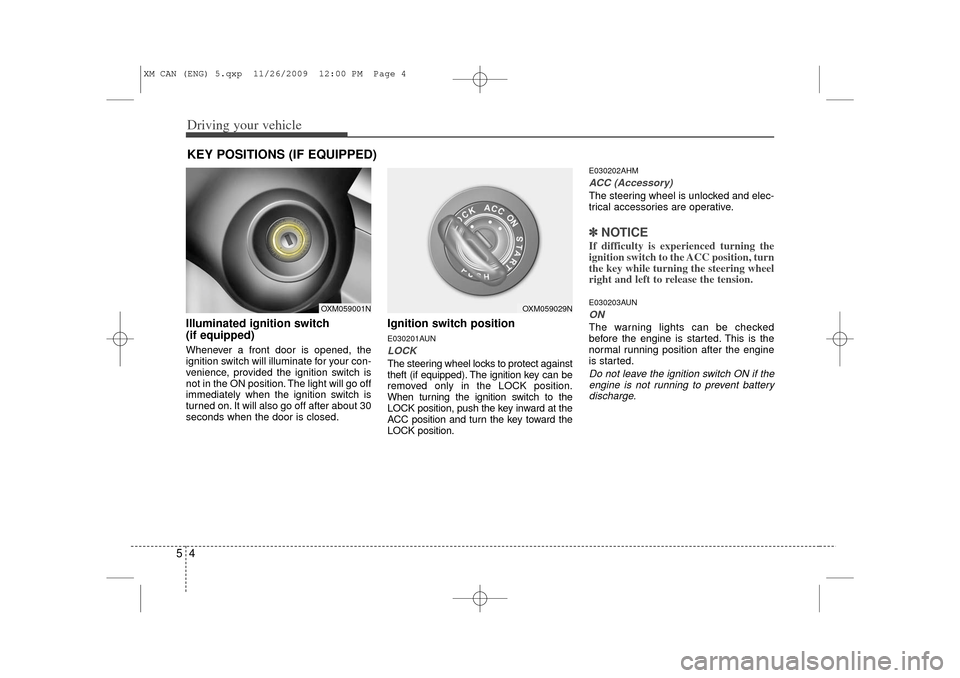
Driving your vehicle45Illuminated ignition switch
(if equipped)Whenever a front door is opened, the
ignition switch will illuminate for your con-
venience, provided the ignition switch is
not in the ON position. The light will go off
immediately when the ignition switch is
turned on. It will also go off after about 30
seconds when the door is closed.
Ignition switch positionE030201AUNLOCKThe steering wheel locks to protect against
theft (if equipped). The ignition key can be
removed only in the LOCK position.
When turning the ignition switch to the
LOCK position, push the key inward at the
ACC position and turn the key toward the
LOCK position.
E030202AHMACC (Accessory)The steering wheel is unlocked and elec-
trical accessories are operative.✽ ✽NOTICEIf difficulty is experienced turning the
ignition switch to the ACC position, turn
the key while turning the steering wheel
right and left to release the tension.E030203AUNONThe warning lights can be checked
before the engine is started. This is the
normal running position after the engine
is started.Do not leave the ignition switch ON if the
engine is not running to prevent battery discharge.
KEY POSITIONS (IF EQUIPPED)
OXM059029N
OXM059001N
XM CAN (ENG) 5.qxp 11/26/2009 12:00 PM Page 4
Page 216 of 377
55
Driving your vehicle
E030204APBSTARTTurn the ignition switch to the START
position to start the engine. The engine
will crank until you release the key; then
it returns to the ON position. The brake
warning light can be checked in this posi-
tion.E030205AHME040100AUN
Starting the engine
WARNING -
Ignition
switch
Never turn the ignition switch to
LOCK or ACC while the vehicle is
moving. This would result in loss
of directional control and braking
function, which could cause an
accident.
The anti-theft steering column lock is not a substitute for the parking
brake. Before leaving the driver’s
seat, always make sure the shift
lever is engaged in 1st gear for the
manual transaxle or P (Park) for
automatic transaxle, set the park-
ing brake fully and shut the engine
off. Unexpected and sudden vehi-
cle movement may occur if these
precautions are not taken.
(Continued)
(Continued)
Never reach for the ignition switch,or any other controls through the
steering wheel while the vehicle is
in motion. The presence of your
hand or arm in this area could
cause a loss of vehicle control, an
accident and serious bodily injury
or death.
Do not place any movable objects around the driver’s seat as they
may move while driving, interfere
with the driver and lead to an acci-
dent.
WARNING
Always wear appropriate shoes
when operating your vehicle.
Unsuitable shoes (high heels, ski
boots,etc.) may interfere with your
ability to use the brake and acceler-
ator pedal, and the clutch (if
equipped).
XM CAN (ENG) 5.qxp 11/26/2009 12:00 PM Page 5
Page 218 of 377
57
Driving your vehicle
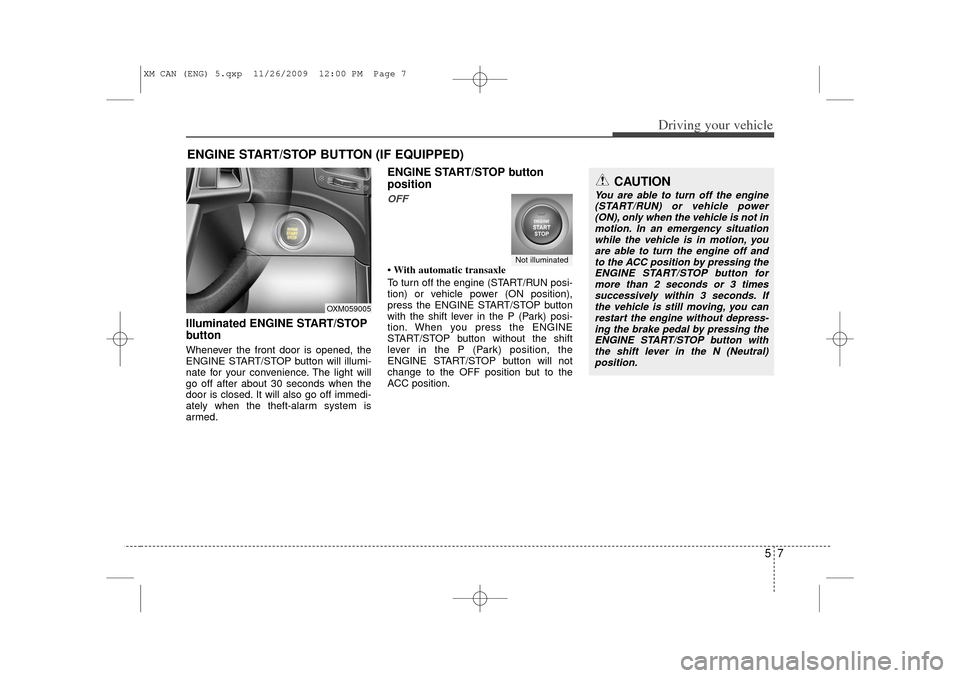
Illuminated ENGINE START/STOP
buttonWhenever the front door is opened, the
ENGINE START/STOP button will illumi-
nate for your convenience. The light will
go off after about 30 seconds when the
door is closed. It will also go off immedi-
ately when the theft-alarm system is
armed.
ENGINE START/STOP button
positionOFF• With automatic transaxle
To turn off the engine (START/RUN posi-
tion) or vehicle power (ON position),
press the ENGINE START/STOP button
with the shift lever in the P (Park) posi-
tion. When you press the ENGINE
START/STOP button without the shift
lever in the P (Park) position, the
ENGINE START/STOP button will not
change to the OFF position but to the
ACC position.
ENGINE START/STOP BUTTON (IF EQUIPPED)
Not illuminated
CAUTION
You are able to turn off the engine(START/RUN) or vehicle power(ON), only when the vehicle is not in motion. In an emergency situationwhile the vehicle is in motion, youare able to turn the engine off and to the ACC position by pressing theENGINE START/STOP button for more than 2 seconds or 3 timessuccessively within 3 seconds. Ifthe vehicle is still moving, you can restart the engine without depress-ing the brake pedal by pressing theENGINE START/STOP button with the shift lever in the N (Neutral)position.
OXM059005
XM CAN (ENG) 5.qxp 11/26/2009 12:00 PM Page 7