change time KIA Sorento 2012 2.G User Guide
[x] Cancel search | Manufacturer: KIA, Model Year: 2012, Model line: Sorento, Model: KIA Sorento 2012 2.GPages: 388, PDF Size: 7.56 MB
Page 175 of 388
485
Features of your vehicle
✽
✽NOTICE• When using the air conditioning sys-
tem, monitor the temperature gauge
closely while driving up hills or in
heavy traffic when outside tempera-
tures are high. Air conditioning sys-
tem operation may cause engine over-
heating. Continue to use the blower
fan but turn the air conditioning sys-
tem off if the temperature gauge indi-
cates engine overheating.
• When opening the windows in humid weather air conditioning may create
water droplets inside the vehicle.
Since excessive water droplets may
cause damage to electrical equipment,
air conditioning should only be used
with the windows closed.
Air conditioning system operation tips
If the vehicle has been parked in direct
sunlight during hot weather, open the
windows for a short time to let the hot
air inside the vehicle escape.
To help reduce moisture inside of the windows on rainy or humid days,
decrease the humidity inside the vehi-
cle by operating the air conditioning
system.
During air conditioning system opera- tion, you may occasionally notice a
slight change in engine speed as the
air conditioning compressor cycles.
This is a normal system operation
characteristic.
Use the air conditioning system every month only for a few minutes to ensure
maximum system performance. When using the air conditioning sys-
tem, you may notice clear water drip-
ping (or even puddling) on the ground
under the passenger side of the vehi-
cle. This is a normal system operation
characteristic.
Operating the air conditioning system in the recirculated air position provides
maximum cooling, however, continual
operation in this mode may cause the
air inside the vehicle to become stale.
During cooling operation, you may occasionally notice a misty air flow
because of rapid cooling and humid air
intake. This is a normal system opera-
tion characteristic.
XM CAN (ENG) 4(~105).QXP 4/19/2011 10:40 AM Page 85
Page 176 of 388
Features of your vehicle86
4Climate control air filter
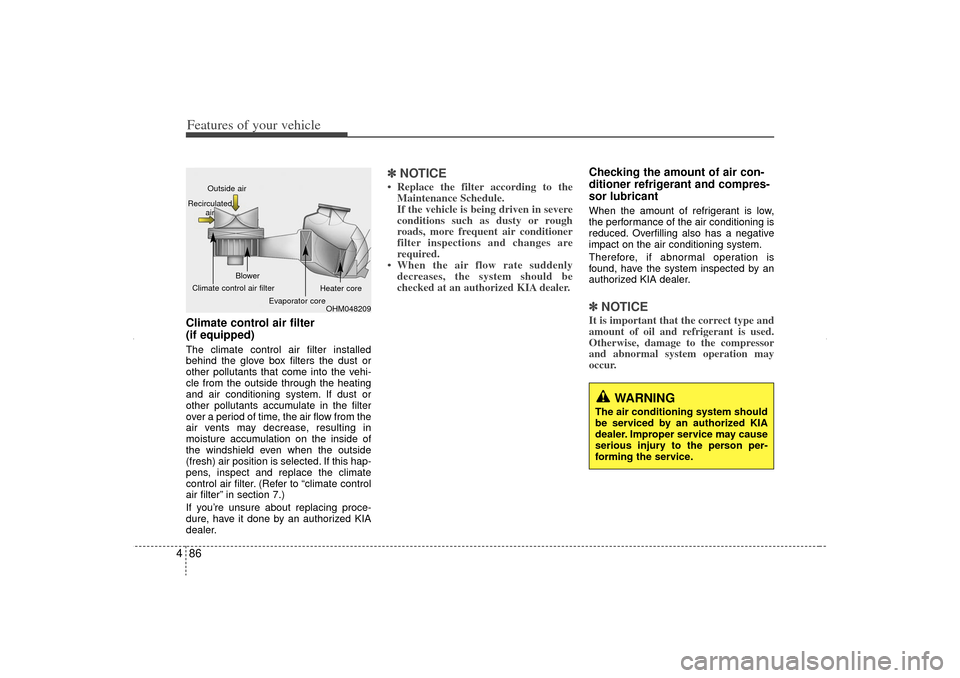
(if equipped)The climate control air filter installed
behind the glove box filters the dust or
other pollutants that come into the vehi-
cle from the outside through the heating
and air conditioning system. If dust or
other pollutants accumulate in the filter
over a period of time, the air flow from the
air vents may decrease, resulting in
moisture accumulation on the inside of
the windshield even when the outside
(fresh) air position is selected. If this hap-
pens, inspect and replace the climate
control air filter. (Refer to “climate control
air filter” in section 7.)
If you’re unsure about replacing proce-
dure, have it done by an authorized KIA
dealer.
✽ ✽
NOTICE• Replace the filter according to the
Maintenance Schedule.
If the vehicle is being driven in severe
conditions such as dusty or rough
roads, more frequent air conditioner
filter inspections and changes are
required.
• When the air flow rate suddenly decreases, the system should be
checked at an authorized KIA dealer.
Checking the amount of air con-
ditioner refrigerant and compres-
sor lubricantWhen the amount of refrigerant is low,
the performance of the air conditioning is
reduced. Overfilling also has a negative
impact on the air conditioning system.
Therefore, if abnormal operation is
found, have the system inspected by an
authorized KIA dealer.✽ ✽ NOTICEIt is important that the correct type and
amount of oil and refrigerant is used.
Otherwise, damage to the compressor
and abnormal system operation may
occur.
WARNING
The air conditioning system should
be serviced by an authorized KIA
dealer. Improper service may cause
serious injury to the person per-
forming the service.
OHM048209
Outside air
Recirculated air
Climate control air filter Blower
Evaporator core Heater core
XM CAN (ENG) 4(~105).QXP 4/19/2011 10:40 AM Page 86
Page 192 of 388
Features of your vehicle102
4
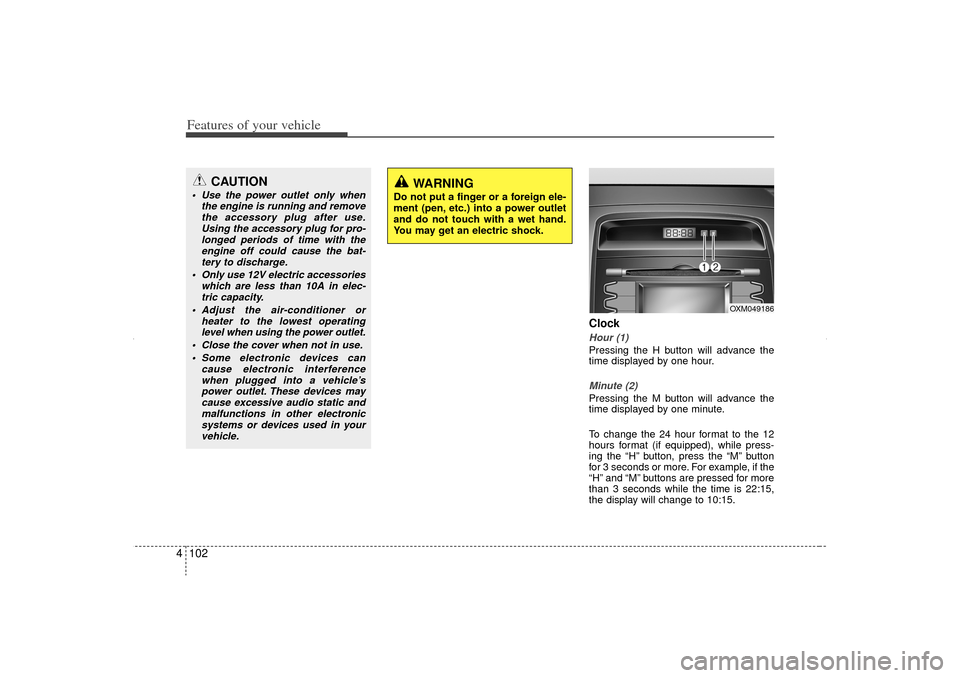
ClockHour (1)Pressing the H button will advance the
time displayed by one hour.Minute (2)Pressing the M button will advance the
time displayed by one minute.
To change the 24 hour format to the 12
hours format (if equipped), while press-
ing the “H” button, press the “M” button
for 3 seconds or more. For example, if the
“H” and “M” buttons are pressed for more
than 3 seconds while the time is 22:15,
the display will change to 10:15.
CAUTION
Use the power outlet only when
the engine is running and removethe accessory plug after use.Using the accessory plug for pro-longed periods of time with the engine off could cause the bat-tery to discharge.
Only use 12V electric accessories which are less than 10A in elec-tric capacity.
Adjust the air-conditioner or heater to the lowest operatinglevel when using the power outlet.
Close the cover when not in use. Some electronic devices can cause electronic interferencewhen plugged into a vehicle’spower outlet. These devices maycause excessive audio static and malfunctions in other electronicsystems or devices used in yourvehicle.
WARNING
Do not put a finger or a foreign ele-
ment (pen, etc.) into a power outlet
and do not touch with a wet hand.
You may get an electric shock.
OXM049186
XM CAN (ENG) 4(~105).QXP 4/19/2011 10:43 AM Page 102
Page 220 of 388
Features of your vehicle130
4BLUETOOTH
®PHONE OPERATION
(if equipped)
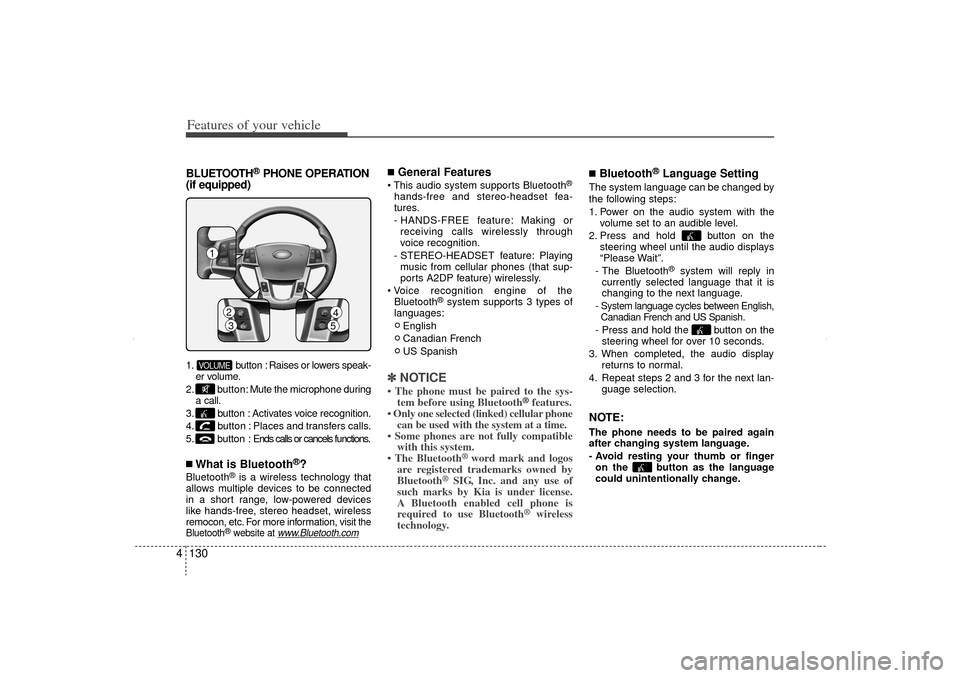
1. button : Raises or lowers speak-
er volume.
2. button: Mute the microphone during
a call.
3. button : Activates voice recognition.
4. button : Places and transfers calls.
5. button : Ends calls or cancels functions.■What is Bluetooth
®?
Bluetooth
®is a wireless technology that
allows multiple devices to be connected
in a short range, low-powered devices
like hands-free, stereo headset, wireless
remocon, etc. For more information, visit
the
Bluetooth
®website at
www
.Bluetooth.com
■General Features This audio system supports Bluetooth
®
hands-free and stereo-headset fea-
tures.
- HANDS-FREE feature: Making or receiving calls wirelessly through
voice recognition.
- STEREO-HEADSET feature: Playing music from cellular phones (that sup-
ports A2DP feature) wirelessly.
Voice recognition engine of the Bluetooth
®system supports 3 types of
languages:
English
Canadian French
US Spanish
✽ ✽ NOTICE• The phone must be paired to the sys-
tem before using Bluetooth
®features.
• Only one selected (linked) cellular phone can be used with the system at a time.
• Some phones are not fully compatible with this system.
• The Bluetooth
® word mark and logos
are registered trademarks owned by
Bluetooth
®SIG, Inc. and any use of
such marks by Kia is under license.
A Bluetooth enabled cell phone is
required to use Bluetooth
®
wireless
technology.
■Bluetooth
®Language Setting
The system language can be changed by
the following steps:
1. Power on the audio system with the
volume set to an audible level.
2. Press and hold button on the steering wheel until the audio displays
“Please Wait”.
- The Bluetooth
®
system will reply in
currently selected language that it is
changing to the next language.
- System language cycles between English, Canadian French and US Spanish.- Press and hold the button on the steering wheel for over 10 seconds.
3. When completed, the audio display returns to normal.
4. Repeat steps 2 and 3 for the next lan- guage selection.NOTE:The phone needs to be paired again
after changing system language.
- Avoid resting your thumb or fingeron the button as the language
could unintentionally change.
VOLUME1
23
45
XM CAN (ENG) 4(106~audio).QXP 4/19/2011 10:49 AM Page 130
Page 221 of 388
4 131
Features of your vehicle
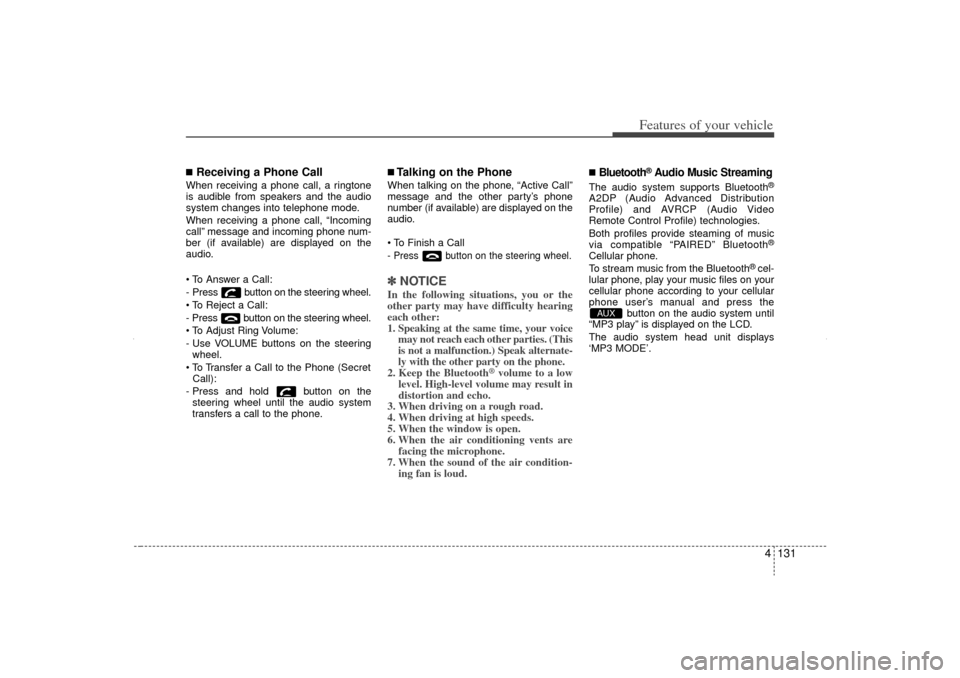
■Receiving a Phone CallWhen receiving a phone call, a ringtone
is audible from speakers and the audio
system changes into telephone mode.
When receiving a phone call, “Incoming
call” message and incoming phone num-
ber (if available) are displayed on the
audio.
To Answer a Call:
- Press button on the steering wheel.
To Reject a Call:
- Press button on the steering wheel.
To Adjust Ring Volume:
- Use VOLUME buttons on the steeringwheel.
To Transfer a Call to the Phone (Secret Call):
- Press and hold button on the steering wheel until the audio system
transfers a call to the phone.
■Talking on the PhoneWhen talking on the phone, “Active Call”
message and the other party’s phone
number (if available) are displayed on the
audio.
To Finish a Call- Press button on the steering wheel.✽ ✽ NOTICEIn the following situations, you or the
other party may have difficulty hearing
each other:
1. Speaking at the same time, your voice
may not reach each other parties. (This
is not a malfunction.) Speak alternate-
ly with the other party on the phone.
2. Keep the Bluetooth
®volume to a low
level. High-level volume may result in
distortion and echo.
3. When driving on a rough road.
4. When driving at high speeds.
5. When the window is open.
6. When the air conditioning vents are facing the microphone.
7. When the sound of the air condition- ing fan is loud.
■Bluetooth
®Audio Music Streaming
The audio system supports Bluetooth
®
A2DP (Audio Advanced Distribution
Profile) and AVRCP (Audio Video
Remote Control Profile) technologies.
Both profiles provide steaming of music
via compatible “PAIRED” Bluetooth
®
Cellular phone.
To stream music from the Bluetooth
® cel-
lular phone, play your music files on your
cellular phone according to your cellular
phone user’s manual and press the button on the audio system until
“MP3 play” is displayed on the LCD.
The audio system head unit displays
‘MP3 MODE’.
AUX
XM CAN (ENG) 4(106~audio).QXP 4/19/2011 10:49 AM Page 131
Page 223 of 388
4 133
Features of your vehicle
NOTE:• If the phone is paired with two ormore vehicles of the same model,
some phones may not handle
Bluetooth
®
devices of that name
correctly. In this case, you may need
to change the name displayed on
your phone.
For example, if the vehicles' name is
KMC CAR, you may need to change
the name displayed on you phone
from KMC_CAR to JOHNS_CAR or
KMC CAR_1 to avoid ambiguity.
Refer to your phone User’s Guide, or
contact your cellular carrier or phone
manufacturer for instructions.
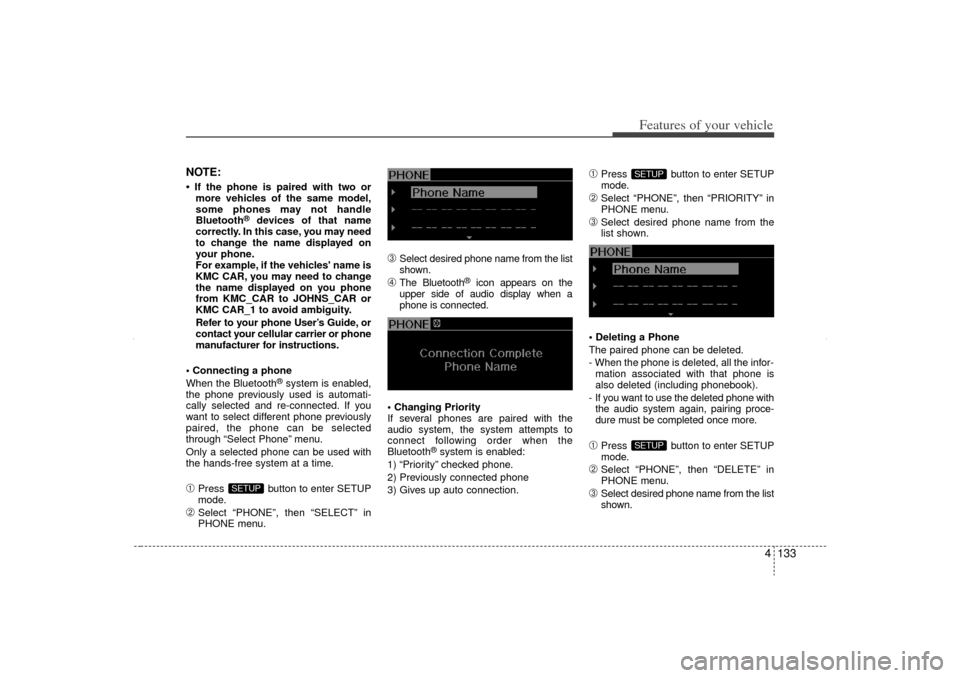
Connecting a phone
When the Bluetooth
®system is enabled,
the phone previously used is automati-
cally selected and re-connected. If you
want to select different phone previously
paired, the phone can be selected
through “Select Phone” menu.
Only a selected phone can be used with
the hands-free system at a time.
➀
Press button to enter SETUP
mode.
➁
Select “PHONE”, then “SELECT” in
PHONE menu.
➂
Select desired phone name from the list
shown.
\b
The Bluetooth
®
icon appears on the
upper side of audio display when a
phone is connected.
Changing Priority
If several phones are paired with the
audio system, the system attempts to
connect following order when the
Bluetooth
®system is enabled:
1) “Priority” checked phone.
2) Previously connected phone
3) Gives up auto connection.
➀
Press button to enter SETUP
mode.
➁
Select “PHONE”, then “PRIORITY” in
PHONE menu.
➂
Select desired phone name from the
list shown.
Deleting a Phone
The paired phone can be deleted.
- When the phone is deleted, all the infor- mation associated with that phone is
also deleted (including phonebook).
- If you want to use the deleted phone with the audio system again, pairing proce-
dure must be completed once more.
➀
Press button to enter SETUP
mode.
➁
Select “PHONE”, then “DELETE” in
PHONE menu.
➂
Select desired phone name from the list
shown.
SETUPSETUP
SETUP
XM CAN (ENG) 4(106~audio).QXP 4/19/2011 10:49 AM Page 133
Page 230 of 388
Driving your vehicle25E010000AUN-EU
WARNING
- ENGINE EXHAUST CAN BE DANGEROUS!
Engine exhaust fumes can be extremely dangerous. If, at any time, you smell exhaust fumes inside the vehicle, open the win-
dows immediately.
• Do not inhale exhaust fumes.Exhaust fumes contain carbon monoxide, a colorless, odorless gas that can cause unconsciousness and death by asphyxia-
tion.
Be sure the exhaust system does not leak. The exhaust system should be checked whenever the vehicle is raised to change the oil or for any other purpose. If you hear
a change in the sound of the exhaust or if you drive over something that strikes the underneath side of the car, have the
exhaust system checked as soon as possible by an authorized KIA dealer.
Do not run the engine in an enclosed area. Letting the engine idle in your garage, even with the garage door open, is a hazardous practice. Never run the engine in your
garage any longer than it takes to start the engine and back the car out.
Avoid idling the engine for prolonged periods with people inside the car. If it is necessary to idle the engine for a prolonged period with people inside the car, be sure to do so only in an open area
with the air intake set at "Fresh" and fan operating at one of the higher speeds so fresh air is drawn into the interior.
If you must drive with the tailgate open because you are carrying objects that make this necessary:
1. Close all windows.
2. Open side vents.
3. Set the air intake control at "Fresh", the air flow control at "Floor" or "Face" and the fan at one of the higher speeds.
To assure proper operation of the ventilation system, be sure the ventilation air intakes located just in front of the windshield are
kept clear of snow, ice, leaves or other obstructions.
XM CAN (ENG) 5.QXP 11/5/2010 11:38 AM Page 2
Page 235 of 388
57
Driving your vehicle
Illuminated ENGINE START/STOP
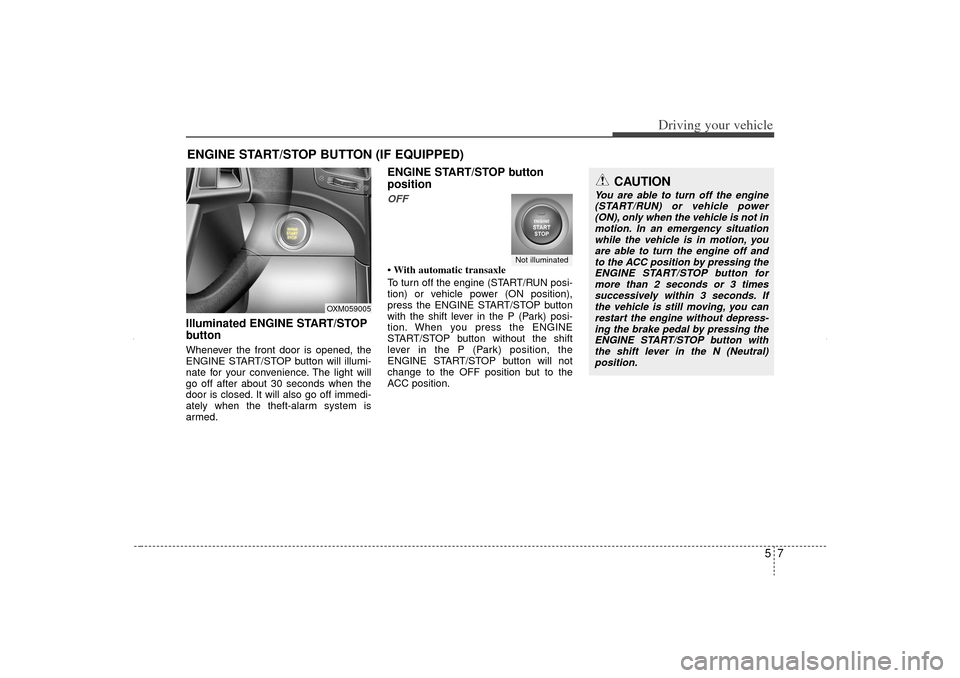
buttonWhenever the front door is opened, the
ENGINE START/STOP button will illumi-
nate for your convenience. The light will
go off after about 30 seconds when the
door is closed. It will also go off immedi-
ately when the theft-alarm system is
armed.
ENGINE START/STOP button
positionOFF• With automatic transaxle
To turn off the engine (START/RUN posi-
tion) or vehicle power (ON position),
press the ENGINE START/STOP button
with the shift lever in the P (Park) posi-
tion. When you press the ENGINE
START/STOP button without the shift
lever in the P (Park) position, the
ENGINE START/STOP button will not
change to the OFF position but to the
ACC position.
ENGINE START/STOP BUTTON (IF EQUIPPED)
Not illuminated
CAUTION
You are able to turn off the engine(START/RUN) or vehicle power(ON), only when the vehicle is not in motion. In an emergency situationwhile the vehicle is in motion, youare able to turn the engine off and to the ACC position by pressing theENGINE START/STOP button for more than 2 seconds or 3 timessuccessively within 3 seconds. Ifthe vehicle is still moving, you can restart the engine without depress-ing the brake pedal by pressing theENGINE START/STOP button with the shift lever in the N (Neutral)position.
OXM059005
XM CAN (ENG) 5.QXP 11/5/2010 11:38 AM Page 7
Page 236 of 388
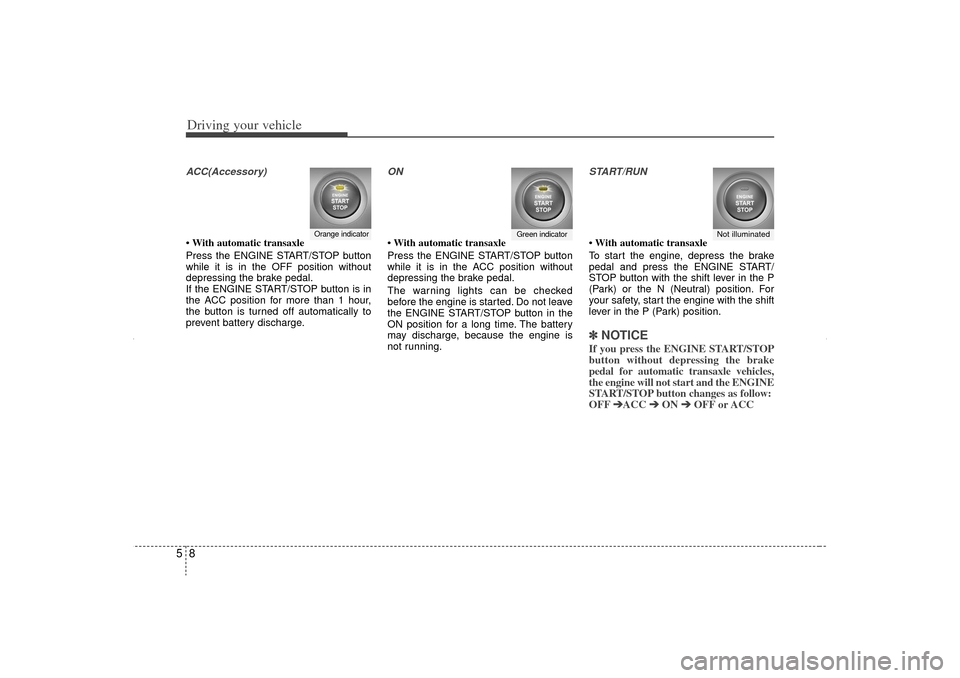
Driving your vehicle85ACC(Accessory)• With automatic transaxle
Press the ENGINE START/STOP button
while it is in the OFF position without
depressing the brake pedal.
If the ENGINE START/STOP button is in
the ACC position for more than 1 hour,
the button is turned off automatically to
prevent battery discharge.
ON• With automatic transaxle
Press the ENGINE START/STOP button
while it is in the ACC position without
depressing the brake pedal.
The warning lights can be checked
before the engine is started. Do not leave
the ENGINE START/STOP button in the
ON position for a long time. The battery
may discharge, because the engine is
not running.
START/RUN• With automatic transaxle
To start the engine, depress the brake
pedal and press the ENGINE START/
STOP button with the shift lever in the P
(Park) or the N (Neutral) position. For
your safety, start the engine with the shift
lever in the P (Park) position.✽ ✽
NOTICEIf you press the ENGINE START/STOP
button without depressing the brake
pedal for automatic transaxle vehicles,
the engine will not start and the ENGINE
START/STOP button changes as follow:
OFF ➔ ➔
ACC ➔
➔
ON ➔
➔
OFF or ACC
Orange indicator
Green indicator
Not illuminated
XM CAN (ENG) 5.QXP 11/5/2010 11:38 AM Page 8
Page 251 of 388
523
Driving your vehicle
For safe four-wheel drive opera-
tion Do not try to drive in deep standingwater or mud since such conditions
can stall your engine and clog your
exhaust pipes. Do not drive down
steep hills since it requires extreme
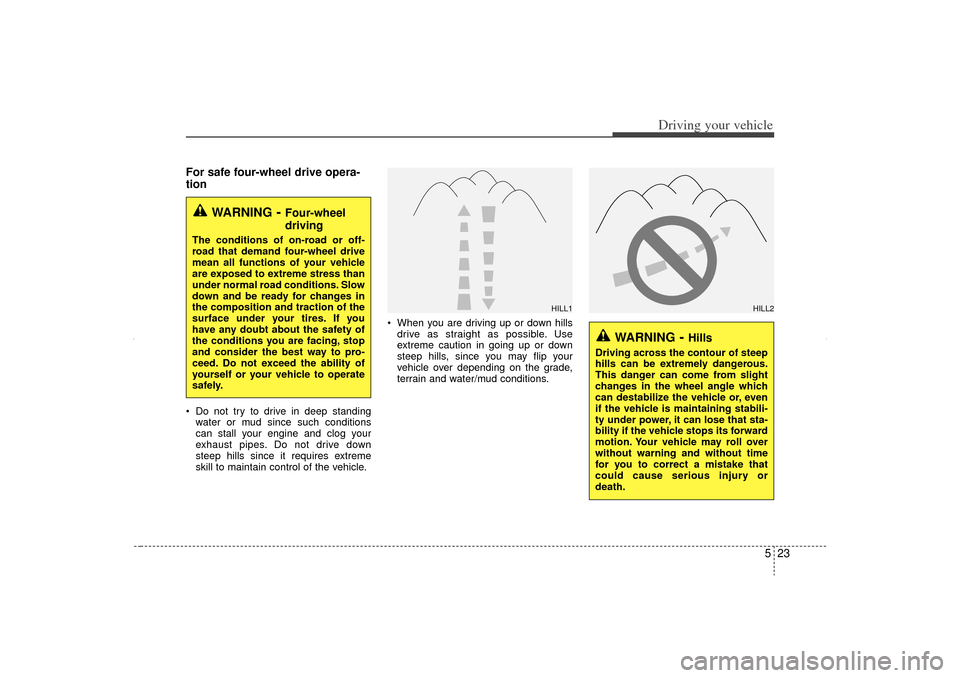
skill to maintain control of the vehicle. When you are driving up or down hills
drive as straight as possible. Use
extreme caution in going up or down
steep hills, since you may flip your
vehicle over depending on the grade,
terrain and water/mud conditions.
WARNING
- Four-wheel
driving
The conditions of on-road or off-
road that demand four-wheel drive
mean all functions of your vehicle
are exposed to extreme stress than
under normal road conditions. Slow
down and be ready for changes in
the composition and traction of the
surface under your tires. If you
have any doubt about the safety of
the conditions you are facing, stop
and consider the best way to pro-
ceed. Do not exceed the ability of
yourself or your vehicle to operate
safely.
WARNING
- Hills
Driving across the contour of steep
hills can be extremely dangerous.
This danger can come from slight
changes in the wheel angle which
can destabilize the vehicle or, even
if the vehicle is maintaining stabili-
ty under power, it can lose that sta-
bility if the vehicle stops its forward
motion. Your vehicle may roll over
without warning and without time
for you to correct a mistake that
could cause serious injury or
death.
HILL1
HILL2
XM CAN (ENG) 5.QXP 11/5/2010 11:39 AM Page 23