ignition KIA Sorento 2012 2.G Workshop Manual
[x] Cancel search | Manufacturer: KIA, Model Year: 2012, Model line: Sorento, Model: KIA Sorento 2012 2.GPages: 388, PDF Size: 7.56 MB
Page 150 of 388
Features of your vehicle60
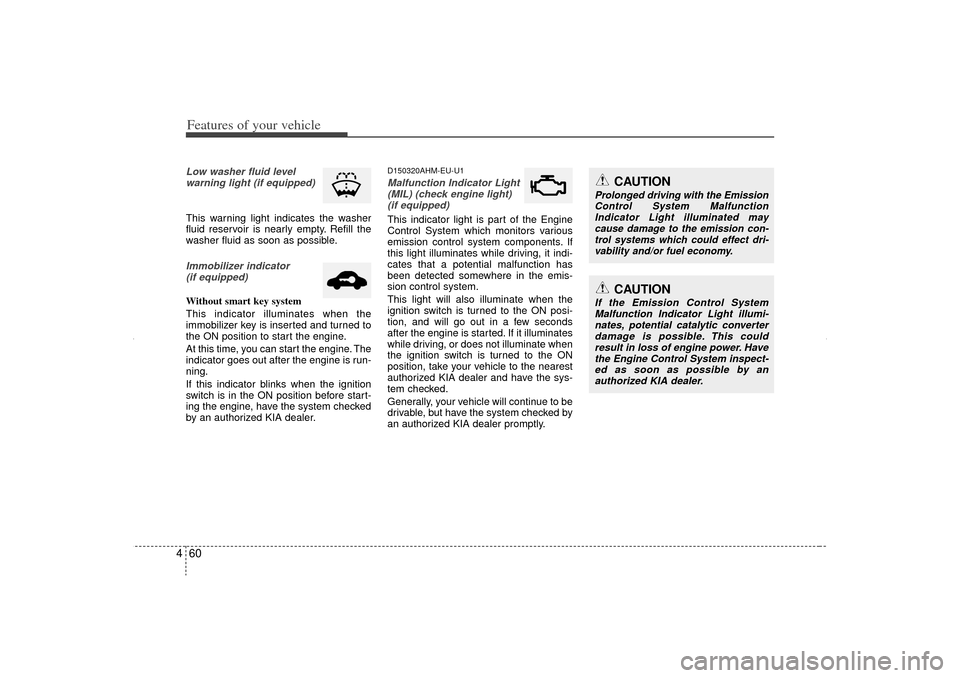
4Low washer fluid level
warning light (if equipped)This warning light indicates the washer
fluid reservoir is nearly empty. Refill the
washer fluid as soon as possible.Immobilizer indicator (if equipped)Without smart key system
This indicator illuminates when the
immobilizer key is inserted and turned to
the ON position to start the engine.
At this time, you can start the engine. The
indicator goes out after the engine is run-
ning.
If this indicator blinks when the ignition
switch is in the ON position before start-
ing the engine, have the system checked
by an authorized KIA dealer.
D150320AHM-EU-U1Malfunction Indicator Light(MIL) (check engine light) (if equipped)This indicator light is part of the Engine
Control System which monitors various
emission control system components. If
this light illuminates while driving, it indi-
cates that a potential malfunction has
been detected somewhere in the emis-
sion control system.
This light will also illuminate when the
ignition switch is turned to the ON posi-
tion, and will go out in a few seconds
after the engine is started. If it illuminates
while driving, or does not illuminate when
the ignition switch is turned to the ON
position, take your vehicle to the nearest
authorized KIA dealer and have the sys-
tem checked.
Generally, your vehicle will continue to be
drivable, but have the system checked by
an authorized KIA dealer promptly.
CAUTION
If the Emission Control System Malfunction Indicator Light illumi-nates, potential catalytic converterdamage is possible. This couldresult in loss of engine power. Have the Engine Control System inspect-ed as soon as possible by an authorized KIA dealer.
CAUTION
Prolonged driving with the EmissionControl System Malfunction Indicator Light illuminated maycause damage to the emission con-trol systems which could effect dri- vability and/or fuel economy.
XM CAN (ENG) 4(~105).QXP 4/19/2011 10:38 AM Page 60
Page 151 of 388
461
Features of your vehicle
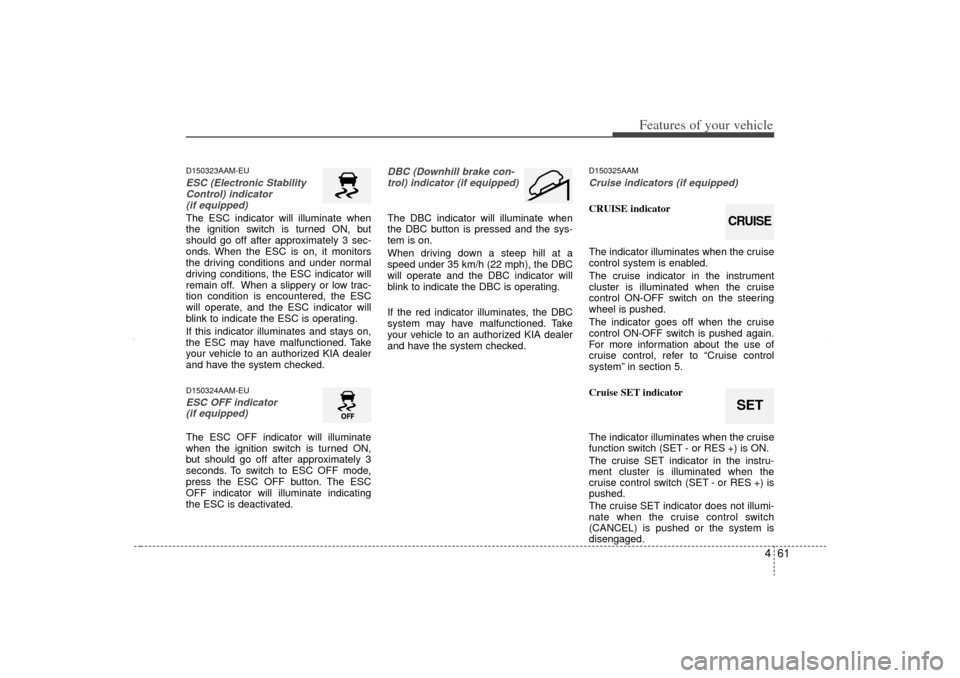
D150323AAM-EUESC (Electronic StabilityControl) indicator (if equipped)The ESC indicator will illuminate when
the ignition switch is turned ON, but
should go off after approximately 3 sec-
onds. When the ESC is on, it monitors
the driving conditions and under normal
driving conditions, the ESC indicator will
remain off. When a slippery or low trac-
tion condition is encountered, the ESC
will operate, and the ESC indicator will
blink to indicate the ESC is operating.
If this indicator illuminates and stays on,
the ESC may have malfunctioned. Take
your vehicle to an authorized KIA dealer
and have the system checked.D150324AAM-EUESC OFF indicator (if equipped)The ESC OFF indicator will illuminate
when the ignition switch is turned ON,
but should go off after approximately 3
seconds. To switch to ESC OFF mode,
press the ESC OFF button. The ESC
OFF indicator will illuminate indicating
the ESC is deactivated.
DBC (Downhill brake con-
trol) indicator (if equipped)The DBC indicator will illuminate when
the DBC button is pressed and the sys-
tem is on.
When driving down a steep hill at a
speed under 35 km/h (22 mph), the DBC
will operate and the DBC indicator will
blink to indicate the DBC is operating.
If the red indicator illuminates, the DBC
system may have malfunctioned. Take
your vehicle to an authorized KIA dealer
and have the system checked.
D150325AAMCruise indicators (if equipped)CRUISE indicator
The indicator illuminates when the cruise
control system is enabled.
The cruise indicator in the instrument
cluster is illuminated when the cruise
control ON-OFF switch on the steering
wheel is pushed.
The indicator goes off when the cruise
control ON-OFF switch is pushed again.
For more information about the use of
cruise control, refer to “Cruise control
system” in section 5.
Cruise SET indicator
The indicator illuminates when the cruise
function switch (SET - or RES +) is ON.
The cruise SET indicator in the instru-
ment cluster is illuminated when the
cruise control switch (SET - or RES +) is
pushed.
The cruise SET indicator does not illumi-
nate when the cruise control switch
(CANCEL) is pushed or the system is
disengaged.
SETCRUISE
XM CAN (ENG) 4(~105).QXP 4/19/2011 10:38 AM Page 61
Page 152 of 388
Features of your vehicle62
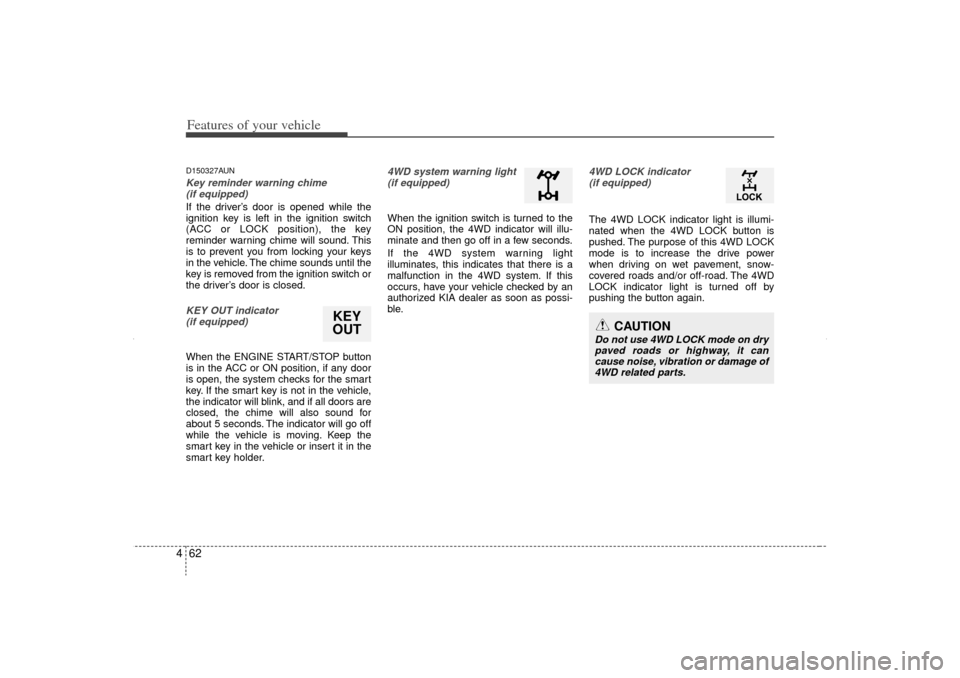
4D150327AUNKey reminder warning chime
(if equipped)If the driver’s door is opened while the
ignition key is left in the ignition switch
(ACC or LOCK position), the key
reminder warning chime will sound. This
is to prevent you from locking your keys
in the vehicle. The chime sounds until the
key is removed from the ignition switch or
the driver’s door is closed.KEY OUT indicator (if equipped)When the ENGINE START/STOP button
is in the ACC or ON position, if any door
is open, the system checks for the smart
key. If the smart key is not in the vehicle,
the indicator will blink, and if all doors are
closed, the chime will also sound for
about 5 seconds. The indicator will go off
while the vehicle is moving. Keep the
smart key in the vehicle or insert it in the
smart key holder.
4WD system warning light(if equipped) When the ignition switch is turned to the
ON position, the 4WD indicator will illu-
minate and then go off in a few seconds.
If the 4WD system warning light
illuminates, this indicates that there is a
malfunction in the 4WD system. If this
occurs, have your vehicle checked by an
authorized KIA dealer as soon as possi-
ble.
4WD LOCK indicator (if equipped)The 4WD LOCK indicator light is illumi-
nated when the 4WD LOCK button is
pushed. The purpose of this 4WD LOCK
mode is to increase the drive power
when driving on wet pavement, snow-
covered roads and/or off-road. The 4WD
LOCK indicator light is turned off by
pushing the button again.
KEY
OUT
CAUTION
Do not use 4WD LOCK mode on dry
paved roads or highway, it cancause noise, vibration or damage of4WD related parts.
XM CAN (ENG) 4(~105).QXP 4/19/2011 10:38 AM Page 62
Page 156 of 388
Features of your vehicle66
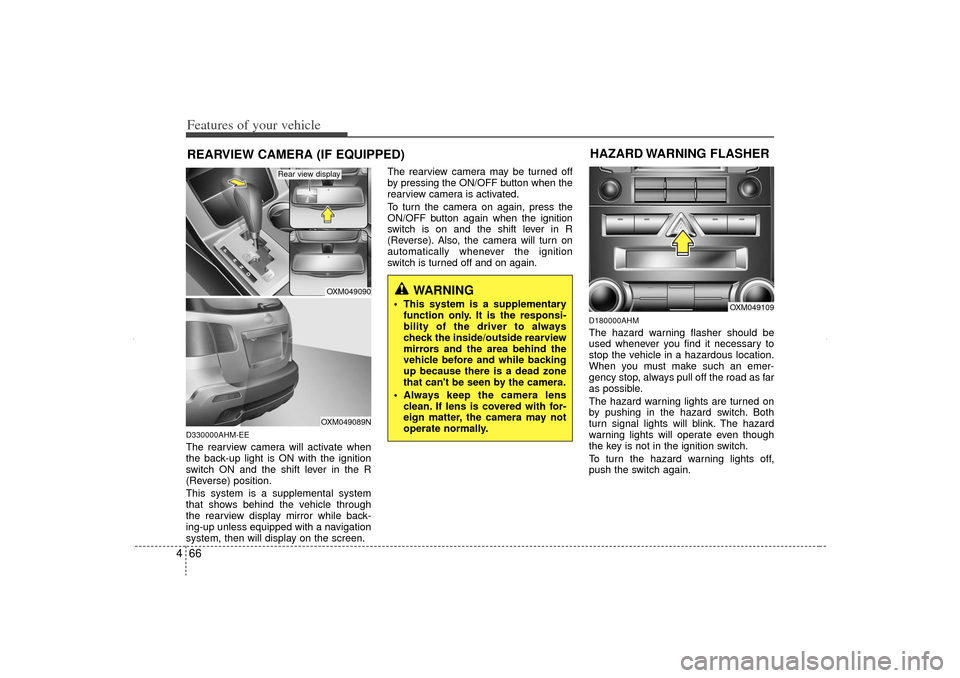
4D330000AHM-EEThe rearview camera will activate when
the back-up light is ON with the ignition
switch ON and the shift lever in the R
(Reverse) position.
This system is a supplemental system
that shows behind the vehicle through
the rearview display mirror while back-
ing-up unless equipped with a navigation
system, then will display on the screen. The rearview camera may be turned off
by pressing the ON/OFF button when the
rearview camera is activated.
To turn the camera on again, press the
ON/OFF button again when the ignition
switch is on and the shift lever in R
(Reverse). Also, the camera will turn on
automatically whenever the ignition
switch is turned off and on again.
D180000AHMThe hazard warning flasher should be
used whenever you find it necessary to
stop the vehicle in a hazardous location.
When you must make such an emer-
gency stop, always pull off the road as far
as possible.
The hazard warning lights are turned on
by pushing in the hazard switch. Both
turn signal lights will blink. The hazard
warning lights will operate even though
the key is not in the ignition switch.
To turn the hazard warning lights off,
push the switch again.
WARNING
This system is a supplementary
function only. It is the responsi-
bility of the driver to always
check the inside/outside rearview
mirrors and the area behind the
vehicle before and while backing
up because there is a dead zone
that can't be seen by the camera.
Always keep the camera lens clean. If lens is covered with for-
eign matter, the camera may not
operate normally.
REARVIEW CAMERA (IF EQUIPPED)
OXM049090OXM049089N
Rear view display
OXM049109
HAZARD WARNING FLASHER
XM CAN (ENG) 4(~105).QXP 4/19/2011 10:38 AM Page 66
Page 157 of 388
467
Features of your vehicle
D190100APBBattery saver function The purpose of this feature is to pre-vent the battery from being discharged
if the lights are left in the ON position.
The system automatically shuts off the
parking lights 30 seconds after the
ignition key is removed and the driver’s
door is opened and closed.
With this feature, the parking lights will turn off automatically if the driver parks
on the side of the road at night and
opens the driver’s side door.
If necessary, to keep the parking lights
on when the ignition key is removed,
perform the following:
1) Open the driver-side door.
2) Turn the parking lights OFF and ON again using the light switch on the
steering column.
D190200AHM-EUHeadlight escort function
(if equipped)The headlights and taillights remain on
for approximately 20 minutes after the
ignition key is removed or turned to the
ACC or LOCK position. However, if the
driver’s door is opened and closed, the
headlights and taillights are turned off
after 30 seconds.
The headlights and taillights can be
turned off by pressing the lock button on
the transmitter or turning off the light
switch from the headlight or Auto light
position.
Headlight welcome function
(if equipped)When the headlight(light switch in the
headlight or AUTO position) is on and all
doors (and fail gate) are locked and
closed, the position light and headlight
will come on for 15 seconds if any of the
below is performed.
Without smart key system
- When the door unlock button is pressed on the transmitter.
With the smart key system - When the door unlock button is pressed on the smart key.
At this time, if you press the door lock
button, the position light and headlight
will turn off immediately.
LIGHTING
CAUTION
If the driver gets out of the vehicle through other doors (except dri-ver’s door), the battery saver func-tion does not operate and the head- light escort function does not turnoff automatically. Therefore, It caus- es the battery to be discharged. Inthis case, make sure to turn off thelamp before getting out of the vehi- cle.
XM CAN (ENG) 4(~105).QXP 4/19/2011 10:38 AM Page 67
Page 158 of 388
Features of your vehicle68
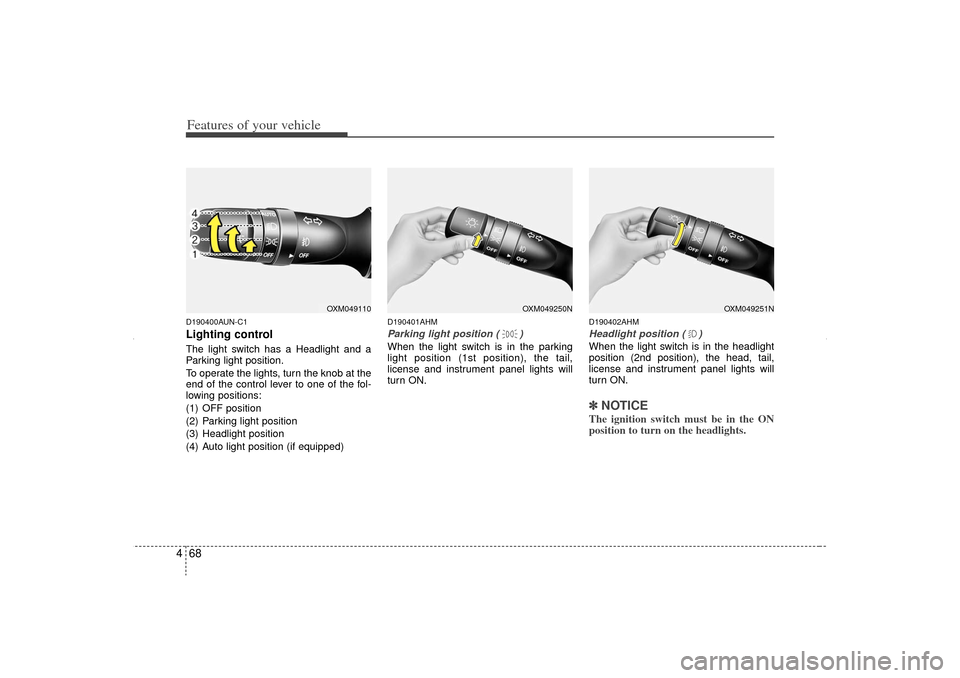
4D190400AUN-C1Lighting controlThe light switch has a Headlight and a
Parking light position.
To operate the lights, turn the knob at the
end of the control lever to one of the fol-
lowing positions:
(1) OFF position
(2) Parking light position
(3) Headlight position
(4) Auto light position (if equipped)
D190401AHMParking light position ( )When the light switch is in the parking
light position (1st position), the tail,
license and instrument panel lights will
turn ON.
D190402AHMHeadlight position ( )When the light switch is in the headlight
position (2nd position), the head, tail,
license and instrument panel lights will
turn ON.✽ ✽
NOTICEThe ignition switch must be in the ON
position to turn on the headlights.
OXM049251N
OXM049250N
OXM049110
XM CAN (ENG) 4(~105).QXP 4/19/2011 10:38 AM Page 68
Page 160 of 388
Features of your vehicle70
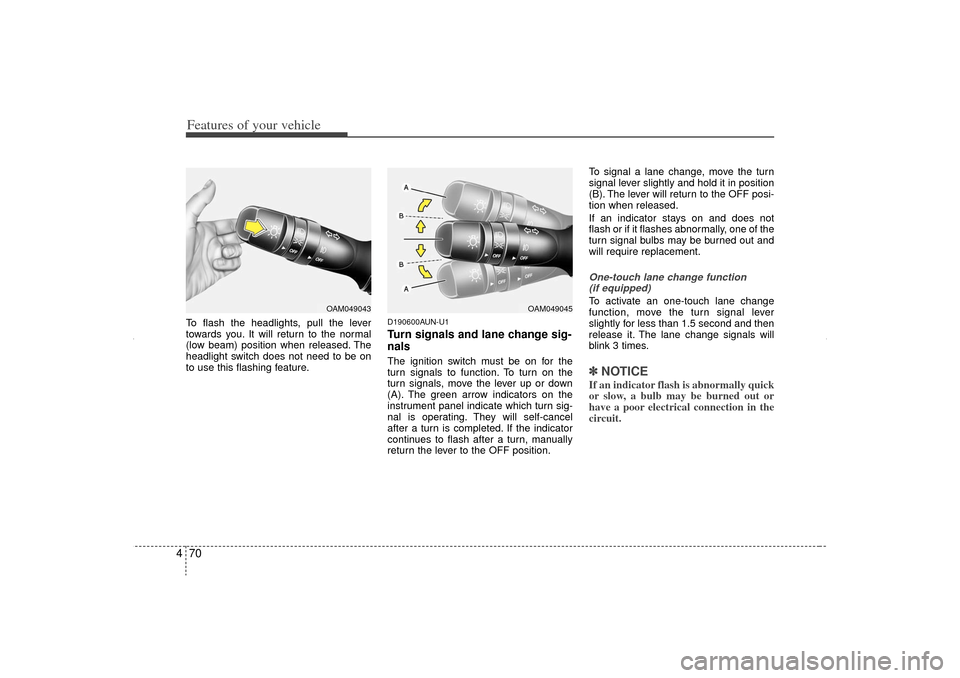
4To flash the headlights, pull the lever
towards you. It will return to the normal
(low beam) position when released. The
headlight switch does not need to be on
to use this flashing feature.
D190600AUN-U1Turn signals and lane change sig-
nalsThe ignition switch must be on for the
turn signals to function. To turn on the
turn signals, move the lever up or down
(A). The green arrow indicators on the
instrument panel indicate which turn sig-
nal is operating. They will self-cancel
after a turn is completed. If the indicator
continues to flash after a turn, manually
return the lever to the OFF position. To signal a lane change, move the turn
signal lever slightly and hold it in position
(B). The lever will return to the OFF posi-
tion when released.
If an indicator stays on and does not
flash or if it flashes abnormally, one of the
turn signal bulbs may be burned out and
will require replacement.
One-touch lane change function
(if equipped)To activate an one-touch lane change
function, move the turn signal lever
slightly for less than 1.5 second and then
release it. The lane change signals will
blink 3 times.✽ ✽ NOTICEIf an indicator flash is abnormally quick
or slow, a bulb may be burned out or
have a poor electrical connection in the
circuit.
OAM049045
OAM049043
XM CAN (ENG) 4(~105).QXP 4/19/2011 10:39 AM Page 70
Page 163 of 388
473
Features of your vehicle
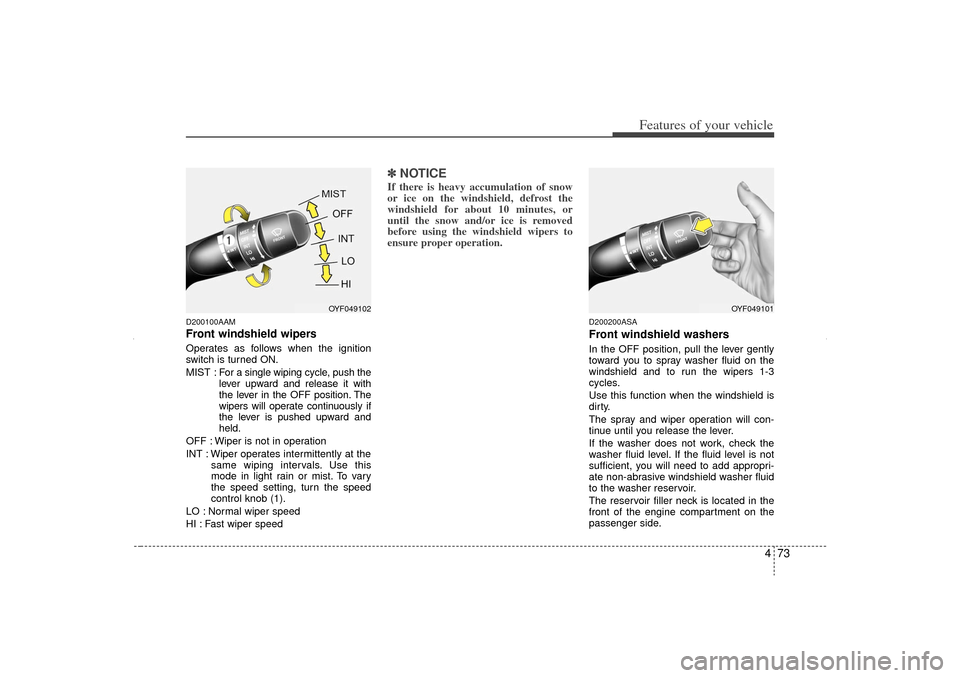
D200100AAMFront windshield wipers Operates as follows when the ignition
switch is turned ON.
MIST : For a single wiping cycle, push the
lever upward and release it with
the lever in the OFF position. The
wipers will operate continuously if
the lever is pushed upward and
held.
OFF : Wiper is not in operation
INT : Wiper operates intermittently at the same wiping intervals. Use this
mode in light rain or mist. To vary
the speed setting, turn the speed
control knob (1).
LO : Normal wiper speed
HI : Fast wiper speed
✽ ✽ NOTICEIf there is heavy accumulation of snow
or ice on the windshield, defrost the
windshield for about 10 minutes, or
until the snow and/or ice is removed
before using the windshield wipers to
ensure proper operation.
D200200ASAFront windshield washersIn the OFF position, pull the lever gently
toward you to spray washer fluid on the
windshield and to run the wipers 1-3
cycles.
Use this function when the windshield is
dirty.
The spray and wiper operation will con-
tinue until you release the lever.
If the washer does not work, check the
washer fluid level. If the fluid level is not
sufficient, you will need to add appropri-
ate non-abrasive windshield washer fluid
to the washer reservoir.
The reservoir filler neck is located in the
front of the engine compartment on the
passenger side.
OYF049102
OYF049101
XM CAN (ENG) 4(~105).QXP 4/19/2011 10:39 AM Page 73
Page 165 of 388
475
Features of your vehicle
D210000AENAutomatic turn off function
(if equipped)The interior lights automatically turn off
approximately 20 minutes after the igni-
tion switch is turned off, if the lights are in
the ON position.
If your vehicle is equipped with the theft
alarm system, the interior lights automat-
ically turns off approximately 3 seconds
after the system is armed stage.
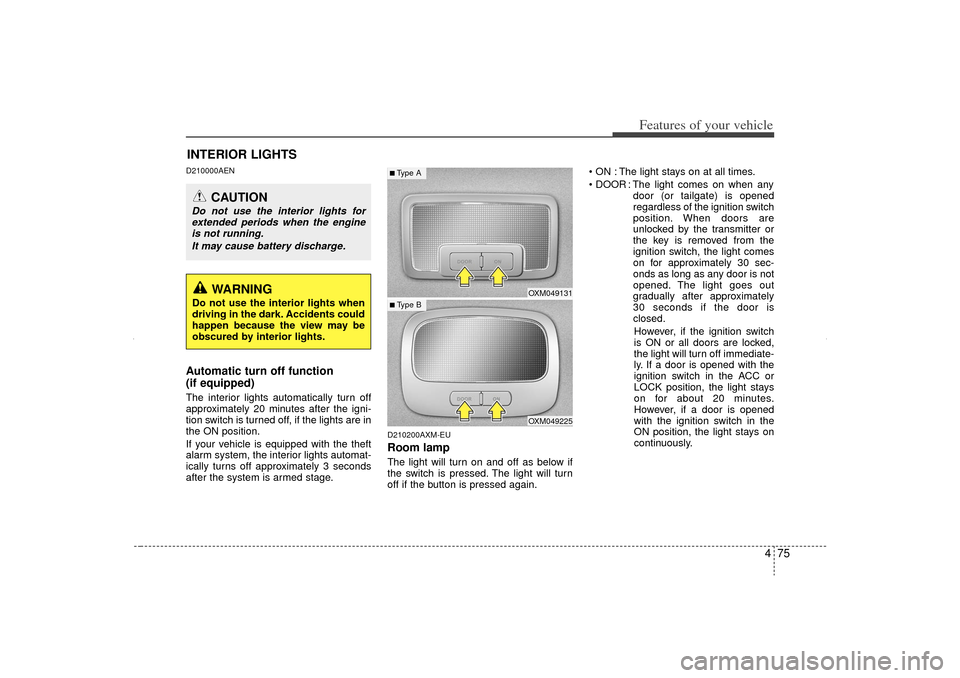
D210200AXM-EURoom lampThe light will turn on and off as below if
the switch is pressed. The light will turn
off if the button is pressed again. ON : The light stays on at all times.
DOOR : The light comes on when any
door (or tailgate) is opened
regardless of the ignition switch
position. When doors are
unlocked by the transmitter or
the key is removed from the
ignition switch, the light comes
on for approximately 30 sec-
onds as long as any door is not
opened. The light goes out
gradually after approximately
30 seconds if the door is
closed.
However, if the ignition switch
is ON or all doors are locked,
the light will turn off immediate-
ly. If a door is opened with the
ignition switch in the ACC or
LOCK position, the light stays
on for about 20 minutes.
However, if a door is opened
with the ignition switch in the
ON position, the light stays on
continuously.
INTERIOR LIGHTS
CAUTION
Do not use the interior lights for extended periods when the engineis not running.
It may cause battery discharge.
OXM049131OXM049225
■ Type B■Type A
WARNING
Do not use the interior lights when
driving in the dark. Accidents could
happen because the view may be
obscured by interior lights.
XM CAN (ENG) 4(~105).QXP 4/19/2011 10:39 AM Page 75
Page 166 of 388
Features of your vehicle76
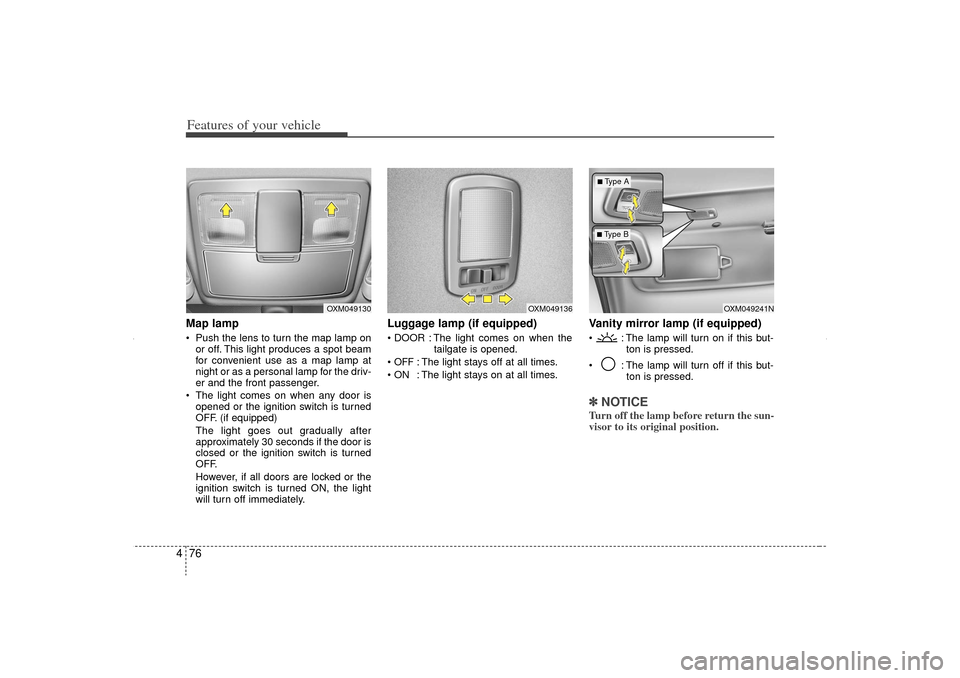
4Map lamp Push the lens to turn the map lamp on
or off. This light produces a spot beam
for convenient use as a map lamp at
night or as a personal lamp for the driv-
er and the front passenger.
The light comes on when any door is opened or the ignition switch is turned
OFF. (if equipped)
The light goes out gradually after
approximately 30 seconds if the door is
closed or the ignition switch is turned
OFF.
However, if all doors are locked or the
ignition switch is turned ON, the light
will turn off immediately.
Luggage lamp (if equipped) DOOR : The light comes on when the tailgate is opened.
OFF
: The light stays off at all times.
ON : The light stays on at all times.
Vanity mirror lamp (if equipped) : The lamp will turn on if this but- ton is pressed.
: The lamp will turn off if this but- ton is pressed.✽ ✽NOTICETurn off the lamp before return the sun-
visor to its original position.
OXM049136
OXM049130
OXM049241N
■ Type B■Type A
XM CAN (ENG) 4(~105).QXP 4/19/2011 10:39 AM Page 76