warning KIA Sorento 2013 2.G Owner's Manual
[x] Cancel search | Manufacturer: KIA, Model Year: 2013, Model line: Sorento, Model: KIA Sorento 2013 2.GPages: 388, PDF Size: 7.56 MB
Page 150 of 388
Features of your vehicle60
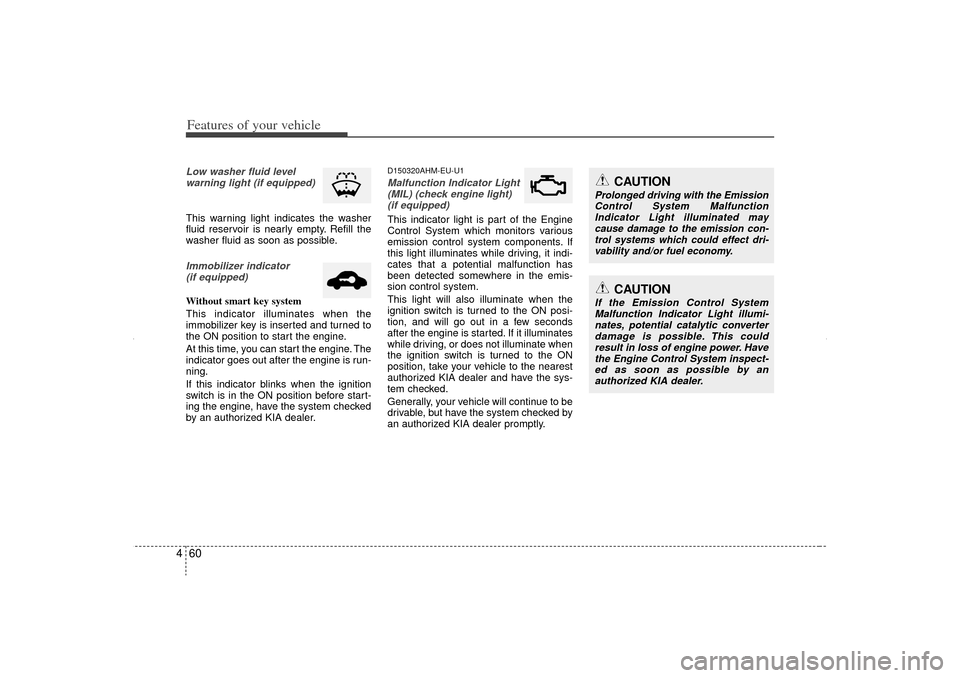
4Low washer fluid level
warning light (if equipped)This warning light indicates the washer
fluid reservoir is nearly empty. Refill the
washer fluid as soon as possible.Immobilizer indicator (if equipped)Without smart key system
This indicator illuminates when the
immobilizer key is inserted and turned to
the ON position to start the engine.
At this time, you can start the engine. The
indicator goes out after the engine is run-
ning.
If this indicator blinks when the ignition
switch is in the ON position before start-
ing the engine, have the system checked
by an authorized KIA dealer.
D150320AHM-EU-U1Malfunction Indicator Light(MIL) (check engine light) (if equipped)This indicator light is part of the Engine
Control System which monitors various
emission control system components. If
this light illuminates while driving, it indi-
cates that a potential malfunction has
been detected somewhere in the emis-
sion control system.
This light will also illuminate when the
ignition switch is turned to the ON posi-
tion, and will go out in a few seconds
after the engine is started. If it illuminates
while driving, or does not illuminate when
the ignition switch is turned to the ON
position, take your vehicle to the nearest
authorized KIA dealer and have the sys-
tem checked.
Generally, your vehicle will continue to be
drivable, but have the system checked by
an authorized KIA dealer promptly.
CAUTION
If the Emission Control System Malfunction Indicator Light illumi-nates, potential catalytic converterdamage is possible. This couldresult in loss of engine power. Have the Engine Control System inspect-ed as soon as possible by an authorized KIA dealer.
CAUTION
Prolonged driving with the EmissionControl System Malfunction Indicator Light illuminated maycause damage to the emission con-trol systems which could effect dri- vability and/or fuel economy.
XM CAN (ENG) 4(~105).QXP 4/19/2011 10:38 AM Page 60
Page 152 of 388
Features of your vehicle62
4D150327AUNKey reminder warning chime
(if equipped)If the driver’s door is opened while the
ignition key is left in the ignition switch
(ACC or LOCK position), the key
reminder warning chime will sound. This
is to prevent you from locking your keys
in the vehicle. The chime sounds until the
key is removed from the ignition switch or
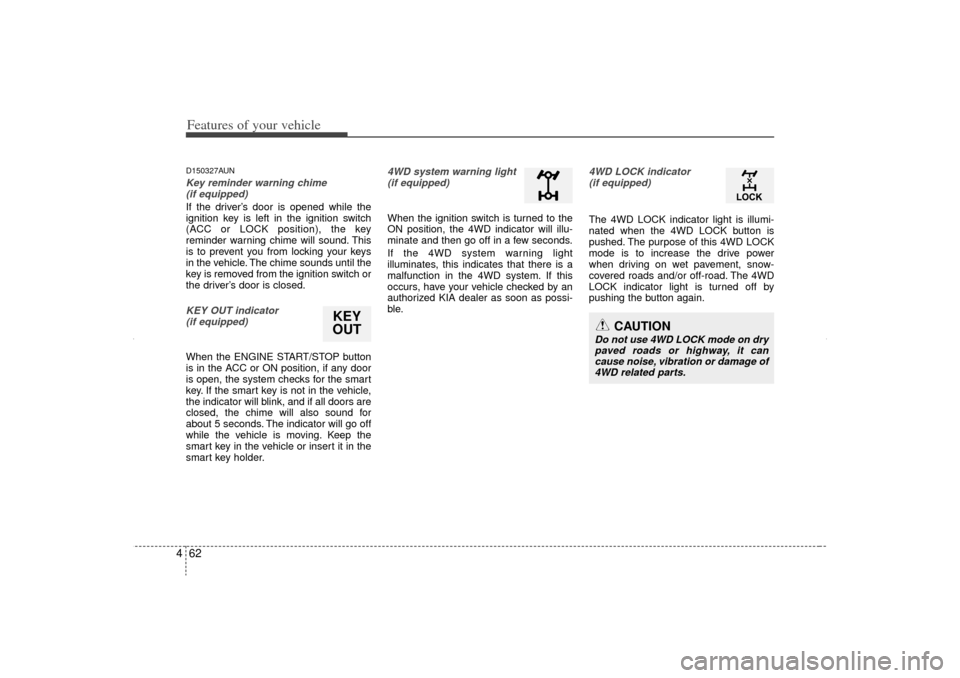
the driver’s door is closed.KEY OUT indicator (if equipped)When the ENGINE START/STOP button
is in the ACC or ON position, if any door
is open, the system checks for the smart
key. If the smart key is not in the vehicle,
the indicator will blink, and if all doors are
closed, the chime will also sound for
about 5 seconds. The indicator will go off
while the vehicle is moving. Keep the
smart key in the vehicle or insert it in the
smart key holder.
4WD system warning light(if equipped) When the ignition switch is turned to the
ON position, the 4WD indicator will illu-
minate and then go off in a few seconds.
If the 4WD system warning light
illuminates, this indicates that there is a
malfunction in the 4WD system. If this
occurs, have your vehicle checked by an
authorized KIA dealer as soon as possi-
ble.
4WD LOCK indicator (if equipped)The 4WD LOCK indicator light is illumi-
nated when the 4WD LOCK button is
pushed. The purpose of this 4WD LOCK
mode is to increase the drive power
when driving on wet pavement, snow-
covered roads and/or off-road. The 4WD
LOCK indicator light is turned off by
pushing the button again.
KEY
OUT
CAUTION
Do not use 4WD LOCK mode on dry
paved roads or highway, it cancause noise, vibration or damage of4WD related parts.
XM CAN (ENG) 4(~105).QXP 4/19/2011 10:38 AM Page 62
Page 153 of 388
463
Features of your vehicle
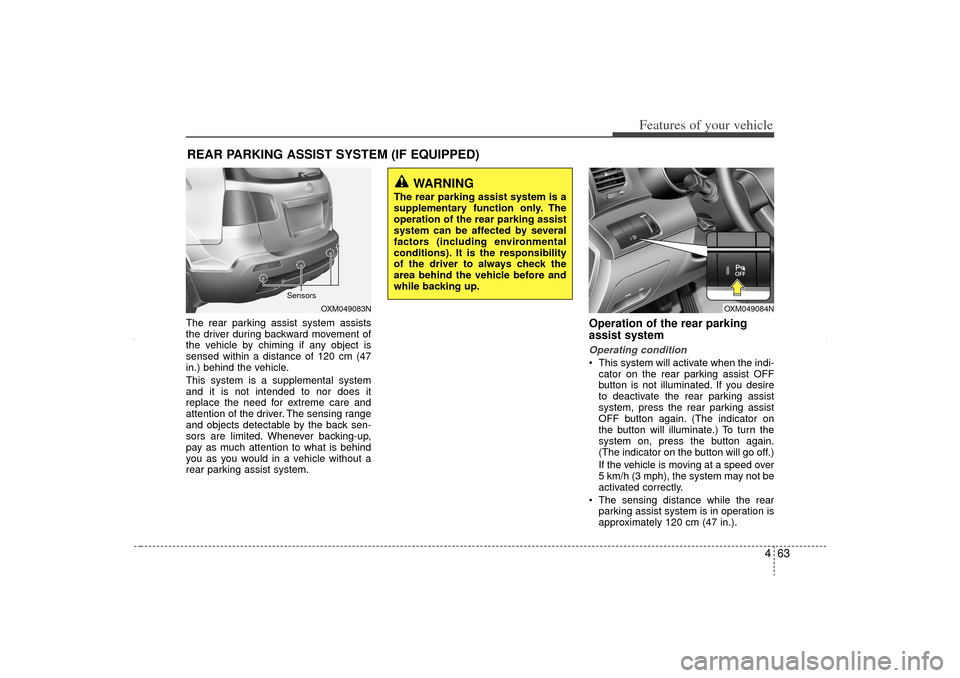
The rear parking assist system assists
the driver during backward movement of
the vehicle by chiming if any object is
sensed within a distance of 120 cm (47
in.) behind the vehicle.
This system is a supplemental system
and it is not intended to nor does it
replace the need for extreme care and
attention of the driver. The sensing range
and objects detectable by the back sen-
sors are limited. Whenever backing-up,
pay as much attention to what is behind
you as you would in a vehicle without a
rear parking assist system.
Operation of the rear parking
assist systemOperating condition This system will activate when the indi-cator on the rear parking assist OFF
button is not illuminated. If you desire
to deactivate the rear parking assist
system, press the rear parking assist
OFF button again. (The indicator on
the button will illuminate.) To turn the
system on, press the button again.
(The indicator on the button will go off.)
If the vehicle is moving at a speed over
5 km/h (3 mph), the system may not be
activated correctly.
The sensing distance while the rear parking assist system is in operation is
approximately 120 cm (47 in.).
REAR PARKING ASSIST SYSTEM (IF EQUIPPED)
WARNING
The rear parking assist system is a
supplementary function only. The
operation of the rear parking assist
system can be affected by several
factors (including environmental
conditions). It is the responsibility
of the driver to always check the
area behind the vehicle before and
while backing up.
OXM049083N
Sensors
OXM049084N
XM CAN (ENG) 4(~105).QXP 4/19/2011 10:38 AM Page 63
Page 154 of 388
Features of your vehicle64
4 When more than two objects are
sensed at the same time, the closest
one will be recognized first.Types of warning sound When an object is 120 cm to 81 cm (47in. to 32 in.) from the rear bumper:
Buzzer beeps intermittently.
When an object is 80 cm to 41 cm (31 in. to 16 in.) from the rear bumper:
Buzzer beeps more frequently.
When an object is within 40 cm (15 in.) of the rear bumper:
Buzzer sounds continuously.
Non-operational conditions of
rear parking assist systemThe rear parking assist system may
not operate properly when:
1. Moisture is frozen to the sensor. (It will operate normally when the moisture
has been cleared.)
2. The sensor is covered with foreign matter, such as snow or water, or the
sensor cover is blocked. (It will operate
normally when the material is removed
or the sensor is no longer blocked.)
3. Driving on uneven road surfaces (unpaved roads, gravel, bumps, gradi-
ent).
4. Objects generating excessive noise (vehicle horns, loud motorcycle
engines, or truck air brakes) are within
range of the sensor.
5. Heavy rain or water spray exists.
6. Wireless transmitters or mobile phones are within range of the sensor.
7. The sensor is covered with snow.
8. Trailer towing The detecting range may decrease
when:
1. The sensor is stained with foreign mat-
ter such as snow or water. (The sens-
ing range will return to normal when
removed.)
2. Outside air temperature is extremely hot or cold.
The following objects may not be rec-
ognized by the sensor:
1. Sharp or slim objects such as ropes, chains or small poles.
2. Objects which tend to absorb the sen- sor frequency such as clothes, spongy
material or snow.
3. Undetectable objects smaller than 1 m (40 in.) in height and narrower than 14
cm (6 in.) in diameter.
XM CAN (ENG) 4(~105).QXP 4/19/2011 10:38 AM Page 64
Page 155 of 388
465
Features of your vehicle
Rear parking assist system pre-
cautions The rear parking assist system maynot sound consistently depending on
the speed and shapes of the objects
detected.
The rear parking assist system may malfunction if the vehicle bumper
height or sensor installation has been
modified or damaged. Any non-factory
installed equipment or accessories
may also interfere with the sensor per-
formance.
The sensor may not recognize objects less than 40 cm (15 in.) from the sen-
sor, or it may sense an incorrect dis-
tance. Use caution.
When the sensor is frozen or stained with snow, dirt, or water, the sensor
may be inoperative until the stains are
removed using a soft cloth.
Do not push, scratch or strike the sen- sor. Sensor damage could occur.
✽ ✽ NOTICEThis system can only sense objects with-
in the range and location of the sensors;
It can not detect objects in other areas
where sensors are not installed. Also,
small or slim objects, such as poles or
objects located between sensors may not
be detected by the sensors.
Always visually check behind the vehi-
cle when backing up.
Be sure to inform any drivers of the
vehicle that may be unfamiliar with the
system regarding the systems capabili-
ties and limitations.
Self-diagnosisIf you don’t hear an audible warning
sound or if the buzzer sounds intermit-
tently when shifting the gear to the R
(Reverse) position, this may indicate a
malfunction in the rear parking assist sys-
tem. If this occurs, have your vehicle
checked by an authorized KIA dealer as
soon as possible.
WARNING
Pay close attention when the vehi-
cle is driven close to objects on the
road, particularly pedestrians, and
especially children. Be aware that
some objects may not be detected
by the sensors, due to the object’s
distance, size or material, all of
which can limit the effectiveness of
the sensor. Always perform a visu-
al inspection to make sure the vehi-
cle is clear of all obstructions
before moving the vehicle in any
direction.
WARNING
Your new vehicle warranty does not
cover any accidents or damage to
the vehicle or injuries to its occu-
pants due to a rear parking assist
system malfunction. Always drive
safely and cautiously.
XM CAN (ENG) 4(~105).QXP 4/19/2011 10:38 AM Page 65
Page 156 of 388
Features of your vehicle66
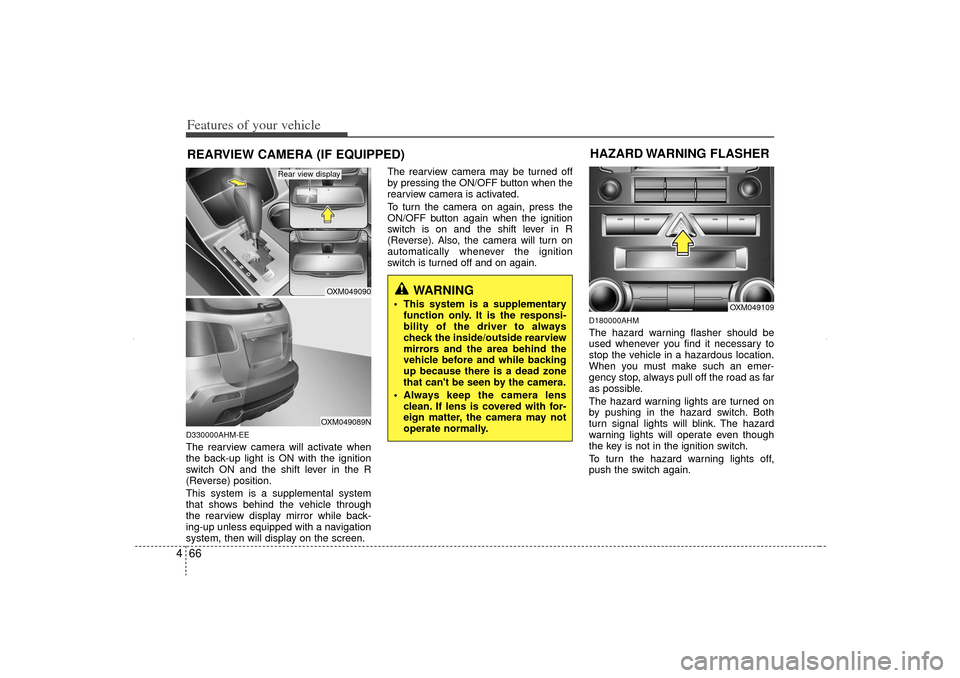
4D330000AHM-EEThe rearview camera will activate when
the back-up light is ON with the ignition
switch ON and the shift lever in the R
(Reverse) position.
This system is a supplemental system
that shows behind the vehicle through
the rearview display mirror while back-
ing-up unless equipped with a navigation
system, then will display on the screen. The rearview camera may be turned off
by pressing the ON/OFF button when the
rearview camera is activated.
To turn the camera on again, press the
ON/OFF button again when the ignition
switch is on and the shift lever in R
(Reverse). Also, the camera will turn on
automatically whenever the ignition
switch is turned off and on again.
D180000AHMThe hazard warning flasher should be
used whenever you find it necessary to
stop the vehicle in a hazardous location.
When you must make such an emer-
gency stop, always pull off the road as far
as possible.
The hazard warning lights are turned on
by pushing in the hazard switch. Both
turn signal lights will blink. The hazard
warning lights will operate even though
the key is not in the ignition switch.
To turn the hazard warning lights off,
push the switch again.
WARNING
This system is a supplementary
function only. It is the responsi-
bility of the driver to always
check the inside/outside rearview
mirrors and the area behind the
vehicle before and while backing
up because there is a dead zone
that can't be seen by the camera.
Always keep the camera lens clean. If lens is covered with for-
eign matter, the camera may not
operate normally.
REARVIEW CAMERA (IF EQUIPPED)
OXM049090OXM049089N
Rear view display
OXM049109
HAZARD WARNING FLASHER
XM CAN (ENG) 4(~105).QXP 4/19/2011 10:38 AM Page 66
Page 159 of 388
469
Features of your vehicle
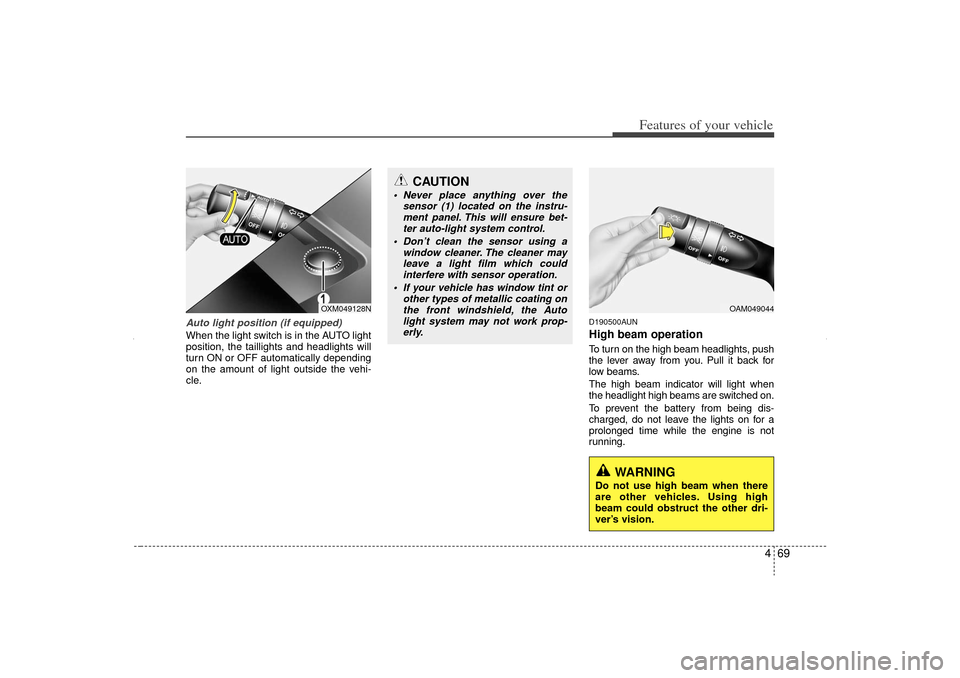
Auto light position (if equipped)When the light switch is in the AUTO light
position, the taillights and headlights will
turn ON or OFF automatically depending
on the amount of light outside the vehi-
cle.
D190500AUNHigh beam operation To turn on the high beam headlights, push
the lever away from you. Pull it back for
low beams.
The high beam indicator will light when
the headlight high beams are switched on.
To prevent the battery from being dis-
charged, do not leave the lights on for a
prolonged time while the engine is not
running.
CAUTION
Never place anything over thesensor (1) located on the instru-ment panel. This will ensure bet- ter auto-light system control.
Don’t clean the sensor using a window cleaner. The cleaner mayleave a light film which could interfere with sensor operation.
If your vehicle has window tint or other types of metallic coating onthe front windshield, the Autolight system may not work prop- erly.
OAM049044
WARNING
Do not use high beam when there
are other vehicles. Using high
beam could obstruct the other dri-
ver’s vision.
OXM049128N
XM CAN (ENG) 4(~105).QXP 4/19/2011 10:38 AM Page 69
Page 164 of 388
Features of your vehicle74
4
D200300AAMRear window wiper and washer
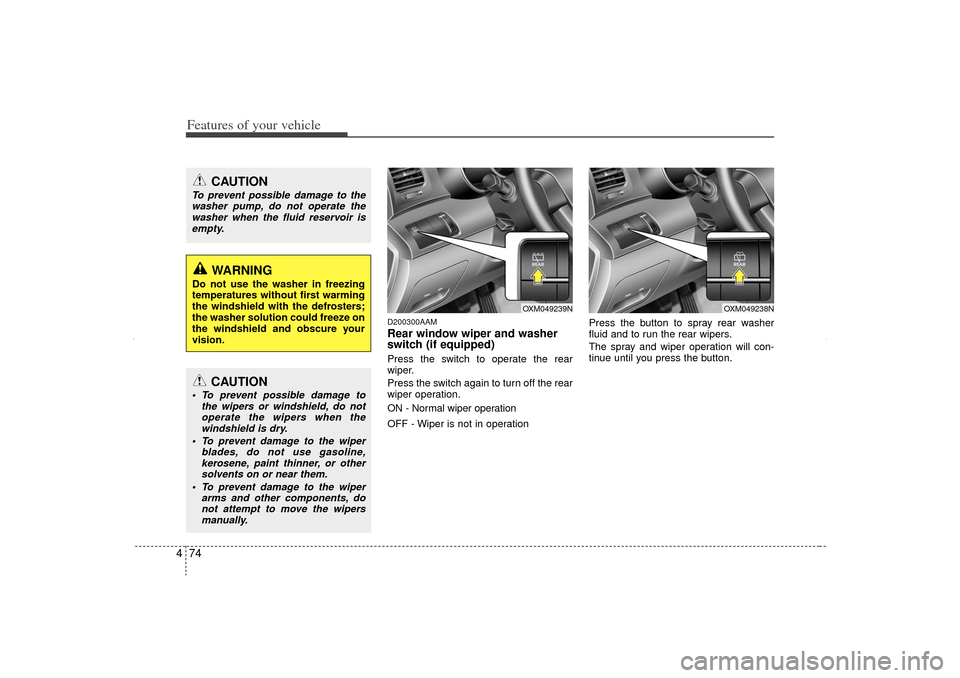
switch (if equipped)Press the switch to operate the rear
wiper.
Press the switch again to turn off the rear
wiper operation.
ON - Normal wiper operation
OFF - Wiper is not in operation Press the button to spray rear washer
fluid and to run the rear wipers.
The spray and wiper operation will con-
tinue until you press the button.
OXM049239N
OXM049238N
CAUTION
To prevent possible damage to
the wipers or windshield, do notoperate the wipers when thewindshield is dry.
To prevent damage to the wiper blades, do not use gasoline,kerosene, paint thinner, or othersolvents on or near them.
To prevent damage to the wiper arms and other components, donot attempt to move the wipersmanually.
CAUTION
To prevent possible damage to the
washer pump, do not operate the washer when the fluid reservoir isempty.
WARNING
Do not use the washer in freezing
temperatures without first warming
the windshield with the defrosters;
the washer solution could freeze on
the windshield and obscure your
vision.
XM CAN (ENG) 4(~105).QXP 4/19/2011 10:39 AM Page 74
Page 165 of 388
475
Features of your vehicle
D210000AENAutomatic turn off function
(if equipped)The interior lights automatically turn off
approximately 20 minutes after the igni-
tion switch is turned off, if the lights are in
the ON position.
If your vehicle is equipped with the theft
alarm system, the interior lights automat-
ically turns off approximately 3 seconds
after the system is armed stage.
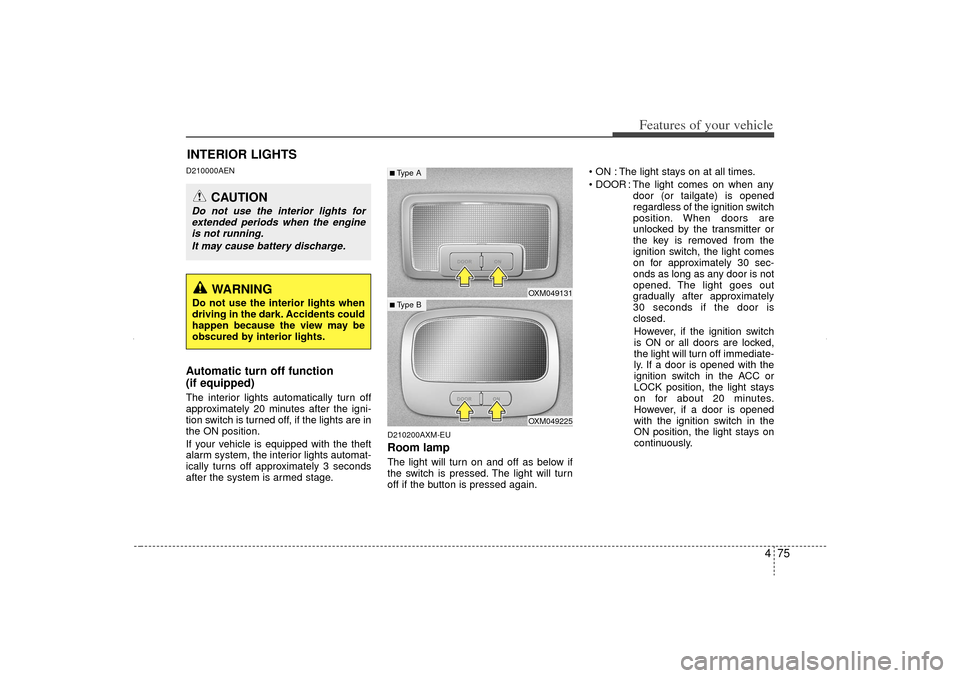
D210200AXM-EURoom lampThe light will turn on and off as below if
the switch is pressed. The light will turn
off if the button is pressed again. ON : The light stays on at all times.
DOOR : The light comes on when any
door (or tailgate) is opened
regardless of the ignition switch
position. When doors are
unlocked by the transmitter or
the key is removed from the
ignition switch, the light comes
on for approximately 30 sec-
onds as long as any door is not
opened. The light goes out
gradually after approximately
30 seconds if the door is
closed.
However, if the ignition switch
is ON or all doors are locked,
the light will turn off immediate-
ly. If a door is opened with the
ignition switch in the ACC or
LOCK position, the light stays
on for about 20 minutes.
However, if a door is opened
with the ignition switch in the
ON position, the light stays on
continuously.
INTERIOR LIGHTS
CAUTION
Do not use the interior lights for extended periods when the engineis not running.
It may cause battery discharge.
OXM049131OXM049225
■ Type B■Type A
WARNING
Do not use the interior lights when
driving in the dark. Accidents could
happen because the view may be
obscured by interior lights.
XM CAN (ENG) 4(~105).QXP 4/19/2011 10:39 AM Page 75
Page 172 of 388
Features of your vehicle82
4Recirculated air position
With the recirculated airposition selected, air from
the passenger compart-
ment will be drawn through
the heating system and
heated or cooled according
to the function selected.
Outside (fresh) air position With the outside (fresh) air
position selected, air
enters the vehicle from out-
side and is heated or
cooled according to the
function selected.✽ ✽NOTICEProlonged operation of the heater in the
recirculated air position (without air
conditioning selected) may cause fogging
of the windshield and side windows and
the air within the passenger compart-
ment may become stale.
In addition, prolonged use of the air con-
ditioning with the recirculated air posi-
tion selected will result in excessively dry
air in the passenger compartment.
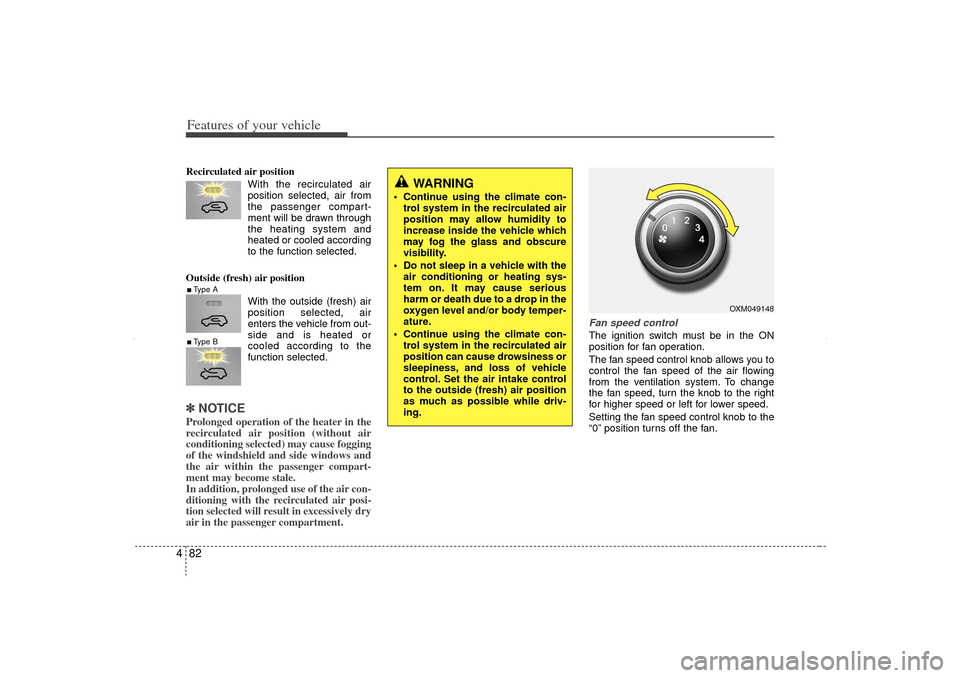
Fan speed controlThe ignition switch must be in the ON
position for fan operation.
The fan speed control knob allows you to
control the fan speed of the air flowing
from the ventilation system. To change
the fan speed, turn the knob to the right
for higher speed or left for lower speed.
Setting the fan speed control knob to the
“0” position turns off the fan.
WARNING
Continue using the climate con-
trol system in the recirculated air
position may allow humidity to
increase inside the vehicle which
may fog the glass and obscure
visibility.
Do not sleep in a vehicle with the air conditioning or heating sys-
tem on. It may cause serious
harm or death due to a drop in the
oxygen level and/or body temper-
ature.
Continue using the climate con- trol system in the recirculated air
position can cause drowsiness or
sleepiness, and loss of vehicle
control. Set the air intake control
to the outside (fresh) air position
as much as possible while driv-
ing.
OXM049148
■Type A■Type B
XM CAN (ENG) 4(~105).QXP 4/19/2011 10:40 AM Page 82