climate control KIA Sorento 2013 2.G User Guide
[x] Cancel search | Manufacturer: KIA, Model Year: 2013, Model line: Sorento, Model: KIA Sorento 2013 2.GPages: 388, PDF Size: 7.56 MB
Page 176 of 388
Features of your vehicle86
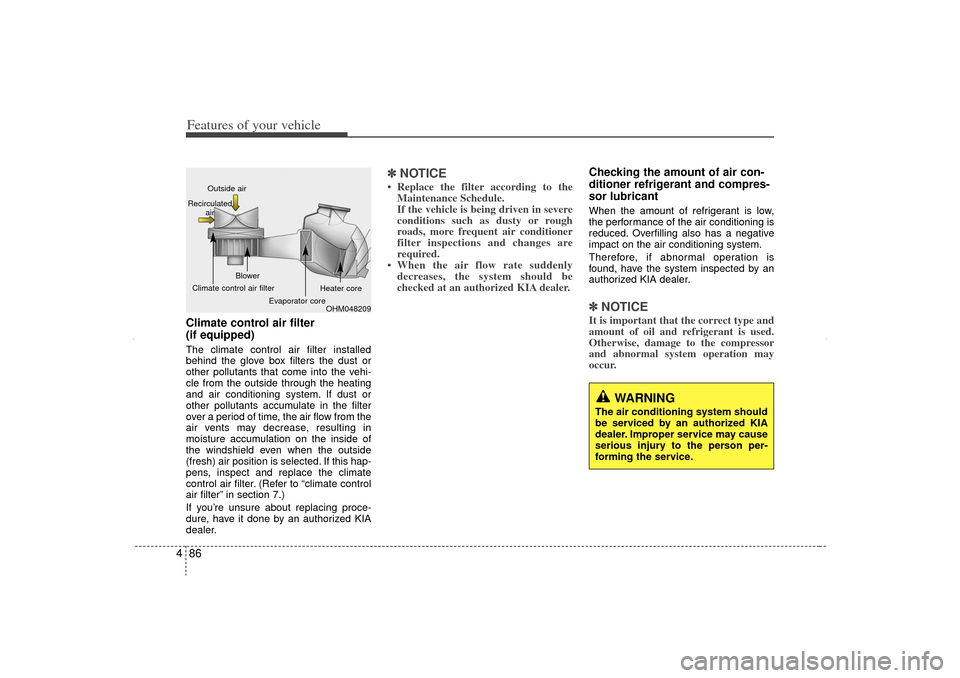
4Climate control air filter
(if equipped)The climate control air filter installed
behind the glove box filters the dust or
other pollutants that come into the vehi-
cle from the outside through the heating
and air conditioning system. If dust or
other pollutants accumulate in the filter
over a period of time, the air flow from the
air vents may decrease, resulting in
moisture accumulation on the inside of
the windshield even when the outside
(fresh) air position is selected. If this hap-
pens, inspect and replace the climate
control air filter. (Refer to “climate control
air filter” in section 7.)
If you’re unsure about replacing proce-
dure, have it done by an authorized KIA
dealer.
✽ ✽
NOTICE• Replace the filter according to the
Maintenance Schedule.
If the vehicle is being driven in severe
conditions such as dusty or rough
roads, more frequent air conditioner
filter inspections and changes are
required.
• When the air flow rate suddenly decreases, the system should be
checked at an authorized KIA dealer.
Checking the amount of air con-
ditioner refrigerant and compres-
sor lubricantWhen the amount of refrigerant is low,
the performance of the air conditioning is
reduced. Overfilling also has a negative
impact on the air conditioning system.
Therefore, if abnormal operation is
found, have the system inspected by an
authorized KIA dealer.✽ ✽ NOTICEIt is important that the correct type and
amount of oil and refrigerant is used.
Otherwise, damage to the compressor
and abnormal system operation may
occur.
WARNING
The air conditioning system should
be serviced by an authorized KIA
dealer. Improper service may cause
serious injury to the person per-
forming the service.
OHM048209
Outside air
Recirculated air
Climate control air filter Blower
Evaporator core Heater core
XM CAN (ENG) 4(~105).QXP 4/19/2011 10:40 AM Page 86
Page 177 of 388
487
Features of your vehicle
AUTOMATIC CLIMATE CONTROL SYSTEM (IF EQUIPPED)
OXM049151L/OXM049141
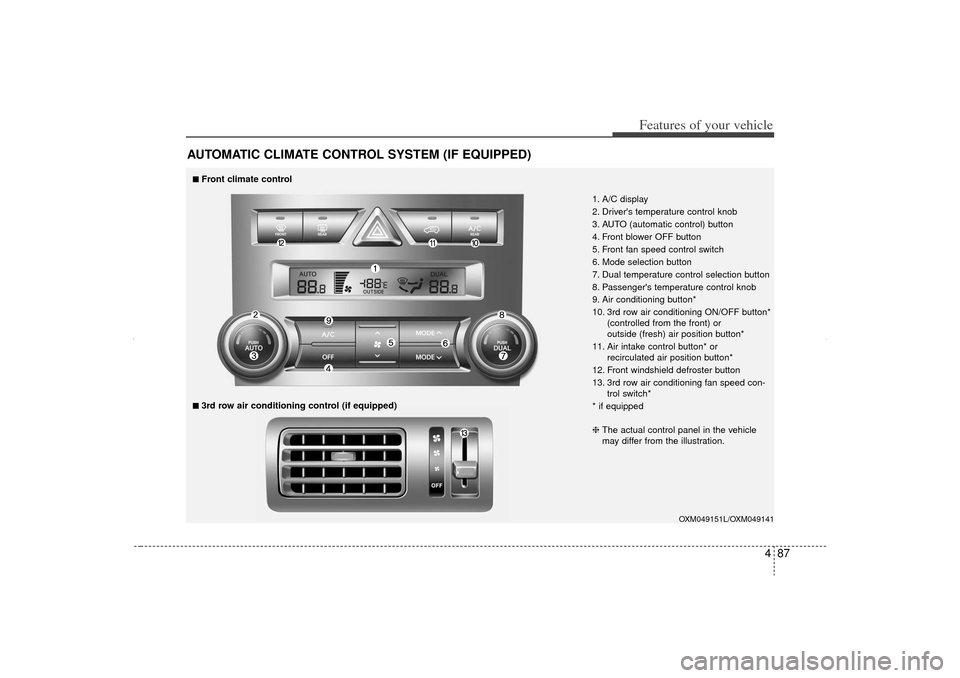
1. A/C display
2. Driver's temperature control knob
3. AUTO (automatic control) button
4. Front blower OFF button
5. Front fan speed control switch
6. Mode selection button
7. Dual temperature control selection button
8. Passenger's temperature control knob
9. Air conditioning button*
10. 3rd row air conditioning ON/OFF button*(controlled from the front) or
outside (fresh) air position button*
11. Air intake control button* or recirculated air position button*
12. Front windshield defroster button
13. 3rd row air conditioning fan speed con- trol switch*
* if equipped
■
■Front climate control■
■3rd row air conditioning control (if equipped)
❈ The actual control panel in the vehicle
may differ from the illustration.
XM CAN (ENG) 4(~105).QXP 4/19/2011 10:41 AM Page 87
Page 178 of 388
Features of your vehicle88
4Automatic heating and air condi-
tioningThe automatic climate control system is
controlled by simply setting the desired
temperature.
The Full Automatic Temperature Control
(FATC) system automatically controls the
heating and cooling system as follows;
1. Press the AUTO button. The modes,
fan speeds, air intake and air-condi-
tioning will be controlled automatically
by setting the temperature. 2. Set the temperature switch to the
desired temperature.
If the temperature is set to the lowest
setting (Lo), the air conditioning sys-
tem will operate continuously.
3. To turn the automatic operation off, select any button or switch of the fol-
lowing:
Mode selection button
Air conditioning button
Front windshield defroster button
Air intake control button
Fan speed control switch
The selected function will be controlled manually while other functions operate
automatically.
For your convenience and to improve the
effectiveness of the climate control, use
the AUTO button and set the temperature
to 23°C/73°F.
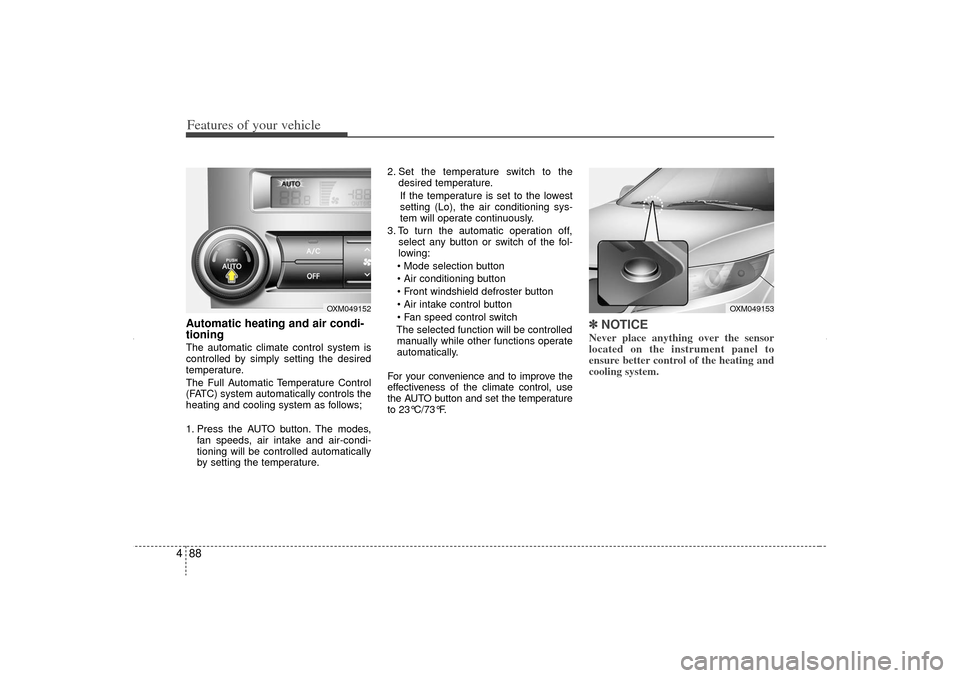
✽ ✽ NOTICENever place anything over the sensor
located on the instrument panel to
ensure better control of the heating and
cooling system.
OXM049153
OXM049152
XM CAN (ENG) 4(~105).QXP 4/19/2011 10:41 AM Page 88
Page 183 of 388
493
Features of your vehicle
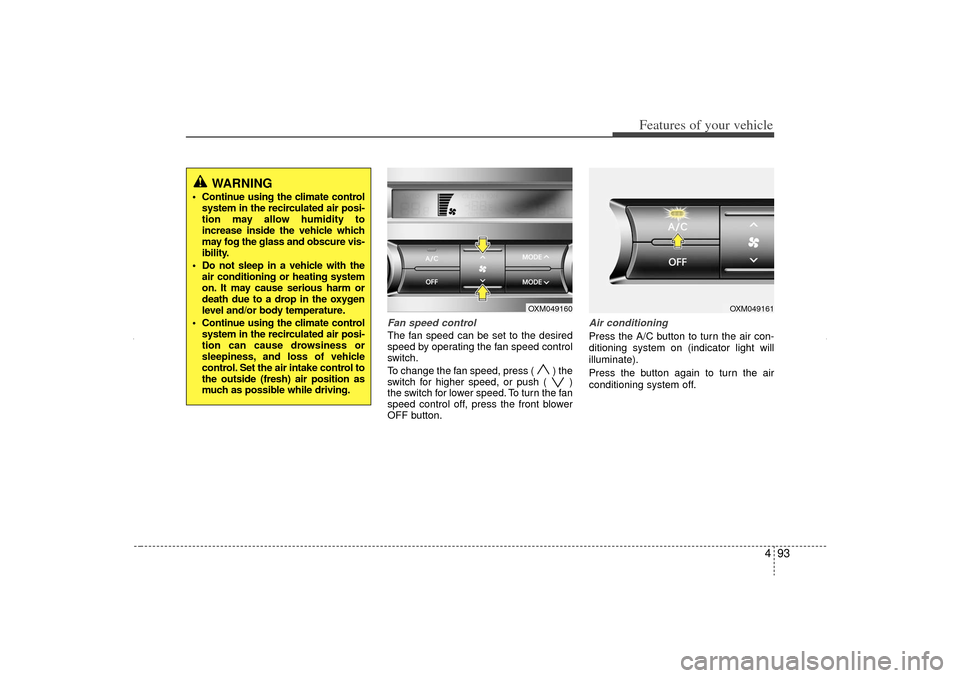
Fan speed controlThe fan speed can be set to the desired
speed by operating the fan speed control
switch.
To change the fan speed, press ( ) the
switch for higher speed, or push ( )
the switch for lower speed. To turn the fan
speed control off, press the front blower
OFF button.
Air conditioningPress the A/C button to turn the air con-
ditioning system on (indicator light will
illuminate).
Press the button again to turn the air
conditioning system off.
OXM049160
OXM049161
WARNING
Continue using the climate controlsystem in the recirculated air posi-
tion may allow humidity to
increase inside the vehicle which
may fog the glass and obscure vis-
ibility.
Do not sleep in a vehicle with the air conditioning or heating system
on. It may cause serious harm or
death due to a drop in the oxygen
level and/or body temperature.
Continue using the climate control system in the recirculated air posi-
tion can cause drowsiness or
sleepiness, and loss of vehicle
control. Set the air intake control to
the outside (fresh) air position as
much as possible while driving.
XM CAN (ENG) 4(~105).QXP 4/19/2011 10:41 AM Page 93
Page 184 of 388
Features of your vehicle94
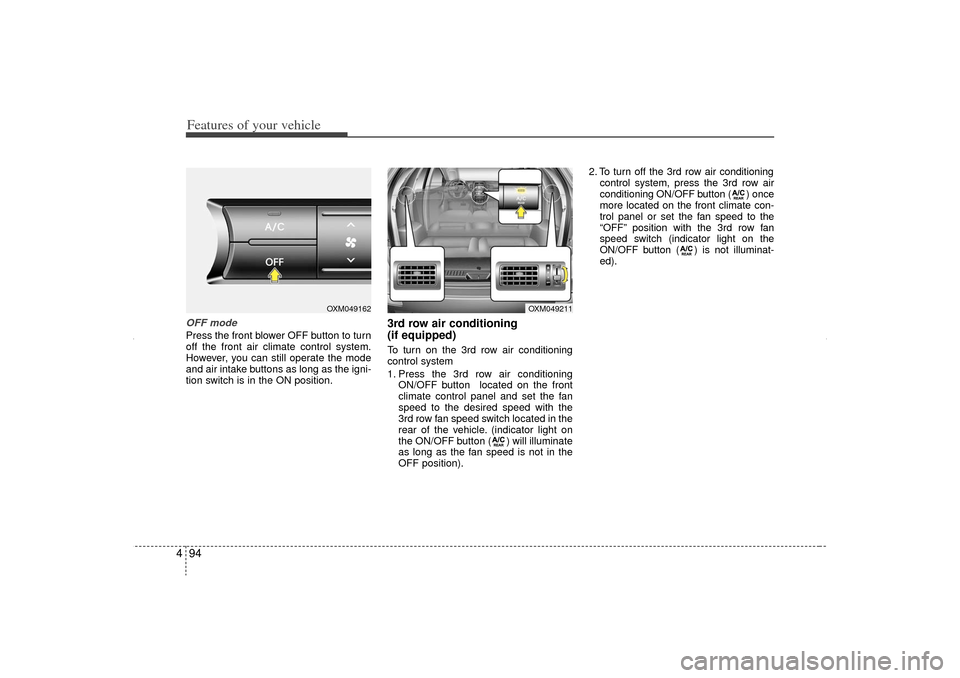
4OFF modePress the front blower OFF button to turn
off the front air climate control system.
However, you can still operate the mode
and air intake buttons as long as the igni-
tion switch is in the ON position.
3rd row air conditioning
(if equipped)To turn on the 3rd row air conditioning
control system
1. Press the 3rd row air conditioning
ON/OFF button located on the front
climate control panel and set the fan
speed to the desired speed with the
3rd row fan speed switch located in the
rear of the vehicle. (indicator light on
the ON/OFF button ( ) will illuminate
as long as the fan speed is not in the
OFF position). 2. To turn off the 3rd row air conditioning
control system, press the 3rd row air
conditioning ON/OFF button ( ) once
more located on the front climate con-
trol panel or set the fan speed to the
“OFF” position with the 3rd row fan
speed switch (indicator light on the
ON/OFF button ( ) is not illuminat-
ed).
OXM049162
OXM049211
XM CAN (ENG) 4(~105).QXP 4/19/2011 10:42 AM Page 94
Page 185 of 388
495
Features of your vehicle
For maximum defrosting, set the tem-perature control to the extreme
right/hot position and the fan speed
control to the highest speed.
If warm air to the floor is desired while defrosting or defogging, set the mode
to the floor-defrost position.
Before driving, clear all snow and ice from the windshield, rear window, out-
side rear view mirrors, and all side win-
dows.
Clear all snow and ice from the hood and air inlet in the cowl grill to improve
heater and defroster efficiency and to
reduce the probability of fogging up the
inside of the windshield.
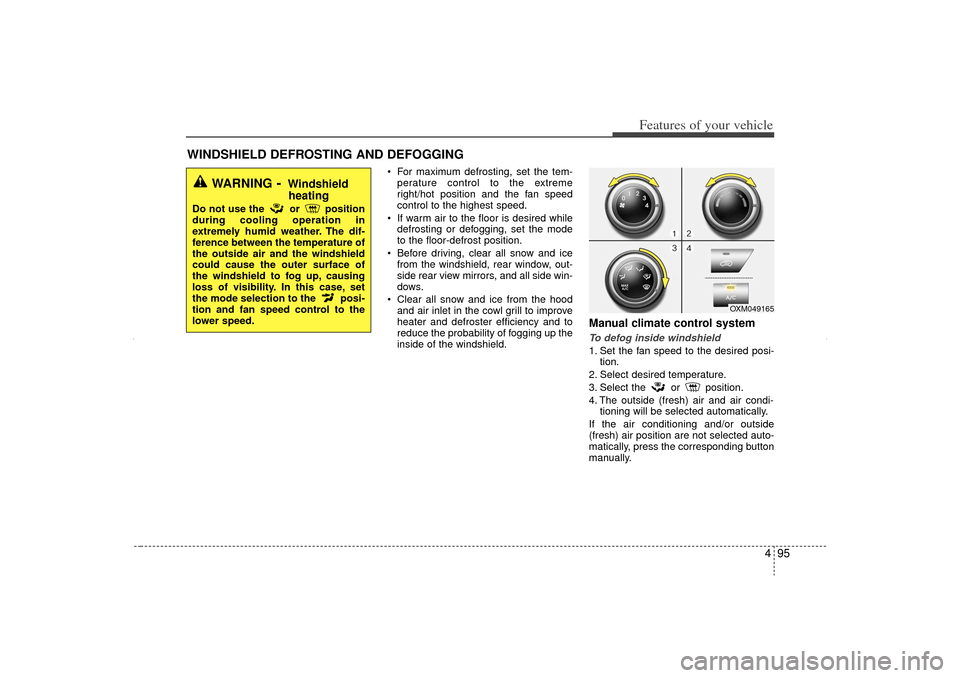
Manual climate control systemTo defog inside windshield 1. Set the fan speed to the desired posi- tion.
2. Select desired temperature.
3. Select the or position.
4. The outside (fresh) air and air condi- tioning will be selected automatically.
If the air conditioning and/or outside
(fresh) air position are not selected auto-
matically, press the corresponding button
manually.
WINDSHIELD DEFROSTING AND DEFOGGING
OXM049165
WARNING
- Windshield heating
Do not use the or position
during cooling operation in
extremely humid weather. The dif-
ference between the temperature of
the outside air and the windshield
could cause the outer surface of
the windshield to fog up, causing
loss of visibility. In this case, set
the mode selection to the posi-
tion and fan speed control to the
lower speed.
XM CAN (ENG) 4(~105).QXP 4/19/2011 10:42 AM Page 95
Page 186 of 388
Features of your vehicle96
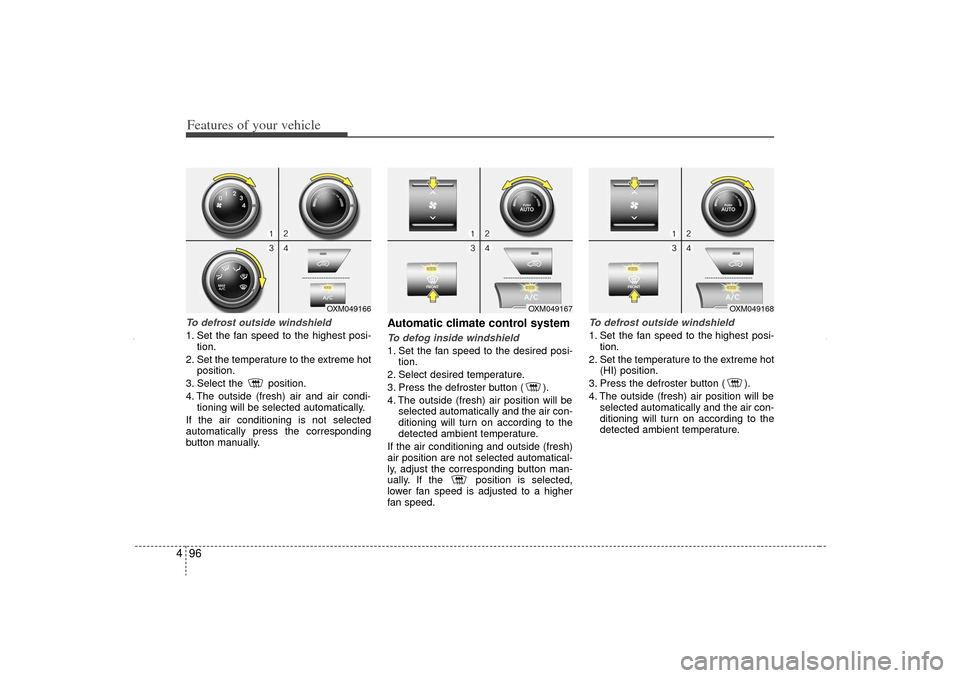
4To defrost outside windshield 1. Set the fan speed to the highest posi-
tion.
2. Set the temperature to the extreme hot position.
3. Select the position.
4. The outside (fresh) air and air condi- tioning will be selected automatically.
If the air conditioning is not selected
automatically press the corresponding
button manually.
Automatic climate control systemTo defog inside windshield 1. Set the fan speed to the desired posi- tion.
2. Select desired temperature.
3. Press the defroster button ( ).
4. The outside (fresh) air position will be selected automatically and the air con-
ditioning will turn on according to the
detected ambient temperature.
If the air conditioning and outside (fresh)
air position are not selected automatical-
ly, adjust the corresponding button man-
ually. If the position is selected,
lower fan speed is adjusted to a higher
fan speed.
To defrost outside windshield 1. Set the fan speed to the highest posi- tion.
2. Set the temperature to the extreme hot (HI) position.
3. Press the defroster button ( ).
4. The outside (fresh) air position will be selected automatically and the air con-
ditioning will turn on according to the
detected ambient temperature.
OXM049167
OXM049168
OXM049166
XM CAN (ENG) 4(~105).QXP 4/19/2011 10:42 AM Page 96
Page 187 of 388
497
Features of your vehicle
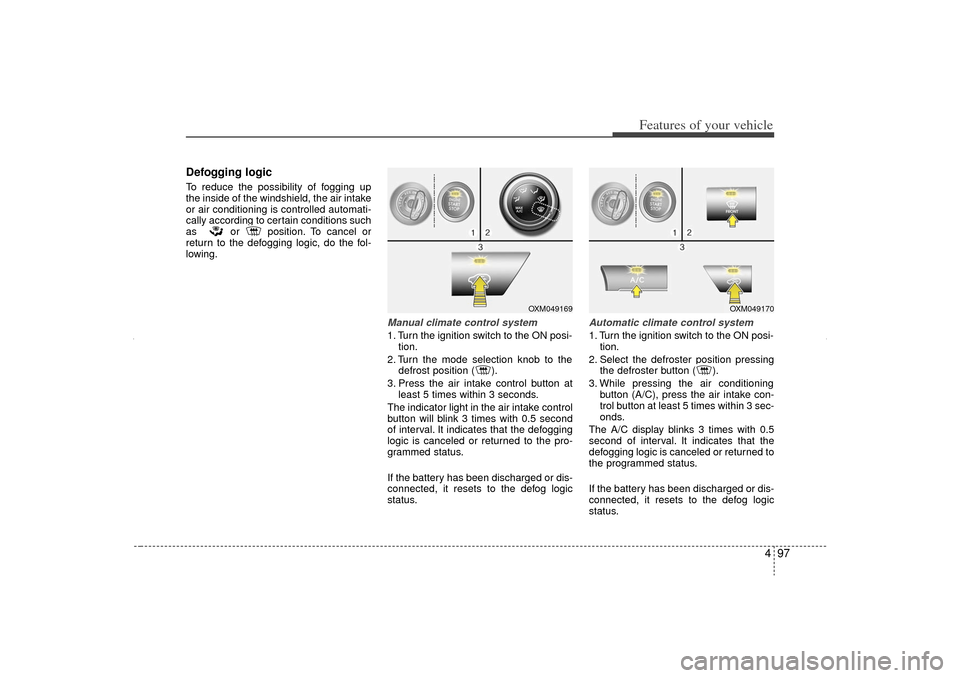
Defogging logicTo reduce the possibility of fogging up
the inside of the windshield, the air intake
or air conditioning is controlled automati-
cally according to certain conditions such
as or position. To cancel or
return to the defogging logic, do the fol-
lowing.
Manual climate control system1. Turn the ignition switch to the ON posi-tion.
2. Turn the mode selection knob to the defrost position ( ).
3. Press the air intake control button at least 5 times within 3 seconds.
The indicator light in the air intake control
button will blink 3 times with 0.5 second
of interval. It indicates that the defogging
logic is canceled or returned to the pro-
grammed status.
If the battery has been discharged or dis-
connected, it resets to the defog logic
status.
Automatic climate control system1. Turn the ignition switch to the ON posi- tion.
2. Select the defroster position pressing the defroster button ( ).
3. While pressing the air conditioning button (A/C), press the air intake con-
trol button at least 5 times within 3 sec-
onds.
The A/C display blinks 3 times with 0.5
second of interval. It indicates that the
defogging logic is canceled or returned to
the programmed status.
If the battery has been discharged or dis-
connected, it resets to the defog logic
status.
OXM049169
OXM049170
XM CAN (ENG) 4(~105).QXP 4/19/2011 10:42 AM Page 97
Page 315 of 388
7
Engine compartment / 7-2
Maintenance services / 7-5
Owner maintenance / 7-6
Explanation of scheduled maintenance items / 7-15
Engine oil / 7-18
Engine coolant / 7-19
Brake/clutch fluid / 7-22
Power steering fluid / 7-23
Washer fluid / 7-24
Parking brake / 7-24
Air cleaner / 7-25
Climate control air filter / 7-27
Wiper blades / 7-29
Battery / 7-33
Tires and wheels / 7-36
Fuses / 7-49
Appearance care / 7-58
Emission control system / 7-64
Maintenance
XM CAN (ENG) 7.QXP 4/19/2011 10:51 AM Page 1
Page 328 of 388
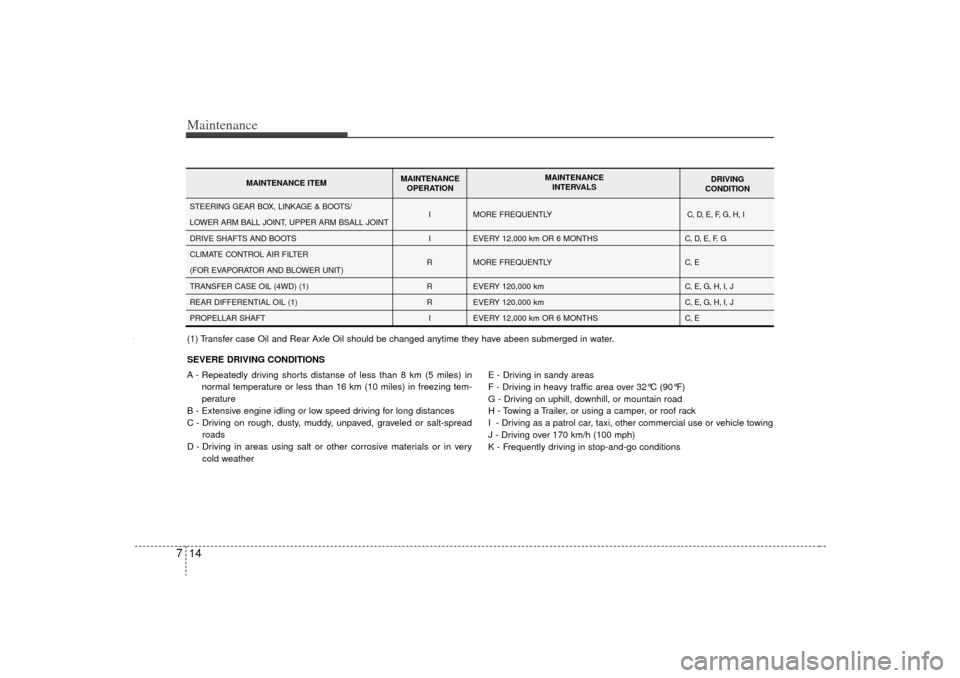
Maintenance14
7SEVERE DRIVING CONDITIONS
A - Repeatedly driving shorts distanse of less than 8 km (5 miles) in
normal temperature or less than 16 km (10 miles) in freezing tem-
perature
B - Extensive engine idling or low speed driving for long distances
C - Driving on rough, dusty, muddy, unpaved, graveled or salt-spread roads
D - Driving in areas using salt or other corrosive materials or in very cold weather E - Driving in sandy areas
F - Driving in heavy traffic area over 32°C (90°F)
G - Driving on uphill, downhill, or mountain road
H - Towing a Trailer, or using a camper, or roof rack
I - Driving as a patrol car, taxi, other commercial use or vehicle towing
J - Driving over 170 km/h (100 mph)
K - Frequently driving in stop-and-go conditions
I
I
R
R
R I MORE FREQUENTLY
EVERY 12,000 km OR 6 MONTHS
MORE FREQUENTLY
EVERY 120,000 km
EVERY 120,000 km
EVERY 12,000 km OR 6 MONTHS
C, D, E, F, G, H, I
C, D, E, F, G
C, E
C, E, G, H, I, J
C, E, G, H, I, J
C, E
STEERING GEAR BOX, LINKAGE & BOOTS/
LOWER ARM BALL JOINT, UPPER ARM BSALL JOINT
DRIVE SHAFTS AND BOOTS
CLIMATE CONTROL AIR FILTER
(FOR EVAPORATOR AND BLOWER UNIT)
TRANSFER CASE OIL (4WD) (1)
REAR DIFFERENTIAL OIL (1)
PROPELLAR SHAFT
MAINTENANCE ITEM MAINTENANCE
OPERATION MAINTENANCE
INTERVALS DRIVING
CONDITION
(1) Transfer case Oil and Rear Axle Oil should be changed anytime they have abeen submerged in water.
XM CAN (ENG) 7.QXP 4/19/2011 10:52 AM Page 14