reset KIA Sorento 2015 3.G User Guide
[x] Cancel search | Manufacturer: KIA, Model Year: 2015, Model line: Sorento, Model: KIA Sorento 2015 3.GPages: 508, PDF Size: 7.59 MB
Page 180 of 508
489
Features of your vehicle
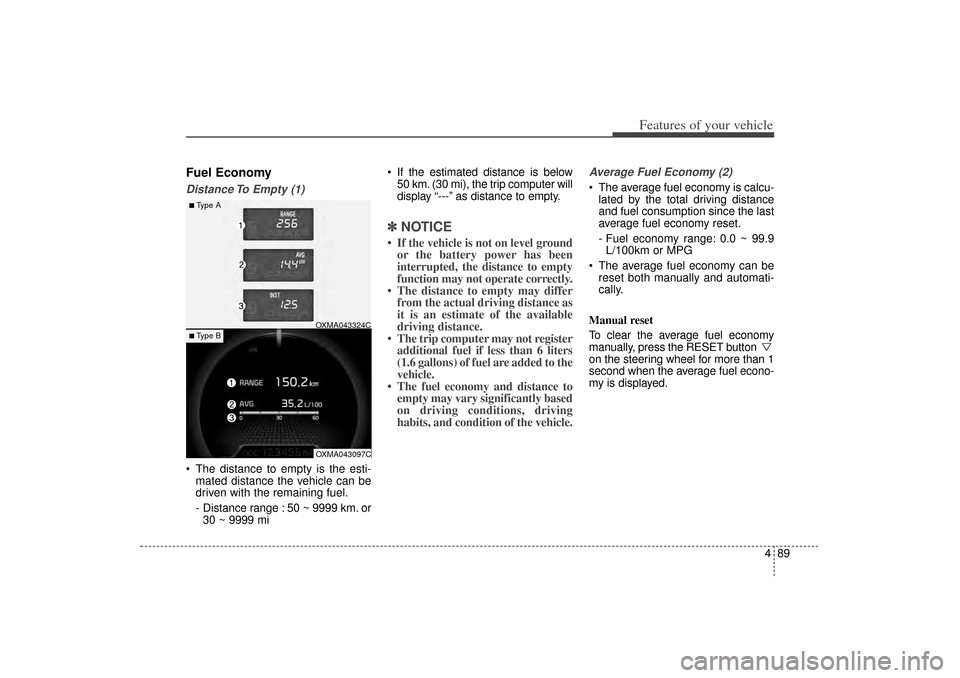
Fuel EconomyDistance To Empty (1) The distance to empty is the esti-mated distance the vehicle can be
driven with the remaining fuel.
- Distance range : 50 ~ 9999 km. or30 ~ 9999 mi If the estimated distance is below
50 km. (30 mi), the trip computer will
display “---” as distance to empty.
✽ ✽ NOTICE• If the vehicle is not on level ground
or the battery power has been
interrupted, the distance to empty
function may not operate correctly.
• The distance to empty may differ from the actual driving distance as
it is an estimate of the available
driving distance.
• The trip computer may not register additional fuel if less than 6 liters
(1.6 gallons) of fuel are added to the
vehicle.
• The fuel economy and distance to empty may vary significantly based
on driving conditions, driving
habits, and condition of the vehicle.
Average Fuel Economy (2) The average fuel economy is calcu-
lated by the total driving distance
and fuel consumption since the last
average fuel economy reset.
- Fuel economy range: 0.0 ~ 99.9L/100km or MPG
The average fuel economy can be reset both manually and automati-
cally.
Manual reset
To clear the average fuel economy
manually, press the RESET button
on the steering wheel for more than 1
second when the average fuel econo-
my is displayed.
■Type A
OXMA043324COXMA043097C
■ Type B
XM(FL) CAN(ENG) 4a(~158).QXP 1/23/2013 3:50 PM Page 89
Page 181 of 508
Features of your vehicle90
4Automatic reset
To make the average fuel economy
be reset automatically whenever refu-
eling, select the “Auto Reset” mode in
User Setting menu of the LCD display
(Refer to “LCD Display”).
Under “Auto Reset” mode, the aver-
age fuel economy will be cleared to
zero (---) when the vehicle speed
exceeds 1 km/h after refueling more
than 6 liters (1.6 gallons).✽ ✽
NOTICEThe average fuel economy is not dis-
played for more accurate calculation
if the vehicle does not drive more
than 10 seconds or 50 meters (0.03
miles) since the ignition switch or
Engine Start/Stop button is turned
to ON.
Instant Fuel Economy (3) This mode displays the instant fuel
economy during the last few sec-
onds when the vehicle speed is
more than 10 km/h (6.2 MPH).
- Fuel economy range: 0 ~ 30L/100km or 0 ~ 50 MPG
XM(FL) CAN(ENG) 4a(~158).QXP 1/23/2013 3:50 PM Page 90
Page 228 of 508
4 137
Features of your vehicle
When the driver side temperature is
set to the highest (HI) or lowest (Lo)
temperature setting, the DUAL mode
is deactivated for maximum heating
or cooling.Adjusting the driver and passenger
side temperature equally
1. Press the DUAL button again to
deactivate DUAL mode. The pas-
senger side temperature will be
set to the same temperature as
the driver side.
2. Operate the driver side tempera- ture control switch. The driver and
passenger side temperature will
be adjusted equally.
Temperature conversion
You can switch the temperature
mode from Centigrade to Fahrenheit
as follows:
While pressing the OFF button,
press the AUTO button for 3 seconds
or more.
The display will change from
Centigrade to Fahrenheit, or from
Fahrenheit to Centigrade.
If the battery has been discharged or
disconnected, the temperature mode
display will reset to Fahrenheit.
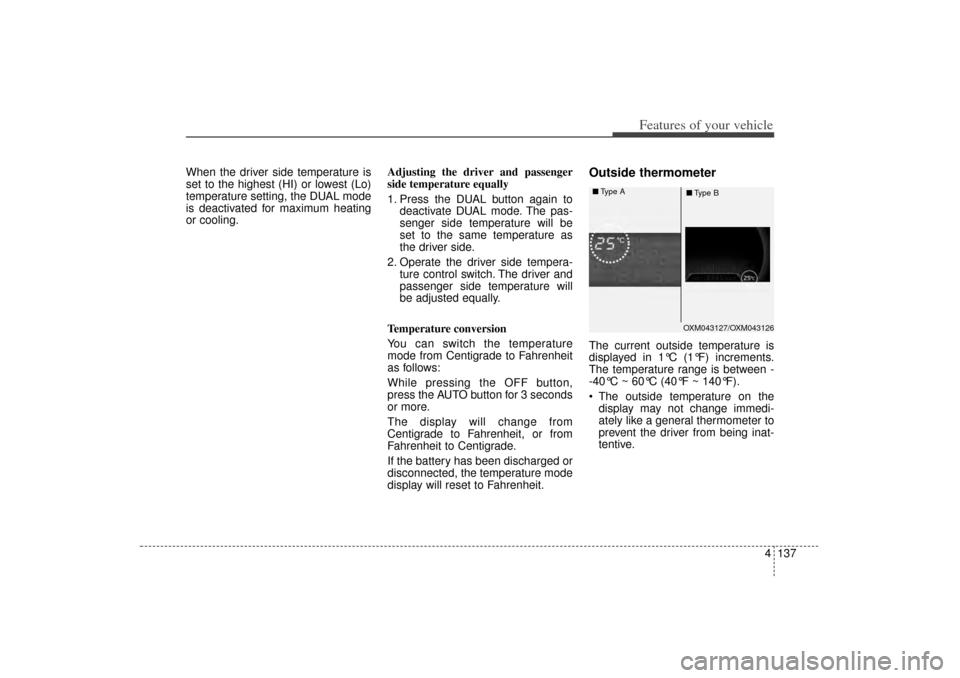
Outside thermometerThe current outside temperature is
displayed in 1°C (1°F) increments.
The temperature range is between -
-40°C ~ 60°C (40°F ~ 140°F).
The outside temperature on the display may not change immedi-
ately like a general thermometer to
prevent the driver from being inat-
tentive.
OXM043127/OXM043126
■
Type A
■Type B
XM(FL) CAN(ENG) 4a(~158).QXP 1/23/2013 3:55 PM Page 137
Page 235 of 508
Features of your vehicle144
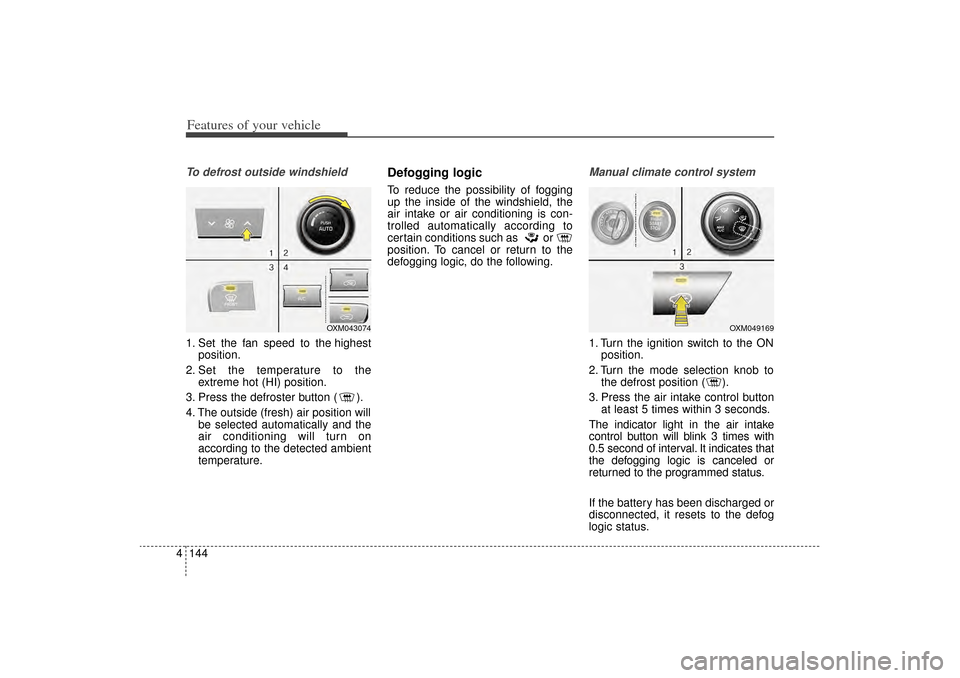
4To defrost outside windshield 1. Set the fan speed to the highest
position.
2. Set the temperature to the extreme hot (HI) position.
3. Press the defroster button ( ).
4. The outside (fresh) air position will be selected automatically and the
air conditioning will turn on
according to the detected ambient
temperature.
Defogging logicTo reduce the possibility of fogging
up the inside of the windshield, the
air intake or air conditioning is con-
trolled automatically according to
certain conditions such as or
position. To cancel or return to the
defogging logic, do the following.
Manual climate control system1. Turn the ignition switch to the ONposition.
2. Turn the mode selection knob to the defrost position ( ).
3. Press the air intake control button at least 5 times within 3 seconds.
The indicator light in the air intake
control button will blink 3 times with
0.5 second of interval. It indicates that
the defogging logic is canceled or
returned to the programmed status.
If the battery has been discharged or
disconnected, it resets to the defog
logic status.
OXM043074
OXM049169
XM(FL) CAN(ENG) 4a(~158).QXP 1/23/2013 3:55 PM Page 144
Page 236 of 508
4 145
Features of your vehicle
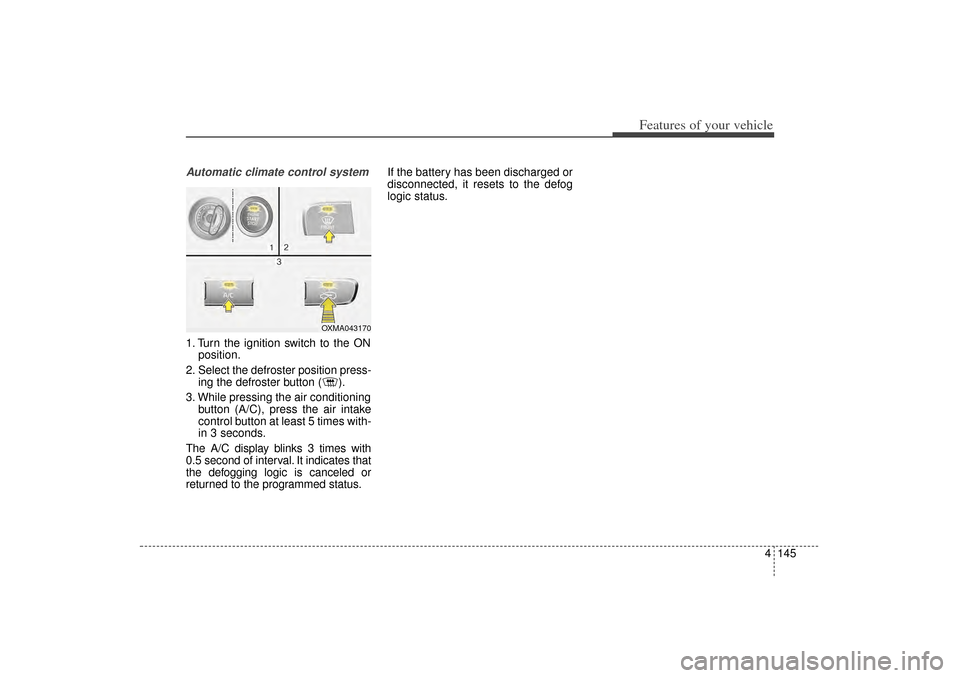
Automatic climate control system1. Turn the ignition switch to the ONposition.
2. Select the defroster position press- ing the defroster button ( ).
3. While pressing the air conditioning button (A/C), press the air intake
control button at least 5 times with-
in 3 seconds.
The A/C display blinks 3 times with
0.5 second of interval. It indicates that
the defogging logic is canceled or
returned to the programmed status. If the battery has been discharged or
disconnected, it resets to the defog
logic status.
OXMA043170
XM(FL) CAN(ENG) 4a(~158).QXP 1/23/2013 3:55 PM Page 145
Page 251 of 508
Features of your vehicle160
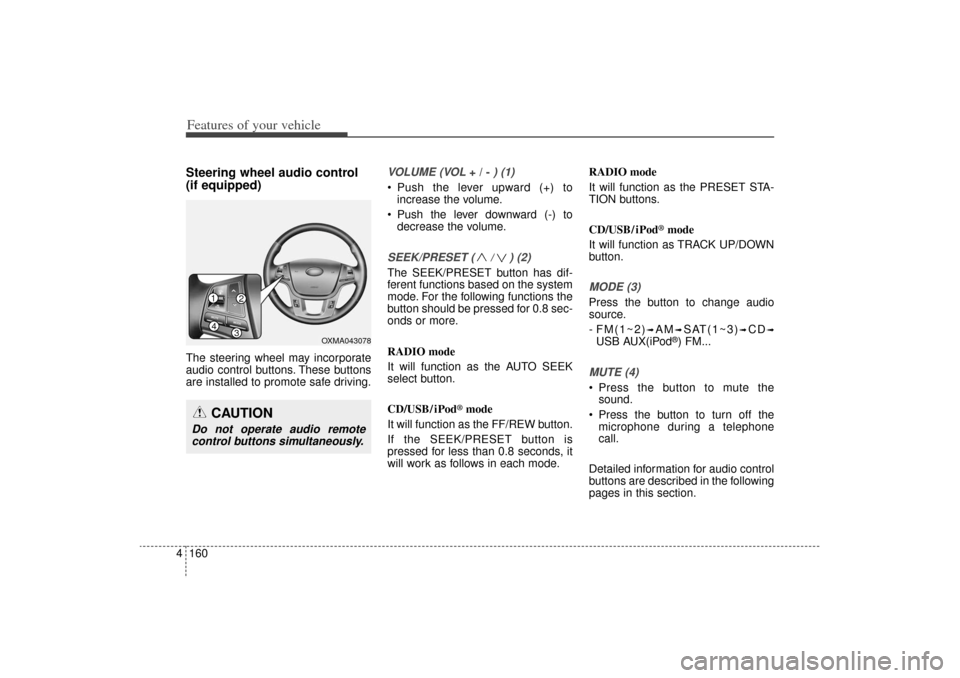
4Steering wheel audio control
(if equipped) The steering wheel may incorporate
audio control buttons. These buttons
are installed to promote safe driving.
VOLUME (VOL
+ / -
) (1)
• Push the lever upward (+) to
increase the volume.
Push the lever downward (-) to decrease the volume.SEEK/PRESET ( / ) (2)The SEEK/PRESET button has dif-
ferent functions based on the system
mode. For the following functions the
button should be pressed for 0.8 sec-
onds or more.
RADIO mode
It will function as the AUTO SEEK
select button.
CD/USB/ iPod
®mode
It will function as the FF/REW button.
If the SEEK/PRESET button is
pressed for less than 0.8 seconds, it
will work as follows in each mode. RADIO mode
It will function as the PRESET STA-
TION buttons.
CD/USB/ iPod
®mode
It will function as TRACK UP/DOWN
button.
MODE (3)Press the button to change audio
source.
- FM(1~2)
➟AM
➟SAT(1~3)
➟CD
➟
USB AUX(iPod
®) FM...
MUTE (4) Press the button to mute the sound.
Press the button to turn off the microphone during a telephone
call.
Detailed information for audio control
buttons are described in the following
pages in this section.
CAUTION
Do not operate audio remote control buttons simultaneously.
14
32
OXMA043078
XM(FL) CAN(ENG) 4b(AUDIO).qxp 1/23/2013 3:42 PM Page 160
Page 261 of 508
Features of your vehicle170
4USING THE iPod
®DEVICE
Some iPod models may not sup-
port communication protocol
and files may not properly play.
Supported iPod models:
- iPhone 3GS/4
- iPod touch 1st~4th generation
- iPod nano 1st~6th generation
- iPod classic
The order of search or playback of songs in the iPod can be dif-
ferent from the order searched in
the audio system.
If the iPod is disabled due to its own malfunction, reset the iPod.
(Reset: Refer to iPod manual)
An iPod may not operate nor- mally on low battery.
(Continued)(Continued)
Some iPod devices, such as the
iPhone, can be connected
through the
Bluetooth
®Wireless
Technology interface. The device
must have audio
Bluetooth
®
Wireless Technology capability
(such as for stereo headphoneBluetooth
®Wireless Technology).
The device can play, but it will not
be controlled by the audio system.
To use iPod features within the audio, use the cable provided
upon purchasing an iPod device.
Skipping or improper operation may occur depending on the
characteristics of your
iPod/Phone device.
If your iPhone is connected to both the Bluetooth
®
Wireless
Technology and USB, the sound
may not be properly played. In
your iPhone, select the Dock
connector or
Bluetooth
®
Wireless Technology to change
the sound output (source).
(Continued)(Continued)
When connecting iPod with the
iPod Power Cable, insert the
connector to the multimedia
socket completely. If not inserted
completely, communications
between iPod and audio may be
interrupted.
When adjusting the sound effects of the iPod and the audio
system, the sound effects of
both devices will overlap and
might reduce or distort the qual-
ity of the sound.
Deactivate (turn off) the equaliz- er function of an iPod when
adjusting the audio system’s vol-
ume, and turn off the equalizer
of the audio system when using
the equalizer of an iPod.
When not using iPod with car audio, detach the iPod cable
from iPod. Otherwise, iPod may
remain in accessory mode, and
may not work properly.
XM(FL) CAN(ENG) 4b(AUDIO).qxp 1/23/2013 3:42 PM Page 170
Page 267 of 508
Features of your vehicle176
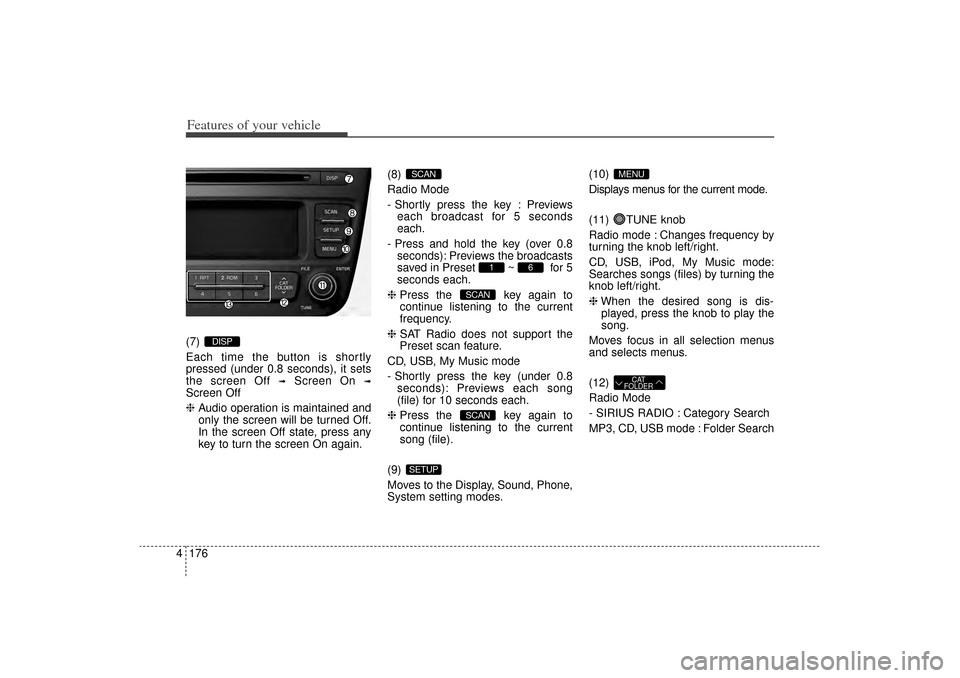
4(7)
Each time the button is shortly
pressed (under 0.8 seconds), it sets
the screen Off
➟
Screen On
➟
Screen Off
❈ Audio operation is maintained and
only the screen will be turned Off.
In the screen Off state, press any
key to turn the screen On again. (8)
Radio Mode
- Shortly press the key : Previews
each broadcast for 5 seconds
each.
- Press and hold the key (over 0.8 seconds): Previews the broadcasts
saved in Preset ~ for 5
seconds each.
❈ Press the key again to
continue listening to the current
frequency.
❈ SAT Radio does not support the
Preset scan feature.
CD, USB, My Music mode
- Shortly press the key (under 0.8 seconds): Previews each song
(file) for 10 seconds each.
❈ Press the key again to
continue listening to the current
song (file).
(9)
Moves to the Display, Sound, Phone,
System setting modes. (10)
Displays menus for the current mode.
(11) TUNE knob
Radio mode : Changes frequency by
turning the knob left/right.
CD, USB, iPod, My Music mode:
Searches songs (files) by turning the
knob left/right.
❈
When the desired song is dis-
played, press the knob to play the
song.
Moves focus in all selection menus
and selects menus.
(12)
Radio Mode
- SIRIUS RADIO : Category Search
MP3, CD, USB mode : Folder Search
CAT
FOLDER
MENU
SETUP
SCANSCAN
6
1
SCAN
DISP
XM(FL) CAN(ENG) 4b(AUDIO).qxp 1/23/2013 3:42 PM Page 176
Page 268 of 508
4 177
Features of your vehicle
(13) ~ (Preset)
Radio Mode: Saves frequencies
(channels) or receives saved fre-
quencies (channels)
CD, USB, iPod, My Music mode
- : Repeat
- : Random
In the Radio, Media, Setup, and
Menu pop up screen, the number
menu is selected.
21
6
1
XM(FL) CAN(ENG) 4b(AUDIO).qxp 1/23/2013 3:42 PM Page 177
Page 272 of 508
4 181
Features of your vehicle
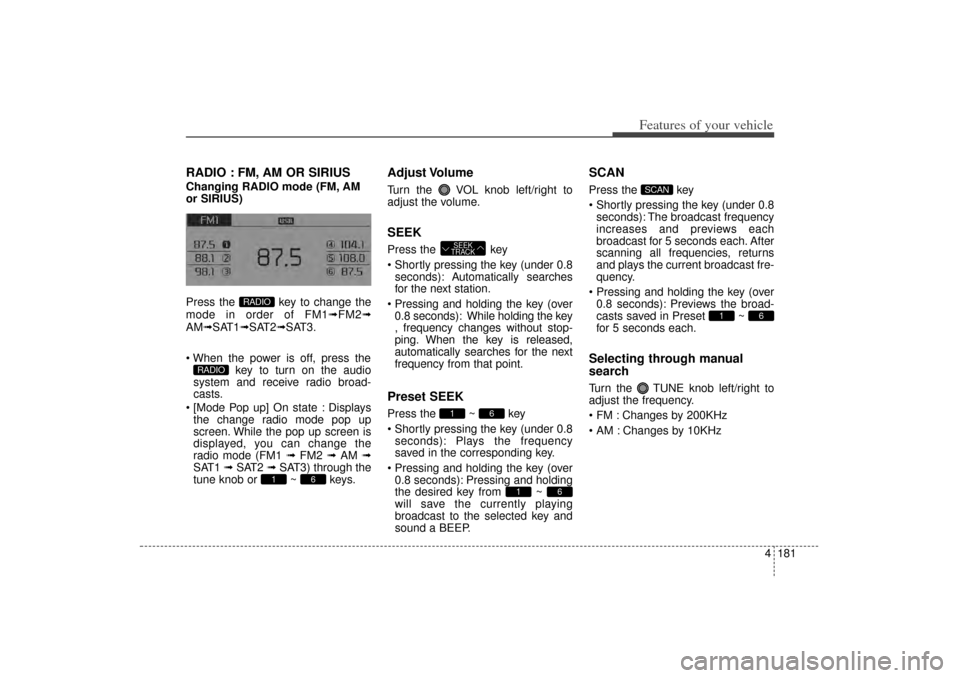
RADIO : FM, AM OR SIRIUSChanging RADIO mode (FM, AM
or SIRIUS)
Press the key to change the
mode in order of FM1➟FM2➟
AM➟SAT1➟SAT2➟SAT3.
When the power is off, press the key to turn on the audio
system and receive radio broad-
casts.
[Mode Pop up] On state : Displays the change radio mode pop up
screen. While the pop up screen is
displayed, you can change the
radio mode (FM1 ➟ FM2 ➟ AM ➟
SAT1 ➟ SAT2 ➟ SAT3) through the
tune knob or ~ keys.
Adjust VolumeTurn the VOL knob left/right to
adjust the volume.SEEKPress the key
Shortly pressing the key (under 0.8 seconds): A utomatically searches
for the next station.
Pressing and holding the key (over 0.8 seconds): While holding the key
, frequency changes without stop-
ping. When the key is released,
automatically searches for the next
frequency from that point.Preset SEEKPress the ~ key
Shortly pressing the key (under 0.8 seconds): Plays the frequency
saved in the corresponding key.
Pressing and holding the key (over 0.8 seconds): Pressing and holding
the desired key from ~
will save the currently playing
broadcast to the selected key and
sound a BEEP.
SCANPress the key
Shortly pressing the key (under 0.8seconds): The broadcast frequency
increases and previews each
broadcast for 5 seconds each. After
scanning all frequencies, returns
and plays the current broadcast fre-
quency.
Pressing and holding the key (over 0.8 seconds): Previews the broad-
casts saved in Preset ~
for 5 seconds each.Selecting through manual
searchTurn the TUNE knob left/right to
adjust the frequency.
FM : Changes by 200KHz
AM : Changes by 10KHz
6
1
SCAN
6
1
6
1 SEEK
TRACK
6
1
RADIO
RADIO
XM(FL) CAN(ENG) 4b(AUDIO).qxp 1/23/2013 3:42 PM Page 181