set clock KIA Sorento 2017 3.G User Guide
[x] Cancel search | Manufacturer: KIA, Model Year: 2017, Model line: Sorento, Model: KIA Sorento 2017 3.GPages: 576, PDF Size: 7.82 MB
Page 301 of 576
Features of your vehicle
216 4
Bluetooth®Wireless Technology
Setting
The Bluetooth®word mark and logos
are registered trademarks owned by
Bluetooth
®SIG, Inc. and any use of
such marks by Kia is under license.
Other trademarks and trade names
are those of their respective owners.
A Bluetooth
®enabled cell phone is
required to use
Bluetooth®Wireless
Technology
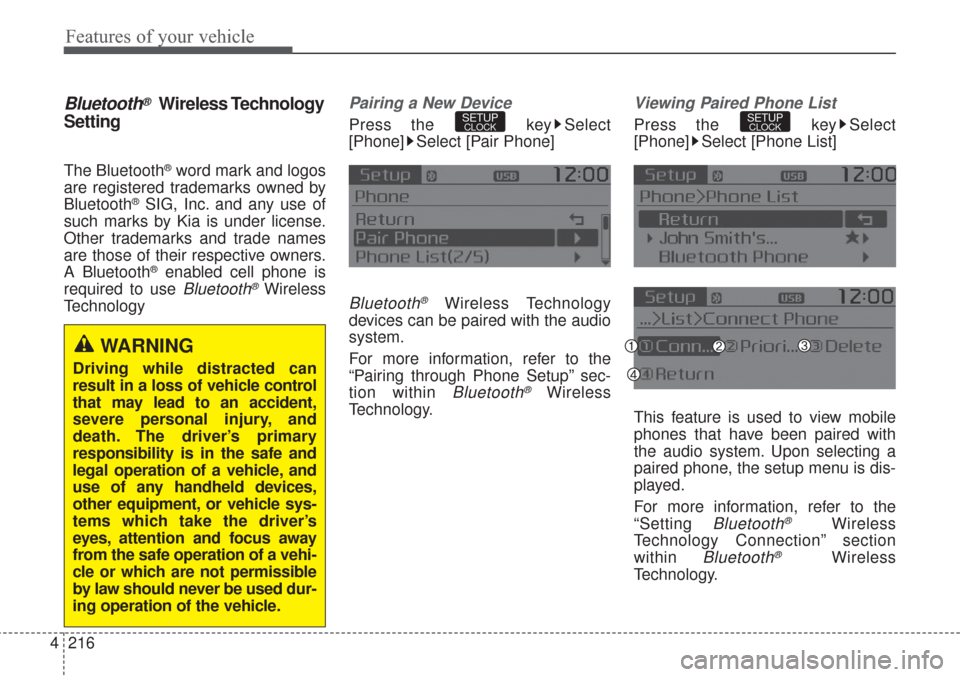
Pairing a New Device
Press the key Select
[Phone] Select [Pair Phone]
Bluetooth®Wireless Technology
devices can be paired with the audio
system.
For more information, refer to the
“Pairing through Phone Setup” sec-
tion within
Bluetooth®Wireless
Technology.
Viewing Paired Phone List
Press the key Select
[Phone] Select [Phone List]
This feature is used to view mobile
phones that have been paired with
the audio system. Upon selecting a
paired phone, the setup menu is dis-
played.
For more information, refer to the
“Setting
Bluetooth®Wireless
Technology Connection” section
within
Bluetooth®Wireless
Technology.
SETUPCLOCKSETUPCLOCK
WARNING
Driving while distracted can
result in a loss of vehicle control
that may lead to an accident,
severe personal injury, and
death. The driver’s primary
responsibility is in the safe and
legal operation of a vehicle, and
use of any handheld devices,
other equipment, or vehicle sys-
tems which take the driver’s
eyes, attention and focus away
from the safe operation of a vehi-
cle or which are not permissible
by law should never be used dur-
ing operation of the vehicle.
Page 302 of 576
4217
Features of your vehicle
1) Connect/Disconnect Phone :
Connect/ disconnects currently
selected phone
2) Change Priority : Sets currently
selected phone to highest connec-
tion priority
3) Delete : Deletes the currently
selected phone
4) Return : Moves to the previous
screen
To learn more about whether your
mobile phone supports contact
downloads, refer to your mobile
phone user’s manual.
The contacts for only the connect-
ed phone can be downloaded
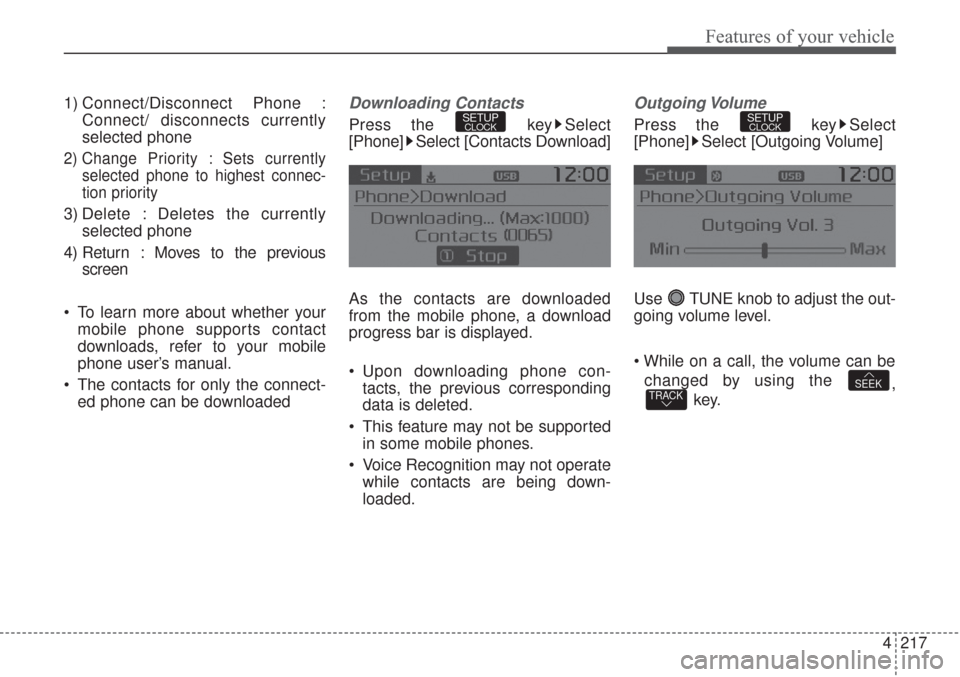
Downloading Contacts
Press the key Select
[Phone] Select [Contacts Download]
As the contacts are downloaded
from the mobile phone, a download
progress bar is displayed.
Upon downloading phone con-
tacts, the previous corresponding
data is deleted.
This feature may not be supported
in some mobile phones.
Voice Recognition may not operate
while contacts are being down-
loaded.
Outgoing Volume
Press the key Select
[Phone] Select [Outgoing Volume]
Use TUNE knob to adjust the out-
going volume level.
changed by using the
,
key.
TRACKSEEK
SETUPCLOCKSETUPCLOCK
Page 303 of 576
![KIA Sorento 2017 3.G User Guide Features of your vehicle
218 4
Turning Bluetooth System Off
Press the key Select
[Phone] Select [Bluetooth System
Off]
Once
Bluetooth®Wireless
Technology is turned off,
Bluetooth®
Wireless Techno](/img/2/2983/w960_2983-302.png "KIA Sorento 2017 3.G User Guide Features of your vehicle
218 4
Turning Bluetooth System Off
Press the key Select
[Phone] Select [Bluetooth System
Off]
Once
Bluetooth®Wireless
Technology is turned off,
Bluetooth®
Wireless Techno")
Features of your vehicle
218 4
Turning Bluetooth System Off
Press the key Select
[Phone] Select [Bluetooth System
Off]
Once
Bluetooth®Wireless
Technology is turned off,
Bluetooth®
Wireless Technology related features
will not be supported within the audio
system.
To turn
Bluetooth®Wireless
Technology back on, go to
[Phone] and select “Yes”.SETUPCLOCK
SETUPCLOCK
Page 304 of 576
![KIA Sorento 2017 3.G User Guide 4219
Features of your vehicle
VOICE RECOGNITION
Using Voice Recognition
Starting Voice Recognition
Shortly press the key on the
steering wheel. Say a commandIf prompt feedback is in [ON], then
the](/img/2/2983/w960_2983-303.png "KIA Sorento 2017 3.G User Guide 4219
Features of your vehicle
VOICE RECOGNITION
Using Voice Recognition
Starting Voice Recognition
Shortly press the key on the
steering wheel. Say a commandIf prompt feedback is in [ON], then
the")
4219
Features of your vehicle
VOICE RECOGNITION
Using Voice Recognition
Starting Voice Recognition
Shortly press the key on the
steering wheel. Say a commandIf prompt feedback is in [ON], then
the system will say “Please say a
command after the beep (BEEP)”
If prompt feedback is in [OFF]
mode, then the system will only
say “(BEEP)”
To change Prompt Feedback
[On]/[Off], go to [System]
[Prompt Feedback]
For proper recognition, say the
command after the voice instruc-
tion and beep tone.
Contact List Best Practices
1) Use full names vs. short or single
syllable names (“John Smith” vs.
“Dad”, “Smith Residence” vs.
“Home”)
2) Avoid using special characters or
hyphens (@, &, #, /, -, *, +, etc.)
3) Avoid using acronyms (“In Case
Emergency” vs. “ICE”)
4) Spell words completely, no abbre-
viations (“Doctor Goodman” vs.
“Dr. Goodman”)
SETUPCLOCK
Page 520 of 576
Maintenance
68
7
If you do not have a spare, use a
fuse of the same rating from a circuityou may not need for operating thevehicle, such as the power outletfuse.
If the head lamp, turn signal lamp,
stop signal lamp, fog lamp, DRL, tail
lamp, HMSL do not work and the
fuses are OK, check the fuse panel
in the engine compartment. If a fuse
is blown, it must be replaced.
✽ ✽ NOTICE
If the headlamp, fog lamp, turn sig-
nal lamp, or tail lamp malfunction
even without any problem to the
lamps, have the vehicle checked by
an authorized Kia dealer for assis-
tance.
✽ ✽NOTICE - Fuse Panel Covers
• Put all switches in ON when driv-
ing.
• If the vehicle remains idle for over 1 month, put all switches in OFF
to prevent the batteries from being
discharged.
• Excluding long-term parking for over 1 month, the contact points of
switches may wear out upon
extensive use. Please refrain from
excessive use of switches.
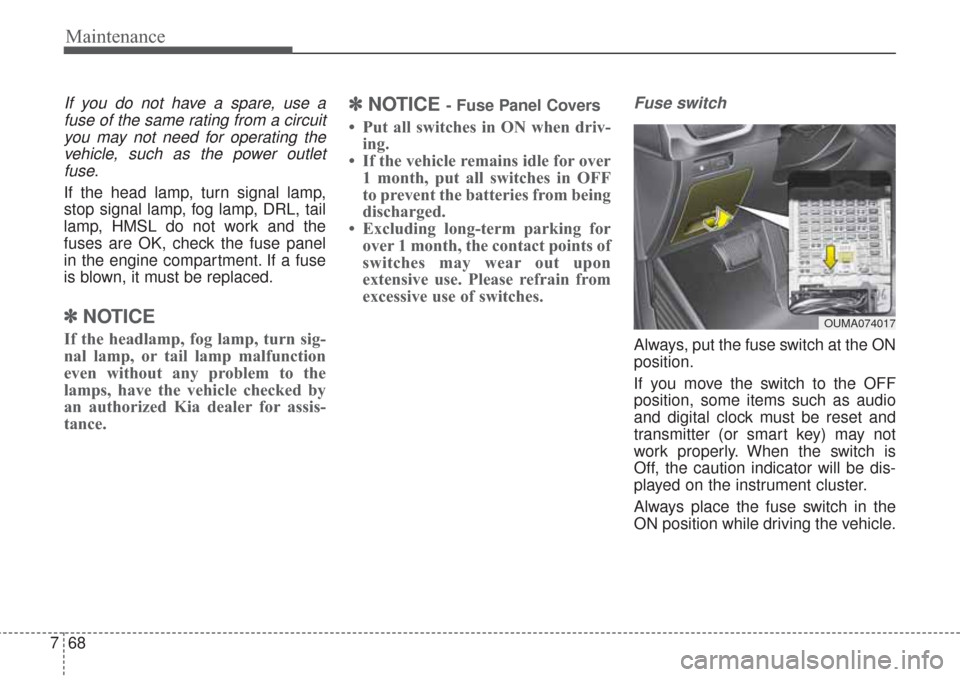
Fuse switch
Always, put the fuse switch at the ON
position.
If you move the switch to the OFF
position, some items such as audio
and digital clock must be reset and
transmitter (or smart key) may not
work properly. When the switch is
Off, the caution indicator will be dis-
played on the instrument cluster.
Always place the fuse switch in the
ON position while driving the vehicle.
OUMA074017
Page 537 of 576
785
Maintenance
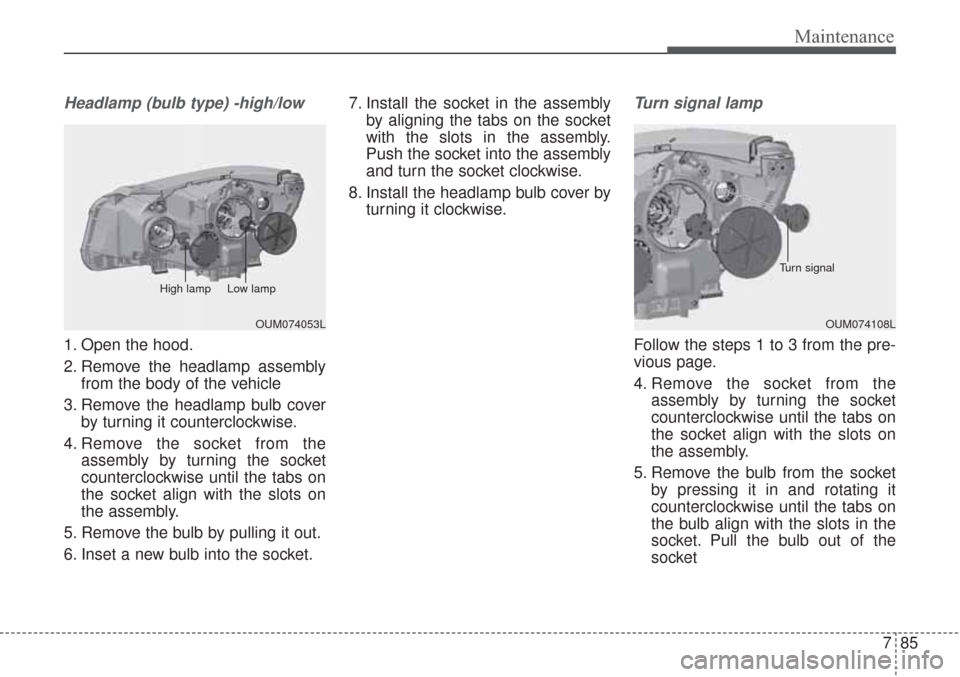
Headlamp (bulb type) -high/low
1. Open the hood.
2. Remove the headlamp assemblyfrom the body of the vehicle
3. Remove the headlamp bulb cover by turning it counterclockwise.
4. Remove the socket from the assembly by turning the socket
counterclockwise until the tabs on
the socket align with the slots on
the assembly.
5. Remove the bulb by pulling it out.
6. Inset a new bulb into the socket. 7. Install the socket in the assembly
by aligning the tabs on the socket
with the slots in the assembly.
Push the socket into the assembly
and turn the socket clockwise.
8. Install the headlamp bulb cover by turning it clockwise.
Turn signal lamp
Follow the steps 1 to 3 from the pre-
vious page.
4. Remove the socket from theassembly by turning the socket
counterclockwise until the tabs on
the socket align with the slots on
the assembly.
5. Remove the bulb from the socket by pressing it in and rotating it
counterclockwise until the tabs on
the bulb align with the slots in the
socket. Pull the bulb out of the
socket
OUM074108L
Turn signal
OUM074053L
High lamp Low lamp