steering wheel KIA SORENTO 2018 Owner's Manual
[x] Cancel search | Manufacturer: KIA, Model Year: 2018, Model line: SORENTO, Model: KIA SORENTO 2018Pages: 536, PDF Size: 13.42 MB
Page 174 of 536
489
Features of your vehicle
Sound
Park assist system vol. (if equipped)
Adjust the Park Assist System vol-
ume. (Level 1~3).
Blind spot detection Sound (if equipped)
If this item is checked, the blind spot
detection sound function will be acti-
vated.
Welcome sound(if equipped)
If this item is checked, the welcome
sound function will be activated.
Seat / Steering
Seat easy access (if equipped)
If this item is checked, the driver’s
seat will automatically move forward
or rearward for the driver to enter or
exit the vehicle comfortably.
Steering Position
If this item is checked, the warning
function regarding the steering wheel
alignment will be activated.
Service interval
On this mode, you can activate the
service interval function with mileage
(mi. or km) and period (months).
The service interval functionwill be deactivated.
You can set the service inter- val (km and months).
Page 176 of 536
491
Features of your vehicle
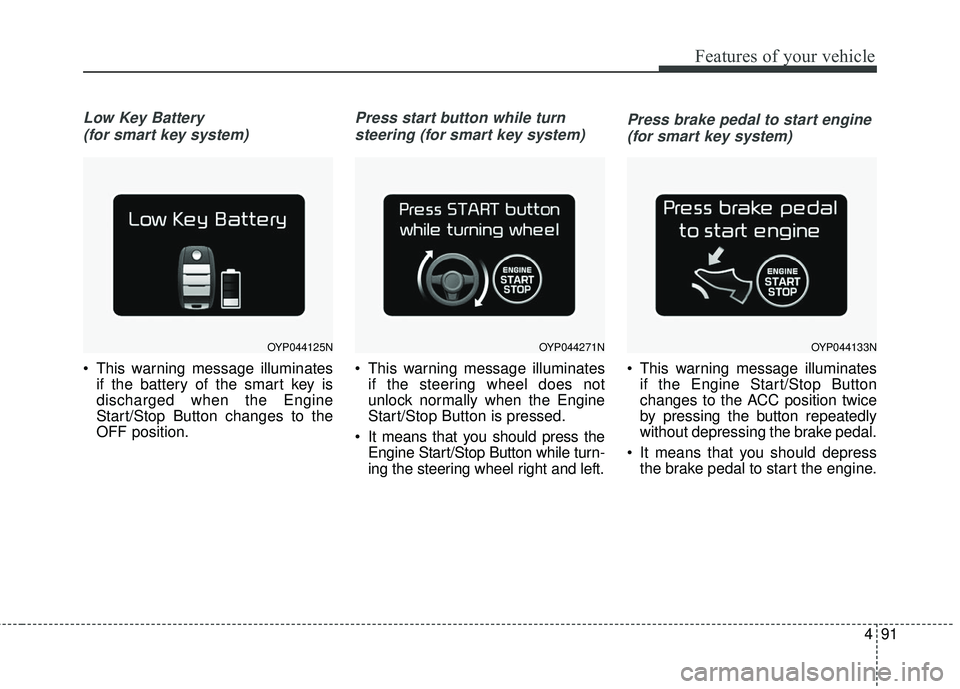
Low Key Battery (for smart key system)
This warning message illuminates if the battery of the smart key is
discharged when the Engine
Start/Stop Button changes to the
OFF position.
Press start button while turn
steering (for smart key system)
This warning message illuminates if the steering wheel does not
unlock normally when the Engine
Start/Stop Button is pressed.
It means that you should press the Engine Start/Stop Button while turn-
ing the steering wheel right and left.
Press brake pedal to start engine
(for smart key system)
This warning message illuminates if the Engine Start/Stop Button
changes to the ACC position twice
by pressing the button repeatedly
without depressing the brake pedal.
It means that you should depress the brake pedal to start the engine.
OYP044125NOYP044271NOYP044133N
Page 179 of 536
Features of your vehicle
94
4
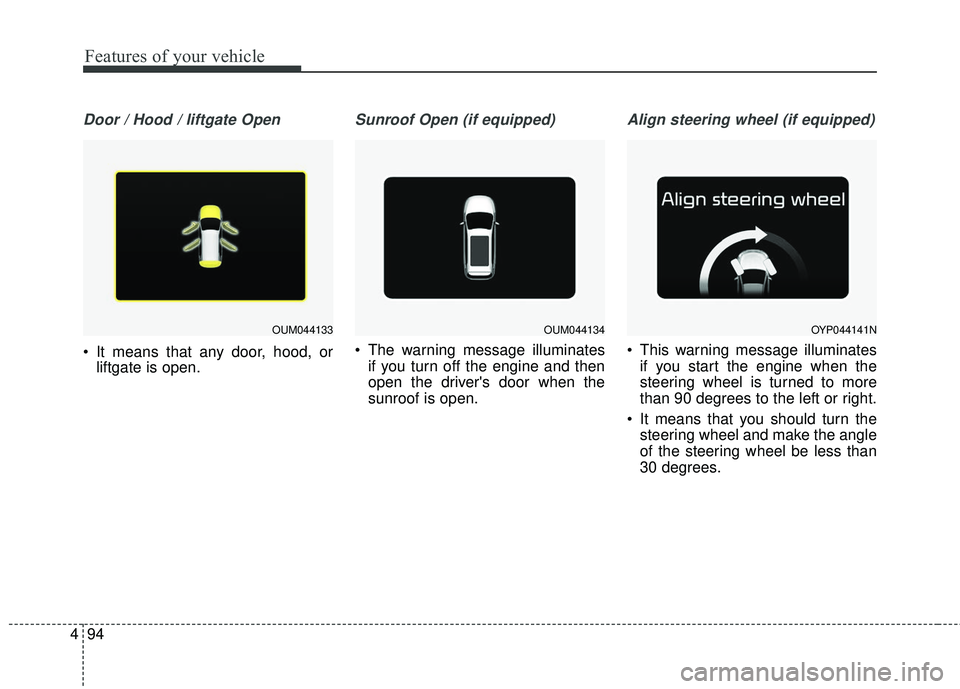
Door / Hood / liftgate Open
It means that any door, hood, or
liftgate is open.
Sunroof Open (if equipped)
The warning message illuminates
if you turn off the engine and then
open the driver's door when the
sunroof is open.
Align steering wheel (if equipped)
This warning message illuminatesif you start the engine when the
steering wheel is turned to more
than 90 degrees to the left or right.
It means that you should turn the steering wheel and make the angle
of the steering wheel be less than
30 degrees.
OUM044133OUM044134OYP044141N
Page 260 of 536
4175
Features of your vehicle
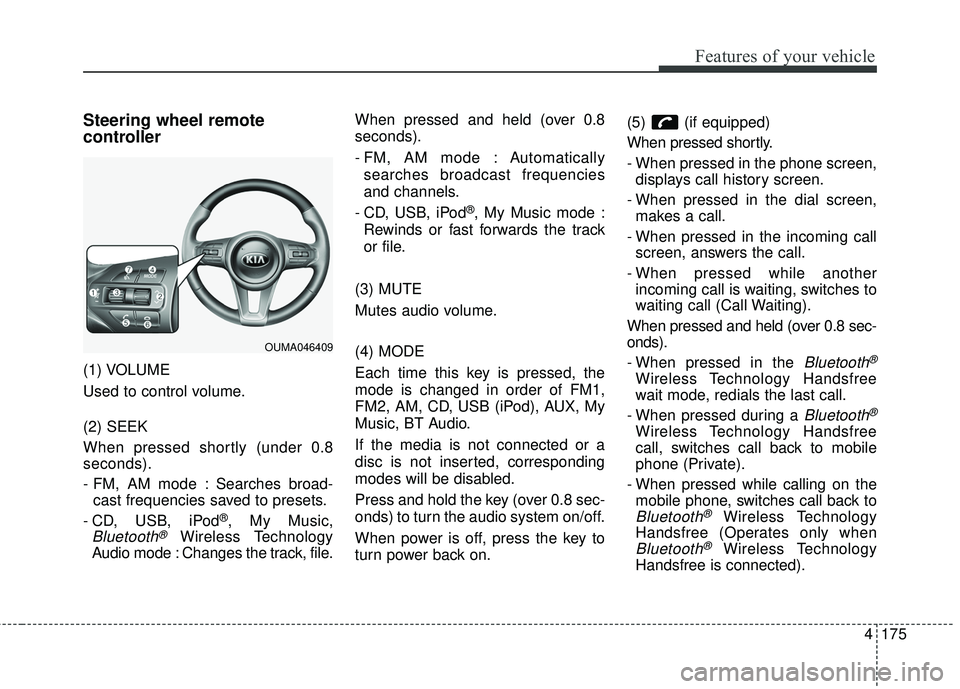
Steering wheel remote
controller
(1) VOLUME
Used to control volume.
(2) SEEK
When pressed shortly (under 0.8
seconds).
- FM, AM mode : Searches broad-cast frequencies saved to presets.
- CD, USB, iPod
®, My Music,
Bluetooth®Wireless Technology
Audio mode : Changes the track, file. When pressed and held (over 0.8
seconds).
- FM, AM mode : Automatically
searches broadcast frequencies
and channels.
- CD, USB, iPod
®, My Music mode :
Rewinds or fast forwards the track
or file.
(3) MUTE
Mutes audio volume.
(4) MODE
Each time this key is pressed, the
mode is changed in order of FM1,
FM2, AM, CD, USB (iPod), AUX, My
Music, BT Audio.
If the media is not connected or a
disc is not inserted, corresponding
modes will be disabled.
Press and hold the key (over 0.8 sec-
onds) to turn the audio system on/off.
When power is off, press the key to
turn power back on. (5) (if equipped)
When pressed shortly.
- When pressed in the phone screen,
displays call history screen.
- When pressed in the dial screen, makes a call.
- When pressed in the incoming call screen, answers the call.
- When pressed while another incoming call is waiting, switches to
waiting call (Call Waiting).
When pressed and held (over 0.8 sec-
onds).
- When pressed in the
Bluetooth®
Wireless Technology Handsfree
wait mode, redials the last call.
- When pressed during a
Bluetooth®
Wireless Technology Handsfree
call, switches call back to mobile
phone (Private).
- When pressed while calling on the mobile phone, switches call back to
Bluetooth®Wireless Technology
Handsfree (Operates only when
Bluetooth®Wireless Technology
Handsfree is connected).
OUMA046409
Page 275 of 536
55
Driving your vehicle
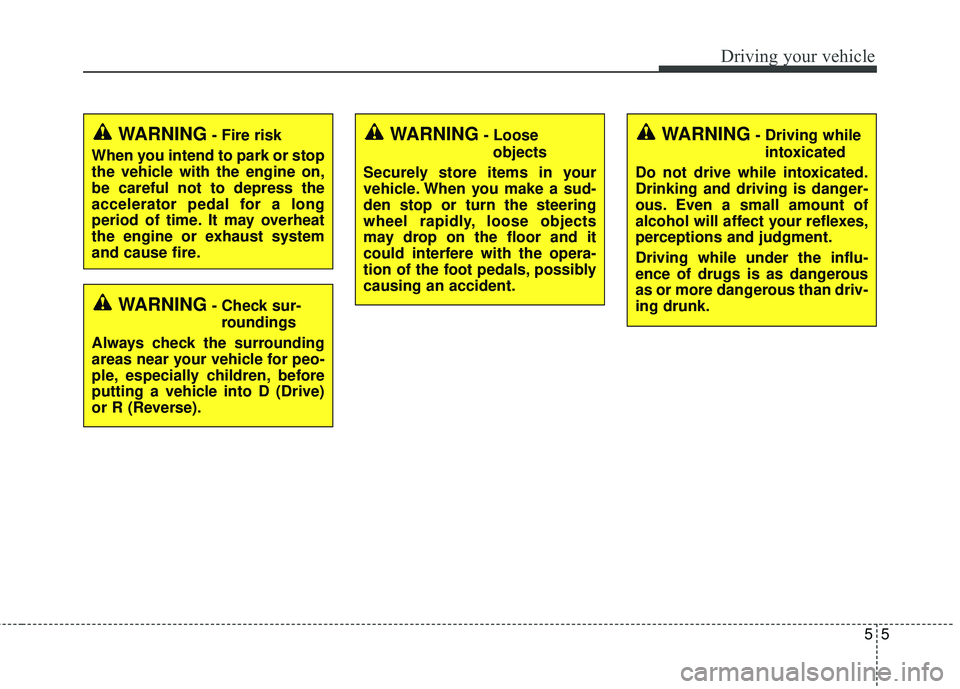
WARNING- Check sur-roundings
Always check the surrounding
areas near your vehicle for peo-
ple, especially children, before
putting a vehicle into D (Drive)
or R (Reverse).
WARNING- Fire risk
When you intend to park or stop
the vehicle with the engine on,
be careful not to depress the
accelerator pedal for a long
period of time. It may overheat
the engine or exhaust system
and cause fire.WARNING- Loose objects
Securely store items in your
vehicle. When you make a sud-
den stop or turn the steering
wheel rapidly, loose objects
may drop on the floor and it
could interfere with the opera-
tion of the foot pedals, possibly
causing an accident.WARNING- Driving while intoxicated
Do not drive while intoxicated.
Drinking and driving is danger-
ous. Even a small amount of
alcohol will affect your reflexes,
perceptions and judgment.
Driving while under the influ-
ence of drugs is as dangerous
as or more dangerous than driv-
ing drunk.
Page 276 of 536
Driving your vehicle
65
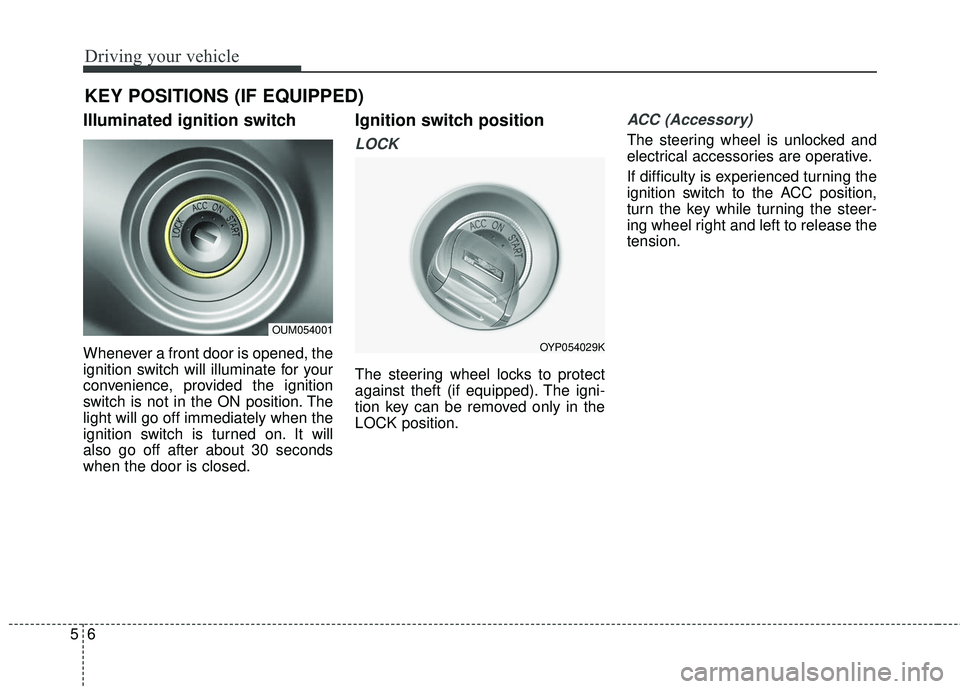
Illuminated ignition switch
Whenever a front door is opened, the
ignition switch will illuminate for your
convenience, provided the ignition
switch is not in the ON position. The
light will go off immediately when the
ignition switch is turned on. It will
also go off after about 30 seconds
when the door is closed.
Ignition switch position
LOCK
The steering wheel locks to protect
against theft (if equipped). The igni-
tion key can be removed only in the
LOCK position.
ACC (Accessory)
The steering wheel is unlocked and
electrical accessories are operative.
If difficulty is experienced turning the
ignition switch to the ACC position,
turn the key while turning the steer-
ing wheel right and left to release the
tension.
KEY POSITIONS (IF EQUIPPED)
OUM054001
OYP054029K
Page 278 of 536
Driving your vehicle
85
3.Turn the ignition switch to STARTand hold it there until the engine
starts (a maximum of 10 seconds),
then release the key.
It should be started withoutdepressing the accelerator.
4.Do not wait for the engine to warm up while the vehicle remains sta-
tionary.
Start driving at moderate engine
speeds. (Steep accelerating and
decelerating should be avoided.) If the engine stalls while you are in
motion, do not attempt to move the
shift lever to the P (Park) position. If
traffic and road conditions permit,
you may put the shift lever in the N
(Neutral) position while the vehicle is
still moving and turn the ignition
switch to the START position in an
attempt to restart the engine.
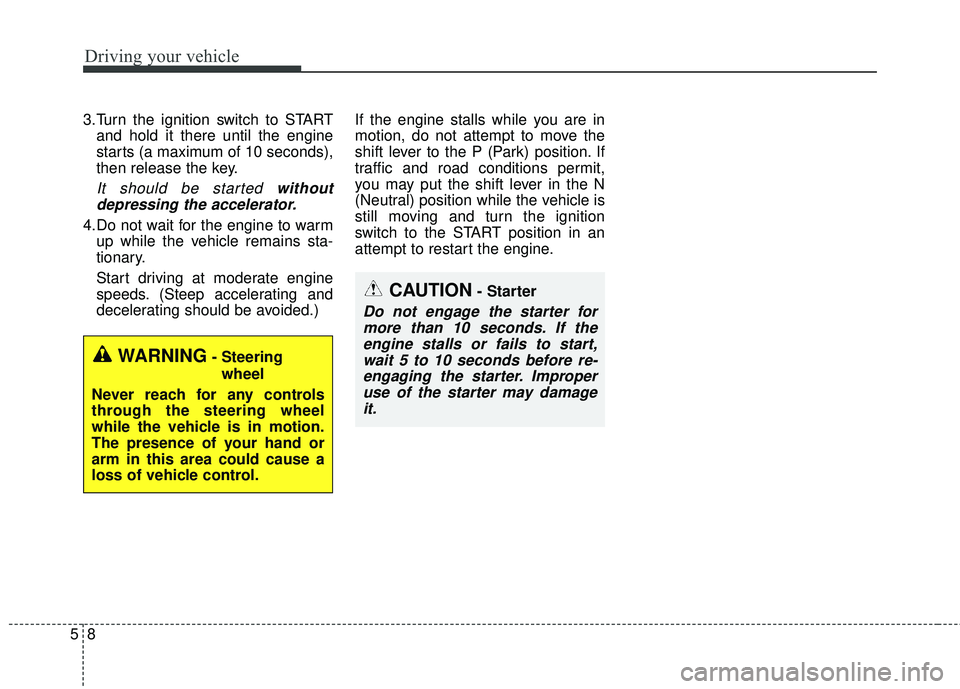
CAUTION- Starter
Do not engage the starter for
more than 10 seconds. If theengine stalls or fails to start,wait 5 to 10 seconds before re-engaging the starter. Improperuse of the starter may damageit.
WARNING- Steering
wheel
Never reach for any controls
through the steering wheel
while the vehicle is in motion.
The presence of your hand or
arm in this area could cause a
loss of vehicle control.
Page 294 of 536
Driving your vehicle
24
5
You must consciously take the
effort to learn how to corner in a
AWD vehicle. Do not rely on your
experience in conventional FWD
vehicles in choosing a safe corner-
ing speed in AWD mode. For
starters, you must drive more slow-
ly in AWD.
Drive carefully off-road because your vehicle may be damaged by
rocks or roots of trees. Become
familiar with the off-road conditions
where you are going to drive
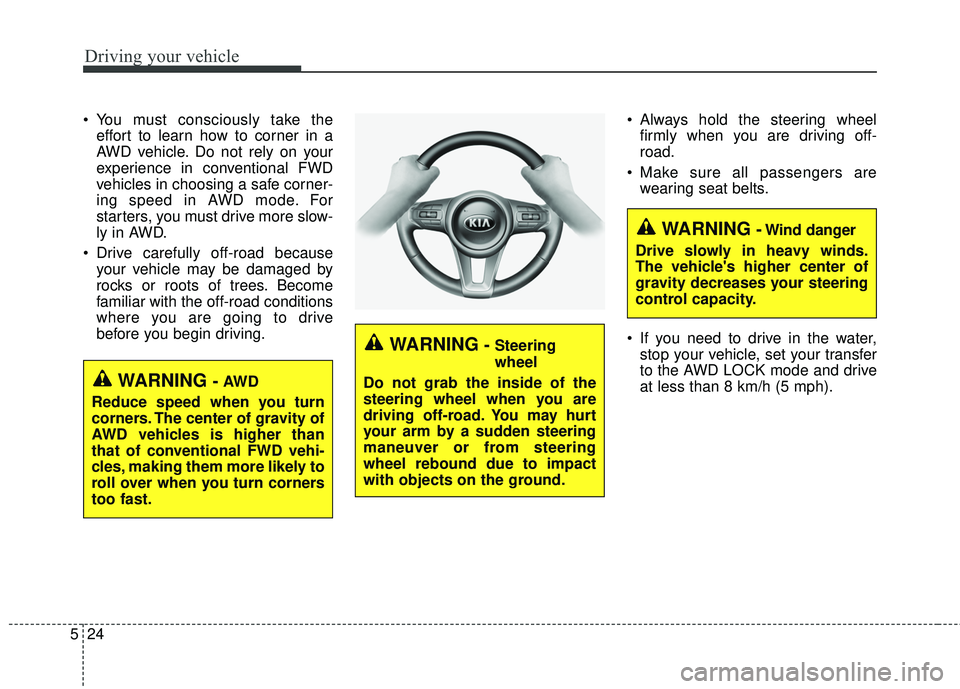
before you begin driving. Always hold the steering wheel
firmly when you are driving off-
road.
Make sure all passengers are wearing seat belts.
If you need to drive in the water, stop your vehicle, set your transfer
to the AWD LOCK mode and drive
at less than 8 km/h (5 mph).
WARNING- Steering
wheel
Do not grab the inside of the
steering wheel when you are
driving off-road. You may hurt
your arm by a sudden steering
maneuver or from steering
wheel rebound due to impact
with objects on the ground.
WARNING-Wind danger
Drive slowly in heavy winds.
The vehicle's higher center of
gravity decreases your steering
control capacity.
WARNING -AW D
Reduce speed when you turn
corners. The center of gravity of
AWD vehicles is higher than
that of conventional FWD vehi-
cles, making them more likely to
roll over when you turn corners
too fast.
Page 295 of 536
525
Driving your vehicle
✽ ✽NOTICE
• Shorten your scheduled mainte-
nance interval if you drive in off-
road conditions such as sand, mud
or water (see “Maintenance under
severe usage conditions” in section
7). Always wash your vehicle thor-
oughly after off-road use, especial-
ly cleaning the bottom of the vehi-
cle.
• A full time all wheel drive vehicle cannot be towed by an ordinary
tow truck. Make sure that the
vehicle is placed on a flat bed
truck for moving.
Do not use a tire and wheel package
with a different size and type from
the one originally installed on your
vehicle. It can affect the safety and
performance of your vehicle, which
could lead to steering failure or
rollover causing serious injury.
When replacing the tires, be sure to
equip all four tires with the tire and
wheel of the same size, type, tread,
brand and load-carrying capacity. If
you equip your vehicle with any
tire/wheel combination not recom-
mended by Kia for off-road driving,
ou should not use thesetires for high
way driving.
CAUTION - Mud or snow
Do not run the engine continu-
ously at high RPMs to free thevehicle from snow or mud. Doingso could damage the AWD sys-tem in your vehicle.
WARNING- AWD driving
Do not attempt quick steering
maneuvers or sharp turns in
AWD mode. Such maneuvers
increase the risk of rollover
accidents. Rollover accidents
are extremely violent and
unpredictable.WARNING -Driving
through water
Drive slowly. If you are driving
too fast in water, the water can
get into the engine compartment
and wet the ignition system,
causing your vehicle to sudden-
ly stop. If this happens and your
vehicle is in a tilted position,
your vehicle may roll over.
Page 312 of 536
Driving your vehicle
42
5
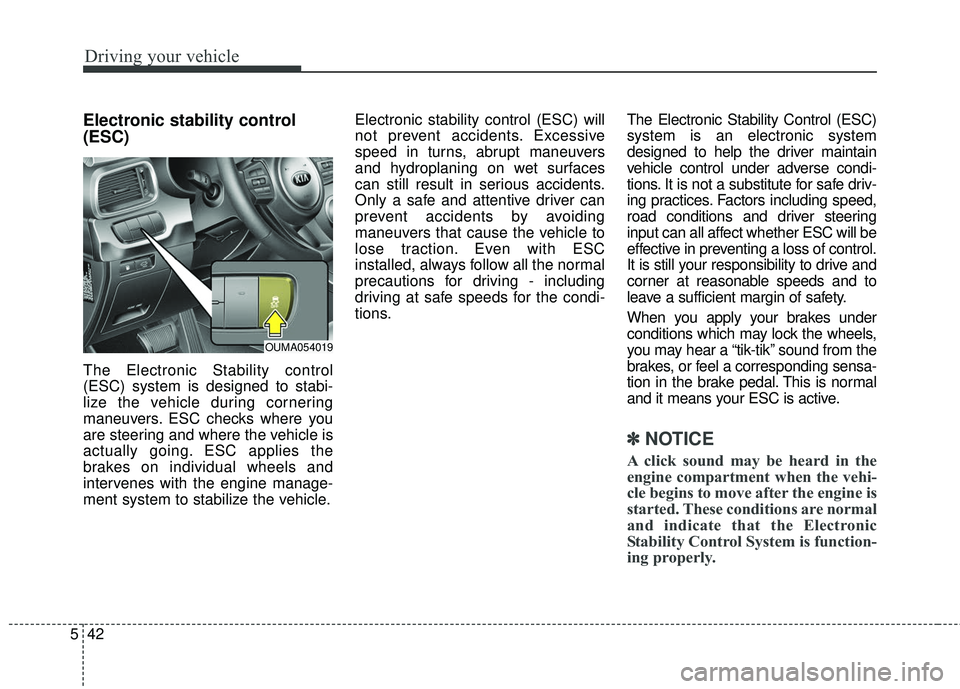
Electronic stability control
(ESC)
The Electronic Stability control
(ESC) system is designed to stabi-
lize the vehicle during cornering
maneuvers. ESC checks where you
are steering and where the vehicle is
actually going. ESC applies the
brakes on individual wheels and
intervenes with the engine manage-
ment system to stabilize the vehicle. Electronic stability control (ESC) will
not prevent accidents. Excessive
speed in turns, abrupt maneuvers
and hydroplaning on wet surfaces
can still result in serious accidents.
Only a safe and attentive driver can
prevent accidents by avoiding
maneuvers that cause the vehicle to
lose traction. Even with ESC
installed, always follow all the normal
precautions for driving - including
driving at safe speeds for the condi-
tions.
The Electronic Stability Control (ESC)
system is an electronic system
designed to help the driver maintain
vehicle control under adverse condi-
tions. It is not a substitute for safe driv-
ing practices. Factors including speed,
road conditions and driver steering
input can all affect whether ESC will be
effective in preventing a loss of control.
It is still your responsibility to drive and
corner at reasonable speeds and to
leave a sufficient margin of safety.
When you apply your brakes under
conditions which may lock the wheels,
you may hear a “tik-tik’’ sound from the
brakes, or feel a corresponding sensa-
tion in the brake pedal. This is normal
and it means your ESC is active.
✽ ✽
NOTICE
A click sound may be heard in the
engine compartment when the vehi-
cle begins to move after the engine is
started. These conditions are normal
and indicate that the Electronic
Stability Control System is function-
ing properly.
OUMA054019