ac control KIA SORENTO 2019 Owners Manual
[x] Cancel search | Manufacturer: KIA, Model Year: 2019, Model line: SORENTO, Model: KIA SORENTO 2019Pages: 573, PDF Size: 10.61 MB
Page 286 of 573
59
Driving your vehicle
3.Turn the ignition switch to STARTand hold it there until the engine
starts (a maximum of 10 seconds),
then release the key.
It should be started without depress-
ing the accelerator.
4.Do not wait for the engine to warm up while the vehicle remains sta-
tionary.
Start driving at moderate engine
speeds. (Steep accelerating and
decelerating should be avoided.) If the engine stalls while you are in
motion, do not attempt to move the
shift lever to the P (Park) position. If
traffic and road conditions permit,
you may put the shift lever in the N
(Neutral) position while the vehicle is
still moving and turn the ignition
switch to the START position in an
attempt to restart the engine.
CAUTION- Starter
Do not engage the starter for
more than 10 seconds. If theengine stalls or fails to start,wait 5 to 10 seconds before re-engaging the starter. Improperuse of the starter may damage it.
WARNING- Steering
wheel
Never reach for any controls
through the steering wheel
while the vehicle is in motion.
The presence of your hand or
arm in this area could cause a
loss of vehicle control.
Page 289 of 573
Driving your vehicle
12
5
✽ ✽
NOTICE
If you leave the engine start/stop
button in the ACC or ON position
for a long time, the battery will dis-
charge.
Starting the engine with a
smart key
1.Carry the smart key or leave it
inside the vehicle.
2.Make sure the parking brake is firmly applied
3.Place the transmission shift lever in P (Park). Depress the brake pedal
fully.
You can also start the engine whenthe shift lever is in the N (Neutral)position.
4.Press the engine start/stop button while depressing the brake pedal.
It should be started withoutdepressing the accelerator.
5.Do not wait for the engine to warm up while the vehicle remains sta-
tionary.
Start driving at moderate engine
speeds. (Rapid accelerating and
decelerating should be avoided.) Even if the smart key is in the vehi-
cle, if it is far away from you, the
engine may not start.
When the engine start/stop button is in the ACC position or above, if
any door is opened, the system
checks for the smart key. If the
smart key is not in the vehicle, a
message “key is not in the vehicle”
will appear on the LCD display. And
if all doors are closed, the chime
will sound for 5 seconds. The indi-
cator or warning will turn off while
the vehicle is moving. Always have
the smart key with you.
WARNING- Starting
vehicle
Never press the engine
start/stop button while the vehi-
cle is in motion except in an
emergency. This would result in
loss of directional control and
braking function, which could
cause an accident.
Page 291 of 573
Driving your vehicle
14
5
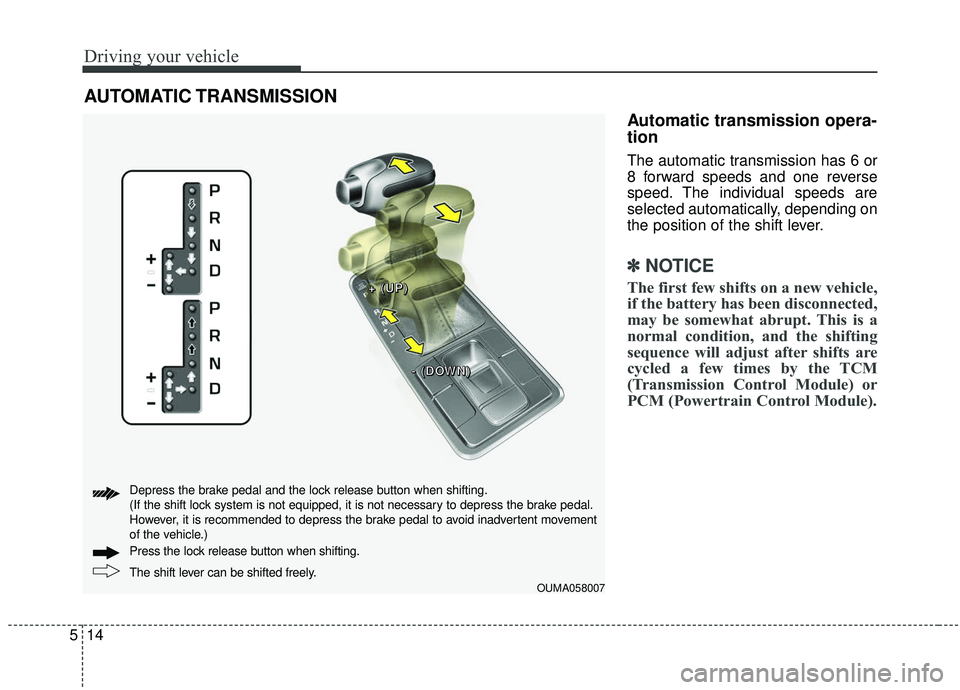
Automatic transmission opera-
tion
The automatic transmission has 6 or
8 forward speeds and one reverse
speed. The individual speeds are
selected automatically, depending on
the position of the shift lever.
✽ ✽
NOTICE
The first few shifts on a new vehicle,
if the battery has been disconnected,
may be somewhat abrupt. This is a
normal condition, and the shifting
sequence will adjust after shifts are
cycled a few times by the TCM
(Transmission Control Module) or
PCM (Powertrain Control Module).
AUTOMATIC TRANSMISSION
OUMA058007
+ +
+ +
( (
( (
U U
U U
P P
P P
) )
) )
- -
- -
( (
( (
D D
D D
O O
O O
W W
W W
N N
N N
) )
) )
The shift lever can be shifted freely. Press the loc
k release button when shifting.
Depress the brake pedal and the lock release button when shifting.
(If the shift lock system is not equipped, it is not necessary to depress the brake pedal.
However, it is recommended to depress the brake pedal to avoid inadvertent movement
of the vehicle.)
Page 292 of 573
515
Driving your vehicle
For smooth operation, depress thebrake pedal and the lock release but-ton when shifting from N (Neutral) toa forward or reverse gear.
When stopped on an incline, do not
hold the vehicle with the engine
power. Use the service brake or the
parking brake.
Transmission ranges
The indicator in the instrument clus-
ter displays the shift lever position
when the ignition switch is in the ON
position. P (Park)
Always come to a complete stop
before shifting into P (Park). This
position locks the transmission and
prevents the drive wheels from rotat-
ing.
Shifting into P (Park) while the vehi-
cle is in motion will cause the drive
wheels to lock which will cause you
to lose control of the vehicle.
R (Reverse)
Use this position to drive the vehicle
backward.
WARNING- Leaving
Vehicle
Before leaving the driver’s seat,
always make sure the shift lever
is in the P (Park) position; then
set the parking brake fully and
shut the engine off. Do not use
the P position in place of the
parking brake. Always make
sure the shift lever is latched in
the P position and set the park-
ing brake fully. Unexpected and
sudden vehicle movement can
occur if these precautions are
not followed.
CAUTION- Transmission
To avoid damage to your trans- mission, do not accelerate theengine in R (Reverse) or any for-ward gear position with thebrakes on. The transmissionmay be damaged if you shiftinto P (Park) while the vehicle isin motion.
CAUTION- Shifting
Always come to a complete stopbefore shifting into or out of R(Reverse); you may damage thetransmission if you shift into R(Reverse) while the vehicle is inmotion, except when “Rockingthe vehicle” explained in thissection.
Page 298 of 573
521
Driving your vehicle
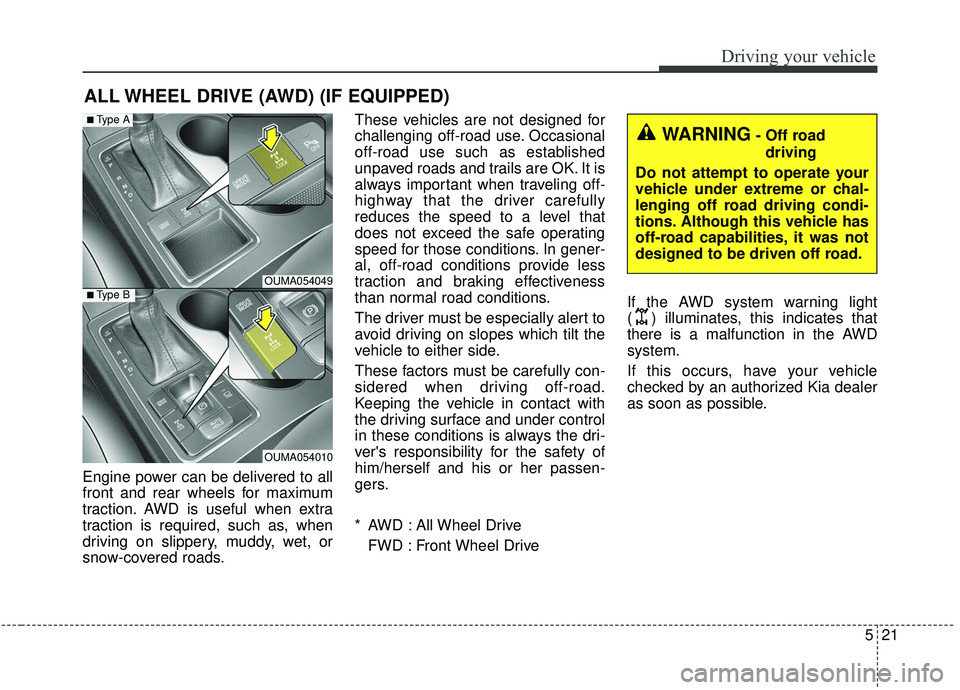
Engine power can be delivered to all
front and rear wheels for maximum
traction. AWD is useful when extra
traction is required, such as, when
driving on slippery, muddy, wet, or
snow-covered roads.These vehicles are not designed for
challenging off-road use. Occasional
off-road use such as established
unpaved roads and trails are OK. It is
always important when traveling off-
highway that the driver carefully
reduces the speed to a level that
does not exceed the safe operating
speed for those conditions. In gener-
al, off-road conditions provide less
traction and braking effectiveness
than normal road conditions.
The driver must be especially alert to
avoid driving on slopes which tilt the
vehicle to either side.
These factors must be carefully con-
sidered when driving off-road.
Keeping the vehicle in contact with
the driving surface and under control
in these conditions is always the dri-
ver's responsibility for the safety of
him/herself and his or her passen-
gers.
* AWD : All Wheel Drive
FWD : Front Wheel Drive If the AWD system warning light
( ) illuminates, this indicates that
there is a malfunction in the AWD
system.
If this occurs, have your vehicle
checked by an authorized Kia dealer
as soon as possible.
ALL WHEEL DRIVE (AWD) (IF EQUIPPED)
OUMA054049
OUMA054010
■Type A
■Type B
WARNING- Off road
driving
Do not attempt to operate your
vehicle under extreme or chal-
lenging off road driving condi-
tions. Although this vehicle has
off-road capabilities, it was not
designed to be driven off road.
Page 299 of 573
Driving your vehicle
22
5
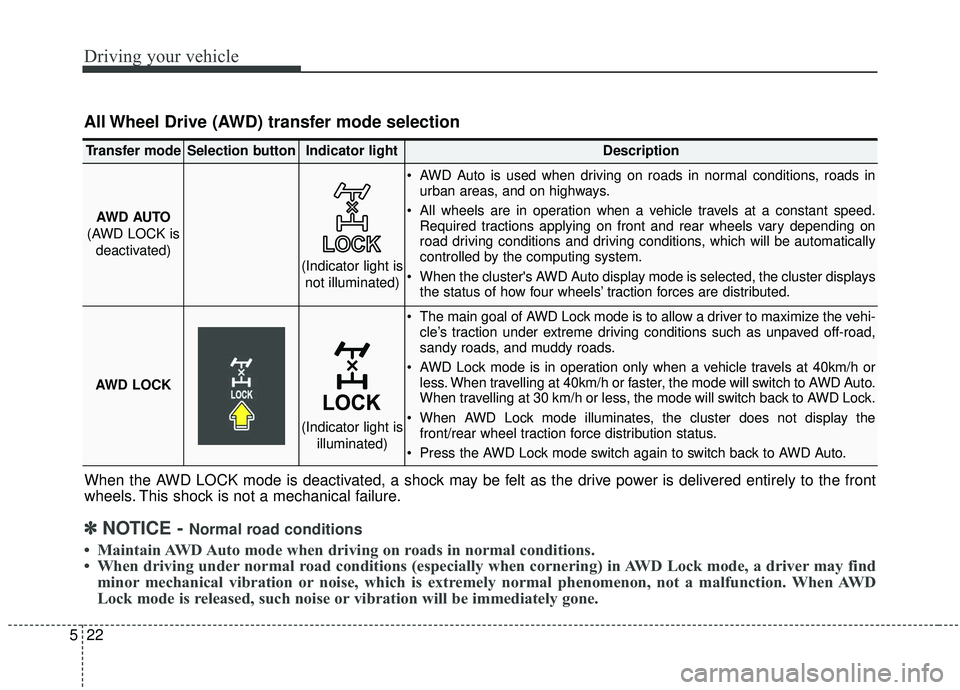
All Wheel Drive (AWD) transfer mode selection
When the AWD LOCK mode is deactivated, a shock may be felt as the drive power is delivered entirely to the front
wheels. This shock is not a mechanical failure.
Transfer modeSelection buttonIndicator lightDescription
AWD AUTO
(AWD LOCK is deactivated) AWD Auto is used when driving on roads in normal conditions, roads in
urban areas, and on highways.
All wheels are in operation when a vehicle travels at a constant speed. Required tractions applying on front and rear wheels vary depending on
road driving conditions and driving conditions, which will be automatically
controlled by the computing system.
When the cluster's AWD Auto display mode is selected, the cluster displays the status of how four wheels’ traction forces are distributed.
AWD LOCK
The main goal of AWD Lock mode is to allow a driver to maximize the vehi- cle’s traction under extreme driving conditions such as unpaved off-road,
sandy roads, and muddy roads.
AWD Lock mode is in operation only when a vehicle travels at 40km/h or less. When travelling at 40km/h or faster, the mode will switch to AWD Auto.
When travelling at 30 km/h or less, the mode will switch back to AWD Lock.
When AWD Lock mode illuminates, the cluster does not display the front/rear wheel traction force distribution status.
Press the AWD Lock mode switch again to switch back to AWD Auto.
(Indicator light is not illuminated)
(Indicator light is illuminated)
✽ ✽NOTICE - Normal road conditions
• Maintain AWD Auto mode when driving on roads in normal conditions.
• When driving under normal road conditions (especially when cornering) in AWD Lock mode, a driver may find
minor mechanical vibration or noise, which is extremely normal phenomenon, not a malfunction. When AWD
Lock mode is released, such noise or vibration will be immediately gone.
Page 300 of 573
523
Driving your vehicle
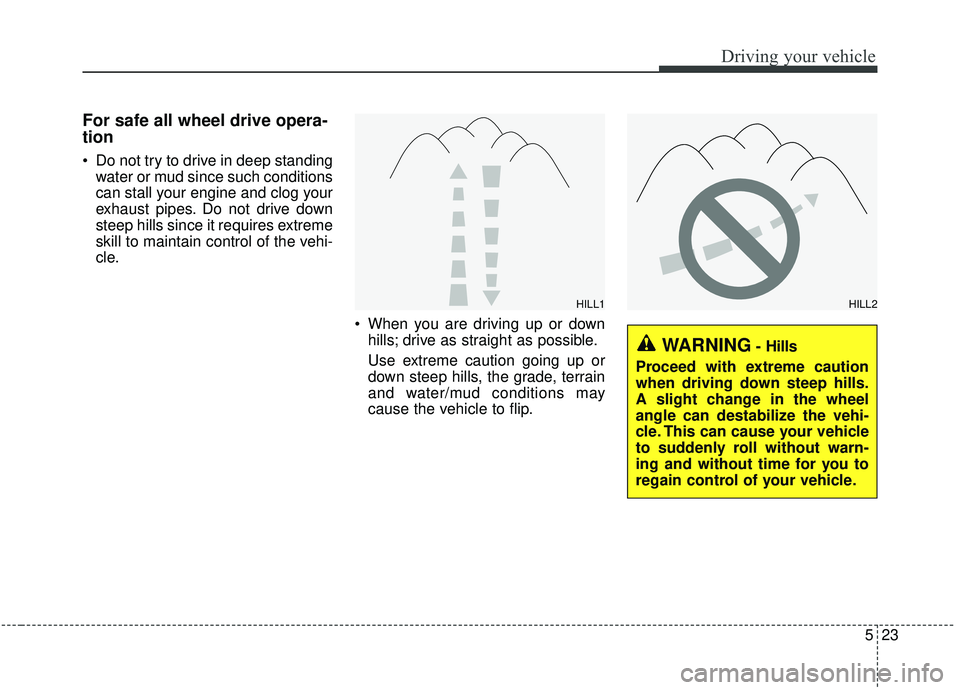
For safe all wheel drive opera-
tion
Do not try to drive in deep standingwater or mud since such conditions
can stall your engine and clog your
exhaust pipes. Do not drive down
steep hills since it requires extreme
skill to maintain control of the vehi-
cle.
When you are driving up or downhills; drive as straight as possible.
Use extreme caution going up or
down steep hills, the grade, terrain
and water/mud conditions may
cause the vehicle to flip.
HILL1HILL2
WARNING- Hills
Proceed with extreme caution
when driving down steep hills.
A slight change in the wheel
angle can destabilize the vehi-
cle. This can cause your vehicle
to suddenly roll without warn-
ing and without time for you to
regain control of your vehicle.
Page 301 of 573
Driving your vehicle
24
5
You must consciously take the
effort to learn how to corner in a
AWD vehicle. Do not rely on your
experience in conventional FWD
vehicles in choosing a safe corner-
ing speed in AWD mode. For
starters, you must drive more slow-
ly in AWD.
Drive carefully off-road because your vehicle may be damaged by
rocks or roots of trees. Become
familiar with the off-road conditions
where you are going to drive
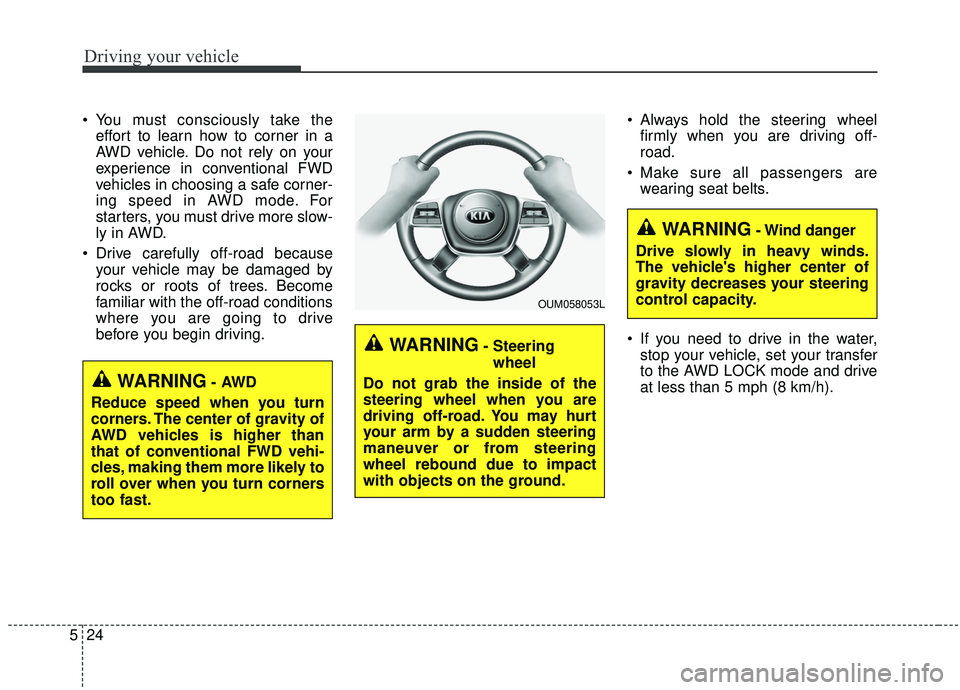
before you begin driving. Always hold the steering wheel
firmly when you are driving off-
road.
Make sure all passengers are wearing seat belts.
If you need to drive in the water, stop your vehicle, set your transfer
to the AWD LOCK mode and drive
at less than 5 mph (8 km/h).
WARNING- Steering
wheel
Do not grab the inside of the
steering wheel when you are
driving off-road. You may hurt
your arm by a sudden steering
maneuver or from steering
wheel rebound due to impact
with objects on the ground.
WARNING- Wind danger
Drive slowly in heavy winds.
The vehicle's higher center of
gravity decreases your steering
control capacity.
OUM058053L
WARNING- AWD
Reduce speed when you turn
corners. The center of gravity of
AWD vehicles is higher than
that of conventional FWD vehi-
cles, making them more likely to
roll over when you turn corners
too fast.
Page 305 of 573
Driving your vehicle
28
5
In the event of brake failure
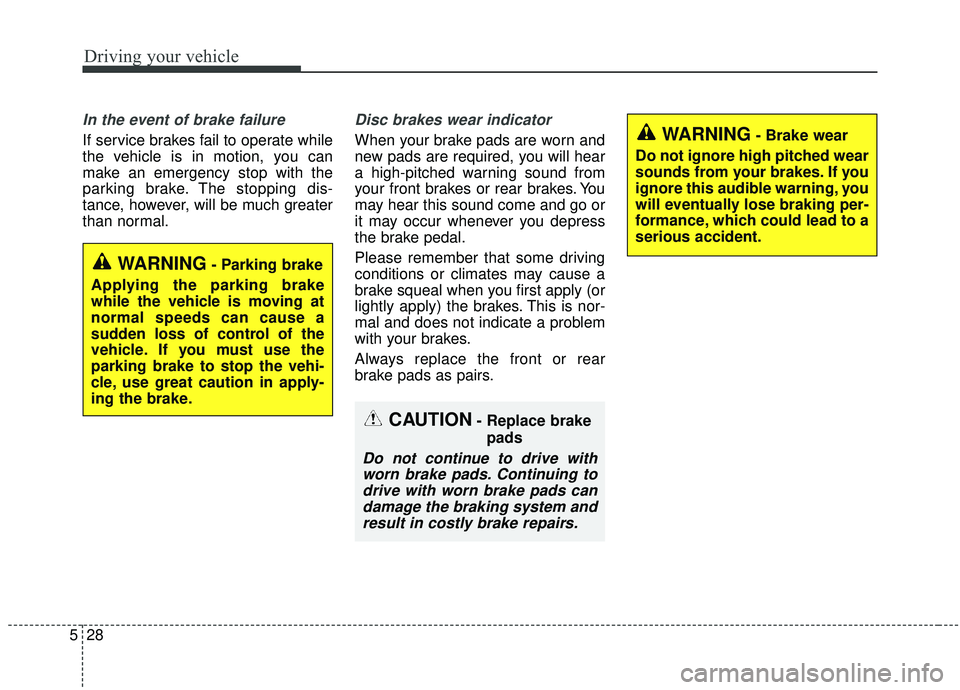
If service brakes fail to operate while
the vehicle is in motion, you can
make an emergency stop with the
parking brake. The stopping dis-
tance, however, will be much greater
than normal.
Disc brakes wear indicator
When your brake pads are worn and
new pads are required, you will hear
a high-pitched warning sound from
your front brakes or rear brakes. You
may hear this sound come and go or
it may occur whenever you depress
the brake pedal.
Please remember that some driving
conditions or climates may cause a
brake squeal when you first apply (or
lightly apply) the brakes. This is nor-
mal and does not indicate a problem
with your brakes.
Always replace the front or rear
brake pads as pairs.
WARNING- Parking brake
Applying the parking brake
while the vehicle is moving at
normal speeds can cause a
sudden loss of control of the
vehicle. If you must use the
parking brake to stop the vehi-
cle, use great caution in apply-
ing the brake.
WARNING- Brake wear
Do not ignore high pitched wear
sounds from your brakes. If you
ignore this audible warning, you
will eventually lose braking per-
formance, which could lead to a
serious accident.
CAUTION- Replace brake pads
Do not continue to drive withworn brake pads. Continuing todrive with worn brake pads candamage the braking system andresult in costly brake repairs.
Page 311 of 573
Driving your vehicle
34
5
A click or electric brake motor
whine sound may be heard while
operating or releasing the EPB, but
these conditions are normal and
indicate that the EPB is functioning
properly.
When leaving your keys with a parking lot attendant or valet, make
sure to inform him/her how to oper-
ate the EPB.
The EPB may malfunction if you drive with the EPB applied.
When you automatically release EPB by depressing the accelerator
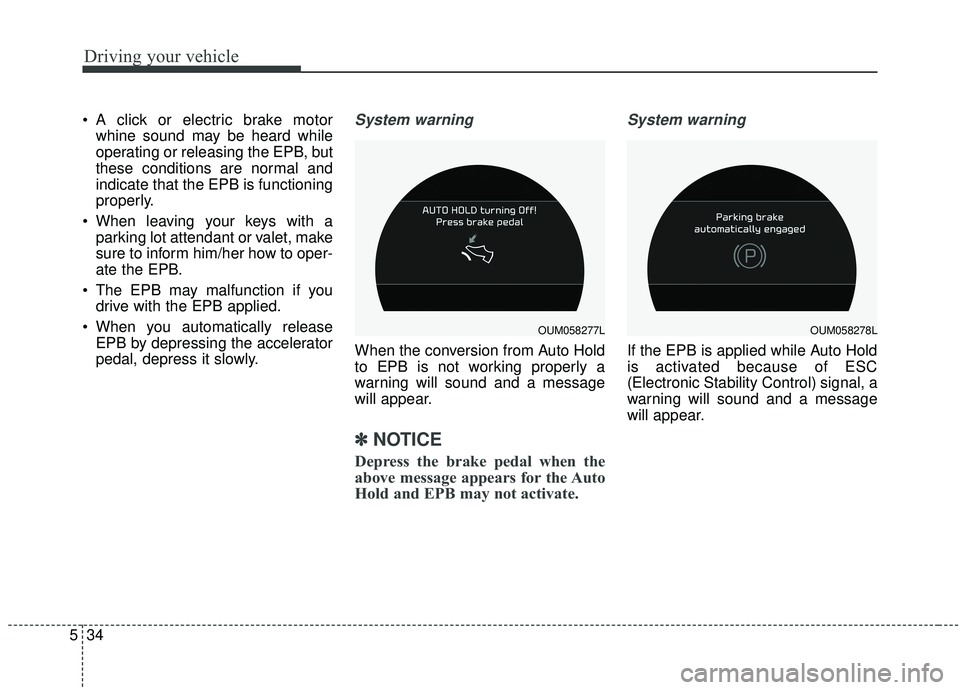
pedal, depress it slowly.System warning
When the conversion from Auto Hold
to EPB is not working properly a
warning will sound and a message
will appear.
✽ ✽ NOTICE
Depress the brake pedal when the
above message appears for the Auto
Hold and EPB may not activate.
System warning
If the EPB is applied while Auto Hold
is activated because of ESC
(Electronic Stability Control) signal, a
warning will sound and a message
will appear.
OUM058277LOUM058278L