all KIA SORENTO 2019 Owners Manual
[x] Cancel search | Manufacturer: KIA, Model Year: 2019, Model line: SORENTO, Model: KIA SORENTO 2019Pages: 573, PDF Size: 10.61 MB
Page 350 of 573
573
Driving your vehicle
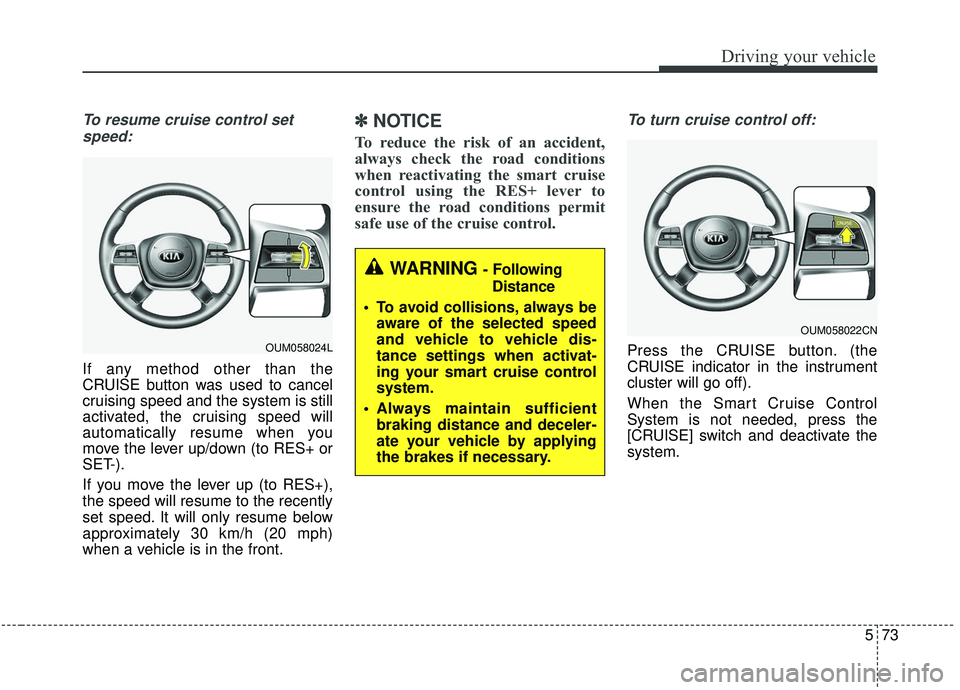
To resume cruise control setspeed:
If any method other than the
CRUISE button was used to cancel
cruising speed and the system is still
activated, the cruising speed will
automatically resume when you
move the lever up/down (to RES+ or
SET-).
If you move the lever up (to RES+),
the speed will resume to the recently
set speed. It will only resume below
approximately 30 km/h (20 mph)
when a vehicle is in the front.
✽ ✽ NOTICE
To reduce the risk of an accident,
always check the road conditions
when reactivating the smart cruise
control using the RES+ lever to
ensure the road conditions permit
safe use of the cruise control.
To turn cruise control off:
Press the CRUISE button. (the
CRUISE indicator in the instrument
cluster will go off).
When the Smart Cruise Control
System is not needed, press the
[CRUISE] switch and deactivate the
system.
WARNING - Following
Distance
To avoid collisions, always be aware of the selected speed
and vehicle to vehicle dis-
tance settings when activat-
ing your smart cruise control
system.
Always maintain sufficient braking distance and deceler-
ate your vehicle by applying
the brakes if necessary.
OUM058022CN
OUM058024L
Page 351 of 573
Driving your vehicle
74
5
Vehicle to vehicle distance
setting (Smart cruise control
system)
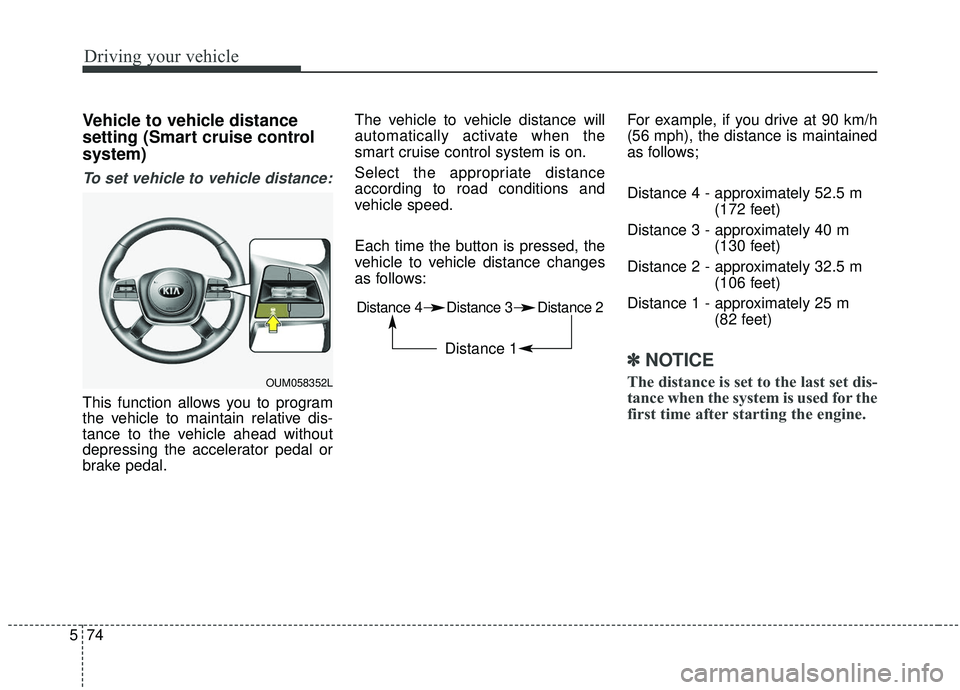
To set vehicle to vehicle distance:
This function allows you to program
the vehicle to maintain relative dis-
tance to the vehicle ahead without
depressing the accelerator pedal or
brake pedal. The vehicle to vehicle distance will
automatically activate when the
smart cruise control system is on.
Select the appropriate distance
according to road conditions and
vehicle speed.
Each time the button is pressed, the
vehicle to vehicle distance changes
as follows:
For example, if you drive at 90 km/h
(56 mph), the distance is maintained
as follows;
Distance 4 - approximately 52.5 m
(172 feet)
Distance 3 - approximately 40 m (130 feet)
Distance 2 - approximately 32.5 m (106 feet)
Distance 1 - approximately 25 m (82 feet)
✽ ✽NOTICE
The distance is set to the last set dis-
tance when the system is used for the
first time after starting the engine.OUM058352L
Distance 4 Distance 3 Distance 2
Distance 1
Page 354 of 573
577
Driving your vehicle
If you push the smart cruise controltoggle switch (RES+ or SET-) while
Auto Hold and smart cruise control
is operating the Auto Hold will be
released regardless of accelerator
pedal operation and the vehicle will
start to move. The AUTO HOLD
indicator changes from green to
white. (if equipped with EPB
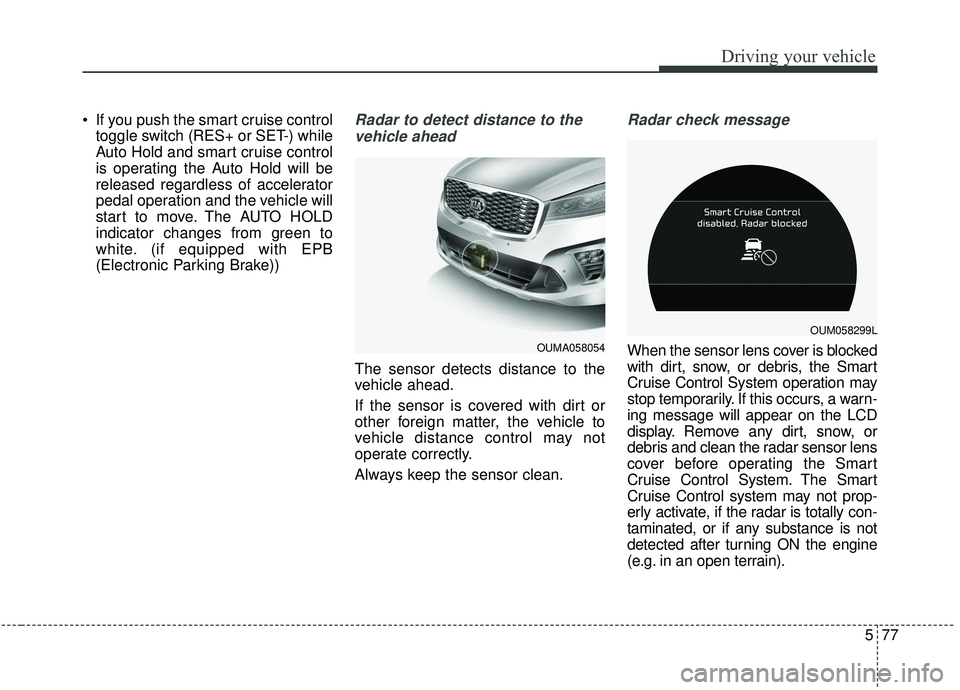
(Electronic Parking Brake))Radar to detect distance to the
vehicle ahead
The sensor detects distance to the
vehicle ahead.
If the sensor is covered with dirt or
other foreign matter, the vehicle to
vehicle distance control may not
operate correctly.
Always keep the sensor clean.
Radar check message
When the sensor lens cover is blocked
with dirt, snow, or debris, the Smart
Cruise Control System operation may
stop temporarily. If this occurs, a warn-
ing message will appear on the LCD
display. Remove any dirt, snow, or
debris and clean the radar sensor lens
cover before operating the Smart
Cruise Control System. The Smart
Cruise Control system may not prop-
erly activate, if the radar is totally con-
taminated, or if any substance is not
detected after turning ON the engine
(e.g. in an open terrain).OUMA058054
OUM058299L
Page 355 of 573
Driving your vehicle
78
5
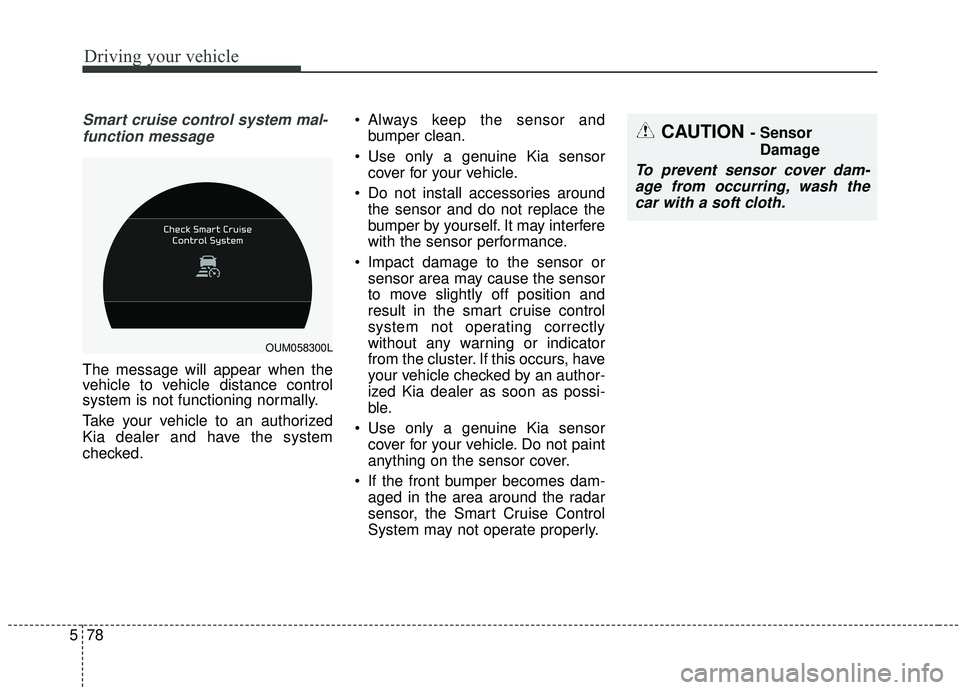
Smart cruise control system mal-
function message
The message will appear when the
vehicle to vehicle distance control
system is not functioning normally.
Take your vehicle to an authorized
Kia dealer and have the system
checked. Always keep the sensor and
bumper clean.
Use only a genuine Kia sensor cover for your vehicle.
Do not install accessories around the sensor and do not replace the
bumper by yourself. It may interfere
with the sensor performance.
Impact damage to the sensor or sensor area may cause the sensor
to move slightly off position and
result in the smart cruise control
system not operating correctly
without any warning or indicator
from the cluster. If this occurs, have
your vehicle checked by an author-
ized Kia dealer as soon as possi-
ble.
Use only a genuine Kia sensor cover for your vehicle. Do not paint
anything on the sensor cover.
If the front bumper becomes dam- aged in the area around the radar
sensor, the Smart Cruise Control
System may not operate properly.
CAUTION - Sensor
Damage
To prevent sensor cover dam-age from occurring, wash thecar with a soft cloth.
OUM058300L
Page 356 of 573
579
Driving your vehicle
To adjust the sensitivity of
smart cruise control system
The sensitivity of vehicle speed
when following the front vehicle to
maintain the set distance can be
adjusted. Go to the User Settings
Mode (Driver Assistance) and select
SCC Reaction (Smart Cruise
Control). You may select one of the
three stages you prefer.
Slow:Vehicle speed following the front
vehicle to maintain the set distance
is slower than normal speed.
Normal: Vehicle speed following the front
vehicle to maintain the set distance
is normal
Fast: Vehicle speed following the front
vehicle to maintain the set distance
is faster than normal speed.
✽ ✽ NOTICE
The system remembers the last
selected mode.
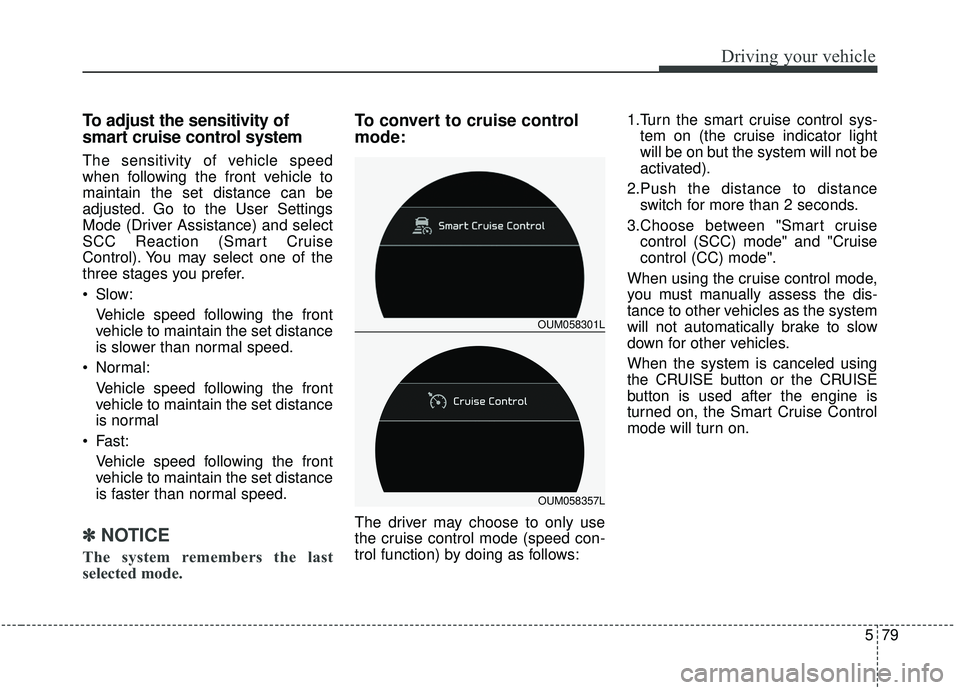
To convert to cruise control
mode:
The driver may choose to only use
the cruise control mode (speed con-
trol function) by doing as follows: 1.Turn the smart cruise control sys-
tem on (the cruise indicator light
will be on but the system will not be
activated).
2.Push the distance to distance switch for more than 2 seconds.
3.Choose between "Smart cruise control (SCC) mode" and "Cruise
control (CC) mode".
When using the cruise control mode,
you must manually assess the dis-
tance to other vehicles as the system
will not automatically brake to slow
down for other vehicles.
When the system is canceled using
the CRUISE button or the CRUISE
button is used after the engine is
turned on, the Smart Cruise Control
mode will turn on.
OUM058301L
OUM058357L
Page 359 of 573
Driving your vehicle
82
5
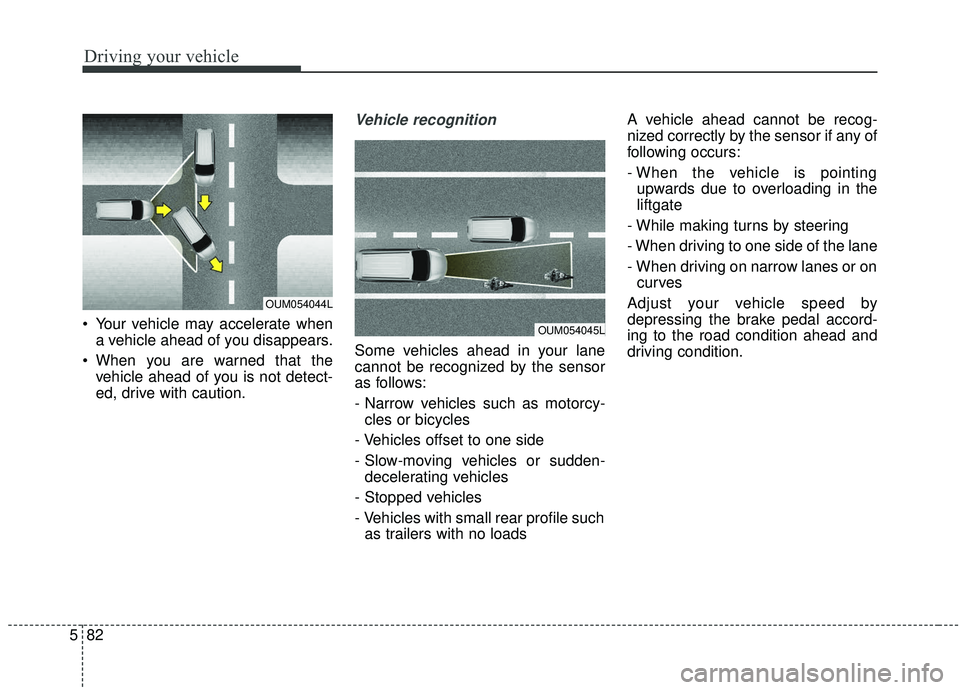
Your vehicle may accelerate when
a vehicle ahead of you disappears.
When you are warned that the vehicle ahead of you is not detect-
ed, drive with caution.
Vehicle recognition
Some vehicles ahead in your lane
cannot be recognized by the sensor
as follows:
- Narrow vehicles such as motorcy-cles or bicycles
- Vehicles offset to one side
- Slow-moving vehicles or sudden- decelerating vehicles
- Stopped vehicles
- Vehicles with small rear profile such as trailers with no loads A vehicle ahead cannot be recog-
nized correctly by the sensor if any of
following occurs:
- When the vehicle is pointing
upwards due to overloading in the
liftgate
- While making turns by steering
- When driving to one side of the lane
- When driving on narrow lanes or on curves
Adjust your vehicle speed by
depressing the brake pedal accord-
ing to the road condition ahead and
driving condition.
OUM054045L
OUM054044L
Page 360 of 573
583
Driving your vehicle
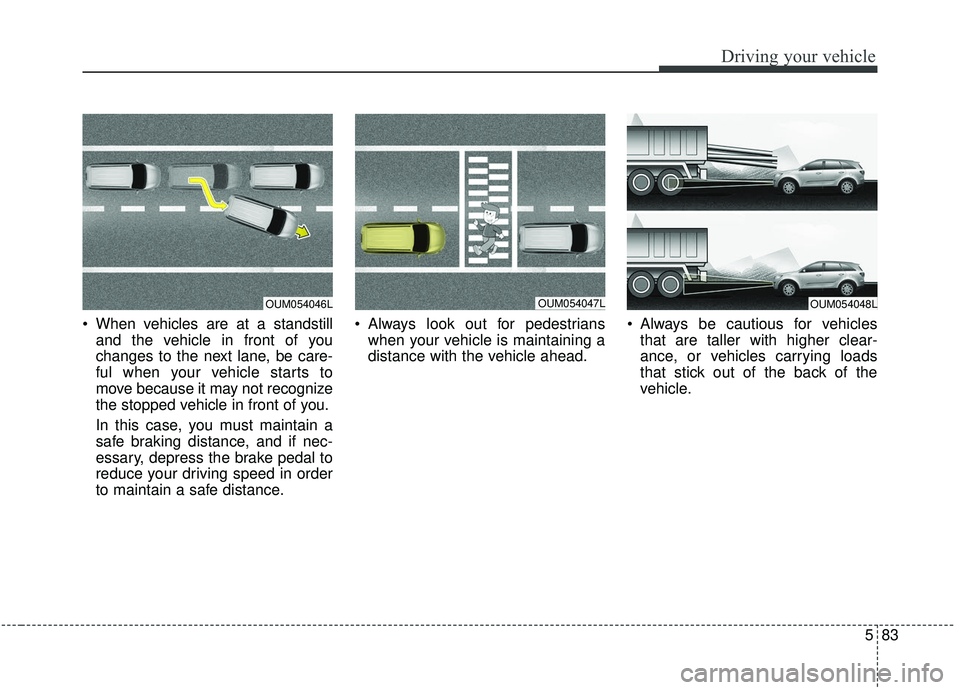
When vehicles are at a standstilland the vehicle in front of you
changes to the next lane, be care-
ful when your vehicle starts to
move because it may not recognize
the stopped vehicle in front of you.
In this case, you must maintain a
safe braking distance, and if nec-
essary, depress the brake pedal to
reduce your driving speed in order
to maintain a safe distance. Always look out for pedestrians
when your vehicle is maintaining a
distance with the vehicle ahead. Always be cautious for vehicles
that are taller with higher clear-
ance, or vehicles carrying loads
that stick out of the back of the
vehicle.
OUM054047LOUM054048LOUM054046L
Page 361 of 573
Driving your vehicle
84
5
- After an engine start, please stop
for several seconds. If system ini-
tialization is not completed, the
smart cruise control system does
not normally operate.
- After an engine start, if any objects are not detected or the sensor
cover is obscured with foreign sub-
stances, there is a possibility that
the smart cruise control system
system may not work.
- The following conditions may cause a malfunction: over-loading
the liftgate, suspension modifica-
tion, tire replacement with unau-
thorized tires or tires with different
tread wear and pressure levels.
- The smart cruise control system cannot guarantee the stop for
every emergency situation.
If an emergency stop is necessary,
you must apply the brakes.
- Keep a safe distance according to road conditions and vehicle speed.
If the vehicle to vehicle distance is
too close during a high-speed driv-
ing, a serious collision may result.
WARNING - Inclines &
Towing
Do not use smart cruise control
system on steep inclines or
when towing another vehicle or
trailer since such extreme load-
ing can interfere with your vehi-
cle's ability to maintain the
selected speed.WARNING
- Safe Use of smart cruise control system
The smart cruise control system
can provide you with an addition-
al level of safety and fatigue
reduction. However you must
maintain careful observation of
the roadway in front and around
you and maintain control of your
vehicle and spacing around
other vehicles as you normally
would. For example, this will
require you to apply the brakes
as needed when coming upon a
slower moving vehicle, or when a
vehicle from another lane drives
quickly in front of you.
Page 363 of 573
Driving your vehicle
86
5
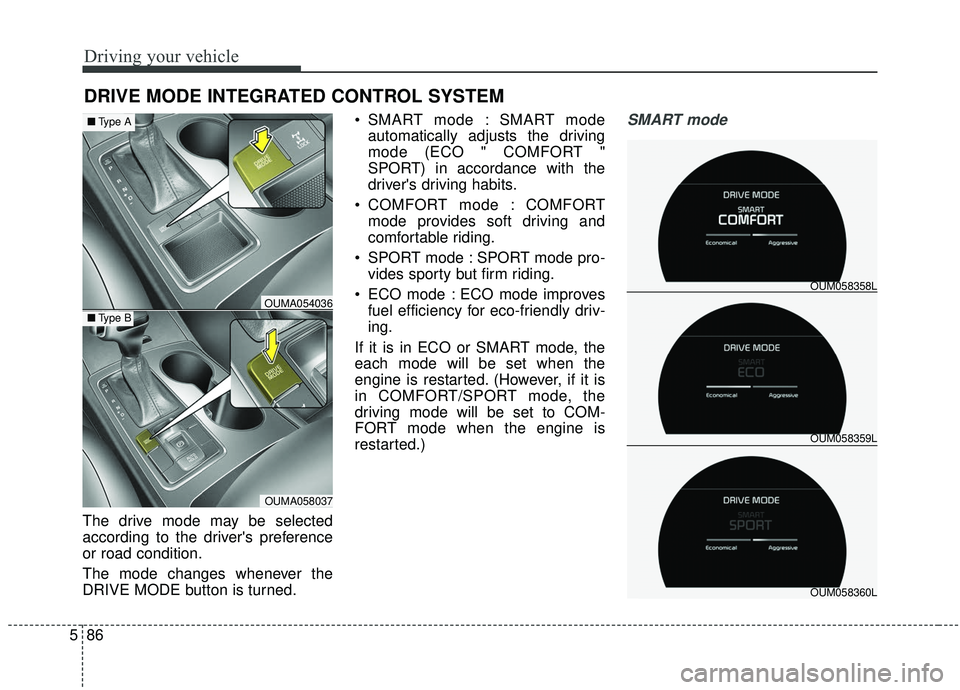
The drive mode may be selected
according to the driver's preference
or road condition.
The mode changes whenever the
DRIVE MODE button is turned. SMART mode : SMART mode
automatically adjusts the driving
mode (ECO " COMFORT "
SPORT) in accordance with the
driver's driving habits.
COMFORT mode : COMFORT mode provides soft driving and
comfortable riding.
SPORT mode : SPORT mode pro- vides sporty but firm riding.
ECO mode : ECO mode improves fuel efficiency for eco-friendly driv-
ing.
If it is in ECO or SMART mode, the
each mode will be set when the
engine is restarted. (However, if it is
in COMFORT/SPORT mode, the
driving mode will be set to COM-
FORT mode when the engine is
restarted.)
SMART mode
DRIVE MODE INTEGRATED CONTROL SYSTEM
OUM058359L OUM058358L
OUM058360L
OUMA054036
OUMA058037
■ Type B
■Type A
Page 364 of 573
587
Driving your vehicle
SMART mode selects the
proper driving mode
among ECO, COMFORT
and SPORT by judging
the driver's driving habits
(i.e. mild or dynamic)
from the brake pedal
depression or the steer-
ing wheel operation.
Press the DRIVE MODE button to activate SMART mode. When
SMART mode is activated, the
indicator illuminates on the instru-
ment cluster.
The indicator illuminates in blue, when the driver's driving is catego-
rized to be mild. It illuminates in
white, when the driver's driving is
categorized to be normal. It illumi-
nates in red, when the driver's driv-
ing is categorized to be dynamic
during abrupt braking or sharp
curving. The vehicle starts in COMFORT
mode, when the engine was turned
OFF in SMART mode.
SMART mode automatically con- trols the vehicle driving, such as
gear shifting patterns, engine
torque, riding quality (if equipped
with the electronic suspension sys-
tem), and power distribution (if
equipped with the All-Wheel Drive
(AWD) system), in accordance with
the driver's driving habits.✽ ✽ NOTICE
• When you mildly drive the vehicle
in SMART mode, the driving
mode changes to ECO mode to
improve fuel efficiency. However,
the actual fuel efficiency may dif-
fer in accordance with your driv-
ing situations (i.e. upward/down-
ward slope, vehicle
deceleration/acceleration).
• When you dynamically drive the vehicle in SMART mode by
abruptly decelerating or sharply
curving, the driving mode changes
to SPORT mode. However, it may
adversely affect fuel economy.SMART