park assist KIA SORENTO 2019 Owners Manual
[x] Cancel search | Manufacturer: KIA, Model Year: 2019, Model line: SORENTO, Model: KIA SORENTO 2019Pages: 573, PDF Size: 10.61 MB
Page 5 of 573
Introduction
21
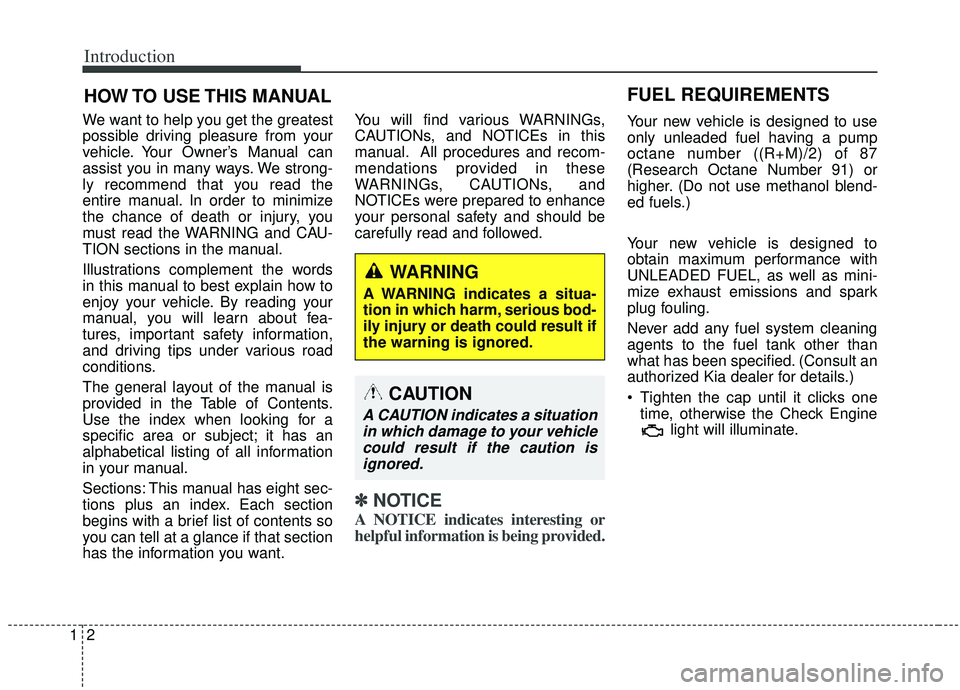
HOW TO USE THIS MANUAL
We want to help you get the greatest
possible driving pleasure from your
vehicle. Your Owner’s Manual can
assist you in many ways. We strong-
ly recommend that you read the
entire manual. In order to minimize
the chance of death or injury, you
must read the WARNING and CAU-
TION sections in the manual.
Illustrations complement the words
in this manual to best explain how to
enjoy your vehicle. By reading your
manual, you will learn about fea-
tures, important safety information,
and driving tips under various road
conditions.
The general layout of the manual is
provided in the Table of Contents.
Use the index when looking for a
specific area or subject; it has an
alphabetical listing of all information
in your manual.
Sections: This manual has eight sec-
tions plus an index. Each section
begins with a brief list of contents so
you can tell at a glance if that section
has the information you want.You will find various WARNINGs,
CAUTIONs, and NOTICEs in this
manual. All procedures and recom-
mendations provided in these
WARNINGs, CAUTIONs, and
NOTICEs were prepared to enhance
your personal safety and should be
carefully read and followed.
✽ ✽
NOTICE
A NOTICE indicates interesting or
helpful information is being provided.
Your new vehicle is designed to use
only unleaded fuel having a pump
octane number ((R+M)/2) of 87
(Research Octane Number 91) or
higher. (Do not use methanol blend-
ed fuels.)
Your new vehicle is designed to
obtain maximum performance with
UNLEADED FUEL, as well as mini-
mize exhaust emissions and spark
plug fouling.
Never add any fuel system cleaning
agents to the fuel tank other than
what has been specified. (Consult an
authorized Kia dealer for details.)
Tighten the cap until it clicks one
time, otherwise the Check Engine light will illuminate.
WARNING
A WARNING indicates a situa-
tion in which harm, serious bod-
ily injury or death could result if
the warning is ignored.
CAUTION
A CAUTION indicates a situationin which damage to your vehiclecould result if the caution isignored.
FUEL REQUIREMENTS
Page 12 of 573
Your vehicle at a glance
22
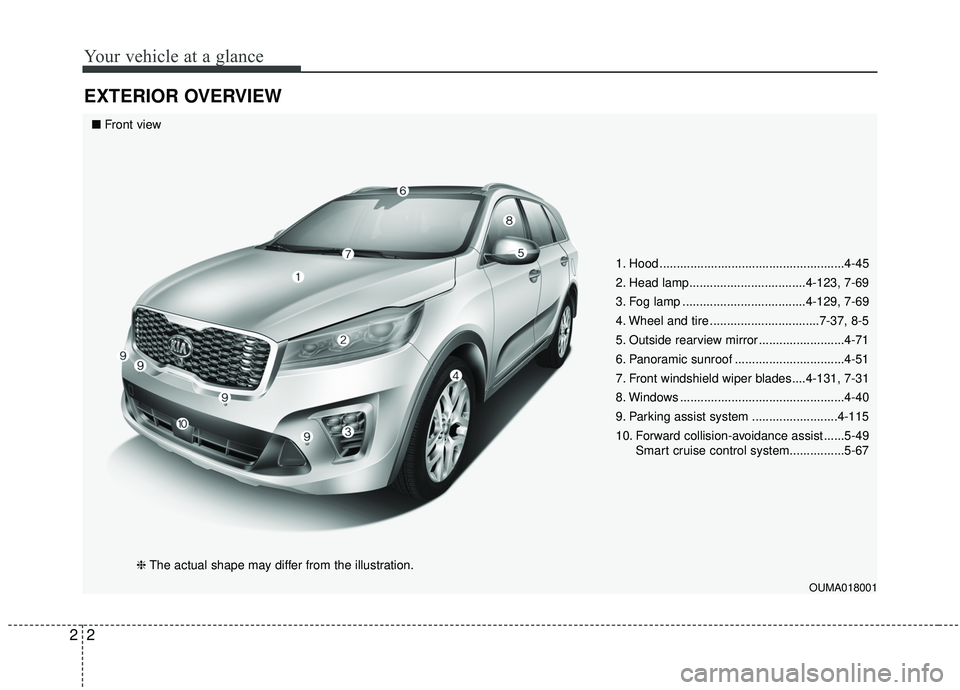
EXTERIOR OVERVIEW
1. Hood ......................................................4-45
2. Head lamp..................................4-123, 7-69
3. Fog lamp ....................................4-129, 7-69
4. Wheel and tire ................................7-37, 8-5
5. Outside rearview mirror .........................4-71
6. Panoramic sunroof ................................4-51
7. Front windshield wiper blades....4-131, 7-31
8. Windows ................................................4-40
9. Parking assist system .........................4-115
10. Forward collision-avoidance assist ......5-49Smart cruise control system................5-67
OUMA018001
■Front view
❈The actual shape may differ from the illustration.
Page 13 of 573
23
Your vehicle at a glance
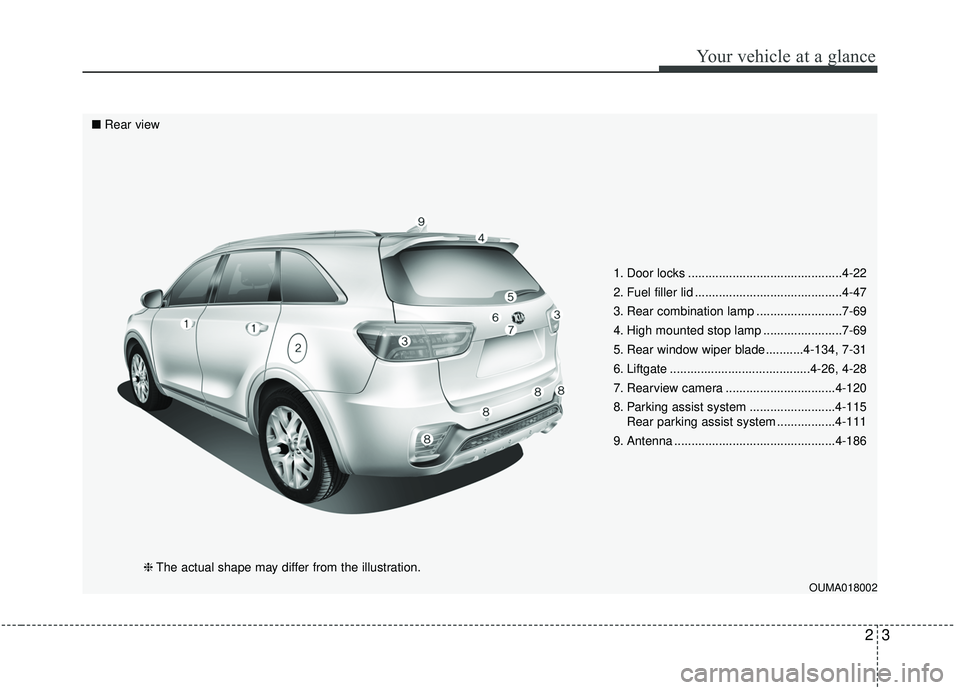
1. Door locks .............................................4-22
2. Fuel filler lid ...........................................4-47
3. Rear combination lamp .........................7-69
4. High mounted stop lamp .......................7-69
5. Rear window wiper blade ...........4-134, 7-31
6. Liftgate .........................................4-26, 4-28
7. Rearview camera ................................4-120
8. Parking assist system .........................4-115Rear parking assist system .................4-111
9. Antenna ...............................................4-186
OUMA018002
■ Rear view
❈The actual shape may differ from the illustration.
Page 15 of 573
25
Your vehicle at a glance
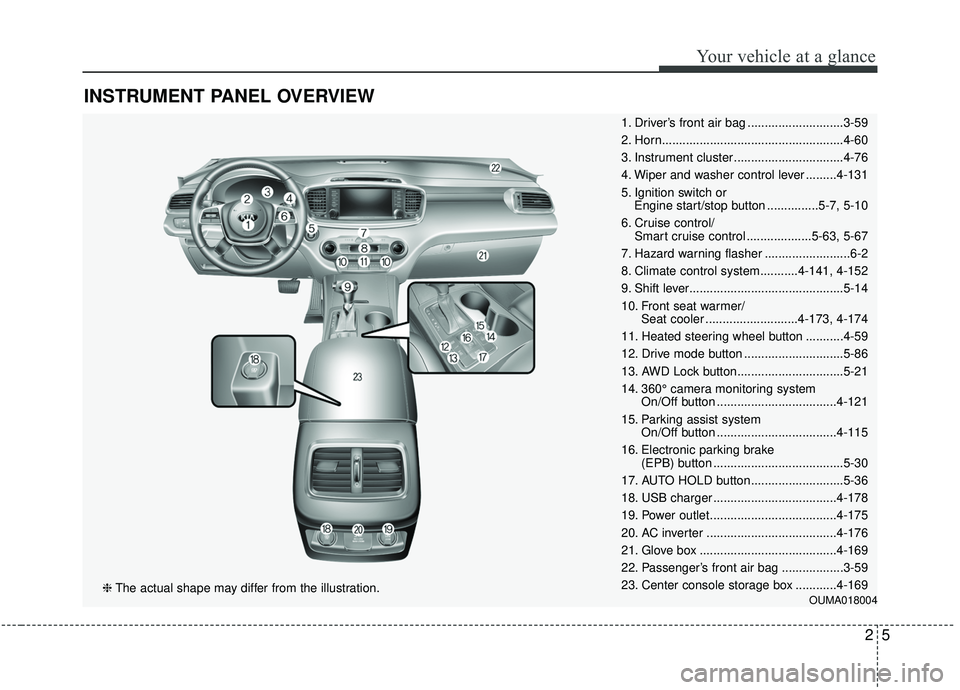
INSTRUMENT PANEL OVERVIEW
1. Driver’s front air bag ............................3-59
2. Horn.....................................................4-60
3. Instrument cluster ................................4-76
4. Wiper and washer control lever .........4-131
5. Ignition switch or Engine start/stop button ...............5-7, 5-10
6. Cruise control/ Smart cruise control ...................5-63, 5-67
7. Hazard warning flasher .........................6-2
8. Climate control system...........4-141, 4-152
9. Shift lever.............................................5-14
10. Front seat warmer/ Seat cooler ...........................4-173, 4-174
11. Heated steering wheel button ...........4-59
12. Drive mode button .............................5-86
13. AWD Lock button...............................5-21
14. 360° camera monitoring system On/Off button ...................................4-121
15. Parking assist system On/Off button ...................................4-115
16. Electronic parking brake (EPB) button ......................................5-30
17. AUTO HOLD button...........................5-36
18. USB charger ....................................4-178
19. Power outlet.....................................4-175
20. AC inverter ......................................4-176
21. Glove box ........................................4-169
22. Passenger’s front air bag ..................3-59
23. Center console storage box ............4-169
OUMA018004❈ The actual shape may differ from the illustration.
Page 90 of 573
• Tilting the sunroof . . . . . . . . . . . . . . . . . . . . . . . . . . . 4-55
• Closing the sunroof . . . . . . . . . . . . . . . . . . . . . . . . . . . 4-55
• Resetting the sunroof . . . . . . . . . . . . . . . . . . . . . . . . . 4-56
Steering wheel . . . . . . . . . . . . . . . . . . . . . . . . . . . . . 4-57
• Electric Power Steering (EPS) . . . . . . . . . . . . . . . . . . 4-57
• Tilt and telescopic steering . . . . . . . . . . . . . . . . . . . . . 4-58
• Heated steering wheel . . . . . . . . . . . . . . . . . . . . . . . . . 4-59
• Horn . . . . . . . . . . . . . . . . . . . . . . . . . . . . . . . . . . . . \
. . . 4-60
Mirrors . . . . . . . . . . . . . . . . . . . . . . . . . . . . . . . . . . 4-61\
• Inside rearview mirror . . . . . . . . . . . . . . . . . . . . . . . . 4-61
• Outside rearview mirror. . . . . . . . . . . . . . . . . . . . . . . 4-71
Instrument cluster . . . . . . . . . . . . . . . . . . . . . . . . . 4-75
• Instrument cluster control . . . . . . . . . . . . . . . . . . . . . 4-76
• LCD display control . . . . . . . . . . . . . . . . . . . . . . . . . . 4-76
• Gauges . . . . . . . . . . . . . . . . . . . . . . . . . . . . . . . . . . . . \
. 4-77
• Transmission shift indicator . . . . . . . . . . . . . . . . . . . . 4-80
LCD display . . . . . . . . . . . . . . . . . . . . . . . . . . . . . . 4-82
• LCD modes. . . . . . . . . . . . . . . . . . . . . . . . . . . . . . . . . . 4-82\
Trip modes (Trip computer) . . . . . . . . . . . . . . . . . 4-83
• Trip modes . . . . . . . . . . . . . . . . . . . . . . . . . . . . . . . . . . 4-83\
• Fuel economy . . . . . . . . . . . . . . . . . . . . . . . . . . . . . . . . 4-83
• Accumulated driving information mode . . . . . . . . . . 4-85
• One time driving information mode . . . . . . . . . . . . . 4-85
• Digital speedometer . . . . . . . . . . . . . . . . . . . . . . . . . . . 4-86
• Smart shift . . . . . . . . . . . . . . . . . . . . . . . . . . . . . . . . . . 4-86\
• Turn by turn mode . . . . . . . . . . . . . . . . . . . . . . . . . . . 4-86
• Assist mode . . . . . . . . . . . . . . . . . . . . . . . . . . . . . . . . . . 4-87\
• Distance to empty . . . . . . . . . . . . . . . . . . . . . . . . . . . . 4-89
• User settings mode. . . . . . . . . . . . . . . . . . . . . . . . . . . . 4-89
• Warning messages . . . . . . . . . . . . . . . . . . . . . . . . . . . . 4-94
Warning and indicator lights . . . . . . . . . . . . . . . . 4-99
• Warning lights . . . . . . . . . . . . . . . . . . . . . . . . . . . . . . . 4-99
• Indicator lights. . . . . . . . . . . . . . . . . . . . . . . . . . . . . . 4-106
Rear parking assist system . . . . . . . . . . . . . . . . . 4-111
• Operation of the rear parking assist system . . . . . . 4-111
• Non-operational conditions of rear parking assist
system . . . . . . . . . . . . . . . . . . . . . . . . . . . . . . . . . . . . \
4-112
• Rear parking assist system precautions . . . . . . . . . 4-113
Parking assist system . . . . . . . . . . . . . . . . . . . . . . 4-115
• Operation of the parking assist system . . . . . . . . . . 4-115
• Non-operational conditions of parking assist system . . . . . . . . . . . . . . . . . . . . . . . . . . . . . . . . . . . . \
4-117
Rearview camera . . . . . . . . . . . . . . . . . . . . . . . . . 4-120
360° camera monitoring system . . . . . . . . . . . . . 4-121
• Automatic car wash entry support guidelines . . . . 4-122
Lighting . . . . . . . . . . . . . . . . . . . . . . . . . . . . . . . . . 4-123
• Battery saver function. . . . . . . . . . . . . . . . . . . . . . . . 4-123
• Daytime running light . . . . . . . . . . . . . . . . . . . . . . . . 4-123
• Lighting control . . . . . . . . . . . . . . . . . . . . . . . . . . . . . 4-123
• High beam operation. . . . . . . . . . . . . . . . . . . . . . . . . 4-125
4
Page 178 of 573
Features of your vehicle
90
4
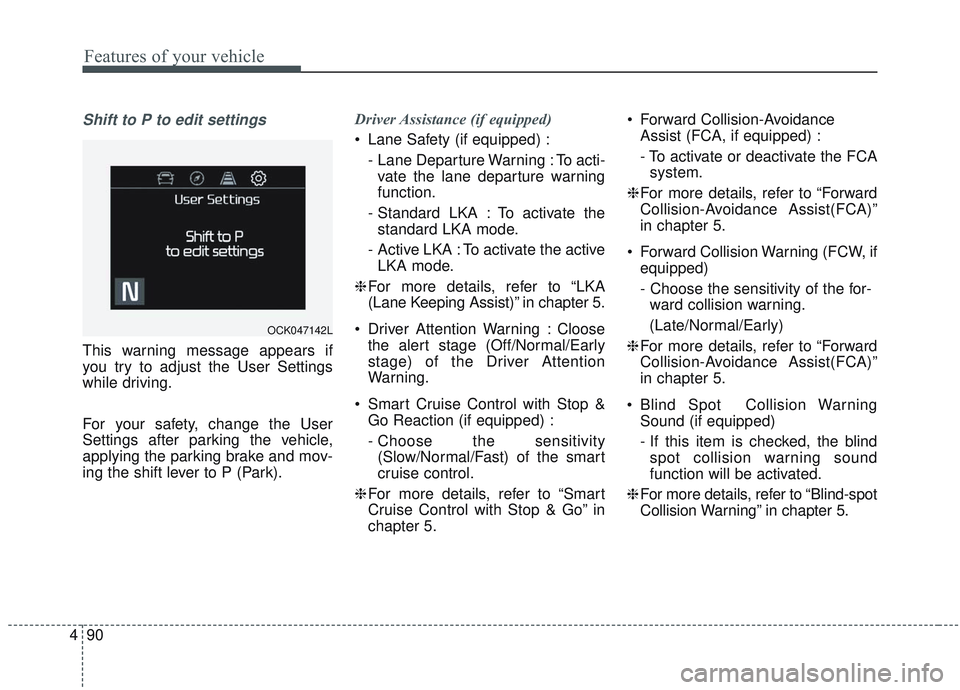
Shift to P to edit settings
This warning message appears if
you try to adjust the User Settings
while driving.
For your safety, change the User
Settings after parking the vehicle,
applying the parking brake and mov-
ing the shift lever to P (Park). Driver Assistance (if equipped)
Lane Safety (if equipped) :
- Lane Departure Warning : To acti-vate the lane departure warning
function.
- Standard LKA : To activate the standard LKA mode.
- Active LKA : To activate the active LKA mode.
❈ For more details, refer to “LKA
(Lane Keeping Assist)” in chapter 5.
Driver Attention Warning : Cloose the alert stage (Off/Normal/Early
stage) of the Driver Attention
Warning.
Smart Cruise Control with Stop & Go Reaction (if equipped) :
- Choose the sensitivity(Slow/Normal/Fast) of the smart
cruise control.
❈ For more details, refer to “Smart
Cruise Control with Stop & Go” in
chapter 5. Forward Collision-Avoidance
Assist (FCA, if equipped) :
- To activate or deactivate the FCAsystem.
❈ For more details, refer to “Forward
Collision-Avoidance Assist(FCA)”
in chapter 5.
Forward Collision Warning (FCW, if equipped)
- Choose the sensitivity of the for-ward collision warning.
(Late/Normal/Early)
❈ For more details, refer to “Forward
Collision-Avoidance Assist(FCA)”
in chapter 5.
Blind Spot Collision Warning Sound (if equipped)
- If this item is checked, the blindspot collision warning sound
function will be activated.
❈ For more details, refer to “Blind-spot
Collision Warning” in chapter 5.
OCK047142L
Page 180 of 573
Features of your vehicle
92
4
Lights
One Touch Turn Signal :
- Off : The one touch turn signalfunction will be deactivated.
- 3, 5, 7 Flashes : The lane change signals will blink 3, 5 or 7 times
when the turn signal lever is
moved slightly.
❈ For more details, refer to “Light” in
this chapter.
Head Lamp Delay : - If this item checked, the headlamp delay function will be acti-
vated. Sound
Parking Distance Warning Volume
(if equipped) :
- Adjust the Park Assist Systemvolume. (Level 1 ~ 3)
❈ For more details, refer to “Parking
Assist System” in this chapter.
Welcome Sound (if equipped) : - If this item checked, the welcomesound function will be activated. Convenience
Seat Easy Access (if equipped)
- Off : The seat easy access func-tion will be deactivated.
- Normal/Extended : When you turn off the engine, the driver’s seat will
automatically move rear 7.6 cm (3
in.) (Enhanced) for you to enter or
exit the vehicle more comfortably.
- If you change the Engine Start/Stop Button from OFF posi-
tion to the AC function, the driver’s
seat will return to the original posi-
tion.
❈ For more details, refer to “Driver
Position Memory System” in chap-
ter 3.
Page 189 of 573
4101
Features of your vehicle
Anti-lock Brake System(ABS) Warning Light
This warning light illuminates:
Once you set the ignition switch or Engine Start/Stop Button to the ON
position.
- It illuminates for approximately 3seconds and then goes off.
When there is a malfunction with the ABS (The normal braking sys-
tem will still be operational without
the assistance of the anti-lock
brake system).
In this case, have your vehicle
inspected by an authorized Kia
dealer.
Electronic
Brake forceDistribution(EBD) SystemWarning Light
These two warning lights illuminate at
the same time while driving:
When the ABS and regular brake system may not work normally.
In this case, have your vehicle
inspected by an authorized Kia
dealer.
WARNING - Electronic
Brake force Distribution
(EBD) System Warning Light
When both ABS and Parking
Brake & Brake Fluid Warning
Lights are on, the brake system
will not work normally and you
may experience an unexpected
and dangerous situation during
sudden braking thereby
increasing the risk of a crash.
In this case, avoid high speed
driving and abrupt braking.
Have your vehicle inspected by
an authorized Kia dealer as
soon as possible thereby
increasing the risk of a crash
and injury.
Page 193 of 573
4105
Features of your vehicle
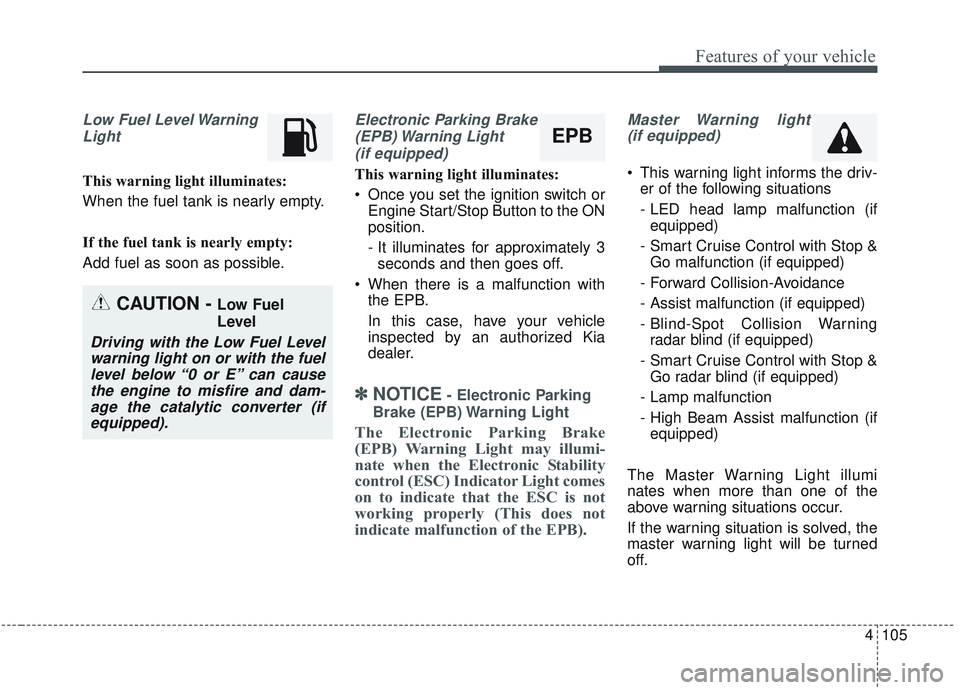
Low Fuel Level WarningLight
This warning light illuminates:
When the fuel tank is nearly empty.
If the fuel tank is nearly empty:
Add fuel as soon as possible.
Electronic Parking Brake(EPB) Warning Light(if equipped)
This warning light illuminates:
Once you set the ignition switch or Engine Start/Stop Button to the ON
position.
- It illuminates for approximately 3seconds and then goes off.
When there is a malfunction with the EPB.
In this case, have your vehicle
inspected by an authorized Kia
dealer.
✽ ✽ NOTICE- Electronic Parking
Brake (EPB) Warning Light
The Electronic Parking Brake
(EPB) Warning Light may illumi-
nate when the Electronic Stability
control (ESC) Indicator Light comes
on to indicate that the ESC is not
working properly (This does not
indicate malfunction of the EPB).
Master Warning light (if equipped)
This warning light informs the driv- er of the following situations
- LED head lamp malfunction (ifequipped)
- Smart Cruise Control with Stop & Go malfunction (if equipped)
- Forward Collision-Avoidance
- Assist malfunction (if equipped)
- Blind-Spot Collision Warning radar blind (if equipped)
- Smart Cruise Control with Stop & Go radar blind (if equipped)
- Lamp malfunction
- High Beam Assist malfunction (if equipped)
The Master Warning Light illumi
nates when more than one of the
above warning situations occur.
If the warning situation is solved, the
master warning light will be turned
off.
CAUTION - Low Fuel
Level
Driving with the Low Fuel Level warning light on or with the fuellevel below “0 or E” can causethe engine to misfire and dam-age the catalytic converter (ifequipped).
EPB
Page 199 of 573
4111
Features of your vehicle
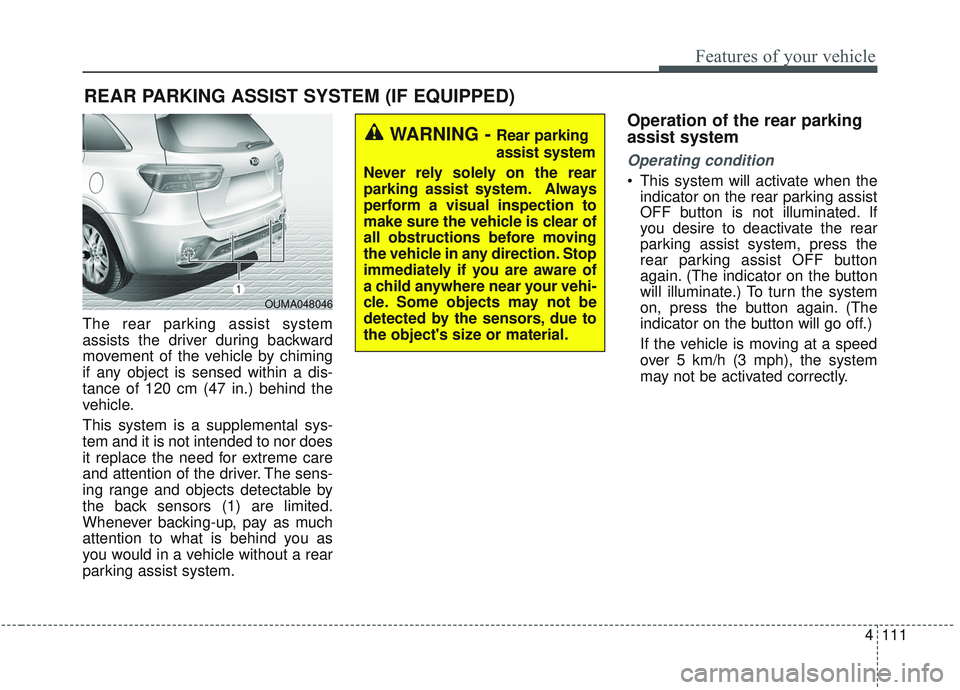
The rear parking assist system
assists the driver during backward
movement of the vehicle by chiming
if any object is sensed within a dis-
tance of 120 cm (47 in.) behind the
vehicle.
This system is a supplemental sys-
tem and it is not intended to nor does
it replace the need for extreme care
and attention of the driver. The sens-
ing range and objects detectable by
the back sensors (1) are limited.
Whenever backing-up, pay as much
attention to what is behind you as
you would in a vehicle without a rear
parking assist system.
Operation of the rear parking
assist system
Operating condition
This system will activate when theindicator on the rear parking assist
OFF button is not illuminated. If
you desire to deactivate the rear
parking assist system, press the
rear parking assist OFF button
again. (The indicator on the button
will illuminate.) To turn the system
on, press the button again. (The
indicator on the button will go off.)
If the vehicle is moving at a speed
over 5 km/h (3 mph), the system
may not be activated correctly.
REAR PARKING ASSIST SYSTEM (IF EQUIPPED)
WARNING - Rear parking
assist system
Never rely solely on the rear
parking assist system. Always
perform a visual inspection to
make sure the vehicle is clear of
all obstructions before moving
the vehicle in any direction. Stop
immediately if you are aware of
a child anywhere near your vehi-
cle. Some objects may not be
detected by the sensors, due to
the object's size or material.
OUMA048046