battery KIA Soul 2012 1.G Owner's Guide
[x] Cancel search | Manufacturer: KIA, Model Year: 2012, Model line: Soul, Model: KIA Soul 2012 1.GPages: 393, PDF Size: 8.76 MB
Page 176 of 393
497
Features of your vehicle
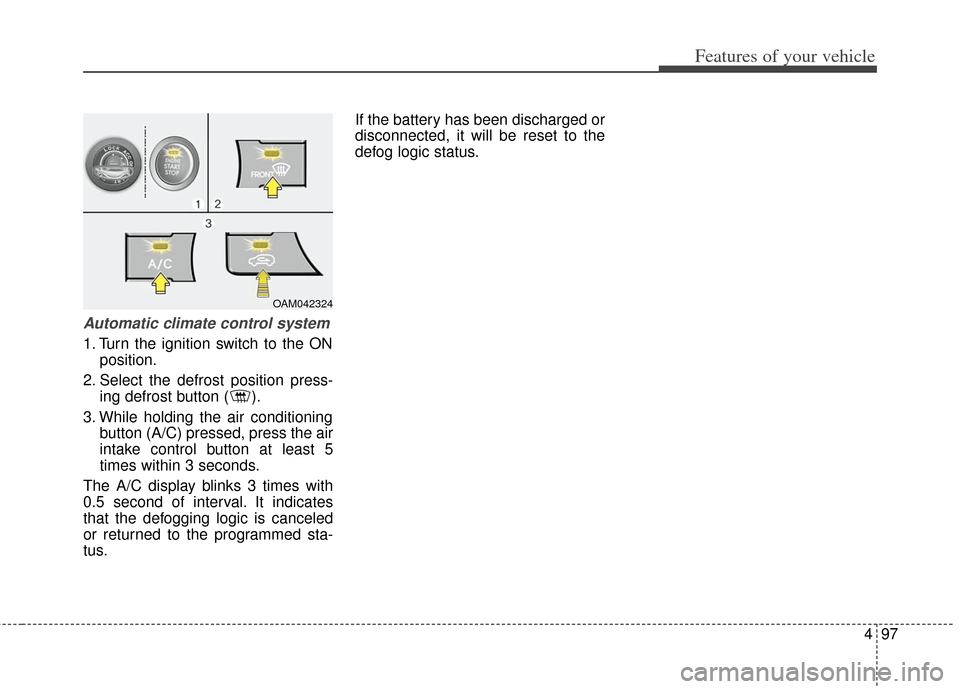
Automatic climate control system
1. Turn the ignition switch to the ONposition.
2. Select the defrost position press- ing defrost button ( ).
3. While holding the air conditioning button (A/C) pressed, press the air
intake control button at least 5
times within 3 seconds.
The A/C display blinks 3 times with
0.5 second of interval. It indicates
that the defogging logic is canceled
or returned to the programmed sta-
tus. If the battery has been discharged or
disconnected, it will be reset to the
defog logic status.
OAM042324
Page 181 of 393
Features of your vehicle
102
4
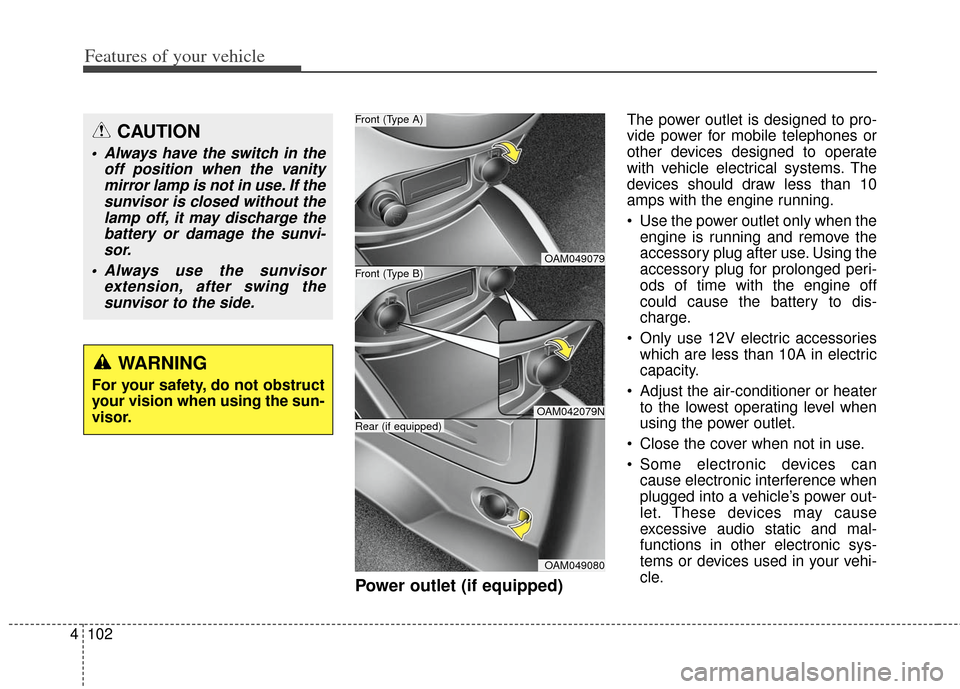
Power outlet (if equipped)
The power outlet is designed to pro-
vide power for mobile telephones or
other devices designed to operate
with vehicle electrical systems. The
devices should draw less than 10
amps with the engine running.
Use the power outlet only when the
engine is running and remove the
accessory plug after use. Using the
accessory plug for prolonged peri-
ods of time with the engine off
could cause the battery to dis-
charge.
Only use 12V electric accessories which are less than 10A in electric
capacity.
Adjust the air-conditioner or heater to the lowest operating level when
using the power outlet.
Close the cover when not in use.
Some electronic devices can cause electronic interference when
plugged into a vehicle’s power out-
let. These devices may cause
excessive audio static and mal-
functions in other electronic sys-
tems or devices used in your vehi-
cle.CAUTION
Always have the switch in the off position when the vanitymirror lamp is not in use. If thesunvisor is closed without thelamp off, it may discharge thebattery or damage the sunvi-sor.
Always use the sunvisor extension, after swing thesunvisor to the side.
WARNING
For your safety, do not obstruct
your vision when using the sun-
visor.
OAM049079
OAM042079N
OAM049080
Front (Type B)
Front (Type A)
Rear (if equipped)
Page 191 of 393
Features of your vehicle
112
4
The lighting around the front speaker
may not illuminate when the sound of
the audio is low.
Do not use the lights for extended
periods when engine is not running.
It may cause battery discharge.
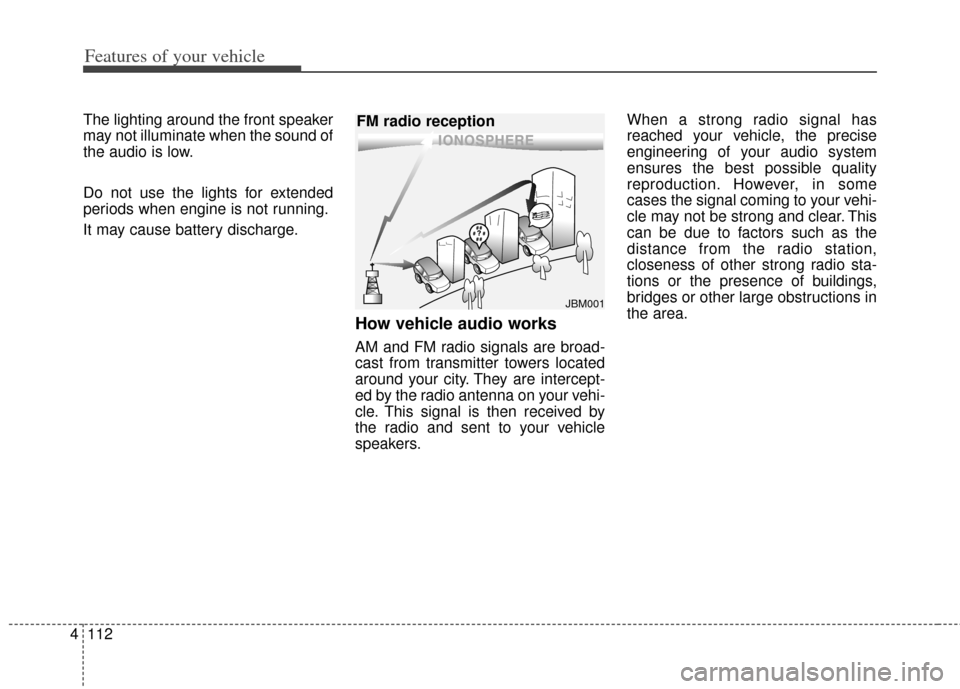
How vehicle audio works
AM and FM radio signals are broad-
cast from transmitter towers located
around your city. They are intercept-
ed by the radio antenna on your vehi-
cle. This signal is then received by
the radio and sent to your vehicle
speakers. When a strong radio signal has
reached your vehicle, the precise
engineering of your audio system
ensures the best possible quality
reproduction. However, in some
cases the signal coming to your vehi-
cle may not be strong and clear. This
can be due to factors such as the
distance from the radio station,
closeness of other strong radio sta-
tions or the presence of buildings,
bridges or other large obstructions in
the area.
JBM001
FM radio reception
Page 209 of 393
Features of your vehicle
130
4
Some iPod models might not sup-
port the communication protocol
and the files will not be played.
Supported iPod models:
- iPod Mini
®
- iPod 4th(Photo) ~ 6th(Classic) generation
- iPod Nano
®1st~4th generation
- iPod Touch
®1st~2nd generation
The order of search or playback of songs in the iPod can be different
from the order searched in the
audio system.
If the iPod disabled due to its own malfunction, reset the iPod. (Reset:
Refer to iPod manual)
An iPod may not operate normally on low battery.
Some iPod devices, such as the iPhone, can be connected through
the
Bluetooth®wireless technology
interface. The device must have
audio
Bluetooth®wireless technol-
ogy capability (such as for stereo
headphone
Bluetooth®wireless
technology). The device can play,
but it will not be controlled by the
audio system. The Kia iPod Power Cable is need-
ed in order to operate iPod with the
audio buttons on the audio system.
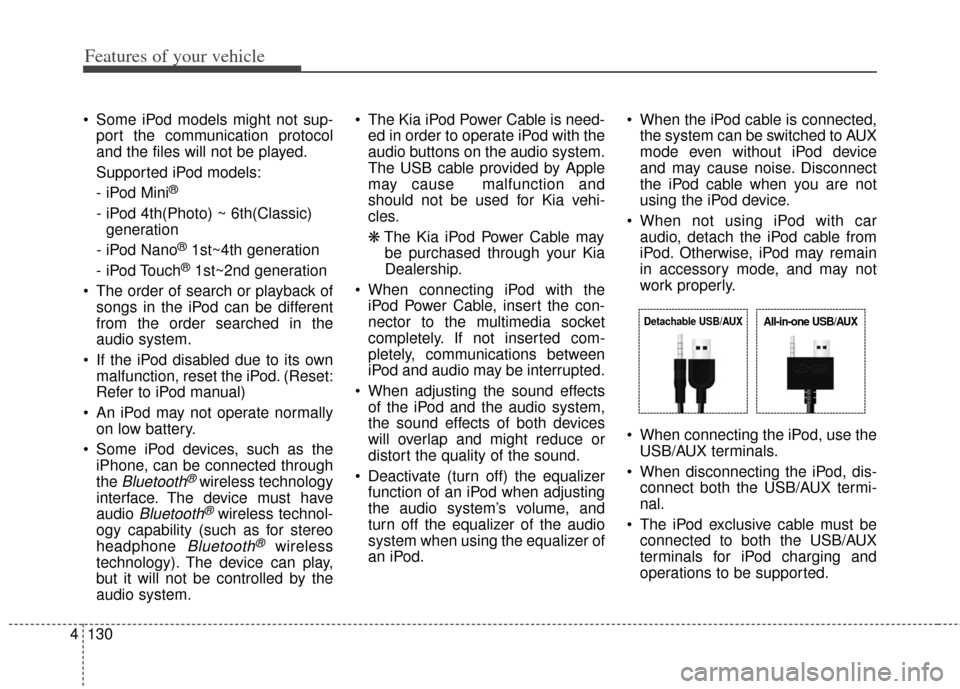
The USB cable provided by Apple
may cause malfunction and
should not be used for Kia vehi-
cles.
❋ The Kia iPod Power Cable may
be purchased through your Kia
Dealership.
When connecting iPod with the iPod Power Cable, insert the con-
nector to the multimedia socket
completely. If not inserted com-
pletely, communications between
iPod and audio may be interrupted.
When adjusting the sound effects of the iPod and the audio system,
the sound effects of both devices
will overlap and might reduce or
distort the quality of the sound.
Deactivate (turn off) the equalizer function of an iPod when adjusting
the audio system’s volume, and
turn off the equalizer of the audio
system when using the equalizer of
an iPod. When the iPod cable is connected,
the system can be switched to AUX
mode even without iPod device
and may cause noise. Disconnect
the iPod cable when you are not
using the iPod device.
When not using iPod with car audio, detach the iPod cable from
iPod. Otherwise, iPod may remain
in accessory mode, and may not
work properly.
When connecting the iPod, use the USB/AUX terminals.
When disconnecting the iPod, dis- connect both the USB/AUX termi-
nal.
The iPod exclusive cable must be connected to both the USB/AUX
terminals for iPod charging and
operations to be supported.
Detachable USB/AUXAll-in-one USB/AUX
Page 227 of 393
55
Driving your vehicle
KEY POSITIONS
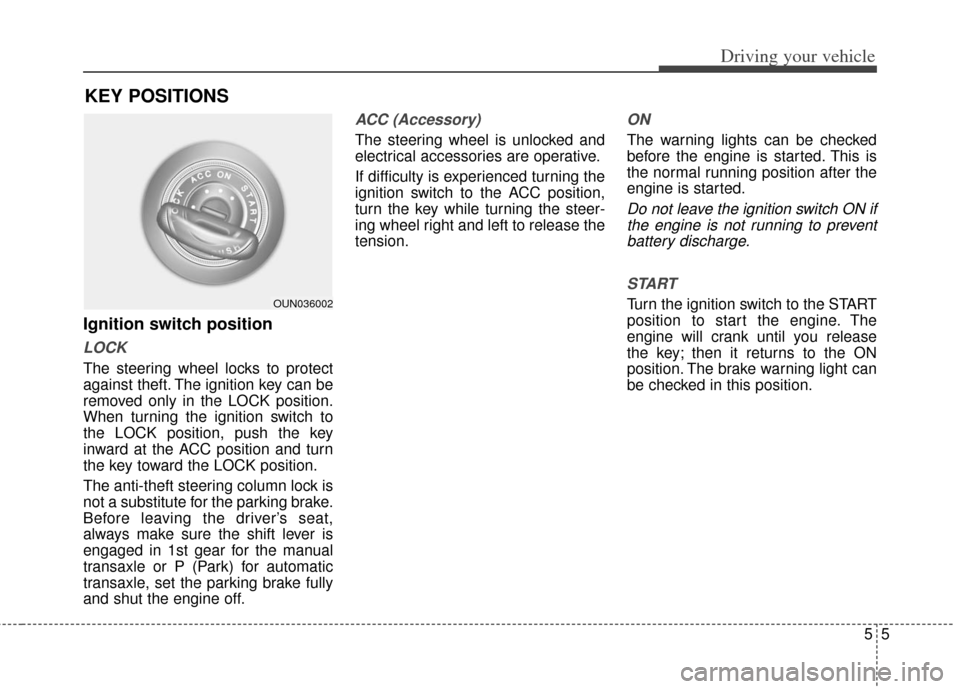
Ignition switch position
LOCK
The steering wheel locks to protect
against theft. The ignition key can be
removed only in the LOCK position.
When turning the ignition switch to
the LOCK position, push the key
inward at the ACC position and turn
the key toward the LOCK position.
The anti-theft steering column lock is
not a substitute for the parking brake.
Before leaving the driver’s seat,
always make sure the shift lever is
engaged in 1st gear for the manual
transaxle or P (Park) for automatic
transaxle, set the parking brake fully
and shut the engine off.
ACC (Accessory)
The steering wheel is unlocked and
electrical accessories are operative.
If difficulty is experienced turning the
ignition switch to the ACC position,
turn the key while turning the steer-
ing wheel right and left to release the
tension.
ON
The warning lights can be checked
before the engine is started. This is
the normal running position after the
engine is started.
Do not leave the ignition switch ON ifthe engine is not running to preventbattery discharge.
START
Turn the ignition switch to the START
position to start the engine. The
engine will crank until you release
the key; then it returns to the ON
position. The brake warning light can
be checked in this position.OUN036002
Page 231 of 393
59
Driving your vehicle
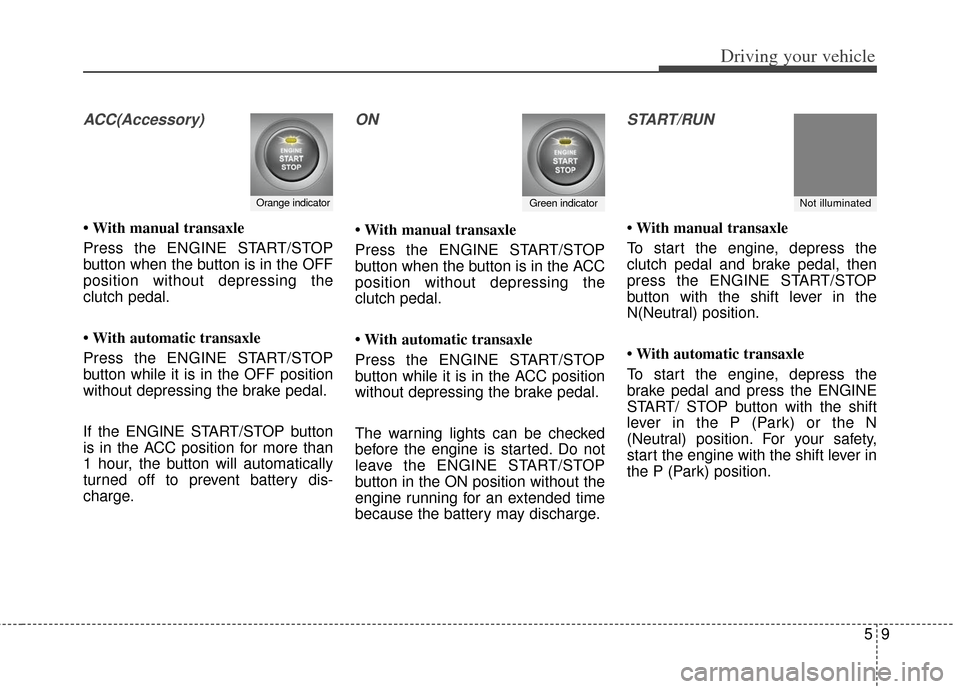
ACC(Accessory)
• With manual transaxle
Press the ENGINE START/STOP
button when the button is in the OFF
position without depressing the
clutch pedal.
• With automatic transaxle
Press the ENGINE START/STOP
button while it is in the OFF position
without depressing the brake pedal.
If the ENGINE START/STOP button
is in the ACC position for more than
1 hour, the button will automatically
turned off to prevent battery dis-
charge.
ON
• With manual transaxle
Press the ENGINE START/STOP
button when the button is in the ACC
position without depressing the
clutch pedal.
• With automatic transaxle
Press the ENGINE START/STOP
button while it is in the ACC position
without depressing the brake pedal.
The warning lights can be checked
before the engine is started. Do not
leave the ENGINE START/STOP
button in the ON position without the
engine running for an extended time
because the battery may discharge.
START/RUN
• With manual transaxle
To start the engine, depress the
clutch pedal and brake pedal, then
press the ENGINE START/STOP
button with the shift lever in the
N(Neutral) position.
• With automatic transaxle
To start the engine, depress the
brake pedal and press the ENGINE
START/ STOP button with the shift
lever in the P (Park) or the N
(Neutral) position. For your safety,
start the engine with the shift lever in
the P (Park) position.
Orange indicatorGreen indicatorNot illuminated
Page 232 of 393
Driving your vehicle
10
5
If you press the ENGINE
START/STOP button without
depressing the clutch pedal on man-
ual transaxle vehicles or without
depressing the brake pedal on auto-
matic transaxle vehicles, the engine
will not start and the engine
start/stop button changes as follows:
OFF ➔ACC ➔ON ➔OFF If you leave the ENGINE START/
STOP button in the ACC or ON posi-
tion for a long time, the battery will
discharge.Starting the engine
1.Carry the smart key or leave it
inside the vehicle.
2.Make sure the parking brake is firmly applied.
3.Place the transaxle shift lever in P (Park). Depress the brake pedal
fully.
You can also start the engine when
the shift lever is in the N (Neutral)
position.
4.Press the ENGINE START/STOP button.
5.In extremely cold weather (below -18°C / 0°F) or after the vehicle has
not been operated for several days,
let the engine warm up without
depressing the accelerator.
Whether the engine is cold or warm,
it should be started without depress-
ing the accelerator.
WARNING - Starting vehicle
Never press the ENGINE
START/STOP button while the
vehicle is in motion. This would
result in loss of directional con-
trol and braking function, which
could cause an accident.
Page 233 of 393
511
Driving your vehicle
Even if the smart key is in the vehi-cle, if it is far away from you, the
engine may not start.
When the ENGINE START/STOP button is in the ACC position or
above, if any door is opened, the
system checks for the smart key. If
the smart key is not in the vehicle,
the " " indicator will blink or the
warning "Key is not in vehicle" will
illuminate on the LCD display. And
if all doors are closed, the chime
will sound for 5 seconds. The indi-
cator or warning will turn off while
the vehicle is moving. Always have
the smart key with you.
The engine will start, only when the
smart key is in the vehicle. If the engine stalls while the vehicle
is in motion, do not attempt to move
the shift lever to the P (Park) posi-
tion. If the traffic and road conditions
permit, you may put the shift lever in
the N (Neutral) position while the
vehicle is still moving and press the
ENGINE START/STOP button in an
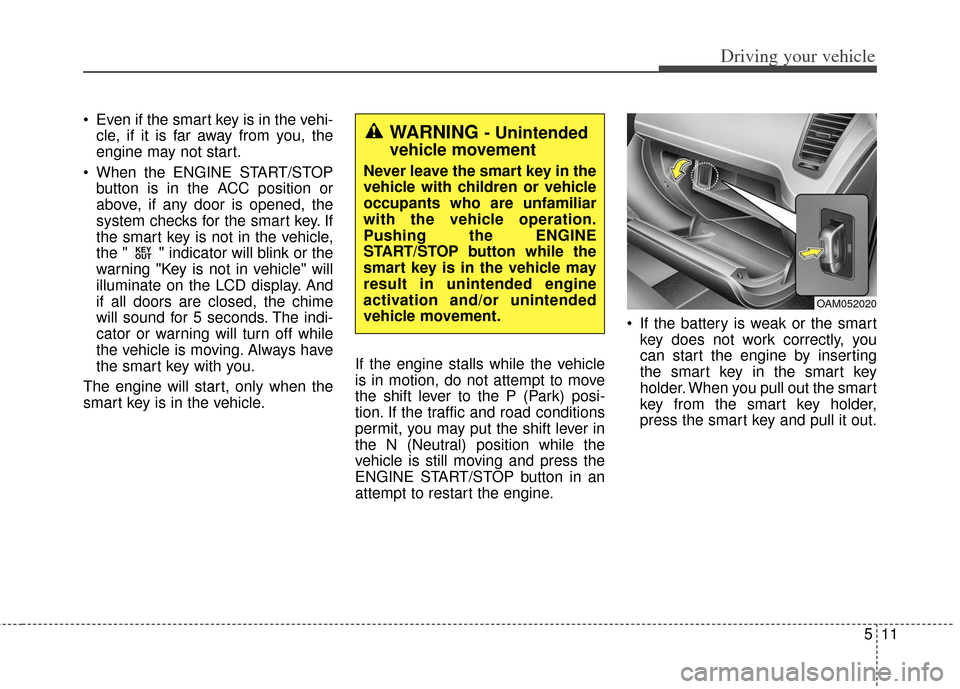
attempt to restart the engine. If the battery is weak or the smart
key does not work correctly, you
can start the engine by inserting
the smart key in the smart key
holder. When you pull out the smart
key from the smart key holder,
press the smart key and pull it out.
KEY
OUT
WARNING - Unintended
vehicle movement
Never leave the smart key in the
vehicle with children or vehicle
occupants who are unfamiliar
with the vehicle operation.
Pushing the ENGINE
START/STOP button while the
smart key is in the vehicle may
result in unintended engine
activation and/or unintended
vehicle movement.
OAM052020
Page 235 of 393
513
Driving your vehicle
Your vehicle may be equipped with
the ISG system, which reduces fuel
consumption by automatically shut-
ting down the engine, when the vehi-
cle is at a standstill. (For example :
red light, stop sign and traffic jam)
The engine starts automatically as
soon as the starting conditions are
met.
The ISG system is ON whenever the
engine is running.
✽ ✽NOTICE
When the engine automatically
starts by the ISG system, some
warning lights (ABS, ESC, ESC
OFF, EPS or Parking brake warn-
ing light) may turn on for a few sec-
onds.
This happens because of low battery
voltage. It does not mean the system
is malfunctioning.
Auto stop
To stop the engine in idle stop
mode
Stop the vehicle completely by
pressing the brake pedal. You must reach a speed of at least
8 km/h (5 mph) since last idle stop.
The engine will stop and the green
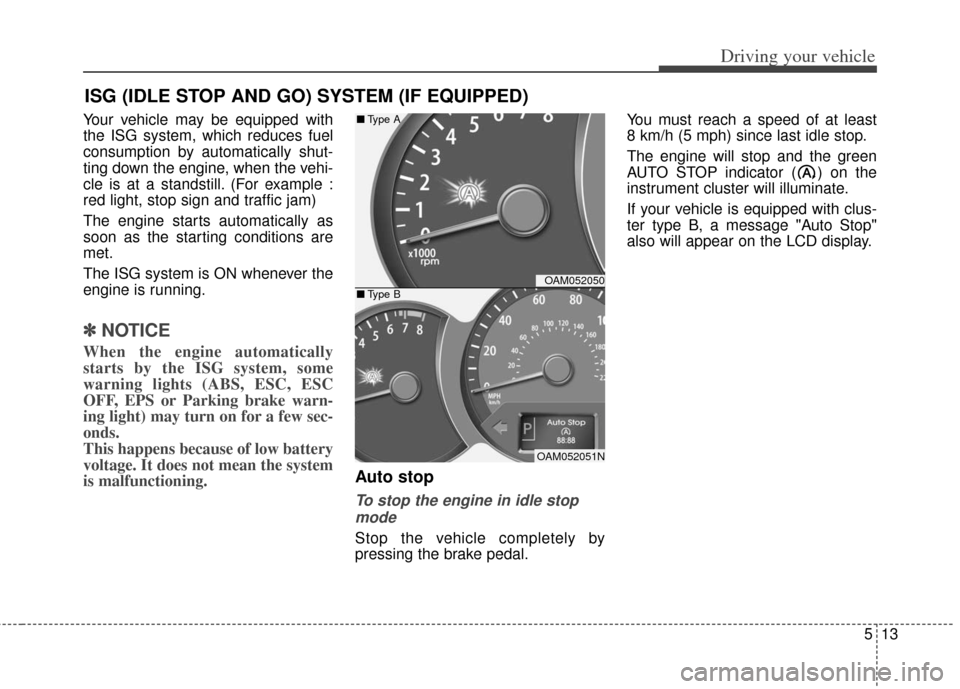
AUTO STOP indicator ( ) on the
instrument cluster will illuminate.
If your vehicle is equipped with clus-
ter type B, a message "Auto Stop"
also will appear on the LCD display.
ISG (IDLE STOP AND GO) SYSTEM (IF EQUIPPED)
OAM052050
OAM052051N
■
Type A
■ Type B
Page 236 of 393
Driving your vehicle
14
5
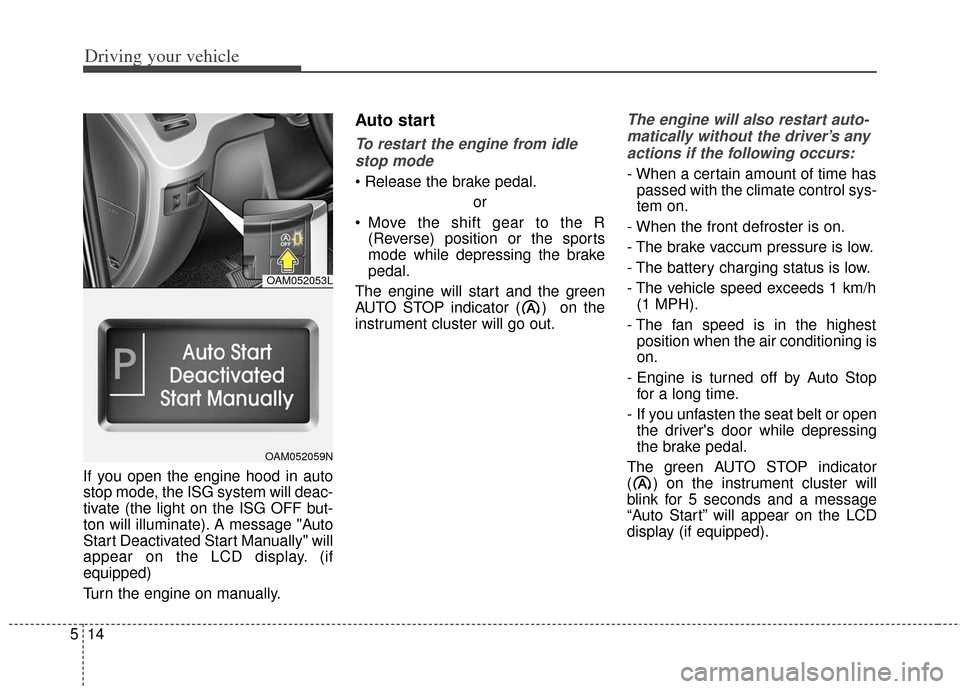
If you open the engine hood in auto
stop mode, the ISG system will deac-
tivate (the light on the ISG OFF but-
ton will illuminate). A message "Auto
Start Deactivated Start Manually" will
appear on the LCD display. (if
equipped)
Turn the engine on manually.
Auto start
To restart the engine from idle
stop mode
or
Move the shift gear to the R (Reverse) position or the sports
mode while depressing the brake
pedal.
The engine will start and the green
AUTO STOP indicator ( ) on the
instrument cluster will go out.
The engine will also restart auto- matically without the driver’s anyactions if the following occurs:
- When a certain amount of time has passed with the climate control sys-
tem on.
- When the front defroster is on.
- The brake vaccum pressure is low.
- The battery charging status is low.
- The vehicle speed exceeds 1 km/h (1 MPH).
- The fan speed is in the highest position when the air conditioning is
on.
- Engine is turned off by Auto Stop for a long time.
- If you unfasten the seat belt or open the driver's door while depressing
the brake pedal.
The green AUTO STOP indicator
( ) on the instrument cluster will
blink for 5 seconds and a message
“Auto Start” will appear on the LCD
display (if equipped).
OAM052053L
OAM052059N