lock KIA Soul 2012 1.G Service Manual
[x] Cancel search | Manufacturer: KIA, Model Year: 2012, Model line: Soul, Model: KIA Soul 2012 1.GPages: 393, PDF Size: 8.76 MB
Page 103 of 393
Features of your vehicle
24
4
Auto down window
(Driver’s window)
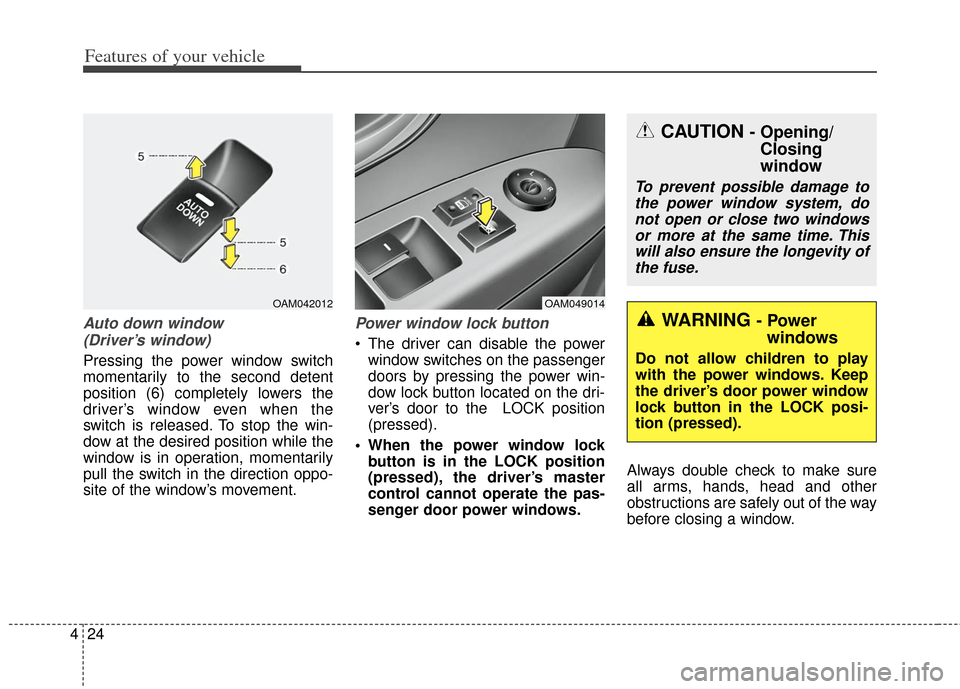
Pressing the power window switch
momentarily to the second detent
position (6) completely lowers the
driver’s window even when the
switch is released. To stop the win-
dow at the desired position while the
window is in operation, momentarily
pull the switch in the direction oppo-
site of the window’s movement.
Power window lock button
The driver can disable the power window switches on the passenger
doors by pressing the power win-
dow lock button located on the dri-
ver’s door to the LOCK position
(pressed).
When the power window lock button is in the LOCK position
(pressed), the driver’s master
control cannot operate the pas-
senger door power windows. Always double check to make sure
all arms, hands, head and other
obstructions are safely out of the way
before closing a window.
OAM049014OAM042012
CAUTION - Opening/
Closing
window
To prevent possible damage to
the power window system, donot open or close two windowsor more at the same time. Thiswill also ensure the longevity ofthe fuse.
WARNING - Power windows
Do not allow children to play
with the power windows. Keep
the driver’s door power window
lock button in the LOCK posi-
tion (pressed).
Page 105 of 393
Features of your vehicle
26
4
Closing the hood
1. Before closing the hood, check the
following:
partment must be correctly
installed.
bustible material must be
removed from the engine com-
partment.
2. Return the support rod to its clip to prevent it from rattling.
3. Lower the hood until it is about 30 cm (1 ft.) above the closed posi-
tion and let it drop. Make sure that
it locks into place.
The support rod must be inserted
completely into the hole provided
whenever you inspect the engine
compartment. This will prevent the
hood from falling and possibly injur-
ing you.WARNING - Fire risk
Do not leave gloves, rags or any
other combustible material in
the engine compartment. Doing
so may cause a heat-induced
fire.
WARNING - Unsecuredengine hood
Always double check to be sure
that the hood is firmly latched
before driving away. If the
engine hood is not secured
properly, it is likely to fly up
blocking your vision and caus-
ing a crash.
Page 106 of 393
427
Features of your vehicle
Opening the fuel filler door
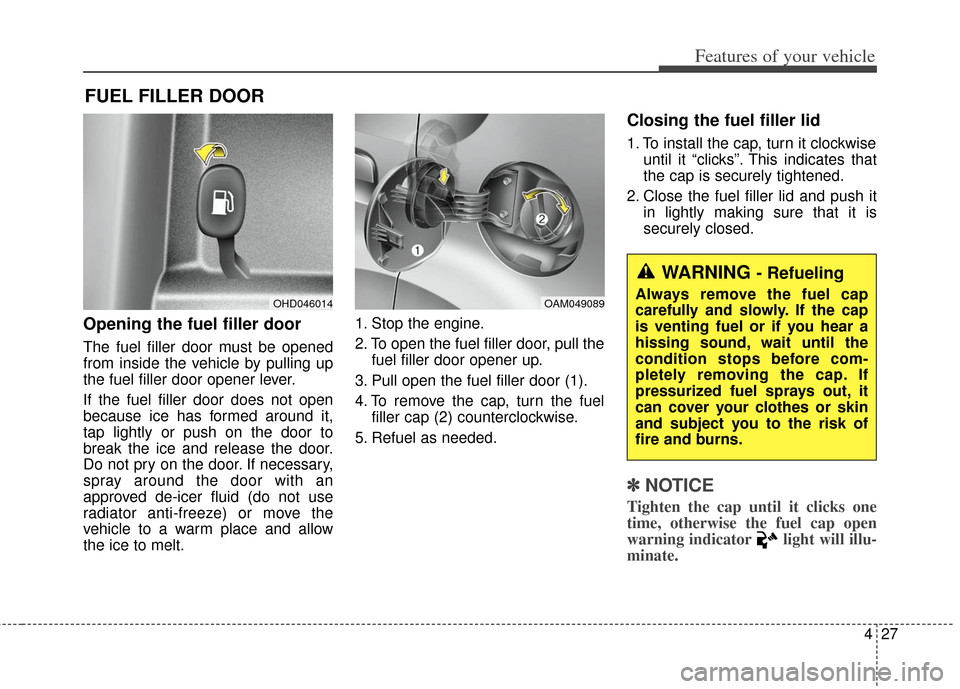
The fuel filler door must be opened
from inside the vehicle by pulling up
the fuel filler door opener lever.
If the fuel filler door does not open
because ice has formed around it,
tap lightly or push on the door to
break the ice and release the door.
Do not pry on the door. If necessary,
spray around the door with an
approved de-icer fluid (do not use
radiator anti-freeze) or move the
vehicle to a warm place and allow
the ice to melt.1. Stop the engine.
2. To open the fuel filler door, pull the
fuel filler door opener up.
3. Pull open the fuel filler door (1).
4. To remove the cap, turn the fuel filler cap (2) counterclockwise.
5. Refuel as needed.
Closing the fuel filler lid
1. To install the cap, turn it clockwise until it “clicks”. This indicates that
the cap is securely tightened.
2. Close the fuel filler lid and push it in lightly making sure that it is
securely closed.
✽ ✽NOTICE
Tighten the cap until it clicks one
time, otherwise the fuel cap open
warning indicator light will illu-
minate.
FUEL FILLER DOOR
OHD046014OAM049089
WARNING - Refueling
Always remove the fuel cap
carefully and slowly. If the cap
is venting fuel or if you hear a
hissing sound, wait until the
condition stops before com-
pletely removing the cap. If
pressurized fuel sprays out, it
can cover your clothes or skin
and subject you to the risk of
fire and burns.
Page 113 of 393
Features of your vehicle
34
4
Electric power steering (EPS)
The power steering uses a motor to
assist you in steering the vehicle. If
the engine is off or if the power steer-
ing system becomes inoperative, the
vehicle may still be steered, but it will
require increased steering effort.
The motor driven power steering is
controlled by a power steering con-
trol unit which senses the steering
wheel torque and vehicle speed to
command the motor.
The steering becomes heavier as
the vehicle’s speed increases and
becomes lighter as the vehicle’s
speed decreases for optimum steer-
ing control.
Should you notice any change in the
effort required to steer during normal
vehicle operation, have the power
steering checked by an authorized
Kia dealer.
✽ ✽
NOTICE
The following symptoms may occur
during normal vehicle operation:
• The steering effort is high immedi-
ately after turning the ignition
switch on. This happens as the sys-
tem performs the EPS system
diagnostics. When the diagnostics
is completed, the steering wheel
will return to its normal condition.
• A click noise may be heard from the EPS relay after the ignition
switch is turned to the ON or
LOCK position.
• Motor noise may be heard when the vehicle is at a stop or at a low
driving speed.
• The steering effort increases if the steering wheel is rotated continu-
ously when the vehicle is not in
motion. However, after a few min-
utes, it will return to its normal
conditions.
• When you operate the steering wheel in low temperature, abnor-
mal noise could occur. If tempera-
ture rises, the noise will disappear.
This is a normal condition. (Continued)(Continued)
• When the vehicle is stationary, if
you turn the steering wheel all the
way to the left or right continuous-
ly, the steering wheel becomes
heavier from the end. But this is
for your safety, not system mal-
function. As time passes, the steer-
ing wheel return to its normal con-
dition.
If the Electric Power Steering System
does not operate normally, the warn-
ing light will illuminate on the instru-
ment cluster. The steering wheel may
become difficult to control or operate
abnormally. Take your vehicle to an
authorized Kia dealer and have the
vehicle checked as soon as possible.
STEERING WHEEL
Page 114 of 393
435
Features of your vehicle
Tilt steering
Tilt steering allows you to adjust the
steering wheel before you drive. You
can also raise the steering wheel to
give your legs more room when you
exit and enter the vehicle.
The steering wheel should be posi-
tioned so that it is comfortable for
you to drive, while permitting you to
see the instrument panel warning
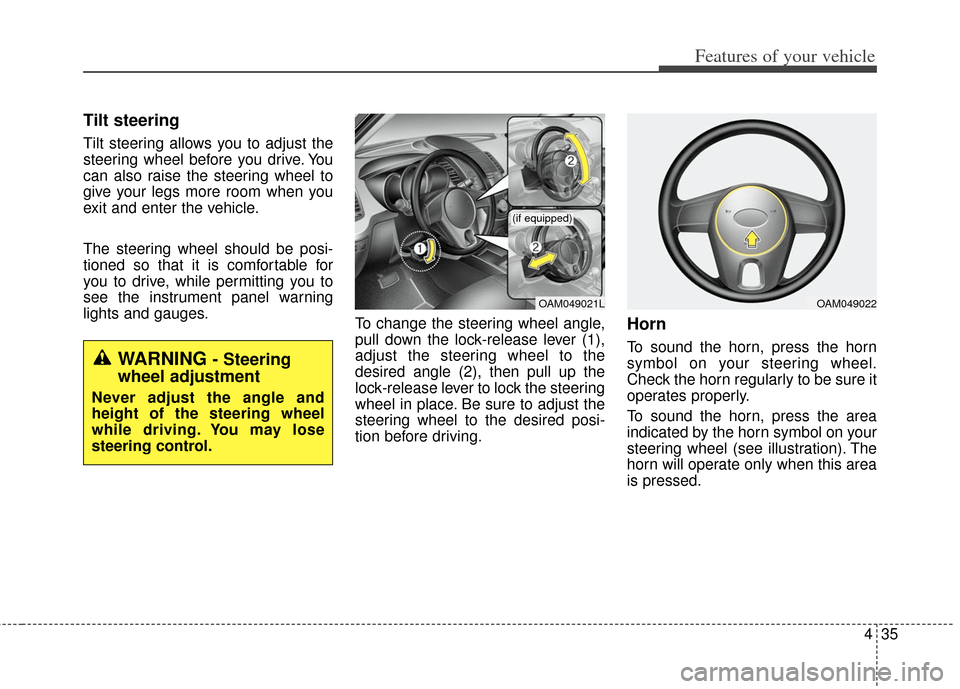
lights and gauges.To change the steering wheel angle,
pull down the lock-release lever (1),
adjust the steering wheel to the
desired angle (2), then pull up the
lock-release lever to lock the steering
wheel in place. Be sure to adjust the
steering wheel to the desired posi-
tion before driving.
Horn
To sound the horn, press the horn
symbol on your steering wheel.
Check the horn regularly to be sure it
operates properly.
To sound the horn, press the area
indicated by the horn symbol on your
steering wheel (see illustration). The
horn will operate only when this area
is pressed.
OAM049021L
(if equipped)
OAM049022
WARNING - Steering
wheel adjustment
Never adjust the angle and
height of the steering wheel
while driving. You may lose
steering control.
Page 130 of 393
451
Features of your vehicle
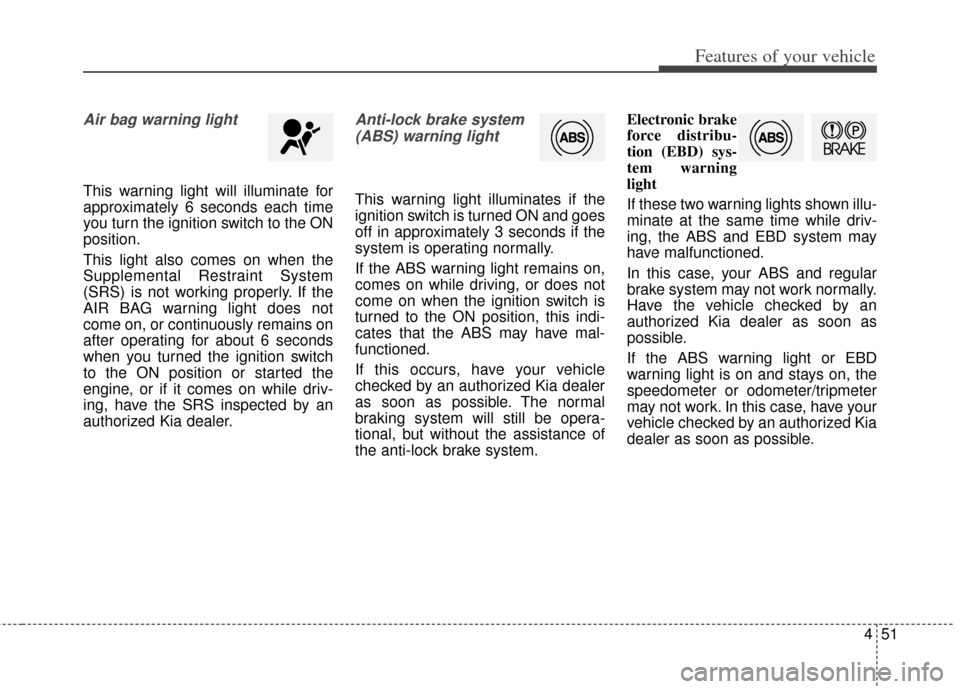
Air bag warning light
This warning light will illuminate for
approximately 6 seconds each time
you turn the ignition switch to the ON
position.
This light also comes on when the
Supplemental Restraint System
(SRS) is not working properly. If the
AIR BAG warning light does not
come on, or continuously remains on
after operating for about 6 seconds
when you turned the ignition switch
to the ON position or started the
engine, or if it comes on while driv-
ing, have the SRS inspected by an
authorized Kia dealer.
Anti-lock brake system(ABS) warning light
This warning light illuminates if the
ignition switch is turned ON and goes
off in approximately 3 seconds if the
system is operating normally.
If the ABS warning light remains on,
comes on while driving, or does not
come on when the ignition switch is
turned to the ON position, this indi-
cates that the ABS may have mal-
functioned.
If this occurs, have your vehicle
checked by an authorized Kia dealer
as soon as possible. The normal
braking system will still be opera-
tional, but without the assistance of
the anti-lock brake system. Electronic brake
force distribu-
tion (EBD) sys-
tem warning
light
If these two warning lights shown illu-
minate at the same time while driv-
ing, the ABS and EBD system may
have malfunctioned.
In this case, your ABS and regular
brake system may not work normally.
Have the vehicle checked by an
authorized Kia dealer as soon as
possible.
If the ABS warning light or EBD
warning light is on and stays on, the
speedometer or odometer/tripmeter
may not work. In this case, have your
vehicle checked by an authorized Kia
dealer as soon as possible.
Page 139 of 393
Features of your vehicle
60
4
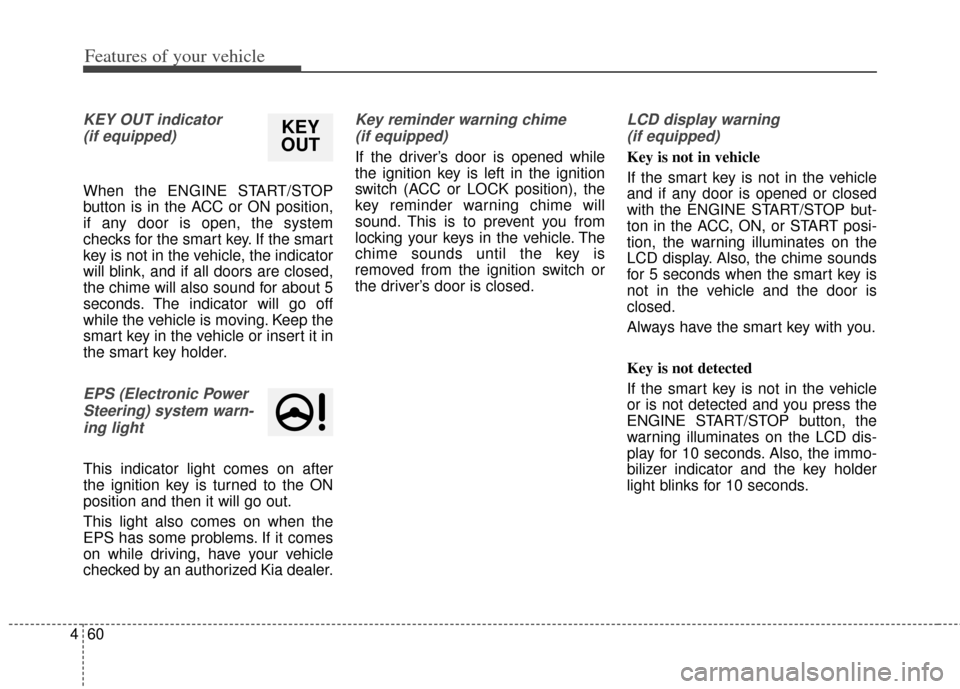
KEY OUT indicator
(if equipped)
When the ENGINE START/STOP
button is in the ACC or ON position,
if any door is open, the system
checks for the smart key. If the smart
key is not in the vehicle, the indicator
will blink, and if all doors are closed,
the chime will also sound for about 5
seconds. The indicator will go off
while the vehicle is moving. Keep the
smart key in the vehicle or insert it in
the smart key holder.
EPS (Electronic PowerSteering) system warn-ing light
This indicator light comes on after
the ignition key is turned to the ON
position and then it will go out.
This light also comes on when the
EPS has some problems. If it comes
on while driving, have your vehicle
checked by an authorized Kia dealer.
Key reminder warning chime (if equipped)
If the driver’s door is opened while
the ignition key is left in the ignition
switch (ACC or LOCK position), the
key reminder warning chime will
sound. This is to prevent you from
locking your keys in the vehicle. The
chime sounds until the key is
removed from the ignition switch or
the driver’s door is closed.
LCD display warning (if equipped)
Key is not in vehicle
If the smart key is not in the vehicle
and if any door is opened or closed
with the ENGINE START/STOP but-
ton in the ACC, ON, or START posi-
tion, the warning illuminates on the
LCD display. Also, the chime sounds
for 5 seconds when the smart key is
not in the vehicle and the door is
closed.
Always have the smart key with you.
Key is not detected
If the smart key is not in the vehicle
or is not detected and you press the
ENGINE START/STOP button, the
warning illuminates on the LCD dis-
play for 10 seconds. Also, the immo-
bilizer indicator and the key holder
light blinks for 10 seconds.
KEY
OUT
Page 141 of 393
Features of your vehicle
62
4
Press start button again
If you can not operate the ENGINE
START/STOP button when there is a
problem with the ENGINE
START/STOP button system, the
warning illuminates for 10 seconds
and the chime sounds continuously
to indicate that you could start the
engine by pressing the ENGINE
START/STOP button once more.
The chime will stop if the ENGINE
START/STOP button system works
normally or the theft alarm system is
armed.
If the warning illuminates each time
you press the ENGINE
START/STOP button, take your vehi-
cle to an authorized Kia dealer and
have the system checked. Shift to "P" or "N" to start engine
If you try to start the engine with the
shift lever not in the P(Park) or
N(Neutral) position, the warning illu-
minates for about 10 seconds on the
LCD display.
You can also start the engine with
the shift lever in the N(Neutral) posi-
tion, but for your safety start the
engine with the shift lever in the
P(Park) position.
Press start button while turn steering
If the steering wheel does not unlock
normally when the ENGINE
START/STOP button is pressed, the
warning illuminates for 10 seconds
on the LCD display. Also, the warning
chime sounds once and the ENGINE
START/STOP button light blinks for
10 seconds.
When you are warned, press the
ENGINE START/STOP button while
turning the steering wheel right and
left.Steering wheel unlocked (if equipped)
If the steering wheel does not lock
normally when the ENGINE
START/STOP button turns to the
OFF position, the warning illumi-
nates for 10 minutes on the LCD dis-
play. If locks when the door is opened
or when you pull out the smart key
from the smart key holder.
Check steering wheel lock
If the steering wheel does not lock
normally when the ENGINE
START/STOP button turns to the
OFF position, the warning illumi-
nates for 10 seconds on the LCD dis-
play. Also, the warning chime sounds
for 3 seconds and the ENGINE
START/STOP button light blinks for
10 seconds.
Low tire pressure (if equipped)
If one or more of your tires is signifi-
cantly under-inflated when the igni-
tion key is turned to the "ON" posi-
tion, the warning illuminates for 10
seconds on the LCD display.
Page 144 of 393
465
Features of your vehicle
Headlamp escort (if equipped)
If you turn the ignition switch to the
ACC or OFF position with the head-
lights ON, the headlights remain on
for about 20 minutes. However, if the
driver’s door is opened and closed,
the headlights are turned off after 30
seconds.
The headlights can be turned off by
pressing the lock button on the trans-
mitter (or smart key) twice or turning
the light switch to the OFF or Auto
position. However, if you turn the light
switch to the Auto position when it is
dark outside, the headlights will not
be turned off immediately.
Battery saver function
The purpose of this feature is toprevent the battery from being dis-
charged. The system automatically
turns off the parking lights when
the driver removes the ignition key
and opens the driver-side door (in
that order).
With this feature, the parking lights will turn off automatically if the driv-
er parks on the side of the road at
night.
If necessary, to keep the lights on
when the ignition key is removed,
perform the following:
1) Open the driver-side door.
2) Turn the parking lights OFF and ON again using the light switch
on the steering column.
Daytime running light
Daytime Running Lights (DRL) can
make it easier for others to see the
front of your vehicle during the day.
DRL can be helpful in many different
driving conditions, and it is especial-
ly helpful after dawn and before sun-
set.
The DRL system turns OFF when:
1. The headlight are ON.
2. The parking brake is applied.
3. Engine stops.
4. The turn signal light is ON.
LIGHTING
Page 151 of 393
Features of your vehicle
72
4
Do not use the interior lights for
extended periods when the engine is
not running.
It may cause battery discharge.
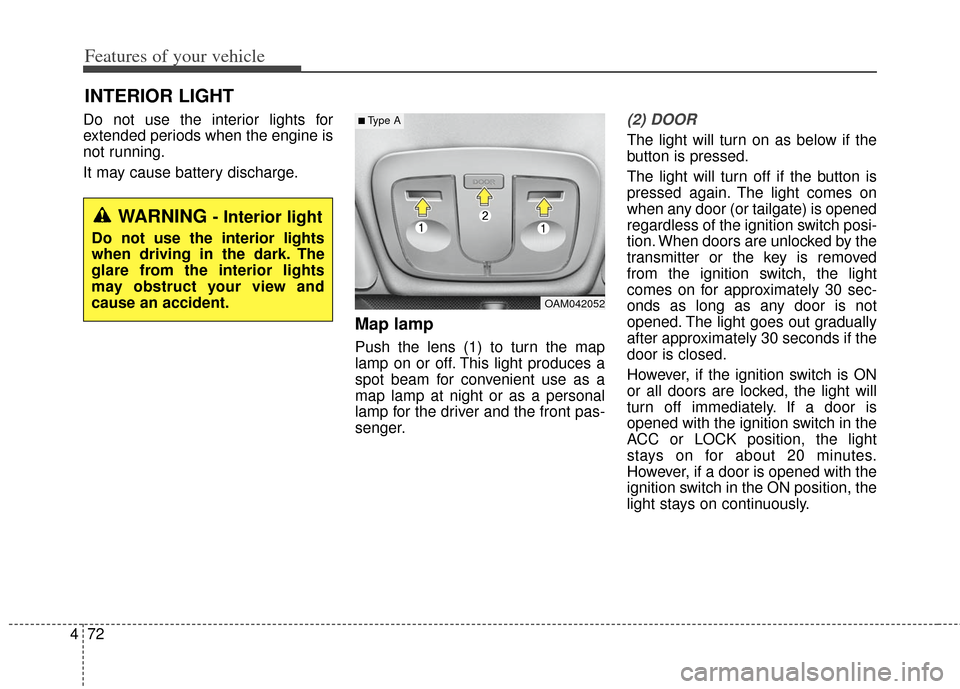
Map lamp
Push the lens (1) to turn the map
lamp on or off. This light produces a
spot beam for convenient use as a
map lamp at night or as a personal
lamp for the driver and the front pas-
senger.
(2) DOOR
The light will turn on as below if the
button is pressed.
The light will turn off if the button is
pressed again. The light comes on
when any door (or tailgate) is opened
regardless of the ignition switch posi-
tion. When doors are unlocked by the
transmitter or the key is removed
from the ignition switch, the light
comes on for approximately 30 sec-
onds as long as any door is not
opened. The light goes out gradually
after approximately 30 seconds if the
door is closed.
However, if the ignition switch is ON
or all doors are locked, the light will
turn off immediately. If a door is
opened with the ignition switch in the
ACC or LOCK position, the light
stays on for about 20 minutes.
However, if a door is opened with the
ignition switch in the ON position, the
light stays on continuously.
INTERIOR LIGHT
OAM042052
■Type A
WARNING - Interior light
Do not use the interior lights
when driving in the dark. The
glare from the interior lights
may obstruct your view and
cause an accident.