audio KIA SOUL 2015 Owners Manual
[x] Cancel search | Manufacturer: KIA, Model Year: 2015, Model line: SOUL, Model: KIA SOUL 2015Pages: 544, PDF Size: 19.81 MB
Page 4 of 544
ii
1
2
3
4
5
6
7
8I
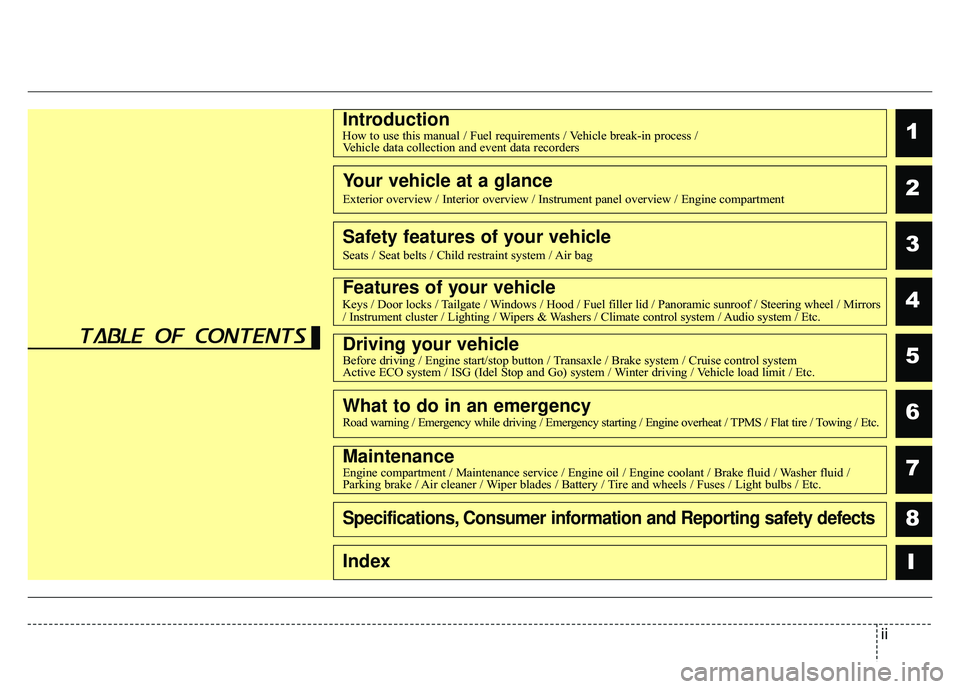
IntroductionHow to use this manual / Fuel requirements / Vehicle break-in process /Vehicle data collection and event data recorders
Your vehicle at a glance
Exterior overview / Interior overview / Instrument panel overview / Engi\
ne compartment
Safety features of your vehicle
Seats / Seat belts / Child restraint system / Air bag
Features of your vehicleKeys / Door locks / Tailgate / Windows / Hood / Fuel filler lid / Panoramic sunroof / Steering wheel / Mirrors
/ Instrument cluster / Lighting / Wipers & Washers / Climate control system / Audio system / Etc.
Driving your vehicleBefore driving / Engine start/stop button / Transaxle / Brake system / Cruise control system
Active ECO system / ISG (Idel Stop and Go) system / Winter driving / Vehicle load limit / Etc.
What to do in an emergencyRoad warning / Emergency while driving / Emergency starting / Engine overheat / TPMS / Flat tire / Towing / Etc.
MaintenanceEngine compartment / Maintenance service / Engine oil / Engine coolant /\
Brake fluid / Washer fluid /
Parking brake / Air cleaner / Wiper blades / Battery / Tire and wheels / Fuses / Light bulbs / Etc.
Specifications, Consumer information and Reporting safety defects
Index
table of contents
Page 15 of 544
25
Your vehicle at a glance
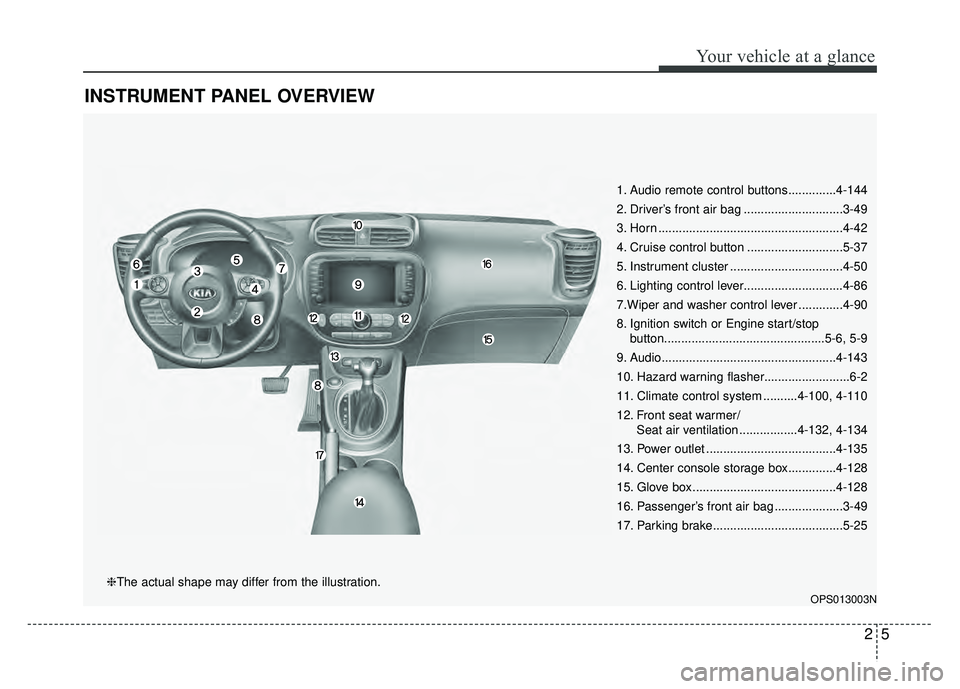
INSTRUMENT PANEL OVERVIEW
1. Audio remote control buttons..............4-144
2. Driver’s front air bag .............................3-49
3. Horn ......................................................4-42
4. Cruise control button ............................5-37
5. Instrument cluster .................................4-50
6. Lighting control lever.............................4-86
7.Wiper and washer control lever .............4-90
8. Ignition switch or Engine start/stopbutton...............................................5-6, 5-9
9. Audio...................................................4-143
10. Hazard warning flasher.........................6-2
11. Climate control system ..........4-100, 4-110
12. Front seat warmer/ Seat air ventilation .................4-132, 4-134
13. Power outlet ......................................4-135
14. Center console storage box..............4-128
15. Glove box ..........................................4-128
16. Passenger’s front air bag ....................3-49
17. Parking brake......................................5-25
OPS013003N
❈The actual shape may differ from the illustration.
Page 80 of 544
air conditioner refrigerant and
compressor lubricant . . . . . . . . . . . . . . . . . . . . . . . 4-108
. . . . . . . . . . . . . 4-109
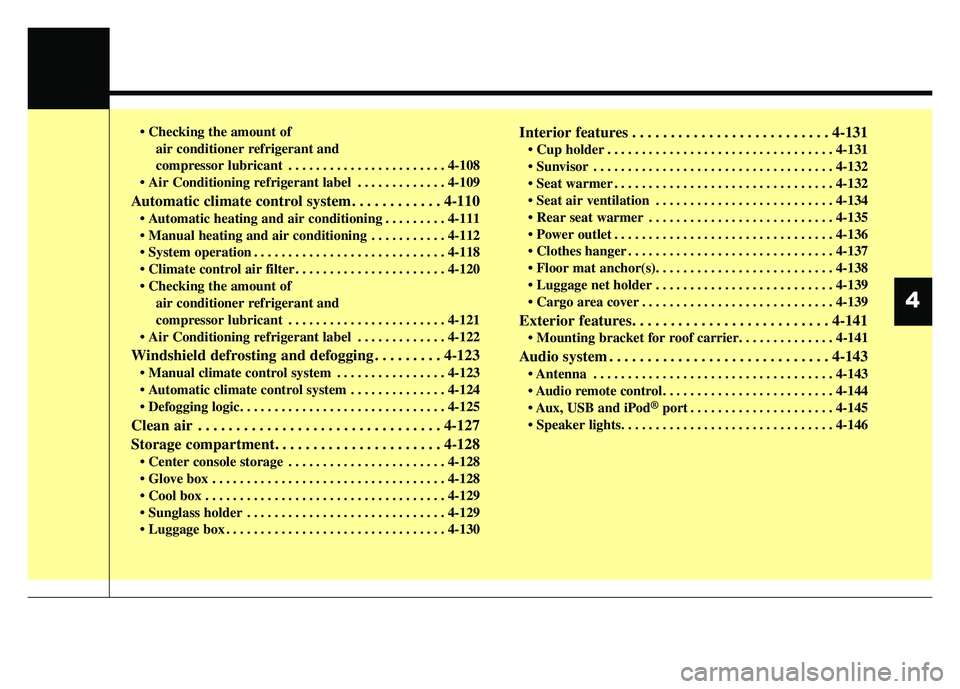
Automatic climate control system. . . . . . . . . . . . 4-110
. . . . . . . . . 4-111
. . . . . . . . . . . 4-112
. . . . . . . . . . . . . . . . . . . . . . . . . . . . 4-118
. . . . . . . . . . . . . . . . . . . . . . 4-120
air conditioner refrigerant and
compressor lubricant . . . . . . . . . . . . . . . . . . . . . . . 4-121
. . . . . . . . . . . . . 4-122
Windshield defrosting and defogging . . . . . . . . . 4-123
. . . . . . . . . . . . . . . . 4-123
. . . . . . . . . . . . . . 4-124
Clean air . . . . . . . . . . . . . . . . . . . . . . . . . . . . . . . . 4-127
Storage compartment. . . . . . . . . . . . . . . . . . . . . . 4-128
. . . . . . . . . . . . . . . . . . . . . . . 4-128
. . . . . . . . . . . . . . . . . . . . . . . . . . . . . . . . . . 4-12\
8
. . . . . . . . . . . . . . . . . . . . . . . . . . . . . . . . . . . 4-\
129
. . . . . . . . . . . . . . . . . . . . . . . . . . . . . 4-129
. . . . . . . . . . . . . . . . . . . . . . . . . . . . . . . . 4-130
Interior features . . . . . . . . . . . . . . . . . . . . . . . . . . 4-131
. . . . . . . . . . . . . . . . . . . . . . . . . . . . . . . . . 4-131
. . . . . . . . . . . . . . . . . . . . . . . . . . . . . . . . . . . 4-\
132
. . . . . . . . . . . . . . . . . . . . . . . . . . . . . . . . 4-132
. . . . . . . . . . . . . . . . . . . . . . . . . . 4-134
. . . . . . . . . . . . . . . . . . . . . . . . . . . 4-135
. . . . . . . . . . . . . . . . . . . . . . . . . . . . . . . . 4-136
. . . . . . . . . . . . . . . . . . . . . . . . . . . . . . 4-137
. . . . . . . . . . . . . . . . . . . . . . . . . . 4-139
. . . . . . . . . . . . . . . . . . . . . . . . . . . . 4-139
Exterior features. . . . . . . . . . . . . . . . . . . . . . . . . . 4-141
Audio system . . . . . . . . . . . . . . . . . . . . . . . . . . . . . 4-143
. . . . . . . . . . . . . . . . . . . . . . . . . . . . . . . . . . . 4-\
143
USB and iPod
®port . . . . . . . . . . . . . . . . . . . . . 4-145
4
Page 214 of 544
4137
Features of your vehicle
Use the power outlet only when theengine is running and remove the
accessory plug after use. Using the
accessory plug for prolonged peri-
ods of time with the engine off could
cause the battery to discharge.
Only use 12V electric accessories which are less than 10A(Driver’s
side) or 15A(Passenger’s side) in
electric capacity.
Adjust the air-conditioner or heater to the lowest operating level when
using the power outlet.
Close the cover when not in use.
Some electronic devices can cause electronic interference when
plugged into a vehicle’s power out-
let. These devices may cause
excessive audio static and malfunc-
tions in other electronic systems or
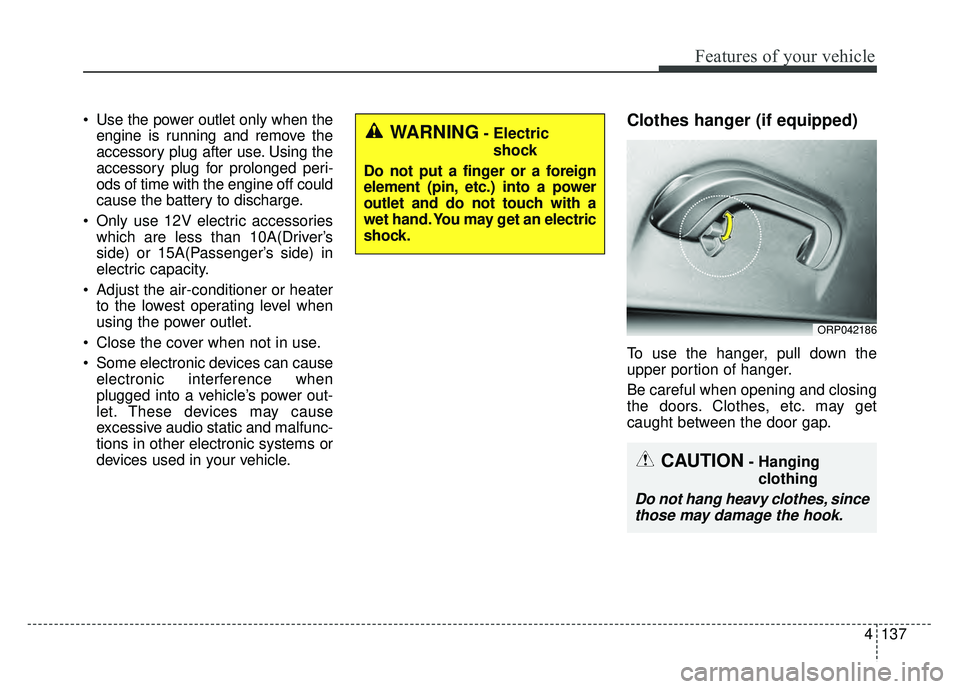
devices used in your vehicle.Clothes hanger (if equipped)
To use the hanger, pull down the
upper portion of hanger.
Be careful when opening and closing
the doors. Clothes, etc. may get
caught between the door gap.
ORP042186
WARNING- Electric
shock
Do not put a finger or a foreign
element (pin, etc.) into a power
outlet and do not touch with a
wet hand. You may get an electric
shock.
CAUTION- Hanging clothing
Do not hang heavy clothes, sincethose may damage the hook.
Page 220 of 544
4143
Features of your vehicle
If you install aftermarket HID head
lamps, your vehicle’s audio and elec-
tronic devices may malfunction.Antenna (if equipped)
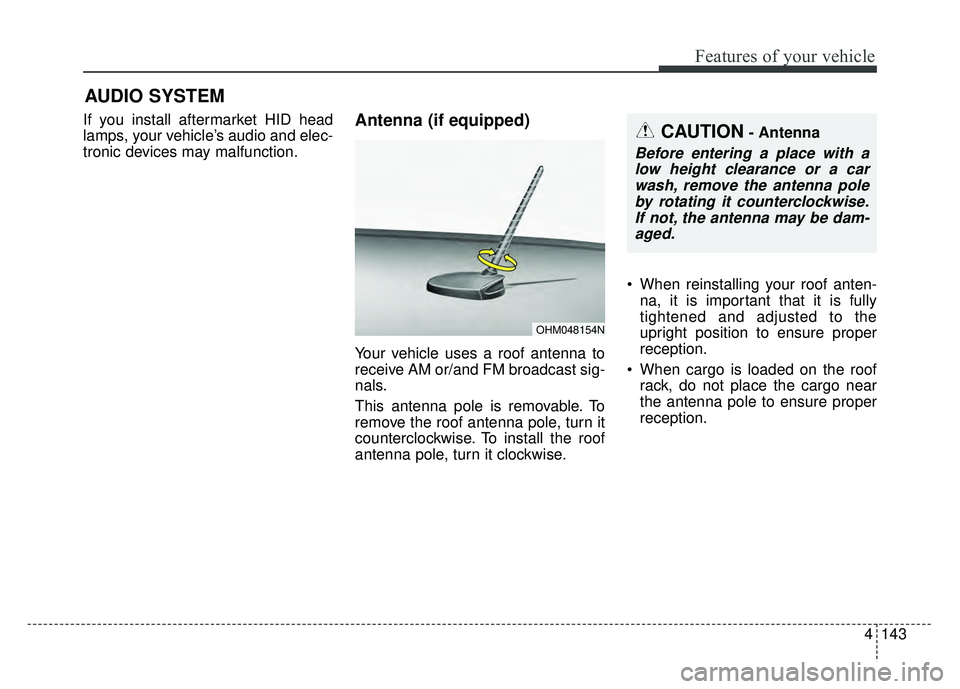
Your vehicle uses a roof antenna to
receive AM or/and FM broadcast sig-
nals.
This antenna pole is removable. To
remove the roof antenna pole, turn it
counterclockwise. To install the roof
antenna pole, turn it clockwise. When reinstalling your roof anten-
na, it is important that it is fully
tightened and adjusted to the
upright position to ensure proper
reception.
When cargo is loaded on the roof rack, do not place the cargo near
the antenna pole to ensure proper
reception.
OHM048154N
AUDIO SYSTEM
CAUTION- Antenna
Before entering a place with alow height clearance or a carwash, remove the antenna poleby rotating it counterclockwise.If not, the antenna may be dam-aged.
Page 221 of 544
Features of your vehicle
144
4
Audio remote control
(if equipped)
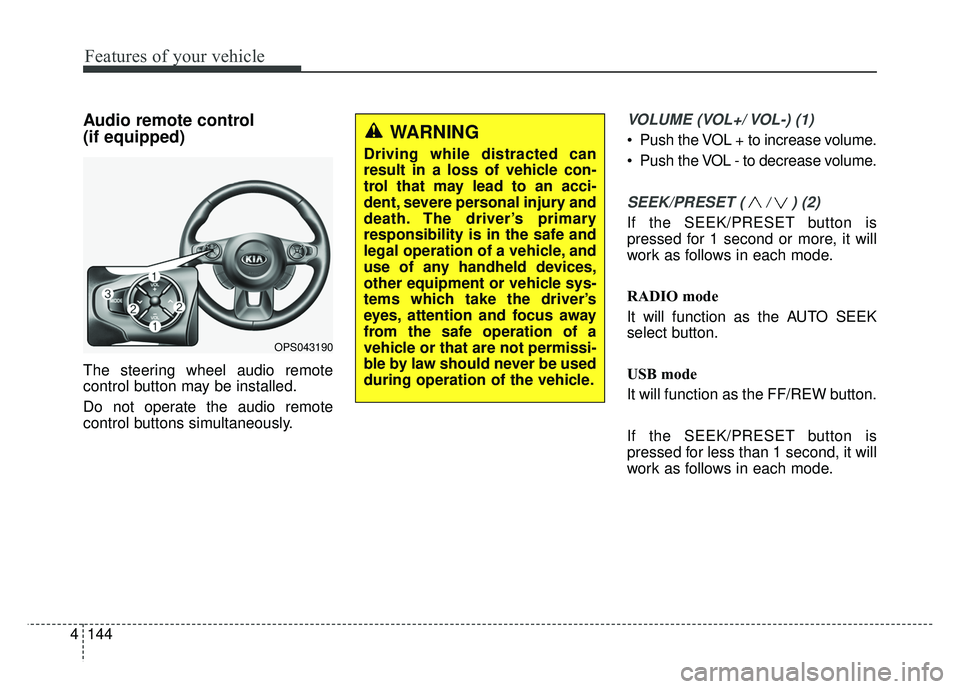
The steering wheel audio remote
control button may be installed.
Do not operate the audio remote
control buttons simultaneously.
VOLUME (VOL+/ VOL-) (1)
Push the VOL + to increase volume.
Push the VOL - to decrease volume.
SEEK/PRESET ( / ) (2)
If the SEEK/PRESET button is
pressed for 1 second or more, it will
work as follows in each mode.
RADIO mode
It will function as the AUTO SEEK
select button.
USB mode
It will function as the FF/REW button.
If the SEEK/PRESET button is
pressed for less than 1 second, it will
work as follows in each mode.
OPS043190
WARNING
Driving while distracted can
result in a loss of vehicle con-
trol that may lead to an acci-
dent, severe personal injury and
death. The driver’s primary
responsibility is in the safe and
legal operation of a vehicle, and
use of any handheld devices,
other equipment or vehicle sys-
tems which take the driver’s
eyes, attention and focus away
from the safe operation of a
vehicle or that are not permissi-
ble by law should never be used
during operation of the vehicle.
Page 222 of 544
4145
Features of your vehicle
RADIO mode
It will function as the PRESET STA-
TION select buttons.
USB mode
It will function as the FILE UP/DOWN
button.
MODE (3)
Press the button to select Radio,
USB or AUX.
Detailed information for audio control
buttons is described in the following
pages in this section.
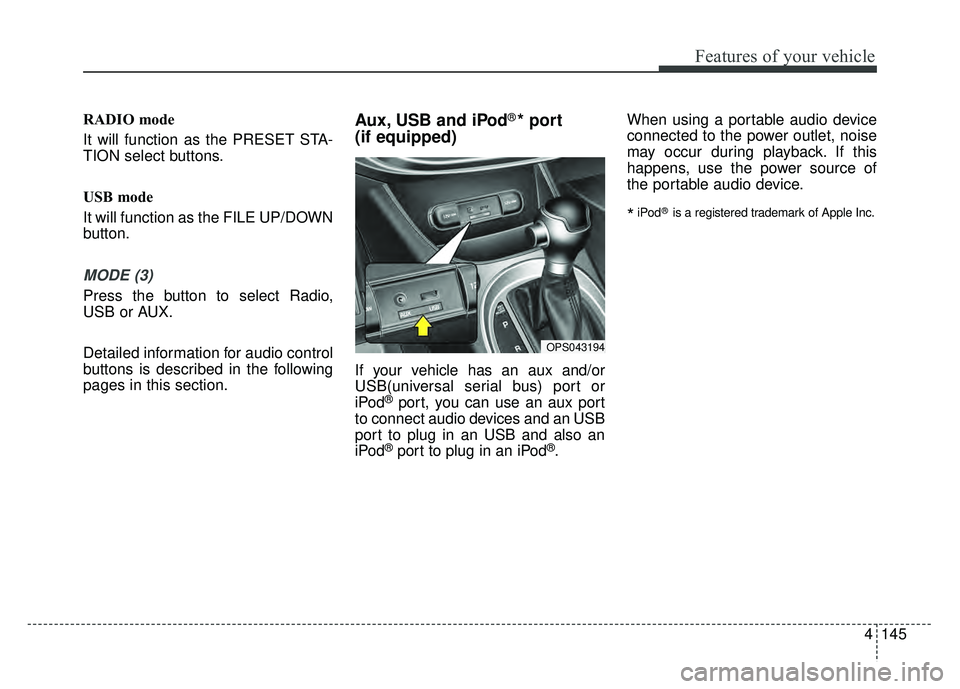
Aux, USB and iPod®* port
(if equipped)
If your vehicle has an aux and/or
USB(universal serial bus) port or
iPod
®port, you can use an aux port
to connect audio devices and an USB
port to plug in an USB and also an
iPod
®port to plug in an iPod®. When using a portable audio device
connected to the power outlet, noise
may occur during playback. If this
happens, use the power source of
the portable audio device.
*iPod®is a registered trademark of Apple Inc.
OPS043194
Page 223 of 544
Speaker lights (if equipped)
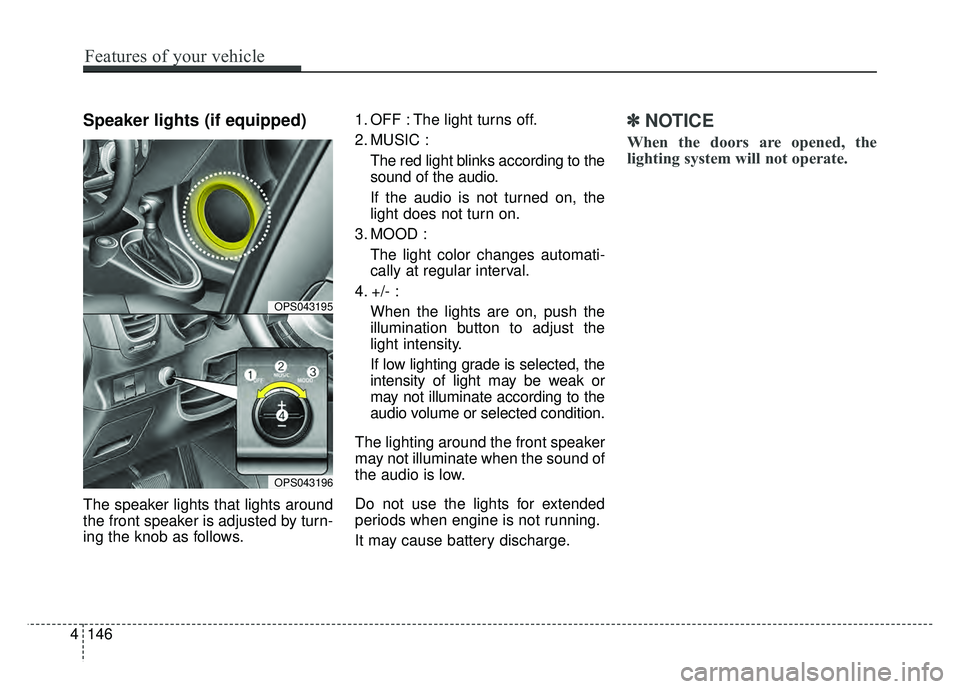
The speaker lights that lights around
the front speaker is adjusted by turn-
ing the knob as follows.1. OFF : The light turns off.
2. MUSIC :
The red light blinks according to the
sound of the audio.
If the audio is not turned on, the
light does not turn on.
3. MOOD : The light color changes automati-
cally at regular interval.
4. +/- : When the lights are on, push the
illumination button to adjust the
light intensity.
If low lighting grade is selected, the
intensity of light may be weak or
may not illuminate according to the
audio volume or selected condition.
The lighting around the front speaker
may not illuminate when the sound of
the audio is low.
Do not use the lights for extended
periods when engine is not running.
It may cause battery discharge.
✽ ✽ NOTICE
When the doors are opened, the
lighting system will not operate.
4146
Features of your vehicle
OPS043195
OPS043196
Page 224 of 544
How vehicle audio works
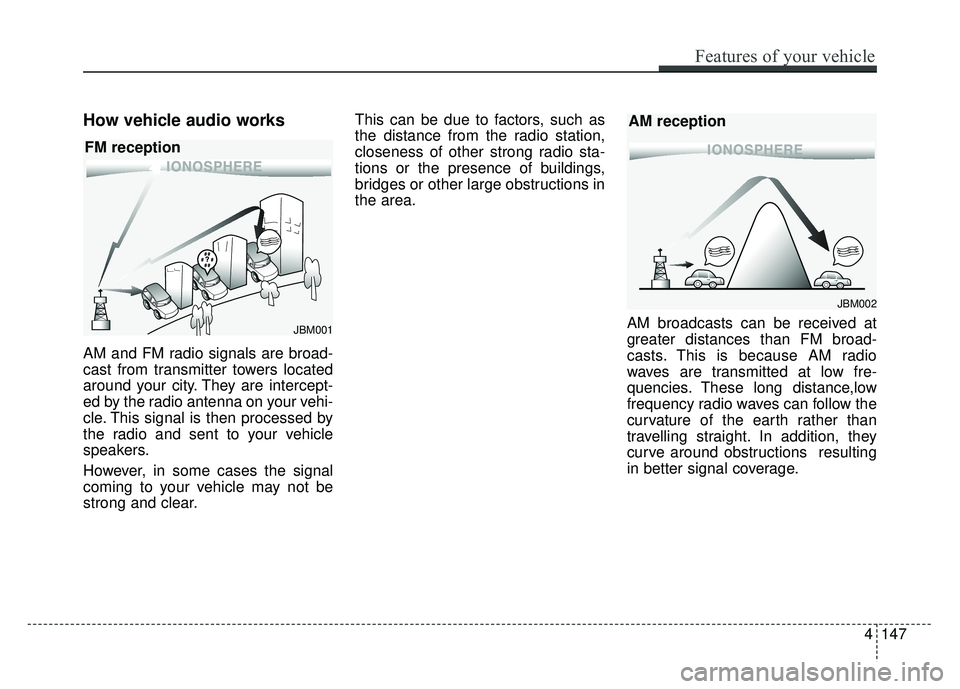
AM and FM radio signals are broad-
cast from transmitter towers located
around your city. They are intercept-
ed by the radio antenna on your vehi-
cle. This signal is then processed by
the radio and sent to your vehicle
speakers.
However, in some cases the signal
coming to your vehicle may not be
strong and clear.This can be due to factors, such as
the distance from the radio station,
closeness of other strong radio sta-
tions or the presence of buildings,
bridges or other large obstructions in
the area.
AM broadcasts can be received at
greater distances than FM broad-
casts. This is because AM radio
waves are transmitted at low fre-
quencies. These long distance,low
frequency radio waves can follow the
curvature of the earth rather than
travelling straight. In addition, they
curve around obstructions resulting
in better signal coverage.
¢¢¢¢¢¢
JBM002
AM reception
¢¢¢
JBM001
FM reception
Features of your vehicle
147
4
Page 226 of 544
4149
Features of your vehicle
Using a cellular phone or a two-way radio
When a cellular phone is used inside
the vehicle, noise may be produced
from the audio system. This does not
mean that something is wrong with
the audio equipment. In such a case,
try to operate mobile devices as far
from the audio equipment as possi-
ble.
When using a communication sys-
tem such as a cellular phone or a
radio set inside the vehicle, a sepa-
rate external antenna must be fitted.
When a cellular phone or a radio set
is used with an internal antenna
alone, it may interfere with the vehi-
cle's electrical system and adversely
affect safe operation of the vehicle.
WARNING- Cell phone use
Do not use a cellular phone
while driving. Stop at a safe
location to use a cellular phone.
WARNING- Driver Distraction
Do not stare at the screen while driving. Staring at the
screen for prolonged periods
of time could lead to traffic
accidents.
Using the phone while driving may lead to a lack of attention
of traffic conditions and
increase the likelihood of
accidents. Use the phone fea-
ture after parking the vehicle.
WARNING- Audio System
Do not disassemble, assemble,
or modify the audio system.
Such acts could result in fire or
electric shock.
WARNING- Antenna
Do not touch the antenna dur-
ing thunder or lightening as
such acts may lead to lightning
induced electric shock.
CAUTION
Refrain from use if the screen is blank or no sound can be hearas these signs may indicateproduct malfunction.