warning light KIA SOUL 2017 Repair Manual
[x] Cancel search | Manufacturer: KIA, Model Year: 2017, Model line: SOUL, Model: KIA SOUL 2017Pages: 589, PDF Size: 13.3 MB
Page 361 of 589
Driving your vehicle
42
6
Vehicle stability management
(VSM)
This system provides further
enhancements to vehicle stability
and steering responses when a vehi-
cle is driving on a slippery road or a
vehicle detects changes in coeffi-
cient of friction between right wheels
and left wheels when braking.
VSM operation
When the VSM is in operation, ESC
indicator light ( ) blinks.
When the vehicle stability manage-
ment is operating properly, you can
feel a slight pulsation in the vehicle
and/or abnormal steering responses
(EPS). This is only the effect of brake
and EPS control and indicates noth-
ing unusual. The VSM does not operate when:
Driving on bank road such as gra-
dient or incline
Driving in reverse
ESC OFF indicator light ( ) remains on the instrument cluster
EPS indicator light remains on the instrument cluster
VSM operation off
If you press the ESC OFF button to
turn off the ESC, the VSM will also
cancel and the ESC OFF indicator
light ( ) illuminates.
To turn on the VSM, press the button
again. The ESC OFF indicator light
goes out.
Malfunction indicator
The VSM can be deactivated even if
you don’t cancel the VSM operation
by pressing the ESC OFF button. It
indicates that a malfunction has
been detected somewhere in the
Electric Power Steering system or
VSM system. If the ESC indicator
light ( ) or EPS warning light
remains on, take your vehicle to an
authorized Kia dealer and have the
system checked.
✽ ✽ NOTICE
• The VSM is designed to function
above approximately 13 mph (22
km/h) on curves.
• The VSM is designed to function above approximately 6 mph (10
km/h) when a vehicle is braking on
a split-mu road. The split-mu road
is made of surfaces which have dif-
ferent friction forces.
Page 362 of 589
643
Driving your vehicle
The Vehicle Stability Managementsystem is not a substitute for safe
driving practices but a supplemen-
tary function only. It is the respon-
sibility of the driver to always check
the speed and the distance to the
vehicle ahead. Always hold the
steering wheel firmly while driving.
Your vehicle is designed to activate according to the driver’s intention,
even with installed VSM. Always
follow all the normal precautions
for driving at safe speeds for the
conditions – including driving in
clement weather and on a slippery
road.Hill-start assist control (HAC)
A vehicle has the tendency to roll
back on a steep hill when it starts to
go after stopping. The Hill-start
Assist Control (HAC) prevents the
vehicle from rolling back by applying
the brakes automatically for about 2
seconds. The brakes are released
when the accelerator pedal is
depressed or after about 2 seconds.
The HAC is activated only for about 2
seconds, so when the vehicle is
starting off always depress the accel-
erator pedal.
Good braking practices
Check to be sure the parking brakeis not engaged and the parking
brake indicator light is out before
driving away.
Driving through water may get the brakes wet. They can also get wet
when the vehicle is washed. Wet
brakes can be dangerous! Your
vehicle will not stop as quickly if the
brakes are wet. Wet brakes may
cause the vehicle to pull to one
side.
To dry the brakes, apply the brakes
lightly until the braking action
returns to normal, taking care to
keep the vehicle under control at
all times. If the braking action does
not return to normal, stop as soon
as it is safe to do so and call an
authorized Kia dealer for assis-
tance.
WARNING- Maintaining
Brake Pressure on Incline
HAC does not replace the need
to apply brakes while stopped on
an incline. While stopped, make
sure you maintain brake pres-
sure sufficient to prevent your
vehicle from rolling backward
and causing an accident. Don’t
release the brake pedal until you
are ready to accelerate forward.
Page 364 of 589
645
Driving your vehicle
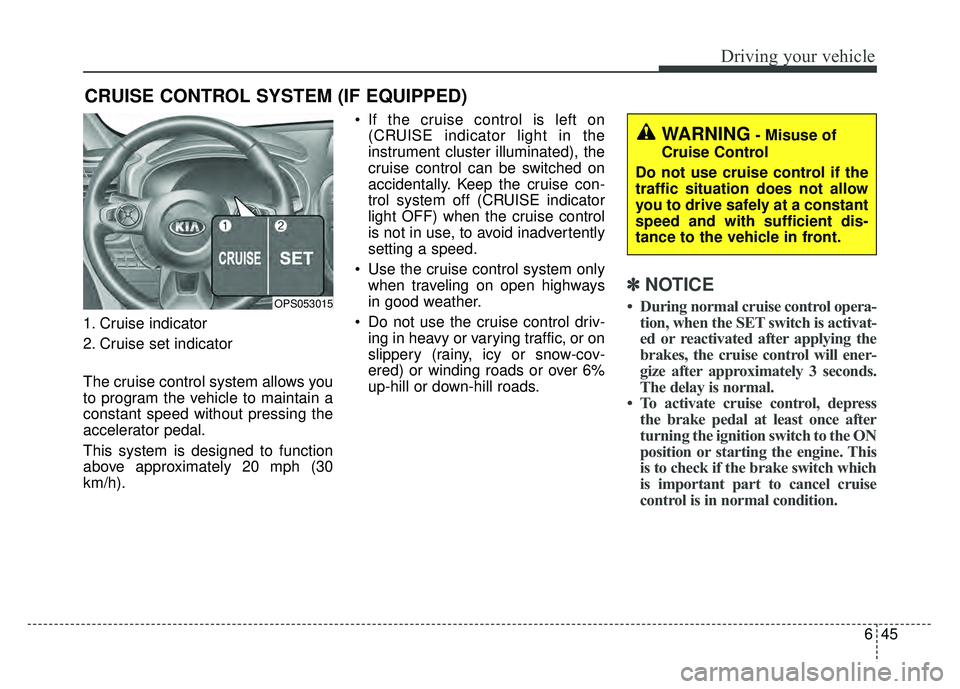
1. Cruise indicator
2. Cruise set indicator
The cruise control system allows you
to program the vehicle to maintain a
constant speed without pressing the
accelerator pedal.
This system is designed to function
above approximately 20 mph (30
km/h). If the cruise control is left on
(CRUISE indicator light in the
instrument cluster illuminated), the
cruise control can be switched on
accidentally. Keep the cruise con-
trol system off (CRUISE indicator
light OFF) when the cruise control
is not in use, to avoid inadvertently
setting a speed.
Use the cruise control system only when traveling on open highways
in good weather.
Do not use the cruise control driv- ing in heavy or varying traffic, or on
slippery (rainy, icy or snow-cov-
ered) or winding roads or over 6%
up-hill or down-hill roads.
✽ ✽ NOTICE
• During normal cruise control opera-
tion, when the SET switch is activat-
ed or reactivated after applying the
brakes, the cruise control will ener-
gize after approximately 3 seconds.
The delay is normal.
• To activate cruise control, depress the brake pedal at least once after
turning the ignition switch to the ON
position or starting the engine. This
is to check if the brake switch which
is important part to cancel cruise
control is in normal condition.
CRUISE CONTROL SYSTEM (IF EQUIPPED)
OPS053015
WARNING- Misuse of
Cruise Control
Do not use cruise control if the
traffic situation does not allow
you to drive safely at a constant
speed and with sufficient dis-
tance to the vehicle in front.
Page 371 of 589
Driving your vehicle
52
6
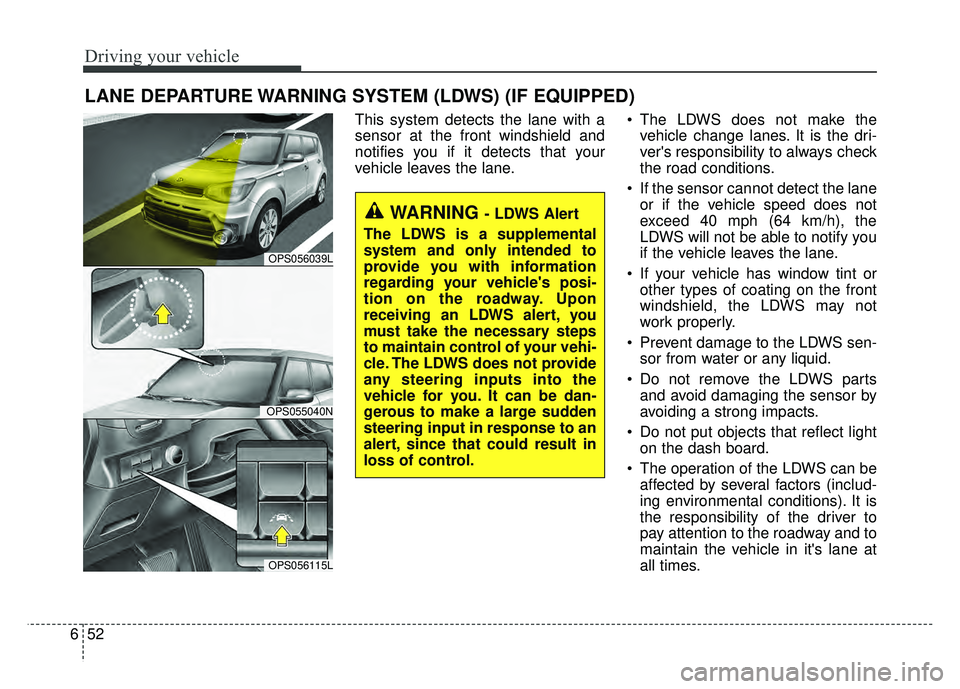
This system detects the lane with a
sensor at the front windshield and
notifies you if it detects that your
vehicle leaves the lane. The LDWS does not make the
vehicle change lanes. It is the dri-
ver's responsibility to always check
the road conditions.
If the sensor cannot detect the lane or if the vehicle speed does not
exceed 40 mph (64 km/h), the
LDWS will not be able to notify you
if the vehicle leaves the lane.
If your vehicle has window tint or other types of coating on the front
windshield, the LDWS may not
work properly.
Prevent damage to the LDWS sen- sor from water or any liquid.
Do not remove the LDWS parts and avoid damaging the sensor by
avoiding a strong impacts.
Do not put objects that reflect light on the dash board.
The operation of the LDWS can be affected by several factors (includ-
ing environmental conditions). It is
the responsibility of the driver to
pay attention to the roadway and to
maintain the vehicle in it's lane at
all times.
LANE DEPARTURE WARNING SYSTEM (LDWS) (IF EQUIPPED)
WARNING - LDWS Alert
The LDWS is a supplemental
system and only intended to
provide you with information
regarding your vehicle's posi-
tion on the roadway. Upon
receiving an LDWS alert, you
must take the necessary steps
to maintain control of your vehi-
cle. The LDWS does not provide
any steering inputs into the
vehicle for you. It can be dan-
gerous to make a large sudden
steering input in response to an
alert, since that could result in
loss of control.
OPS056039L
OPS055040N
OPS056115L
Page 373 of 589
Driving your vehicle
54
6
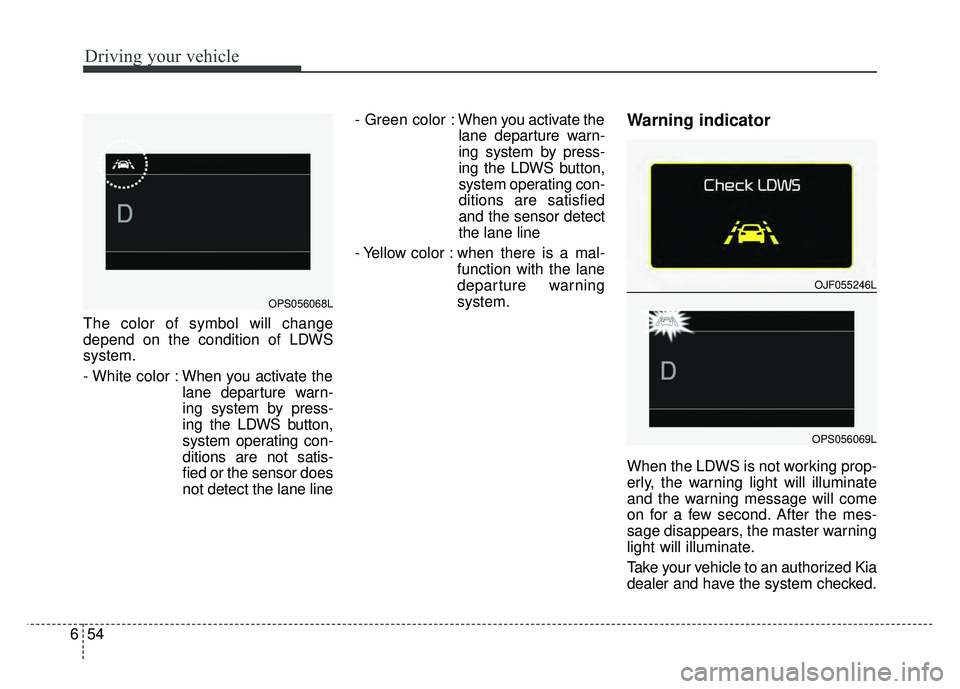
The color of symbol will change
depend on the condition of LDWS
system.
- White color : When you activate the
lane departure warn-
ing system by press-
ing the LDWS button,
system operating con-
ditions are not satis-
fied or the sensor does
not detect the lane line - Green color :
When you activate the
lane departure warn-
ing system by press-
ing the LDWS button,
system operating con-
ditions are satisfied
and the sensor detect
the lane line
- Yellow color : when there is a mal- function with the lane
departure warning
system.
Warning indicator
When the LDWS is not working prop-
erly, the warning light will illuminate
and the warning message will come
on for a few second. After the mes-
sage disappears, the master warning
light will illuminate.
Take your vehicle to an authorized Kia
dealer and have the system checked.
OPS056068L
OJF055246L
OPS056069L
Page 374 of 589
655
Driving your vehicle
The LDWS does not operate
when:
The driver turns on the turn signalor the hazard warning flasher to
change lane.
Driving on the lane line.
✽ ✽ NOTICE
To change lanes, operate the turn
signal switch then change the lane.
The LDWS may not warn you
even if the vehicle leaves the
lane, or may warn you even if
the vehicle does not leave the
lane when;
The lane is not visible due to snow,
rain, stain, a puddle or other envi-
ronmental conditions.
The brightness of the outside changes suddenly such as tunnel
enter/exit.
The headlights are off at night or in a tunnel.
The color of the lane marking from the road is difficult to distinguish.
Driving on a steep grade or a curve.
Light such as street light, sunlight or oncoming vehicle light reflects
from water on the road.
The lens or windshield is stained with foreign matter.
The sensor cannot detect the lane because of fog, heavy rain or
heavy snow. The surrounding of the inside rear
view mirror temperature is high
due to a direct ray of light.
The lane is very wide or narrow.
The lane line is damaged or indis- tinct.
The windshield is fogged by humid air in the vehicle.
The shadow is on the lane line by a median strip.
The sensor cannot distinguish the lane from the road due to the
dust/dirt.
There is a mark similar to a lane line.
There is a boundary structure.
The distance from vehicle ahead is very short or the vehicle ahead
drives hiding the lane line.
The vehicle vibrates heavily due to road conditions.
The lane number increases or decreases or the lane lines are
crossing.
WARNING - LDWS
Limitations
The Lane Departure Warning
System is a supplemental sys-
tem. Do not solely rely on the
system but always pay attention
and drive safely.
Page 377 of 589
Driving your vehicle
58
6
BSD (Blind Spot Detection) /
LCA (Lane Change Assist)
Operating conditions
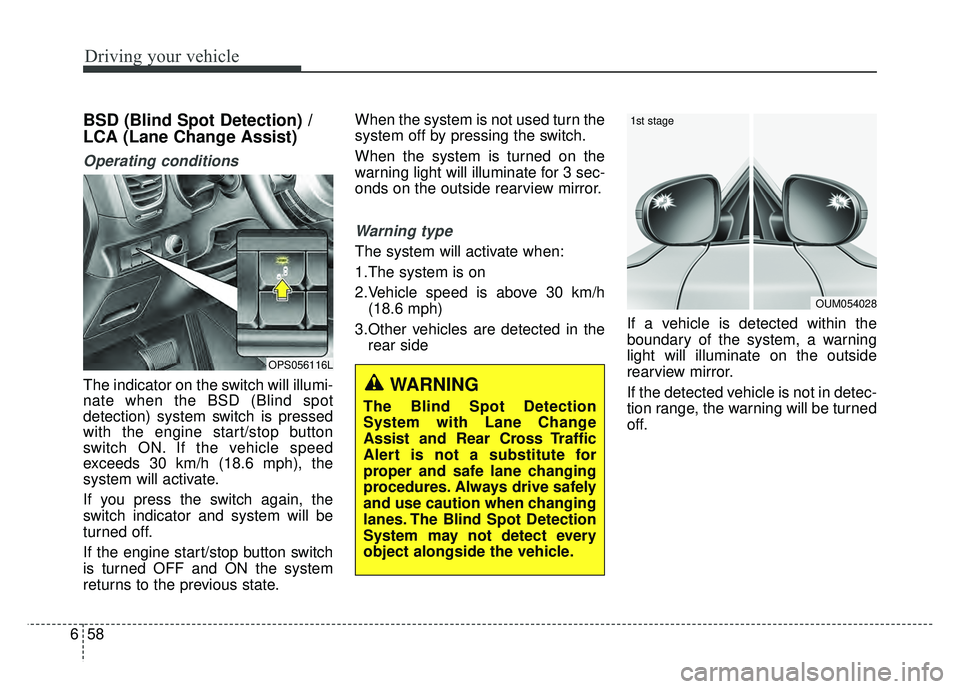
The indicator on the switch will illumi-
nate when the BSD (Blind spot
detection) system switch is pressed
with the engine start/stop button
switch ON. If the vehicle speed
exceeds 30 km/h (18.6 mph), the
system will activate.
If you press the switch again, the
switch indicator and system will be
turned off.
If the engine start/stop button switch
is turned OFF and ON the system
returns to the previous state. When the system is not used turn the
system off by pressing the switch.
When the system is turned on the
warning light will illuminate for 3 sec-
onds on the outside rearview mirror.
Warning type
The system will activate when:
1.The system is on
2.Vehicle speed is above 30 km/h
(18.6 mph)
3.Other vehicles are detected in the rear side If a vehicle is detected within the
boundary of the system, a warning
light will illuminate on the outside
rearview mirror.
If the detected vehicle is not in detec-
tion range, the warning will be turned
off.
OUM054028
1st stage
OPS056116L
WARNING
The Blind Spot Detection
System with Lane Change
Assist and Rear Cross Traffic
Alert is not a substitute for
proper and safe lane changing
procedures. Always drive safely
and use caution when changing
lanes. The Blind Spot Detection
System may not detect every
object alongside the vehicle.
Page 378 of 589
659
Driving your vehicle
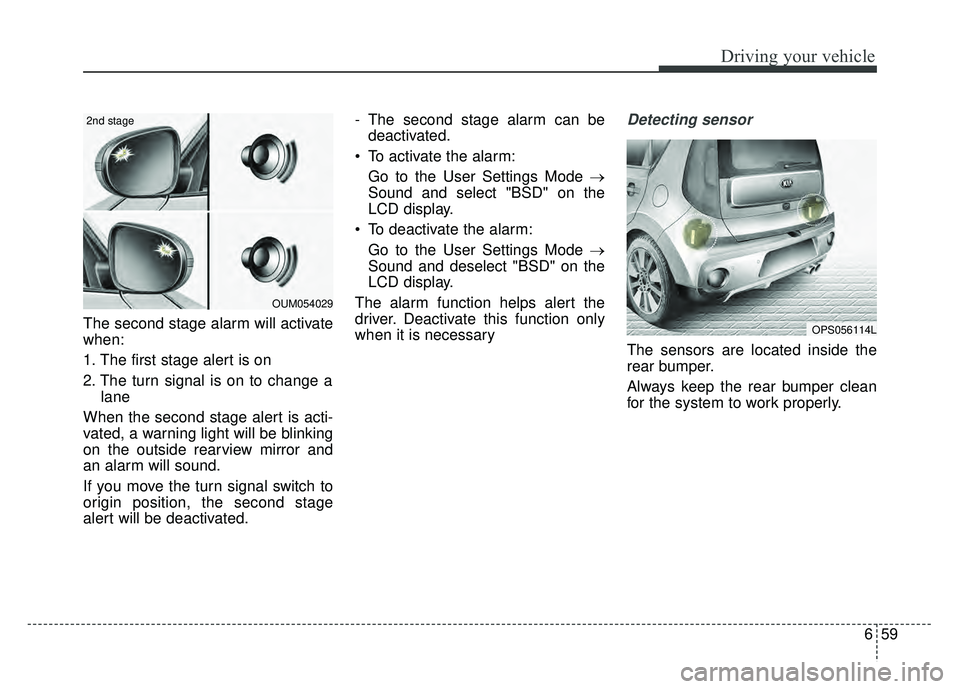
The second stage alarm will activate
when:
1. The first stage alert is on
2. The turn signal is on to change alane
When the second stage alert is acti-
vated, a warning light will be blinking
on the outside rearview mirror and
an alarm will sound.
If you move the turn signal switch to
origin position, the second stage
alert will be deactivated. - The second stage alarm can be
deactivated.
To activate the alarm: Go to the User Settings Mode →
Sound and select "BSD" on the
LCD display.
To deactivate the alarm: Go to the User Settings Mode →
Sound and deselect "BSD" on the
LCD display.
The alarm function helps alert the
driver. Deactivate this function only
when it is necessary
Detecting sensor
The sensors are located inside the
rear bumper.
Always keep the rear bumper clean
for the system to work properly.
OPS056114L
OUM054029
2nd stage
Page 379 of 589
Driving your vehicle
60
6
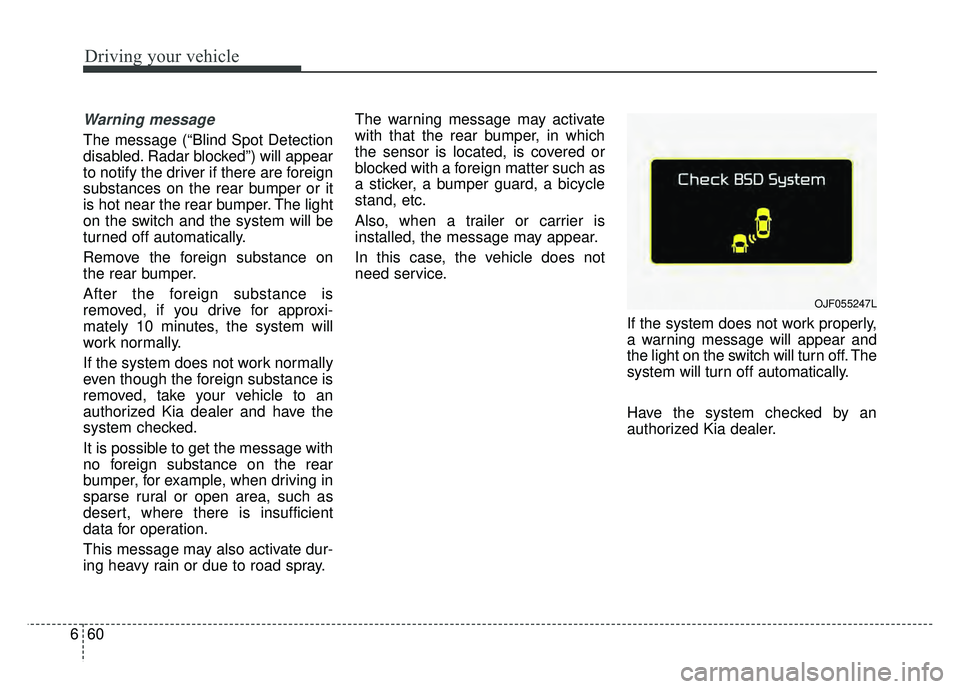
Warning message
The message (“Blind Spot Detection
disabled. Radar blocked”) will appear
to notify the driver if there are foreign
substances on the rear bumper or it
is hot near the rear bumper. The light
on the switch and the system will be
turned off automatically.
Remove the foreign substance on
the rear bumper.
After the foreign substance is
removed, if you drive for approxi-
mately 10 minutes, the system will
work normally.
If the system does not work normally
even though the foreign substance is
removed, take your vehicle to an
authorized Kia dealer and have the
system checked.
It is possible to get the message with
no foreign substance on the rear
bumper, for example, when driving in
sparse rural or open area, such as
desert, where there is insufficient
data for operation.
This message may also activate dur-
ing heavy rain or due to road spray. The warning message may activate
with that the rear bumper, in which
the sensor is located, is covered or
blocked with a foreign matter such as
a sticker, a bumper guard, a bicycle
stand, etc.
Also, when a trailer or carrier is
installed, the message may appear.
In this case, the vehicle does not
need service.
If the system does not work properly,
a warning message will appear and
the light on the switch will turn off. The
system will turn off automatically.
Have the system checked by an
authorized Kia dealer.
OJF055247L
Page 381 of 589
Driving your vehicle
62
6
If an approaching vehicle detected
by sensors, the warning is chime
and the warning light will blink on
the outside rearview mirror.
If the detected vehicle is out of detection range, moving away in
the opposite direction or moving
slow, the warning is cancelled.
The system may not be operating properly due to other factors or cir-
cumstances, so always pay atten-
tion to your surrounding.
❈ If the bumper on either side is
blocked by a barrier or vehicles,
the system sensing ability may be
deteriorated.✽ ✽
NOTICE
• The system may not work proper-
ly if the bumper has been replaced
or if a repair work has been done
near the sensor.
• The detection area differs accord- ing to the roads width. If the road
is narrow the system may detect
other vehicles in the second next
lane.
• On the contrary, if the road is very wide the system may not detect
other vehicles in the next lane.
• The system might be turned off due to strong electromagnetic
waves.WARNING
The Blind Spot Detection
System with Lane Change
Assist and Rear Cross Traffic
Alert is not a substitute for
proper and safe lane changing
procedures. Always drive safely
and use caution when changing
lanes. The Blind Spot Detection
System and Rear Cross Traffic
Alert may not detect every
object alongside the vehicle.