light KIA Soul EV 2015 2.G Manual Online
[x] Cancel search | Manufacturer: KIA, Model Year: 2015, Model line: Soul EV, Model: KIA Soul EV 2015 2.GPages: 407, PDF Size: 12.35 MB
Page 219 of 407
Driving your vehicle
30
5
Good braking practices
Check to be sure the parking brake
is not engaged and the parking
brake indicator light is out before
driving away.
Driving through water may get the brakes wet. They can also get wet
when the vehicle is washed. Wet
brakes can be dangerous! Your
vehicle will not stop as quickly if the
brakes are wet. Wet brakes may
cause the vehicle to pull to one side.
To dry the brakes, apply the brakes
lightly until the braking action
returns to normal, taking care to
keep the vehicle under control at
all times. If the braking action does
not return to normal, stop as soon
as it is safe to do so and call an
authorized Kia dealer for assis-
tance. Don't coast down hills with the
vehicle out of gear. This is extreme-
ly hazardous. Keep the vehicle in
gear at all times, use the brakes to
slow down, then shift to a lower
gear so that regenerative braking
will help you maintain a safe
speed.
Don't "ride" the brake pedal. Resting your foot on the brake
pedal while driving can be danger-
ous because the brakes might
overheat and lose their effective-
ness. It also increases the wear of
the brake components.
If a tire goes flat while you are driv- ing, apply the brakes gently and
keep the vehicle pointed straight
ahead while you slow down. When
you are moving slowly enough for it
to be safe to do so, pull off the road
and stop in a safe place.WARNING- Maintaining
Brake Pressure on Incline
HAC does not replace the need
to apply brakes while stopped
on an incline. While stopped,
make sure you maintain brake
pressure sufficient to prevent
your vehicle from rolling back-
ward and causing an accident.
Don’t release the brake pedal
until you are ready to accelerate
forward.
Page 221 of 407
Driving your vehicle
32
5
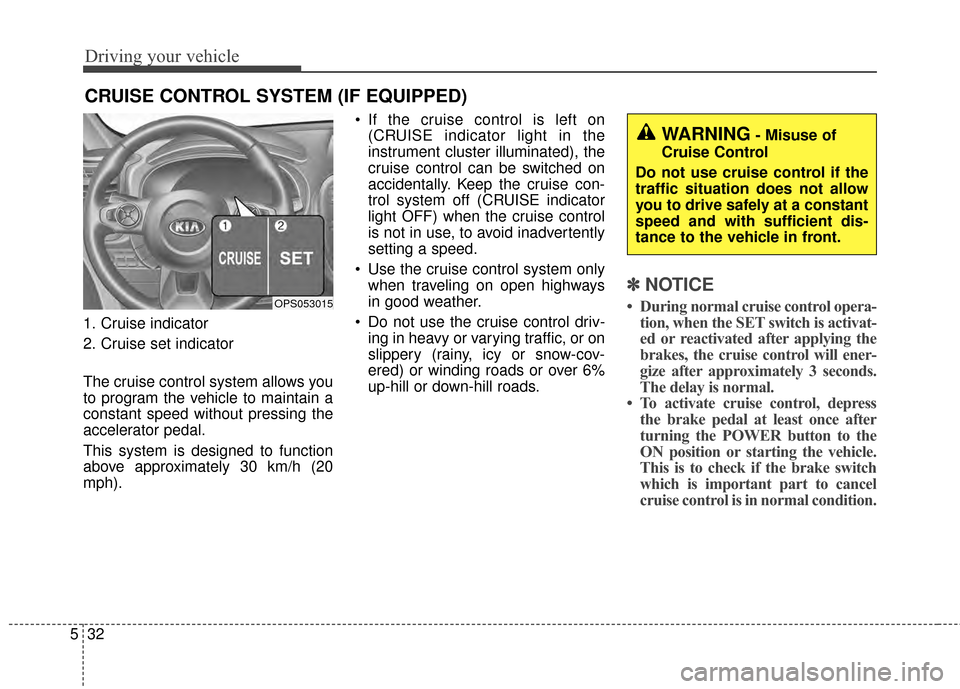
1. Cruise indicator
2. Cruise set indicator
The cruise control system allows you
to program the vehicle to maintain a
constant speed without pressing the
accelerator pedal.
This system is designed to function
above approximately 30 km/h (20
mph). If the cruise control is left on
(CRUISE indicator light in the
instrument cluster illuminated), the
cruise control can be switched on
accidentally. Keep the cruise con-
trol system off (CRUISE indicator
light OFF) when the cruise control
is not in use, to avoid inadvertently
setting a speed.
Use the cruise control system only when traveling on open highways
in good weather.
Do not use the cruise control driv- ing in heavy or varying traffic, or on
slippery (rainy, icy or snow-cov-
ered) or winding roads or over 6%
up-hill or down-hill roads.
✽ ✽ NOTICE
• During normal cruise control opera-
tion, when the SET switch is activat-
ed or reactivated after applying the
brakes, the cruise control will ener-
gize after approximately 3 seconds.
The delay is normal.
• To activate cruise control, depress the brake pedal at least once after
turning the POWER button to the
ON position or starting the vehicle.
This is to check if the brake switch
which is important part to cancel
cruise control is in normal condition.
CRUISE CONTROL SYSTEM (IF EQUIPPED)
OPS053015
WARNING- Misuse of
Cruise Control
Do not use cruise control if the
traffic situation does not allow
you to drive safely at a constant
speed and with sufficient dis-
tance to the vehicle in front.
Page 222 of 407
533
Driving your vehicle
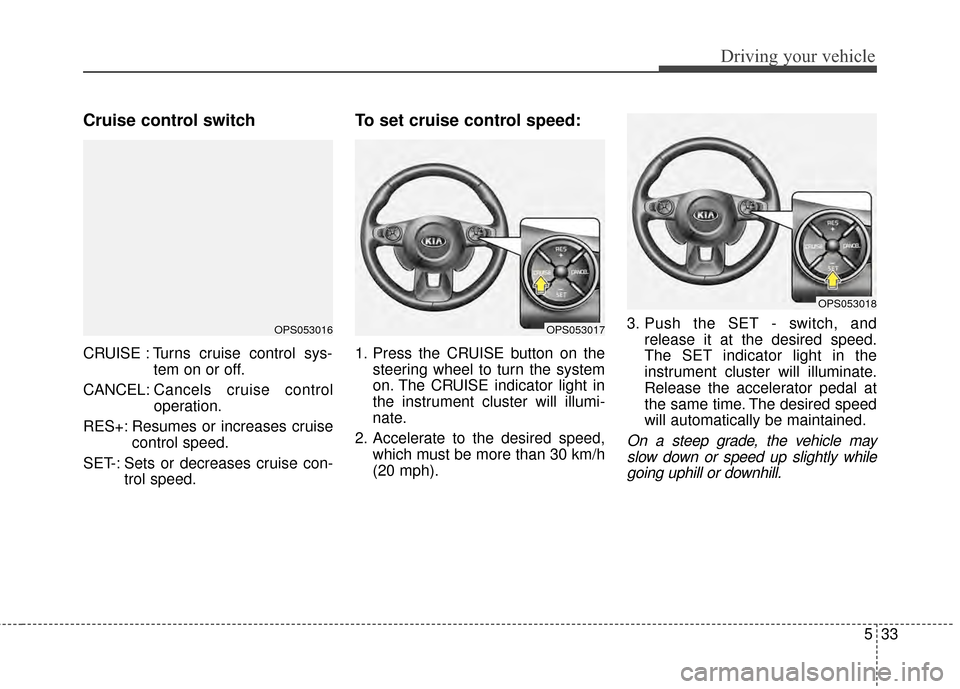
Cruise control switch
CRUISE : Turns cruise control sys-tem on or off.
CANCEL: Cancels cruise control
operation.
RES+: Resumes or increases cruise control speed.
SET-: Sets or decreases cruise con- trol speed.
To set cruise control speed:
1. Press the CRUISE button on thesteering wheel to turn the system
on. The CRUISE indicator light in
the instrument cluster will illumi-
nate.
2. Accelerate to the desired speed, which must be more than 30 km/h
(20 mph). 3. Push the SET - switch, and
release it at the desired speed.
The SET indicator light in the
instrument cluster will illuminate.
Release the accelerator pedal at
the same time. The desired speed
will automatically be maintained.
On a steep grade, the vehicle mayslow down or speed up slightly whilegoing uphill or downhill.
OPS053016OPS053017
OPS053018
Page 224 of 407
535
Driving your vehicle
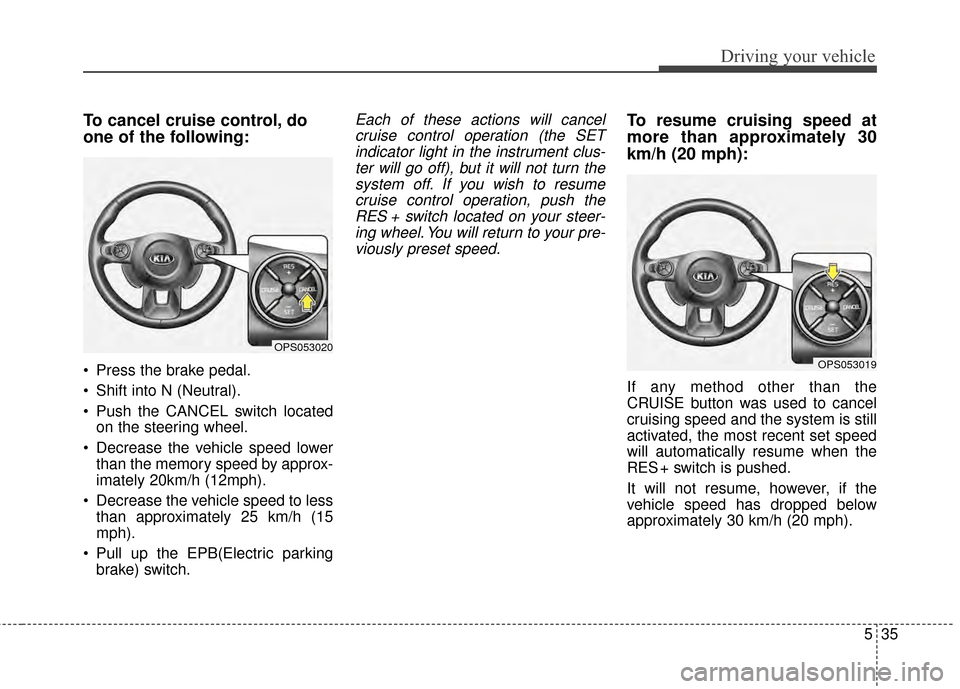
To cancel cruise control, do
one of the following:
Press the brake pedal.
Shift into N (Neutral).
Push the CANCEL switch locatedon the steering wheel.
Decrease the vehicle speed lower than the memory speed by approx-
imately 20km/h (12mph).
Decrease the vehicle speed to less than approximately 25 km/h (15
mph).
Pull up the EPB(Electric parking brake) switch.
Each of these actions will cancelcruise control operation (the SETindicator light in the instrument clus-ter will go off), but it will not turn thesystem off. If you wish to resumecruise control operation, push theRES + switch located on your steer-ing wheel. You will return to your pre-viously preset speed.To resume cruising speed at
more than approximately 30
km/h (20 mph):
If any method other than the
CRUISE button was used to cancel
cruising speed and the system is still
activated, the most recent set speed
will automatically resume when the
RES + switch is pushed.
It will not resume, however, if the
vehicle speed has dropped below
approximately 30 km/h (20 mph).
OPS053020
OPS053019
Page 225 of 407
Driving your vehicle
36
5
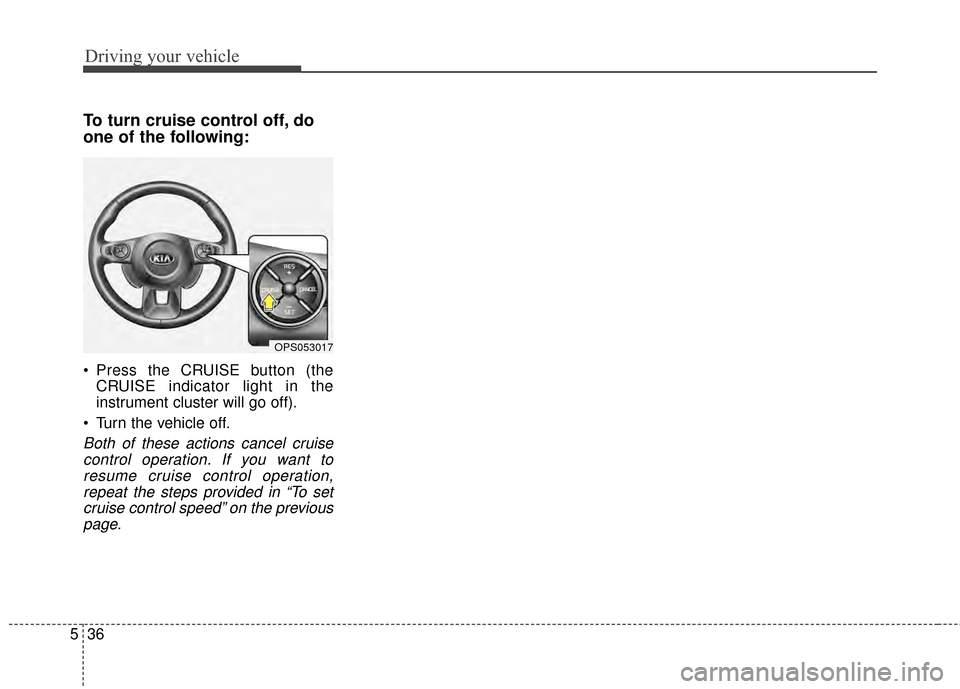
To turn cruise control off, do
one of the following:
Press the CRUISE button (the
CRUISE indicator light in the
instrument cluster will go off).
Turn the vehicle off.
Both of these actions cancel cruise control operation. If you want toresume cruise control operation,repeat the steps provided in “To setcruise control speed” on the previouspage.
OPS053017
Page 226 of 407
537
Driving your vehicle
Your vehicle's energy economy
depends mainly on your style of driv-
ing, where you drive and when you
drive.
Each of these factors affects how
many miles (kilometers) you can get
from a capacity (kwh) of battery. To
operate your vehicle as economical-
ly as possible, use the following driv-
ing suggestions to help save money
in both energy and repairs:
Drive smoothly. Accelerate at amoderate rate. Don't make "jack-
rabbit" starts or full-throttle shifts
and maintain a steady cruising
speed. Don't race between stop-
lights. Try to adjust your speed to
the traffic so you don't have to
change speeds unnecessarily.
Avoid heavy traffic whenever pos-
sible. Always maintain a safe dis-
tance from other vehicles so you
can avoid unnecessary braking.
This also reduces brake wear. Drive at a moderate speed. The
faster you drive, the more energy
your vehicle uses. Driving at a
moderate speed, especially on the
highway, is one of the most effec-
tive ways to reduce energy con-
sumption.
Don't "ride" the brake pedal. This can increase energy consumption
and also increase wear on these
components. In addition, driving
with your foot resting on the brake
pedal may cause the brakes to
overheat, which reduces their
effectiveness and may lead to
more serious consequences.
Take care of your tires. Keep them inflated to the recommended pres-
sure. Incorrect inflation, either too
much or too little, results in unnec-
essary tire wear. Check the tire
pressures at least once a month. Be sure that the wheels are
aligned correctly. Improper align-
ment can result from hitting curbs
or driving too fast over irregular
surfaces. Poor alignment causes
faster tire wear and may also result
in other problems as well as
greater energy consumption.
Keep your vehicle in good condi- tion. For better energy economy
and reduced maintenance costs,
maintain your vehicle in accor-
dance with the maintenance
schedule in section 7. If you drive
your vehicle in severe conditions,
more frequent maintenance is
required (see section 7 for details).
Keep your vehicle clean. For maxi- mum service, your vehicle should
be kept clean and free of corrosive
materials. It is especially important
that mud, dirt, ice, etc. not be
allowed to accumulate on the
underside of the vehicle. This extra
weight can result in increased
energy consumption and also con-
tribute to corrosion.
ECONOMICAL OPERATION
Page 227 of 407
Driving your vehicle
38
5
Travel lightly. Don't carry unneces-
sary weight in your vehicle. Weight
reduces energy economy.
Open windows at high speeds can reduce energy economy.
Energy economy is less in cross- winds and headwinds. To help off-
set some of this loss, slow down
when driving in these conditions.
Keeping a vehicle in good operating
condition is important both for econ-
omy and safety. Therefore, have an
authorized Kia dealer perform
scheduled inspections and mainte-
nance.
WARNING
- Vehicle off during motion
Never turn the POWER button
off to coast down hills or any-
time the vehicle is in motion.
The power steering and power
brakes will not function proper-
ly without the vehicle is in the
ready ( ) mode. In addition,
turning off the POWER button
while driving could engage the
steering wheel lock resulting in
loss of vehicle steering. Keep
the vehicle is in the ready ( )
mode and gear lever in
B(Braking) position for engine
braking effect.
Page 228 of 407
539
Driving your vehicle
Hazardous driving conditions
When hazardous driving conditions
are encountered such as water,
snow, ice, mud, sand, or similar haz-
ards, follow these suggestions:
Drive cautiously and allow extradistance for braking.
Avoid sudden braking or steering.
When braking with non-ABS brakes pump the brake pedal with
a light up-and-down motion until
the vehicle is stopped.
Do not pump the brake pedal on a
vehicle equipped with ABS. If stalled in snow, mud, or sand,
use second gear. Accelerate slow-
ly to avoid spinning the drive
wheels.
Use sand, rock salt, or other non- slip material under the drive
wheels to provide traction when
stalled in ice, snow, or mud.
Reducing the risk of a rollover
This multi-purpose passenger vehi-
cle is defined as a Crossover Utility
Vehicle (CUV). CUV’s have higher
ground clearance and a narrower
track to make them capable of per-
forming in a wide variety of off-road
applications. Specific design charac-
teristics give them a higher center of
gravity than ordinary vehicles. An
advantage of the higher ground
clearance is a better view of the
road, which allows you to anticipate
problems. They are not designed for
cornering at the same speeds as
conventional passenger vehicles,
any more than low-slung sports vehi-
cles are designed to perform satis-
factorily in off-road conditions. Due to
this risk, driver and passengers are
strongly recommended to buckle
their seat belts. In a rollover crash,
an unbelted person is more likely to
die than a person wearing a seat
belt. There are steps that a driver can
make to reduce the risk of a rollover.
SPECIAL DRIVING CONDITIONS
WARNING- Downshifting
Do not downshift with an auto-
matic transaxle while driving on
slippery surfaces. The sudden
change in tire speed could
cause the tires to skid and
result in an accident.
Page 230 of 407
541
Driving your vehicle
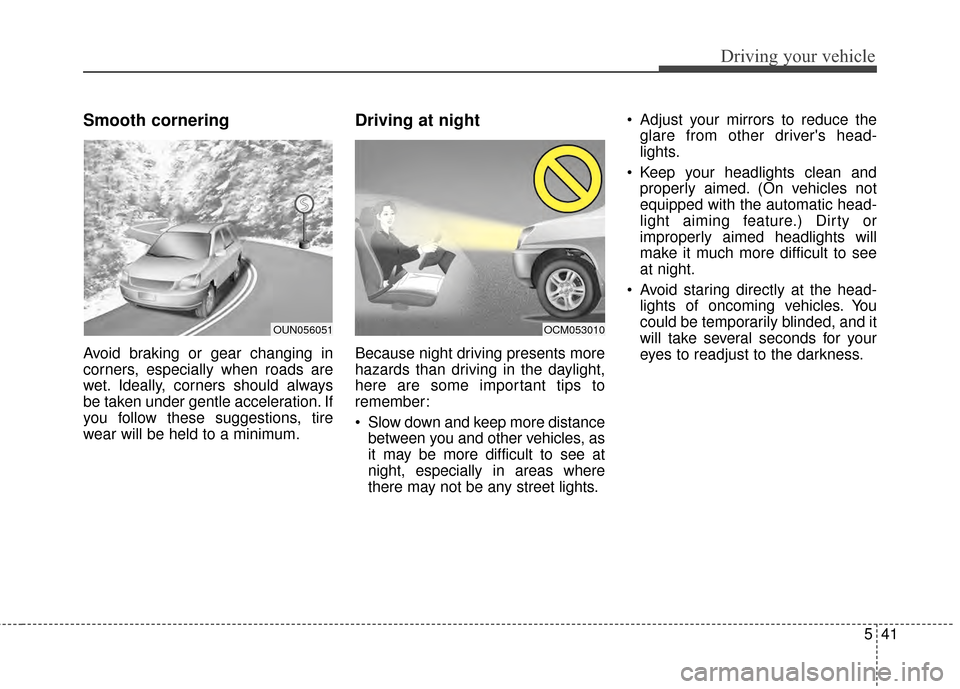
Smooth cornering
Avoid braking or gear changing in
corners, especially when roads are
wet. Ideally, corners should always
be taken under gentle acceleration. If
you follow these suggestions, tire
wear will be held to a minimum.
Driving at night
Because night driving presents more
hazards than driving in the daylight,
here are some important tips to
remember:
Slow down and keep more distancebetween you and other vehicles, as
it may be more difficult to see at
night, especially in areas where
there may not be any street lights. Adjust your mirrors to reduce the
glare from other driver's head-
lights.
Keep your headlights clean and properly aimed. (On vehicles not
equipped with the automatic head-
light aiming feature.) Dirty or
improperly aimed headlights will
make it much more difficult to see
at night.
Avoid staring directly at the head- lights of oncoming vehicles. You
could be temporarily blinded, and it
will take several seconds for your
eyes to readjust to the darkness.
OUN056051OCM053010
Page 231 of 407
Driving your vehicle
42
5
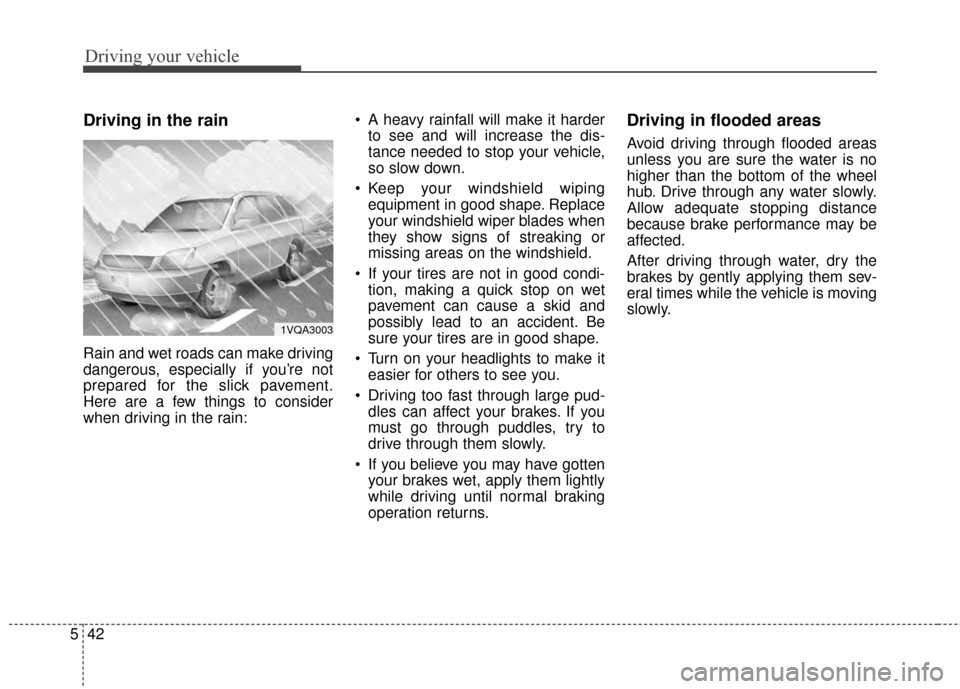
Driving in the rain
Rain and wet roads can make driving
dangerous, especially if you’re not
prepared for the slick pavement.
Here are a few things to consider
when driving in the rain: A heavy rainfall will make it harder
to see and will increase the dis-
tance needed to stop your vehicle,
so slow down.
Keep your windshield wiping equipment in good shape. Replace
your windshield wiper blades when
they show signs of streaking or
missing areas on the windshield.
If your tires are not in good condi- tion, making a quick stop on wet
pavement can cause a skid and
possibly lead to an accident. Be
sure your tires are in good shape.
Turn on your headlights to make it easier for others to see you.
Driving too fast through large pud- dles can affect your brakes. If you
must go through puddles, try to
drive through them slowly.
If you believe you may have gotten your brakes wet, apply them lightly
while driving until normal braking
operation returns.
Driving in flooded areas
Avoid driving through flooded areas
unless you are sure the water is no
higher than the bottom of the wheel
hub. Drive through any water slowly.
Allow adequate stopping distance
because brake performance may be
affected.
After driving through water, dry the
brakes by gently applying them sev-
eral times while the vehicle is moving
slowly.
1VQA3003