key KIA Soul EV 2017 2.G User Guide
[x] Cancel search | Manufacturer: KIA, Model Year: 2017, Model line: Soul EV, Model: KIA Soul EV 2017 2.GPages: 470, PDF Size: 16.76 MB
Page 85 of 470
415
Features of your vehicle
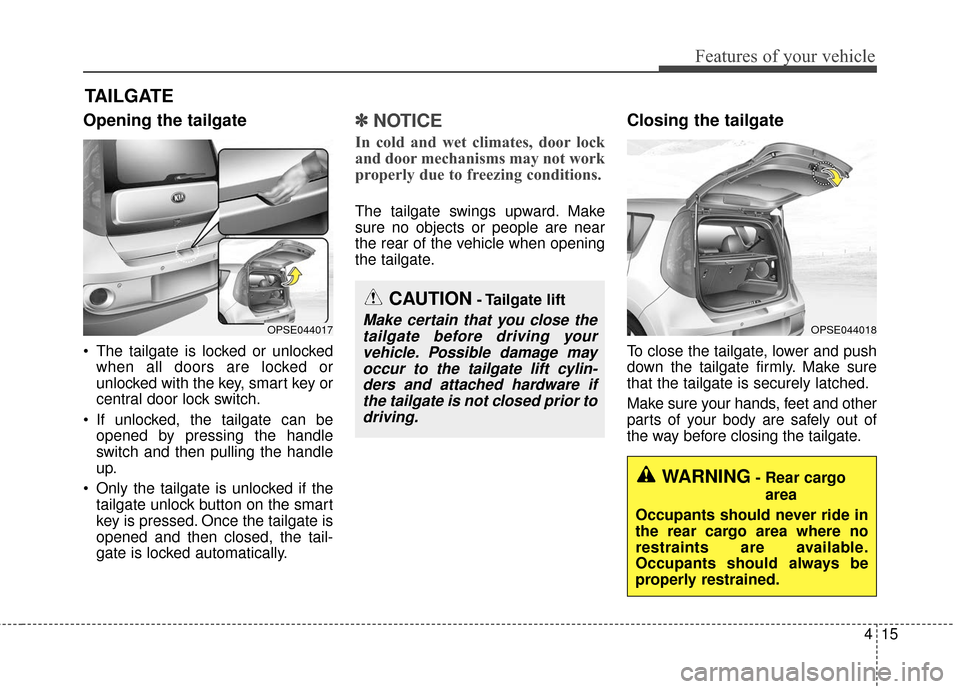
Opening the tailgate
The tailgate is locked or unlockedwhen all doors are locked or
unlocked with the key, smart key or
central door lock switch.
If unlocked, the tailgate can be opened by pressing the handle
switch and then pulling the handle
up.
Only the tailgate is unlocked if the tailgate unlock button on the smart
key is pressed. Once the tailgate is
opened and then closed, the tail-
gate is locked automatically.
✽ ✽ NOTICE
In cold and wet climates, door lock
and door mechanisms may not work
properly due to freezing conditions.
The tailgate swings upward. Make
sure no objects or people are near
the rear of the vehicle when opening
the tailgate.
Closing the tailgate
To close the tailgate, lower and push
down the tailgate firmly. Make sure
that the tailgate is securely latched.
Make sure your hands, feet and other
parts of your body are safely out of
the way before closing the tailgate.
TAILGATE
CAUTION- Tailgate lift
Make certain that you close the
tailgate before driving yourvehicle. Possible damage mayoccur to the tailgate lift cylin-ders and attached hardware ifthe tailgate is not closed prior todriving.OPSE044017OPSE044018
WARNING- Rear cargo
area
Occupants should never ride in
the rear cargo area where no
restraints are available.
Occupants should always be
properly restrained.
Page 94 of 470
Features of your vehicle
24
4
The sunroof can be operated for
approximately 30 seconds after the
ignition key is removed or turned to
the ACC or LOCK position. However,
if the front doors are opened, the
sunroof cannot be opened even with-
in the 30 seconds period.
✽ ✽
NOTICE
• In cold and wet climates, the sun-
roof may not work properly due to
freezing conditions.
• After a vehicle is washed or in a rainstorm be sure to wipe off any
water that is on the sunroof before
operating it.
PANORAMIC SUNROOF (IF EQUIPPED)
CAUTION- Sunroof control
Do not continue to pull or push
the sunroof glass control leverafter the sunroof is fullyopened, closed, or tilted.Damage to the motor or systemcomponents could occur.
WARNING- Roof cargo
Do not operate the sun roof
while using the roof rack to
transport cargo. This may cause
the cargo to come loose and
distract the driver.OPSE046028L
Page 95 of 470
425
Features of your vehicle
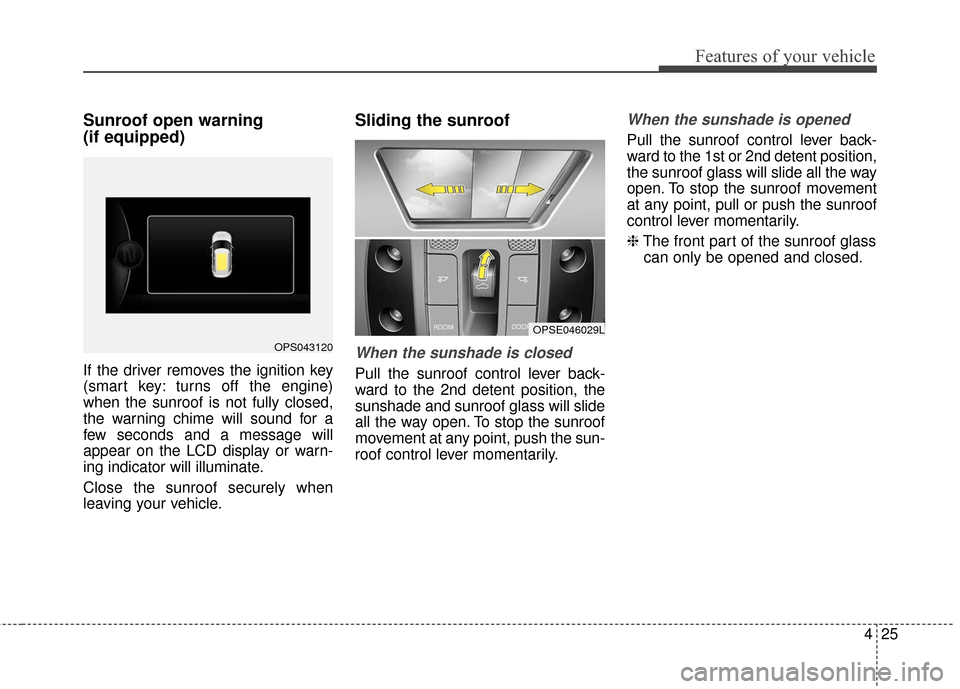
Sunroof open warning
(if equipped)
If the driver removes the ignition key
(smart key: turns off the engine)
when the sunroof is not fully closed,
the warning chime will sound for a
few seconds and a message will
appear on the LCD display or warn-
ing indicator will illuminate.
Close the sunroof securely when
leaving your vehicle.
Sliding the sunroof
When the sunshade is closed
Pull the sunroof control lever back-
ward to the 2nd detent position, the
sunshade and sunroof glass will slide
all the way open. To stop the sunroof
movement at any point, push the sun-
roof control lever momentarily.
When the sunshade is opened
Pull the sunroof control lever back-
ward to the 1st or 2nd detent position,
the sunroof glass will slide all the way
open. To stop the sunroof movement
at any point, pull or push the sunroof
control lever momentarily.
❈The front part of the sunroof glass
can only be opened and closed.
OPS043120
OPSE046029L
Page 108 of 470
Features of your vehicle
38
4
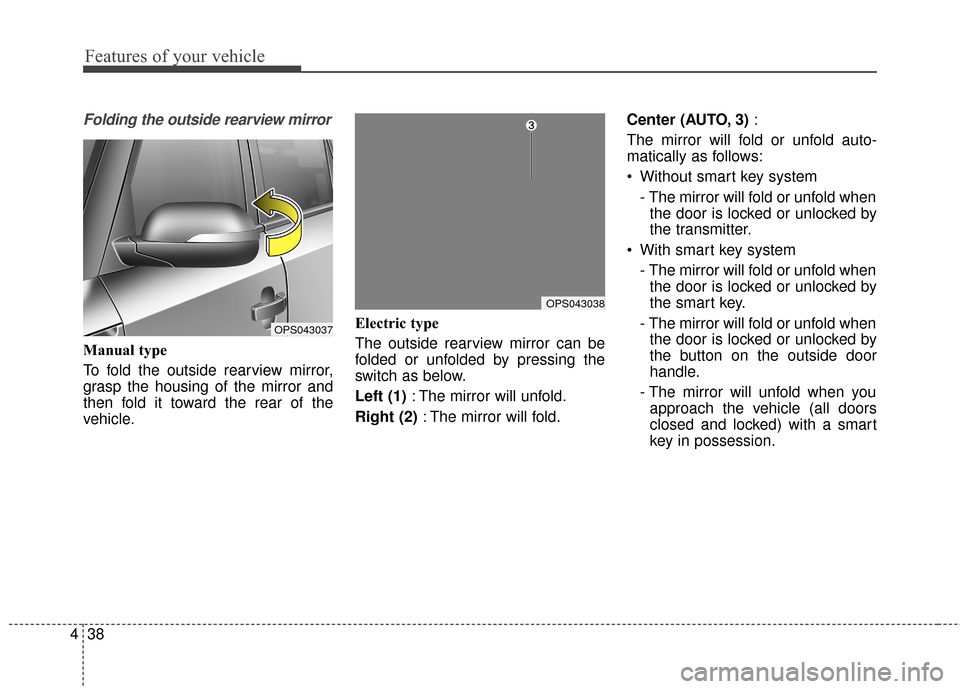
Folding the outside rearview mirror
Manual type
To fold the outside rearview mirror,
grasp the housing of the mirror and
then fold it toward the rear of the
vehicle. Electric type
The outside rearview mirror can be
folded or unfolded by pressing the
switch as below.
Left (1)
: The mirror will unfold.
Right (2) : The mirror will fold. Center (AUTO, 3)
:
The mirror will fold or unfold auto-
matically as follows:
Without smart key system - The mirror will fold or unfold whenthe door is locked or unlocked by
the transmitter.
With smart key system - The mirror will fold or unfold whenthe door is locked or unlocked by
the smart key.
- The mirror will fold or unfold when the door is locked or unlocked by
the button on the outside door
handle.
- The mirror will unfold when you approach the vehicle (all doors
closed and locked) with a smart
key in possession.
OPS043037
OPS043038
Page 126 of 470
Features of your vehicle
56
4
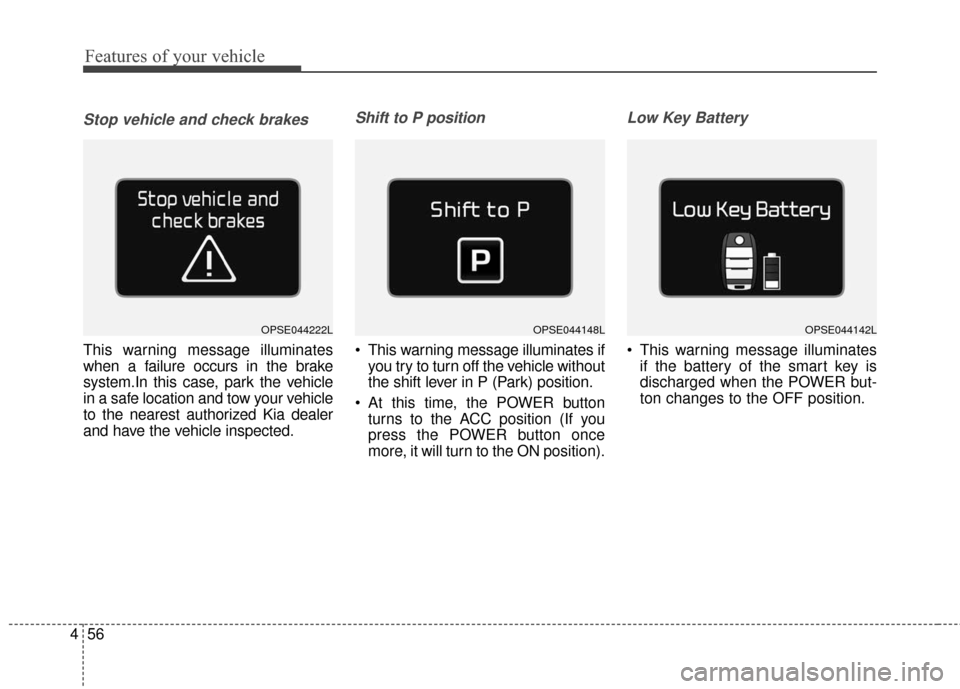
Stop vehicle and check brakes
This warning message illuminates
when a failure occurs in the brake
system.In this case, park the vehicle
in a safe location and tow your vehicle
to the nearest authorized Kia dealer
and have the vehicle inspected.
Shift to P position
This warning message illuminates if
you try to turn off the vehicle without
the shift lever in P (Park) position.
At this time, the POWER button turns to the ACC position (If you
press the POWER button once
more, it will turn to the ON position).
Low Key Battery
This warning message illuminatesif the battery of the smart key is
discharged when the POWER but-
ton changes to the OFF position.
OPSE044142LOPSE044148LOPSE044222L
Page 127 of 470
457
Features of your vehicle
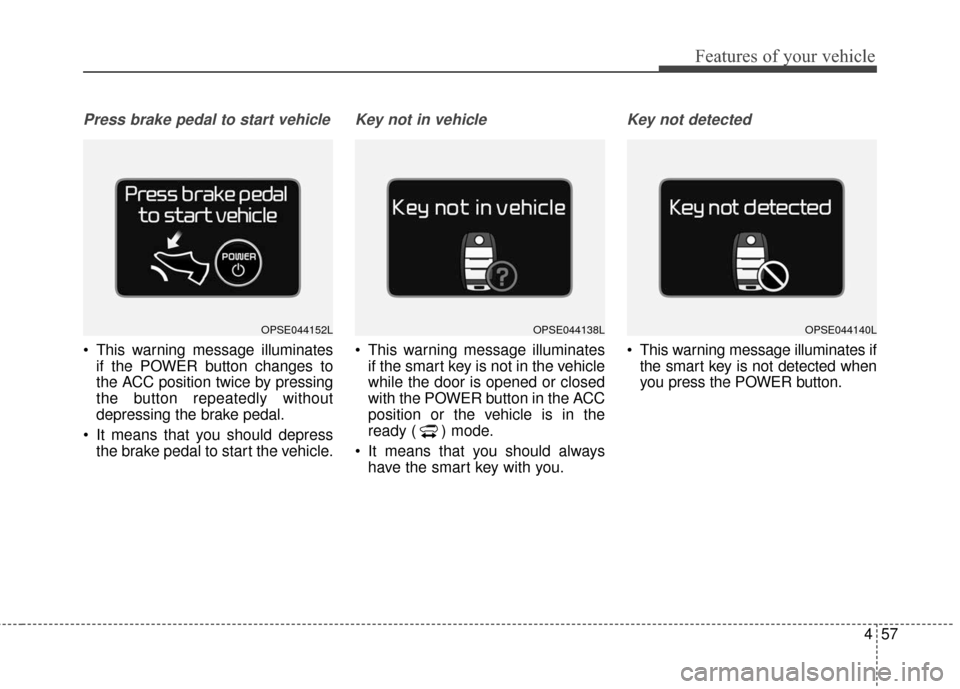
Press brake pedal to start vehicle
This warning message illuminatesif the POWER button changes to
the ACC position twice by pressing
the button repeatedly without
depressing the brake pedal.
It means that you should depress the brake pedal to start the vehicle.
Key not in vehicle
This warning message illuminatesif the smart key is not in the vehicle
while the door is opened or closed
with the POWER button in the ACC
position or the vehicle is in the
ready ( ) mode.
It means that you should always have the smart key with you.
Key not detected
This warning message illuminates ifthe smart key is not detected when
you press the POWER button.
OPSE044152LOPSE044140LOPSE044138L
Page 128 of 470
Features of your vehicle
58
4
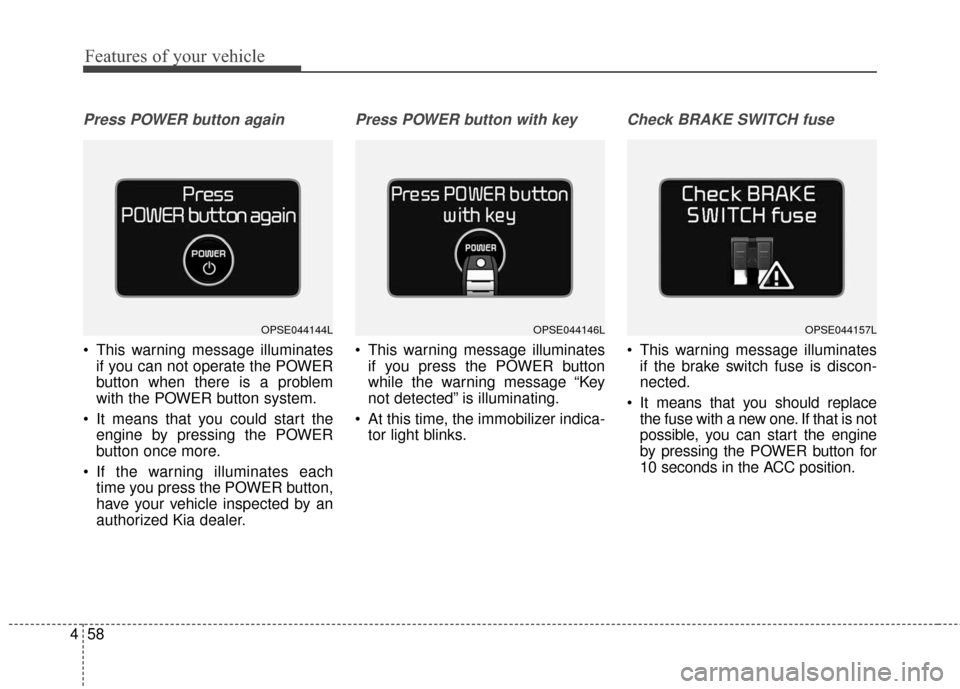
Press POWER button again
This warning message illuminates
if you can not operate the POWER
button when there is a problem
with the POWER button system.
It means that you could start the engine by pressing the POWER
button once more.
If the warning illuminates each time you press the POWER button,
have your vehicle inspected by an
authorized Kia dealer.
Press POWER button with key
This warning message illuminatesif you press the POWER button
while the warning message “Key
not detected” is illuminating.
At this time, the immobilizer indica- tor light blinks.
Check BRAKE SWITCH fuse
This warning message illuminatesif the brake switch fuse is discon-
nected.
It means that you should replace the fuse with a new one. If that is not
possible, you can start the engine
by pressing the POWER button for
10 seconds in the ACC position.
OPSE044157LOPSE044144LOPSE044146L
Page 143 of 470
473
Features of your vehicle
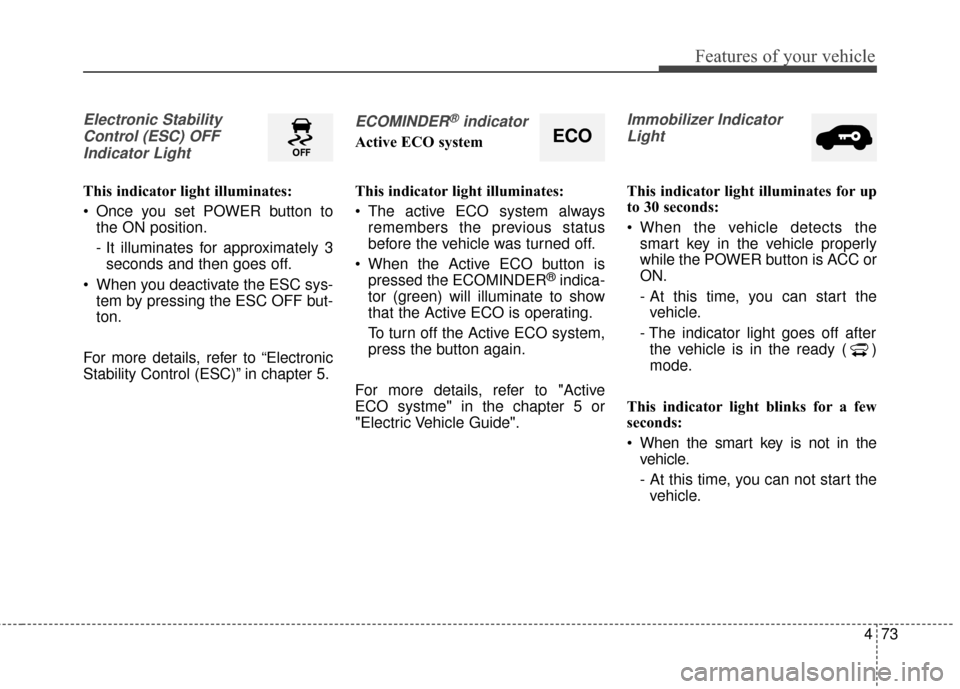
Electronic StabilityControl (ESC) OFFIndicator Light
This indicator light illuminates:
Once you set POWER button to the ON position.
- It illuminates for approximately 3seconds and then goes off.
When you deactivate the ESC sys- tem by pressing the ESC OFF but-
ton.
For more details, refer to “Electronic
Stability Control (ESC)” in chapter 5.
ECOMINDER®indicator
Active ECO system
This indicator light illuminates:
The active ECO system always remembers the previous status
before the vehicle was turned off.
When the Active ECO button is pressed the ECOMINDER
®indica-
tor (green) will illuminate to show
that the Active ECO is operating.
To turn off the Active ECO system,
press the button again.
For more details, refer to "Active
ECO systme" in the chapter 5 or
"Electric Vehicle Guide".
Immobilizer Indicator Light
This indicator light illuminates for up
to 30 seconds:
When the vehicle detects the smart key in the vehicle properly
while the POWER button is ACC or
ON.
- At this time, you can start thevehicle.
- The indicator light goes off after the vehicle is in the ready ( )
mode.
This indicator light blinks for a few
seconds:
When the smart key is not in the vehicle.
- At this time, you can not start thevehicle.
ECO
Page 144 of 470
Features of your vehicle
74
4
This indicator light illuminates for 2
seconds and goes off:
When the vehicle can not detect
the smart key which is in the vehi-
cle while the POWER button is ON.
In this case, have your vehicle
inspected by an authorized Kia
dealer.
This indicator light blinks:
When the battery of the smart key is weak.
- At this time, you can not start thevehicle. However, you can start the
vehicle if you press the POWER
button with the smart key. (For
more details, refer to “Starting the
vehicle” in chapter 5).
When there is a malfunction with the immobilizer system.
In this case, have your vehicle
inspected by an authorized Kia
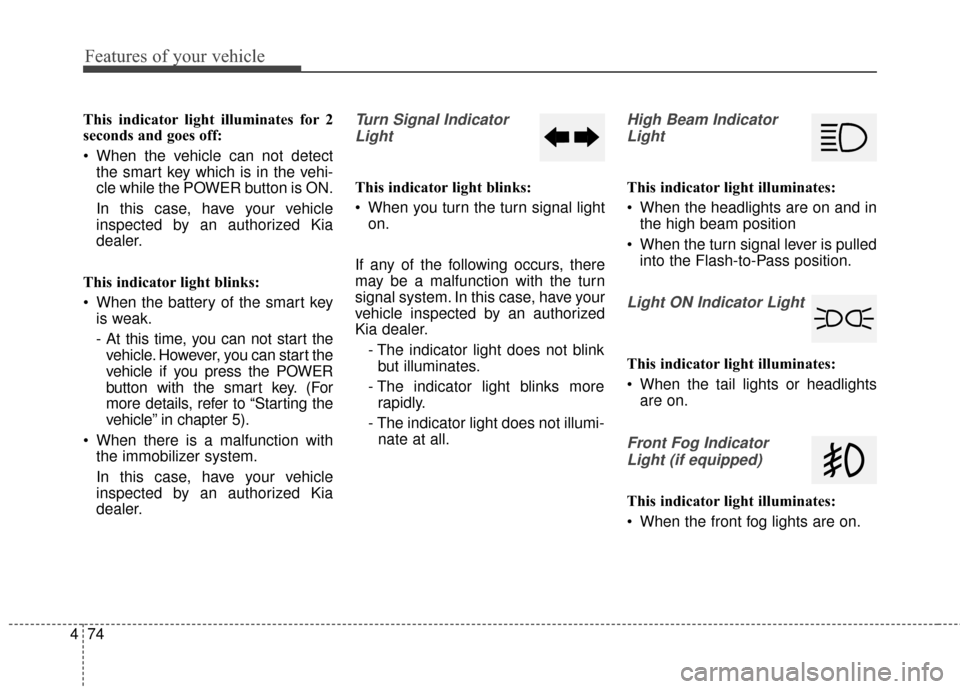
dealer.Turn Signal Indicator
Light
This indicator light blinks:
When you turn the turn signal light on.
If any of the following occurs, there
may be a malfunction with the turn
signal system. In this case, have your
vehicle inspected by an authorized
Kia dealer. - The indicator light does not blinkbut illuminates.
- The indicator light blinks more rapidly.
- The indicator light does not illumi- nate at all.
High Beam Indicator
Light
This indicator light illuminates:
When the headlights are on and in the high beam position
When the turn signal lever is pulled into the Flash-to-Pass position.
Light ON Indicator Light
This indicator light illuminates:
When the tail lights or headlightsare on.
Front Fog Indicator
Light (if equipped)
This indicator light illuminates:
When the front fog lights are on.
Page 151 of 470
481
Features of your vehicle
Headlamp escort (if equipped)
If you turn the POWER button to the
ACC or OFF position with the head-
lights ON, the headlights remain on
for about 5 minutes. However, if the
driver’s door is opened and closed,
the headlights are turned off after 15
seconds.
The headlights can be turned off by
pressing the lock button on the smart
key twice or turning the light switch to
the OFF or Auto position. However, if
you turn the light switch to the Auto
position when it is dark outside, the
headlights will not be turned off
immediately.
Battery saver function
The purpose of this feature is toprevent the battery from being dis-
charged. The system automatically
turns off the parking lights when
the driver turns the vehicle off and
opens the driver-side door (in that
order).
With this feature, the parking lights will turn off automatically if the driv-
er parks on the side of the road at
night.
If necessary, to keep the lights on
when the vehicle is turned off, per-
form the following:
1) Open the driver-side door.
2) Turn the parking lights OFF and ON again using the light switch
on the steering column.
Daytime running light
Daytime Running Lights (DRL) may
help make it easier for others to see
the front of your vehicle during the
day. DRL can be helpful in many dif-
ferent driving conditions, and it is
especially helpful after dawn and
before sunset.
The DRL system turns OFF when:
1. The front fog light or headlight (lowbeam) switch is ON.
2. The POWER button is OFF.
3. The parking brake is applied.
LIGHTING