lights KIA Soul EV 2017 2.G User Guide
[x] Cancel search | Manufacturer: KIA, Model Year: 2017, Model line: Soul EV, Model: KIA Soul EV 2017 2.GPages: 470, PDF Size: 16.76 MB
Page 139 of 470
469
Features of your vehicle
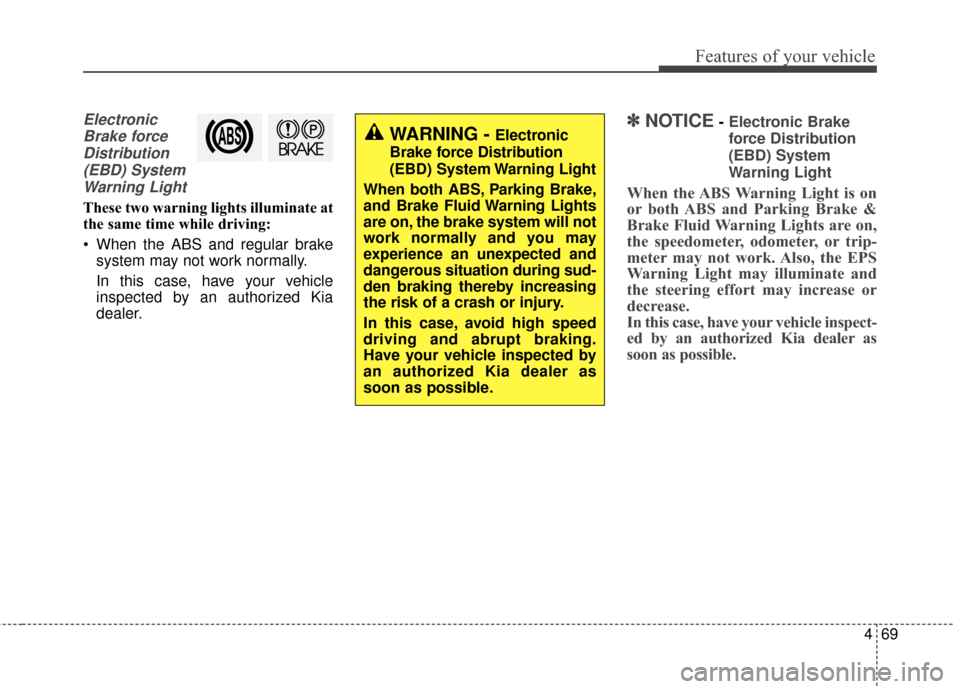
ElectronicBrake forceDistribution(EBD) SystemWarning Light
These two warning lights illuminate at
the same time while driving:
When the ABS and regular brake system may not work normally.
In this case, have your vehicle
inspected by an authorized Kia
dealer.
✽ ✽ NOTICE- Electronic Brake
force Distribution
(EBD) System
Warning Light
When the ABS Warning Light is on
or both ABS and Parking Brake &
Brake Fluid Warning Lights are on,
the speedometer, odometer, or trip-
meter may not work. Also, the EPS
Warning Light may illuminate and
the steering effort may increase or
decrease.
In this case, have your vehicle inspect-
ed by an authorized Kia dealer as
soon as possible.
WARNING - Electronic
Brake force Distribution
(EBD) System Warning Light
When both ABS, Parking Brake,
and Brake Fluid Warning Lights
are on, the brake system will not
work normally and you may
experience an unexpected and
dangerous situation during sud-
den braking thereby increasing
the risk of a crash or injury.
In this case, avoid high speed
driving and abrupt braking.
Have your vehicle inspected by
an authorized Kia dealer as
soon as possible.
Page 142 of 470
Features of your vehicle
72
4
Indicator Lights
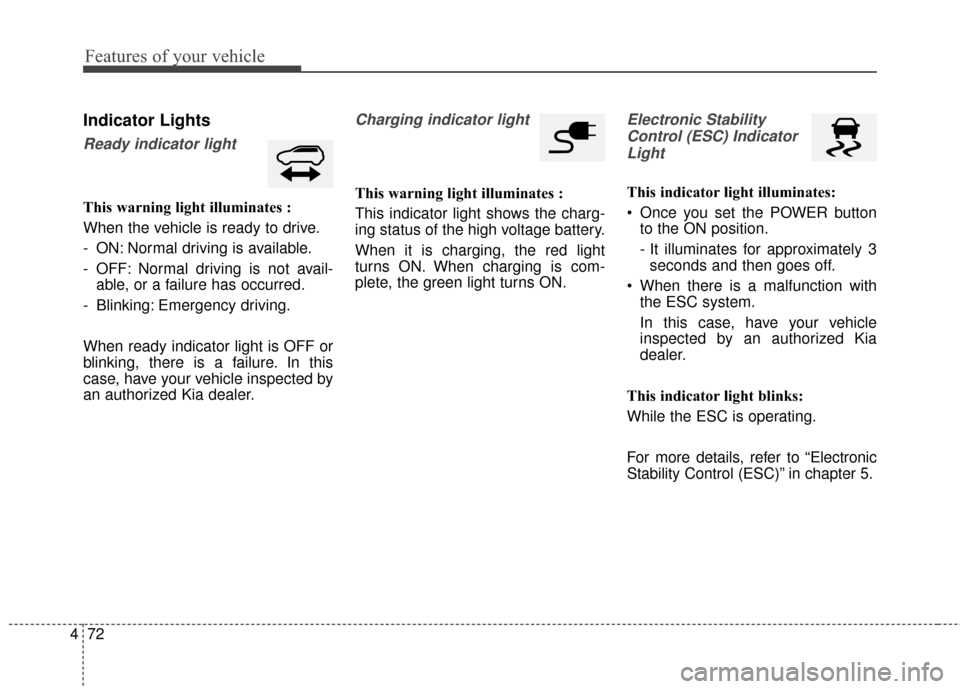
Ready indicator light
This warning light illuminates :
When the vehicle is ready to drive.
- ON: Normal driving is available.
- OFF: Normal driving is not avail-
able, or a failure has occurred.
- Blinking: Emergency driving.
When ready indicator light is OFF or
blinking, there is a failure. In this
case, have your vehicle inspected by
an authorized Kia dealer.
Charging indicator light
This warning light illuminates :
This indicator light shows the charg-
ing status of the high voltage battery.
When it is charging, the red light
turns ON. When charging is com-
plete, the green light turns ON.
Electronic Stability Control (ESC) IndicatorLight
This indicator light illuminates:
Once you set the POWER button to the ON position.
- It illuminates for approximately 3seconds and then goes off.
When there is a malfunction with the ESC system.
In this case, have your vehicle
inspected by an authorized Kia
dealer.
This indicator light blinks:
While the ESC is operating.
For more details, refer to “Electronic
Stability Control (ESC)” in chapter 5.
Page 144 of 470
Features of your vehicle
74
4
This indicator light illuminates for 2
seconds and goes off:
When the vehicle can not detect
the smart key which is in the vehi-
cle while the POWER button is ON.
In this case, have your vehicle
inspected by an authorized Kia
dealer.
This indicator light blinks:
When the battery of the smart key is weak.
- At this time, you can not start thevehicle. However, you can start the
vehicle if you press the POWER
button with the smart key. (For
more details, refer to “Starting the
vehicle” in chapter 5).
When there is a malfunction with the immobilizer system.
In this case, have your vehicle
inspected by an authorized Kia
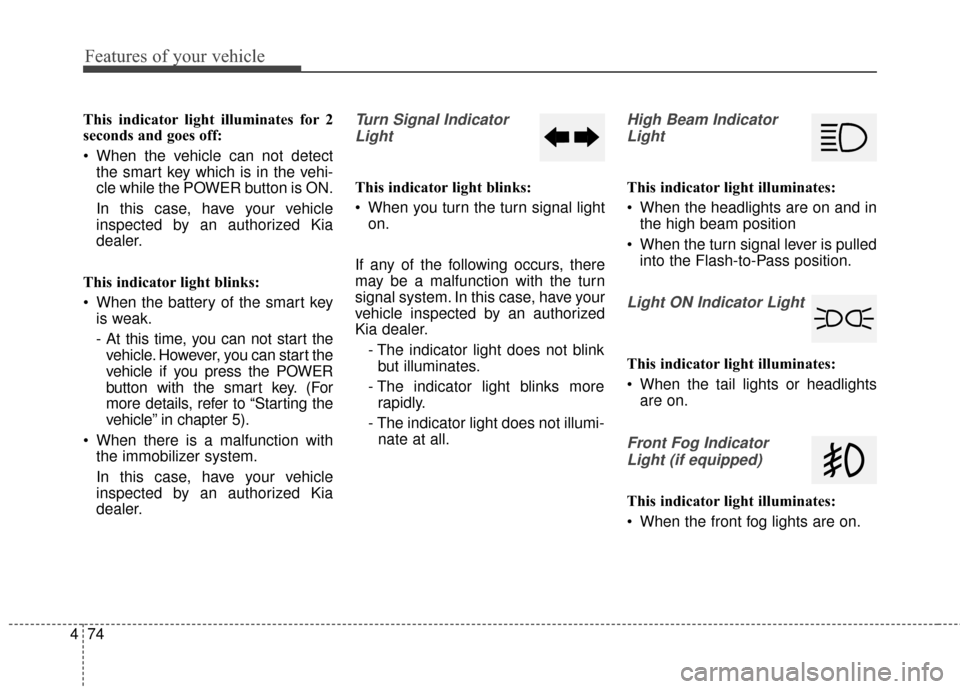
dealer.Turn Signal Indicator
Light
This indicator light blinks:
When you turn the turn signal light on.
If any of the following occurs, there
may be a malfunction with the turn
signal system. In this case, have your
vehicle inspected by an authorized
Kia dealer. - The indicator light does not blinkbut illuminates.
- The indicator light blinks more rapidly.
- The indicator light does not illumi- nate at all.
High Beam Indicator
Light
This indicator light illuminates:
When the headlights are on and in the high beam position
When the turn signal lever is pulled into the Flash-to-Pass position.
Light ON Indicator Light
This indicator light illuminates:
When the tail lights or headlightsare on.
Front Fog Indicator
Light (if equipped)
This indicator light illuminates:
When the front fog lights are on.
Page 151 of 470
481
Features of your vehicle
Headlamp escort (if equipped)
If you turn the POWER button to the
ACC or OFF position with the head-
lights ON, the headlights remain on
for about 5 minutes. However, if the
driver’s door is opened and closed,
the headlights are turned off after 15
seconds.
The headlights can be turned off by
pressing the lock button on the smart
key twice or turning the light switch to
the OFF or Auto position. However, if
you turn the light switch to the Auto
position when it is dark outside, the
headlights will not be turned off
immediately.
Battery saver function
The purpose of this feature is toprevent the battery from being dis-
charged. The system automatically
turns off the parking lights when
the driver turns the vehicle off and
opens the driver-side door (in that
order).
With this feature, the parking lights will turn off automatically if the driv-
er parks on the side of the road at
night.
If necessary, to keep the lights on
when the vehicle is turned off, per-
form the following:
1) Open the driver-side door.
2) Turn the parking lights OFF and ON again using the light switch
on the steering column.
Daytime running light
Daytime Running Lights (DRL) may
help make it easier for others to see
the front of your vehicle during the
day. DRL can be helpful in many dif-
ferent driving conditions, and it is
especially helpful after dawn and
before sunset.
The DRL system turns OFF when:
1. The front fog light or headlight (lowbeam) switch is ON.
2. The POWER button is OFF.
3. The parking brake is applied.
LIGHTING
Page 152 of 470
Features of your vehicle
82
4
Abnormal lamp operation
If there is a problem with the electric
communication system in the vehi-
cle, the position light and fog light will
not turn on even though, the parking
light and front frog light switch is
turned to the ON position. However,
when the headlight switch is turned
to the ON position, the position light
and fog light will turn on.
Abnormal lamp operation due
to stabilization of electric con-
trol system
Blinking may occur on a normally
operating lamp. This symptom
occurs due to stabilization of the
electric control system. There is no
problem with the vehicle if the lamp
turns back on after blinking.
However, if the lamp turns off after
blinking or the symptom above occurs
repeatedly, there may be a failure in
the electric control system. If this is
the case, contact an authorized Kia
dealer and have the system checked.
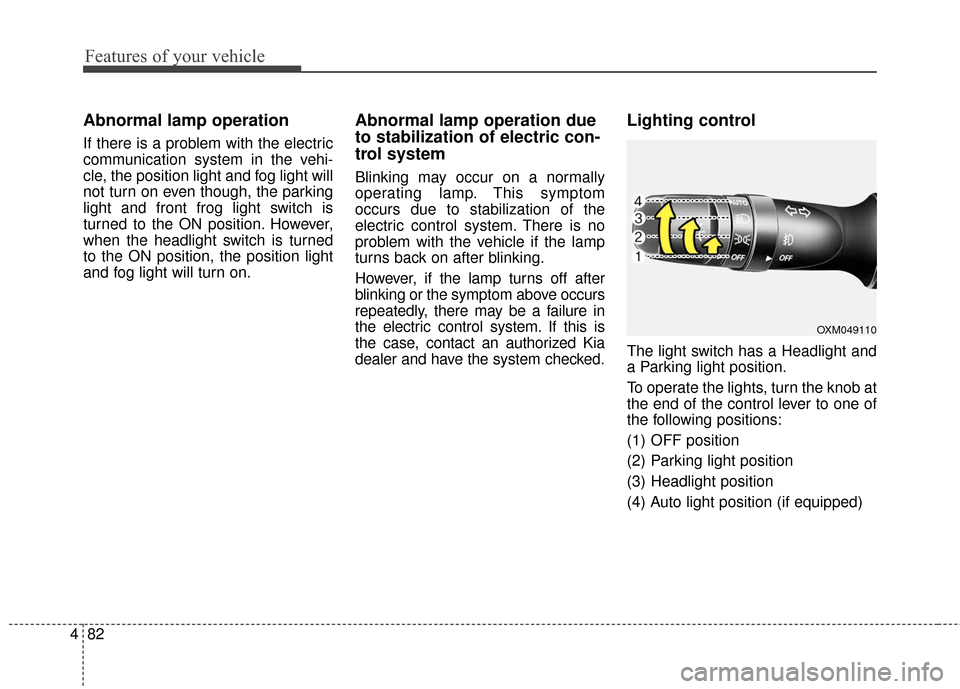
Lighting control
The light switch has a Headlight and
a Parking light position.
To operate the lights, turn the knob at
the end of the control lever to one of
the following positions:
(1) OFF position
(2) Parking light position
(3) Headlight position
(4) Auto light position (if equipped)
OXM049110
Page 153 of 470
483
Features of your vehicle
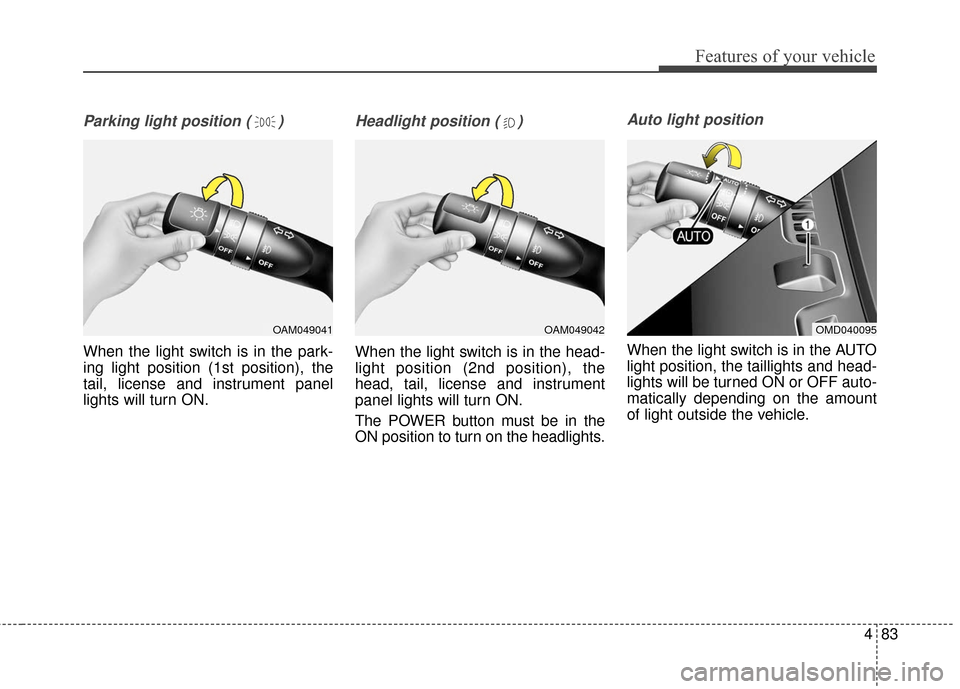
Parking light position ( )
When the light switch is in the park-
ing light position (1st position), the
tail, license and instrument panel
lights will turn ON.
Headlight position ( )
When the light switch is in the head-
light position (2nd position), the
head, tail, license and instrument
panel lights will turn ON.
The POWER button must be in the
ON position to turn on the headlights.
Auto light position
When the light switch is in the AUTO
light position, the taillights and head-
lights will be turned ON or OFF auto-
matically depending on the amount
of light outside the vehicle.
OAM049041OAM049042OMD040095
Page 154 of 470
Features of your vehicle
84
4
Never place anything over sensor
(1) located on the instrument
panel. This will ensure better auto-
light system control.
Don’t clean the sensor using a win- dow cleaner. The cleaner may
leave a light film which could inter-
fere with sensor operation.
If your vehicle has window tint or other types of metallic coating on
the front windshield, the Auto light
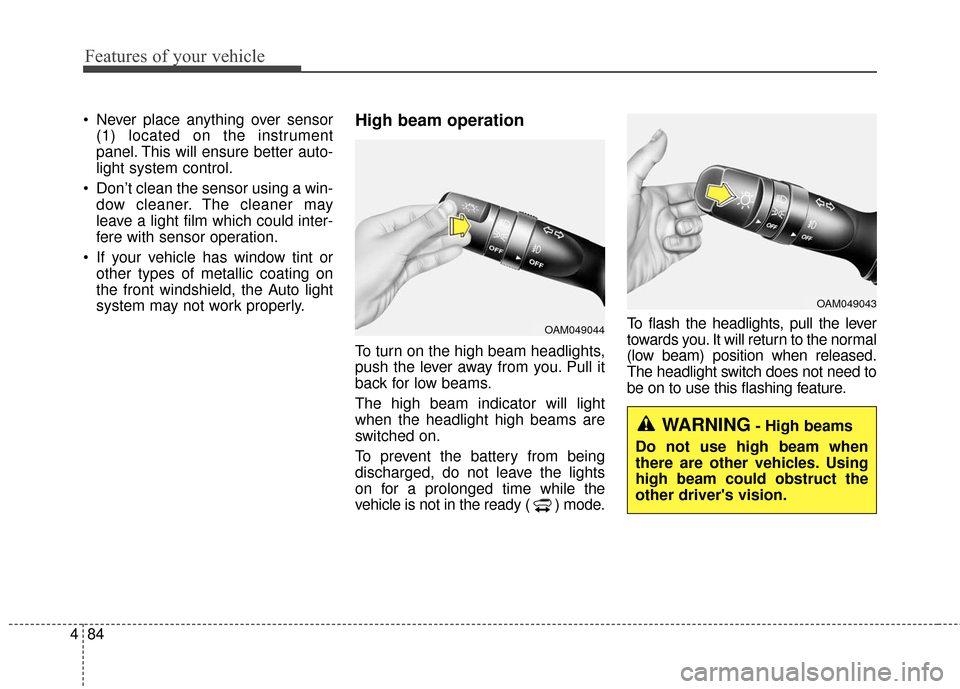
system may not work properly.High beam operation
To turn on the high beam headlights,
push the lever away from you. Pull it
back for low beams.
The high beam indicator will light
when the headlight high beams are
switched on.
To prevent the battery from being
discharged, do not leave the lights
on for a prolonged time while the
vehicle is not in the ready ( ) mode. To flash the headlights, pull the lever
towards you. It will return to the normal
(low beam) position when released.
The headlight switch does not need to
be on to use this flashing feature.
OAM049044
OAM049043
WARNING- High beams
Do not use high beam when
there are other vehicles. Using
high beam could obstruct the
other driver's vision.
Page 156 of 470
Features of your vehicle
86
4
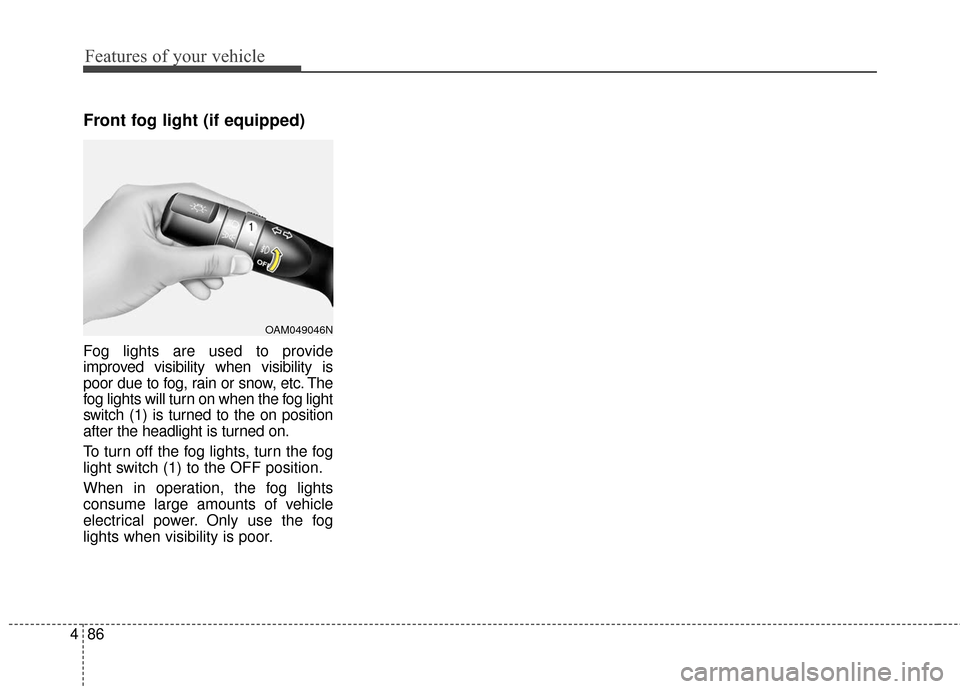
Front fog light (if equipped)
Fog lights are used to provide
improved visibility when visibility is
poor due to fog, rain or snow, etc. The
fog lights will turn on when the fog light
switch (1) is turned to the on position
after the headlight is turned on.
To turn off the fog lights, turn the fog
light switch (1) to the OFF position.
When in operation, the fog lights
consume large amounts of vehicle
electrical power. Only use the fog
lights when visibility is poor.
OAM049046N
Page 160 of 470
Features of your vehicle
90
4
Do not use the interior lights for
extended periods when the v ehicle is
not in the ready ( ) mode.
It may cause battery discharge.
Interior lamp AUTO cut
When all entrances are closed, if you lock the vehicle by using the
smart key, all interior lamp will be
off after a few seconds.
If you do not operate anything in the vehicle after turning off the
POWER button, the lights will turn
off after 20 minutes.
Map lamp
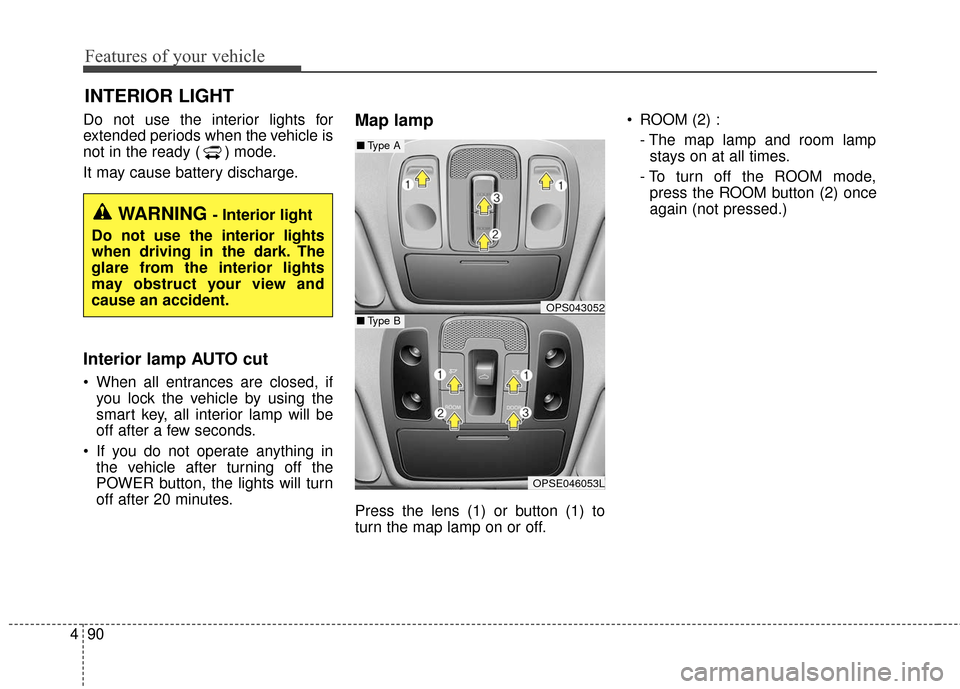
Press the lens (1) or button (1) to
turn the map lamp on or off. ROOM (2) :
- The map lamp and room lampstays on at all times.
- To turn off the ROOM mode, press the ROOM button (2) once
again (not pressed.)
INTERIOR LIGHT
WARNING - Interior light
Do not use the interior lights
when driving in the dark. The
glare from the interior lights
may obstruct your view and
cause an accident.
OPS043052
OPSE046053L
■ Type B
■Type A
Page 198 of 470
Features of your vehicle
128
4
Speaker lights (if equipped)
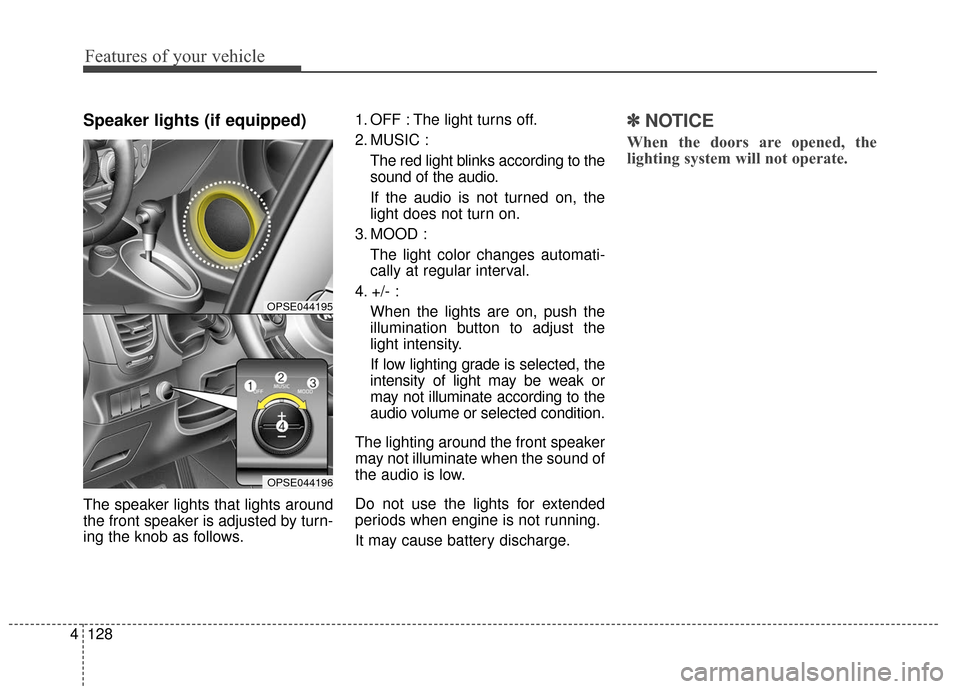
The speaker lights that lights around
the front speaker is adjusted by turn-
ing the knob as follows. 1. OFF : The light turns off.
2. MUSIC :
The red light blinks according to the
sound of the audio.
If the audio is not turned on, the
light does not turn on.
3. MOOD : The light color changes automati-
cally at regular interval.
4. +/- : When the lights are on, push the
illumination button to adjust the
light intensity.
If low lighting grade is selected, the
intensity of light may be weak or
may not illuminate according to the
audio volume or selected condition.
The lighting around the front speaker
may not illuminate when the sound of
the audio is low.
Do not use the lights for extended
periods when engine is not running.
It may cause battery discharge.
✽ ✽ NOTICE
When the doors are opened, the
lighting system will not operate.
OPSE044195
OPSE044196