ECU KIA Soul EV 2017 2.G Owner's Guide
[x] Cancel search | Manufacturer: KIA, Model Year: 2017, Model line: Soul EV, Model: KIA Soul EV 2017 2.GPages: 470, PDF Size: 16.76 MB
Page 193 of 470
4123
Features of your vehicle
The following must be observed
when installing ANY floormat to the
vehicle.
Ensure that the floormats aresecurely attached to the vehicle's
floormat anchor(s) before driving
the vehicle.
Do not use ANY floormat that can- not be firmly attached to the vehi-
cle's floormat anchors.
Do not stack floormats on top of one another (e.g. all-weather rub-
ber mat on top of a carpeted floor-
mat). Only a single floormat should
be installed in each position.
IMPORTANT - Your vehicle was
manufactured with driver's side floor-
mat anchors that are designed to
securely hold the floormat in place.
To avoid any interference with pedal
operation, Kia recommends that only
the Kia floormat designed for use in
your vehicle be installed.Luggage net holder
(if equipped)
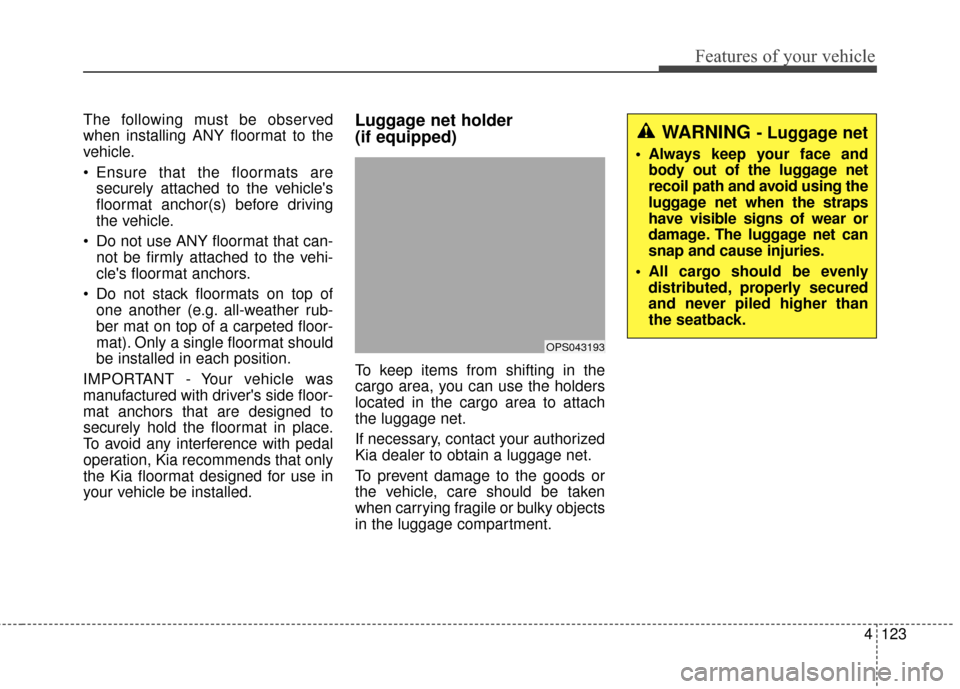
To keep items from shifting in the
cargo area, you can use the holders
located in the cargo area to attach
the luggage net.
If necessary, contact your authorized
Kia dealer to obtain a luggage net.
To prevent damage to the goods or
the vehicle, care should be taken
when carrying fragile or bulky objects
in the luggage compartment.
OPS043193
WARNING - Luggage net
Always keep your face and body out of the luggage net
recoil path and avoid using the
luggage net when the straps
have visible signs of wear or
damage. The luggage net can
snap and cause injuries.
All cargo should be evenly distributed, properly secured
and never piled higher than
the seatback.
Page 195 of 470
4125
Features of your vehicle
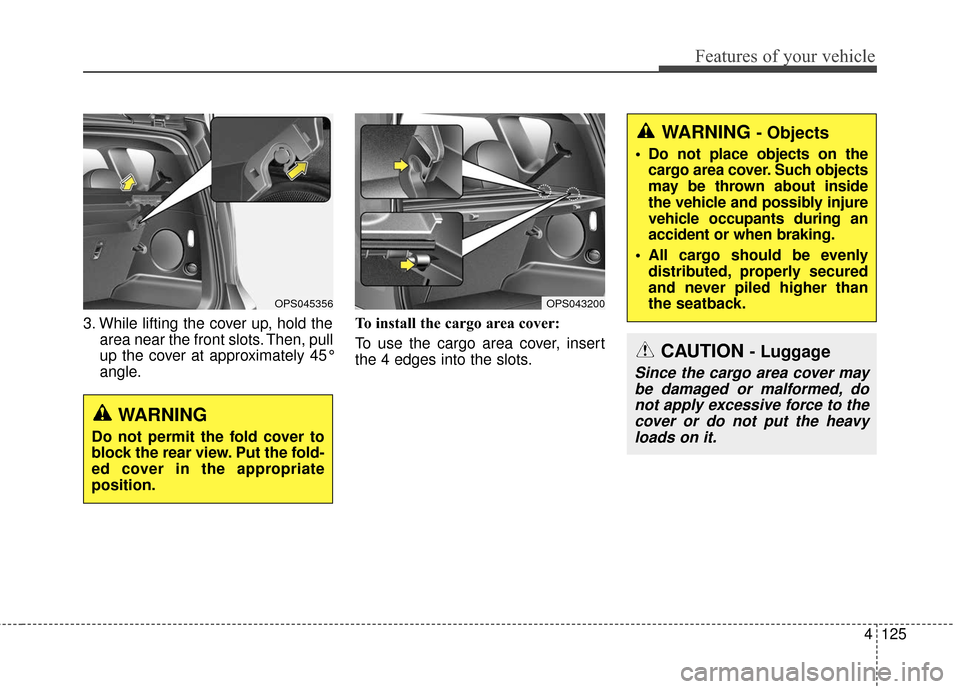
3. While lifting the cover up, hold thearea near the front slots. Then, pull
up the cover at approximately 45°
angle. To install the cargo area cover:
To use the cargo area cover, insert
the 4 edges into the slots.
OPS043200OPS045356
WARNING
Do not permit the fold cover to
block the rear view. Put the fold-
ed cover in the appropriate
position.
WARNING - Objects
Do not place objects on the
cargo area cover. Such objects
may be thrown about inside
the vehicle and possibly injure
vehicle occupants during an
accident or when braking.
All cargo should be evenly distributed, properly secured
and never piled higher than
the seatback.
CAUTION - Luggage
Since the cargo area cover maybe damaged or malformed, donot apply excessive force to thecover or do not put the heavyloads on it.
Page 242 of 470
Features of your vehicle
172
4
Siri
✽ ✽
NOTICE - Using Siri
• If you want to use Siri, you have to
connect your iOS device to multi-
media system through Bluetooth
®
Wireless Technology. (Please
check whether your iOS device
supports Siri and turning Siri On)
• If the iOS version is changed, the functions and response may be dif-
ferent according to the iOS device
and the latest version.
• Siri automatically stops in the fol- lowing events.
1) Outgoing and incoming phone calls.
2) Media (USB, etc.) is connected. (Siri mode is maintained when
iPod
®s are connected)
3) Rear camera is activated (option).
4) Vehicle is started or engine is turned off.
5) Screen transition buttons, such as RADIO or MEDIA, are
selected. (Continued)(Continued)
6) When a pop-up message is dis- played on the screen due to
accidental execution of Siri.
• The microphone is located above the driver’s seat. To ensure proper
Siri, state your voice while main-
taining proper driving posture.
Starting Siri
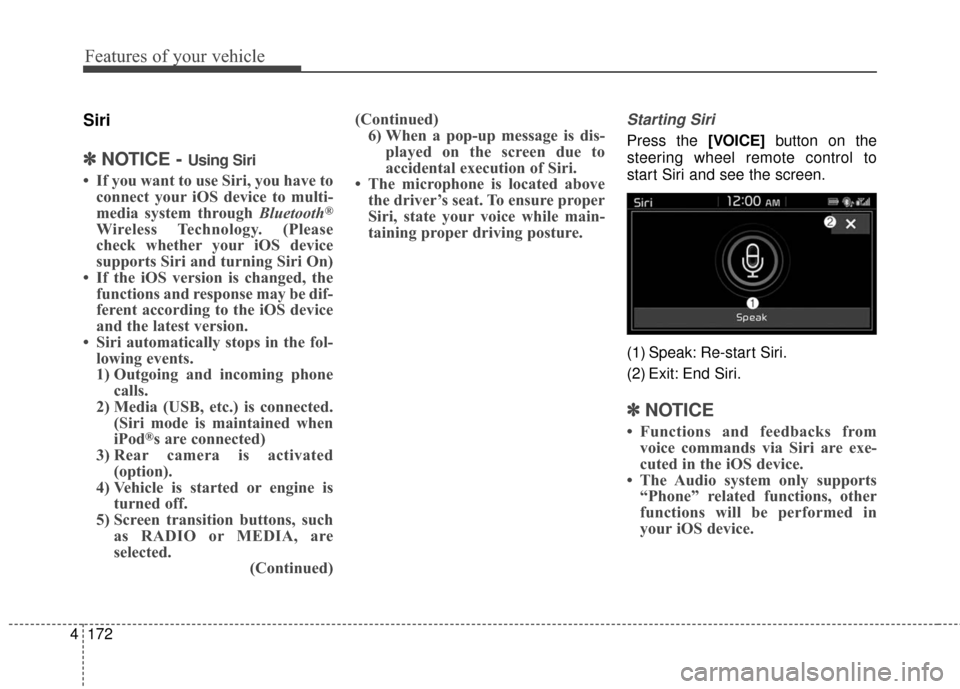
Press the [VOICE] button on the
steering wheel remote control to
start Siri and see the screen.
(1) Speak: Re-start Siri.
(2) Exit: End Siri.
✽ ✽ NOTICE
• Functions and feedbacks from
voice commands via Siri are exe-
cuted in the iOS device.
• The Audio system only supports “Phone” related functions, other
functions will be performed in
your iOS device.
Page 249 of 470
Driving your vehicle
45
WARNING- Check sur-roundings
Always check the surrounding
areas near your vehicle for peo-
ple, especially children, before
putting a vehicle into D (Drive)
or R (Reverse).
WARNING- Loose objects
Securely store items in your
vehicle. When you make a sud-
den stop or turn the steering
wheel rapidly, loose objects
may drop on the floor and it
could interfere with the opera-
tion of the foot pedals, possibly
causing an accident.
WARNING- Driving while intoxicated
Do not drive while intoxicated.
Drinking and driving is danger-
ous. Even a small amount of
alcohol will affect your reflexes,
perceptions and judgment.
Driving while under the influ-
ence of drugs is as dangerous
as or more dangerous than driv-
ing drunk.
Page 295 of 470
Driving your vehicle
50
5
WARNING- Loose cargo
Do not travel with unsecured
blunt objects in the passenger
compartment of your vehicle
(e.g. suit cases or unsecured
child seats). These items may
strike occupant during a sud-
den stop or crash.
Certification label
The certification label is located on
the driver's door sill at the center pillar.
This label shows the maximum allow-
able weight of the fully loaded vehi-
cle. This is called the GVWR (Gross
Vehicle Weight Rating). The GVWR
includes the weight of the vehicle, all
occupants, fuel and cargo.
This label also tells you the maxi-
mum weight that can be supported
by the front and rear axles, called
Gross Axle Weight Rating (GAWR).
To find out the actual loads on your
front and rear axles, you need to go to
a weigh station and weigh your vehi-
cle. Your dealer can help you with this.
Be sure to spread out your load equal-
ly on both sides of the centerline. The label will help you decide how
much cargo and installed equipment
your vehicle can carry.
If you carry items inside your vehicle
- like suitcases, tools, packages, or
anything else - they are moving as
fast as the vehicle. If you have to stop
or turn quickly, or if there is a crash,
the items will keep going and can
cause an injury if they strike the driv-
er or a passenger.
✽ ✽
NOTICE
Overloading your vehicle may cause
damage. Repairs would not be cov-
ered by your warranty. Do not over-
load your vehicle.
WARNING- Over loading
Never exceed the GVWR for
your vehicle, the GAWR for
either the front or rear axle and
vehicle capacity weight.
Exceeding these ratings can
affect your vehicle’s handling
and braking ability.WARNING- Over loading
Do not overload your vehicle.
Overloading your vehicle can
cause heat buildup in your vehi-
cle's tires and possible tire fail-
ure, increased stopping dis-
tances and poor vehicle han-
dling all of which may result in a
crash.
Page 300 of 470
What to do in an emergency
46
IF THE VEHICLE WILL NOT START
If vehicle doesn't turn over or
turns over slowly
1. Be sure the shift lever is in N(Neutral) or P (Park) and the
emergency brake is set.
2. Check the battery connections to be sure they are clean and tight.
3. Turn on the interior light. If the light dims or goes out when you oper-
ate the starter, the battery is dis-
charged.
4. Check the starter connections to be sure they are securely tightened.
5. Do not push or pull the vehicle to start it. See instructions for "Jump
starting".
WARNING- Push/pull
start
Do not push or pull the vehicle
to start it. Push or pull starting
may cause the catalytic con-
verter to overload and create a
fire hazard.
Page 317 of 470
621
What to do in an emergency
When towing your vehicle in an
emergency without wheel dollies :
1. Set the ignition switch in the ACCposition.
2. Place the transaxle shift lever in N (Neutral).
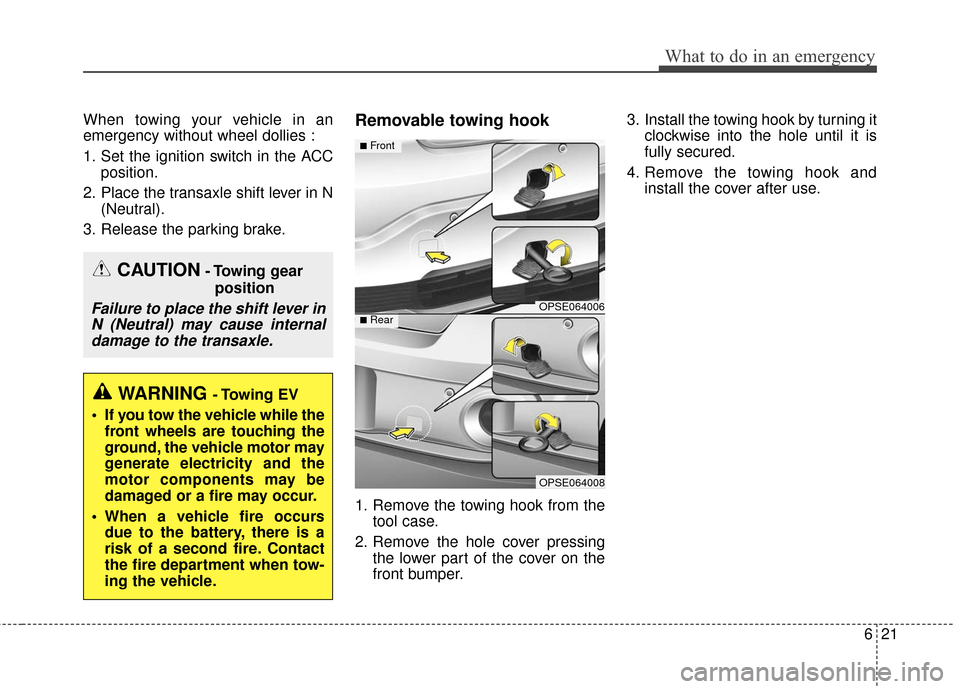
3. Release the parking brake.Removable towing hook
1. Remove the towing hook from the tool case.
2. Remove the hole cover pressing the lower part of the cover on the
front bumper. 3. Install the towing hook by turning it
clockwise into the hole until it is
fully secured.
4. Remove the towing hook and install the cover after use.
CAUTION- Towing gear
position
Failure to place the shift lever inN (Neutral) may cause internaldamage to the transaxle.
WARNING - Towing EV
If you tow the vehicle while the front wheels are touching the
ground, the vehicle motor may
generate electricity and the
motor components may be
damaged or a fire may occur.
When a vehicle fire occurs due to the battery, there is a
risk of a second fire. Contact
the fire department when tow-
ing the vehicle.
OPSE064006
OPSE064008
■Front
■Rear
Page 318 of 470
What to do in an emergency
22
6
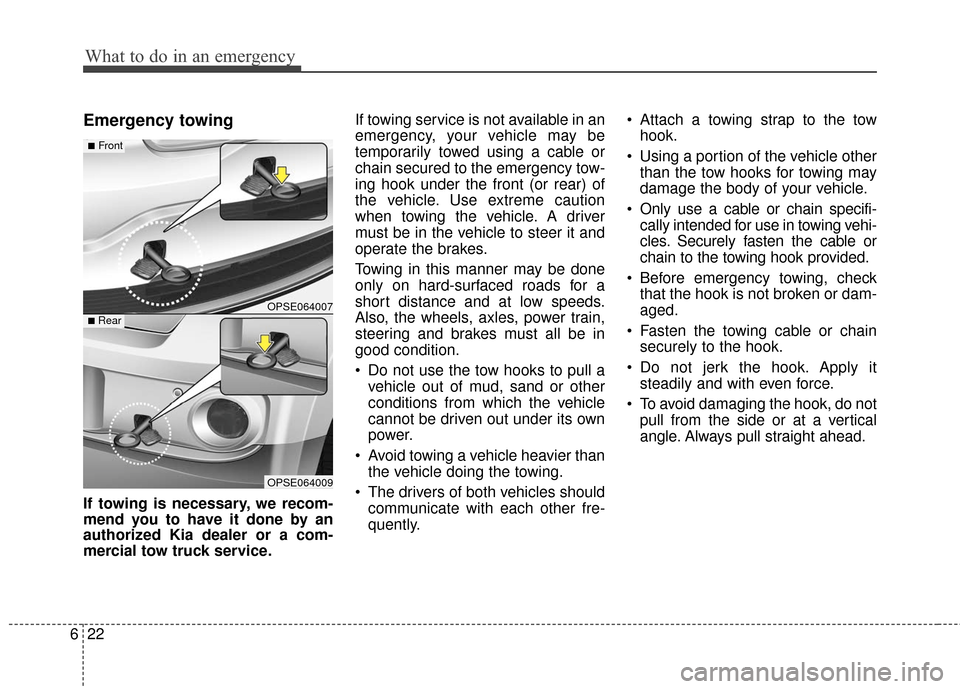
Emergency towing
If towing is necessary, we recom-
mend you to have it done by an
authorized Kia dealer or a com-
mercial tow truck service. If towing service is not available in an
emergency, your vehicle may be
temporarily towed using a cable or
chain secured to the emergency tow-
ing hook under the front (or rear) of
the vehicle. Use extreme caution
when towing the vehicle. A driver
must be in the vehicle to steer it and
operate the brakes.
Towing in this manner may be done
only on hard-surfaced roads for a
short distance and at low speeds.
Also, the wheels, axles, power train,
steering and brakes must all be in
good condition.
Do not use the tow hooks to pull a
vehicle out of mud, sand or other
conditions from which the vehicle
cannot be driven out under its own
power.
Avoid towing a vehicle heavier than the vehicle doing the towing.
The drivers of both vehicles should communicate with each other fre-
quently. Attach a towing strap to the tow
hook.
Using a portion of the vehicle other than the tow hooks for towing may
damage the body of your vehicle.
Only use a cable or chain specifi- cally intended for use in towing vehi-
cles. Securely fasten the cable or
chain to the towing hook provided.
Before emergency towing, check that the hook is not broken or dam-
aged.
Fasten the towing cable or chain securely to the hook.
Do not jerk the hook. Apply it steadily and with even force.
To avoid damaging the hook, do not pull from the side or at a vertical
angle. Always pull straight ahead.
OPSE064007
OPSE064009
■Front
■Rear
Page 350 of 470
731
Maintenance
BATTERY
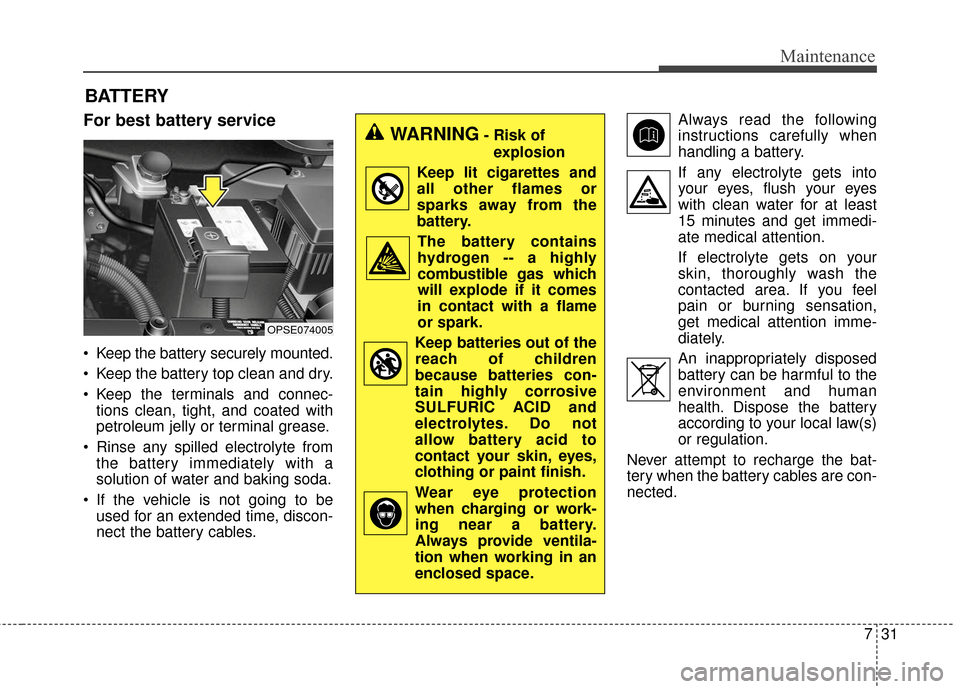
For best battery service
Keep the battery securely mounted.
Keep the battery top clean and dry.
Keep the terminals and connec-tions clean, tight, and coated with
petroleum jelly or terminal grease.
Rinse any spilled electrolyte from the battery immediately with a
solution of water and baking soda.
If the vehicle is not going to be used for an extended time, discon-
nect the battery cables. Always read the following
instructions carefully when
handling a battery.
If any electrolyte gets into your eyes, flush your eyes
with clean water for at least
15 minutes and get immedi-
ate medical attention.
If electrolyte gets on your
skin, thoroughly wash the
contacted area. If you feel
pain or burning sensation,
get medical attention imme-
diately.
An inappropriately disposed battery can be harmful to the
environment and human
health. Dispose the battery
according to your local law(s)
or regulation.
Never attempt to recharge the bat-
tery when the battery cables are con-
nected.
OPSE074005
WARNING- Risk of explosion
Keep lit cigarettes and all other flames or
sparks away from the
battery.
The battery containshydrogen -- a highly
combustible gas which
will explode if it comes
in contact with a flame
or spark.
Keep batteries out of the reach of children
because batteries con-
tain highly corrosive
SULFURIC ACID and
electrolytes. Do not
allow battery acid to
contact your skin, eyes,
clothing or paint finish.
Wear eye protection when charging or work-
ing near a battery.
Always provide ventila-
tion when working in an
enclosed space.
Page 367 of 470
Maintenance
48
7
✽ ✽
NOTICE
The actual fuse/relay panel label
may differ depending on equip-
ment/options.
WARNING- Fuse fire
Do not remove fuses, relays and
terminals fastened with bolts or
nuts. The fuses, relays and ter-
minals may be fastened incom-
pletely, and it may cause a pos-
sible fire. If fuses, relays and
terminals fastened with bolts or
nuts are blown, we recommend
that you consult with an author-
ized Kia dealer.CAUTION - Fuse Replacement
Do not use a screwdriver or anyother metal object to removefuses because it may cause ashort circuit and damage thesystem.
CAUTION - Fuse
Replacement
Do not input any other objectsexcept fuses or relays intofuse/relay terminals such as adriver or wiring. It may causecontact failure and system mal-function.
WARNING- Electrical Fire
Always ensure replacements fuses and relays are securely
fastened when installed.
Failure to do so can result in a
vehicle fire.
We recommend that you do not remove fuses, relays and termi-
nals that are fastened with
bolts or nuts. If they are not
completely re-installed, such
looseness may cause electrical
arcing and a possible fire. If
fuses, relays and terminals fas-
tened with bolts or nuts need
replacement, consult with an
authorized Kia dealer.