AUX KIA SOUL EV 2018 User Guide
[x] Cancel search | Manufacturer: KIA, Model Year: 2018, Model line: SOUL EV, Model: KIA SOUL EV 2018Pages: 496, PDF Size: 15.13 MB
Page 294 of 496
![KIA SOUL EV 2018 User Guide 4163
Features of your vehicle
Menu
Press the [Menu], and select the
desired function.
Connections: The currently con-nected
Bluetooth®Wireless Technology
device can be changed.
Information: Detail](/img/2/55107/w960_55107-293.png "KIA SOUL EV 2018 User Guide 4163
Features of your vehicle
Menu
Press the [Menu], and select the
desired function.
Connections: The currently con-nected
Bluetooth®Wireless Technology
device can be changed.
Information: Detail")
4163
Features of your vehicle
Menu
Press the [Menu], and select the
desired function.
Connections: The currently con-nected
Bluetooth®Wireless Technology
device can be changed.
Information: Detailed information on the currently playing song is dis-
played.
Sound Settings: Audio sound set- tings can be changed.
AUX
Running AUX
Press the [MEDIA] button, and
select [AUX].
Connect the external device con- nection jack to the AUX terminal to
run AUX.
(1) Sound Settings: Audio sound set- tings can be changed.
My Music
(1) Repeat
Enable/disable repeat.
(2) Shuffle
Enable/disable shuffle play.
(3) List
View a list of all songs.
(4) Menu
Navigate to the menu screen.
(5) Album Image
View song info.
Page 373 of 496
67
What to do in an emergency
5. Start the vehicle with the boosterbattery and the auxiliary battery
begins to charge when EV ready
light glows, then start the vehicle
with the discharged battery. If the
first starting attempt is not suc-
cessful, wait a few minutes before
making another attempt in order to
allow the discharged battery to
recharge.
If the cause of your battery discharg-ing is not apparent, you should haveyour vehicle checked by an author-ized Kia dealer.
Push-starting
Your reduction gear equipped vehicle
should not be push-started.
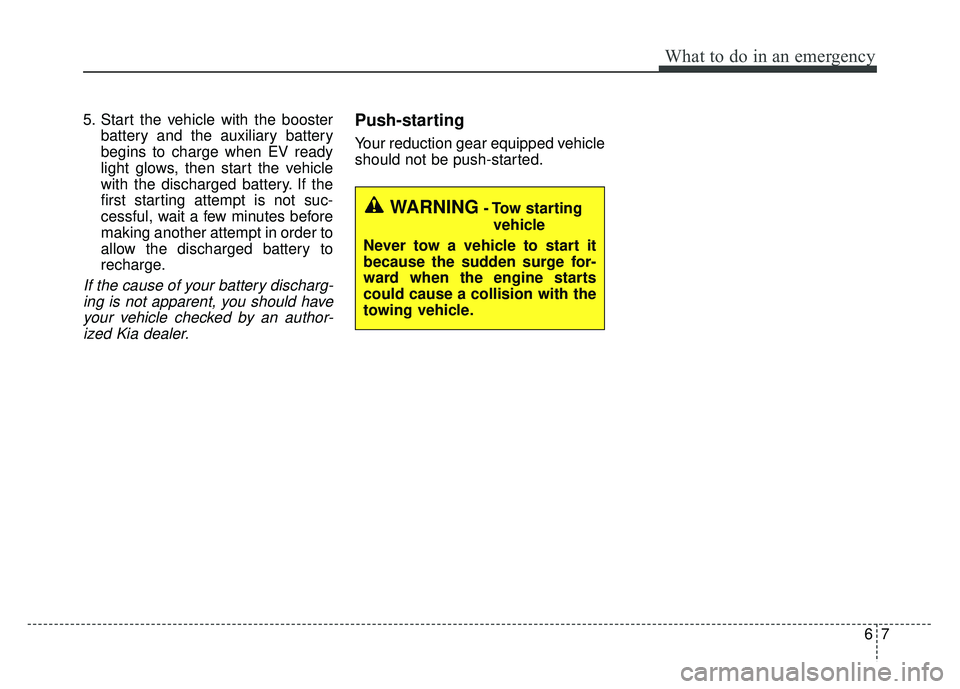
WARNING- Tow starting
vehicle
Never tow a vehicle to start it
because the sudden surge for-
ward when the engine starts
could cause a collision with the
towing vehicle.
Page 486 of 496

Index
2I
A/V Mode . . . . . . . . . . . . . . . . . . . . . . . . . . . . . . . . . . . 4-\
48
Abnormal lamp operation . . . . . . . . . . . . . . . . . . . . . . . 4-82
ACTIVE ECO SYSTEM . . . . . . . . . . . . . . . . . . . . . . . 5-10
Air bag warning label . . . . . . . . . . . . . . . . . . . . . . . . . . 3-58
Air bag warning light . . . . . . . . . . . . . . . . . . . . . . . . . . 3-37
Air bags. . . . . . . . . . . . . . . . . . . . . . . . . . . . . . . . . . . . \
. 3-34Air bag warning label. . . . . . . . . . . . . . . . . . . . . . . . 3-58
Air bag warning light . . . . . . . . . . . . . . . . . . . . . . . . 3-37
Curtain air bag . . . . . . . . . . . . . . . . . . . . . . . . . . . . . 3-51
Driver's and passenger's front air bag . . . . . . . . . . . 3-46
Inflation and non-inflation conditions . . . . . . . . . . . 3-52
Occupant Detection System (ODS) . . . . . . . . . . . . . 3-41
Operation . . . . . . . . . . . . . . . . . . . . . . . . . . . . . . . . . 3-35
Side air bag. . . . . . . . . . . . . . . . . . . . . . . . . . . . . . . . 3-49
SRS Care . . . . . . . . . . . . . . . . . . . . . . . . . . . . . . . . . 3-57
SRS components and functions . . . . . . . . . . . . . . . . 3-38
Air conditioner compressor label . . . . . . . . . . . . . . . . . . 8-8
Airconditioning system Automatic climate control system . . . . . . . . . . . . . . 4-94
Antenna . . . . . . . . . . . . . . . . . . . . . . . . . . . . . . . . . . . . \
4-128
Anti-lock brake system (ABS) . . . . . . . . . . . . . . . . . . . 5-23
Appearance care . . . . . . . . . . . . . . . . . . . . . . . . . . . . . . 7-73 Exterior care . . . . . . . . . . . . . . . . . . . . . . . . . . . . . . . 7-73
Interior care . . . . . . . . . . . . . . . . . . . . . . . . . . . . . . . 7-78
Audio system . . . . . . . . . . . . . . . . . . . . . . . . . . . . . . . 4-128 Antenna . . . . . . . . . . . . . . . . . . . . . . . . . . . . . . . . . 4-128 Audio . . . . . . . . . . . . . . . . . . . . . . . . . . . . . . . . . . . 4-\
141
AUX, USB and iPod
®port. . . . . . . . . . . . . . . . . . . 4-129
Bluetooth®Wireless Technology . . . . . . . . . . . . . . 4-137
How vehicle audio works . . . . . . . . . . . . . . . . . . . . 4-131
Speaker lights . . . . . . . . . . . . . . . . . . . . . . . . . . . . . 4-130
Using iPod
®device . . . . . . . . . . . . . . . . . . . . . . . . 4-136
Using the USB device . . . . . . . . . . . . . . . . . . . . . . 4-135
Speaker lights . . . . . . . . . . . . . . . . . . . . . . . . . . . . . 4-130
Auto defogging system . . . . . . . . . . . . . . . . . . . . . . . . 4-115
Auto door lock/unlock feature . . . . . . . . . . . . . . . . . . . 4-13
Auto light position . . . . . . . . . . . . . . . . . . . . . . . . . . . . 4-83
Automatic climate control system . . . . . . . . . . . . . . . . 4-94 Air conditioning . . . . . . . . . . . . . . . . . . . . . . . . . . . 4-103
Automatic heating and air conditioning. . . . . . . . . . 4-95
Automatic Ventilation. . . . . . . . . . . . . . . . . . . . . . . 4-106
Climate control air filter . . . . . . . . . . . . . . . . . . . . . . 109
Manual heating and air conditioning . . . . . . . . . . . . 4-96
System operation . . . . . . . . . . . . . . . . . . . . . . . . . . 4-107
AUX, USB and iPod
®port . . . . . . . . . . . . . . . . . . . . . 4-129
Battery. . . . . . . . . . . . . . . . . . . . . . . . . . . . . . . . . . . . \
. . 7-33
Battery replacement (smart key). . . . . . . . . . . . . . . . . . . 4-9
Battery saver function . . . . . . . . . . . . . . . . . . . . . . . . . . 4-81
Before driving . . . . . . . . . . . . . . . . . . . . . . . . . . . . . . . . . 5-3
Bonnet see the hood . . . . . . . . . . . . . . . . . . . . . . . . . . . 4-22
A
B