brake KIA SOUL EV 2018 User Guide
[x] Cancel search | Manufacturer: KIA, Model Year: 2018, Model line: SOUL EV, Model: KIA SOUL EV 2018Pages: 496, PDF Size: 15.13 MB
Page 73 of 496
Your vehicle at a glance
62
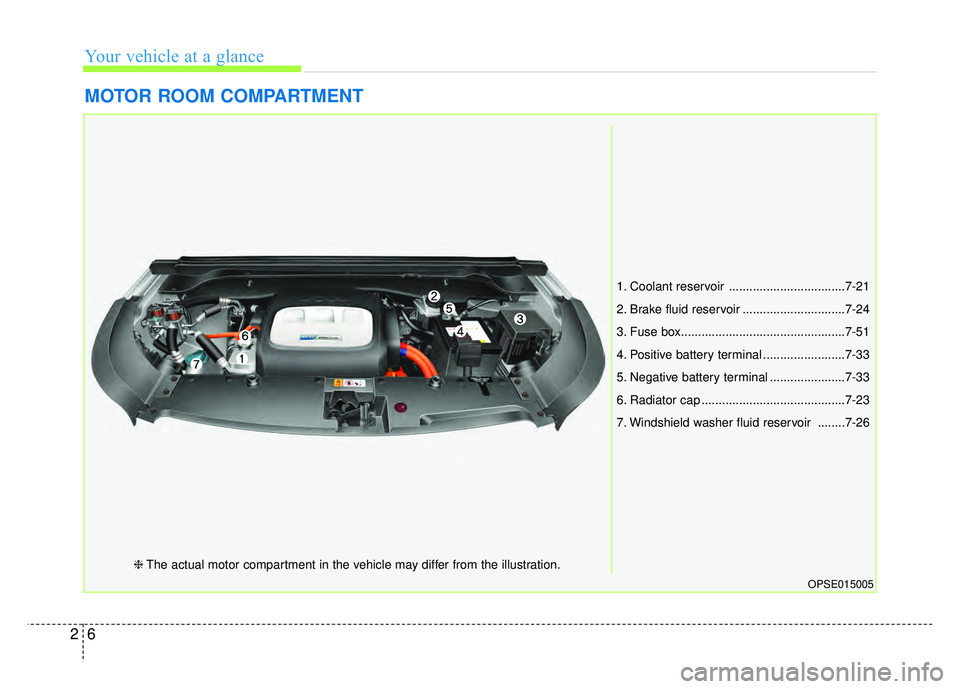
MOTOR ROOM COMPARTMENT
OPSE015005
1. Coolant reservoir ..................................7-21
2. Brake fluid reservoir ..............................7-24
3. Fuse box................................................7-51
4. Positive battery terminal ........................7-33
5. Negative battery terminal ......................7-33
6. Radiator cap ..........................................7-23
7. Windshield washer fluid reservoir ........7-26
❈The actual motor compartment in the vehicle may differ from the illustration.
Page 83 of 496
Safety features of your vehicle
10
3
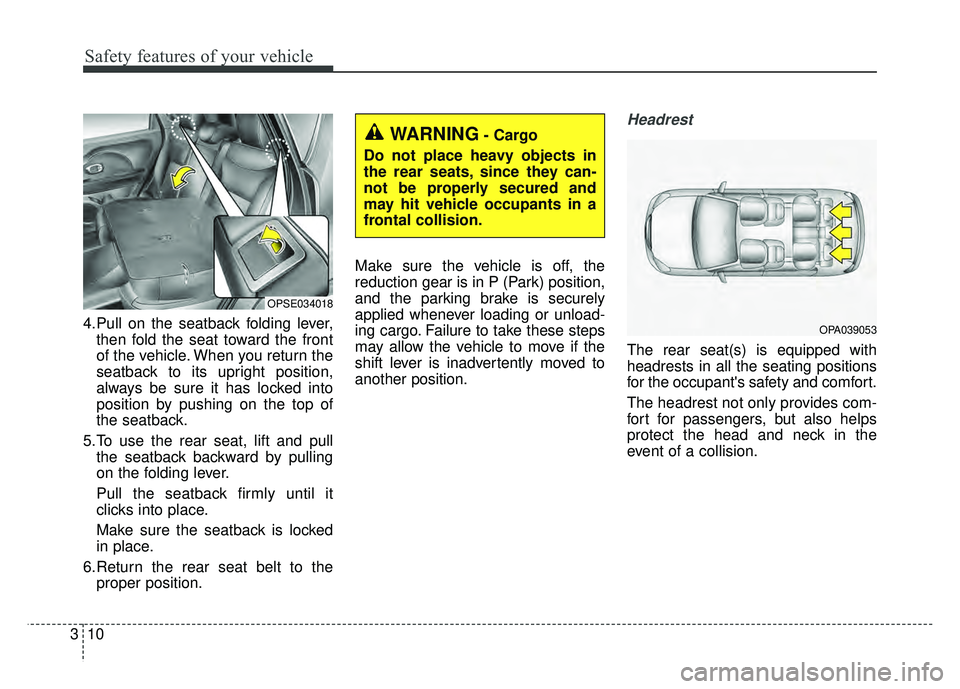
4.Pull on the seatback folding lever,
then fold the seat toward the front
of the vehicle. When you return the
seatback to its upright position,
always be sure it has locked into
position by pushing on the top of
the seatback.
5.To use the rear seat, lift and pull the seatback backward by pulling
on the folding lever.
Pull the seatback firmly until it
clicks into place.
Make sure the seatback is locked
in place.
6.Return the rear seat belt to the proper position. Make sure the vehicle is off, the
reduction gear is in P (Park) position,
and the parking brake is securely
applied whenever loading or unload-
ing cargo. Failure to take these steps
may allow the vehicle to move if the
shift lever is inadvertently moved to
another position.
Headrest
The rear seat(s) is equipped with
headrests in all the seating positions
for the occupant's safety and comfort.
The headrest not only provides com-
fort for passengers, but also helps
protect the head and neck in the
event of a collision.
OPSE034018
WARNING- Cargo
Do not place heavy objects in
the rear seats, since they can-
not be properly secured and
may hit vehicle occupants in a
frontal collision.
OPA039053
Page 129 of 496
Safety features of your vehicle
56
3
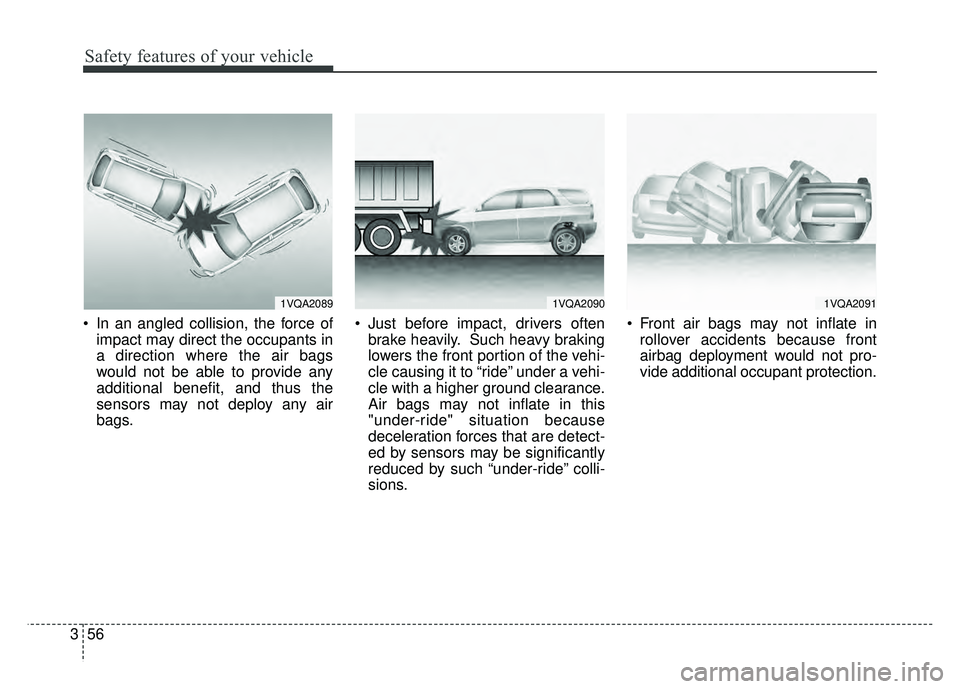
In an angled collision, the force of
impact may direct the occupants in
a direction where the air bags
would not be able to provide any
additional benefit, and thus the
sensors may not deploy any air
bags. Just before impact, drivers often
brake heavily. Such heavy braking
lowers the front portion of the vehi-
cle causing it to “ride” under a vehi-
cle with a higher ground clearance.
Air bags may not inflate in this
"under-ride" situation because
deceleration forces that are detect-
ed by sensors may be significantly
reduced by such “under-ride” colli-
sions. Front air bags may not inflate in
rollover accidents because front
airbag deployment would not pro-
vide additional occupant protection.
1VQA20901VQA20911VQA2089
Page 141 of 496
Features of your vehicle
10
4
DOOR LOCKS
.Operating door locks from
outside the vehicle
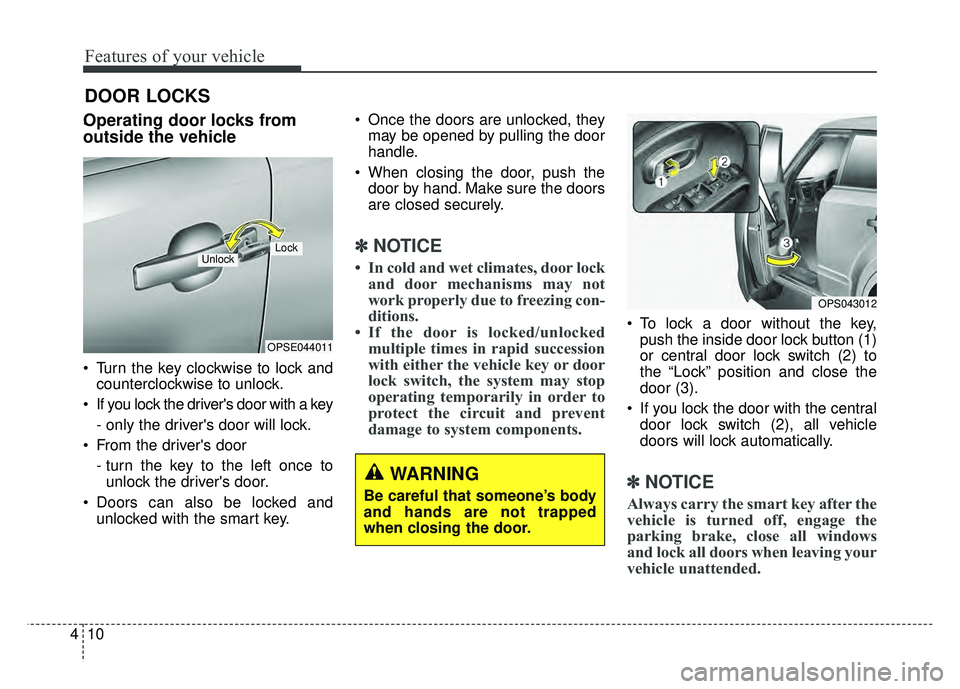
Turn the key clockwise to lock and
counterclockwise to unlock.
If you lock the driver's door with a key
- only the driver's door will lock.
From the driver's door
- turn the key to the left once tounlock the driver's door.
Doors can also be locked and unlocked with the smart key. Once the doors are unlocked, they
may be opened by pulling the door
handle.
When closing the door, push the door by hand. Make sure the doors
are closed securely.
✽ ✽ NOTICE
• In cold and wet climates, door lock
and door mechanisms may not
work properly due to freezing con-
ditions.
• If the door is locked/unlocked multiple times in rapid succession
with either the vehicle key or door
lock switch, the system may stop
operating temporarily in order to
protect the circuit and prevent
damage to system components.
To lock a door without the key,
push the inside door lock button (1)
or central door lock switch (2) to
the “Lock” position and close the
door (3).
If you lock the door with the central door lock switch (2), all vehicle
doors will lock automatically.
✽ ✽ NOTICE
Always carry the smart key after the
vehicle is turned off, engage the
parking brake, close all windows
and lock all doors when leaving your
vehicle unattended.
OPSE044011
LockUnlock
OPS043012
WARNING
Be careful that someone’s body
and hands are not trapped
when closing the door.
Page 143 of 496
Features of your vehicle
12
4
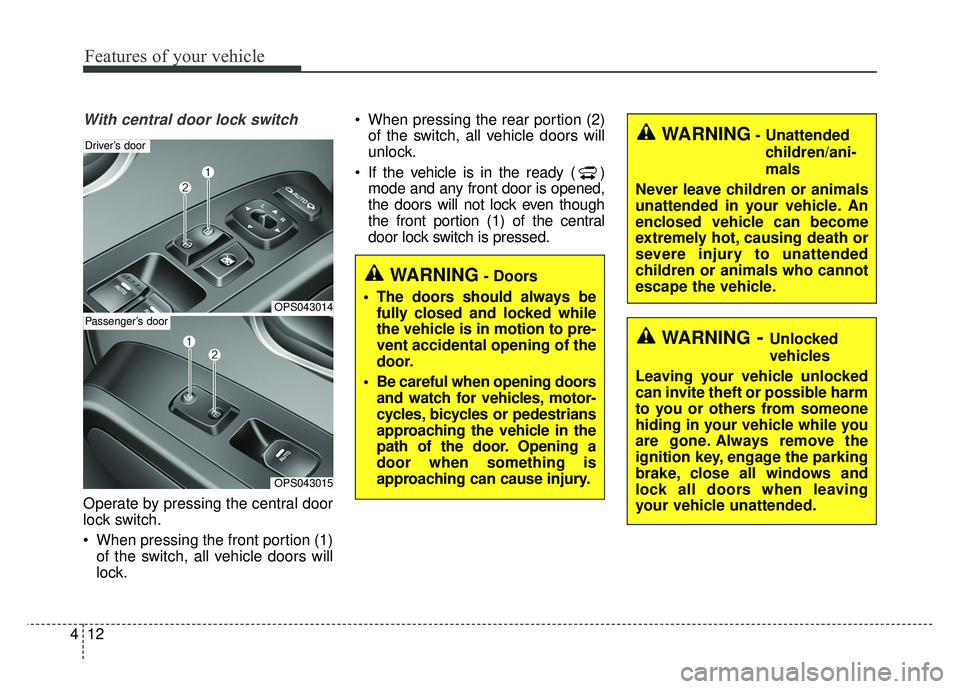
With central door lock switch
Operate by pressing the central door
lock switch.
When pressing the front portion (1)
of the switch, all vehicle doors will
lock. When pressing the rear portion (2)
of the switch, all vehicle doors will
unlock.
If the vehicle is in the ready ( ) mode and any front door is opened,
the doors will not lock even though
the front portion (1) of the central
door lock switch is pressed.
OPS043014
Driver’s door
OPS043015
Passenger’s door
WARNING- Unattended
children/ani-
mals
Never leave children or animals
unattended in your vehicle. An
enclosed vehicle can become
extremely hot, causing death or
severe injury to unattended
children or animals who cannot
escape the vehicle.
WARNING- Doors
The doors should always be fully closed and locked while
the vehicle is in motion to pre-
vent accidental opening of the
door.
Be careful when opening doors and watch for vehicles, motor-
cycles, bicycles or pedestrians
approaching the vehicle in the
path of the door. Opening a
door when something is
approaching can cause injury.
WARNING- Unlocked
vehicles
Leaving your vehicle unlocked
can invite theft or possible harm
to you or others from someone
hiding in your vehicle while you
are gone. Always remove the
ignition key, engage the parking
brake, close all windows and
lock all doors when leaving
your vehicle unattended.
Page 153 of 496
Features of your vehicle
22
4
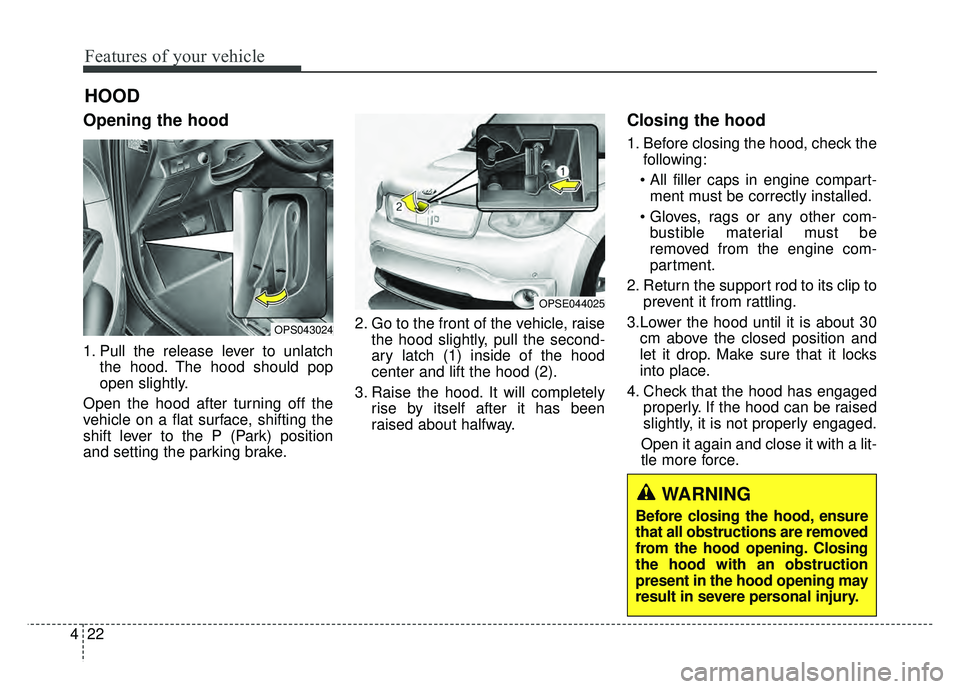
Opening the hood
1. Pull the release lever to unlatch
the hood. The hood should pop
open slightly.
Open the hood after turning off the
vehicle on a flat surface, shifting the
shift lever to the P (Park) position
and setting the parking brake. 2. Go to the front of the vehicle, raise
the hood slightly, pull the second-
ary latch (1) inside of the hood
center and lift the hood (2).
3. Raise the hood. It will completely rise by itself after it has been
raised about halfway.
Closing the hood
1. Before closing the hood, check thefollowing:
ment must be correctly installed.
bustible material must be
removed from the engine com-
partment.
2. Return the support rod to its clip to prevent it from rattling.
3.Lower the hood until it is about 30 cm above the closed position and
let it drop. Make sure that it locks
into place.
4. Check that the hood has engaged properly. If the hood can be raised
slightly, it is not properly engaged.
Open it again and close it with a lit-
tle more force.
HOOD
OPS043024
OPSE044025
WARNING
Before closing the hood, ensure
that all obstructions are removed
from the hood opening. Closing
the hood with an obstruction
present in the hood opening may
result in severe personal injury.
Page 173 of 496
Features of your vehicle
42
4
Gauges
Speedometer
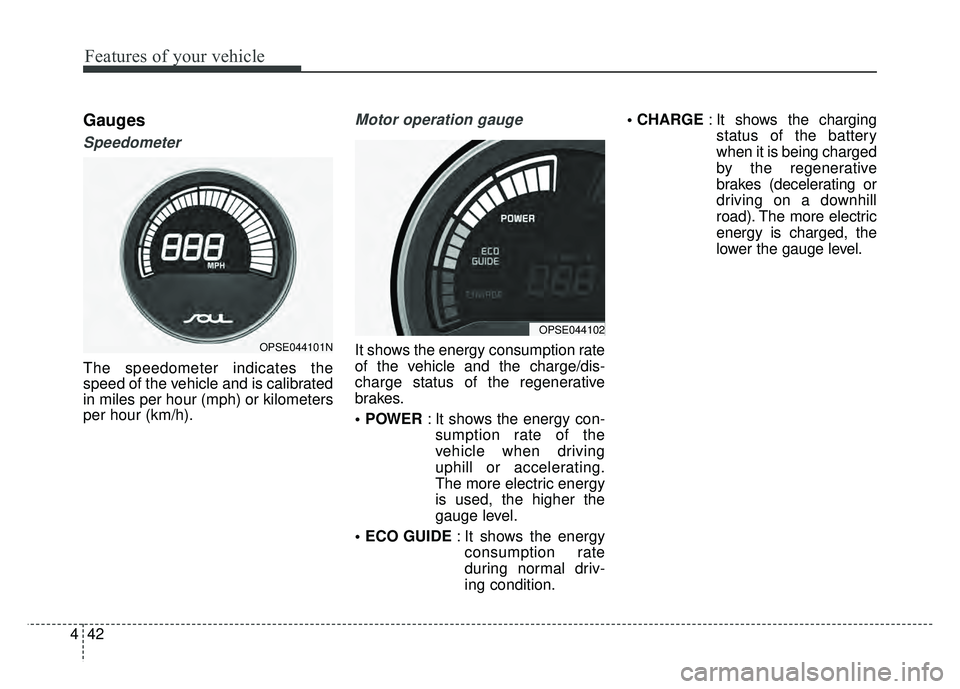
The speedometer indicates the
speed of the vehicle and is calibrated
in miles per hour (mph) or kilometers
per hour (km/h).
Motor operation gauge
It shows the energy consumption rate
of the vehicle and the charge/dis-
charge status of the regenerative
brakes.
: It shows the energy con-
sumption rate of the
vehicle when driving
uphill or accelerating.
The more electric energy
is used, the higher the
gauge level.
: It shows the energy
consumption rate
during normal driv-
ing condition.
: It shows the charging
status of the battery
when it is being charged
by the regenerative
brakes (decelerating or
driving on a downhill
road). The more electric
energy is charged, the
lower the gauge level.OPSE044101N
OPSE044102
Page 178 of 496
447
Features of your vehicle
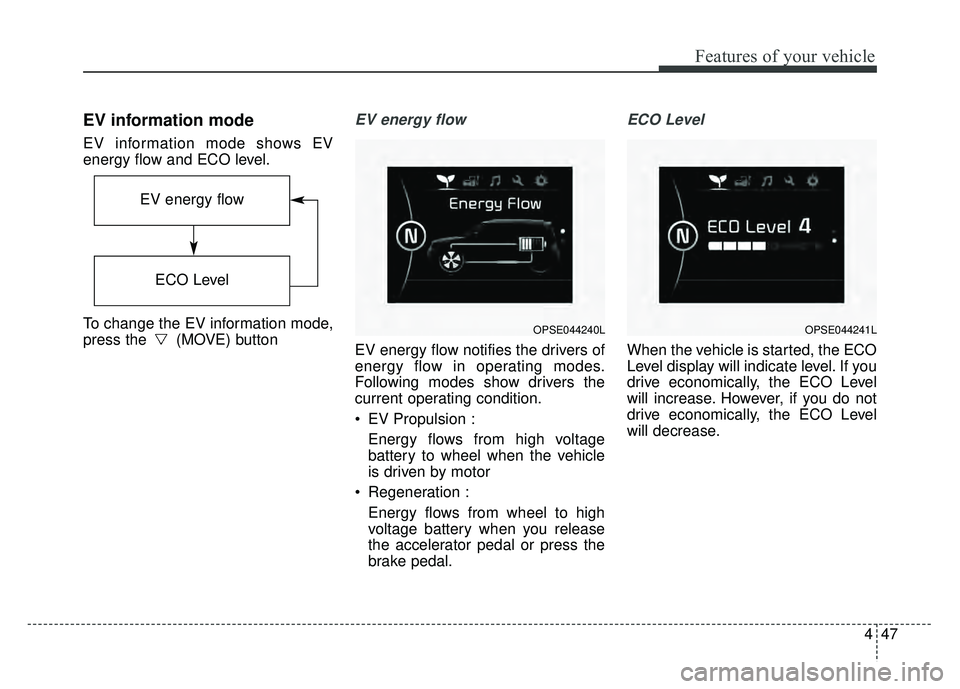
EV information mode
EV information mode shows EV
energy flow and ECO level.
To change the EV information mode,
press the (MOVE) button
EV energy flow
EV energy flow notifies the drivers of
energy flow in operating modes.
Following modes show drivers the
current operating condition.
EV Propulsion :Energy flows from high voltage
battery to wheel when the vehicle
is driven by motor
Regeneration : Energy flows from wheel to high
voltage battery when you release
the accelerator pedal or press the
brake pedal.
ECO Level
When the vehicle is started, the ECO
Level display will indicate level. If you
drive economically, the ECO Level
will increase. However, if you do not
drive economically, the ECO Level
will decrease.
OPSE044240L
EV energy flow
ECO Level
OPSE044241L
Page 187 of 496
Features of your vehicle
56
4
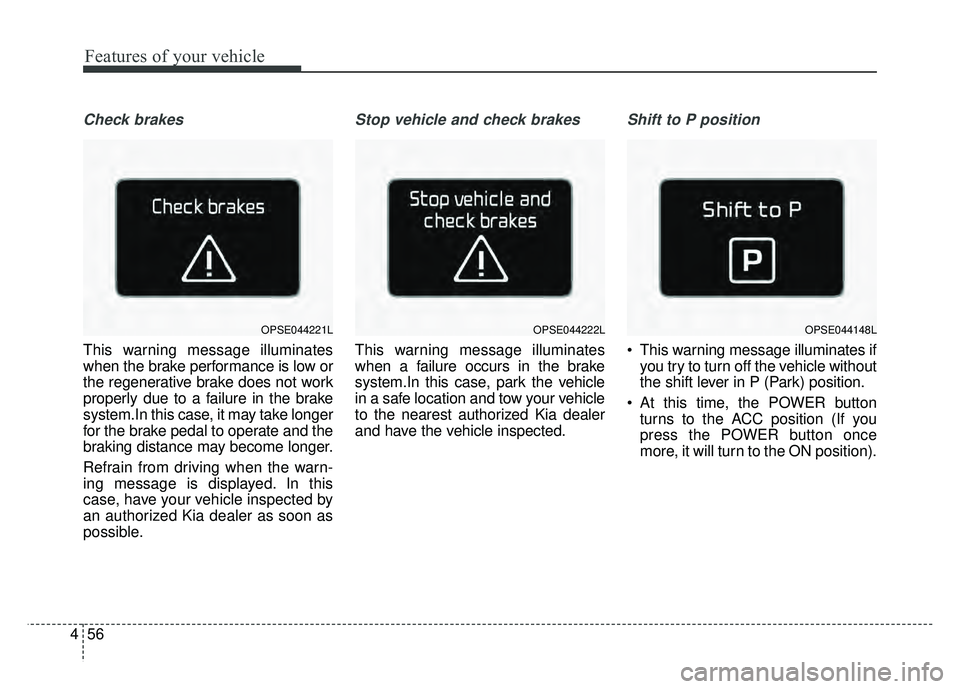
Check brakes
This warning message illuminates
when the brake performance is low or
the regenerative brake does not work
properly due to a failure in the brake
system.In this case, it may take longer
for the brake pedal to operate and the
braking distance may become longer.
Refrain from driving when the warn-
ing message is displayed. In this
case, have your vehicle inspected by
an authorized Kia dealer as soon as
possible.
Stop vehicle and check brakes
This warning message illuminates
when a failure occurs in the brake
system.In this case, park the vehicle
in a safe location and tow your vehicle
to the nearest authorized Kia dealer
and have the vehicle inspected.
Shift to P position
This warning message illuminates if
you try to turn off the vehicle without
the shift lever in P (Park) position.
At this time, the POWER button turns to the ACC position (If you
press the POWER button once
more, it will turn to the ON position).
OPSE044221LOPSE044222LOPSE044148L
Page 188 of 496
457
Features of your vehicle
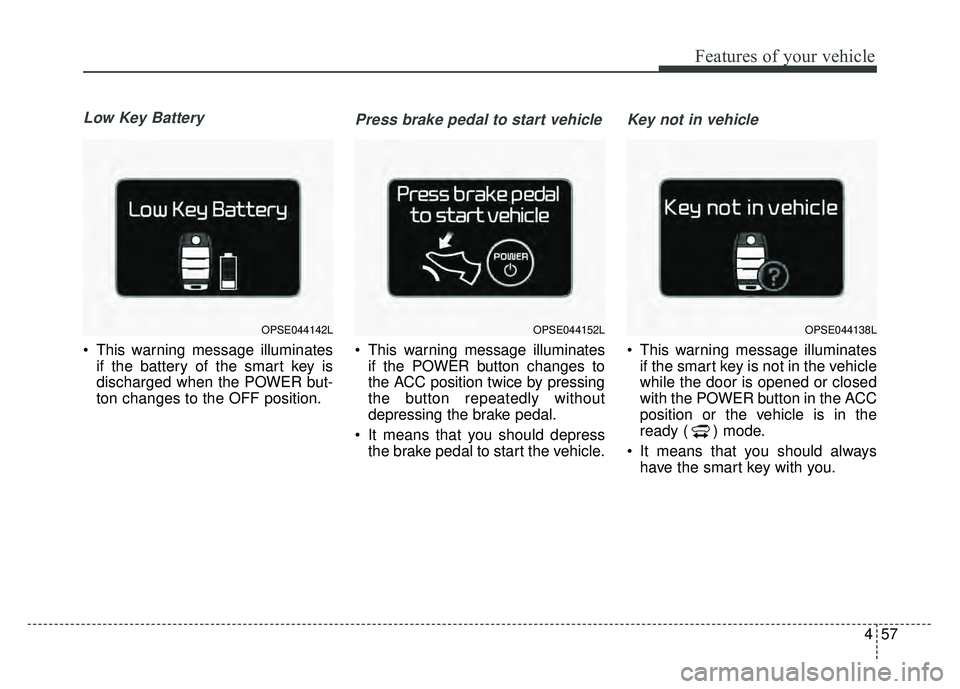
Low Key Battery
This warning message illuminatesif the battery of the smart key is
discharged when the POWER but-
ton changes to the OFF position.
Press brake pedal to start vehicle
This warning message illuminatesif the POWER button changes to
the ACC position twice by pressing
the button repeatedly without
depressing the brake pedal.
It means that you should depress the brake pedal to start the vehicle.
Key not in vehicle
This warning message illuminatesif the smart key is not in the vehicle
while the door is opened or closed
with the POWER button in the ACC
position or the vehicle is in the
ready ( ) mode.
It means that you should always have the smart key with you.
OPSE044142LOPSE044152LOPSE044138L