reset KIA SPECTRA5 2007 User Guide
[x] Cancel search | Manufacturer: KIA, Model Year: 2007, Model line: SPECTRA5, Model: KIA SPECTRA5 2007Pages: 312, PDF Size: 3.42 MB
Page 154 of 312
Driving your vehicle22
4
1
2
3
4
5
6
7
8
910
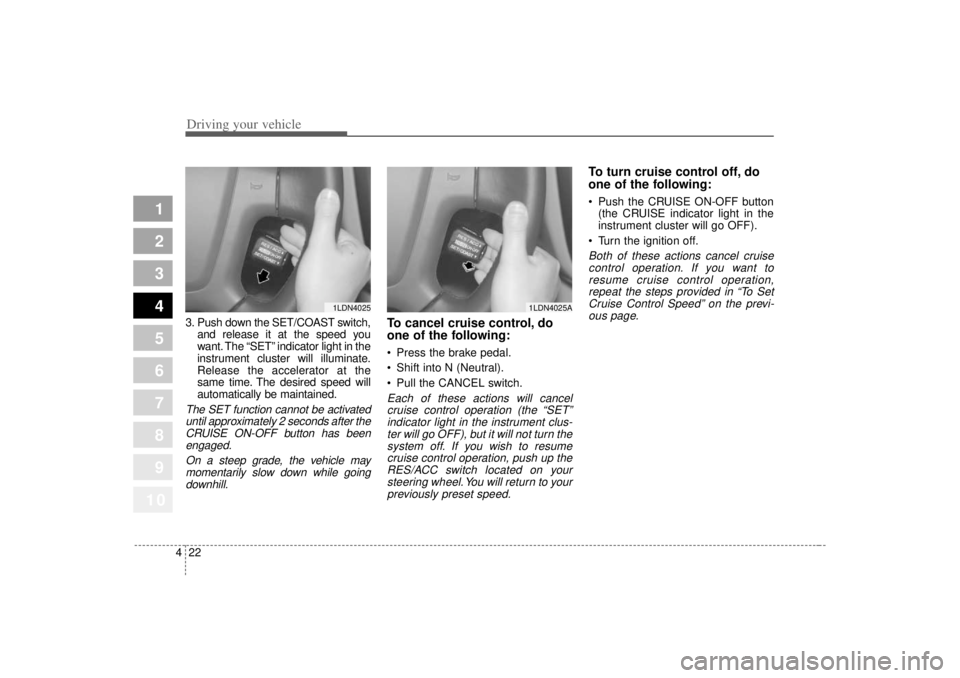
3. Push down the SET/COAST switch,
and release it at the speed you
want. The “SET” indicator light in the
instrument cluster will illuminate.
Release the accelerator at the
same time. The desired speed will
automatically be maintained.The SET function cannot be activateduntil approximately 2 seconds after theCRUISE ON-OFF button has beenengaged.
On a steep grade, the vehicle maymomentarily slow down while goingdownhill.
To cancel cruise control, do
one of the following: Press the brake pedal.
Shift into N (Neutral).
Pull the CANCEL switch.Each of these actions will cancelcruise control operation (the “SET”indicator light in the instrument clus-ter will go OFF), but it will not turn thesystem off. If you wish to resumecruise control operation, push up theRES/ACC switch located on yoursteering wheel. You will return to yourpreviously preset speed.
To turn cruise control off, do
one of the following: Push the CRUISE ON-OFF button (the CRUISE indicator light in the
instrument cluster will go OFF).
Turn the ignition off.Both of these actions cancel cruise control operation. If you want toresume cruise control operation,repeat the steps provided in “To SetCruise Control Speed” on the previ-ous page.
1LDN4025
1LDN4025A
Page 155 of 312
423
1
2
3
4
5
6
7
8
910
Driving your vehicle
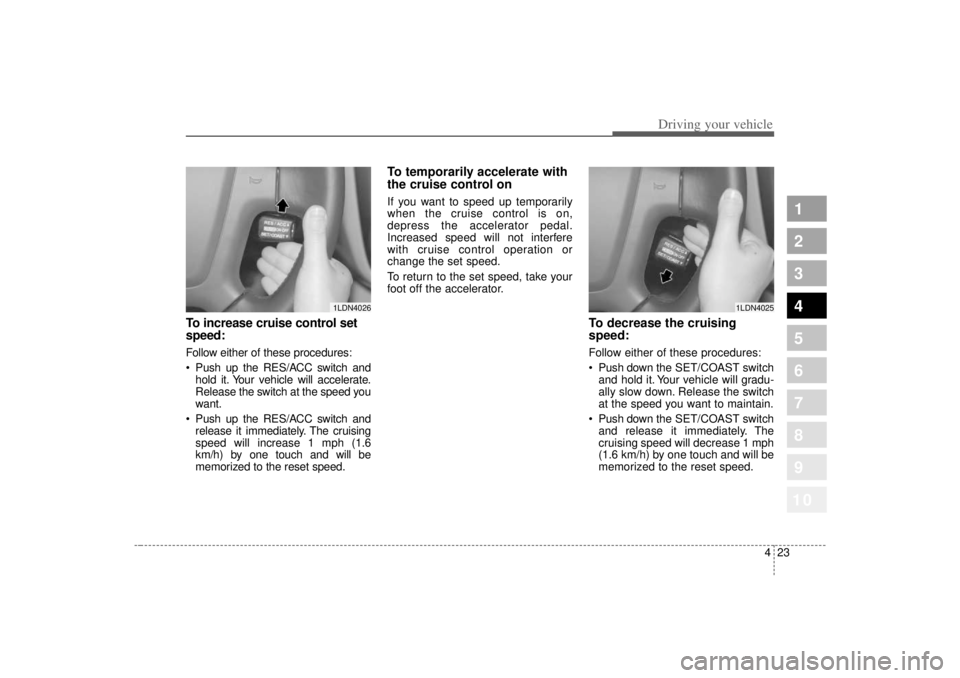
To increase cruise control set
speed:Follow either of these procedures:
Push up the RES/ACC switch andhold it. Your vehicle will accelerate.
Release the switch at the speed you
want.
Push up the RES/ACC switch and release it immediately. The cruising
speed will increase 1 mph (1.6
km/h) by one touch and will be
memorized to the reset speed.
To temporarily accelerate with
the cruise control onIf you want to speed up temporarily
when the cruise control is on,
depress the accelerator pedal.
Increased speed will not interfere
with cruise control operation or
change the set speed.
To return to the set speed, take your
foot off the accelerator.
To decrease the cruising
speed:Follow either of these procedures:
Push down the SET/COAST switch
and hold it. Your vehicle will gradu-
ally slow down. Release the switch
at the speed you want to maintain.
Push down the SET/COAST switch
and release it immediately. The
cruising speed will decrease 1 mph
(1.6 km/h) by one touch and will be
memorized to the reset speed.
1LDN4026
1LDN4025
Page 161 of 312

429
1
2
3
4
5
6
7
8
910
Driving your vehicle
Speedometer The speedometer indicates the for-
ward speed of the vehicle.Odometer/TripmeterYou can choose the odometer, trip-
meter A or tripmeter B by pressing
the TRIP button.OdometerThe odometer indicates the total dis-
tance the vehicle has been driven.TripmeterTRIP A: Tripmeter A
TRIP B: Tripmeter B
The tripmeter indicates the distance
of individual trips selected by the
driver. Tripmeter A and B can be
reset to 0 by pressing the TRIP but-
ton for 1 second or more, and then
releasing.
Tachometer The tachometer indicates the
approximate number of engine revo-
lutions per minute (rpm).
Use the tachometer to select the cor-
rect shift points and to prevent lug-
ging and/or over-revving the engine.
The tachometer pointer may move
slightly when the ignition switch is in
ACC or ON position with the engine
OFF. This movement is normal and
will not affect the accuracy of the
tachometer once the engine is run-
ning.
GAUGES
OLD026200L
CAUTION
Do not operate the engine with-in the tachometer's RED ZONE.
This may cause severe enginedamage.
Page 189 of 312

457
1
2
3
4
5
6
7
8
910
Driving your vehicle
Clear all snow and ice from the
hood and air inlet in the cowl grill to
improve heater and defroster effi-
ciency and to reduce the probabili-
ty of fogging up inside of the wind-
shield.Defogging logicTo reduce the probability of fogging
up the inside of the windshield, the
air intake is controlled automatically
according to certain conditions such
as or position. To cancel or
return the defogging logic, do the fol-
lowing.
Manual climate control system1. Turn the ignition switch to the ON
position.
2. Turn the mode selection knob to the defrost position ( ).
3. Push the air intake control button ( ) at least 5 times within 3 sec-
onds.
The indicator light in the air intake
control button will blink 3 times with
0.5 second of interval. It indicates
that the defogging logic is canceled
or returned to the programmed sta-
tus. If the battery has been discharged or
disconnected, it resets to the defog
logic status.
OLD026143N
Page 236 of 312

In case of an emergency18
6
1
2
3
4
5
6
7
8
910
Memory fuseYour vehicle is equipped with a mem-
ory fuse to prevent battery discharge
if your vehicle is parked without
being operated for prolonged peri-
ods. Use the following procedures
before parking the vehicle for pro-
longed period. 1. Turn off the engine.
2. Turn off the headlights and tail
lights.
3. Open the driver-side knee bolster cover and pull up the “ROOM
15A”.
✽ ✽NOTICE• If the memory fuse is pulled up
from the fuse panel, the warning
chime, audio, clock and intetrior
lamps, etc., will not operate. Some
items must be reset after replace-
ment. (Refer to “Items to be
reset···.” on page 7-30)
• Even though the memory fuse is pulled up, the battery can still be
discharged by operation of the
headlights or other electrical
devices.
1LDA4004
Memory fuse
Page 276 of 312
729
Maintenance
1
2
3
4
5
6
7
8
910
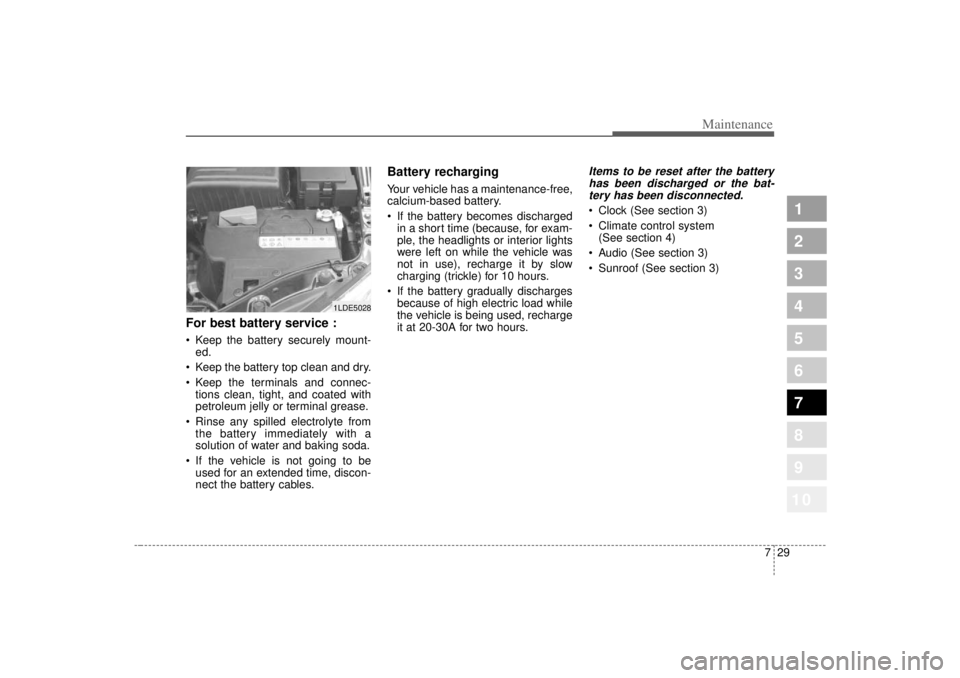
For best battery service : Keep the battery securely mount-ed.
Keep the battery top clean and dry.
Keep the terminals and connec- tions clean, tight, and coated with
petroleum jelly or terminal grease.
Rinse any spilled electrolyte from the battery immediately with a
solution of water and baking soda.
If the vehicle is not going to be used for an extended time, discon-
nect the battery cables.
Battery recharging Your vehicle has a maintenance-free,
calcium-based battery.
If the battery becomes dischargedin a short time (because, for exam-
ple, the headlights or interior lights
were left on while the vehicle was
not in use), recharge it by slow
charging (trickle) for 10 hours.
If the battery gradually discharges because of high electric load while
the vehicle is being used, recharge
it at 20-30A for two hours.
Items to be reset after the batteryhas been discharged or the bat-tery has been disconnected. Clock (See section 3)
Climate control system (See section 4)
Audio (See section 3)
Sunroof (See section 3)
1LDE5028
Page 282 of 312

735
Maintenance
1
2
3
4
5
6
7
8
910
Compact spare tire replace-
ment (if equipped)A compact spare tire has a shorter
tread life than a regular size tire.
Replace it when you can see the
tread wear indicator bars on the tire.
The replacement compact spare tire
should be the same size and design
tire as the one provided with your
new Kia and should be mounted on
the same compact spare tire wheel.
The compact spare tire is not
designed to be mounted on a regular
size wheel, and the compact spare
tire wheel is not designed for mount-
ing a regular size tire.
Wheel alignment and tire
balance The wheels on your vehicle were
aligned and balanced carefully at the
factory to give you the longest tire life
and best overall performance.
In most cases, you will not need to
have your wheels aligned again.
However, if you notice unusual tire
wear or your vehicle pulling one way
or the other, the alignment may need
to be reset.
If you notice your vehicle vibrating
when driving on a smooth road, your
wheels may need to be rebalanced.
Wheel replacement When replacing the metal wheels for
any reason, make sure the new
wheels are equivalent to the original
factory units in diameter, rim width
and offset.
WARNING
A wheel that is not the correct
size may adversely affect wheel
and bearing life, braking and
stopping abilities, handling char-
acteristics, ground clearance,
body-to-tire clearance, snow
chain clearance, speedometer
calibration, headlight aim and
bumper height.
CAUTION
Improper wheel weights candamage your vehicle's alu-minum wheels. Use onlyapproved wheel weights.