engine KIA Sportage 2009 JE_ / 2.G User Guide
[x] Cancel search | Manufacturer: KIA, Model Year: 2009, Model line: Sportage, Model: KIA Sportage 2009 JE_ / 2.GPages: 371, PDF Size: 3.5 MB
Page 90 of 371
381
1
2
3
4
5
6
7
8
9
Knowing your vehicle
Closing the hood1. Before closing the hood, check thefollowing:
ment must be correctly installed.
bustible material must be
removed from the engine com-
partment.
2. Secure the support rod in its clip.
3. Lower the hood to about 30 cm (12 inches) height and then let it
drop to properly lock in place.
Make sure the hood is properly
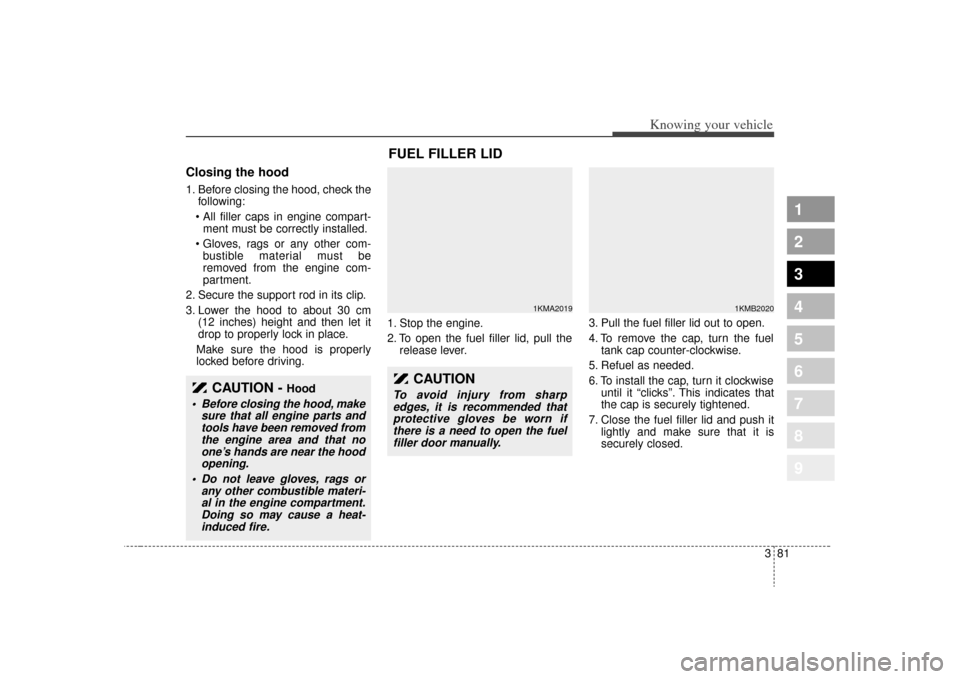
locked before driving. 1. Stop the engine.
2. To open the fuel filler lid, pull the
release lever. 3. Pull the fuel filler lid out to open.
4. To remove the cap, turn the fuel
tank cap counter-clockwise.
5. Refuel as needed.
6. To install the cap, turn it clockwise until it “clicks”. This indicates that
the cap is securely tightened.
7. Close the fuel filler lid and push it lightly and make sure that it is
securely closed.
CAUTION -
Hood
Before closing the hood, makesure that all engine parts andtools have been removed fromthe engine area and that noone’s hands are near the hoodopening.
Do not leave gloves, rags or any other combustible materi-al in the engine compartment.Doing so may cause a heat-induced fire.
FUEL FILLER LID
1KMA2019
1KMB2020
CAUTION
To avoid injury from sharpedges, it is recommended thatprotective gloves be worn ifthere is a need to open the fuelfiller door manually.
Page 92 of 371
383
1
2
3
4
5
6
7
8
9
Knowing your vehicle
✽ ✽NOTICE• Make sure to refuel with unleaded
fuel only.
• Check to make sure the fuel filler cap is securely closed after refuel-
ing. A loose fuel filler cap may
cause the "Check Engine"
(Malfunction Indicator) light in
the instrument panel to illuminate
unnecessarily.
• If the fuel filler cap requires replacement, use only a genuine
Kia cap or the equivalent specified
for your vehicle. An incorrect fuel
filler cap can result in a serious
malfunction of the fuel system or
emission control system.
• Do not spill fuel on the exterior surfaces of the vehicle. Any type of
fuel spilled on painted surfaces
may damage the paint.
(Continued)
Use only portable plastic fuel
containers designed to carry
and store gasoline.
Do not use cellular phones while refueling. Electric cur-
rent and/or electronic interfer-
ence from cellular phones can
potentially ignite fuel vapors
causing a fire.
When refueling, always shut the engine off. Sparks pro-
duced by electrical compo-
nents related to the engine
can ignite fuel vapors causing
a fire. Once refueling is com-
plete, check to make sure the
filler cap and filler door are
securely closed, before start-
ing the engine.
(Continued)
(Continued)
DO NOT use matches or alighter and DO NOT SMOKE or
leave a lit cigarette in your
vehicle while at a gas station
especially during refueling.
Automotive fuel is highly flam-
mable and can, when ignited,
result in fire.
If a fire breaks out during refu- eling, leave the vicinity of the
vehicle, and immediately con-
tact the manager of the gas
station and then contact the
local fire department.
Page 95 of 371
Knowing your vehicle86
3
1
2
3
4
5
6
7
8
9
Outside rearview mirror heater
(if equipped) The outside rearview mirror heater is
actuated in connection with the rear
window defroster. To heat the outside
rearview mirror glass, push the but-
ton for the rear window defroster.
The rearview mirror heater (and rear
window defroster) will not operate
unless the engine is running.
The outside rearview mirror glass will
be heated for defrosting or defogging
and will give you improved rear
vision in inclement weather condi-
tions. Push the button again to turn
the heater off. The outside rearview
mirror heater automatically turns off
after 20 minutes.
Inside rearview mirrorAdjust the rearview mirror to center
on the view through the rear window.
Make this adjustment before you
start driving.
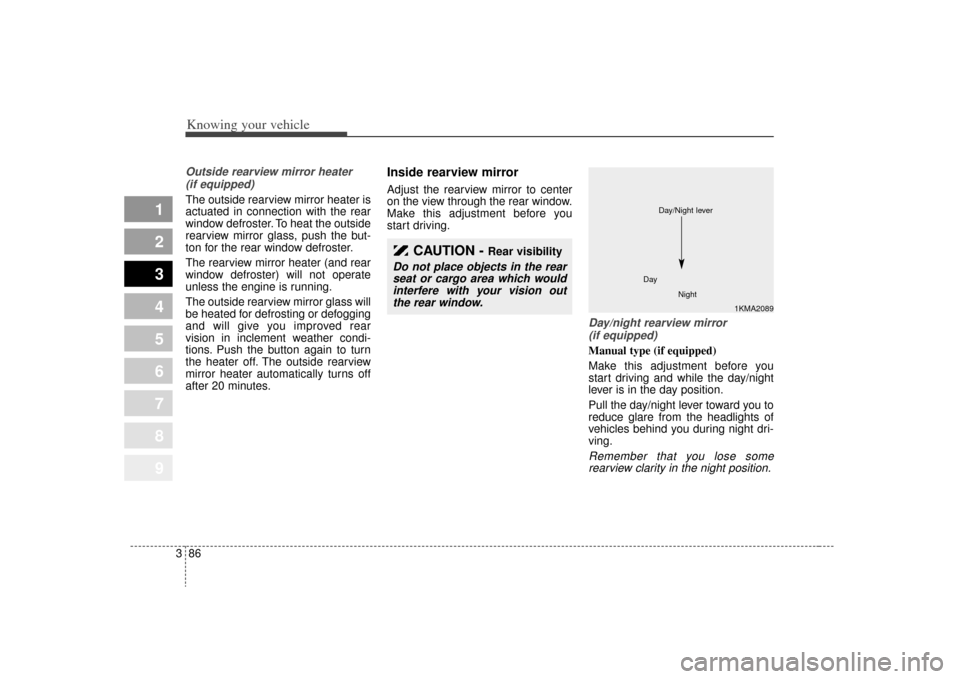
Day/night rearview mirror (if equipped) Manual type (if equipped)
Make this adjustment before you
start driving and while the day/night
lever is in the day position.
Pull the day/night lever toward you to
reduce glare from the headlights of
vehicles behind you during night dri-
ving.Remember that you lose somerearview clarity in the night position.
CAUTION -
Rear visibility
Do not place objects in the rearseat or cargo area which wouldinterfere with your vision outthe rear window.
1KMA2089
Day
Night
Day/Night lever
Page 96 of 371
387
1
2
3
4
5
6
7
8
9
Knowing your vehicle
Electric type (if equipped)
The electric day/night rearview mir-
ror automatically controls the glare
from the headlights of the car behind
you in nighttime or low light driving
conditions. The sensor mounted in
the mirror senses the light level
around the vehicle, and through a
chemical reaction, automatically
controls the headlight glare from
vehicles behind you.
When the engine is running, the
glare is automatically controlled by
the sensor mounted in the rearview
mirror.
Whenever the shift lever is shifted
into reverse (R), the mirror will auto-
matically go to the brightest setting in
order to improve the drivers view
behind the vehicle.✽ ✽NOTICEWhen cleaning the mirror, use a
paper towel or similar material
dampened with glass cleaner. Do not
spray glass cleaner directly on the
mirror as that may cause the liquid
cleaner to enter the mirror housing.
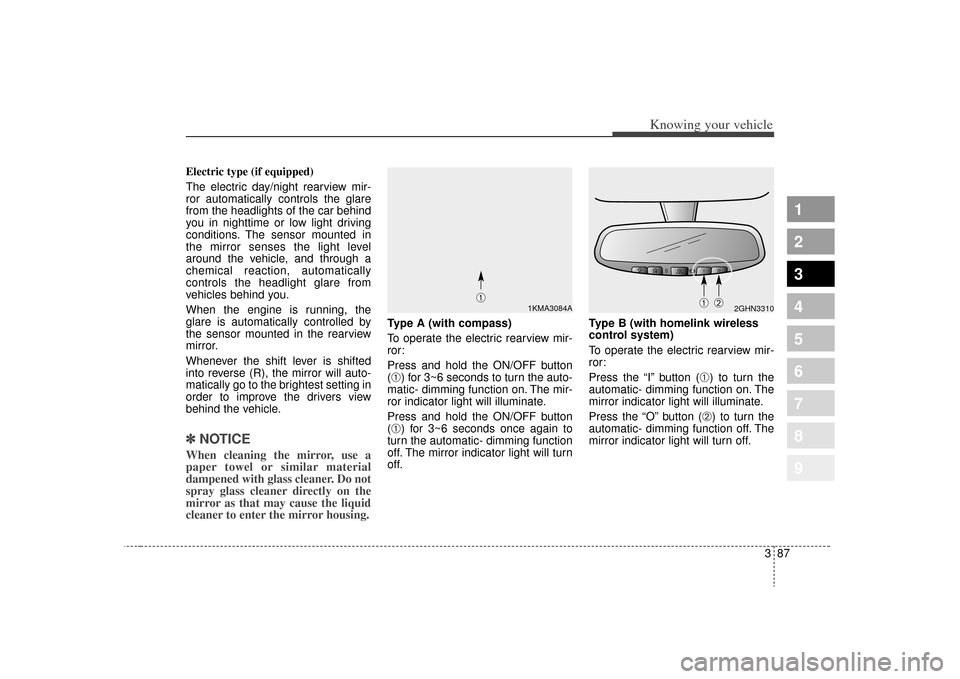
Type A (with compass)
To operate the electric rearview mir-
ror:
Press and hold the ON/OFF button
(➀) for 3~6 seconds to turn the auto-
matic- dimming function on. The mir-
ror indicator light will illuminate.
Press and hold the ON/OFF button
(➀) for 3~6 seconds once again to
turn the automatic- dimming function
off. The mirror indicator light will turn
off. Type B (with homelink wireless
control system)
To operate the electric rearview mir-
ror:
Press the “I” button (
➀) to turn the
automatic- dimming function on. The
mirror indicator light will illuminate.
Press the “O” button (➁) to turn the
automatic- dimming function off. The
mirror indicator light will turn off.
2GHN3310
➀
➁
1KMA3084A
➀
Page 101 of 371
Knowing your vehicle92
3
1
2
3
4
5
6
7
8
9
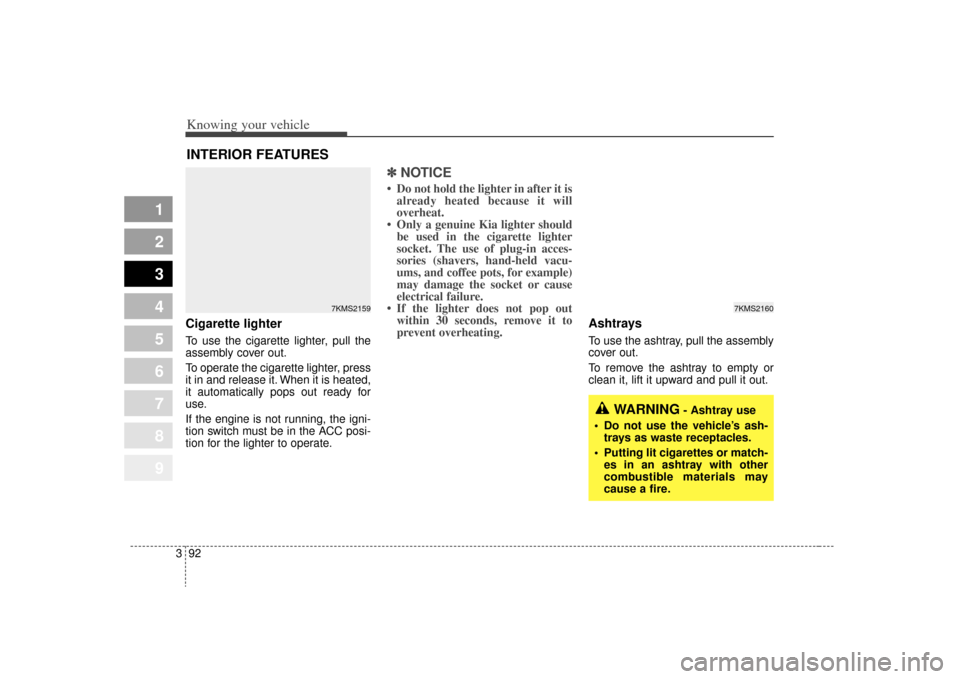
Cigarette lighterTo use the cigarette lighter, pull the
assembly cover out.
To operate the cigarette lighter, press
it in and release it. When it is heated,
it automatically pops out ready for
use.
If the engine is not running, the igni-
tion switch must be in the ACC posi-
tion for the lighter to operate.
✽ ✽
NOTICE• Do not hold the lighter in after it is
already heated because it will
overheat.
• Only a genuine Kia lighter should be used in the cigarette lighter
socket. The use of plug-in acces-
sories (shavers, hand-held vacu-
ums, and coffee pots, for example)
may damage the socket or cause
electrical failure.
• If the lighter does not pop out within 30 seconds, remove it to
prevent overheating.
Ashtrays To use the ashtray, pull the assembly
cover out.
To remove the ashtray to empty or
clean it, lift it upward and pull it out.
INTERIOR FEATURES
WARNING
- Ashtray use
Do not use the vehicle’s ash- trays as waste receptacles.
Putting lit cigarettes or match- es in an ashtray with other
combustible materials may
cause a fire.
7KMS2159
7KMS2160
Page 103 of 371
Knowing your vehicle94
3
1
2
3
4
5
6
7
8
9
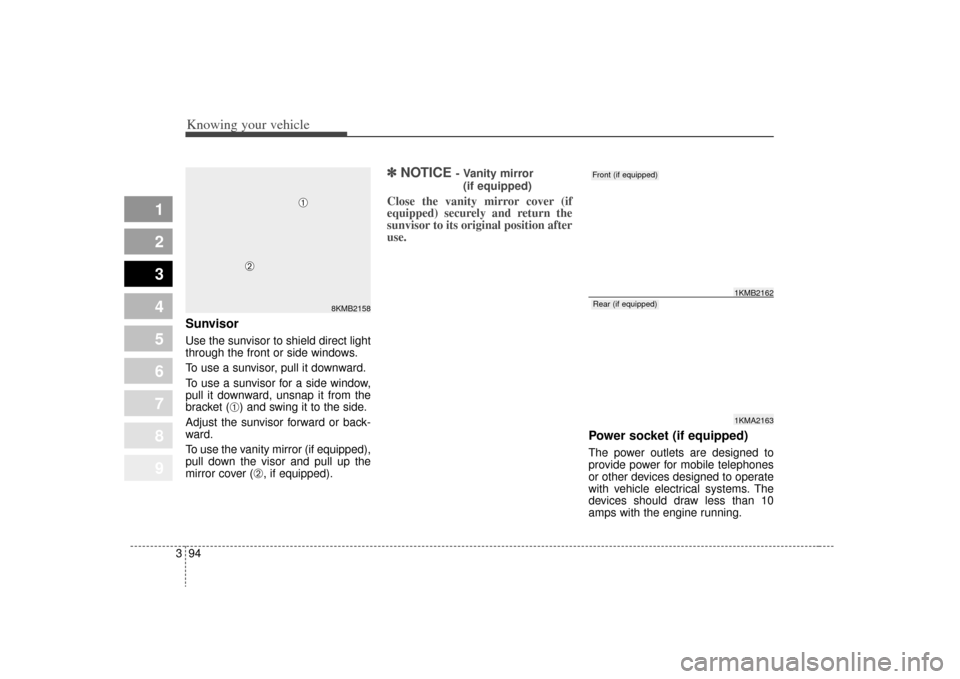
SunvisorUse the sunvisor to shield direct light
through the front or side windows.
To use a sunvisor, pull it downward.
To use a sunvisor for a side window,
pull it downward, unsnap it from the
bracket (
➀) and swing it to the side.
Adjust the sunvisor forward or back-
ward.
To use the vanity mirror (if equipped),
pull down the visor and pull up the
mirror cover (
➁, if equipped).
✽ ✽ NOTICE
- Vanity mirror
(if equipped)
Close the vanity mirror cover (if
equipped) securely and return the
sunvisor to its original position after
use.
Power socket (if equipped)The power outlets are designed to
provide power for mobile telephones
or other devices designed to operate
with vehicle electrical systems. The
devices should draw less than 10
amps with the engine running.
8KMB2158
➀
➁
1KMA21631KMB2162
Front (if equipped)Rear (if equipped)
Page 104 of 371
395
1
2
3
4
5
6
7
8
9
Knowing your vehicle
✽ ✽NOTICE• Use when the engine is running,
and remove a plug from the power
outlet after using the electric
appliance. Using when the engine
stops or remaining the electric
appliance with plugged in for
many hours may cause the battery
to be discharged.
• Only use 12V electric appliances which are less than 10A in electric
capacity.
• Adjust the air-conditioner or heater to the lowest operating level
when you have to use the power
socket.
• Close the cover when not in use.
• Some electronic devices can cause electronic interference when
plugged into a vehicle’s power out-
let. These devices may cause exces-
sive audio static and malfunctions
in other electronic systems or
devices used in your vehicle.
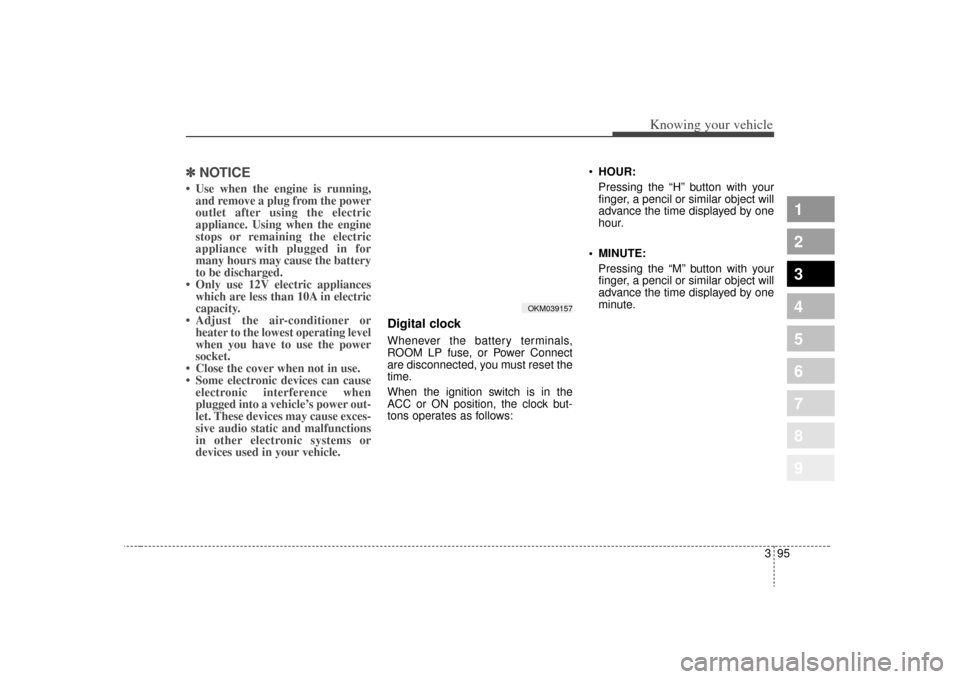
Digital clockWhenever the battery terminals,
ROOM LP fuse, or Power Connect
are disconnected, you must reset the
time.
When the ignition switch is in the
ACC or ON position, the clock but-
tons operates as follows:
HOUR:
Pressing the “H” button with your
finger, a pencil or similar object will
advance the time displayed by one
hour.
MINUTE: Pressing the “M” button with your
finger, a pencil or similar object will
advance the time displayed by one
minute.
OKM039157
Page 116 of 371
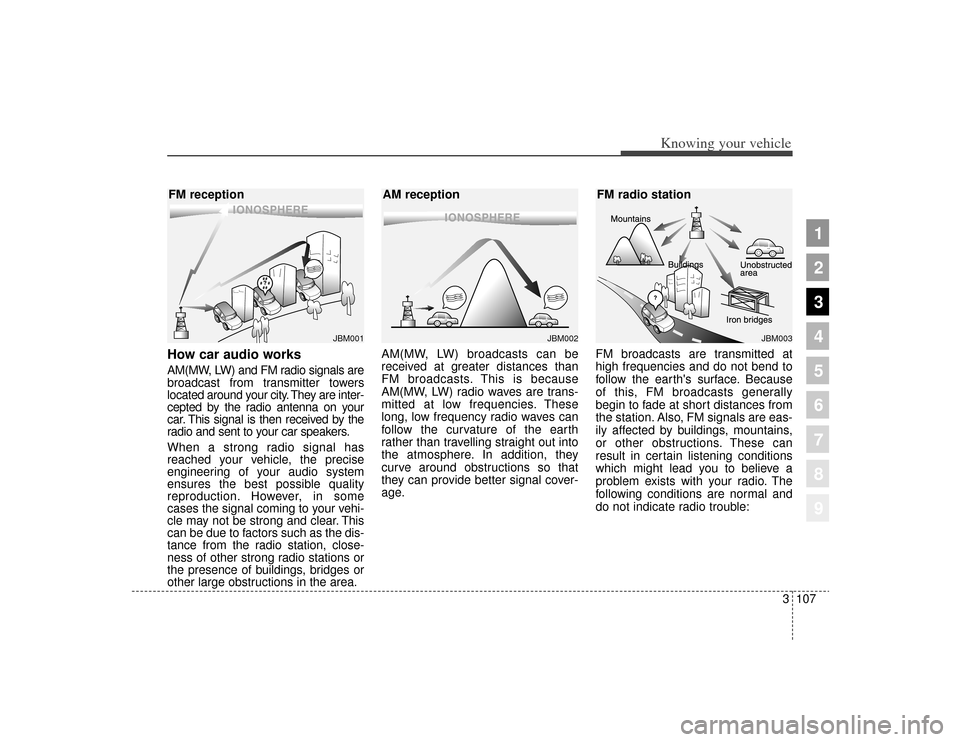
How car audio worksAM(MW, LW) and FM radio signals are
broadcast from transmitter towers
located around your city. They are inter-
cepted by the radio antenna on your
car. This signal is then received by the
radio and sent to your car speakers.
When a strong radio signal has
reached your vehicle, the precise
engineering of your audio system
ensures the best possible quality
reproduction. However, in some
cases the signal coming to your vehi-
cle may not be strong and clear. This
can be due to factors such as the dis-
tance from the radio station, close-
ness of other strong radio stations or
the presence of buildings, bridges or
other large obstructions in the area.AM(MW, LW) broadcasts can be
received at greater distances than
FM broadcasts. This is because
AM(MW, LW) radio waves are trans-
mitted at low frequencies. These
long, low frequency radio waves can
follow the curvature of the earth
rather than travelling straight out into
the atmosphere. In addition, they
curve around obstructions so that
they can provide better signal cover-
age.
FM broadcasts are transmitted at
high frequencies and do not bend to
follow the earth's surface. Because
of this, FM broadcasts generally
begin to fade at short distances from
the station. Also, FM signals are eas-
ily affected by buildings, mountains,
or other obstructions. These can
result in certain listening conditions
which might lead you to believe a
problem exists with your radio. The
following conditions are normal and
do not indicate radio trouble:
¢¢¢
JBM001
¢¢¢
¢¢¢JBM002
JBM003
FM reception
AM receptionFM radio station
3107
Knowing your vehicle
1
2
3
4
5
6
7
8
9
Page 125 of 371
Knowing your vehicle116
3
1
2
3
4
5
6
7
8
9
(Continued)
If you repeat mounting or dis- mounting USB device in ashort period of time, it maybreak the device.
You might hear strange noise when mounting or dismount-ing a USB device.
If you dismount the external USB device during playback inUSB mode, the external USBdevice can be damaged or mal-function. Therefore, mount theexternal USB device when theengine is turned off or inanother mode.
Depending on the type and capacity of the external USBdevice or the type of the filesstored in the device, there is adifference in the time taken forrecognition of the device, butthis is not a trouble and youonly have to wait.
(Continued)
(Continued) Do not use the USB device for other purposes than playingmusic files.
Use of USB accessories such as the recharger or heaterusing USB I/F may lower theperformance or cause trouble.
If you use devices such as the USB hub you purchased sepa-rately, the vehicle’s audio sys-tem may not recognize theUSB device. Connect the USBdevice directly to the multime-dia terminal of the vehicle.
Page 138 of 371
3129
Knowing your vehicle
1
2
3
4
5
6
7
8
9
(Continued) Take cautions for static elec- tricity when mounting or dis-mounting the external USBdevice.
Encoded MP3 PLAYER is not recognizable.
Depending on the condition of the external USB device, theconnected external USBdevice can be unrecognizable.
When the formatted byte/sec- tor setting of External USBdevices is not either 512BYTEor 2048BYTE, then the devicewill not be recognized.
Only the USB device format- ted to FAT 12/16/32.
USB device without USB IF authentication may not be rec-ognizable.
Make sure the USB connection terminal does not come incontact with human body orany object.
(Continued)
(Continued) If you repeat mounting or dis- mounting USB device in ashort period of time, it maybreak the device.
You might hear strange noise when mounting or dismount-ing a USB device.
If you dismount the external USB device during playback inUSB mode, the external USBdevice can be damaged or mal-function. Therefore, mount theexternal USB device when theengine is turned off or inanother mode.
Depending on the type and capacity of the external USBdevice or the type of the filesstored in the device, there is adifference in the time taken forrecognition of the device, butthis is not a trouble and youonly have to wait.
(Continued)
(Continued) Do not use the USB device for other purposes than playingmusic files.
Use of USB accessories such as the recharger or heaterusing USB I/F may lower theperformance or cause trouble.
If you use devices such as the USB hub you purchased sepa-rately, the vehicle’s audio sys-tem may not recognize theUSB device. Connect the USBdevice directly to the multime-dia terminal of the vehicle.