steering wheel KIA Sportage 2014 SL / 3.G User Guide
[x] Cancel search | Manufacturer: KIA, Model Year: 2014, Model line: Sportage, Model: KIA Sportage 2014 SL / 3.GPages: 457, PDF Size: 11.61 MB
Page 93 of 457

Features of your vehicle
Keys . . . . . . . . . . . . . . . . . . . . . . . . . . . . . . . . . . . . \
. . 4-3
• Record your key number . . . . . . . . . . . . . . . . . . . . . . . 4-3
. . . . . . . . . . . . . . . . . . . . . . . . . . . . . . . . 4-3
Remote keyless entry . . . . . . . . . . . . . . . . . . . . . . . . 4-7
. . . . . . . . . . . 4-7
. . . . . . . . . . . . . . . . . . . . . . . . 4-8
. . . . . . . . . . . . . . . . . . . . . . . . . . . 4-9
Smart key . . . . . . . . . . . . . . . . . . . . . . . . . . . . . . . . 4-10
. . . . . . . . . . . . . . . . . . . . . . . . . . 4-11
. . . . . . . . . . . . . . . . . . . . . . . . 4-12
. . . . . . . . . . . . . . . . . . . . . . . . . . 4-14
Theft-alarm system . . . . . . . . . . . . . . . . . . . . . . . . 4-15
Door locks . . . . . . . . . . . . . . . . . . . . . . . . . . . . . . . . 4-17
. . . . . . . . . . . . . . . . . . . . . . . . . . . 4-17
. . . . . . . . . . . . . . . . . . . . . . . . . . . . . 4-18
. . . . . . . . . . . . . . . . 4-20
. . . . . . . . . . . . . . . . . 4-21
Tailgate . . . . . . . . . . . . . . . . . . . . . . . . . . . . . . . . . . 4-22\
Windows . . . . . . . . . . . . . . . . . . . . . . . . . . . . . . . . . 4-25
Hood. . . . . . . . . . . . . . . . . . . . . . . . . . . . . . . . . . . . \
. 4-30
Fuel filler lid . . . . . . . . . . . . . . . . . . . . . . . . . . . . . . 4-32
Panoramic sunroof . . . . . . . . . . . . . . . . . . . . . . . . . 4-35Steering wheel . . . . . . . . . . . . . . . . . . . . . . . . . . . . . 4-39
. . . . . . . . . . . . . . . . 4-39
. . . . . . . . . . . . . . . . . . . . 4-40
. . . . . . . . . . . . . . . . . . . . . . . . . 4-40
. . . . . . . . . . . . . . . . . . . . . . . . . . . . . . . . . . . . \
. . . 4-41
. . . . . . . . . . . . . . . . . . . . . . . . . . . . . . . . . 4-42
Mirrors . . . . . . . . . . . . . . . . . . . . . . . . . . . . . . . . . . 4-44\
. . . . . . . . . . . . . . . . . . . . . . . . 4-44
. . . . . . . . . . . . . . . . . . . . . . . 4-51
Instrument cluster . . . . . . . . . . . . . . . . . . . . . . . . . . . . . 4-54
. . . . . . . . . . . . . . . . . . 4-55
. . . . . . . . . . . . . . . . . . . . . . . . . . . . . . . . . . . . \
. 4-55
. . . . . . . . . . . . . . . . . . . . . . . 4-62
Back-up warning system . . . . . . . . . . . . . . . . . . . . 4-76
. . . . . . . . 4-76
system . . . . . . . . . . . . . . . . . . . . . . . . . . . . . . . . . . . . \
. 4-77
. . . . . . . . . . . . . . . . . . . . . . . . . . . . . . . . 4-79
Rear-camera display . . . . . . . . . . . . . . . . . . . . . . . 4-79
Hazard warning flasher . . . . . . . . . . . . . . . . . . . . . 4-80
4
Page 131 of 457
439
Features of your vehicle
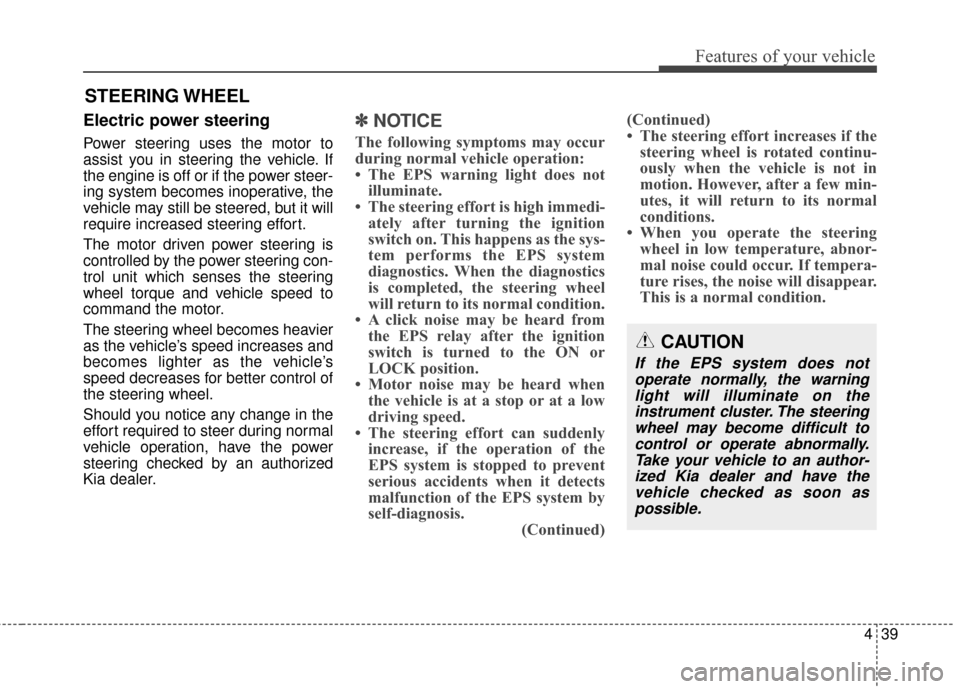
Electric power steering
Power steering uses the motor to
assist you in steering the vehicle. If
the engine is off or if the power steer-
ing system becomes inoperative, the
vehicle may still be steered, but it will
require increased steering effort.
The motor driven power steering is
controlled by the power steering con-
trol unit which senses the steering
wheel torque and vehicle speed to
command the motor.
The steering wheel becomes heavier
as the vehicle’s speed increases and
becomes lighter as the vehicle’s
speed decreases for better control of
the steering wheel.
Should you notice any change in the
effort required to steer during normal
vehicle operation, have the power
steering checked by an authorized
Kia dealer.
✽ ✽NOTICE
The following symptoms may occur
during normal vehicle operation:
• The EPS warning light does not
illuminate.
• The steering effort is high immedi- ately after turning the ignition
switch on. This happens as the sys-
tem performs the EPS system
diagnostics. When the diagnostics
is completed, the steering wheel
will return to its normal condition.
• A click noise may be heard from the EPS relay after the ignition
switch is turned to the ON or
LOCK position.
• Motor noise may be heard when the vehicle is at a stop or at a low
driving speed.
• The steering effort can suddenly increase, if the operation of the
EPS system is stopped to prevent
serious accidents when it detects
malfunction of the EPS system by
self-diagnosis. (Continued)(Continued)
• The steering effort increases if the
steering wheel is rotated continu-
ously when the vehicle is not in
motion. However, after a few min-
utes, it will return to its normal
conditions.
• When you operate the steering wheel in low temperature, abnor-
mal noise could occur. If tempera-
ture rises, the noise will disappear.
This is a normal condition.
STEERING WHEEL
CAUTION
If the EPS system does not
operate normally, the warninglight will illuminate on theinstrument cluster. The steeringwheel may become difficult tocontrol or operate abnormally.Take your vehicle to an author-ized Kia dealer and have thevehicle checked as soon aspossible.
Page 132 of 457
Features of your vehicle
40
4
D130300AUN
Tilt steering/
Telescope steering
(if equipped)
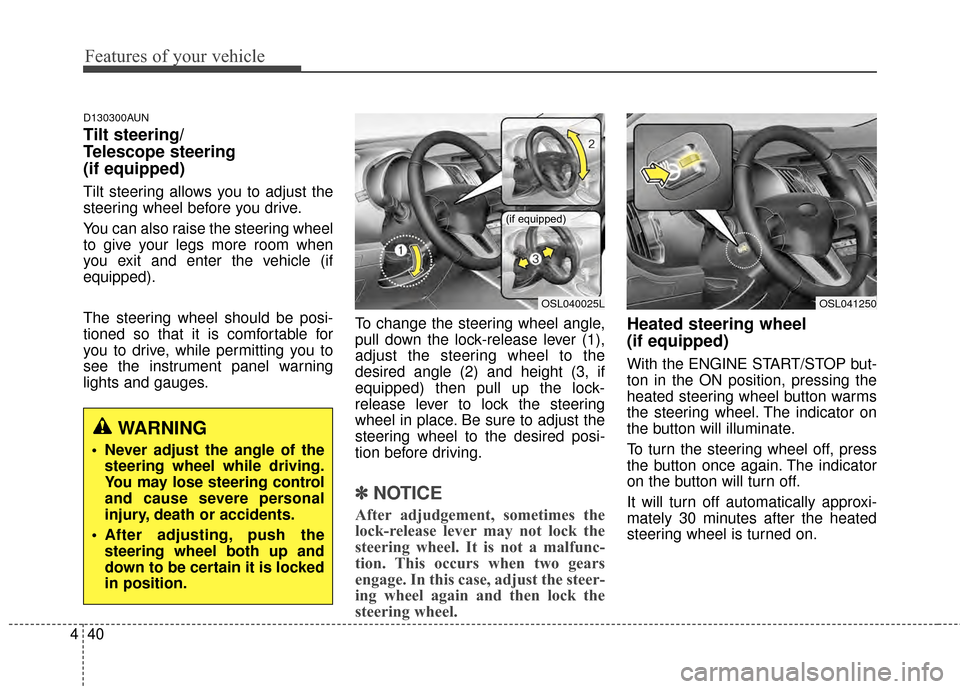
Tilt steering allows you to adjust the
steering wheel before you drive.
You can also raise the steering wheel
to give your legs more room when
you exit and enter the vehicle (if
equipped).
The steering wheel should be posi-
tioned so that it is comfortable for
you to drive, while permitting you to
see the instrument panel warning
lights and gauges. To change the steering wheel angle,
pull down the lock-release lever (1),
adjust the steering wheel to the
desired angle (2) and height (3, if
equipped) then pull up the lock-
release lever to lock the steering
wheel in place. Be sure to adjust the
steering wheel to the desired posi-
tion before driving.
✽ ✽
NOTICE
After adjudgement, sometimes the
lock-release lever may not lock the
steering wheel. It is not a malfunc-
tion. This occurs when two gears
engage. In this case, adjust the steer-
ing wheel again and then lock the
steering wheel.
Heated steering wheel
(if equipped)
With the ENGINE START/STOP but-
ton in the ON position, pressing the
heated steering wheel button warms
the steering wheel. The indicator on
the button will illuminate.
To turn the steering wheel off, press
the button once again. The indicator
on the button will turn off.
It will turn off automatically approxi-
mately 30 minutes after the heated
steering wheel is turned on.
WARNING
Never adjust the angle of the
steering wheel while driving.
You may lose steering control
and cause severe personal
injury, death or accidents.
After adjusting, push the steering wheel both up and
down to be certain it is locked
in position.
OSL040025L
(if equipped)
OSL041250
Page 133 of 457
441
Features of your vehicle
If ignition is turned OFF, then ON
again within 30 miuntes of steering
wheel heater being turned on, the
system will be automatically be set
ON again.
D130500AUN
Horn
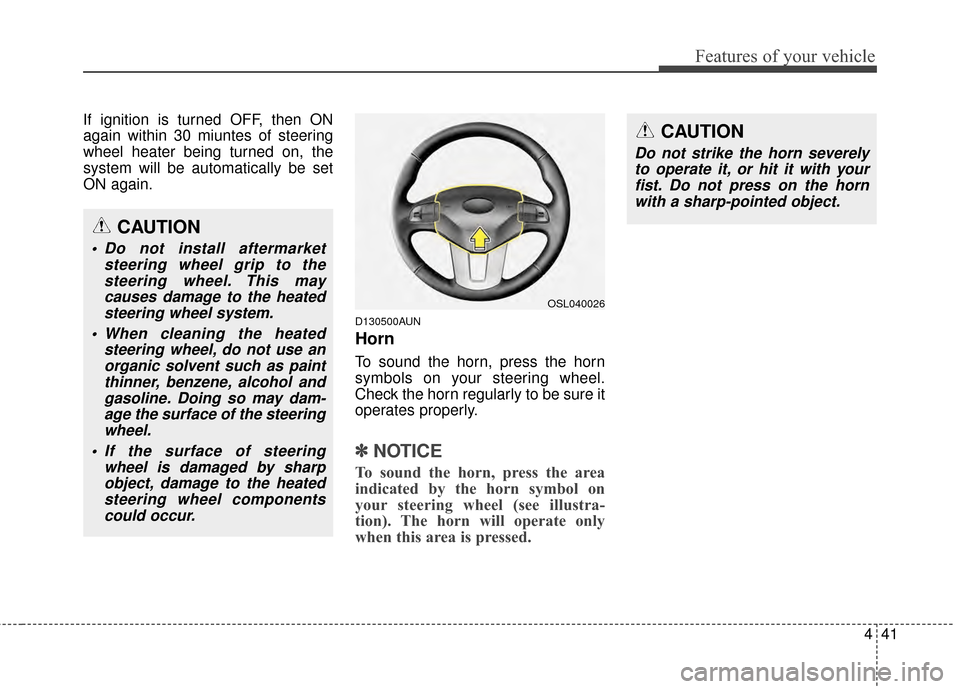
To sound the horn, press the horn
symbols on your steering wheel.
Check the horn regularly to be sure it
operates properly.
✽ ✽NOTICE
To sound the horn, press the area
indicated by the horn symbol on
your steering wheel (see illustra-
tion). The horn will operate only
when this area is pressed.
CAUTION
Do not strike the horn severely
to operate it, or hit it with yourfist. Do not press on the hornwith a sharp-pointed object.
OSL040026
CAUTION
Do not install aftermarket steering wheel grip to thesteering wheel. This maycauses damage to the heatedsteering wheel system.
When cleaning the heated steering wheel, do not use anorganic solvent such as paintthinner, benzene, alcohol andgasoline. Doing so may dam-age the surface of the steeringwheel.
If the surface of steering wheel is damaged by sharpobject, damage to the heatedsteering wheel componentscould occur.
Page 134 of 457
Features of your vehicle
42
4
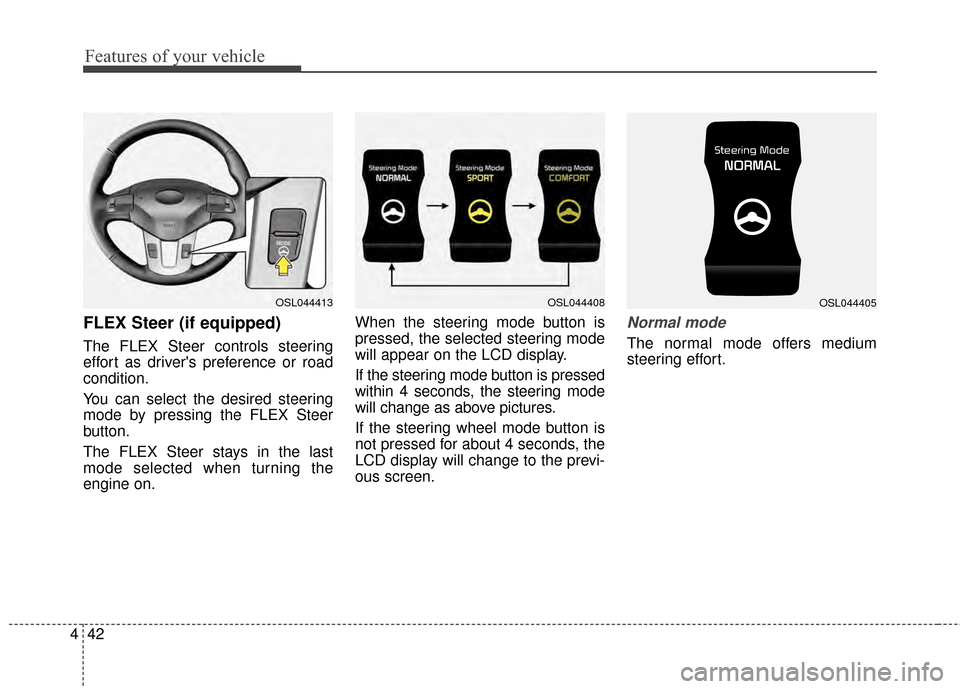
FLEX Steer (if equipped)
The FLEX Steer controls steering
effort as driver's preference or road
condition.
You can select the desired steering
mode by pressing the FLEX Steer
button.
The FLEX Steer stays in the last
mode selected when turning the
engine on. When the steering mode button is
pressed, the selected steering mode
will appear on the LCD display.
If the steering mode button is pressed
within 4 seconds, the steering mode
will change as above pictures.
If the steering wheel mode button is
not pressed for about 4 seconds, the
LCD display will change to the previ-
ous screen.
Normal mode
The normal mode offers medium
steering effort.
OSL044413OSL044408OSL044405
Page 135 of 457
443
Features of your vehicle
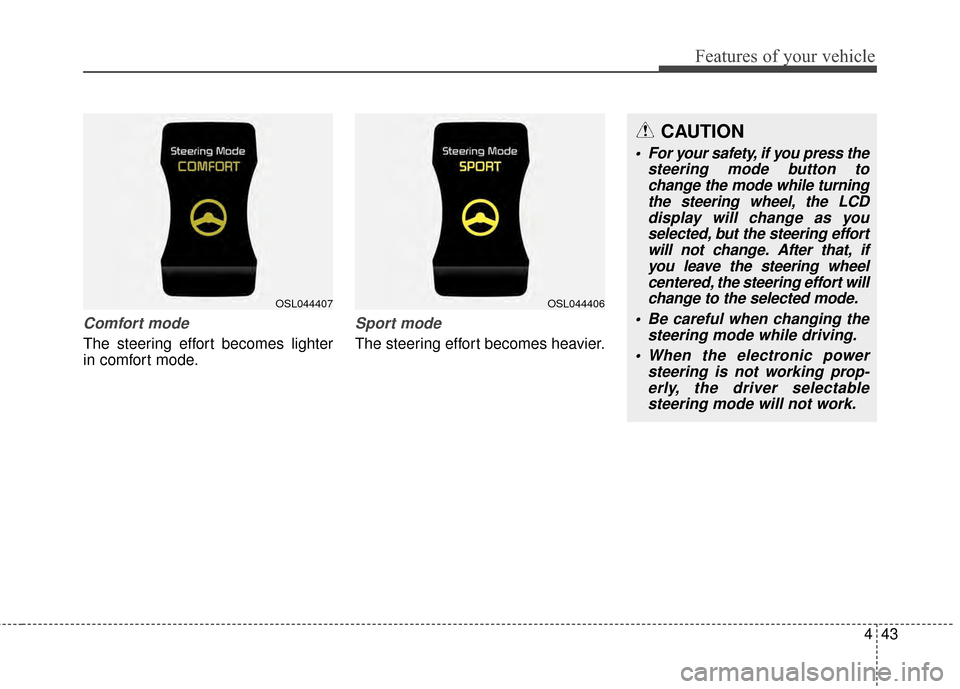
Comfort mode
The steering effort becomes lighter
in comfort mode.
Sport mode
The steering effort becomes heavier.
OSL044407OSL044406
CAUTION
For your safety, if you press thesteering mode button tochange the mode while turningthe steering wheel, the LCDdisplay will change as youselected, but the steering effortwill not change. After that, ifyou leave the steering wheelcentered, the steering effort willchange to the selected mode.
Be careful when changing the steering mode while driving.
When the electronic power steering is not working prop-erly, the driver selectablesteering mode will not work.
Page 167 of 457
475
Features of your vehicle
Align Steering Wheel (left aligned)
If you start the engine when the
wheel is steered to the left at an
angle over 90 degrees, "Align
Steering Wheel" message will
appear on the instrument cluster for
5 seconds after a few seconds of
system check. In this condition, the
warning message will disappear if
the left steered angle comes down to
less than 30 degrees.
Align Steering Wheel (right aligned)
If you start the engine when the
wheel is steered to the right at an
angle over 90 degrees, "Align
Steering Wheel" message will
appear on the instrument cluster for
5 seconds after a few seconds of
system check. In this condition, the
warning message will disappear if
the right steered angle comes down
to less than 30 degrees.Complete
When the steering wheel is aligned
within 30 degrees (left/right) less
than 5 seconds after the "Align
Steering Wheel" message is dis-
played, "Complete" message will
appear for 2 seconds.
Sunroof open
If driver removes the ignition key
(Smart key : turns off the engine) and
opens the driver-side door when the
sunroof is not fully closed, warning
message will appear on the LCD dis-
play. Also, the warning chime sounds
for approximately 7 seconds.
Page 219 of 457
4127
Features of your vehicle
❈The actual feature may differ from the
illustration.
D300200AEN
Steering wheel audio controls
(if equipped)
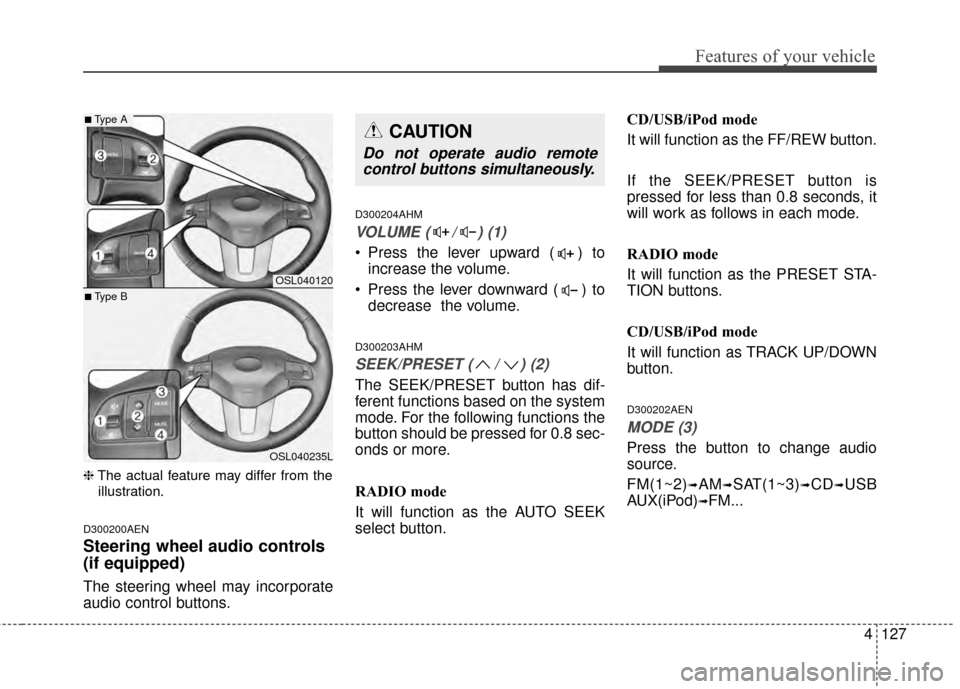
The steering wheel may incorporate
audio control buttons.
D300204AHM
VOLUME ( / ) (1)
• Press the lever upward ( ) to increase the volume.
Press the lever downward ( ) to decrease the volume.
D300203AHM
SEEK/PRESET ( / ) (2)
The SEEK/PRESET button has dif-
ferent functions based on the system
mode. For the following functions the
button should be pressed for 0.8 sec-
onds or more.
RADIO mode
It will function as the AUTO SEEK
select button. CD/USB/iPod mode
It will function as the FF/REW button.
If the SEEK/PRESET button is
pressed for less than 0.8 seconds, it
will work as follows in each mode.
RADIO mode
It will function as the PRESET STA-
TION buttons.
CD/USB/iPod mode
It will function as TRACK UP/DOWN
button.
D300202AEN
MODE (3)
Press the button to change audio
source.
FM(1~2)
➟AM➟SAT(1~3)➟CD➟USB
AUX(iPod)
➟FM...
OSL040120
OSL040235L
■Type A
■Type B
CAUTION
Do not operate audio remote control buttons simultaneously.
Page 255 of 457
4163
Features of your vehicle
PHONE
Before using the Bluetooth®Wireless
Technology phone features
Bluetooth®Wireless
Technology phone, you must first
pair and connect the
Bluetooth®
Wireless Technology mobile phone.
connected, it is not possible to
enter Phone mode. Once a phone
is paired or connected, the guid-
ance screen will be displayed.
tion (IGN/ACC ON), the
Bluetooth®
Wireless Technology phone will be
automatically connected. Even if
you are outside, the
Bluetooth®
Wireless Technology phone will be
automatically connected once you
are in the vicinity of the vehicle. If
you do not want automatic
Bluetooth®Wireless Technology
phone connection, set the
Bluetooth®Wireless Technology
power to OFF
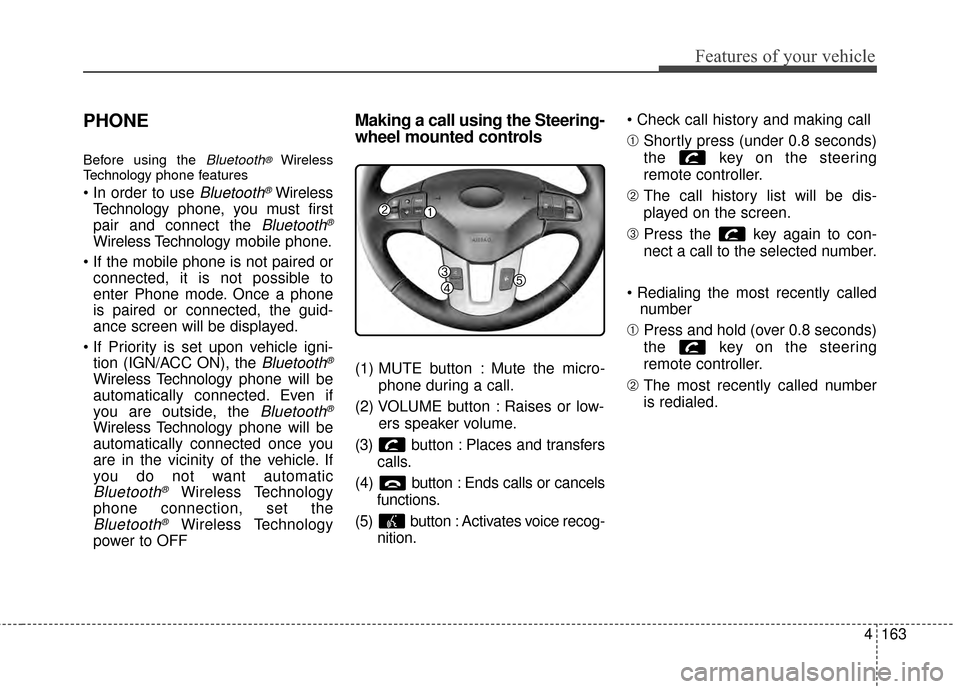
Making a call using the Steering-
wheel mounted controls
(1) MUTE button : Mute the micro-
phone during a call.
(2) VOLUME button : Raises or low- ers speaker volume.
(3) b utton : Places and transfers
calls.
(4) b utton : Ends calls or cancels
functions.
(5) button : Activates voice recog- nition.
➀
Shortly press (under 0.8 seconds)
the key on the steering
remote controller.
\b The call history list will be dis-
played on the screen.
➂ Press the key again to con-
nect a call to the selected number.
number
➀ Press and hold (over 0.8 seconds)
the key on the steering
remote controller.
\b The most recently called number
is redialed.
Page 258 of 457
Features of your vehicle
166
4
Some phones (i.e., iPhone, Android
and Blackberry phones) may offer an
option to allow acceptance of all
future Bluetooth connection requests
by default." and "Visit
http://www.kia.com/us/#/bluetooth for
additional information on pairing your
Bluetooth-enabled mobile phone,
and to view a phone compatibility list.
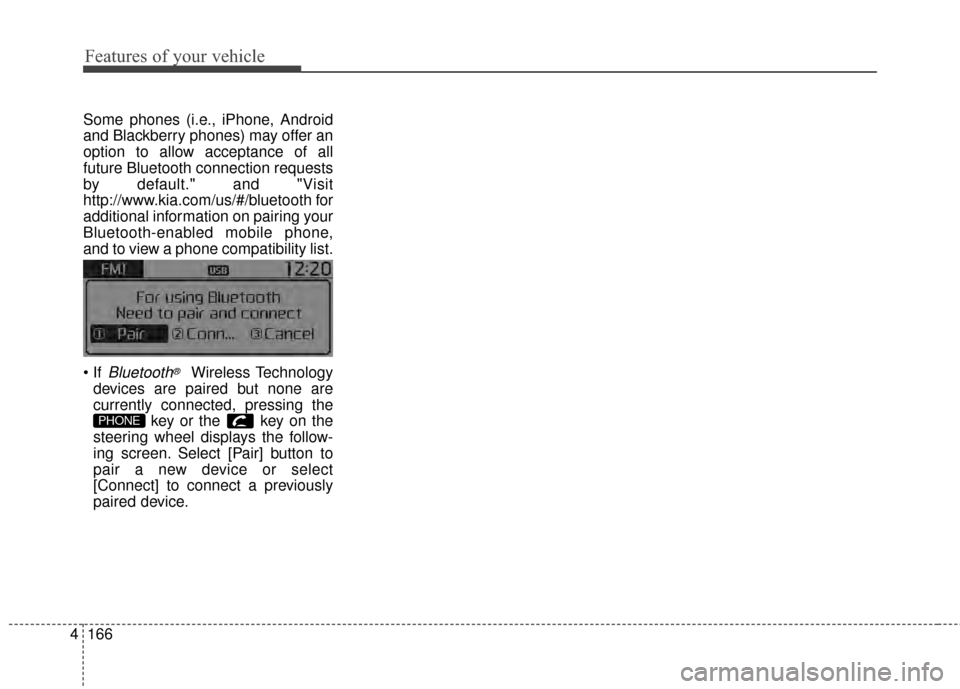
Bluetooth®Wireless Technology
devices are paired but none are
currently connected, pressing the key or the key on the
steering wheel displays the follow-
ing screen. Select [Pair] button to
pair a new device or select
[Connect] to connect a previously
paired device.
PHONE