door lock KIA Sportage 2015 QL / 4.G Owner's Guide
[x] Cancel search | Manufacturer: KIA, Model Year: 2015, Model line: Sportage, Model: KIA Sportage 2015 QL / 4.GPages: 499, PDF Size: 16.07 MB
Page 118 of 499
431
Features of your vehicle
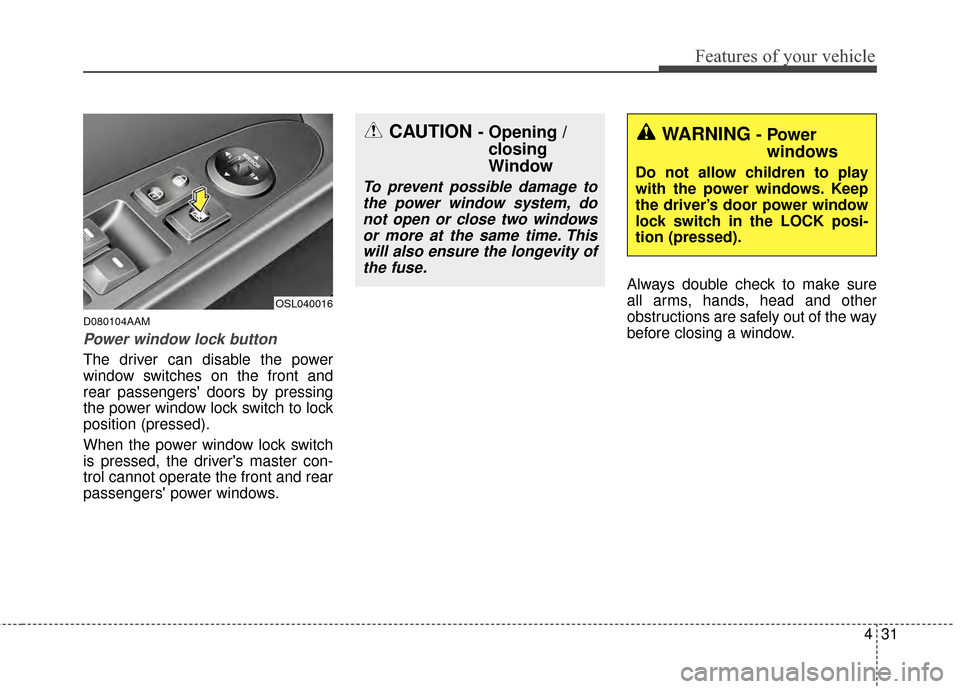
D080104AAM
Power window lock button
The driver can disable the power
window switches on the front and
rear passengers' doors by pressing
the power window lock switch to lock
position (pressed).
When the power window lock switch
is pressed, the driver's master con-
trol cannot operate the front and rear
passengers' power windows.Always double check to make sure
all arms, hands, head and other
obstructions are safely out of the way
before closing a window.
OSL040016
CAUTION - Opening /
closing
Window
To prevent possible damage to
the power window system, donot open or close two windowsor more at the same time. Thiswill also ensure the longevity ofthe fuse.
WARNING- Power windows
Do not allow children to play
with the power windows. Keep
the driver’s door power window
lock switch in the LOCK posi-
tion (pressed).
Page 139 of 499
Features of your vehicle
52
4
6.Return to the vehicle and firmly
press and release the programmed
HomeLink
®button up to three
times. The rolling code equipped
device should now recognize the
HomeLink
®signal and activate
when the HomeLink®button is
pressed. The remaining two but-
tons may now be programmed if
this has not previously been done.
Refer to the “Programming” portion
of this text. Operating HomeLink
®
To operate, simply press the pro-
grammed HomeLink®button.
Activation will now occur for the
trained product (garage door, securi-
ty system, entry door lock, estate
gate, or home or office lighting). For
convenience, the hand-held trans-
mitter of the device may also be used
at any time. The HomeLink
®Wireless
Controls System (once programmed)
or the original hand-held transmitter
may be used to activate the device
(e.g. garage door, entry door lock,
etc.). In the event that there are still
programming difficulties, contact
HomeLink
®at 1-800-355-3515 or on
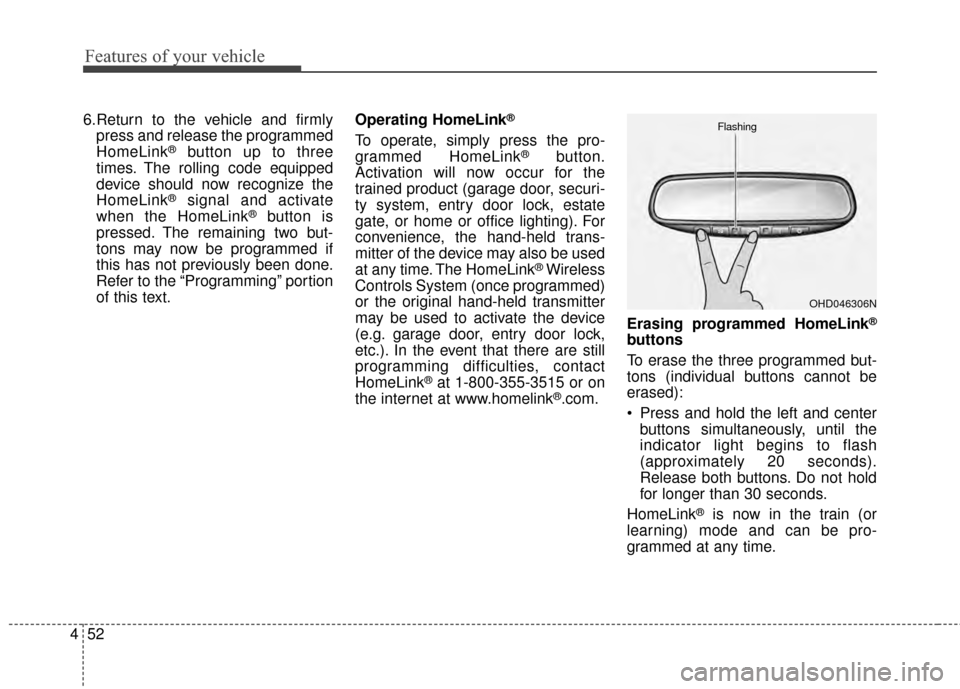
the internet at www.homelink®.com. Erasing programmed HomeLink
®
buttons
To erase the three programmed but-
tons (individual buttons cannot be
erased):
Press and hold the left and center
buttons simultaneously, until the
indicator light begins to flash
(approximately 20 seconds).
Release both buttons. Do not hold
for longer than 30 seconds.
HomeLink
®is now in the train (or
learning) mode and can be pro-
grammed at any time.
OHD046306N
Flashing
Page 162 of 499
475
Features of your vehicle
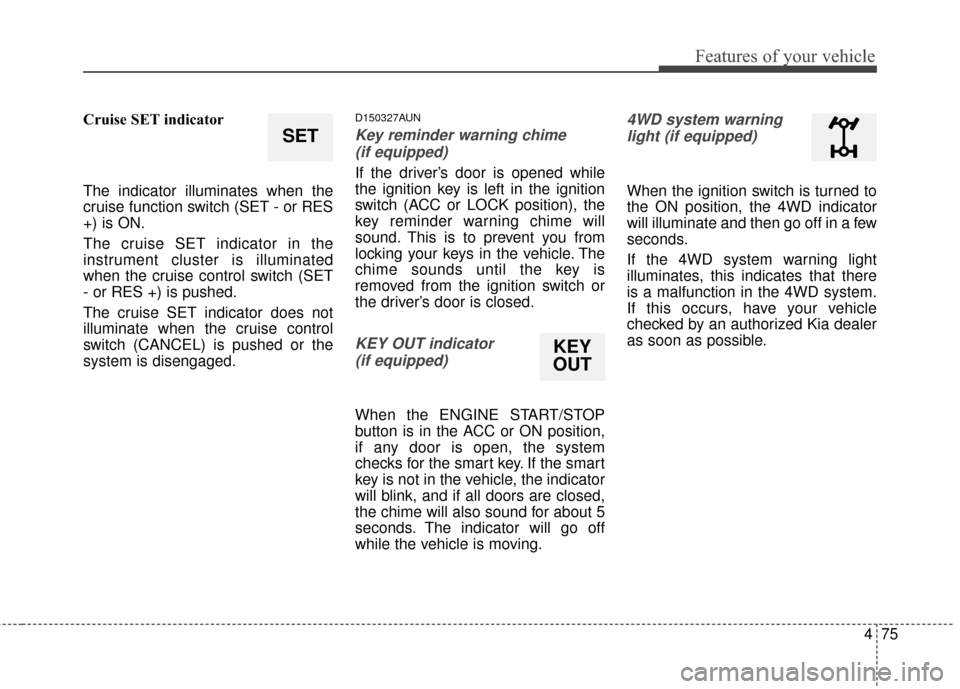
Cruise SET indicator
The indicator illuminates when the
cruise function switch (SET - or RES
+) is ON.
The cruise SET indicator in the
instrument cluster is illuminated
when the cruise control switch (SET
- or RES +) is pushed.
The cruise SET indicator does not
illuminate when the cruise control
switch (CANCEL) is pushed or the
system is disengaged.D150327AUN
Key reminder warning chime (if equipped)
If the driver’s door is opened while
the ignition key is left in the ignition
switch (ACC or LOCK position), the
key reminder warning chime will
sound. This is to prevent you from
locking your keys in the vehicle. The
chime sounds until the key is
removed from the ignition switch or
the driver’s door is closed.
KEY OUT indicator (if equipped)
When the ENGINE START/STOP
button is in the ACC or ON position,
if any door is open, the system
checks for the smart key. If the smart
key is not in the vehicle, the indicator
will blink, and if all doors are closed,
the chime will also sound for about 5
seconds. The indicator will go off
while the vehicle is moving.
4WD system warninglight (if equipped)
When the ignition switch is turned to
the ON position, the 4WD indicator
will illuminate and then go off in a few
seconds.
If the 4WD system warning light
illuminates, this indicates that there
is a malfunction in the 4WD system.
If this occurs, have your vehicle
checked by an authorized Kia dealer
as soon as possible.
SET
KEY
OUT
Page 163 of 499
Features of your vehicle
76
4
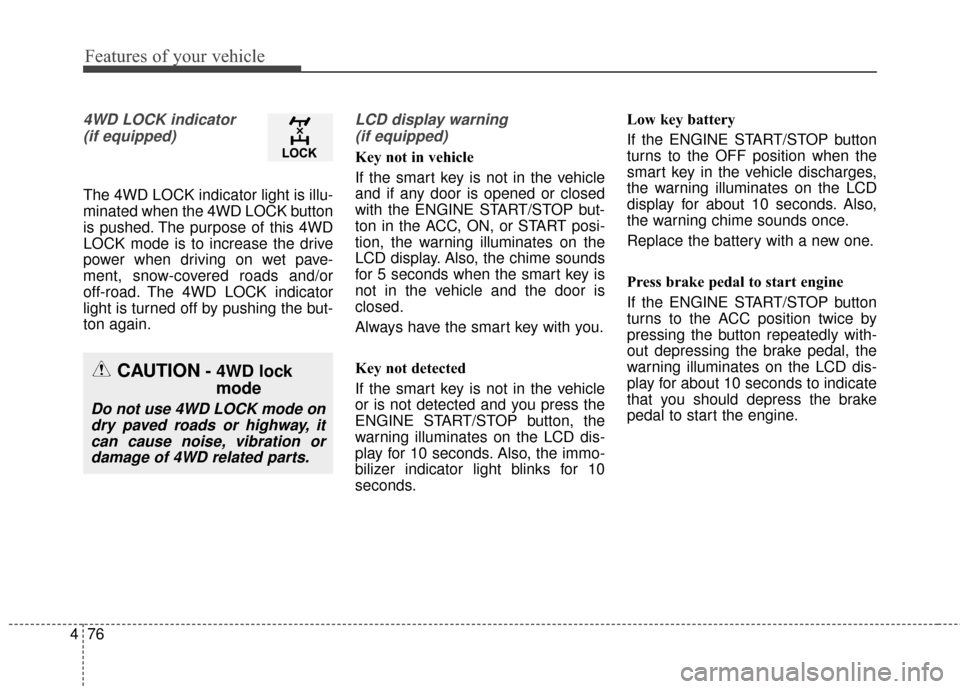
4WD LOCK indicator
(if equipped)
The 4WD LOCK indicator light is illu-
minated when the 4WD LOCK button
is pushed. The purpose of this 4WD
LOCK mode is to increase the drive
power when driving on wet pave-
ment, snow-covered roads and/or
off-road. The 4WD LOCK indicator
light is turned off by pushing the but-
ton again.
LCD display warning (if equipped)
Key not in vehicle
If the smart key is not in the vehicle
and if any door is opened or closed
with the ENGINE START/STOP but-
ton in the ACC, ON, or START posi-
tion, the warning illuminates on the
LCD display. Also, the chime sounds
for 5 seconds when the smart key is
not in the vehicle and the door is
closed.
Always have the smart key with you.
Key not detected
If the smart key is not in the vehicle
or is not detected and you press the
ENGINE START/STOP button, the
warning illuminates on the LCD dis-
play for 10 seconds. Also, the immo-
bilizer indicator light blinks for 10
seconds. Low key battery
If the ENGINE START/STOP button
turns to the OFF position when the
smart key in the vehicle discharges,
the warning illuminates on the LCD
display for about 10 seconds. Also,
the warning chime sounds once.
Replace the battery with a new one.
Press brake pedal to start engine
If the ENGINE START/STOP button
turns to the ACC position twice by
pressing the button repeatedly with-
out depressing the brake pedal, the
warning illuminates on the LCD dis-
play for about 10 seconds to indicate
that you should depress the brake
pedal to start the engine.
CAUTION- 4WD lock
mode
Do not use 4WD LOCK mode on
dry paved roads or highway, itcan cause noise, vibration ordamage of 4WD related parts.
Page 172 of 499
485
Features of your vehicle
D190100APB
Battery saver function
The purpose of this feature is toprevent the battery from being dis-
charged if the lights are left in the
ON position. The system automati-
cally turns off the parking lights
when the driver turns off the
engine and opens the driver-side
door.
With this feature, the parking lights will turn off automatically if the driv-
er parks on the side of the road at
night and opens the driver’s side
door.
If necessary, to keep the parking
lights on when the ignition key is
removed, perform the following:
1) Open the driver-side door.
2) Turn the parking lights OFF and ON again using the light switch
on the steering column.
Headlight escort function
(if equipped)
The headlights (and/or taillights)
remain on for approximately 5 min-
utes after the ignition key is removed
or turned to the ACC or LOCK posi-
tion. However, if the driver’s door
(and tailgate) is opened and closed,
the headlights are turned off after 15
seconds.
The headlights can be turned off by
pressing the lock button on the trans-
mitter (or smart key) twice or turning
off the light switch from the headlight
or Auto light position.
If the driver gets out of the vehicle
through other doors (except driver's
door), the battery saver function
does not operate and the headlight
escort function does not turn off
automatically. Therefore, It causes
the battery to be discharged. In this
case, make sure to turn off the lamp
before getting out of the vehicle.
Headlight welcome function
(if equipped)
When the headlight switch is in the
ON or AUTO position and all doors
(and tailgate) are closed and locked,
if you press the door unlock button
on the transmitter (or smart key), the
headlights will come on for about 15
seconds.
If the headlight switch is in the AUTO
position, the function can only oper-
ate at night.
At this time, if you press the door lock
button or unlock button (once or
twice) on the transmitter (or smart
key), the headlights will turn off
immediately.
LIGHTING
Page 181 of 499
Features of your vehicle
94
4
D210000AEN
Do not use the interior lights for
extended periods when the engine is
not running.
It may cause battery discharge.
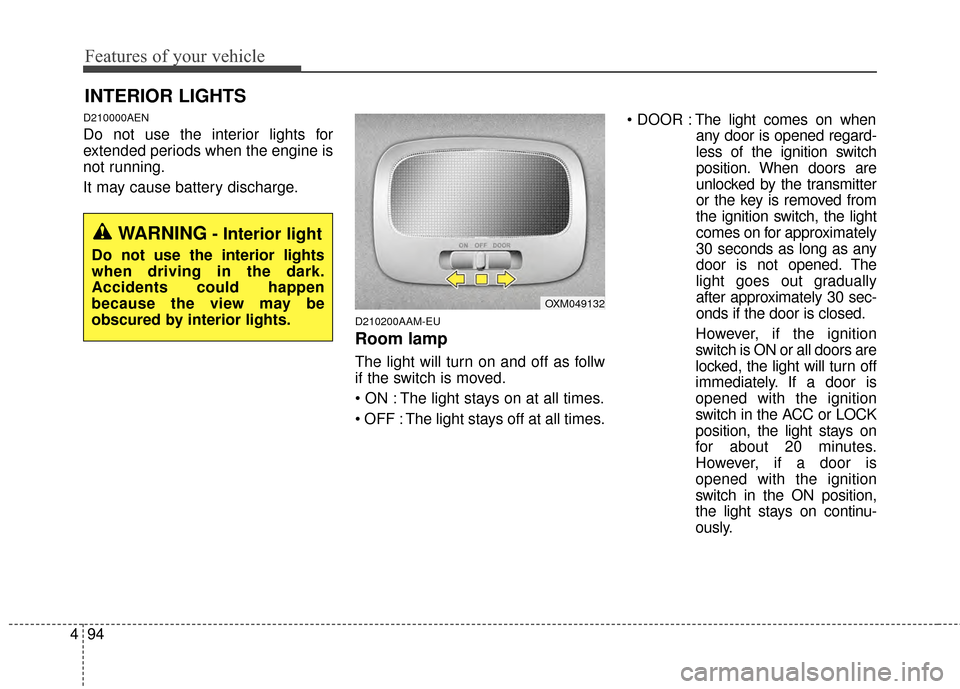
D210200AAM-EU
Room lamp
The light will turn on and off as follw
if the switch is moved.
The light stays on at all times.
The light stays off at all times.
The light comes on when
any door is opened regard-
less of the ignition switch
position. When doors are
unlocked by the transmitter
or the key is removed from
the ignition switch, the light
comes on for approximately
30 seconds as long as any
door is not opened. The
light goes out gradually
after approximately 30 sec-
onds if the door is closed.
However, if the ignition
switch is ON or all doors are
locked, the light will turn off
immediately. If a door is
opened with the ignition
switch in the ACC or LOCK
position, the light stays on
for about 20 minutes.
However, if a door is
opened with the ignition
switch in the ON position,
the light stays on continu-
ously.
INTERIOR LIGHTS
OXM049132
WARNING- Interior light
Do not use the interior lights
when driving in the dark.
Accidents could happen
because the view may be
obscured by interior lights.
Page 182 of 499
495
Features of your vehicle
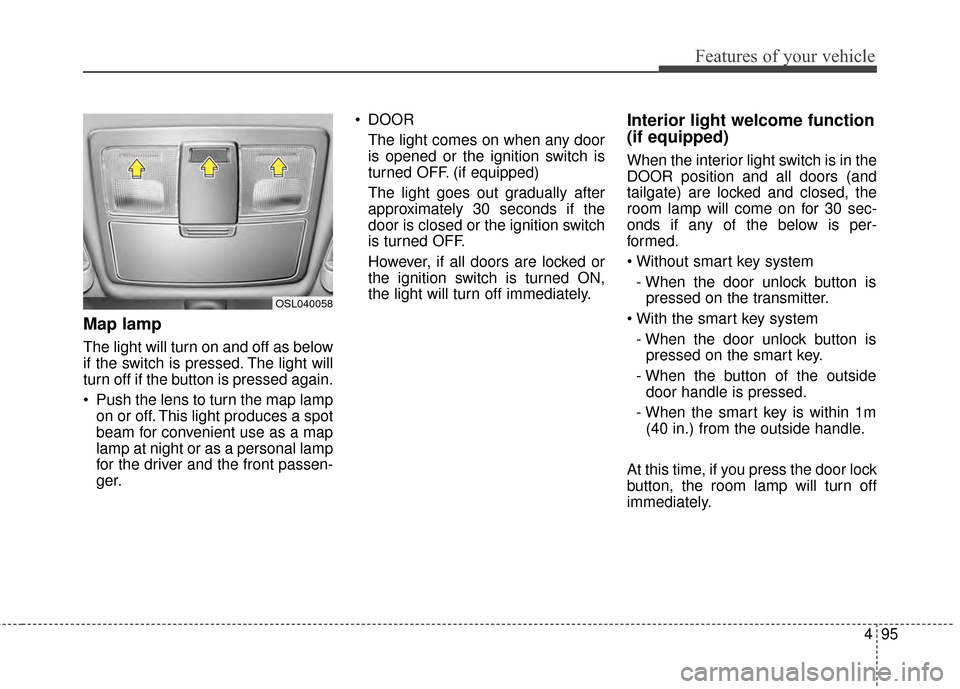
Map lamp
The light will turn on and off as below
if the switch is pressed. The light will
turn off if the button is pressed again.
Push the lens to turn the map lampon or off. This light produces a spot
beam for convenient use as a map
lamp at night or as a personal lamp
for the driver and the front passen-
ger. DOOR
The light comes on when any door
is opened or the ignition switch is
turned OFF. (if equipped)
The light goes out gradually after
approximately 30 seconds if the
door is closed or the ignition switch
is turned OFF.
However, if all doors are locked or
the ignition switch is turned ON,
the light will turn off immediately.
Interior light welcome function
(if equipped)
When the interior light switch is in the
DOOR position and all doors (and
tailgate) are locked and closed, the
room lamp will come on for 30 sec-
onds if any of the below is per-
formed.
- When the door unlock button is pressed on the transmitter.
- When the door unlock button is pressed on the smart key.
- When the button of the outside door handle is pressed.
- When the smart key is within 1m (40 in.) from the outside handle.
At this time, if you press the door lock
button, the room lamp will turn off
immediately.
OSL040058
Page 327 of 499
Driving your vehicle
45
E020300AHM
Before starting
Close and lock all doors.
Position the seat so that all con-trols are easily reached.
Adjust the inside and outside rearview mirrors.
Be sure that all lights work.
Check all gauges.
Check the operation of warning lights when the ignition switch is
turned to the ON position.
Release the parking brake and make sure the brake warning light
goes out.
Buckle your seat belt.
For safe operation, be sure you are
familiar with your vehicle and its
equipment.
WARNING- Fire risk
When you intend to park or stop
the vehicle with the engine on,
be careful not to depress the
accelerator pedal for a long
period of time. It may overheat
the engine or exhaust system
and cause a fire.
WARNING- Loose object
Securely store items in your
vehicle. When you make a sud-
den stop or turn the steering
wheel rapidly, loose objects
may drop on the floor and it
could interfere with the opera-
tion of the foot pedals, possibly
causing an accident.
WARNING- Check sur- rounding
Always check the surrounding
areas near your vehicle for peo-
ple, especially children, before
putting a vehicle into D (Drive)
or R (Reverse).
WARNING- Driving whileintoxicated
Do not drive while intoxicated.
Drinking and driving is danger-
ous. Even a small amount of
alcohol will affect your reflexes,
perceptions and judgment.
Driving while under the influ-
ence of drugs including certain
prescription drugs is as danger-
ous as or more dangerous than
driving drunk.
Page 328 of 499
55
Driving your vehicle
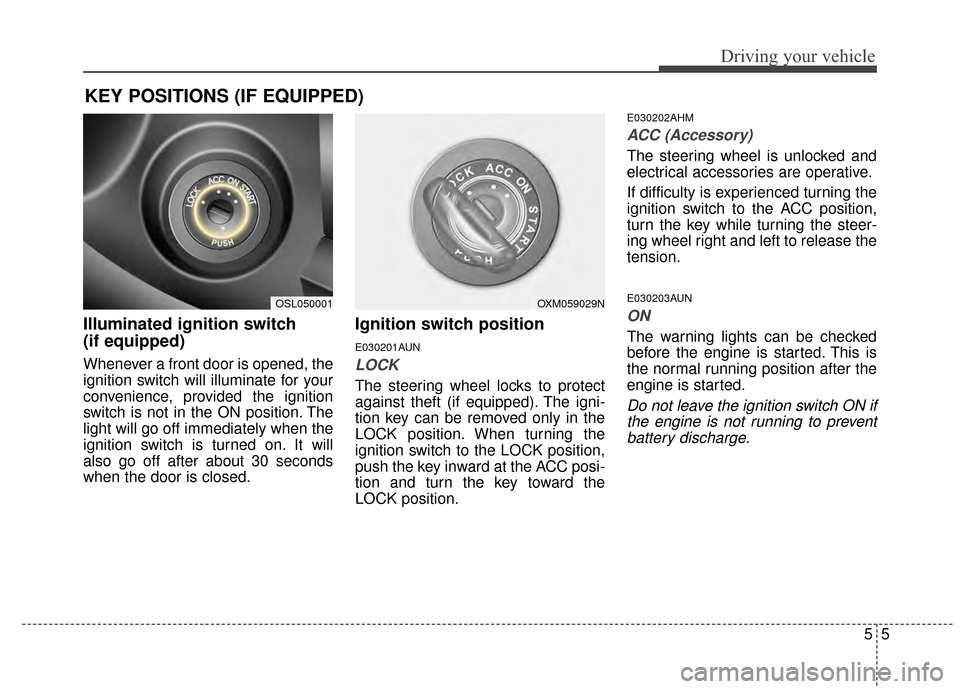
Illuminated ignition switch
(if equipped)
Whenever a front door is opened, the
ignition switch will illuminate for your
convenience, provided the ignition
switch is not in the ON position. The
light will go off immediately when the
ignition switch is turned on. It will
also go off after about 30 seconds
when the door is closed.
Ignition switch position
E030201AUN
LOCK
The steering wheel locks to protect
against theft (if equipped). The igni-
tion key can be removed only in the
LOCK position. When turning the
ignition switch to the LOCK position,
push the key inward at the ACC posi-
tion and turn the key toward the
LOCK position.
E030202AHM
ACC (Accessory)
The steering wheel is unlocked and
electrical accessories are operative.
If difficulty is experienced turning the
ignition switch to the ACC position,
turn the key while turning the steer-
ing wheel right and left to release the
tension.
E030203AUN
ON
The warning lights can be checked
before the engine is started. This is
the normal running position after the
engine is started.
Do not leave the ignition switch ON ifthe engine is not running to preventbattery discharge.
KEY POSITIONS (IF EQUIPPED)
OXM059029NOSL050001
Page 422 of 499
Maintenance
67
G030103AHM
At least monthly:
Check the coolant level in theengine coolant reservoir.
Check the operation of all exterior lights, including the stoplights, turn
signals and hazard warning flash-
ers.
Check the inflation pressures of all tires including the spare.
G030104AHM
At least twice a year
(i.e., every Spring and Fall):
Check the radiator, heater and air conditioning hoses for leaks or
damage.
Check the windshield washer spray and wiper operation. Clean
the wiper blades with clean cloth
dampened with washer fluid.
Check the headlight alignment.
Check the muffler, exhaust pipes, shields and clamps.
Check the lap/shoulder belts for wear and function.
Check for worn tires and loose wheel lug nuts.
G030105AHM-C1
At least once a year:
Clean the body and door drainholes.
Lubricate the door hinges and checks, and hood hinges.
Lubricate the door and hood locks and latches.
Lubricate the door rubber weather- strips.
Check the air conditioning system.
Check the power steering fluid level.
Inspect and lubricate the automat- ic transaxle linkage and controls.
Clean the battery and terminals.
Check the brake/clutch fluid level.