user settings KIA Sportage 2017 QL / 4.G User Guide
[x] Cancel search | Manufacturer: KIA, Model Year: 2017, Model line: Sportage, Model: KIA Sportage 2017 QL / 4.GPages: 595, PDF Size: 16.22 MB
Page 377 of 595
651
Driving your vehicle
AUTONOMOUS EMERGENCY BRAKING (AEB) (IF EQUIPPED)
The AEB system is to reduce or to
avoid accident risk. It recognizes the
distance from the vehicle ahead or
the pedestrian through the sensors
(i.e. radar and camera), and, if nec-
essary, warns the driver of accident
risk with the warning message or the
warning alarms.✽ ✽NOTICE
Take the following precautions when
using the Autonomous Emergency
Braking (AEB):
• This system is only a supplemental
system and it is not intended to,
nor does it replace the need for
extreme care and attention of the
driver. The sensing range and
objects detectable by the sensors
are limited. Pay attention to the
road conditions at all times.
• NEVER drive too fast in accor- dance with the road conditions or
while cornering.
• Always drive cautiously to prevent unexpected and sudden situations
from occurring. AEB does not stop
the vehicle completely and does
not avoid collisions.
System setting and activation
System setting
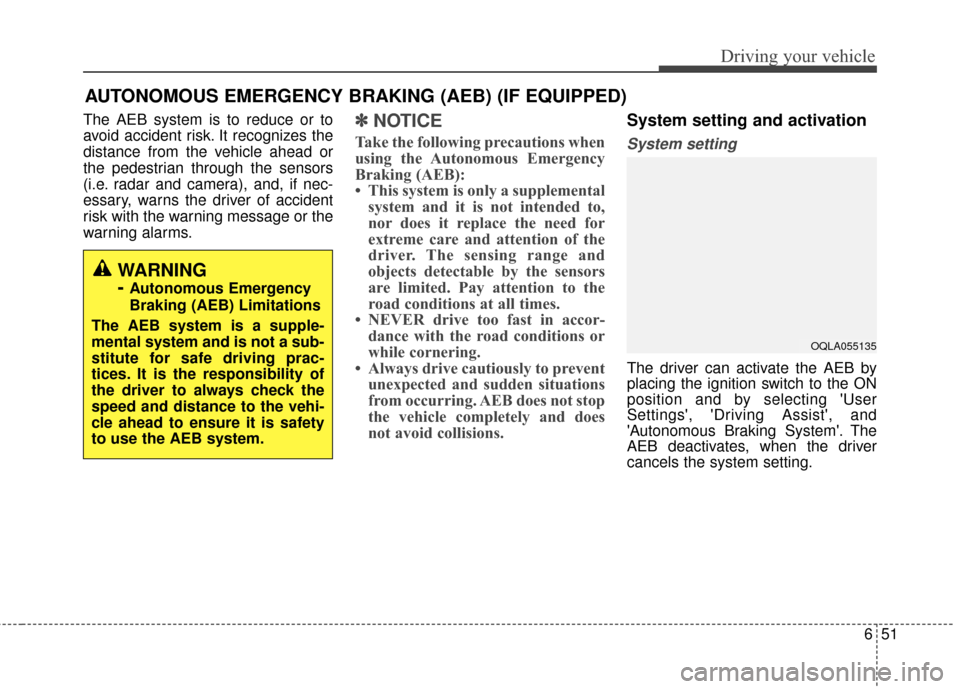
The driver can activate the AEB by
placing the ignition switch to the ON
position and by selecting 'User
Settings', 'Driving Assist', and
'Autonomous Braking System'. The
AEB deactivates, when the driver
cancels the system setting.
WARNING
-
Autonomous Emergency
Braking (AEB) Limitations
The AEB system is a supple-
mental system and is not a sub-
stitute for safe driving prac-
tices. It is the responsibility of
the driver to always check the
speed and distance to the vehi-
cle ahead to ensure it is safety
to use the AEB system.
OQLA055135
Page 378 of 595
Driving your vehicle
52
6
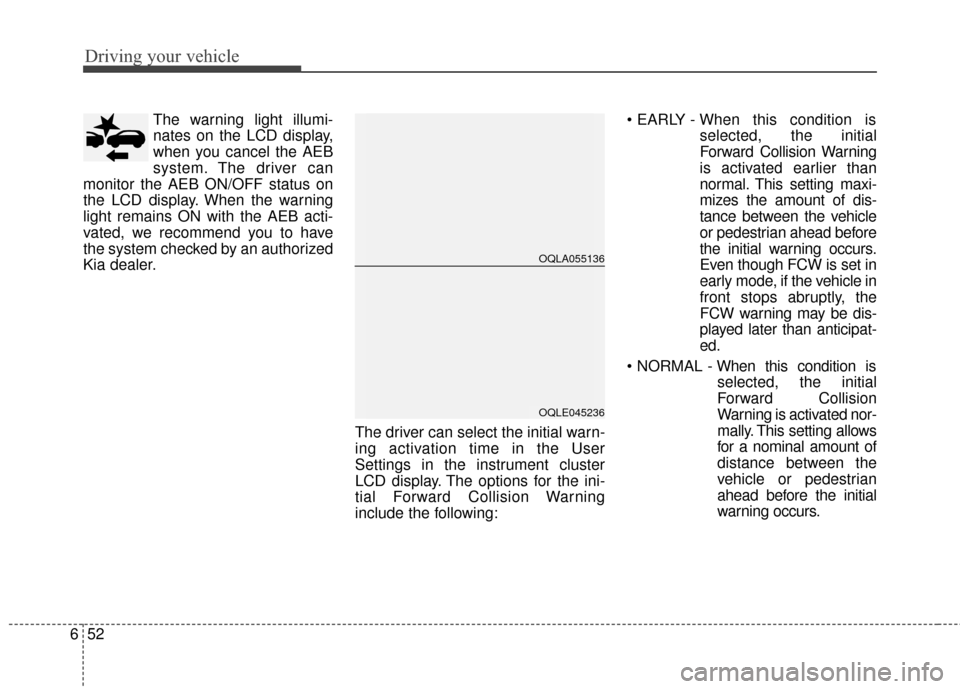
The warning light illumi-
nates on the LCD display,
when you cancel the AEB
system. The driver can
monitor the AEB ON/OFF status on
the LCD display. When the warning
light remains ON with the AEB acti-
vated, we recommend you to have
the system checked by an authorized
Kia dealer.
The driver can select the initial warn-
ing activation time in the User
Settings in the instrument cluster
LCD display. The options for the ini-
tial Forward Collision Warning
include the following:
selected, the initial
Forward Collision Warning
is activated earlier than
normal. This setting maxi-
mizes the amount of dis-
tance between the vehicle
or pedestrian ahead before
the initial warning occurs.
Even though FCW is set in
early mode, if the vehicle in
front stops abruptly, the
FCW warning may be dis-
played later than anticipat-
ed.
selected, the initial
Forward Collision
Warning is activated nor-
mally. This setting allows
for a nominal amount of
distance between the
vehicle or pedestrian
ahead before the initial
warning occurs.
OQLA055136
OQLE045236
Page 388 of 595
Driving your vehicle
62
6
✽ ✽
NOTICE
The system may temporarily cancel
due to the strong electric waves.
Pay great caution to the vehicle in
front, when it has heavy loading
extended rearward, or when it has
higher ground clearance.
The sensor only detects pedestri- an, not carts, bicycles, motorcy-
cles, luggage bags, or strollers.
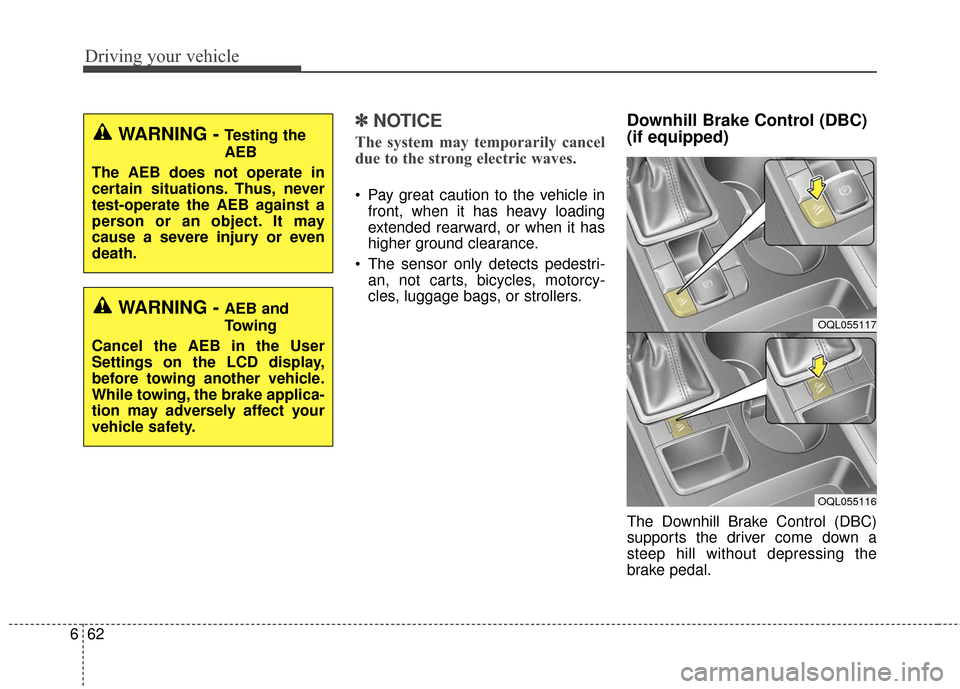
Downhill Brake Control (DBC)
(if equipped)
The Downhill Brake Control (DBC)
supports the driver come down a
steep hill without depressing the
brake pedal.
WARNING - Testing the
AEB
The AEB does not operate in
certain situations. Thus, never
test-operate the AEB against a
person or an object. It may
cause a severe injury or even
death.
WARNING - AEB and
Towing
Cancel the AEB in the User
Settings on the LCD display,
before towing another vehicle.
While towing, the brake applica-
tion may adversely affect your
vehicle safety.OQL055117
OQL055116
Page 400 of 595
Driving your vehicle
74
6
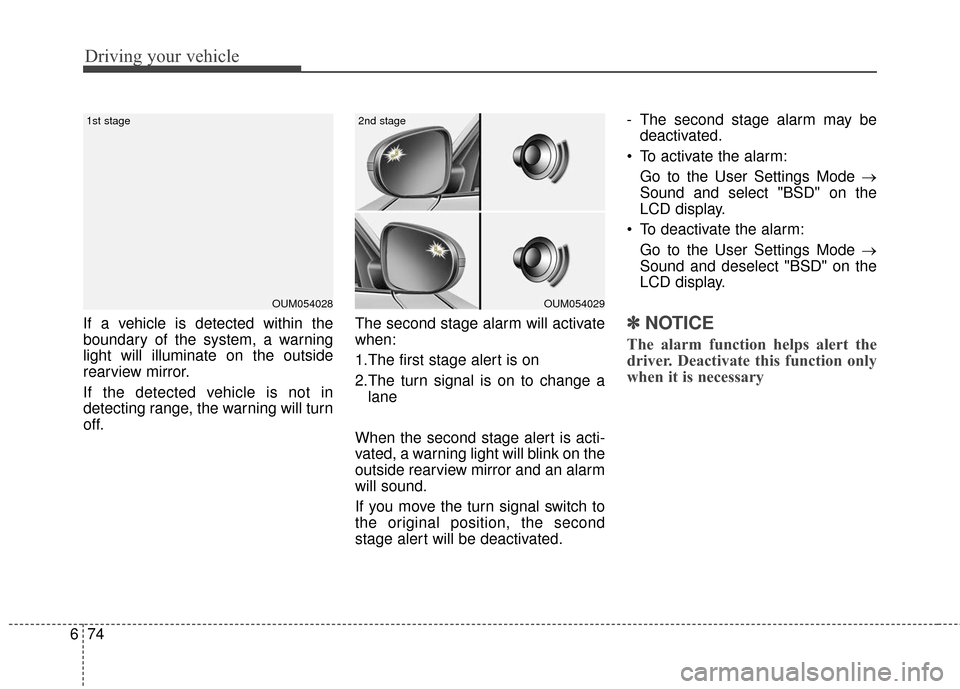
If a vehicle is detected within the
boundary of the system, a warning
light will illuminate on the outside
rearview mirror.
If the detected vehicle is not in
detecting range, the warning will turn
off. The second stage alarm will activate
when:
1.The first stage alert is on
2.The turn signal is on to change a
lane
When the second stage alert is acti-
vated, a warning light will blink on the
outside rearview mirror and an alarm
will sound.
If you move the turn signal switch to
the original position, the second
stage alert will be deactivated. - The second stage alarm may be
deactivated.
To activate the alarm: Go to the User Settings Mode →
Sound and select "BSD" on the
LCD display.
To deactivate the alarm: Go to the User Settings Mode →
Sound and deselect "BSD" on the
LCD display.✽ ✽
NOTICE
The alarm function helps alert the
driver. Deactivate this function only
when it is necessary
OUM054029
2nd stage
OUM054028
1st stage
Page 402 of 595
Driving your vehicle
76
6
If the system does not work properly,
a warning message will appear and
the light on the switch will turn off.
The system will turn off automatical-
ly.
Have your vehicle inspected by an
authorized Kia dealer.
RCTA (Rear Cross Traffic Alert)
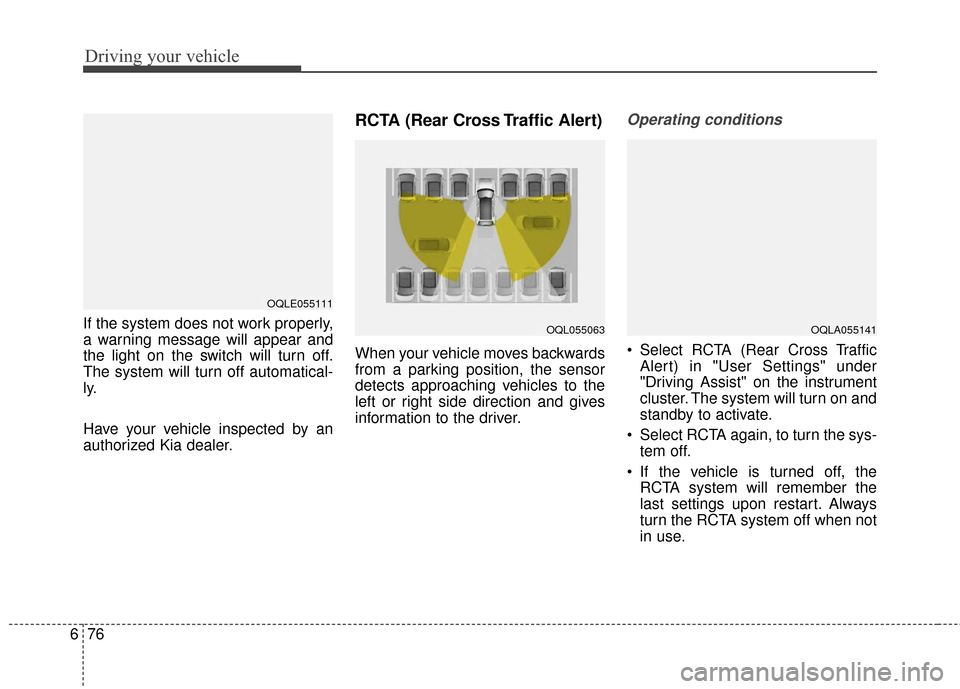
When your vehicle moves backwards
from a parking position, the sensor
detects approaching vehicles to the
left or right side direction and gives
information to the driver.
Operating conditions
Select RCTA (Rear Cross Traffic
Alert) in "User Settings" under
"Driving Assist" on the instrument
cluster. The system will turn on and
standby to activate.
Select RCTA again, to turn the sys- tem off.
If the vehicle is turned off, the RCTA system will remember the
last settings upon restart. Always
turn the RCTA system off when not
in use.
OQLE055111
OQL055063OQLA055141
Page 440 of 595
What to do in an emergency
87
TIRE PRESSURE MONITORING SYSTEM (TPMS) (IF EQUIPPED)
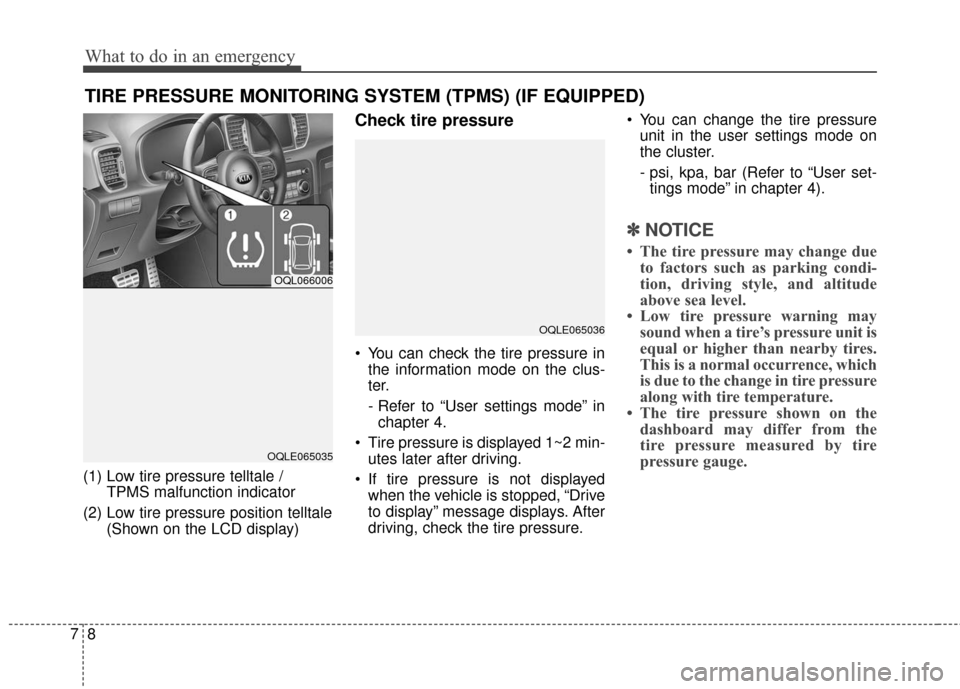
(1) Low tire pressure telltale / TPMS malfunction indicator
(2) Low tire pressure position telltale (Shown on the LCD display)
Check tire pressure
You can check the tire pressure inthe information mode on the clus-
ter.
- Refer to “User settings mode” inchapter 4.
Tire pressure is displayed 1~2 min- utes later after driving.
If tire pressure is not displayed when the vehicle is stopped, “Drive
to display” message displays. After
driving, check the tire pressure. You can change the tire pressure
unit in the user settings mode on
the cluster.
- psi, kpa, bar (Refer to “User set-tings mode” in chapter 4).
✽ ✽ NOTICE
• The tire pressure may change due
to factors such as parking condi-
tion, driving style, and altitude
above sea level.
• Low tire pressure warning may sound when a tire’s pressure unit is
equal or higher than nearby tires.
This is a normal occurrence, which
is due to the change in tire pressure
along with tire temperature.
• The tire pressure shown on the dashboard may differ from the
tire pressure measured by tire
pressure gauge.
OQL066006
OQLE065035
OQLE065036
Page 591 of 595
Index
6I
Air ventilation seat ....................................................4-167
Bottle holder ............................................................4-165
Cargo security screen ................................................4-175
Clothes hanger ..........................................................4-173
Cup holder ................................................................4-165
Floor mat anchor (s)..................................................\
4-173
Luggage net holder ..................................................4-174
Power outlet ..............................................................4-168
Seat warmer ..............................................................4-166
Sunvisor ....................................................................4-16\
7
USB charger ..............................................................4-169
Wireless smart phone charging system ....................4-170
Interior lights ..............................................................4-130 Automatic turn off function ......................................4-130
Glove box lamp ........................................................4-132
Liftgate room lamp ..................................................4-132
Map lamp ................................................................4-131
Room lamp ................................................................4-130
Vanity mirror lamp ....................................................4-132
Interior overview..............................................................2-4
Key positions ..................................................................6-6 Ignition switch position ................................................6-6
Illuminated ignition switch ..........................................6-6
Starting the engine ........................................................6-7 Lane departure warning system (LDWS) ......................6-80
Conditions that cause missed warnings andfalse warnings ..........................................................6-83
Conditions that cause the LDWS not to operate ........6-82
Warning indicator ......................................................6-82
LCD Display ..................................................................4-75 LCD Modes ................................................................4-75
Service Mode ..............................................................4-76
User Settings Mode ....................................................4-78
Liftgate (for manual liftgate) ........................................4-26 Closing the liftgate ......................................................4-26
Emergency liftgate safety release ..............................4-27
Opening the liftgate ....................................................4-26
Light bulbs ....................................................................8-80\
Back-up lamp and Rear turn signal lamp bulbreplacement ..............................................................8-89
Bulb replacement precaution ......................................8-80
Front fog lamp (Bulb and LED type) bulb replacement ..............................................................8-86
Front turn signal lamp bulb replacement ....................8-85
Glove box lamp bulb replacement ..............................8-93
Headlamp (HID type) bulb replacement ....................8-83
Headlamp (High/Low beam) bulb replacement..........8-84
High mounted stop lamp bulb replacement ................8-90
License plate lamp bulb Replacement ........................8-90
Light bulb position (Front) ........................................8-81
K
L