Transaxle KIA Sportage 2017 QL / 4.G Owner's Manual
[x] Cancel search | Manufacturer: KIA, Model Year: 2017, Model line: Sportage, Model: KIA Sportage 2017 QL / 4.GPages: 595, PDF Size: 16.22 MB
Page 34 of 595
Safety features of your vehicle
18
3
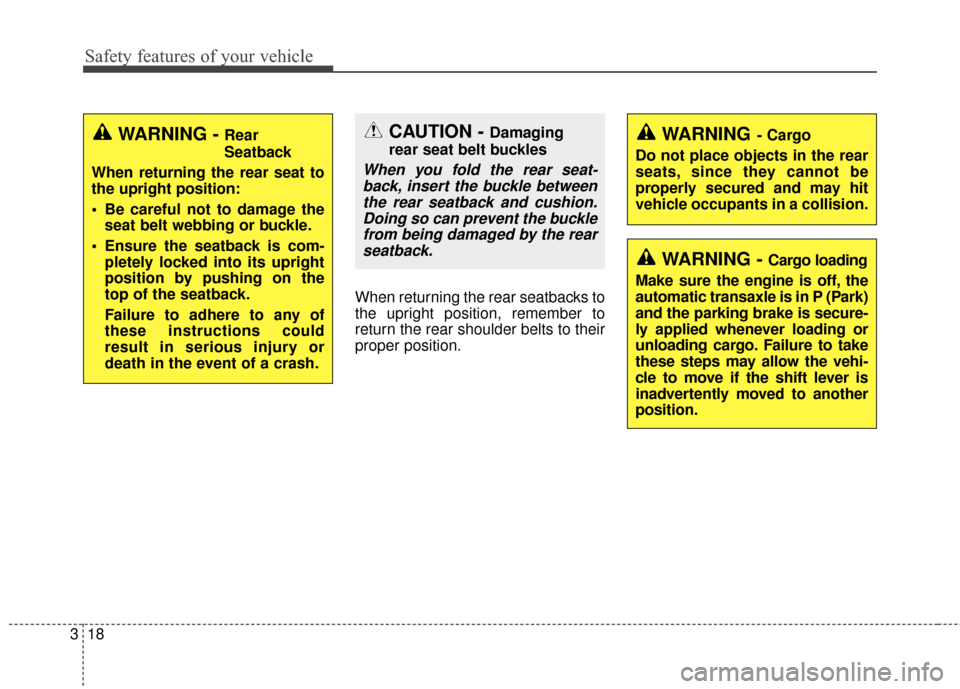
When returning the rear seatbacks to
the upright position, remember to
return the rear shoulder belts to their
proper position.
CAUTION - Damaging
rear seat belt buckles
When you fold the rear seat- back, insert the buckle betweenthe rear seatback and cushion.Doing so can prevent the bucklefrom being damaged by the rearseatback.
WARNING - Cargo loading
Make sure the engine is off, the
automatic transaxle is in P (Park)
and the parking brake is secure-
ly applied whenever loading or
unloading cargo. Failure to take
these steps may allow the vehi-
cle to move if the shift lever is
inadvertently moved to another
position.
WARNING- Cargo
Do not place objects in the rear
seats, since they cannot be
properly secured and may hit
vehicle occupants in a collision.WARNING - Rear
Seatback
When returning the rear seat to
the upright position:
Be careful not to damage the seat belt webbing or buckle.
Ensure the seatback is com- pletely locked into its upright
position by pushing on the
top of the seatback.
Failure to adhere to any of
these instructions could
result in serious injury or
death in the event of a crash.
Page 87 of 595
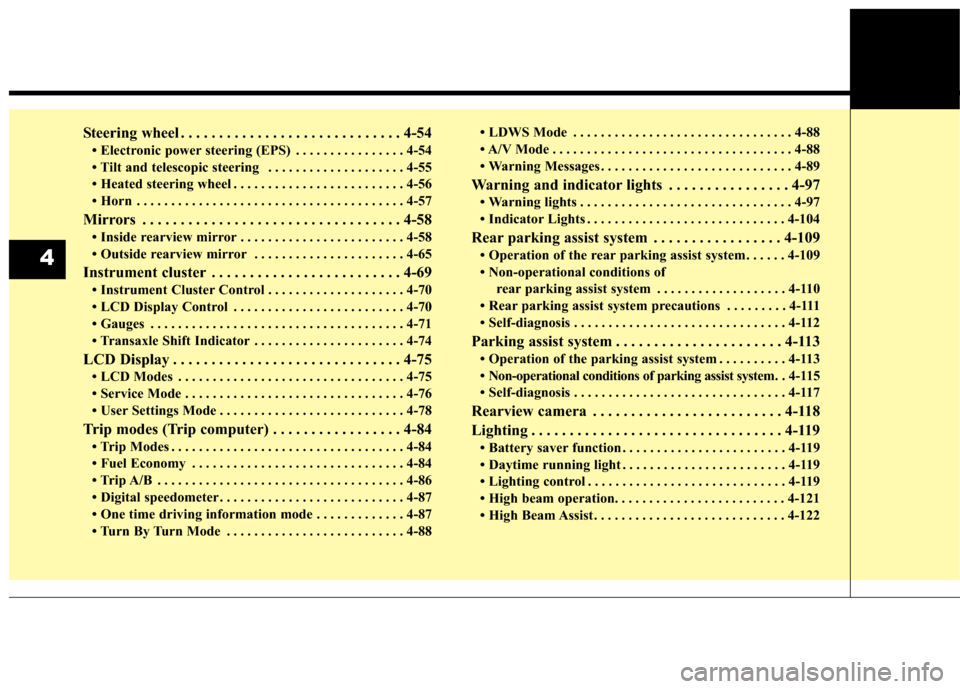
Steering wheel . . . . . . . . . . . . . . . . . . . . . . . . . . . . . 4-54
• Electronic power steering (EPS) . . . . . . . . . . . . . . . . 4-54
• Tilt and telescopic steering . . . . . . . . . . . . . . . . . . . . 4-55
• Heated steering wheel . . . . . . . . . . . . . . . . . . . . . . . . . 4-56
• Horn . . . . . . . . . . . . . . . . . . . . . . . . . . . . . . . . . . . . \
. . . 4-57
Mirrors . . . . . . . . . . . . . . . . . . . . . . . . . . . . . . . . . . 4-58\
• Inside rearview mirror . . . . . . . . . . . . . . . . . . . . . . . . 4-58
• Outside rearview mirror . . . . . . . . . . . . . . . . . . . . . . 4-65
Instrument cluster . . . . . . . . . . . . . . . . . . . . . . . . . 4-69
• Instrument Cluster Control . . . . . . . . . . . . . . . . . . . . 4-70
• LCD Display Control . . . . . . . . . . . . . . . . . . . . . . . . . 4-70
• Gauges . . . . . . . . . . . . . . . . . . . . . . . . . . . . . . . . . . . . \
. 4-71
• Transaxle Shift Indicator . . . . . . . . . . . . . . . . . . . . . . 4-74
LCD Display . . . . . . . . . . . . . . . . . . . . . . . . . . . . . . 4-75
• LCD Modes . . . . . . . . . . . . . . . . . . . . . . . . . . . . . . . . . 4-75
• Service Mode . . . . . . . . . . . . . . . . . . . . . . . . . . . . . . . . 4-76
• User Settings Mode . . . . . . . . . . . . . . . . . . . . . . . . . . . 4-78
Trip modes (Trip computer) . . . . . . . . . . . . . . . . . 4-84
• Trip Modes . . . . . . . . . . . . . . . . . . . . . . . . . . . . . . . . . . 4-84\
• Fuel Economy . . . . . . . . . . . . . . . . . . . . . . . . . . . . . . . 4-84
• Trip A/B . . . . . . . . . . . . . . . . . . . . . . . . . . . . . . . . . . . . \
4-86
• Digital speedometer . . . . . . . . . . . . . . . . . . . . . . . . . . . 4-87
• One time driving information mode . . . . . . . . . . . . . 4-87
• Turn By Turn Mode . . . . . . . . . . . . . . . . . . . . . . . . . . 4-88• LDWS Mode . . . . . . . . . . . . . . . . . . . . . . . . . . . . . . . . 4-88
• A/V Mode . . . . . . . . . . . . . . . . . . . . . . . . . . . . . . . . . . . 4-\
88
• Warning Messages . . . . . . . . . . . . . . . . . . . . . . . . . . . . 4-89
Warning and indicator lights . . . . . . . . . . . . . . . . 4-97
• Warning lights . . . . . . . . . . . . . . . . . . . . . . . . . . . . . . . 4-97
• Indicator Lights . . . . . . . . . . . . . . . . . . . . . . . . . . . . . 4-104
Rear parking assist system . . . . . . . . . . . . . . . . . 4-109
• Operation of the rear parking assist system . . . . . . 4-109
• Non-operational conditions of
rear parking assist system . . . . . . . . . . . . . . . . . . . 4-110
• Rear parking assist system precautions . . . . . . . . . 4-111
• Self-diagnosis . . . . . . . . . . . . . . . . . . . . . . . . . . . . . . . 4-112
Parking assist system . . . . . . . . . . . . . . . . . . . . . . 4-113
• Operation of the parking assist system . . . . . . . . . . 4-113
• Non-operational conditions of parking assist system. . 4-115
• Self-diagnosis . . . . . . . . . . . . . . . . . . . . . . . . . . . . . . . 4-117
Rearview camera . . . . . . . . . . . . . . . . . . . . . . . . . 4-118
Lighting . . . . . . . . . . . . . . . . . . . . . . . . . . . . . . . . . 4-119
• Battery saver function . . . . . . . . . . . . . . . . . . . . . . . . 4-119
• Daytime running light . . . . . . . . . . . . . . . . . . . . . . . . 4-119
• Lighting control . . . . . . . . . . . . . . . . . . . . . . . . . . . . . 4-119
• High beam operation. . . . . . . . . . . . . . . . . . . . . . . . . 4-121
• High Beam Assist . . . . . . . . . . . . . . . . . . . . . . . . . . . . 4-122
4
Page 159 of 595
Features of your vehicle
74
4
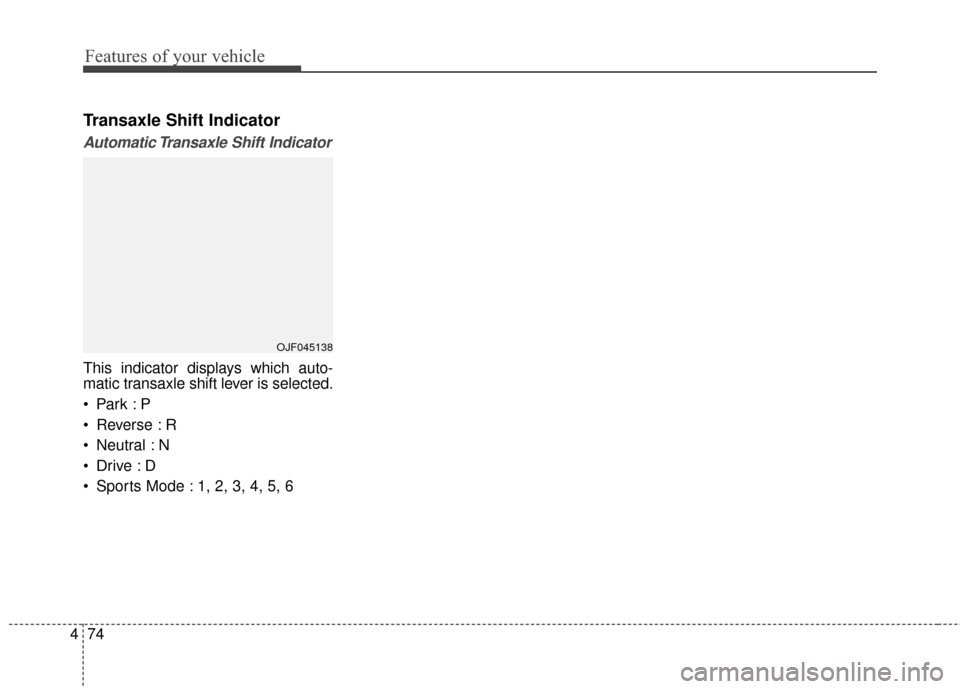
Transaxle Shift Indicator
Automatic Transaxle Shift Indicator
This indicator displays which auto-
matic transaxle shift lever is selected.
Reverse : R
Neutral : N
Sports Mode : 1, 2, 3, 4, 5, 6
OJF045138
Page 165 of 595
Features of your vehicle
80
4
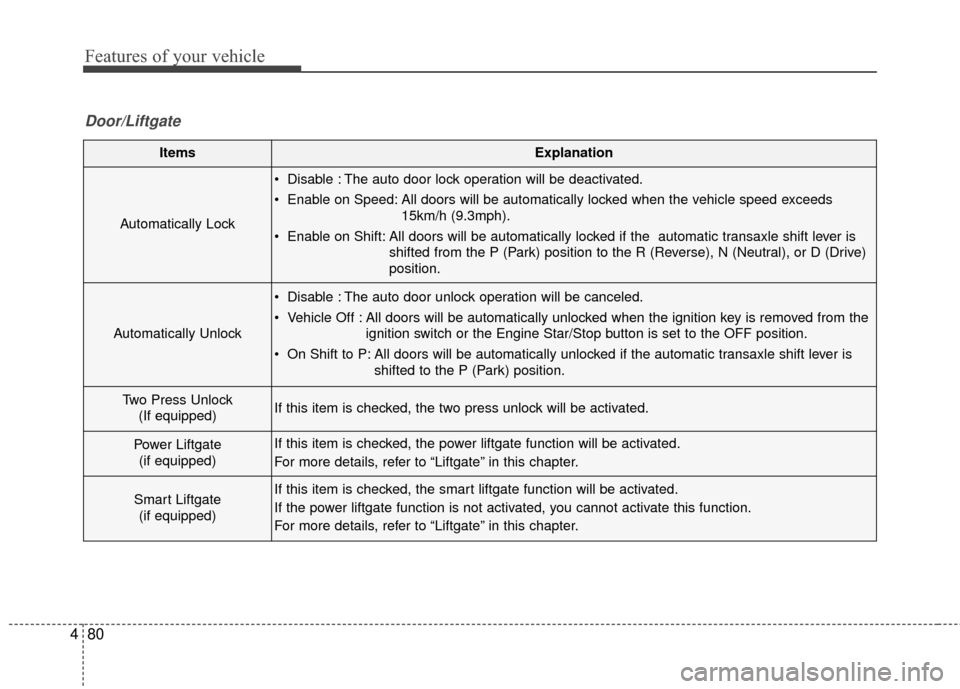
ItemsExplanation
Automatically Lock
Disable : The auto door lock operation will be deactivated.
Enable on Speed: All doors will be automatically locked when the vehicle speed exceeds
15km/h (9.3mph).
Enable on Shift: All doors will be automatically locked if the automatic transaxle shift lever is shifted from the P (Park) position to the R (Reverse), N (Neutral), or D (Drive)
position.
Automatically Unlock
Disable : The auto door unlock operation will be canceled.
Vehicle Off : All doors will be automatically unlocked when the ignition key is removed from theignition switch or the Engine Star/Stop button is set to the OFF position.
On Shift to P: All doors will be automatically unlocked if the automatic transaxle shift lever is shifted to the P (Park) position.
Two Press Unlock(If equipped)If this item is checked, the two press unlock will be activated.
Power Liftgate (if equipped)If this item is checked, the power liftgate function will be activated.
For more details, refer to “Liftgate” in this chapter.
Smart Liftgate (if equipped)If this item is checked, the smart liftgate function will be activated.
If the power liftgate function is not activated, you cannot activate this function.
For more details, refer to “Liftgate” in this chapter.
Door/Liftgate
Page 327 of 595
Driving your vehicle
Before driving . . . . . . . . . . . . . . . . . . . . . . . . . . . . . . 6-4
• Before entering vehicle . . . . . . . . . . . . . . . . . . . . . . . . . 6-4
. . . . . . . . . . . . . . . . . . . . . . . . . . 6-4
. . . . . . . . . . . . . . . . . . . . . . . . . . . . . . . 6-4
Key positions . . . . . . . . . . . . . . . . . . . . . . . . . . . . . . . 6-6
. . . . . . . . . . . . . . . . . . . . . 6-6
. . . . . . . . . . . . . . . . . . . . . . . . . 6-6
. . . . . . . . . . . . . . . . . . . . . . . . . . . . 6-7
ENGINE START/STOP button . . . . . . . . . . . . . . . 6-9
. . . . . . . 6-9
. . . . . . . . . . . 6-9
. . . . . . . . . . . . 6-11
Automatic transaxle . . . . . . . . . . . . . . . . . . . . . . . . 6-13
. . . . . . . . . . . . . . . . . . 6-13
. . . . . . . . . . . . . . . . . . . . . . . . 6-19
All wheel drive (AWD) . . . . . . . . . . . . . . . . . . . . . . 6-20
. . . . . . . . . . . . . . . . . . . . . . 6-21
. . . 6-22
. . . . . . . . . . . . . . . 6-23
. . . . . . . . . . . . . . . . . 6-26
Brake system . . . . . . . . . . . . . . . . . . . . . . . . . . . . . . 6-28
. . . . . . . . . . . . . . . . . . . . . . . . . . . . . . . . 6-28
. . . . . . . . . . . . . . . . . . . . . 6-30
. . . . . . . . . . . . . . . . 6-31
. . . . . . . . . . . . . . . . . . . . . . . . . . . . . . . . 6-38 . . . . . . . . . . . . . . . . . . . . . . . . . . . . 6-40
. . . . . . . . . . . . . . . . . . 6-42
. . . . . . . . . . . . . . . 6-44
. . . . . . . . . . . . 6-48
. . . . . . . . . . . . . . . . . . 6-49
Autonomous emergency braking (AEB) . . . . . . . 6-51
. . . . . . . . . . . . . . . . . . . 6-51
. . . . . . . . 6-54
. . . . . . . . . . . . . . . . . . . . . . . . . . . . . . 6-55
vehicle in front (front radar) . . . . . . . . . . . . . . . . . . 6-56
. . . . . . . . . . . . . . . . . . . . . . . . . . . 6-57
. . . . . . . . . . . . . . . . . . . . . . . 6-58
. . . . . . . . . . . . . . . . . . . . . . . 6-61
. . . . . . . . . . . . . . . . . 6-62
. . . . . . . . . . . . . . . . . . . . . . . 6-64
Cruise Control system . . . . . . . . . . . . . . . . . . . . . . 6-66
. . . . . . . . . . . . . . . . . . . . . 6-67
. . . . . . . . . . . . . . . . . . 6-68
. 6-68
. . . . . . . . . . . . . . . . . . . . . . . 6-68
approximately 30 km/h (20 mph) . . . . . . . . . . . . . . 6-69
. . . . . . . . . . . . . . . . . . . . . . 6-69
6
Page 332 of 595
Driving your vehicle
66
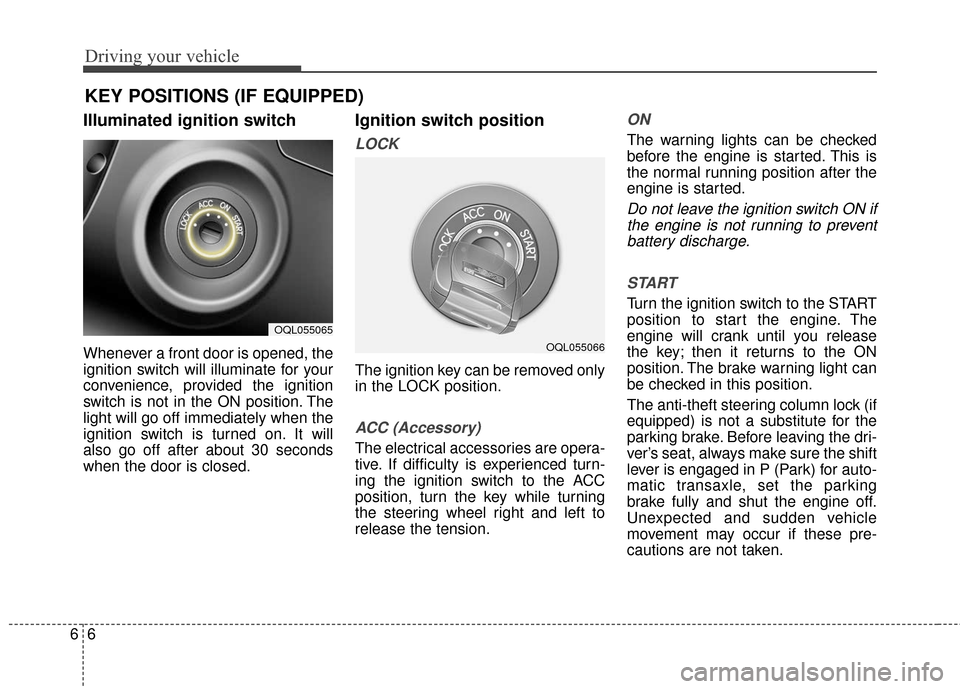
Illuminated ignition switch
Whenever a front door is opened, the
ignition switch will illuminate for your
convenience, provided the ignition
switch is not in the ON position. The
light will go off immediately when the
ignition switch is turned on. It will
also go off after about 30 seconds
when the door is closed.
Ignition switch position
LOCK
The ignition key can be removed only
in the LOCK position.
ACC (Accessory)
The electrical accessories are opera-
tive. If difficulty is experienced turn-
ing the ignition switch to the ACC
position, turn the key while turning
the steering wheel right and left to
release the tension.
ON
The warning lights can be checked
before the engine is started. This is
the normal running position after the
engine is started.
Do not leave the ignition switch ON ifthe engine is not running to preventbattery discharge.
START
Turn the ignition switch to the START
position to start the engine. The
engine will crank until you release
the key; then it returns to the ON
position. The brake warning light can
be checked in this position.
The anti-theft steering column lock (if
equipped) is not a substitute for the
parking brake. Before leaving the dri-
ver’s seat, always make sure the shift
lever is engaged in P (Park) for auto-
matic transaxle, set the parking
brake fully and shut the engine off.
Unexpected and sudden vehicle
movement may occur if these pre-
cautions are not taken.
KEY POSITIONS (IF EQUIPPED)
OQL055065
OQL055066
Page 333 of 595
67
Driving your vehicle
Starting the engine
1. Make sure the parking brake isapplied.
2. Place the transaxle shift lever in P (Park). Depress the brake pedal
fully.
You can also start the engine when the shift lever is in the N
(Neutral) position.
WARNING- Key holder
Do not place small purses, mul-
tiple keys, or other heavy acces-
sories on your vehicle key ring.
The driver can accidently push
these objects causing the ACC
position to change while in
motion and disrupt the proper
operation of some of the vehi-
cle's safety features.
WARNING- Leaving the Vehicle
To avoid unexpected or sudden
vehicle movement, never leave
your vehicle if the transmission
is not locked in the P (Park)
position and the parking brake
is fully engaged. Before leaving
the driver's seat, always make
sure the shift lever is engaged in
P (Park), set the parking brake
fully and shut the engine off.WARNING- Ignition switch
Never turn the ignition switch to
LOCK or ACC while the vehicle
is moving. This would result in
loss of directional control and
braking function, which could
cause an accident.
WARNING- Proper footwear
Always wear appropriate shoes
when operating your vehicle.
Unsuitable shoes (high heels,
ski boots, sandals, etc.) may
interfere with your ability to use
the brake and accelerator pedal.
Page 336 of 595
Driving your vehicle
10
6
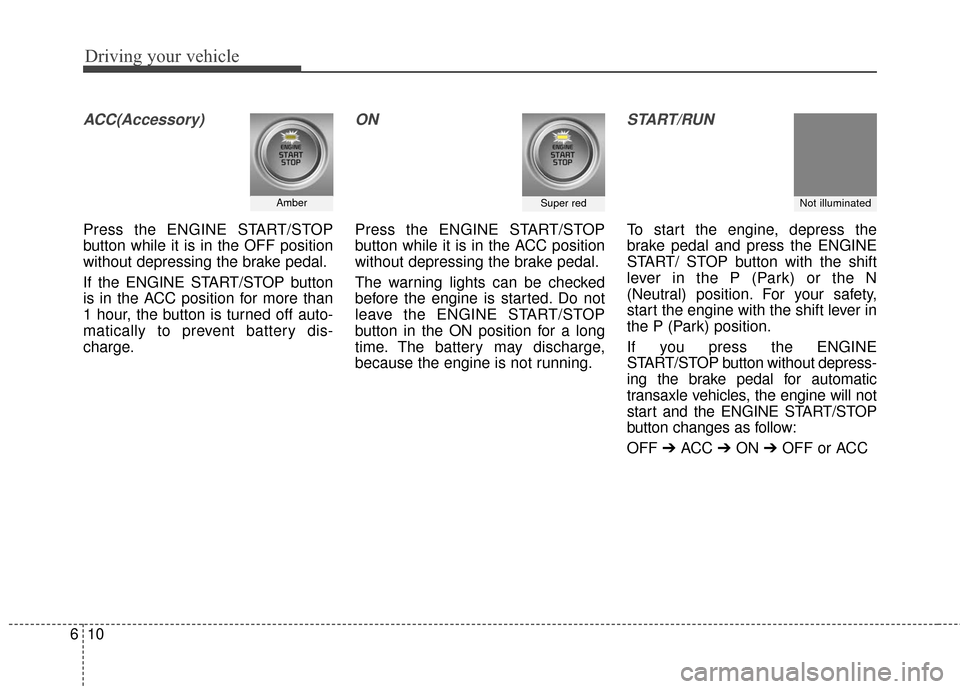
ACC(Accessory)
Press the ENGINE START/STOP
button while it is in the OFF position
without depressing the brake pedal.
If the ENGINE START/STOP button
is in the ACC position for more than
1 hour, the button is turned off auto-
matically to prevent battery dis-
charge.
ON
Press the ENGINE START/STOP
button while it is in the ACC position
without depressing the brake pedal.
The warning lights can be checked
before the engine is started. Do not
leave the ENGINE START/STOP
button in the ON position for a long
time. The battery may discharge,
because the engine is not running.
START/RUN
To start the engine, depress the
brake pedal and press the ENGINE
START/ STOP button with the shift
lever in the P (Park) or the N
(Neutral) position. For your safety,
start the engine with the shift lever in
the P (Park) position.
If you press the ENGINE
START/STOP button without depress-
ing the brake pedal for automatic
transaxle vehicles, the engine will not
start and the ENGINE START/STOP
button changes as follow:
OFF ➔ACC ➔ON ➔OFF or ACC
AmberSuper redNot illuminated
Page 337 of 595
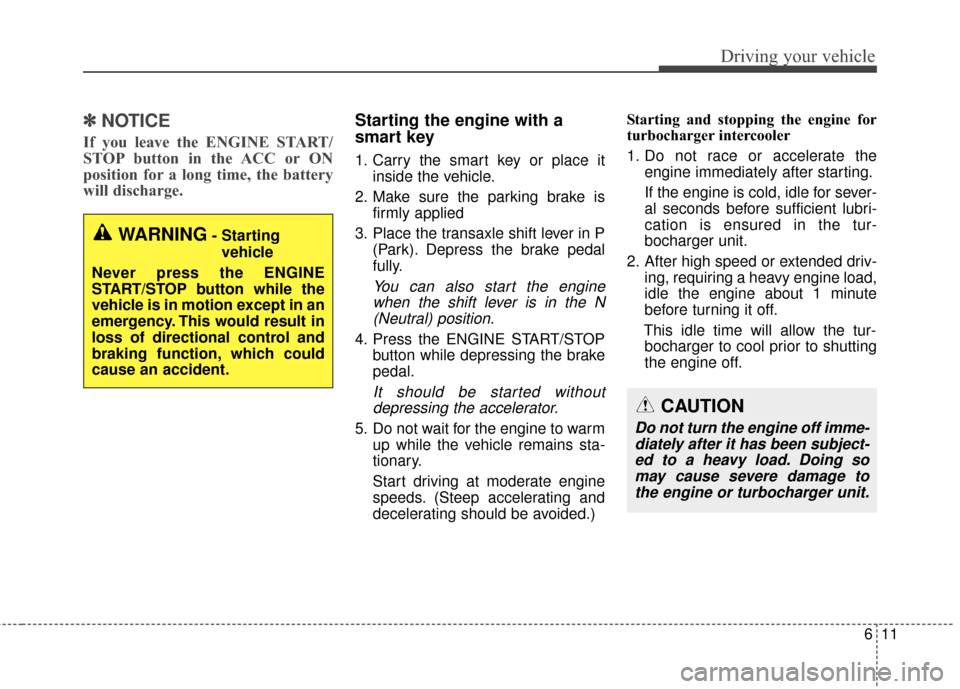
611
Driving your vehicle
✽ ✽
NOTICE
If you leave the ENGINE START/
STOP button in the ACC or ON
position for a long time, the battery
will discharge.
Starting the engine with a
smart key
1. Carry the smart key or place it
inside the vehicle.
2. Make sure the parking brake is firmly applied
3. Place the transaxle shift lever in P (Park). Depress the brake pedal
fully.
You can also start the enginewhen the shift lever is in the N(Neutral) position.
4. Press the ENGINE START/STOP button while depressing the brake
pedal.
It should be started withoutdepressing the accelerator.
5. Do not wait for the engine to warm up while the vehicle remains sta-
tionary.
Start driving at moderate engine
speeds. (Steep accelerating and
decelerating should be avoided.) Starting and stopping the engine for
turbocharger intercooler
1. Do not race or accelerate the
engine immediately after starting.
If the engine is cold, idle for sever-
al seconds before sufficient lubri-
cation is ensured in the tur-
bocharger unit.
2. After high speed or extended driv- ing, requiring a heavy engine load,
idle the engine about 1 minute
before turning it off.
This idle time will allow the tur- bocharger to cool prior to shutting
the engine off.
WARNING- Starting
vehicle
Never press the ENGINE
START/STOP button while the
vehicle is in motion except in an
emergency. This would result in
loss of directional control and
braking function, which could
cause an accident.
CAUTION
Do not turn the engine off imme- diately after it has been subject-ed to a heavy load. Doing somay cause severe damage tothe engine or turbocharger unit.
Page 339 of 595
613
Driving your vehicle
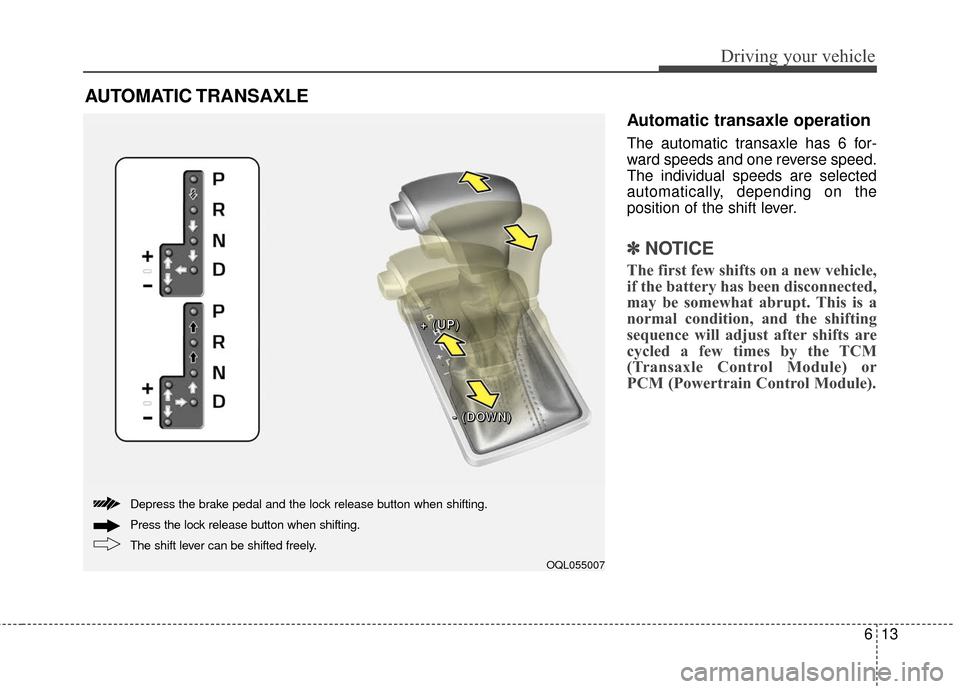
Automatic transaxle operation
The automatic transaxle has 6 for-
ward speeds and one reverse speed.
The individual speeds are selected
automatically, depending on the
position of the shift lever.
✽ ✽NOTICE
The first few shifts on a new vehicle,
if the battery has been disconnected,
may be somewhat abrupt. This is a
normal condition, and the shifting
sequence will adjust after shifts are
cycled a few times by the TCM
(Transaxle Control Module) or
PCM (Powertrain Control Module).
AUTOMATIC TRANSAXLE
OQL055007
+ +
+ +
( (
( (
U U
U U
P P
P P
) )
) )
- -
- -
( (
( (
D D
D D
O O
O O
W W
W W
N N
N N
) )
) )
The shift lever can be shifted freely. Press the lock release button when shifting. Depress the brake pedal and the lock release button when shifting.