trailer KIA SPORTAGE 2021 User Guide
[x] Cancel search | Manufacturer: KIA, Model Year: 2021, Model line: SPORTAGE, Model: KIA SPORTAGE 2021Pages: 631, PDF Size: 10.56 MB
Page 389 of 631
5 103
Driving your vehicle
(Continued)Have the vehicle inspected by an
authorized Kia dealer.
• Do not apply foreign objects such as a bumper sticker or a bumper
guard near the radar sensor or
apply paint to the sensor area.
Doing so may adversely affect the
performance of the sensor.Warning message
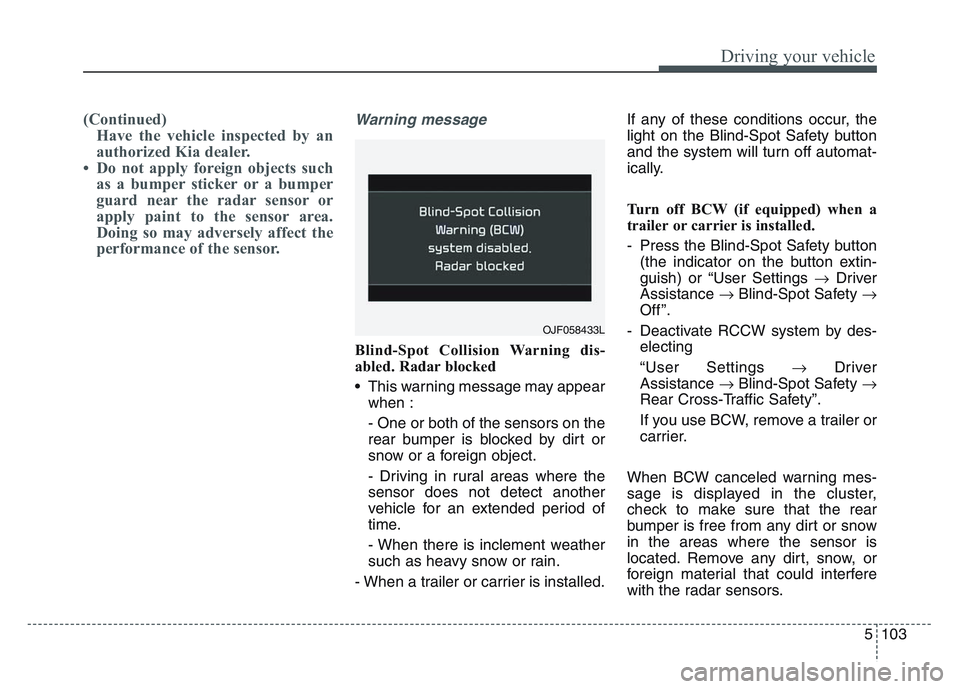
Blind-Spot Collision Warning dis-
abled. Radar blocked
• This warning message may appear
when :
- One or both of the sensors on the
rear bumper is blocked by dirt or
snow or a foreign object.
- Driving in rural areas where the
sensor does not detect another
vehicle for an extended period of
time.
- When there is inclement weather
such as heavy snow or rain.
- When a trailer or carrier is installed. If any of these conditions occur, the
light on the Blind-Spot Safety button
and the system will turn off automat-
ically.
Turn off BCW (if equipped) when a
trailer or carrier is installed.
- Press the Blind-Spot Safety button
(the indicator on the button extin-
guish) or “User Settings Driver
Assistance Blind-Spot Safety
Off ”.
- Deactivate RCCW system by des- electing
“User Settings Driver
Assistance Blind-Spot Safety
Rear Cross-Traffic Safety”.
If you use BCW, remove a trailer or
carrier.
When BCW canceled warning mes-
sage is displayed in the cluster,
check to make sure that the rear
bumper is free from any dirt or snow
in the areas where the sensor is
located. Remove any dirt, snow, or
foreign material that could interfere
with the radar sensors.
OJF058433L
Page 390 of 631
Driving your vehicle
1045
After any dirt or debris is removed,
BCW should operate normally after
about 10 minutes of driving the vehi-
cle.
If the system still does not operate
normally, have your vehicle inspect-
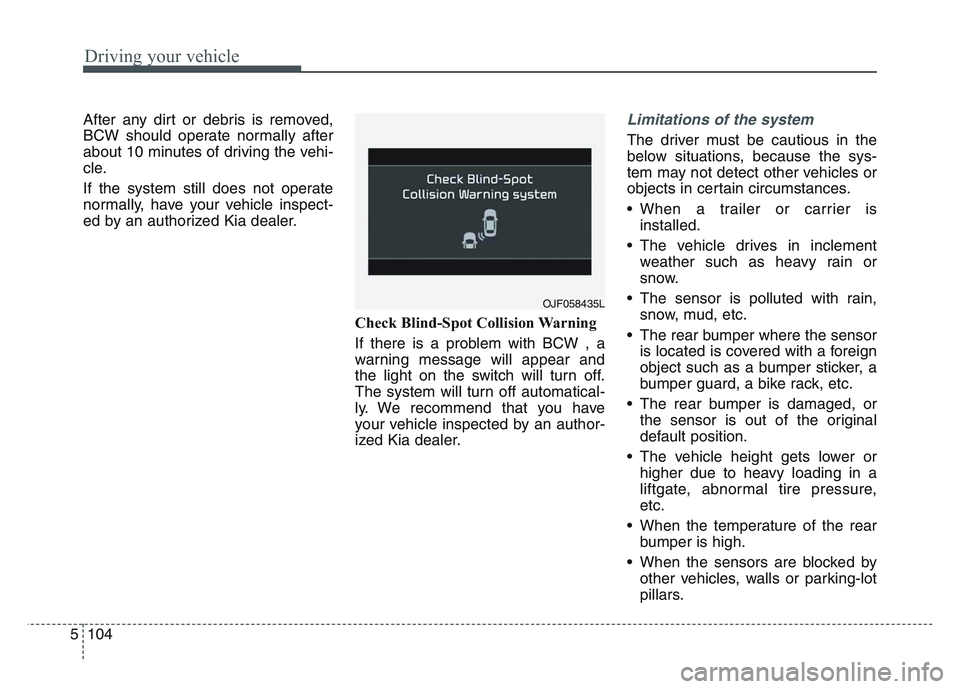
ed by an authorized Kia dealer.Check Blind-Spot Collision Warning
If there is a problem with BCW , a
warning message will appear and
the light on the switch will turn off.
The system will turn off automatical-
ly. We recommend that you have
your vehicle inspected by an author-
ized Kia dealer.Limitations of the system
The driver must be cautious in the
below situations, because the sys-
tem may not detect other vehicles or
objects in certain circumstances.
• When a trailer or carrier isinstalled.
• The vehicle drives in inclement weather such as heavy rain or
snow.
• The sensor is polluted with rain, snow, mud, etc.
• The rear bumper where the sensor is located is covered with a foreign
object such as a bumper sticker, a
bumper guard, a bike rack, etc.
• The rear bumper is damaged, or the sensor is out of the original
default position.
• The vehicle height gets lower or higher due to heavy loading in a
liftgate, abnormal tire pressure,
etc.
• When the temperature of the rear bumper is high.
• When the sensors are blocked by other vehicles, walls or parking-lot
pillars.
OJF058435L
Page 391 of 631
5 105
Driving your vehicle
• The vehicle drives on a curved road.
• The vehicle drives through a tollgate.
• The road pavement (or the periph-eral ground) abnormally contains
metallic components (i.e. possibly
due to subway construction).
• There is a fixed object near the vehicle, such as a guardrail.
• While going down or up a steep road where the height of the lane is
different.
• Driving on a narrow road where trees or grass or overgrown.
• Driving in rural areas where the sensor does not detect another
vehicle or structure for an extended
period of time.
• Driving on a wet road.
• Driving on a road where the guardrail or wall is in double struc-
ture.
• A big vehicle is near such as a bus or truck.
• When the other vehicle approach- es very close.
• When the other vehicle passes at a very fast speed. • While changing lanes.
• If the vehicle has started at the
same time as the vehicle next to
you and has accelerated.
• When the vehicle in the next lane moves two lanes away from you
OR when the vehicle two lanes
away moves to the next lane from
you.
• A motorcycle or bicycle is near.
• A flat trailer is near.
• If there are small objects in the detecting area such as a shopping
cart or a baby stroller.
• If there is a low height vehicle such as a sports car.
• The brake pedal is depressed.
• ESC (Electronic Stability Control) is activated.
• ESC (Electronic Stability Control) malfunctions.
• The tire pressure is low or a tire is damaged.
• The brake is reworked. • The vehicle abruptly changes driv-
ing direction.
• The vehicle makes sharp lane changes.
• The vehicle sharply stops.
• Temperature is extremely low around the vehicle.
• The vehicle severely vibrates while driving over a bumpy road,
uneven/bumpy road, or concrete
patch.
• The vehicle drives on a slippery surface due to snow, water puddle,
or ice.
Page 420 of 631
Driving your vehicle
1345
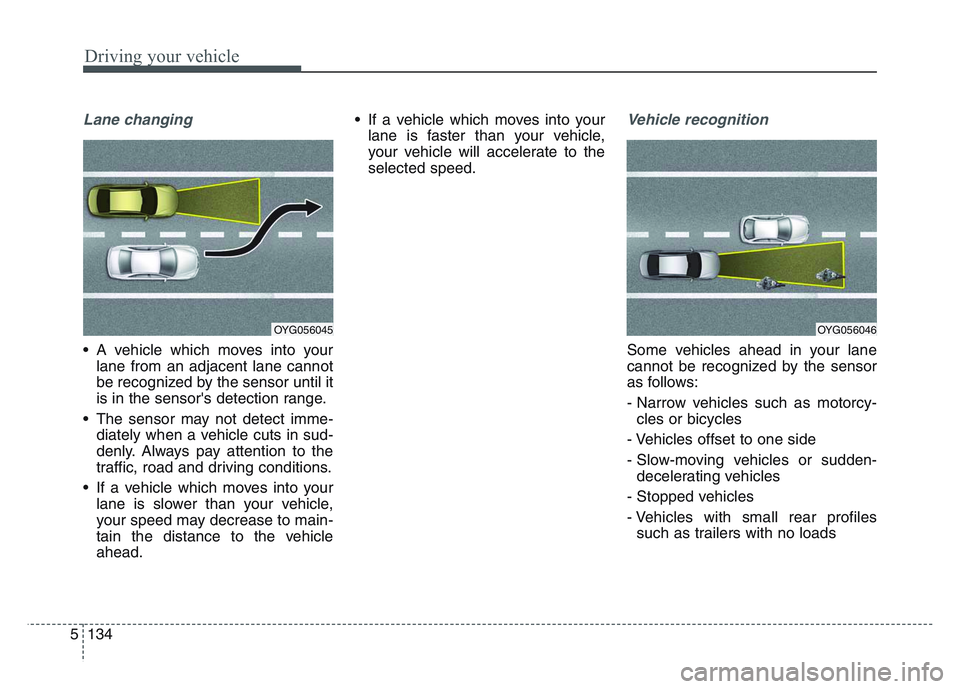
Lane changing
• A vehicle which moves into yourlane from an adjacent lane cannot
be recognized by the sensor until it
is in the sensor's detection range.
• The sensor may not detect imme- diately when a vehicle cuts in sud-
denly. Always pay attention to the
traffic, road and driving conditions.
• If a vehicle which moves into your lane is slower than your vehicle,
your speed may decrease to main-
tain the distance to the vehicle
ahead. • If a vehicle which moves into your
lane is faster than your vehicle,
your vehicle will accelerate to the
selected speed.
Vehicle recognition
Some vehicles ahead in your lane
cannot be recognized by the sensor
as follows:
- Narrow vehicles such as motorcy-cles or bicycles
- Vehicles offset to one side
- Slow-moving vehicles or sudden- decelerating vehicles
- Stopped vehicles
- Vehicles with small rear profiles such as trailers with no loads
OYG056045OYG056046
Page 429 of 631
5 143
Driving your vehicle
Blind-Spot Collision Warning (BCW)
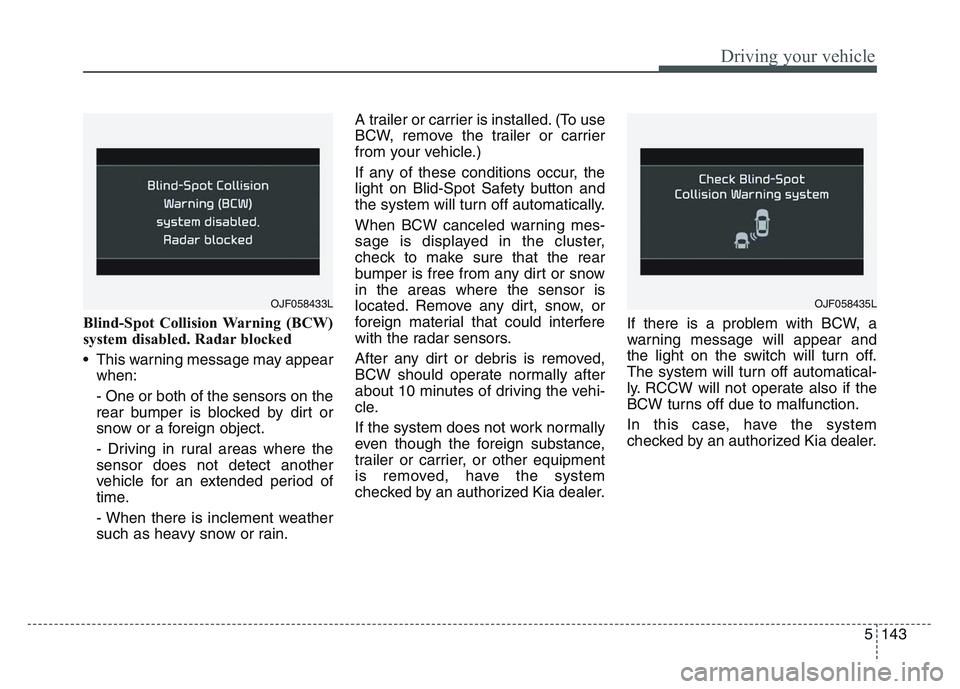
system disabled. Radar blocked
• This warning message may appearwhen:
- One or both of the sensors on the
rear bumper is blocked by dirt or
snow or a foreign object.
- Driving in rural areas where the
sensor does not detect another
vehicle for an extended period of
time.
- When there is inclement weather
such as heavy snow or rain. A trailer or carrier is installed. (To use
BCW, remove the trailer or carrier
from your vehicle.)
If any of these conditions occur, the
light on Blid-Spot Safety button and
the system will turn off automatically.
When BCW canceled warning mes-
sage is displayed in the cluster,
check to make sure that the rear
bumper is free from any dirt or snow
in the areas where the sensor is
located. Remove any dirt, snow, or
foreign material that could interfere
with the radar sensors.
After any dirt or debris is removed,
BCW should operate normally after
about 10 minutes of driving the vehi-
cle.
If the system does not work normally
even though the foreign substance,
trailer or carrier, or other equipment
is removed, have the system
checked by an authorized Kia dealer.
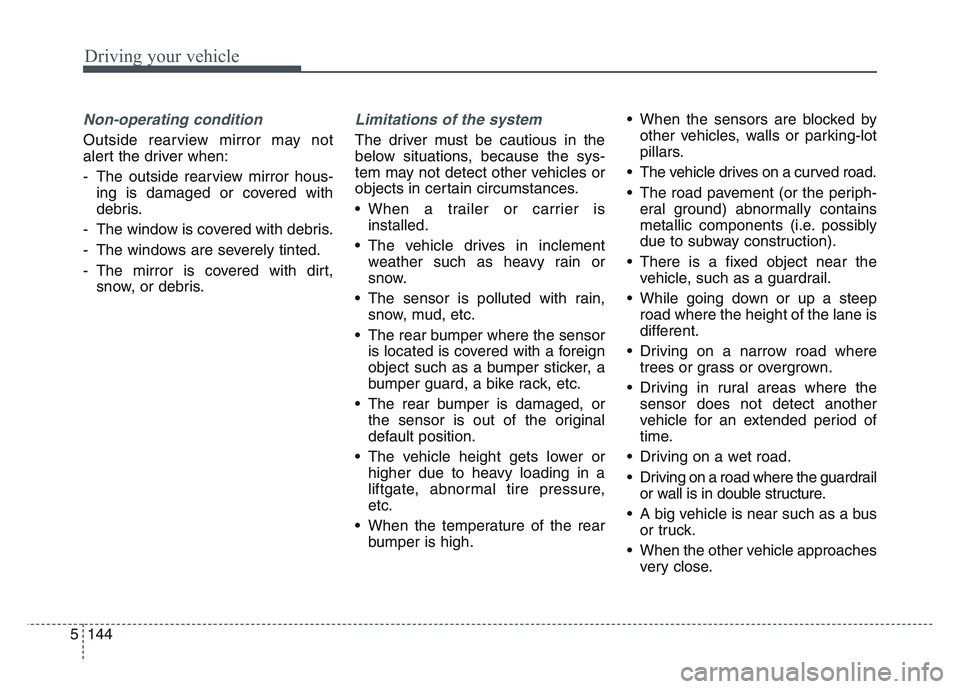
If there is a problem with BCW, a
warning message will appear and
the light on the switch will turn off.
The system will turn off automatical-
ly. RCCW will not operate also if the
BCW turns off due to malfunction.
In this case, have the system
checked by an authorized Kia dealer.
OJF058433LOJF058435L
Page 430 of 631
Driving your vehicle
1445
Non-operating condition
Outside rearview mirror may not
alert the driver when:
- The outside rearview mirror hous-ing is damaged or covered with
debris.
- The window is covered with debris.
- The windows are severely tinted.
- The mirror is covered with dirt, snow, or debris.
Limitations of the system
The driver must be cautious in the
below situations, because the sys-
tem may not detect other vehicles or
objects in certain circumstances.
• When a trailer or carrier isinstalled.
• The vehicle drives in inclement weather such as heavy rain or
snow.
• The sensor is polluted with rain, snow, mud, etc.
• The rear bumper where the sensor is located is covered with a foreign
object such as a bumper sticker, a
bumper guard, a bike rack, etc.
• The rear bumper is damaged, or the sensor is out of the original
default position.
• The vehicle height gets lower or higher due to heavy loading in a
liftgate, abnormal tire pressure,
etc.
• When the temperature of the rear bumper is high. • When the sensors are blocked by
other vehicles, walls or parking-lot
pillars.
• The vehicle drives on a curved road.
• The road pavement (or the periph- eral ground) abnormally contains
metallic components (i.e. possibly
due to subway construction).
• There is a fixed object near the vehicle, such as a guardrail.
• While going down or up a steep road where the height of the lane is
different.
• Driving on a narrow road where trees or grass or overgrown.
• Driving in rural areas where the sensor does not detect another
vehicle for an extended period of
time.
• Driving on a wet road.
• Driving on a road where the guardrail or wall is in double structure.
• A big vehicle is near such as a bus or truck.
• When the other vehicle approaches very close.
Page 431 of 631
5 145
Driving your vehicle
• When the other vehicle passes at avery fast speed.
• If the vehicle has started at the same time as the vehicle next to
you and has accelerated.
• A motorcycle or bicycle is near.
• A flat trailer is near.
• If there are small objects in the detecting area such as a shopping
cart or a baby stroller.
• If there is a low height vehicle such as a sports car.
• When the vehicle is parked diago- nally.
• If the RSPA system is activated.
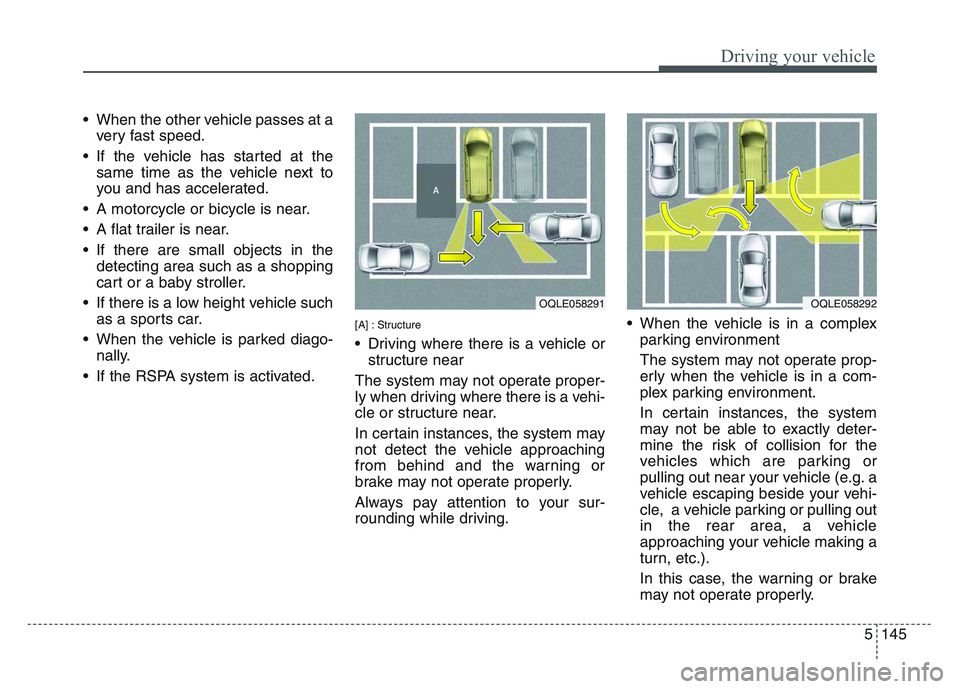
[A] : Structure
• Driving where there is a vehicle or structure near
The system may not operate proper-
ly when driving where there is a vehi-
cle or structure near.
In certain instances, the system may
not detect the vehicle approaching
from behind and the warning or
brake may not operate properly.
Always pay attention to your sur-
rounding while driving. • When the vehicle is in a complex
parking environment
The system may not operate prop-
erly when the vehicle is in a com-
plex parking environment.
In certain instances, the system
may not be able to exactly deter-
mine the risk of collision for the
vehicles which are parking or
pulling out near your vehicle (e.g. a
vehicle escaping beside your vehi-
cle, a vehicle parking or pulling out
in the rear area, a vehicle
approaching your vehicle making a
turn, etc.).
In this case, the warning or brake
may not operate properly.
OQLE058291 OQLE058292
Page 447 of 631
5 161
Driving your vehicle
If you are considering towing with
your vehicle, you should first check
with your state's Department of
Motor Vehicles to determine the legal
requirements.
Since laws vary the requirements for
towing trailers, cars, or other types of
vehicles or apparatus may differ. Ask
an authorized Kia dealer for further
details before towing.
You may require an additional wiring
harness connector to install a trailer
hitch. Please contact an authorized
Kia dealer for more details.Your vehicle can tow a trailer. To
identify what the vehicle trailering
capacity is for your vehicle, you
should read the information in
“Weight of the trailer” that appears
later in this section.Remember that trailering is different
than just driving your vehicle by itself.
Trailering means changes in han-
dling, durability, and fuel economy.
Successful, safe trailering requires
correct equipment, and it has to be
used properly.
This section contains many time-
tested, important trailering tips and
safety rules. Many of these are
important for your safety and that of
your passengers. Please read this
section carefully before you pull a
trailer.
Load-pulling components such as
the engine, transmission, wheel
assemblies, and tires are forced to
work harder against the load of the
added weight. The engine is required
to operate at relatively higher speeds
and under greater loads. This addi-
tional burden generates extra heat.
The trailer also adds considerably to
wind resistance, increasing the
pulling requirements.
TRAILER TOWING
CAUTION - Trailer
installation
Follow instructions in this sec-tion when pulling a trailer.Pulling a trailer improperly candamage your vehicle and resultin costly repairs not covered byyour warranty.
WARNING- Towing a
trailer
Always check your towing
equipment to confirm correct
equipment size and installation
before use. Using incompatible
or incorrectly installed trailer
equipment can affect the vehi-
cle operation and endanger you
and your passengers.
WARNING- Weight
limits
Before towing, make sure the
total trailer weight, GCW (gross
combination weight), GVW
(gross vehicle weight), GAW
(gross axle weight) and trailer
tongue load are all within the
limits.
Page 448 of 631
Driving your vehicle
1625
Hitches
It's important to have the correct
hitch equipment. Crosswinds, large
trucks going by, and rough roads are
a few reasons why you’ll need the
right hitch. Here are some rules to
follow:
• Will you have to make any holes inthe body of your vehicle when you
install a trailer hitch? If you do, then
be sure to seal the holes later
when you remove the hitch.
If you don’t seal them, deadly car-
bon monoxide (CO) from your
exhaust can get into your vehicle,
as well as dirt and water.
• The bumpers on your vehicle are not intended for hitches. Do not
attach rental hitches or other
bumper-type hitches to them. Use
only a frame-mounted hitch that
does not attach to the bumper.
• Kia trailer hitch accessory is avail- able at an authorized Kia dealer.
Safety chains
You should always attach chains
between your vehicle and your trail-
er. Cross the safety chains under the
tongue of the trailer so that the
tongue will not drop to the road if it
becomes separated from the hitch.
Instructions about safety chains may
be provided by the hitch manufactur-
er or by the trailer manufacturer.
Follow the manufacturer’s recom-
mendation for attaching safety
chains. Always leave just enough
slack so you can turn with your trail-
er. And, never allow safety chains to
drag on the ground.
Trailer brakes
If your trailer is equipped with a brak-
ing system, make sure it conforms to
your state’s regulations and that it is
properly installed and operating cor-
rectly.
If your trailer weight exceeds the
maximum allowed weight without
trailer brakes, then the trailer will also
require its own brakes as well. Be
sure to read and follow the instruc-
tions for the trailer brakes so you’ll be
able to install, adjust and maintain
them properly.
• Don’t tap into or modify your vehi-cle's brake system.
WARNING- Trailer brakes
Do not use a trailer with its own
brakes unless you are absolute-
ly certain that you have proper-
ly set up the brake system. This
is not a task for amateurs. Use
an experienced, competent
trailer shop for this work.
Page 449 of 631
5 163
Driving your vehicle
Driving with a trailer
Towing a trailer requires a certain
amount of experience. Before setting
out for the open road, you must get
to know your trailer. Acquaint your-
self with the feel of handling and
braking with the added weight of the
trailer. And always keep in mind that
the vehicle you are driving is now a
good deal longer and not nearly so
responsive as your vehicle is by
itself.
Before you start, check the trailer
hitch and platform, safety chains,
electrical connector(s), lights, tires
and mirror adjustment. If the trailer
has electric brakes, start your vehicle
and trailer moving and then apply the
trailer brake controller by hand to be
sure the brakes are working. This lets
you check your electrical connection
at the same time.
During your trip, check occasionally
to be sure that the load is secure,
and that the lights and any trailer
brakes are still working.
Following distance
Stay at least twice as far behind the
vehicle ahead as you would when
driving your vehicle without a trailer.
This can help you avoid situations
that require heavy braking and sud-
den turns.
Passing
You’ll need more passing distance
up ahead when you’re towing a trail-
er. And, because of the increased
vehicle length, you’ll need to go
much farther beyond the passed
vehicle before you can return to your
lane. Due to the added load to the
engine when going uphill the vehicle
may also take longer to pass than it
would on flat ground.
Backing up
Hold the bottom of the steering
wheel with one hand. Then, to move
the trailer to the left, just move your
hand to the left. To move the trailer to
the right, move your hand to the
right. Always back up slowly and, if
possible, have someone guide you.
Making turns
When you’re turning with a trailer,
make wider turns than normal. Do
this so your trailer won’t strike soft
shoulders, curbs, road signs, trees,
or other objects near the edge of the
road. Avoid jerky or sudden maneu-
vers. Signal well in advance before
turning or lane changes.