ECO mode KIA SPORTAGE 2021 Owner's Manual
[x] Cancel search | Manufacturer: KIA, Model Year: 2021, Model line: SPORTAGE, Model: KIA SPORTAGE 2021Pages: 631, PDF Size: 10.56 MB
Page 242 of 631
Features of your vehicle
1524
• When using the air conditioningsystem, you may notice clear water
dripping (or even puddling) on the
ground under the passenger side
of the vehicle. This is a normal sys-
tem operation characteristic.
• Operating the air conditioning sys- tem in the recirculated air position
provides maximum cooling, how-
ever, continual operation in this
mode may cause the air inside the
vehicle to become stale.
• During cooling operation, you may occasionally notice a misty air flow
because of rapid cooling and
humid air intake. This is a normal
system operation characteristic.Climate control air filter
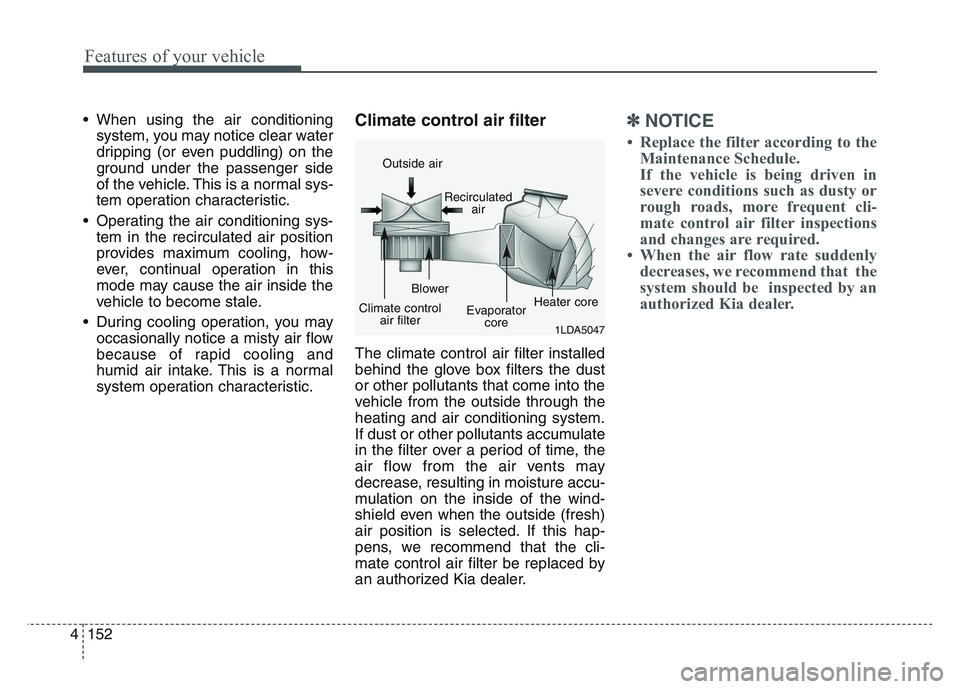
The climate control air filter installed
behind the glove box filters the dust
or other pollutants that come into the
vehicle from the outside through the
heating and air conditioning system.
If dust or other pollutants accumulate
in the filter over a period of time, the
air flow from the air vents may
decrease, resulting in moisture accu-
mulation on the inside of the wind-
shield even when the outside (fresh)
air position is selected. If this hap-
pens, we recommend that the cli-
mate control air filter be replaced by
an authorized Kia dealer.
✽NOTICE
• Replace the filter according to theMaintenance Schedule.
If the vehicle is being driven in
severe conditions such as dusty or
rough roads, more frequent cli-
mate control air filter inspections
and changes are required.
• When the air flow rate suddenly decreases, we recommend that the
system should be inspected by an
authorized Kia dealer.
1LDA5047
Outside air
Recirculatedair
Climate control air filter Blower
Evaporatorcore Heater core
Page 250 of 631
Features of your vehicle
1604
Adjusting the driver and passenger
side temperature individually
• Press the “SYNC” button again toadjust the driver and passenger
side temperature individually. The
illumination of button turns off.
• Operate the driver side tempera- ture control knob to adjust the driv-
er side temperature.
• Operate the passenger side tem- perature control knob to adjust the
passenger side temperature.
Temperature conversion
You can switch the temperature
mode from Centigrade to Fahrenheit
as follows:
While pressing the OFF button,
press the AUTO button for 3 seconds
or more.
The display will change from
Centigrade to Fahrenheit, or from
Fahrenheit to Centigrade.
If the battery has been discharged or
disconnected, the temperature mode
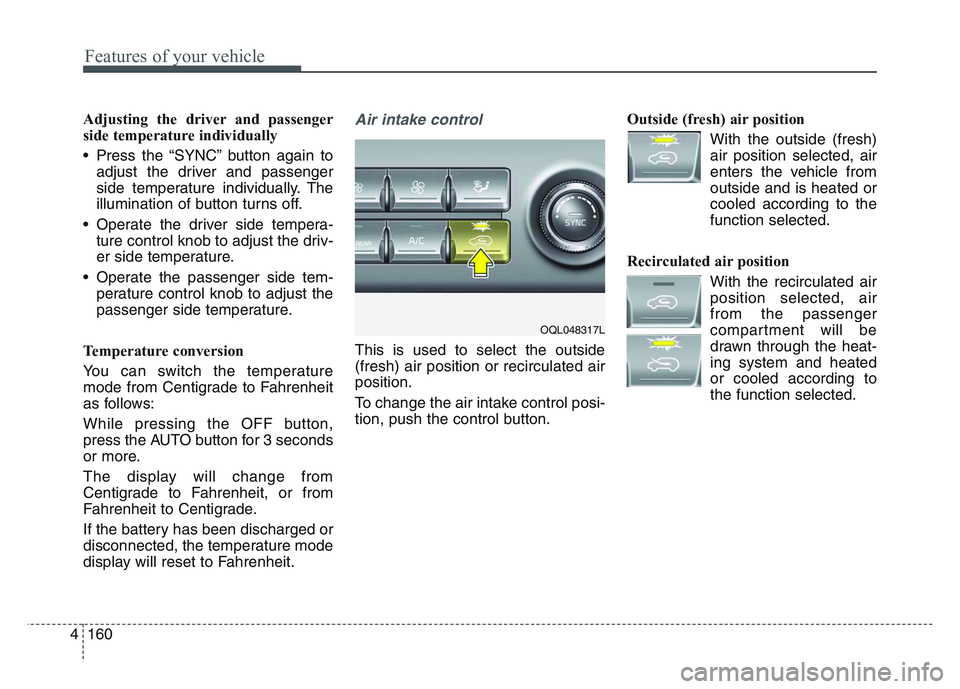
display will reset to Fahrenheit.Air intake control
This is used to select the outside
(fresh) air position or recirculated air
position.
To change the air intake control posi-
tion, push the control button. Outside (fresh) air position
With the outside (fresh)air position selected, air
enters the vehicle from
outside and is heated or
cooled according to the
function selected.
Recirculated air position With the recirculated airposition selected, air
from the passenger
compartment will be
drawn through the heat-
ing system and heated
or cooled according to
the function selected.
OQL048317L
Page 255 of 631
4 165
Features of your vehicle
Air conditioning system operation tips
• If the vehicle has been parked indirect sunlight during hot weather,
open the windows for a short time
to let the hot air inside the vehicle
escape.
• To help reduce moisture inside of the windows on rainy or humid
days, decrease the humidity inside
the vehicle by operating the air
conditioning system.
• During air conditioning system operation, you may occasionally
notice a slight change in engine
speed as the air conditioning com-
pressor cycles. This is a normal
system operation characteristic.
• Use the air conditioning system every month only for a few minutes
to ensure maximum system per-
formance. • When using the air conditioning
system, you may notice clear water
dripping (or even puddling) on the
ground under the passenger side
of the vehicle. This is a normal sys-
tem operation characteristic.
• Operating the air conditioning sys- tem in the recirculated air position
provides maximum cooling, how-
ever, continual operation in this
mode may cause the air inside the
vehicle to become stale.
• During cooling operation, you may occasionally notice a misty air flow
because of rapid cooling and
humid air intake. This is a normal
system operation characteristic.Climate control air filter
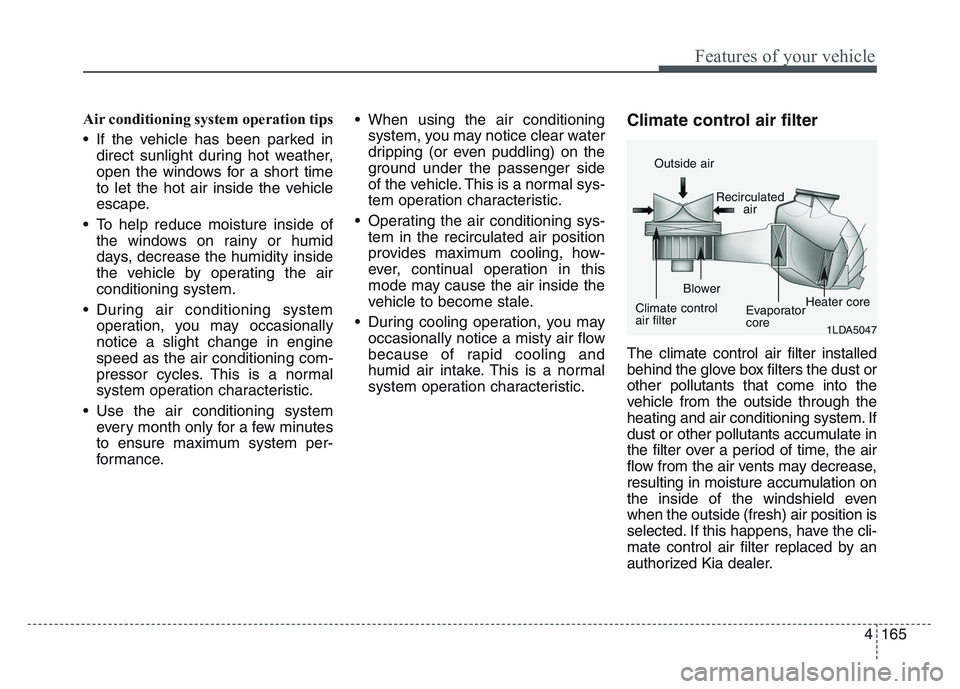
The climate control air filter installed
behind the glove box filters the dust or
other pollutants that come into the
vehicle from the outside through the
heating and air conditioning system. If
dust or other pollutants accumulate in
the filter over a period of time, the air
flow from the air vents may decrease,
resulting in moisture accumulation on
the inside of the windshield even
when the outside (fresh) air position is
selected. If this happens, have the cli-
mate control air filter replaced by an
authorized Kia dealer.
1LDA5047
Outside air
Recirculatedair
Climate control
air filter Blower
Evaporator
coreHeater core
Page 281 of 631
4 191
Features of your vehicle
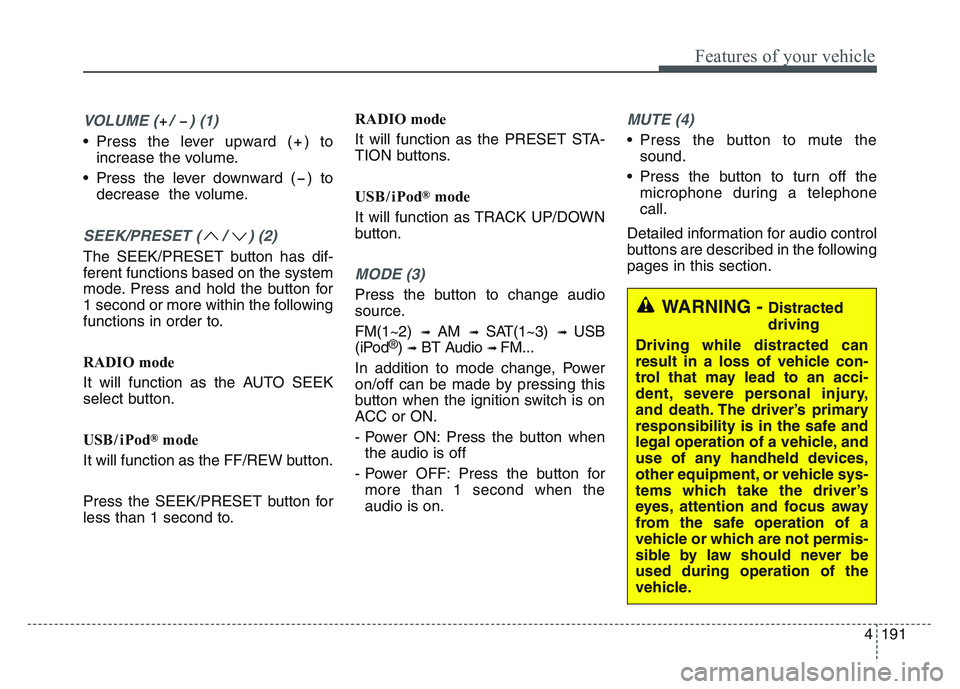
VOLUME ( / ) (1)
• Press the lever upward ( ) toincrease the volume.
• Press the lever downward ( ) to decrease the volume.
SEEK/PRESET ( / ) (2)
The SEEK/PRESET button has dif-
ferent functions based on the system
mode. Press and hold the button for
1 second or more within the following
functions in order to.
RADIO mode
It will function as the AUTO SEEK
select button.
USB/ iPod
®mode
It will function as the FF/REW button.
Press the SEEK/PRESET button for
less than 1 second to. RADIO mode
It will function as the PRESET STA-
TION buttons.
USB/ iPod
®mode
It will function as TRACK UP/DOWN
button.
MODE (3)
Press the button to change audio
source.
FM(1~2)
➟ AM ➟ SAT(1~3) ➟ USB
(iPod®) ➟BT Audio ➟ FM...
In addition to mode change, Power
on/off can be made by pressing this
button when the ignition switch is on
ACC or ON.
- Power ON: Press the button when the audio is off
- Power OFF: Press the button for more than 1 second when the
audio is on.
MUTE (4)
• Press the button to mute the sound.
• Press the button to turn off the microphone during a telephone
call.
Detailed information for audio control
buttons are described in the following
pages in this section.
WARNING - Distracted
driving
Driving while distracted can
result in a loss of vehicle con-
trol that may lead to an acci-
dent, severe personal injury,
and death. The driver’s primary
responsibility is in the safe and
legal operation of a vehicle, and
use of any handheld devices,
other equipment, or vehicle sys-
tems which take the driver’s
eyes, attention and focus away
from the safe operation of a
vehicle or which are not permis-
sible by law should never be
used during operation of the
vehicle.
Page 288 of 631
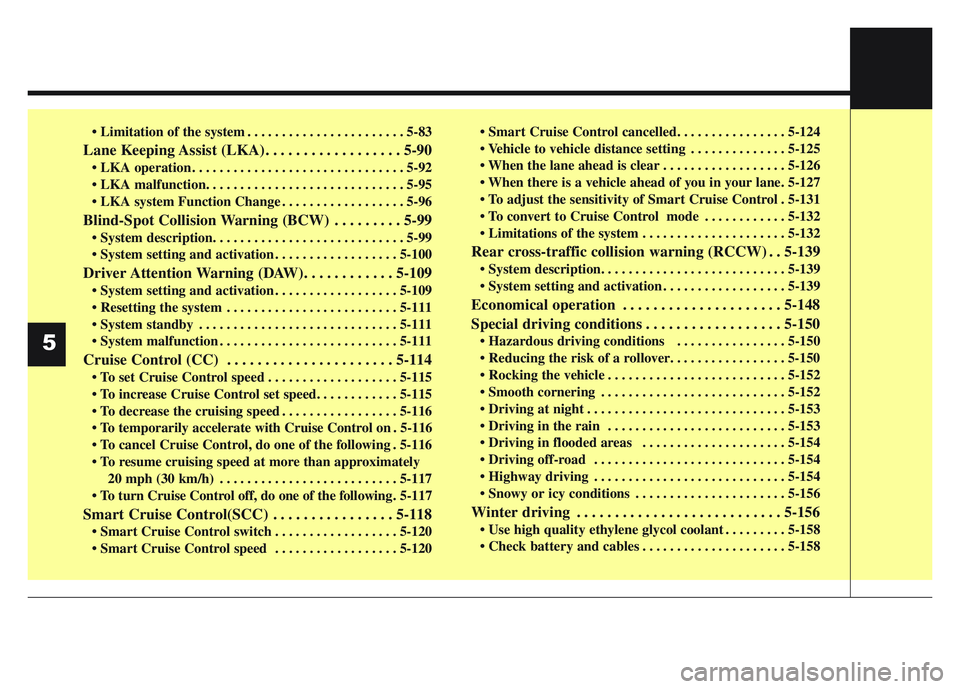
• Limitation of the system . . . . . . . . . . . . . . . . . . . . . . . 5-83
Lane Keeping Assist (LKA). . . . . . . . . . . . . . . . . . 5-90
• LKA operation . . . . . . . . . . . . . . . . . . . . . . . . . . . . . . . 5-92
• LKA malfunction. . . . . . . . . . . . . . . . . . . . . . . . . . . . . 5-95
• LKA system Function Change . . . . . . . . . . . . . . . . . . 5-96
Blind-Spot Collision Warning (BCW) . . . . . . . . . 5-99
• System description. . . . . . . . . . . . . . . . . . . . . . . . . . . . 5-99
• System setting and activation . . . . . . . . . . . . . . . . . . 5-100
Driver Attention Warning (DAW). . . . . . . . . . . . 5-109
• System setting and activation . . . . . . . . . . . . . . . . . . 5-109
• Resetting the system . . . . . . . . . . . . . . . . . . . . . . . . . 5-111
• System standby . . . . . . . . . . . . . . . . . . . . . . . . . . . . . 5-111
• System malfunction . . . . . . . . . . . . . . . . . . . . . . . . . . 5-111
Cruise Control (CC) . . . . . . . . . . . . . . . . . . . . . . 5-114
• To set Cruise Control speed . . . . . . . . . . . . . . . . . . . 5-115
• To increase Cruise Control set speed. . . . . . . . . . . . 5-115
• To decrease the cruising speed . . . . . . . . . . . . . . . . . 5-116
• To temporarily accelerate with Cruise Control on . 5-116
• To cancel Cruise Control, do one of the following . 5-116
• To resume cruising speed at more than approximately20 mph (30 km/h) . . . . . . . . . . . . . . . . . . . . . . . . . . 5-117
• To turn Cruise Control off, do one of the following . 5-117
Smart Cruise Control(SCC) . . . . . . . . . . . . . . . . 5-118
• Smart Cruise Control switch . . . . . . . . . . . . . . . . . . 5-120
• Smart Cruise Control speed . . . . . . . . . . . . . . . . . . 5-120 • Smart Cruise Control cancelled. . . . . . . . . . . . . . . . 5-124
• Vehicle to vehicle distance setting . . . . . . . . . . . . . . 5-125
• When the lane ahead is clear . . . . . . . . . . . . . . . . . . 5-126
• When there is a vehicle ahead of you in your lane. 5-127
• To adjust the sensitivity of Smart Cruise Control . 5-131
• To convert to Cruise Control mode . . . . . . . . . . . . 5-132
• Limitations of the system . . . . . . . . . . . . . . . . . . . . . 5-132
Rear cross-traffic collision warning (RCCW) . . 5-139
• System description. . . . . . . . . . . . . . . . . . . . . . . . . . . 5-139
• System setting and activation . . . . . . . . . . . . . . . . . . 5-139
Economical operation . . . . . . . . . . . . . . . . . . . . . 5-148
Special driving conditions . . . . . . . . . . . . . . . . . . 5-150
• Hazardous driving conditions . . . . . . . . . . . . . . . . 5-150
• Reducing the risk of a rollover. . . . . . . . . . . . . . . . . 5-150
• Rocking the vehicle . . . . . . . . . . . . . . . . . . . . . . . . . . 5-152
• Smooth cornering . . . . . . . . . . . . . . . . . . . . . . . . . . . 5-152
• Driving at night . . . . . . . . . . . . . . . . . . . . . . . . . . . . . 5-153
• Driving in the rain . . . . . . . . . . . . . . . . . . . . . . . . . . 5-153
• Driving in flooded areas . . . . . . . . . . . . . . . . . . . . . 5-154
• Driving off-road . . . . . . . . . . . . . . . . . . . . . . . . . . . . 5-154
• Highway driving . . . . . . . . . . . . . . . . . . . . . . . . . . . . 5-154
• Snowy or icy conditions . . . . . . . . . . . . . . . . . . . . . . 5-156
Winter driving . . . . . . . . . . . . . . . . . . . . . . . . . . . 5-156
• Use high quality ethylene glycol coolant . . . . . . . . . 5-158
• Check battery and cables . . . . . . . . . . . . . . . . . . . . . 5-158
5
Page 295 of 631
59
Driving your vehicle
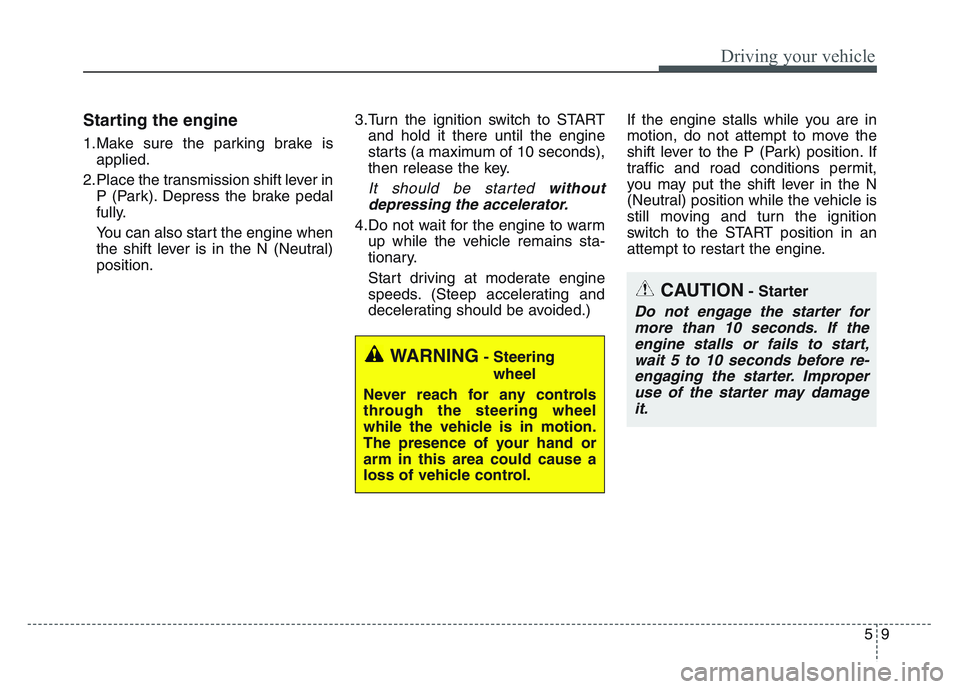
Starting the engine
1.Make sure the parking brake isapplied.
2.Place the transmission shift lever in P (Park). Depress the brake pedal
fully.
You can also start the engine when
the shift lever is in the N (Neutral)
position. 3.Turn the ignition switch to START
and hold it there until the engine
starts (a maximum of 10 seconds),
then release the key.
It should be started withoutdepressing the accelerator.
4.Do not wait for the engine to warm up while the vehicle remains sta-
tionary.
Start driving at moderate engine
speeds. (Steep accelerating and
decelerating should be avoided.) If the engine stalls while you are in
motion, do not attempt to move the
shift lever to the P (Park) position. If
traffic and road conditions permit,
you may put the shift lever in the N
(Neutral) position while the vehicle is
still moving and turn the ignition
switch to the START position in an
attempt to restart the engine.
CAUTION- Starter
Do not engage the starter for
more than 10 seconds. If theengine stalls or fails to start,wait 5 to 10 seconds before re-engaging the starter. Improperuse of the starter may damageit.
WARNING- Steering
wheel
Never reach for any controls
through the steering wheel
while the vehicle is in motion.
The presence of your hand or
arm in this area could cause a
loss of vehicle control.
Page 299 of 631
5 13
Driving your vehicle
✽ NOTICE
If you leave the ENGINE START/
STOP button in the ACC or ON
position for a long time, the battery
will discharge.
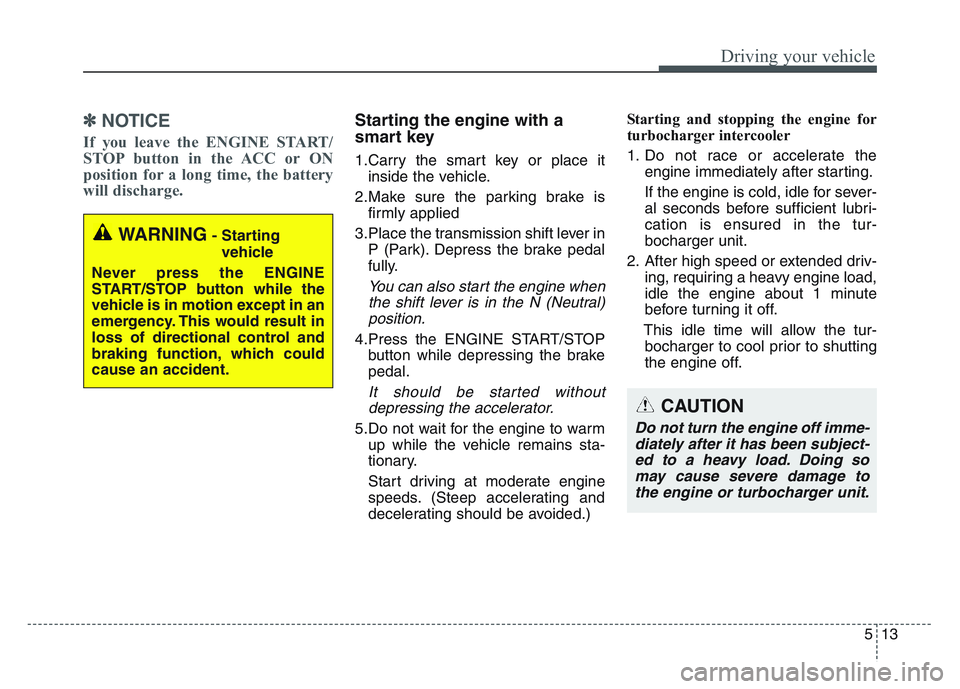
Starting the engine with a
smart key
1.Carry the smart key or place it
inside the vehicle.
2.Make sure the parking brake is firmly applied
3.Place the transmission shift lever in P (Park). Depress the brake pedal
fully.
You can also start the engine whenthe shift lever is in the N (Neutral)position.
4.Press the ENGINE START/STOP button while depressing the brake
pedal.
It should be started withoutdepressing the accelerator.
5.Do not wait for the engine to warm up while the vehicle remains sta-
tionary.
Start driving at moderate engine
speeds. (Steep accelerating and
decelerating should be avoided.) Starting and stopping the engine for
turbocharger intercooler
1. Do not race or accelerate the
engine immediately after starting.
If the engine is cold, idle for sever-
al seconds before sufficient lubri-
cation is ensured in the tur-
bocharger unit.
2. After high speed or extended driv- ing, requiring a heavy engine load,
idle the engine about 1 minute
before turning it off.
This idle time will allow the tur- bocharger to cool prior to shutting
the engine off.
WARNING- Starting
vehicle
Never press the ENGINE
START/STOP button while the
vehicle is in motion except in an
emergency. This would result in
loss of directional control and
braking function, which could
cause an accident.
CAUTION
Do not turn the engine off imme- diately after it has been subject-ed to a heavy load. Doing somay cause severe damage tothe engine or turbocharger unit.
Page 304 of 631
 while pressing the brake
pedal and pushing [SHIFT LOCK
RELEASE] button or inserting,
pressing down a tool (e.g. flathead
screw-d](/img/2/55169/w960_55169-303.png "KIA SPORTAGE 2021 Owners Manual Driving your vehicle
185
4. Change the gear shift lever to [N](Neutral) while pressing the brake
pedal and pushing [SHIFT LOCK
RELEASE] button or inserting,
pressing down a tool (e.g. flathead
screw-d")
Driving your vehicle
185
4. Change the gear shift lever to [N](Neutral) while pressing the brake
pedal and pushing [SHIFT LOCK
RELEASE] button or inserting,
pressing down a tool (e.g. flathead
screw-driver) into the [SHIFT
LOCK RELEASE] access hole at
the same time. Then, the vehicle
will move when external force is
applied. D (Drive)
This is the normal forward driving
position. The transmission will auto-
matically shift through a 6-gear
sequence, providing the best fuel
economy and power.
For extra power when passing anoth-
er vehicle or climbing grades,
depress the accelerator fully, at
which time the transmission will
automatically downshift to the next
lower gear.
Manual mode
Whether the vehicle is stationary or
in motion, manual mode is selected
by pushing the shift lever from the D
(Drive) position into the manual gate.
To return to D (Drive) range opera-
tion, push the shift lever back into the
main gate.
WARNING- Parking In
Neutral
• With the exception of parking in neutral gear, always park
the vehicle in [P] (Park) for
safety and apply the parking
brake.
• Before parking in [N] (Neutral) gear, make sure the parking
ground is level and flat. Do not
park in [N] gear on any slopes
or gradients. If parked and left
in [N], the vehicle may move
and cause serious damage or
injury.OQL055009
Manual
mode
++
((UUPP))
--
((DDOOWWNN))
Page 306 of 631
![KIA SPORTAGE 2021 Owners Manual Driving your vehicle
205
With the shift lever in the D position
The paddle shifter will operate when
the vehicle speed is more than
6.2mph(10km/h).
Pull the [+] or [-] paddle shifter once
to shift up](/img/2/55169/w960_55169-305.png "KIA SPORTAGE 2021 Owners Manual Driving your vehicle
205
With the shift lever in the D position
The paddle shifter will operate when
the vehicle speed is more than
6.2mph(10km/h).
Pull the [+] or [-] paddle shifter once
to shift up")
Driving your vehicle
205
With the shift lever in the D position
The paddle shifter will operate when
the vehicle speed is more than
6.2mph(10km/h).
Pull the [+] or [-] paddle shifter once
to shift up or down one gear and the
system changes from automatic
mode to manual mode.
When the vehicle speed is lower than
6.2mph(10km/h), if you depress the
accelerator pedal for more than 5
seconds or if you shift the shift lever
from D (Drive) to manual mode and
shift it from manual mode to D (Drive)
again, the system changes from
manual mode to automatic mode.
With the shift lever in the manual mode
Pull the [+] or [-] paddle shifter once
to shift up or down one gear.
✽NOTICE
If you pull the [+] and [-] paddle
shifters at the same time, you cannot
shift the gear.
Shift lock system
For your safety, the automatic trans-
mission has a shift lock system
which prevents shifting the transmis-
sion from P (Park) into R (Reverse)
unless the brake pedal is depressed.
To shift the transmission from P
(Park) into R (Reverse):
1.Depress and hold the brake pedal.
2.Start the engine or turn the ignitionswitch to the ON position.
3.Move the shift lever.
If the brake pedal is repeatedly
depressed and released with the
shift lever in the P (Park) position, a
chattering noise & vibration near the
shift lever may be heard. It is a nor-
mal condition.WARNING- Shifting from park
Always fully depress the brake
pedal before and while shifting
out of the P (Park) position into
another position to avoid inad-
vertent motion of the vehicle
which could injure persons in
or around the vehicle.
Page 338 of 631
Driving your vehicle
525
DBC operation✽NOTICE
If the DBC red indicator light illu-
minates, the system may have over-
heated or have malfunctioned.
When the warning light illuminates
even though the DBC system has
cooled off, we recommend that the
vehicle be checked by an authorized
Kia dealer as soon as possible.
✽NOTICE
• The DBC may not deactivate onsteep inclines even though the
brake or accelerator pedal is
depressed.
• The DBC does not operate when: - The shift lever is in P (Park).
- The ESC is activated.
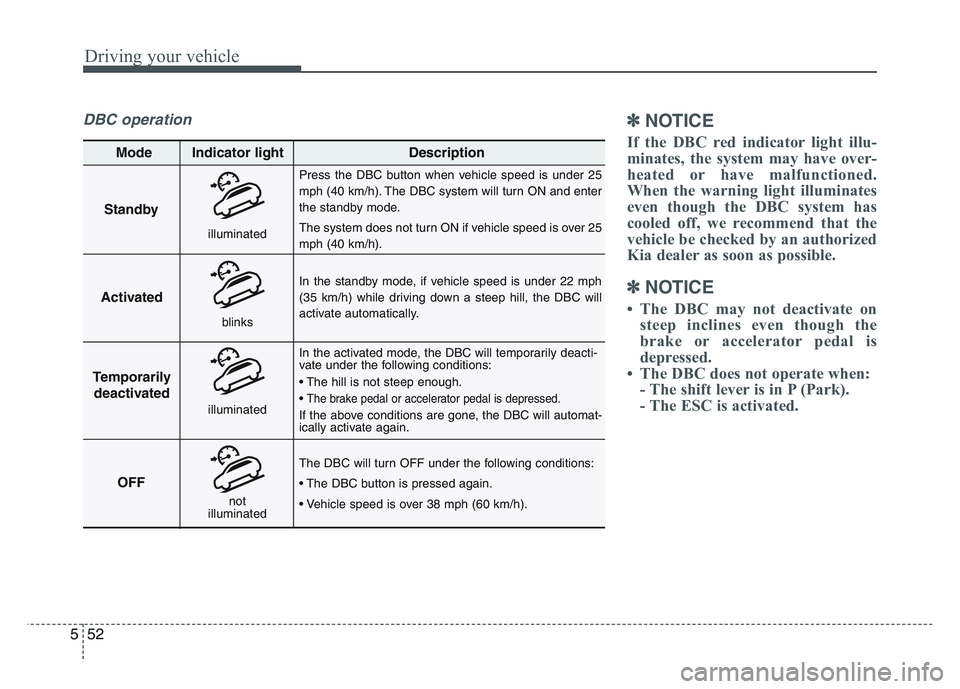
Standby
Press the DBC button when vehicle speed is under 25
mph (40 km/h). The DBC system will turn ON and enter
the standby mode.
The system does not turn ON if vehicle speed is over 25
mph (40 km/h).
In the standby mode, if vehicle speed is under 22 mph
(35 km/h) while driving down a steep hill, the DBC will
activate automatically.
In the activated mode, the DBC will temporarily deacti-
vate under the following conditions:
• The hill is not steep enough.
•
The brake pedal or accelerator pedal is depressed.
If the above conditions are gone, the DBC will automat-
ically activate again.
The DBC will turn OFF under the following conditions:
• The DBC button is pressed again.
• Vehicle speed is over 38 mph (60 km/h).
Activated
Temporarily deactivated
OFF
Mode Indicator light
Description
blinks
illuminated
not
illuminated
illuminated