wheel KIA SPORTAGE 2021 Quick Reference Guide
[x] Cancel search | Manufacturer: KIA, Model Year: 2021, Model line: SPORTAGE, Model: KIA SPORTAGE 2021Pages: 42, PDF Size: 0.52 MB
Page 26 of 42
![KIA SPORTAGE 2021 Quick Reference Guide 25
Using a Bluetooth audio device
You can listen to music stored in the connected Bluetooth audio device
via your vehicle′s speakers.
On the control panel, press the [MEDIA] button.
\225If you hav](/img/2/55170/w960_55170-25.png "KIA SPORTAGE 2021 Quick Reference Guide 25
Using a Bluetooth audio device
You can listen to music stored in the connected Bluetooth audio device
via your vehicle′s speakers.
On the control panel, press the [MEDIA] button.
\225If you hav")
25
Using a Bluetooth audio device
You can listen to music stored in the connected Bluetooth audio device
via your vehicle′s speakers.
On the control panel, press the [MEDIA] button.
\225If you have multiple media storage devices, press the [ MEDIA] button
again and touch Bluetooth Audio from the media selection window.
bac
efg
d
h
a Search for and connect another Bluetooth device.
b Display the options list.
\225 Change Device: Search for and connect another Bluetooth device.
\225Sound Settings: Customize the system sound settings.
c Return to the previous level.
d Information about the song currently playing
e Restart the current playback. Touch twice to play the previous file.
You can also press the [
SEEK] button on the control panel or use
the [
/] lever on the steering wheel.
f Pause or resume playback.
g Play the next file. You can also press the [ TRACK ] button on the
control panel or use the [
/] lever on the steering wheel.
h Playback time and playback position
Page 27 of 42
26
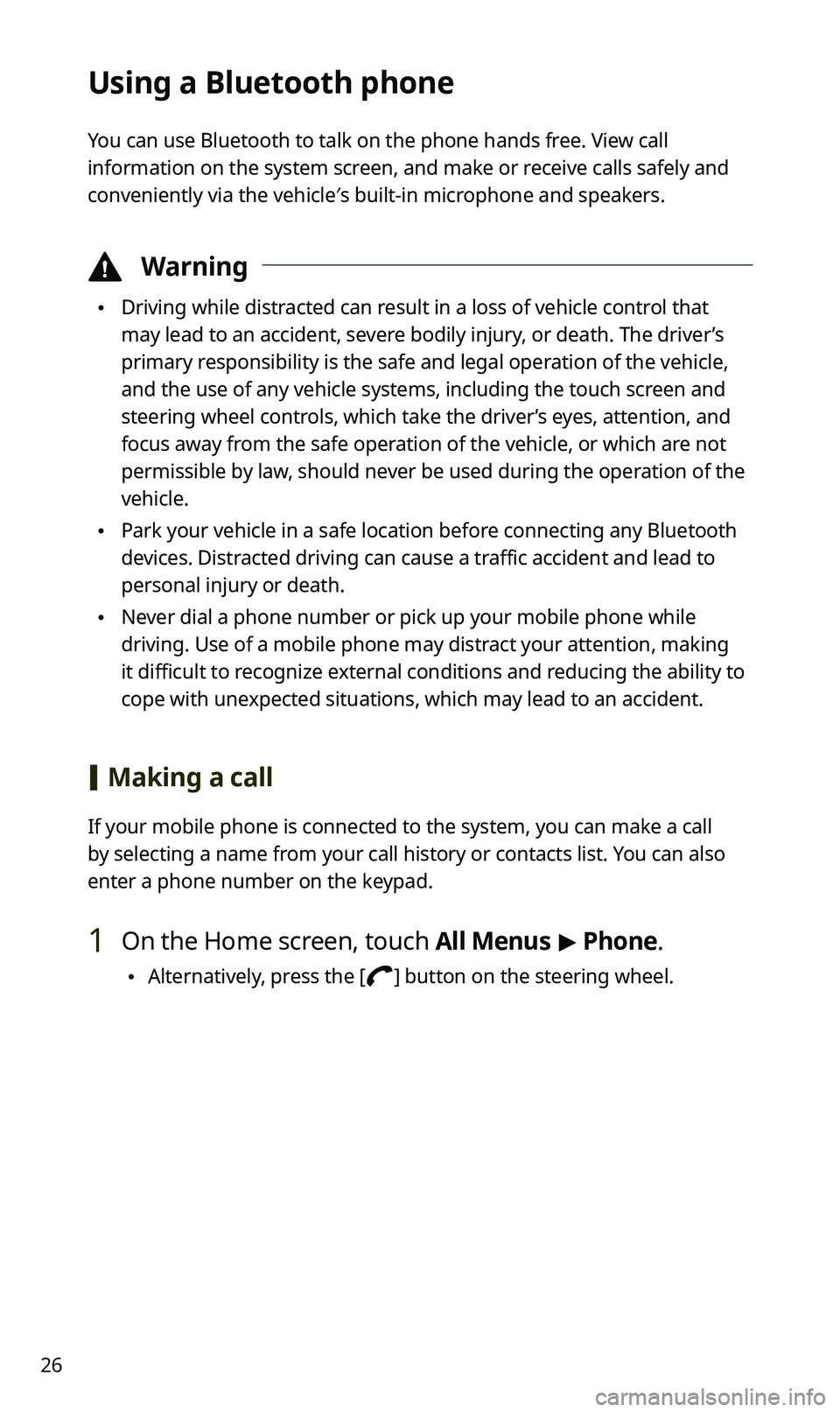
Using a Bluetooth phone
You can use Bluetooth to talk on the phone hands free. View call
information on the system screen, and make or receive calls safely and
conveniently via the vehicle′s built-in microphone and speakers.
\334Warning
\225Driving while distracted can result in a loss of vehicle control that
may lead to an accident, severe bodily injury, or death. The driver’s
primary responsibility is the safe and legal operation of the vehicle,
and the use of any vehicle systems, including the touch screen and
steering wheel controls, which take the driver’s eyes, attention, and
focus away from the safe operation of the vehicle, or which are not
permissible by law, should never be used during the operation of the
vehicle.
\225Park your vehicle in a safe location before connecting any Bluetooth
devices. Distracted driving can cause a traffic accident and lead to
personal injury or death.
\225Never dial a phone number or pick up your mobile phone while
driving. Use of a mobile phone may distract your attention, making
it difficult to recognize external conditions and reducing the ability to
cope with unexpected situations, which may lead to an accident.
[Making a call
If your mobile phone is connected to the system, you can make a call
by selecting a name from your call history or contacts list. You can also
enter a phone number on the keypad.
1 On the Home screen, touch All Menus > Phone.
\225 Alternatively, press the [] button on the steering wheel.
Page 28 of 42
27
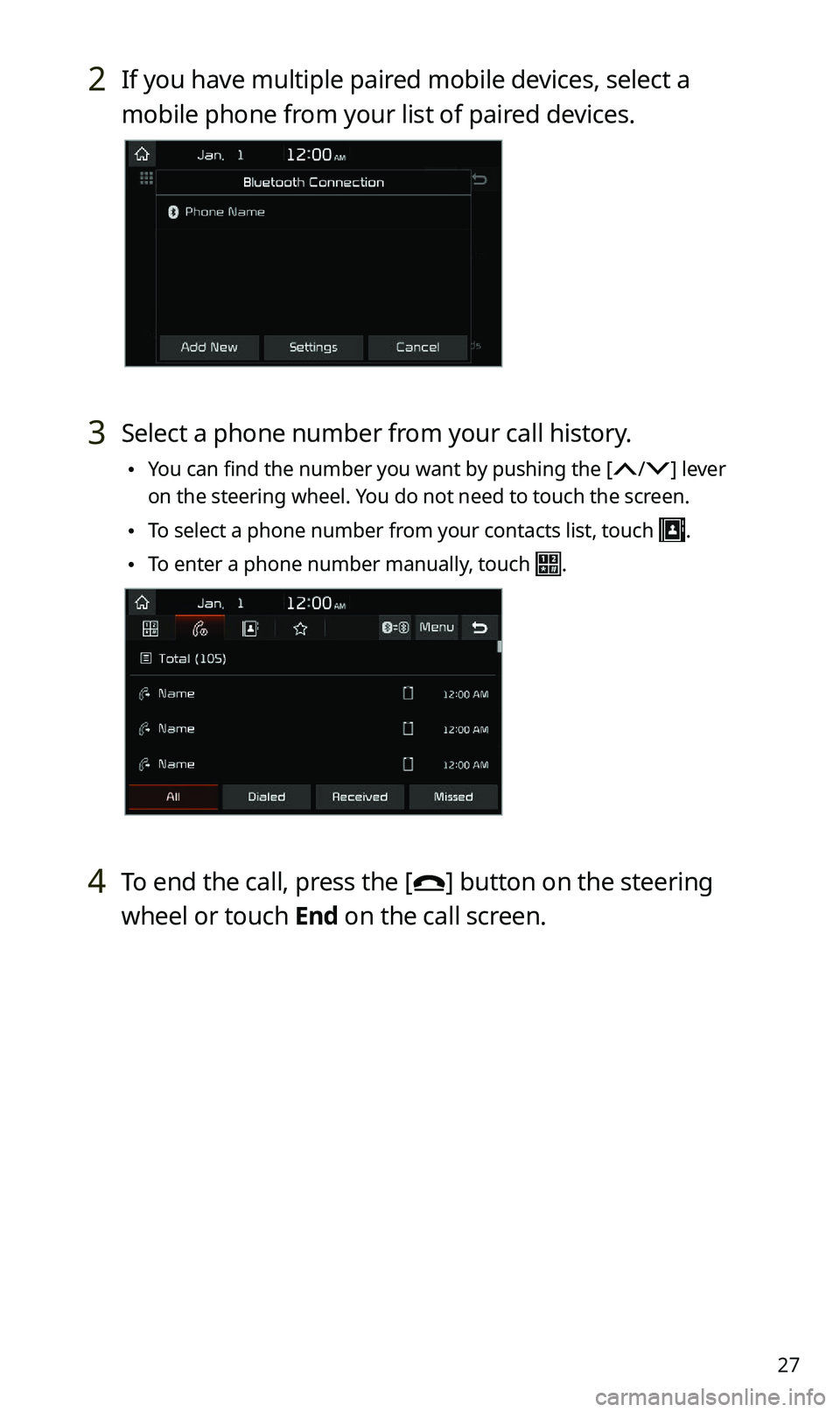
2 If you have multiple paired mobile devices, select a
mobile phone from your list of paired devices.
3 Select a phone number from your call history.
\225You can find the number you want by pushing the [/] lever
on the steering wheel. You do not need to touch the screen.
\225 To select a phone number from your contacts list, touch .
\225To enter a phone number manually, touch .
4 To end the call, press the [] button on the steering
wheel or touch End on the call screen.
Page 29 of 42
![KIA SPORTAGE 2021 Quick Reference Guide 28
[Answering calls
When a call comes in, a notification pop-up window of the incoming call
appears on the system screen.
To answer the call, touch Accept.
\225 Alternatively, press the [] button o](/img/2/55170/w960_55170-28.png "KIA SPORTAGE 2021 Quick Reference Guide 28
[Answering calls
When a call comes in, a notification pop-up window of the incoming call
appears on the system screen.
To answer the call, touch Accept.
\225 Alternatively, press the [] button o")
28
[Answering calls
When a call comes in, a notification pop-up window of the incoming call
appears on the system screen.
To answer the call, touch Accept.
\225 Alternatively, press the [] button on the steering wheel.
To reject the call, touch Reject.
\225 Alternatively, press the [] button on the steering wheel.
\333 Note
\225Depending on the mobile phone type, call rejection may not be
supported.
\225Once your mobile phone is connected to the system, the call sound
may be output through the vehicle′s speakers even after you exit
the vehicle if the phone is within the connection range. To end the
connection, disconnect the device from the system or deactivate
Bluetooth on the device.
\225You can activate the privacy mode by touching Privacy Mode on the
incoming call pop-up window. In privacy mode, contact information
will not be displayed. To deactivate the privacy mode, touch Menu >
Privacy Mode on the Bluetooth phone screen.
Page 31 of 42
30
QWhat is a passkey?
AA passkey is the password used to authenticate the connection
between the system and the mobile device. The passkey needs to
be entered only once when you pair a mobile phone for the first
time.
The initial passkey is "0000." You can change it by touching
All Menus > Setup > Bluetooth > Bluetooth System Info >
Passkey.
QI changed my mobile phone that was registered to the system via
Bluetooth. How can I register my new mobile phone?
AYou can register additional devices to your system by following
the instructions to pair a device. Up to five devices can be added
to your system's Bluetooth device list. To delete a registered
device, on the Bluetooth device list, touch Delete Devices, select
the devices to delete, and touch Delete.
QHow do I answer a call?
AWhen a call comes in and a notification pop-up window appears,
press the [
] button on the steering wheel or touch Accept on
the screen.
To reject the call, press the [
] button on the steering wheel or
touch Reject on the screen.
Page 32 of 42
![KIA SPORTAGE 2021 Quick Reference Guide 31
QWhat should I do if I want to switch the call to my mobile phone
while on a call via the system?
APress and hold the [] button on the steering wheel or touch
Private Mode on the screen to switch](/img/2/55170/w960_55170-31.png "KIA SPORTAGE 2021 Quick Reference Guide 31
QWhat should I do if I want to switch the call to my mobile phone
while on a call via the system?
APress and hold the [] button on the steering wheel or touch
Private Mode on the screen to switch")
31
QWhat should I do if I want to switch the call to my mobile phone
while on a call via the system?
APress and hold the [] button on the steering wheel or touch
Private Mode on the screen to switch the call to your mobile
phone.
QHow do I access the contacts in my mobile phone from the
system?
AWhen connecting your mobile phone to your system, permit
the system to access the contacts saved in the mobile phone.
The contacts will be downloaded to the system. To open the
downloaded contacts list, press the [
] button on the steering
wheel and touch
on the phone screen. You can search for a
contact to make a call or add it to favorites.
QWhat is the range of my wireless connection?
AA wireless connection can be used within about 10 m (about
33 ft). The maximum Bluetooth range may be affected by
the usage environment, such as the vehicle type, the system
platform, or the connected mobile phone.
QHow many mobile devices can be paired?
AUp to five devices can be paired with your system.
Page 33 of 42
32
QWhy is call quality sometimes poor?
ACheck your mobile phone′s reception sensitivity when call quality
deteriorates. The call quality may deteriorate when the signal
strength is low.
Call quality may also become poor if metal objects, such as
beverage cans, are placed near the mobile phone. Check to see if
any metal objects are near the mobile phone.
The call sound and quality may differ depending on the type of
mobile phone.
AV function
QWhat kinds of AV functions does my system have?
AYour system provides you with the radio and media player
(USB, iPod, etc.). For more information, see the corresponding
chapters.
QI want to move to the previous or next song without touching the
screen while driving. How do I do this?
APush the [/] lever on the steering wheel to move to the
previous or next song.