USB KIA SPORTAGE 2021 Quick Reference Guide
[x] Cancel search | Manufacturer: KIA, Model Year: 2021, Model line: SPORTAGE, Model: KIA SPORTAGE 2021Pages: 42, PDF Size: 0.52 MB
Page 12 of 42
11
Using phone projection
Phone projection enables you to connect your Android smartphone or
iPhone to your system and use their functions via the system. You can
perform and control your smartphone applications by using the larger
screen and enhance your use of the system.
\334Warning
\225Driving while distracted can result in a loss of vehicle control that
may lead to an accident, severe bodily injury, or death. The driver’s
primary responsibility is the safe and legal operation of the vehicle,
and the use of any vehicle systems, including the touch screen and
steering wheel controls, which take the driver’s eyes, attention, and
focus away from the safe operation of the vehicle, or which are not
permissible by law, should never be used during the operation of the
vehicle.
\225Do not adjust or set up any phone settings while driving. You may
lose your steering control which could cause an accident and severe
bodily injuries.
\335 Caution
\225Using an approved USB cable provided by your smartphone
manufacturer is recommended. Using unapproved USB cables may
cause a phone projection error or a system malfunction.
\225Use only applications that are compatible with phone projection.
Using incompatible applications may cause problems for your system
or smartphone.
\225Only compatible applications will be displayed on the phone
projection screen. You can also check compatible applications by
visiting the following websites:
-Apple CarPlay: https://www.apple.com/ios/carplay
-Android Auto: https://www.android.com/auto
Page 13 of 42
12
Connecting your iPhone via Apple CarPlay
Before using Apple CarPlay, be sure to check the following:
Apple CarPlay support on your iPhone
Visit the Apple homepage (https://www.apple.com/ios/carplay) and
check the iPhone models that support Apple CarPlay.
Apple CarPlay and Siri activated or updated on your
iPhone
On your iPhone, ensure that Apple CarPlay and Siri are activated.
If your iPhone does not have the functions, update the iPhone’s
operating system to the latest version.
Start Apple CarPlay by following the steps below:
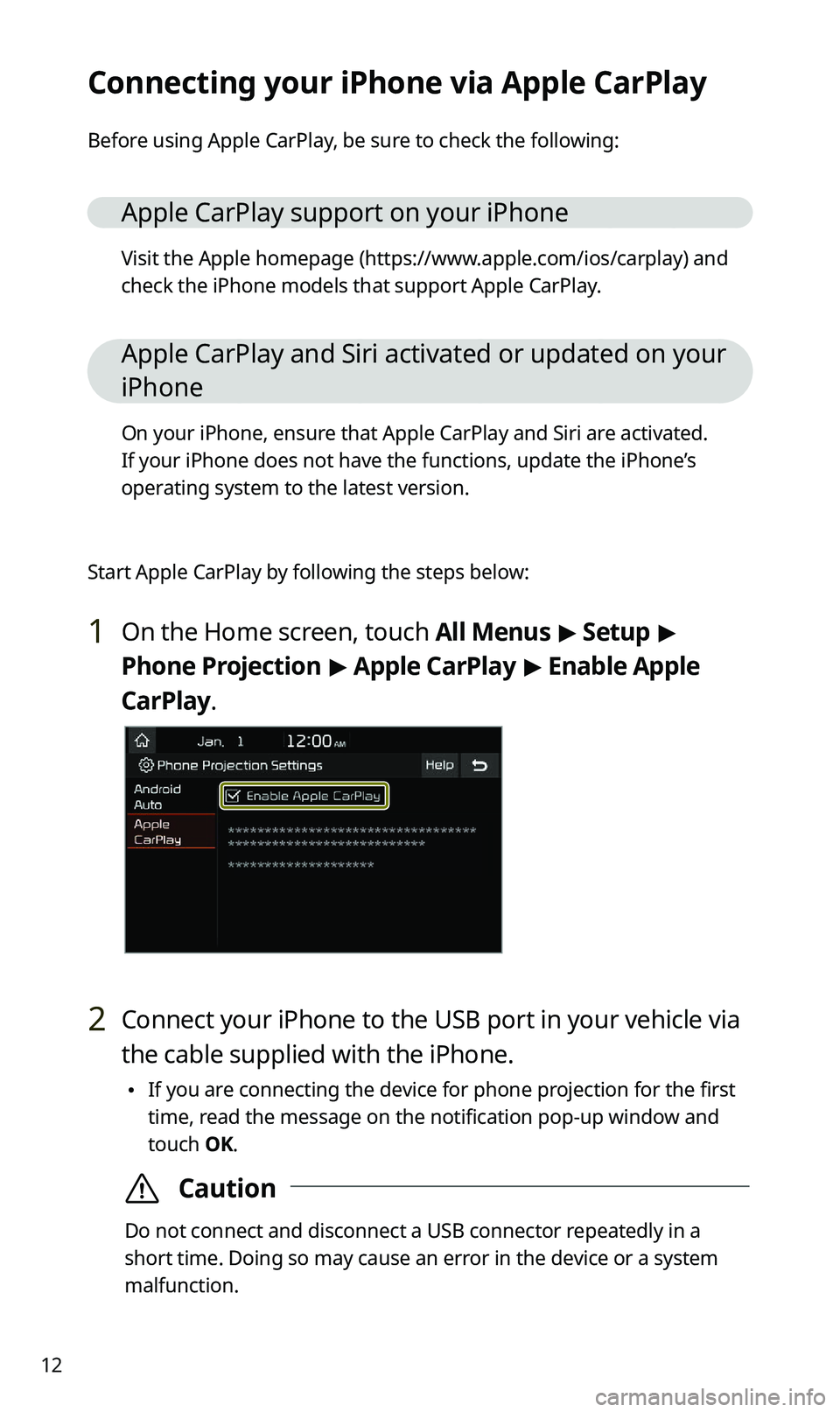
1 On the Home screen, touch All Menus > Setup >
Phone Projection > Apple CarPlay > Enable Apple
CarPlay.
2 Connect your iPhone to the USB port in your vehicle via
the cable supplied with the iPhone.
\225 If you are connecting the device for phone projection for the first
time, read the message on the notification pop-up window and
touch OK.
\335Caution
Do not connect and disconnect a USB connector repeatedly in a
short time. Doing so may cause an error in the device or a system
malfunction.
Page 14 of 42
13
3 If your iPhone is locked, unlock it and agree to use
phone projection.
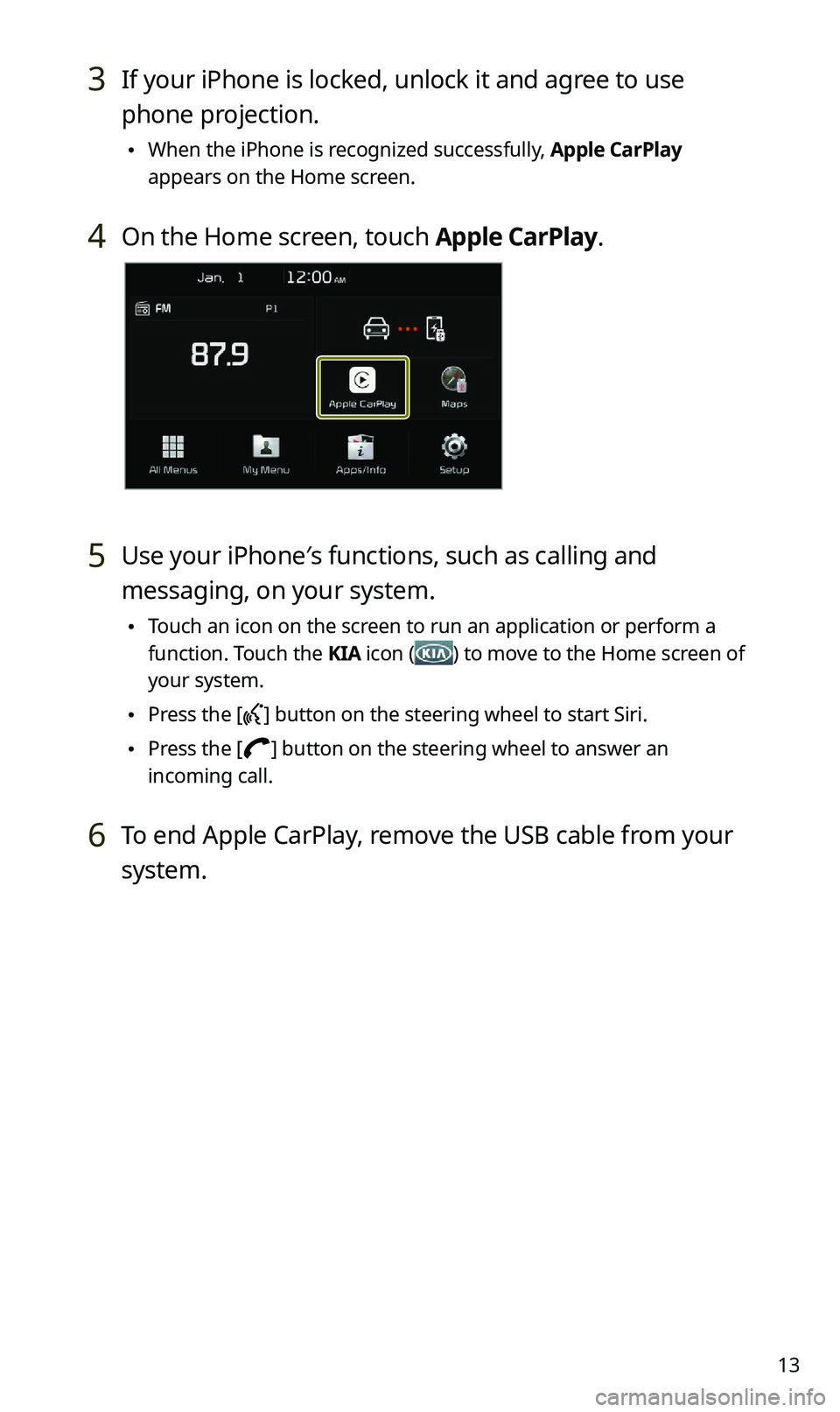
\225When the iPhone is recognized successfully, Apple CarPlay
appears on the Home screen.
4 On the Home screen, touch Apple CarPlay.
5 Use your iPhone′s functions, such as calling and
messaging, on your system.
\225Touch an icon on the screen to run an application or perform a
function. Touch the KIA icon (
) to move to the Home screen of
your system.
\225 Press the [] button on the steering wheel to start Siri.
\225Press the [] button on the steering wheel to answer an
incoming call.
6 To end Apple CarPlay, remove the USB cable from your
system.
Page 16 of 42
15
2 Connect your smartphone to the USB port in your
vehicle via the cable supplied with the smartphone.
\225If you are connecting the device for phone projection for the first
time, read the message on the notification pop-up window and
touch OK.
\335Caution
Do not connect and disconnect a USB connector repeatedly in a
short time. Doing so may cause an error in the device or a system
malfunction.
3 If your smartphone is locked, unlock it and agree to use
phone projection.
\225When the smartphone is recognized successfully, Android Auto
appears on the Home screen.
4 On the Home screen, touch Android Auto.
5 Use your smartphone′s functions, such as calling and
messaging, on your system.
\225Touch an icon on the screen to run an application or perform a
function.
\225Press the [] button on the steering wheel to start Google voice
recognition.
\225 Press the [] button on the steering wheel to start using
Bluetooth call functions.
6 To end Android Auto, remove the USB cable from your
system.
Page 19 of 42
18
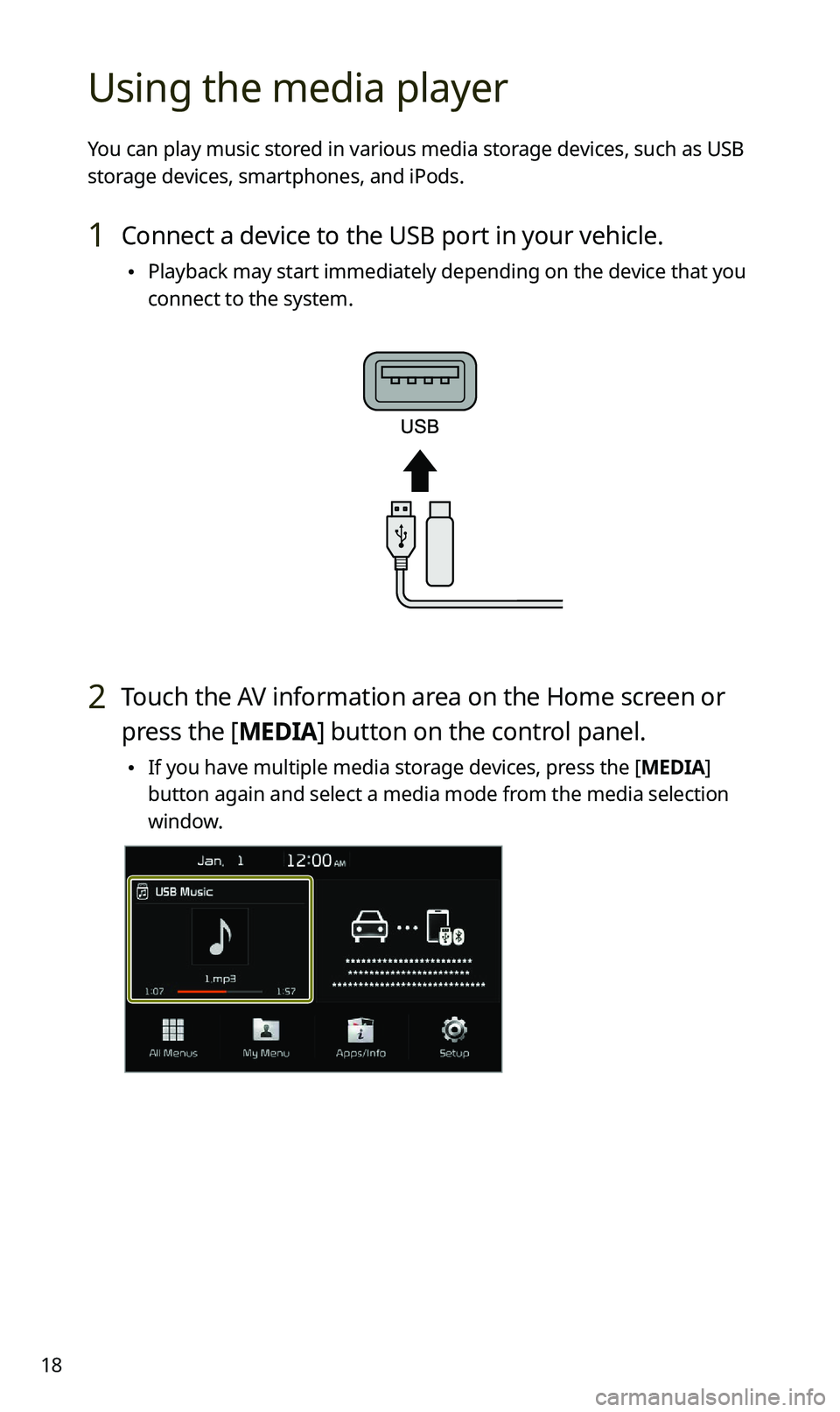
Using the media player
You can play music stored in various media storage devices, such as USB
storage devices, smartphones, and iPods.
1 Connect a device to the USB port in your vehicle.
\225Playback may start immediately depending on the device that you
connect to the system.
2 Touch the AV information area on the Home screen or
press the [ MEDIA] button on the control panel.
\225If you have multiple media storage devices, press the [ MEDIA]
button again and select a media mode from the media selection
window.
Page 20 of 42
19
\334Warning
Driving while distracted can result in a loss of vehicle control that may
lead to an accident, severe bodily injury, or death. The driver’s primary
responsibility is the safe and legal operation of the vehicle, and the use
of any vehicle systems, including the touch screen and steering wheel
controls, which take the driver’s eyes, attention, and focus away from the
safe operation of the vehicle, or which are not permissible by law, should
never be used during the operation of the vehicle.
\333Note
\225When you connect an Apple device, playback does not start
automatically and the AV information area remains in the previous
mode. You cannot touch the AV information area to start playback. To
start the media player in the iPod mode, press the [ MEDIA] button on
the control panel.
\225 Depending on vehicle models and specifications, available buttons or
the appearance and layout of the USB port in your vehicle may vary.
Page 33 of 42
32
QWhy is call quality sometimes poor?
ACheck your mobile phone′s reception sensitivity when call quality
deteriorates. The call quality may deteriorate when the signal
strength is low.
Call quality may also become poor if metal objects, such as
beverage cans, are placed near the mobile phone. Check to see if
any metal objects are near the mobile phone.
The call sound and quality may differ depending on the type of
mobile phone.
AV function
QWhat kinds of AV functions does my system have?
AYour system provides you with the radio and media player
(USB, iPod, etc.). For more information, see the corresponding
chapters.
QI want to move to the previous or next song without touching the
screen while driving. How do I do this?
APush the [/] lever on the steering wheel to move to the
previous or next song.