instrument cluster KIA STINGER 2018 User Guide
[x] Cancel search | Manufacturer: KIA, Model Year: 2018, Model line: STINGER, Model: KIA STINGER 2018Pages: 551, PDF Size: 13.75 MB
Page 318 of 551
565
Driving your vehicle
The warning light illumi-
nates on the LCD display,
when you cancel the FCA
system. The driver can
monitor the FCA ON/OFF status on
the LCD display. Also, the warning
light illuminates when the
ESC(Electronic Stability Control) is
turned off (Traction & Stability control
disabled.). When the warning light
remains ON with the FCA activated,
have the system checked by an
authorized Kia dealer.
The driver can select the initial warn-
ing activation time in the User
Settings in the instrument cluster
LCD display. The options for the ini-
tial Forward Collision Warning
include the following:
selected, the initial
Forward Collision Warning
is activated earlier than
normal. This setting maxi-
mizes the amount of dis-
tance between the vehicle
or pedestrian ahead before
the initial warning occurs. If
the ‘EARLY’ condition feels
too sensitive, change it into
‘NORMAL’. When the vehi-
cle ahead suddenly stops,
the warning may seem to
activate later even if the
‘EARLY’ condition was
selected.
selected, the initial
Forward Collision
Warning is activated nor-
mally. This setting allows
for a nominal amount of
distance between the
vehicle or pedestrian
ahead before the initial
warning occurs.
selected, the initial Forward
Collision Warning is activat-
ed later than normal. This
setting reduces the amount
of distance between the
vehicle or pedestrian ahead
before the initial warning
occurs. Select this condition
only when traffic is light,
and you are driving slowly.
Page 332 of 551
579
Driving your vehicle
To set cruise control speed:
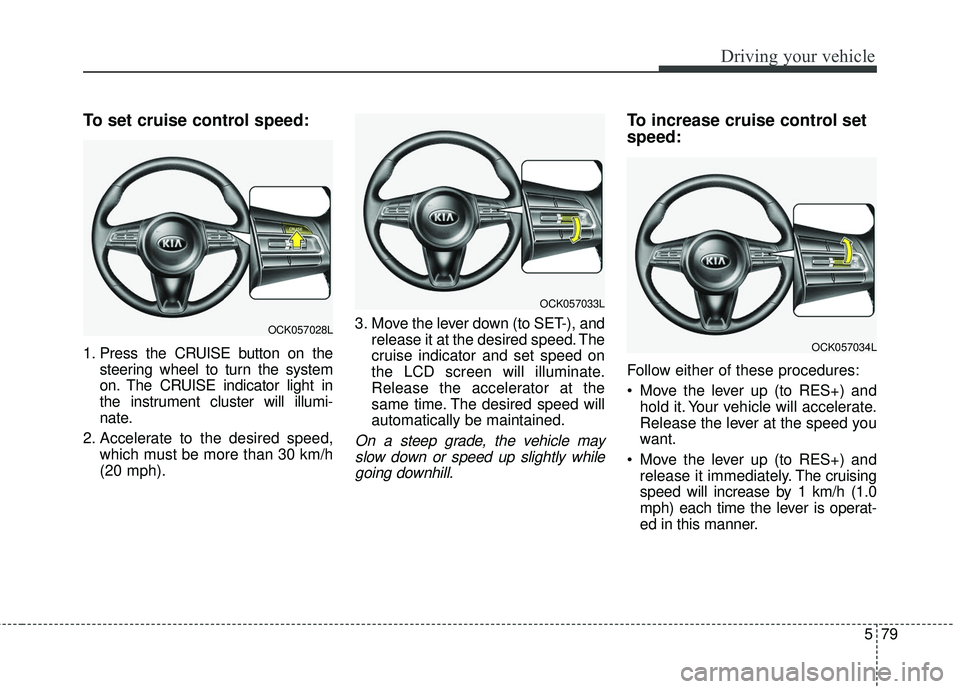
1. Press the CRUISE button on thesteering wheel to turn the system
on. The CRUISE indicator light in
the instrument cluster will illumi-
nate.
2. Accelerate to the desired speed, which must be more than 30 km/h
(20 mph). 3. Move the lever down (to SET-), and
release it at the desired speed. The
cruise indicator and set speed on
the LCD screen will illuminate.
Release the accelerator at the
same time. The desired speed will
automatically be maintained.
On a steep grade, the vehicle mayslow down or speed up slightly whilegoing downhill.
To increase cruise control set
speed:
Follow either of these procedures:
Move the lever up (to RES+) and hold it. Your vehicle will accelerate.
Release the lever at the speed you
want.
Move the lever up (to RES+) and release it immediately. The cruising
speed will increase by 1 km/h (1.0
mph) each time the lever is operat-
ed in this manner.
OCK057033L
OCK057028L
OCK057034L
Page 334 of 551
581
Driving your vehicle
Each of these actions will cancelcruise control operation (The setspeed on the LCD will disappear andthe CRUISE indicator will illuminatecontinuously.), but it will not turn thesystem off. If you wish to resumecruise control operation, move thelever up (to RES+). You will return toyour previously preset speed.To resume cruising speed at
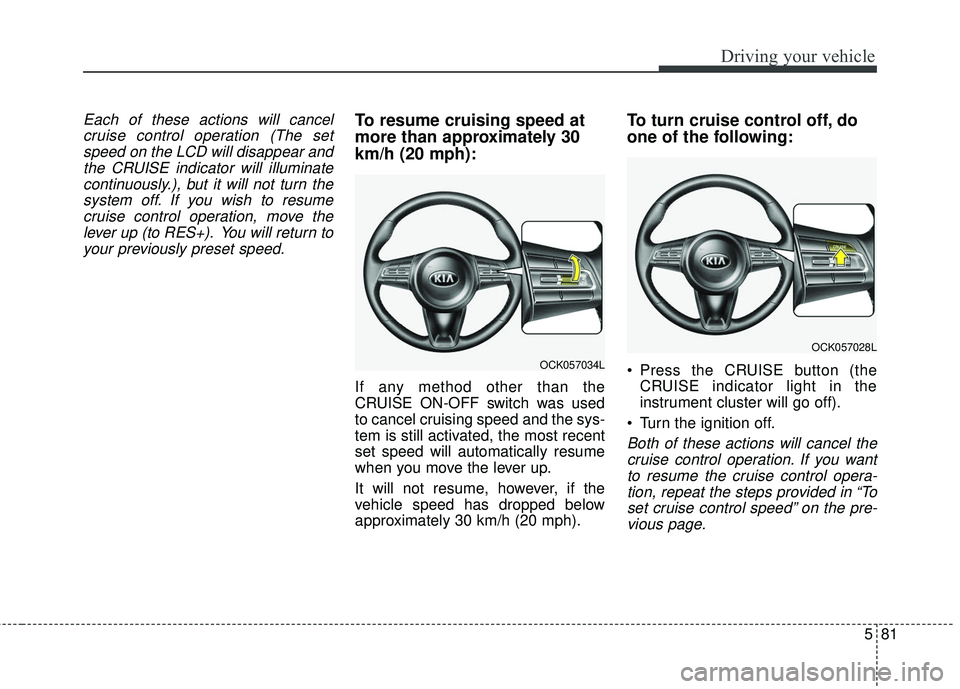
more than approximately 30
km/h (20 mph):
If any method other than the
CRUISE ON-OFF switch was used
to cancel cruising speed and the sys-
tem is still activated, the most recent
set speed will automatically resume
when you move the lever up.
It will not resume, however, if the
vehicle speed has dropped below
approximately 30 km/h (20 mph).
To turn cruise control off, do
one of the following:
Press the CRUISE button (the CRUISE indicator light in the
instrument cluster will go off).
Turn the ignition off.
Both of these actions will cancel the cruise control operation. If you wantto resume the cruise control opera-tion, repeat the steps provided in “Toset cruise control speed” on the pre-vious page.
OCK057034L
OCK057028L
Page 335 of 551
Driving your vehicle
82
5
SMART CRUISE CONTROL WITH STOP & GO SYSTEM (IF EQUIPPED)
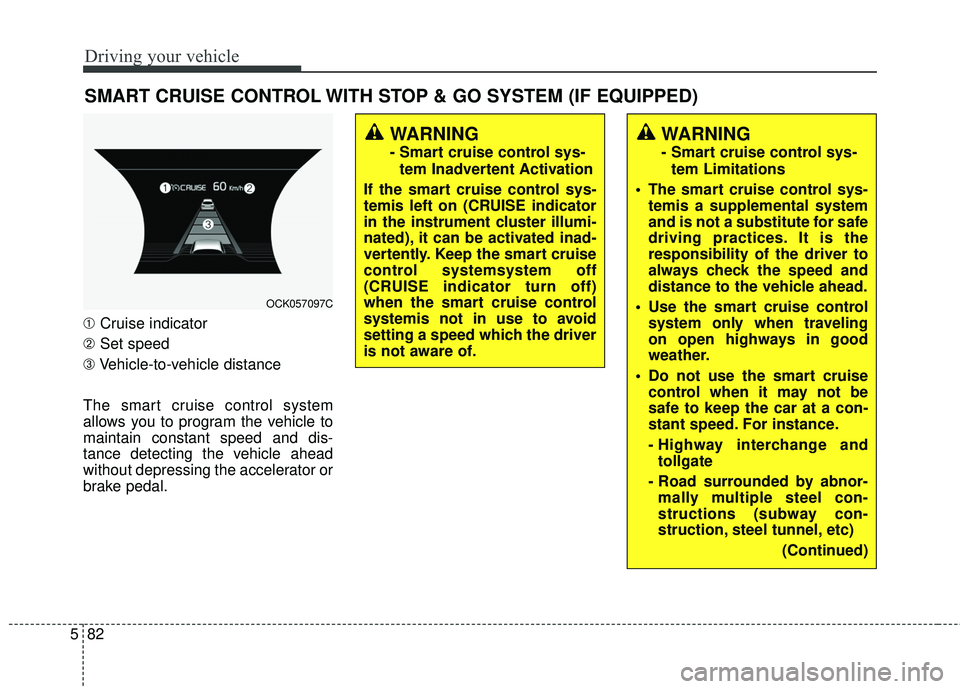
➀ Cruise indicator
➁ Set speed
➂ Vehicle-to-vehicle distance
The smart cruise control system
allows you to program the vehicle to
maintain constant speed and dis-
tance detecting the vehicle ahead
without depressing the accelerator or
brake pedal.
WARNING
- Smart cruise control sys- tem Inadvertent Activation
If the smart cruise control sys-
temis left on (CRUISE indicator
in the instrument cluster illumi-
nated), it can be activated inad-
vertently. Keep the smart cruise
control systemsystem off
(CRUISE indicator turn off)
when the smart cruise control
systemis not in use to avoid
setting a speed which the driver
is not aware of.
WARNING
- Smart cruise control sys- tem Limitations
The smart cruise control sys- temis a supplemental system
and is not a substitute for safe
driving practices. It is the
responsibility of the driver to
always check the speed and
distance to the vehicle ahead.
Use the smart cruise control system only when traveling
on open highways in good
weather.
control when it may not be
safe to keep the car at a con-
stant speed. For instance.
- Highway interchange andtollgate
- Road surrounded by abnor- mally multiple steel con-
structions (subway con-
struction, steel tunnel, etc)
(Continued)
OCK057097C
Page 337 of 551
Driving your vehicle
84
5
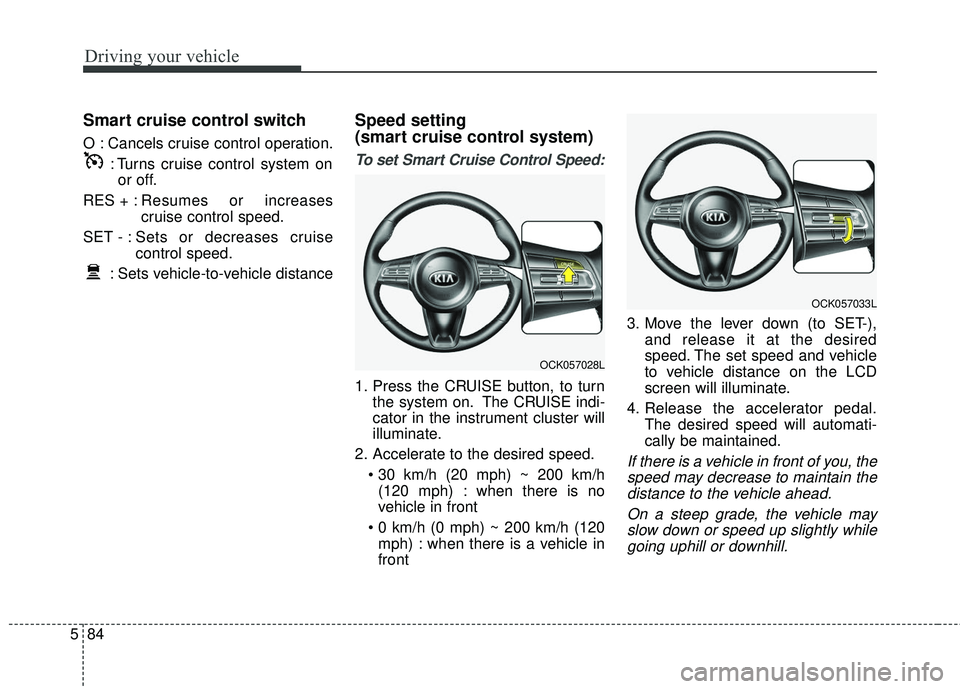
Smart cruise control switch
O : Cancels cruise control operation.
: Turns cruise control system onor off.
RES + : Resumes or increases
cruise control speed.
SET - : Sets or decreases cruise control speed.
: Sets vehicle-to-vehicle distance
Speed setting
(smart cruise control system)
To set Smart Cruise Control Speed:
1. Press the CRUISE button, to turn the system on. The CRUISE indi-
cator in the instrument cluster will
illuminate.
2. Accelerate to the desired speed. (120 mph) : when there is no
vehicle in front
mph) : when there is a vehicle in
front 3. Move the lever down (to SET-),
and release it at the desired
speed. The set speed and vehicle
to vehicle distance on the LCD
screen will illuminate.
4. Release the accelerator pedal. The desired speed will automati-
cally be maintained.
If there is a vehicle in front of you, thespeed may decrease to maintain thedistance to the vehicle ahead.
On a steep grade, the vehicle mayslow down or speed up slightly whilegoing uphill or downhill.
OCK057033L
OCK057028L
Page 341 of 551
Driving your vehicle
88
5
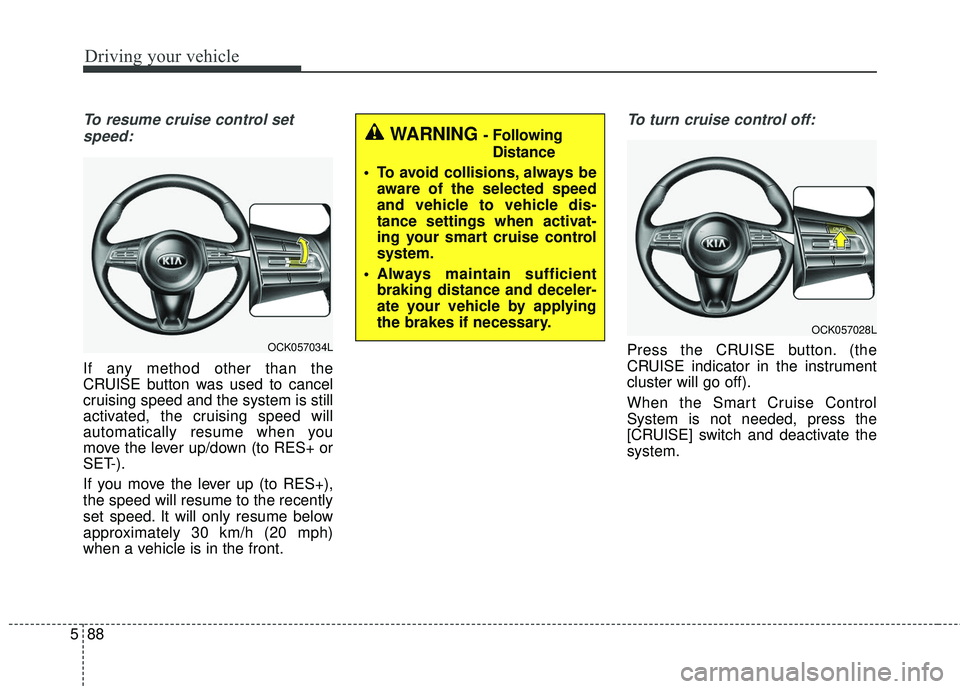
To resume cruise control set
speed:
If any method other than the
CRUISE button was used to cancel
cruising speed and the system is still
activated, the cruising speed will
automatically resume when you
move the lever up/down (to RES+ or
SET-).
If you move the lever up (to RES+),
the speed will resume to the recently
set speed. It will only resume below
approximately 30 km/h (20 mph)
when a vehicle is in the front.
To turn cruise control off:
Press the CRUISE button. (the
CRUISE indicator in the instrument
cluster will go off).
When the Smart Cruise Control
System is not needed, press the
[CRUISE] switch and deactivate the
system.
WARNING - Following Distance
To avoid collisions, always be aware of the selected speed
and vehicle to vehicle dis-
tance settings when activat-
ing your smart cruise control
system.
Always maintain sufficient braking distance and deceler-
ate your vehicle by applying
the brakes if necessary.
OCK057028L
OCK057034L
Page 354 of 551
5101
Driving your vehicle
Your vehicle may be equipped with
the ISG system, which reduces fuel
consumption by automatically shut-
ting down the engine, when the vehi-
cle is at a standstill. (For example :
red light, stop sign and traffic jam)
The engine starts automatically as
soon as the starting conditions are
met.
The ISG system is ON whenever the
engine is running.
✽ ✽NOTICE
When the engine automatically
starts by the ISG system, some
warning lights (ABS, ESC, ESC
OFF, EPS or Parking brake warn-
ing light) may turn on for a few sec-
onds.
This happens because of low battery
voltage. It does not mean the system
has malfunctioned.
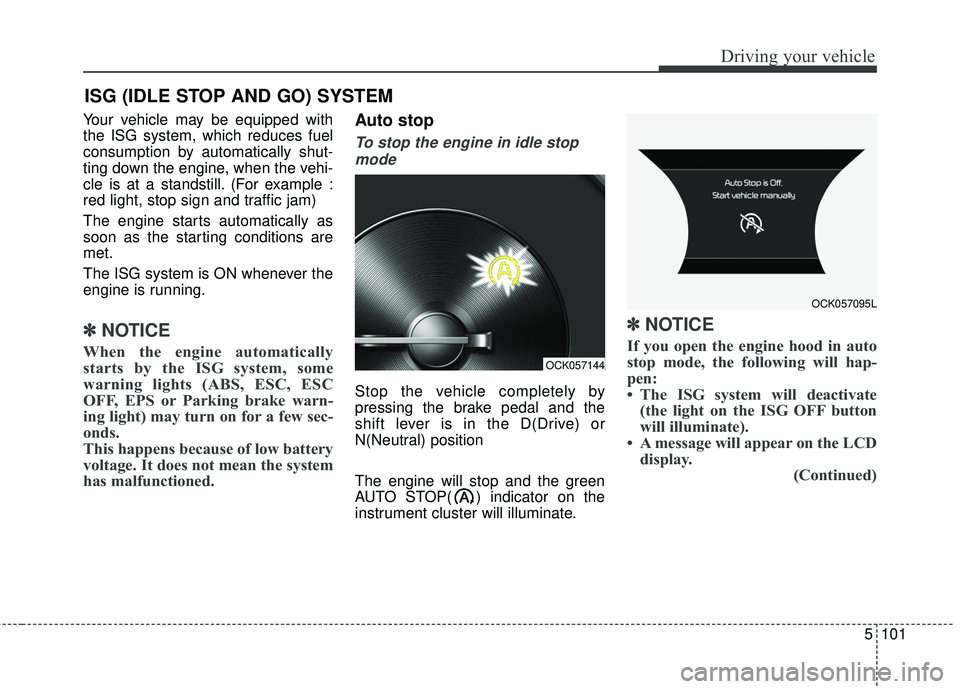
Auto stop
To stop the engine in idle stop
mode
Stop the vehicle completely by
pressing the brake pedal and the
shift lever is in the D(Drive) or
N(Neutral) position
The engine will stop and the green
AUTO STOP( ) indicator on the
instrument cluster will illuminate.
✽ ✽ NOTICE
If you open the engine hood in auto
stop mode, the following will hap-
pen:
• The ISG system will deactivate
(the light on the ISG OFF button
will illuminate).
• A message will appear on the LCD display. (Continued)
ISG (IDLE STOP AND GO) SYSTEM
OCK057144
OCK057095L
Page 355 of 551
Driving your vehicle
102
5
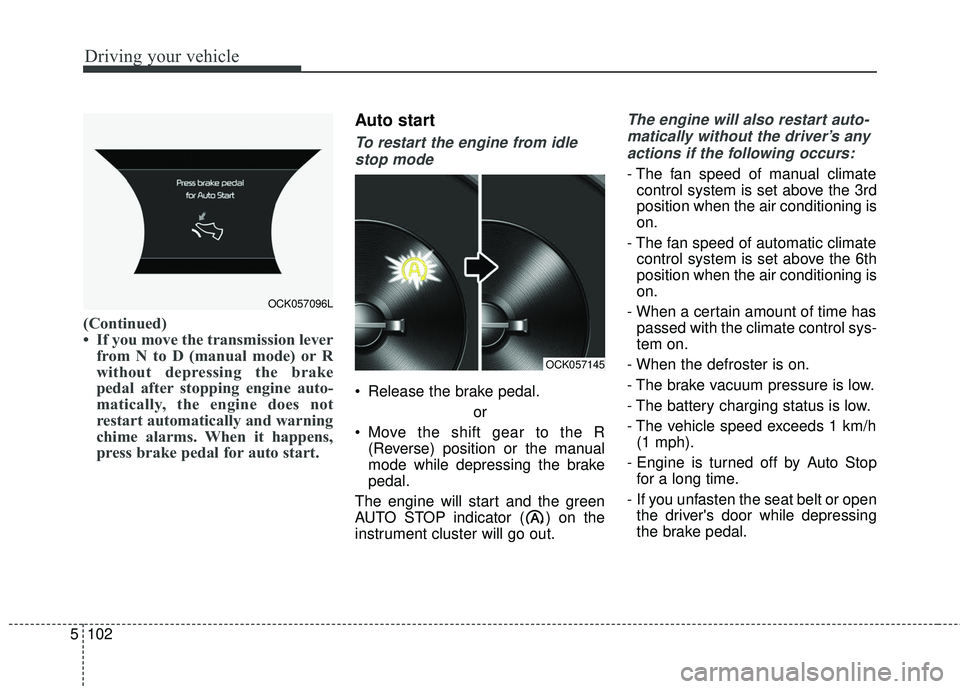
(Continued)
• If you move the transmission lever
from N to D (manual mode) or R
without depressing the brake
pedal after stopping engine auto-
matically, the engine does not
restart automatically and warning
chime alarms. When it happens,
press brake pedal for auto start.
Auto start
To restart the engine from idle
stop mode
Release the brake pedal.
or
Move the shift gear to the R (Reverse) position or the manual
mode while depressing the brake
pedal.
The engine will start and the green
AUTO STOP indicator ( ) on the
instrument cluster will go out.
The engine will also restart auto- matically without the driver’s anyactions if the following occurs:
- The fan speed of manual climate control system is set above the 3rd
position when the air conditioning is
on.
- The fan speed of automatic climate control system is set above the 6th
position when the air conditioning is
on.
- When a certain amount of time has passed with the climate control sys-
tem on.
- When the defroster is on.
- The brake vacuum pressure is low.
- The battery charging status is low.
- The vehicle speed exceeds 1 km/h (1 mph).
- Engine is turned off by Auto Stop for a long time.
- If you unfasten the seat belt or open the driver's door while depressing
the brake pedal.
OCK057096L
OCK057145
Page 357 of 551
Driving your vehicle
104
5
ISG system malfunction
The system may not operate when:
The ISG related sensors or system
error occurs.
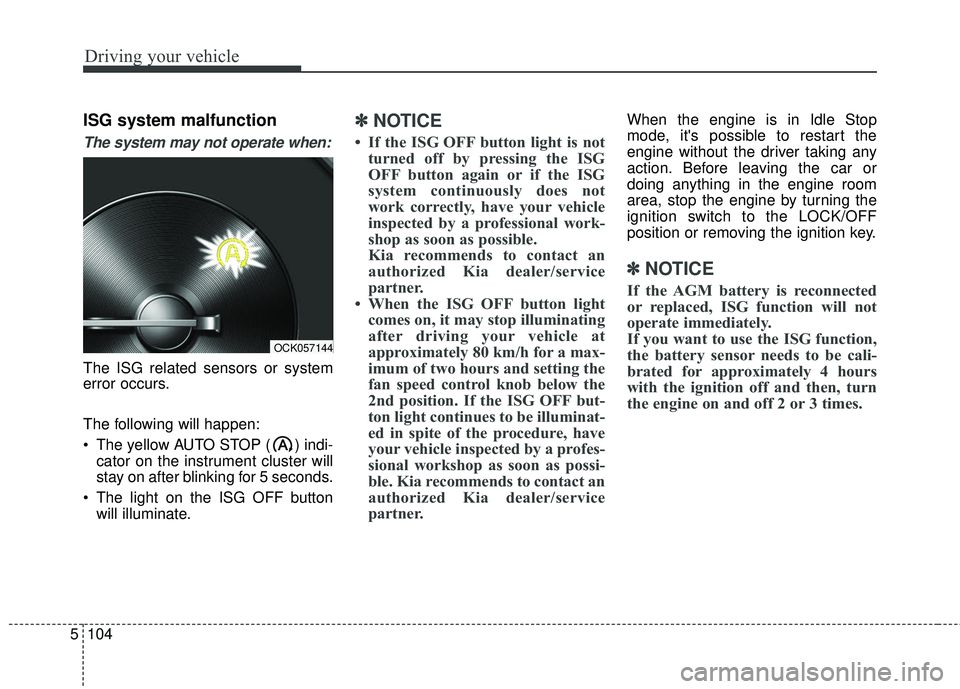
The following will happen:
The yellow AUTO STOP ( ) indi-
cator on the instrument cluster will
stay on after blinking for 5 seconds.
The light on the ISG OFF button will illuminate.
✽ ✽ NOTICE
• If the ISG OFF button light is not
turned off by pressing the ISG
OFF button again or if the ISG
system continuously does not
work correctly, have your vehicle
inspected by a professional work-
shop as soon as possible.
Kia recommends to contact an
authorized Kia dealer/service
partner.
• When the ISG OFF button light comes on, it may stop illuminating
after driving your vehicle at
approximately 80 km/h for a max-
imum of two hours and setting the
fan speed control knob below the
2nd position. If the ISG OFF but-
ton light continues to be illuminat-
ed in spite of the procedure, have
your vehicle inspected by a profes-
sional workshop as soon as possi-
ble. Kia recommends to contact an
authorized Kia dealer/service
partner.
When the engine is in Idle Stop
mode, it's possible to restart the
engine without the driver taking any
action. Before leaving the car or
doing anything in the engine room
area, stop the engine by turning the
ignition switch to the LOCK/OFF
position or removing the ignition key.
✽ ✽ NOTICE
If the AGM battery is reconnected
or replaced, ISG function will not
operate immediately.
If you want to use the ISG function,
the battery sensor needs to be cali-
brated for approximately 4 hours
with the ignition off and then, turn
the engine on and off 2 or 3 times.
OCK057144
Page 365 of 551
Driving your vehicle
112
5
LKA SYSTEM operation
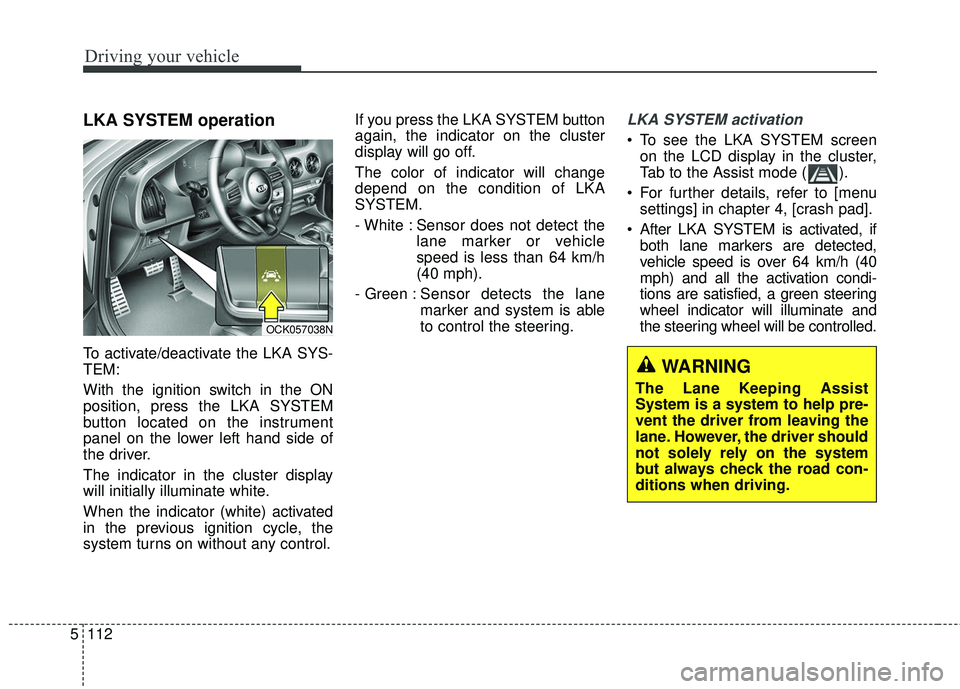
To activate/deactivate the LKA SYS-
TEM:
With the ignition switch in the ON
position, press the LKA SYSTEM
button located on the instrument
panel on the lower left hand side of
the driver.
The indicator in the cluster display
will initially illuminate white.
When the indicator (white) activated
in the previous ignition cycle, the
system turns on without any control. If you press the LKA SYSTEM button
again, the indicator on the cluster
display will go off.
The color of indicator will change
depend on the condition of LKA
SYSTEM.
- White : Sensor does not detect the
lane marker or vehicle
speed is less than 64 km/h
(40 mph).
- Green : Sensor detects the lane
marker and system is able
to control the steering.
LKA SYSTEM activation
To see the LKA SYSTEM screen
on the LCD display in the cluster,
Tab to the Assist mode ( ).
For further details, refer to [menu settings] in chapter 4, [crash pad].
After LKA SYSTEM is activated, if both lane markers are detected,
vehicle speed is over 64 km/h (40
mph) and all the activation condi-
tions are satisfied, a green steering
wheel indicator will illuminate and
the steering wheel will be controlled.
OCK057038N
WARNING
The Lane Keeping Assist
System is a system to help pre-
vent the driver from leaving the
lane. However, the driver should
not solely rely on the system
but always check the road con-
ditions when driving.