ECO mode KIA STINGER 2018 Owner's Manual
[x] Cancel search | Manufacturer: KIA, Model Year: 2018, Model line: STINGER, Model: KIA STINGER 2018Pages: 551, PDF Size: 13.75 MB
Page 236 of 551
4149
Features of your vehicle
To cancel or reset the Auto Defogging
System
Press the front windshield defroster
button for 3 seconds when the igni-
tion switch is in the ON position.
When the ADS system is canceled,
Indicator on the button will blink 3
times per 0.5 sec and the position
“ADS OFF” will be displayed on the
climate control information screen.
When the ADS system is reset,
Indicator on the button will blink 6
times per 0.25sec and the position
“ADS OFF” will be disappeared on
the climate control information
screen.
You can set or release the Auto
Defogging System on the AVN
Climate Information selection screen.
If the battery is discharged or
detached, the auto defogging system
will be reset. Adjust the feature
accordingly.
Do not remove the sensor cover locat-
ed on the upper end of the passenger
side windshield glass. Damage to the
system parts could occur and may not
be covered by your vehicle warranty.Automatic ventilation
(if equipped)
The system automatically selects the
outside (fresh) air position when the
climate control system operates over
a certain period of time (approxi-
mately 30 minutes) in low tempera-
ture with the recirculated air position
selected.
To cancel or reset the AutomaticVentilation
When the air conditioning system is
on, select Face Level mode and
while pressing the A/C button, press
the recirculated air position button
five times within three seconds.
When the automatic ventilation is
canceled, the indicator blinks 3
times. When the automatic ventila-
tion is activated, the indicator blinks
6 times.
If the battery is discharged or
detached, the automatic ventilation
will be reset. Adjust the feature
accordingly.
Smart ventilation (if equipped)
The smart ventilation system main-
tains pleasant/fresh air condition
inside the passenger compartment
by automatically detecting/controlling
the temperature, humidity, when you
drive the vehicle with the climate
control system in the OFF position.
When the smart ventilation system
starts to operate, the message,
“SMART VENTILATION ON”
appears for 5 seconds.
The smart ventilation system stops operating, when the OFF button of
the climate control system is
selected.
The smart ventilation system stops operating, when any button of the
climate control system is selected
for operation.
The smart ventilation system may not operate, when the vehicle is
driven at low speed.
Page 241 of 551
Features of your vehicle
154
4
Temperature control(Automatic)
The seat warmer starts to automati-
cally control the seat temperature in
order to prevent low-temperature
burns after being manually turned
ON.
You may manually push up the but-
ton to increase the seat temperature.
However, it soon returns to the auto-
matic mode again.
When pushing up the switch for more than 1.5 seconds with the
seat warmer operating, the seat
warmer will turn OFF.
The seat warmer defaults to the OFF position whenever the Engine
Start/Stop button is in the ON posi-
tion.✽ ✽ NOTICE
With the seat warmer switch in the
ON position, the heating system in
the seat turns off or on automatically
depending on the seat temperature.
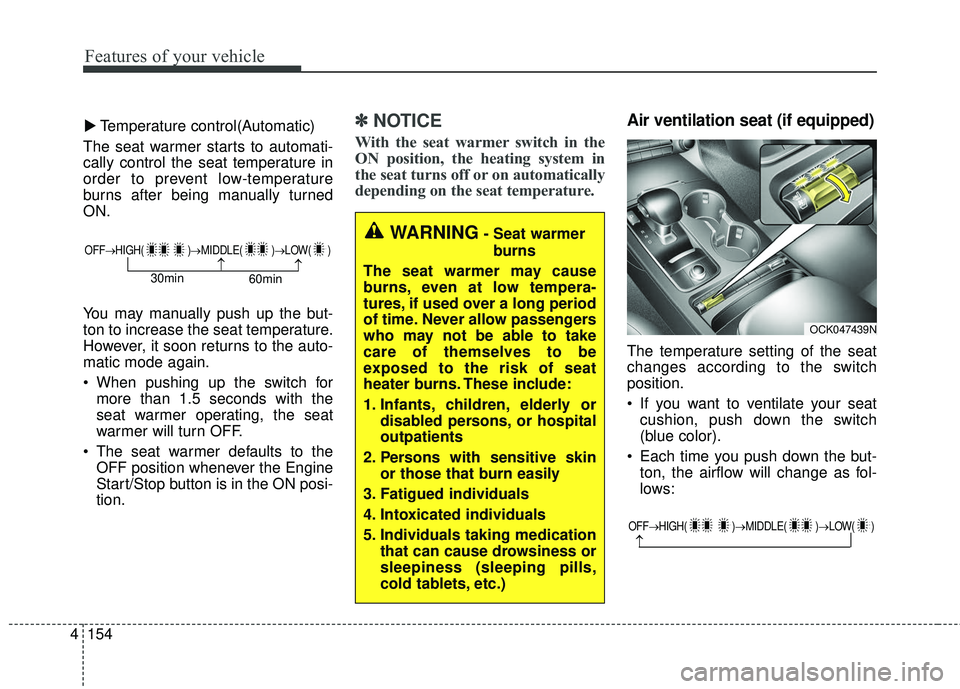
Air ventilation seat (if equipped)
The temperature setting of the seat
changes according to the switch
position.
If you want to ventilate your seat
cushion, push down the switch
(blue color).
Each time you push down the but- ton, the airflow will change as fol-
lows:
▼
WARNING- Seat warmer
burns
The seat warmer may cause
burns, even at low tempera-
tures, if used over a long period
of time. Never allow passengers
who may not be able to take
care of themselves to be
exposed to the risk of seat
heater burns. These include:
1. Infants, children, elderly or disabled persons, or hospital
outpatients
2. Persons with sensitive skin or those that burn easily
3. Fatigued individuals
4. Intoxicated individuals
5. Individuals taking medication that can cause drowsiness or
sleepiness (sleeping pills,
cold tablets, etc.)
OFF→ HIGH( )→ MIDDLE( )→LOW( )
→→30min
60min
OFF→HIGH( )→ MIDDLE( )→LOW( )
→
OCK047439N
Page 255 of 551
Cruise control system. . . . . . . . . . . . . . . . . . . . . . . 5-78
. . . . . . . . . . . . . . . . . . . . . 5-79
. . . . . . . . . . . . . . . . . . 5-80
5-80
do one of the following . . . 5-80
approximately 30 km/h (20 mph) . . . . . . . . . . . . . . 5-81
do one of the following . . 5-81
Smart cruise control with stop & go system . . . . 5-82
. . . . . . . . . . . . . . . . . . . . 5-84
(Smart cruise control system) . . . . . . . . . . . . . . . . . 5-89
. . . . . . . . . . . . . . . . . . . 5-90
. . . 5-90
control system . . . . . . . . . . . . . . . . . . . . . . . . . . . . . . 5-94
. . . . . . . . . . . . . . . 5-94
. . . . . . . . . . . . . . . . . . . . . . 5-95
ISG (Idle Stop and Go) system . . . . . . . . . . . . . . 5-101
. . . . . . . . . . . . . . . . . . . . . . . . . . . . . . . . . . 5-10\
1
. . . . . . . . . . . . . . . . . . . . . . . . . . . . . . . . . . 5-10\
2
. . . . . . . . . . . . . 5-103
. . . . . . . . . . . . . . . . . . . . . . 5-103
. . . . . . . . . . . . . . . . . . . . . . 5-104
Drive mode integrated control system . . . . . . . . 5-105
Lane Keeping Assist (LKA) system . . . . . . . . . . 5-110
. . . . . . . . . . . . . . . . . . . . . . . 5-112
. . . . . . . . . . . . . . . . . . . . . 5-117
. . . . . . . . . . . . . . . . . . 5-118
Blind-spot Collision Warning (BCW). . . . . . . . . 5-120
. . . . . . . . . . . . 5-121
. . . 5-123
Driver Attention Warning (DAW). . . . . . . . . . . . 5-129
. . . . . . . . . . . . . . . . . . 5-129
. . . . . . . . . . . . . . . . . . . . . . . . . 5-131
. . . . . . . . . . . . . . . . . . . . . . . . . . . . . 5-131
. . . . . . . . . . . . . . . . . . . . . . . . . . 5-132
Economical operation . . . . . . . . . . . . . . . . . . . . . 5-134
5
Page 262 of 551
59
Driving your vehicle
Starting the engine with a
smart key
1.Carry the smart key or place itinside the vehicle.
2.Make sure the parking brake is firmly applied
3.Place the transmission shift lever in P (Park). Depress the brake pedal
fully.
You can also start the engine whenthe shift lever is in the N (Neutral)position.
4.Press the engine start/stop button while depressing the brake pedal.
It should be started withoutdepressing the accelerator.
5.Do not wait for the engine to warm up while the vehicle remains sta-
tionary.
Start driving at moderate engine
speeds. (Steep accelerating and
decelerating should be avoided.) Even if the smart key is in the vehi-
cle, if it is far away from you, the
engine may not start.
When the engine start/stop button is in the ACC position or above, if
any door is opened, the system
checks for the smart key. If the
smart key is not in the vehicle, a
message “key is not in the vehicle”
will appear on the LCD display. And
if all doors are closed, the chime
will sound for 5 seconds. The indi-
cator or warning will turn off while
the vehicle is moving. Always have
the smart key with you.
WARNING - Unintended
vehicle movement
Never leave the smart key in the
vehicle with children or vehicle
occupants who are unfamiliar
with the vehicle operation.
Pushing the engine start/stop
button while the smart key is in
the vehicle may result in unin-
tended engine activation and/or
unintended vehicle movement.
Page 267 of 551
Driving your vehicle
14
5
D (Drive)
This is the normal forward driving
position. The transmission will auto-
matically shift through a 8-gear
sequence, providing the best fuel
economy and power.
For extra power when passing anoth-
er vehicle or climbing grades,
depress the accelerator fully, at
which time the transmission will
automatically downshift to the next
lower gear. Manual mode
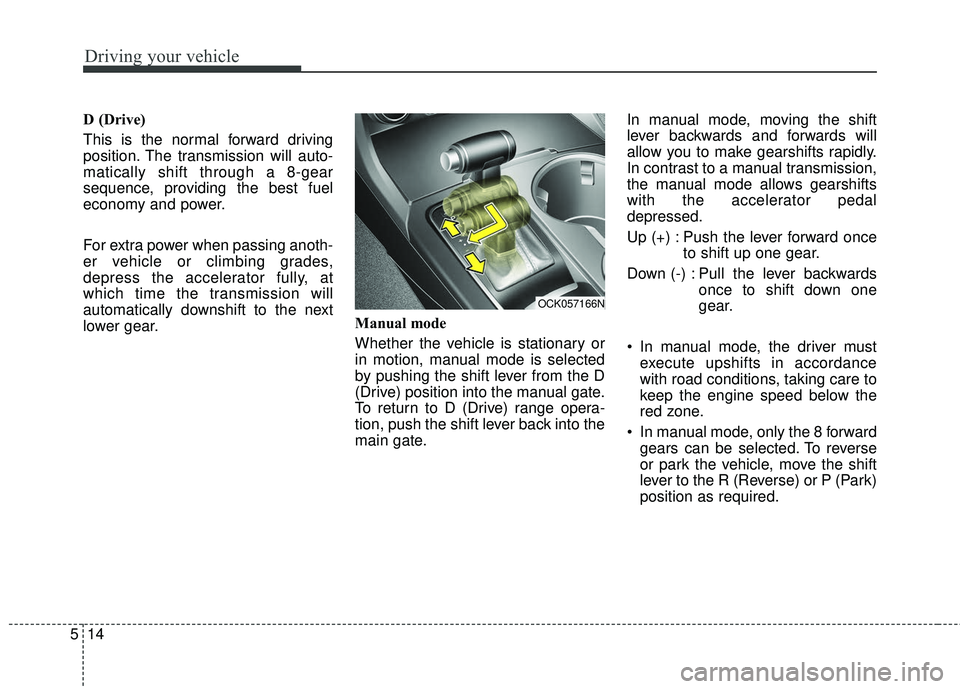
Whether the vehicle is stationary or
in motion, manual mode is selected
by pushing the shift lever from the D
(Drive) position into the manual gate.
To return to D (Drive) range opera-
tion, push the shift lever back into the
main gate.In manual mode, moving the shift
lever backwards and forwards will
allow you to make gearshifts rapidly.
In contrast to a manual transmission,
the manual mode allows gearshifts
with the accelerator pedal
depressed.
Up (+) : Push the lever forward once
to shift up one gear.
Down (-) : Pull the lever backwards once to shift down one
gear.
In manual mode, the driver must execute upshifts in accordance
with road conditions, taking care to
keep the engine speed below the
red zone.
In manual mode, only the 8 forward gears can be selected. To reverse
or park the vehicle, move the shift
lever to the R (Reverse) or P (Park)
position as required.
OCK057166N
Page 268 of 551
515
Driving your vehicle
In manual mode, downshifts aremade automatically when the vehi-
cle slows down. When the vehicle
stops, 1st gear is automatically
selected.
In manual mode, when the engine rpm approaches the red zone shift
points are varied to upshift auto-
matically.
To maintain the required levels of vehicle performance and safety,
the system may not execute cer-
tain gearshifts when the shift lever
is operated.
When driving on a slippery road, push the shift lever forward into the
+(up) position. This causes the
transmission to shift into the 2nd
gear which is better for smooth
driving on a slippery road. Push
the shift lever to the -(down) side to
shift back to the 1st gear.Paddle shifter (if equipped)
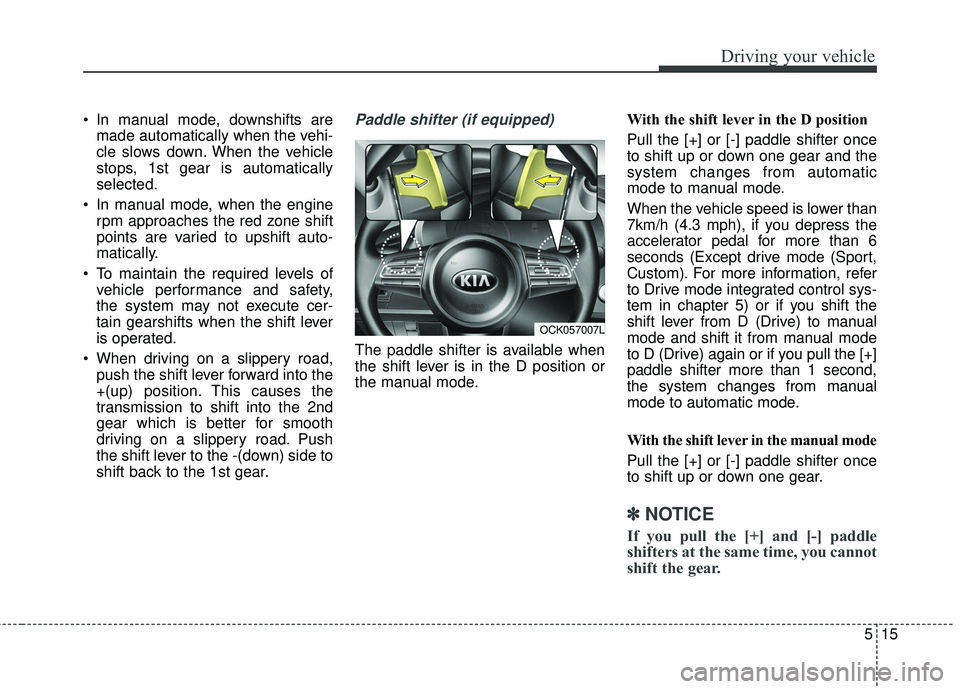
The paddle shifter is available when
the shift lever is in the D position or
the manual mode. With the shift lever in the D position
Pull the [+] or [-] paddle shifter once
to shift up or down one gear and the
system changes from automatic
mode to manual mode.
When the vehicle speed is lower than
7km/h (4.3 mph), if you depress the
accelerator pedal for more than 6
seconds (Except drive mode (Sport,
Custom). For more information, refer
to Drive mode integrated control sys-
tem in chapter 5) or if you shift the
shift lever from D (Drive) to manual
mode and shift it from manual mode
to D (Drive) again or if you pull the [+]
paddle shifter more than 1 second,
the system changes from manual
mode to automatic mode.
With the shift lever in the manual mode
Pull the [+] or [-] paddle shifter once
to shift up or down one gear.
✽ ✽
NOTICE
If you pull the [+] and [-] paddle
shifters at the same time, you cannot
shift the gear.
OCK057007L
Page 271 of 551
Driving your vehicle
18
5
Launch Control
Launch Control Operation
When using Launch Control with
an engine that is not warmed up
enough, a driver should always
make sure that the engine’s cool-
ing water is warmed up and reach-
es a recommended temperature.
To operate ESC Off state 2, Press and hold ESC button for more than
3 seconds in Sports mode. (Status
Display on Cluster Screen)
For launching, stop the vehicle and keep a steering wheel straight.
Footbrakes, EPB and Auto Hold must be released for smooth
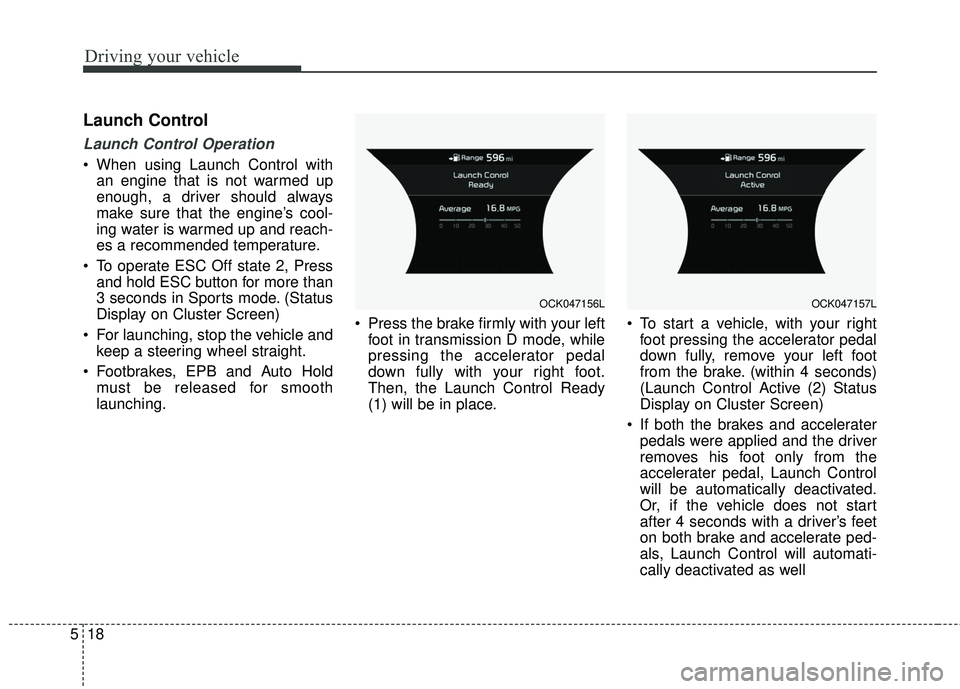
launching. Press the brake firmly with your left
foot in transmission D mode, while
pressing the accelerator pedal
down fully with your right foot.
Then, the Launch Control Ready
(1) will be in place. To start a vehicle, with your right
foot pressing the accelerator pedal
down fully, remove your left foot
from the brake. (within 4 seconds)
(Launch Control Active (2) Status
Display on Cluster Screen)
If both the brakes and accelerater pedals were applied and the driver
removes his foot only from the
accelerater pedal, Launch Control
will be automatically deactivated.
Or, if the vehicle does not start
after 4 seconds with a driver’s feet
on both brake and accelerate ped-
als, Launch Control will automati-
cally deactivated as well
OCK047156LOCK047157L
Page 278 of 551
525
Driving your vehicle
✽ ✽NOTICE
After the ignition switch has been
turned off, the electronic parking
brake cannot be disengaged.
Paddle shifter (Manual mode)
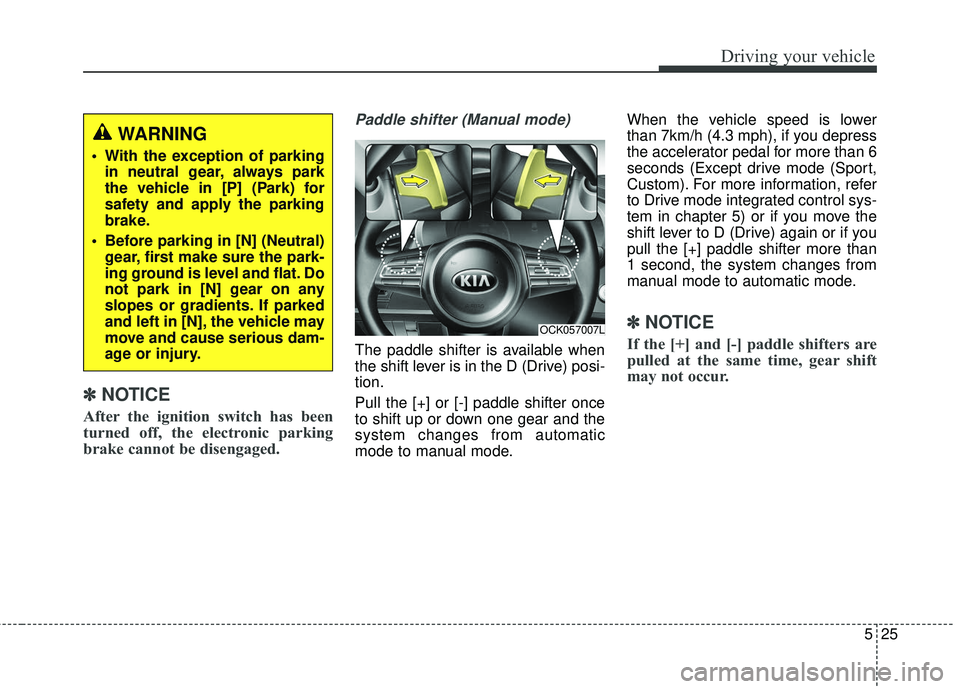
The paddle shifter is available when
the shift lever is in the D (Drive) posi-
tion.
Pull the [+] or [-] paddle shifter once
to shift up or down one gear and the
system changes from automatic
mode to manual mode. When the vehicle speed is lower
than 7km/h (4.3 mph), if you depress
the accelerator pedal for more than 6
seconds (Except drive mode (Sport,
Custom). For more information, refer
to Drive mode integrated control sys-
tem in chapter 5) or if you move the
shift lever to D (Drive) again or if you
pull the [+] paddle shifter more than
1 second, the system changes from
manual mode to automatic mode.
✽ ✽
NOTICE
If the [+] and [-] paddle shifters are
pulled at the same time, gear shift
may not occur.
OCK057007L
WARNING
With the exception of parking
in neutral gear, always park
the vehicle in [P] (Park) for
safety and apply the parking
brake.
Before parking in [N] (Neutral) gear, first make sure the park-
ing ground is level and flat. Do
not park in [N] gear on any
slopes or gradients. If parked
and left in [N], the vehicle may
move and cause serious dam-
age or injury.
Page 285 of 551
Driving your vehicle
32
5
✽ ✽
NOTICE
- Kickdown Mechanism
Use the kickdown mechanism for
maximum acceleration. Depress the
accelerator pedal beyond the pres-
sure point. The automatic transmis-
sion will shift to a lower gear
depending on the engine speed.
Launch Control
Launch Control Operation
When using Launch Control with
an engine that is not warmed up
enough, a driver should always
make sure that the engine’s cool-
ing water is warmed up and reach-
es a recommended temperature.
To operate ESC Off state 2, Press and hold ESC button for more than
3 seconds in Sports mode. (Status
Display on Cluster Screen)
For launching, stop the vehicle and keep a steering wheel straight.
Footbrakes, EPB and Auto Hold must be released for smooth
launching. Press the brake firmly with your left
foot in transmission D mode, while
pressing the accelerator pedal
down fully with your right foot.
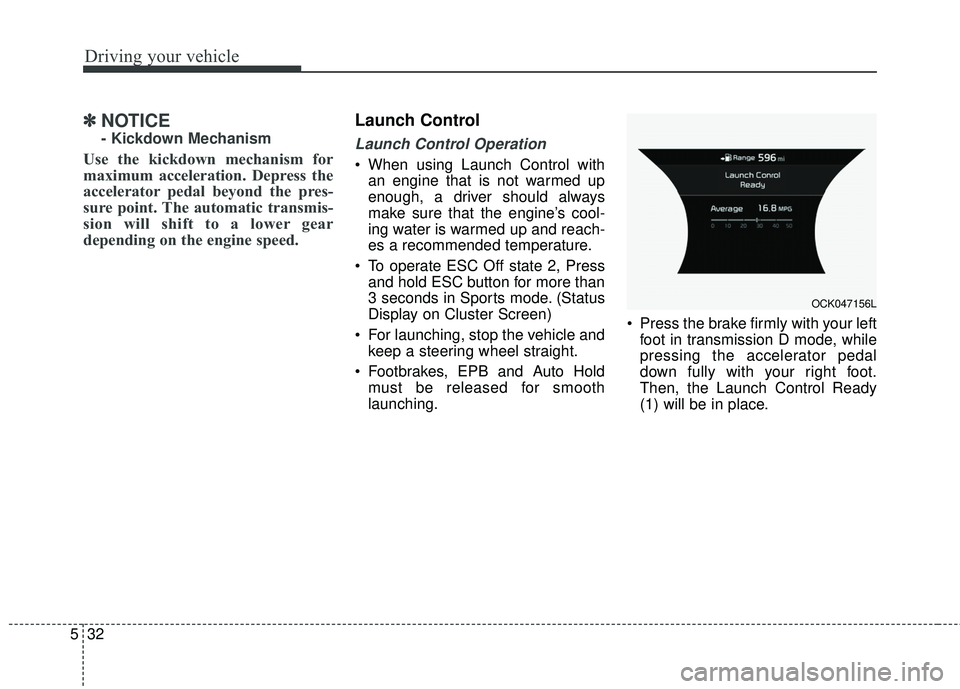
Then, the Launch Control Ready
(1) will be in place.
OCK047156L
Page 340 of 551
587
Driving your vehicle
The smart cruise control systemhas malfunctioned.
The accelerator pedal is continu- ously depressed for long time.
When activating the ISG mode.
When the braking control is operat- ed for Forward Collision-Avoidance
Assist(FCA)
The vehicle is stopped for more than 5 minutes.
The driver starts driving by pushing the toggle switch up (RES+)/down
(SET-) or depressing the accelera-
tor pedal, after the vehicle is
stopped by the Smart Cruise
Control system with no other vehi-
cle ahead.
The vehicle stops and goes repeat- edly for a long period of time.
When the parking brake is locked. Engine has some problems.
Each of these actions will cancel the
smart cruise control system opera-
tion. (The set speed and vehicle-to-
vehicle distance on the LCD display
will go off.)
If the smart cruise control system is
cancelled automatically, the smart
cruise control system will not
resume even though the RES+ or
SET- lever is moved.
If the smart cruise control system is
cancelled by a reason not men-
tioned, have the system checked by
an authorized Kia dealer.
✽ ✽ NOTICE
If the system is automatically can-
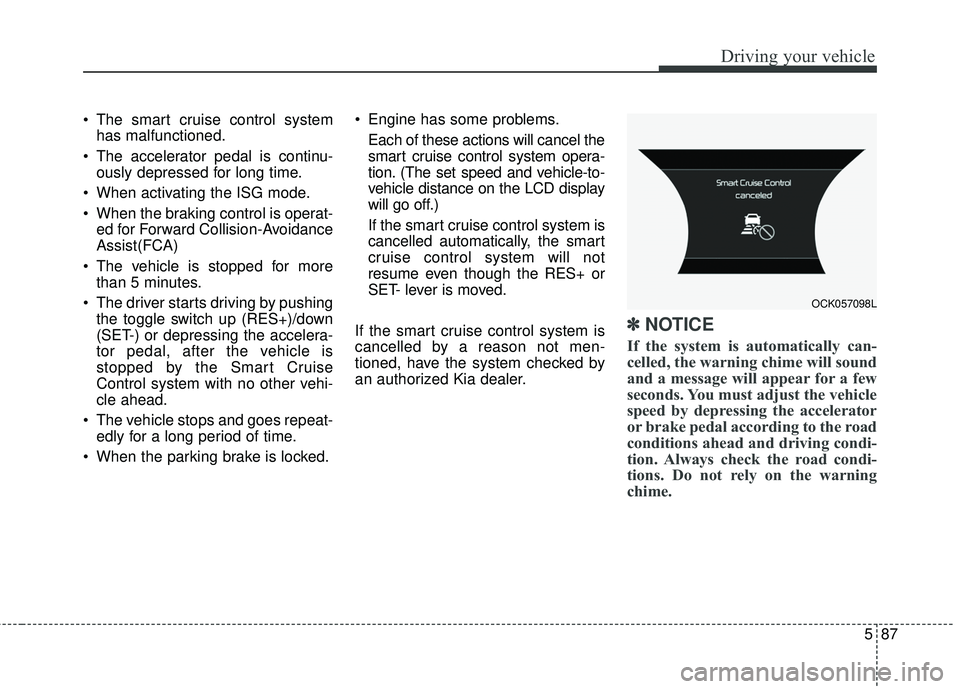
celled, the warning chime will sound
and a message will appear for a few
seconds. You must adjust the vehicle
speed by depressing the accelerator
or brake pedal according to the road
conditions ahead and driving condi-
tion. Always check the road condi-
tions. Do not rely on the warning
chime.
OCK057098L