transmission KIA STINGER 2021 User Guide
[x] Cancel search | Manufacturer: KIA, Model Year: 2021, Model line: STINGER, Model: KIA STINGER 2021Pages: 585, PDF Size: 10.87 MB
Page 273 of 585
Driving your vehicle
12 5
When stopped on an incline, do not
hold the vehicle with the engine
power. Use the service brake or the
parking brake.
Transmission ranges
The indicator in the instrument clus-
ter displays the shift lever position
when the ignition switch is in the ON
position.
P (Park)
Always come to a complete stop
before shifting into P (Park). This
position locks the transmission and
prevents the drive wheels from rotat-
ing.
Shifting into P (Park) while the vehi-
cle is in motion will cause the drive
wheels to lock and will cause you to
lose control of the vehicle.WARNING- Leaving
Vehicle
Before leaving the driver’s seat,
always make sure the shift lever
is in the P (Park) position; then
set the parking brake fully and
shut the engine off. Do not use
the P position in place of the
parking brake. Always make
sure the shift lever is locked in
the P position and set the park-
ing brake fully. Unexpected and
sudden vehicle movement can
occur if these precautions are
not followed.CAUTION- Transmission
To avoid damage to your trans-
mission, do not accelerate the
engine in R (Reverse) or any for-
ward gear position with the
brakes on. The transmission
may be damaged if you shift
into P (Park) while the vehicle is
in motion.
Page 274 of 585

513
Driving your vehicle
R (Reverse)
Use this position to drive the vehicle
backward.
N (Neutral)
The wheels and transmission are not
engaged. The vehicle will roll freely
even on the slightest incline unless
the parking brake or service brakes
are applied.- Parking in N (Neutral) gear
Follow the steps below when parking
and you want the vehicle to move
when pushed.
1.After stopping your vehicle, depress
the brake pedal and move the trans-
mission shift lever to [P] with the
ignition button in [ON] or while the
engine is running.
2.If the parking brake is applied,
release the parking brake.
- For EPB (Electronic Parking
Brake) equipped vehicles,
depress the brake pedal with the
ignition button in [ON] or while the
engine is running to disengage
the parking brake. If [AUTO
HOLD] function is used while
driving (If [AUTO HOLD] indicator
is on in the cluster), press [AUTO
HOLD] switch and [AUTO HOLD]
function will be turned off.
3.While depressing the brake pedal,
turn the ignition button [OFF].
- For smart key equipped vehicles,
the ignition switch can be moved
to [OFF] only when the shift lever
is in [P].4.Change the gear shift lever to [N]
(Neutral) while depressing the
brake pedal and inserting a tool
(e.g. flathead screw-driver) into the
[SHIFT LOCK RELEASE] access
hole at the same time. Then, the
vehicle will move when external
force is applied.
CAUTION- Shifting
Always come to a complete stop
before shifting into or out of R
(Reverse); you may damage the
transmission if you shift into R
(Reverse) while the vehicle is in
motion, except when “Rocking
the vehicle” explained in this
chapter.
WARNING- Parking In
Neutral
With the exception of parking
in neutral gear, always park the
vehicle in [P] (Park) for safety
and apply the parking brake.
Before parking in [N] (Neutral)
gear, make sure the parking
ground is level and flat. Do not
park in [N] gear on any slopes
or gradients. If parked and left
in [N], the vehicle may move
and cause serious damage or
injury.
Page 275 of 585

Driving your vehicle
14 5
✽
✽
NOTICE
• After the ignition switch has been
turned off, the EPB (Electronic
Parking Brake) cannot be released.
• For EPB (Electronic Parking
Brake) equipped vehicles with
[AUTO HOLD] function used
while driving, if the ignition but-
ton has been turned [OFF], the
EPB (Electronic Parking Brake)
will be engaged automatically.
Therefore, [AUTO HOLD] func-
tion should be turned off before
the ignition button is turned off.
D (Drive)
This is the normal forward driving
position. The transmission will auto-
matically shift through an 8-gear
sequence, providing the best fuel
economy and power.
For extra power when passing anoth-
er vehicle or climbing grades,
depress the accelerator fully, at
which time the transmission will
automatically downshift to the next
lower gear.Manual mode
Whether the vehicle is stationary or
in motion, manual mode is selected
by pushing the shift lever from the D
(Drive) position into the manual gate.
To return to D (Drive) range opera-
tion, push the shift lever back into the
main gate.
OCK057166N
CAUTION- Starter
If the engine stalls while the
vehicle is in motion, do not
attempt to move the shift lever
to the P (Park) position. If the
traffic and road conditions per-
mit, you may put the shift lever
in the N (Neutral) position while
the vehicle is still moving and
press the ENGINE START/STOP
button in an attempt to restart
the engine.
Page 276 of 585

515
Driving your vehicle
In manual mode, moving the shift
lever backwards and forwards will
allow you to make gearshifts rapidly.
In contrast to a manual transmission,
the manual mode allows gearshifts
with the accelerator pedal
depressed.
Up (+) : Push the lever forward once
to shift up one gear.
Down (-) : Pull the lever backwards
once to shift down one
gear.
In manual mode, the driver must
execute upshifts in accordance
with road conditions, taking care to
keep the engine speed below the
red zone.
In manual mode, only the 8 forward
gears can be selected. To reverse
or park the vehicle, move the shift
lever to the R (Reverse) or P (Park)
position as required. In manual mode, downshifts are
made automatically when the vehi-
cle slows down. When the vehicle
stops, 1st gear is automatically
selected.
In manual mode, when the engine
rpm approaches the red zone, shift
points are varied to upshift auto-
matically.
To maintain the required levels of
vehicle performance and safety,
the system may not execute cer-
tain gearshifts when the shift lever
is operated.
When driving on a slippery road,
push the shift lever forward into the
+ (up) position. This causes the
transmission to shift into the higher
gears which is better for smooth
driving on a slippery road. Push
the shift lever to the - (down) side
to shift back to the 1st gear.Paddle shifter
The paddle shifter is available when
the shift lever is in the D (Drive) posi-
tion.
Pull the [+] or [-] paddle shifter once
to shift up or down one gear and the
system changes from automatic
mode to manual mode.
OCK057007L
Page 277 of 585

Driving your vehicle
16 5
The system changes from manual
mode to automatic mode in one of
the following situations.
(1) The paddle shifter has been
pulled and held for more than 1
second.
(2) The accelerator pedal has been
depressed for more than 6 sec-
onds.
(3) The vehicle speed is lower than 4
mph (7 km/h).
(4) The shift lever has been moved to
manual mode and then returned
to D (Drive) position.
However, manual mode is not
changed to automatic mode in (1) or
(2) when SPORT mode or SPORT of
powertrain in CUSTOM mode is
selected in the drive mode integrated
control system.
✽ ✽
NOTICE
If the [+] and [-] paddle shifters are
pulled at the same time, gear shift
may not occur.
Shift lock system
For your safety, the automatic trans-
mission has a shift lock system
which prevents shifting the transmis-
sion from P (Park) into R (Reverse)
unless the brake pedal is depressed.
To shift the transmission from P
(Park) into R (Reverse):
1.Depress and hold the brake pedal.
2.Start the engine or turn the ignition
switch to the ON position.
3.Move the shift lever.
If the brake pedal is repeatedly
depressed and released with the
shift lever in the P (Park) position, a
chattering noise & vibration near the
shift lever may be heard. It is a nor-
mal condition.WARNING- Shifting from
park
Always fully depress the brake
pedal before and while shifting
out of the P (Park) position into
another position to avoid inad-
vertent motion of the vehicle
which could injure persons in
or around the vehicle.
Page 280 of 585

519
Driving your vehicle
Press the brake firmly with your leftfoot in transmission D mode, while
pressing the accelerator pedal
down fully with your right foot.
Then, the Launch Control Ready
(1) will be in place. To start a vehicle, with your right
foot pressing the accelerator pedal
down fully, remove your left foot
from the brake. (within 4 seconds)
(Launch Control Active (2) Status
Display on Cluster Screen)
If both the brakes and accelerater pedals were applied and the driver
removes his foot only from the
accelerater pedal, Launch Control
will be automatically deactivated.
Or, if the vehicle does not start
after 4 seconds with a driver’s feet
on both brake and accelerate ped-
als, Launch Control will automati-
cally deactivated as well Do not operate both brake and
accelerate pedals simultaneously
for longer than 4 seconds.
When re-using Launch Control, a driver should have the vehicle cool
down sufficiently by driving.
OCK047157LOCK047156L
Page 281 of 585
Driving your vehicle
20
5
Limited use of Launch Control (3)
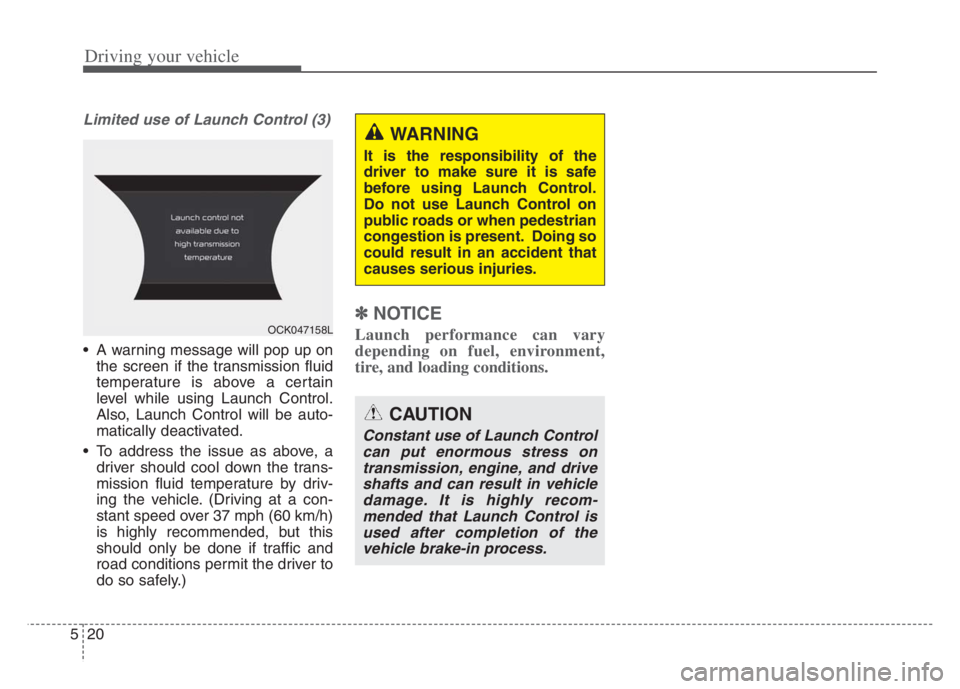
A warning message will pop up on
the screen if the transmission fluid
temperature is above a certain
level while using Launch Control.
Also, Launch Control will be auto-
matically deactivated.
To address the issue as above, a driver should cool down the trans-
mission fluid temperature by driv-
ing the vehicle. (Driving at a con-
stant speed over 37 mph (60 km/h)
is highly recommended, but this
should only be done if traffic and
road conditions permit the driver to
do so safely.)
✽ ✽ NOTICE
Launch performance can vary
depending on fuel, environment,
tire, and loading conditions.
CAUTION
Constant use of Launch Control
can put enormous stress ontransmission, engine, and driveshafts and can result in vehicledamage. It is highly recom-mended that Launch Control isused after completion of thevehicle brake-in process.
WARNING
It is the responsibility of the
driver to make sure it is safe
before using Launch Control.
Do not use Launch Control on
public roads or when pedestrian
congestion is present. Doing so
could result in an accident that
causes serious injuries.
OCK047158L
Page 282 of 585
521
Driving your vehicle
Automatic transmission opera-
tion
The automatic transmission has 8
forward speeds and one reverse
speed.
The individual speeds are selected
automatically in the D (Drive) posi-
tion.
AUTOMATIC TRANSMISSION (SHIFT-BY-WIRE) (IF EQUIPPED)
OCK057008L
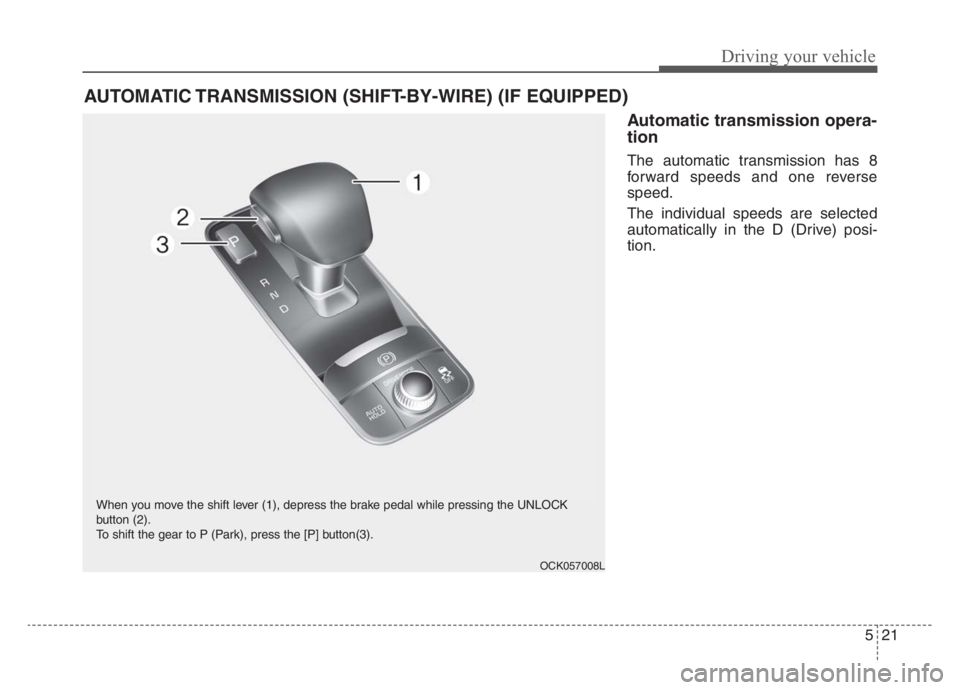
When you move the shift lever (1), depress the brake pedal while pressing the UNLOCK
button (2).
To shift the gear to P (Park), press the [P] button(3).
Page 283 of 585
Driving your vehicle
22 5
Transmission ranges
The indicator in the instrument clus-
ter displays the shift lever position
when the engine start/stop button is
in the ON position.
However, if the gear is in N (Neutral)
or P (Park), the position is displayed
on the instrument cluster when the
engine start/stop button is in the OFF
or ACC position.
P (Park)
Always come to a complete stop
before shifting into P (Park).
To shift the gear from R (Reverse), N
(Neutral), D (Drive) or Manual mode
to P (Park), press the [P] button.
If you turn off the engine in D (Drive)
or R (Reverse), the shifting automat-
ically changes to P (Park).
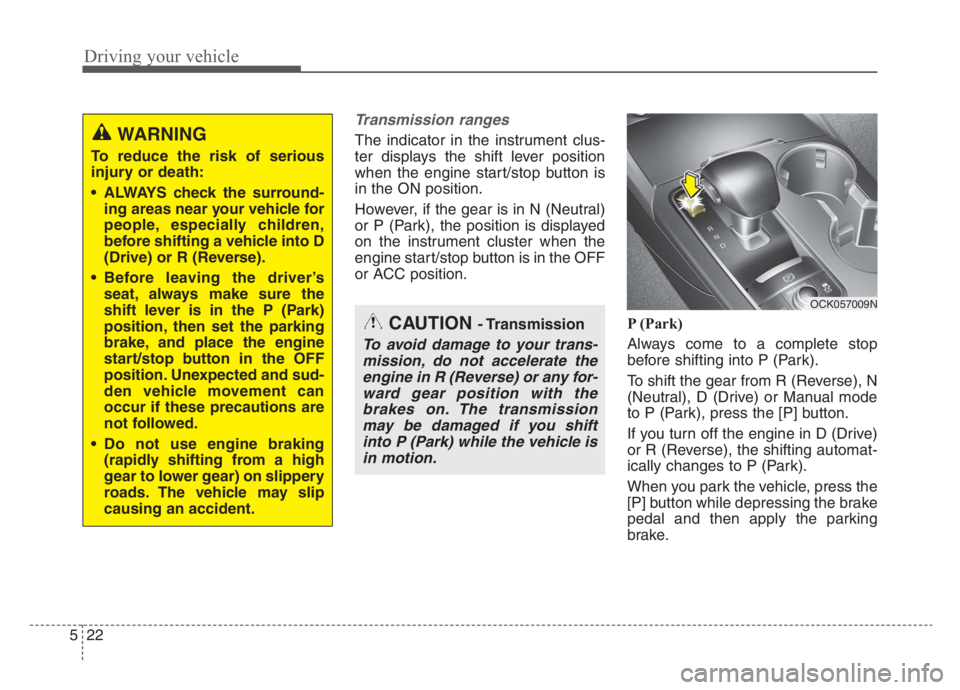
When you park the vehicle, press the
[P] button while depressing the brake
pedal and then apply the parking
brake.WARNING
To reduce the risk of serious
injury or death:
ALWAYS check the surround-
ing areas near your vehicle for
people, especially children,
before shifting a vehicle into D
(Drive) or R (Reverse).
Before leaving the driver’s
seat, always make sure the
shift lever is in the P (Park)
position, then set the parking
brake, and place the engine
start/stop button in the OFF
position. Unexpected and sud-
den vehicle movement can
occur if these precautions are
not followed.
Do not use engine braking
(rapidly shifting from a high
gear to lower gear) on slippery
roads. The vehicle may slip
causing an accident.
OCK057009N
CAUTION - Transmission
To avoid damage to your trans-
mission, do not accelerate the
engine in R (Reverse) or any for-
ward gear position with the
brakes on. The transmission
may be damaged if you shift
into P (Park) while the vehicle is
in motion.
Page 284 of 585
523
Driving your vehicle
To reduce rollaway risk, do not use
the P (Park) Position in place of the
parking brake.
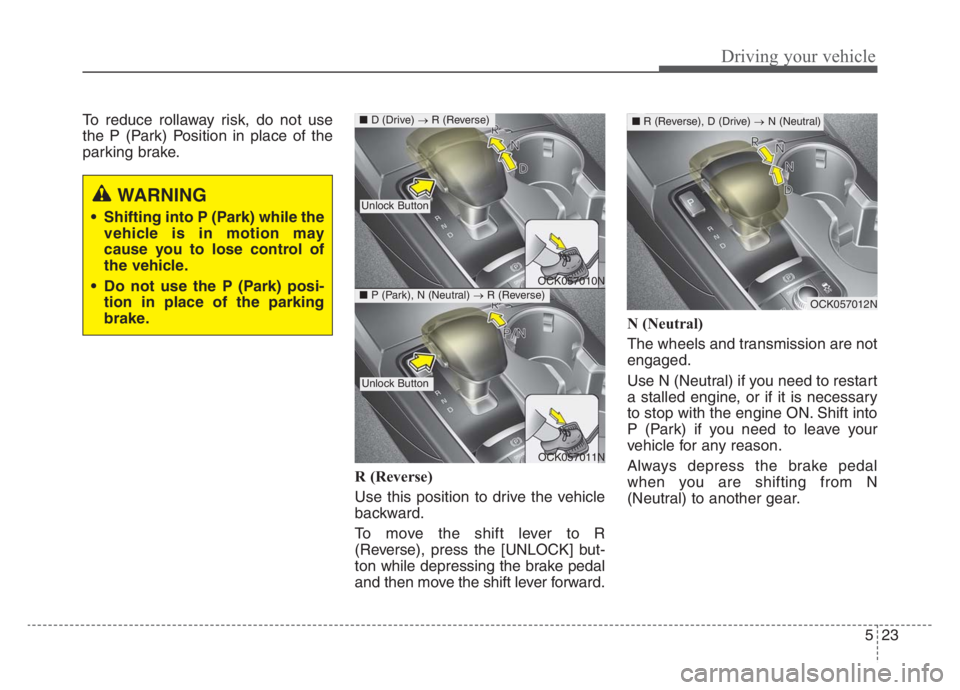
R (Reverse)
Use this position to drive the vehicle
backward.
To move the shift lever to R
(Reverse), press the [UNLOCK] but-
ton while depressing the brake pedal
and then move the shift lever forward.N (Neutral)
The wheels and transmission are not
engaged.
Use N (Neutral) if you need to restart
a stalled engine, or if it is necessary
to stop with the engine ON. Shift into
P (Park) if you need to leave your
vehicle for any reason.
Always depress the brake pedal
when you are shifting from N
(Neutral) to another gear.
WARNING
Shifting into P (Park) while the
vehicle is in motion may
cause you to lose control of
the vehicle.
Do not use the P (Park) posi-
tion in place of the parking
brake.
OCK057010N
OCK057011N
■D (Drive) →R (Reverse)
Unlock Button
Unlock Button
■P (Park), N (Neutral) →R (Reverse)OCK057012N
■R (Reverse), D (Drive) →N (Neutral)