lane assist KIA STINGER 2021 Owners Manual
[x] Cancel search | Manufacturer: KIA, Model Year: 2021, Model line: STINGER, Model: KIA STINGER 2021Pages: 585, PDF Size: 10.87 MB
Page 91 of 585

Mirrors . . . . . . . . . . . . . . . . . . . . . . . . . . . . . . . . . . 4-55
• Inside rearview mirror . . . . . . . . . . . . . . . . . . . . . . . . 4-55
• Outside rearview mirror. . . . . . . . . . . . . . . . . . . . . . . 4-64
Instrument cluster . . . . . . . . . . . . . . . . . . . . . . . . . 4-67
• Instrument cluster control . . . . . . . . . . . . . . . . . . . . . 4-68
• LCD display control . . . . . . . . . . . . . . . . . . . . . . . . . . 4-68
• Gauges . . . . . . . . . . . . . . . . . . . . . . . . . . . . . . . . . . . . . 4-69
• Transmission shift indicator . . . . . . . . . . . . . . . . . . . . 4-72
LCD windows . . . . . . . . . . . . . . . . . . . . . . . . . . . . . 4-73
• Over view . . . . . . . . . . . . . . . . . . . . . . . . . . . . . . . . . . . 4-73
• Trip information (Trip computer) . . . . . . . . . . . . . . . 4-73
• LCD modes. . . . . . . . . . . . . . . . . . . . . . . . . . . . . . . . . . 4-77
• Distance to empty . . . . . . . . . . . . . . . . . . . . . . . . . . . . 4-81
• User settings mode. . . . . . . . . . . . . . . . . . . . . . . . . . . . 4-82
• Warning messages . . . . . . . . . . . . . . . . . . . . . . . . . . . . 4-87
Warning and indicator lights . . . . . . . . . . . . . . . . 4-92
• Warning lights . . . . . . . . . . . . . . . . . . . . . . . . . . . . . . . 4-92
• Indicator lights. . . . . . . . . . . . . . . . . . . . . . . . . . . . . . 4-100
Head Up Display (HUD) . . . . . . . . . . . . . . . . . . . 4-105
• Description . . . . . . . . . . . . . . . . . . . . . . . . . . . . . . . . . 4-105
• Head Up Display on/off. . . . . . . . . . . . . . . . . . . . . . . 4-106
• Head Up Display information . . . . . . . . . . . . . . . . . 4-106
• Head Up Display setting . . . . . . . . . . . . . . . . . . . . . . 4-106
Reverse Parking Distance Warning . . . . . . . . . . 4-107
• Operation of Reverse Parking Distance Warning . 4-107
• Non-operational conditions of Reverse Parking
Distance Warning . . . . . . . . . . . . . . . . . . . . . . . . . . 4-108
• Reverse Parking Distance Warning precautions . . 4-109
• Self-diagnosis . . . . . . . . . . . . . . . . . . . . . . . . . . . . . . . 4-110
Parking Distance Warning (PDW) system . . . . . 4-111
• Operation of Parking Distance Warning. . . . . . . . . 4-111
• Non-operational conditions of Parking Distance
Warning . . . . . . . . . . . . . . . . . . . . . . . . . . . . . . . . . . 4-113
• Self-diagnosis . . . . . . . . . . . . . . . . . . . . . . . . . . . . . . . 4-115
Rear View Monitor (RVM) system . . . . . . . . . . . 4-116
Surround View Monitoring (SVM) system . . . . 4-117
Lighting . . . . . . . . . . . . . . . . . . . . . . . . . . . . . . . . . 4-118
• Battery saver function . . . . . . . . . . . . . . . . . . . . . . . . 4-118
• Daytime running light . . . . . . . . . . . . . . . . . . . . . . . . 4-118
• Lighting control . . . . . . . . . . . . . . . . . . . . . . . . . . . . . 4-118
• High beam operation. . . . . . . . . . . . . . . . . . . . . . . . . 4-120
• High Beam Assist (HBA) system . . . . . . . . . . . . . . . 4-121
• Turn signals and lane change signals . . . . . . . . . . . 4-123
• Check headlight . . . . . . . . . . . . . . . . . . . . . . . . . . . . . 4-124
• Headlight leveling device . . . . . . . . . . . . . . . . . . . . . 4-124
• Dynamic Bending Light (DBL) . . . . . . . . . . . . . . . . 4-125
4
Page 167 of 585

Features of your vehicle
78 4
(4) Assist mode (if equipped)
This mode displays the status of the
following features:
- Smart Cruise Control (SCC)
- Lane Keeping Assist (LKA)
- Driver Attention Warning (DAW)
- Tire Pressure
❈For more details, refer to “Smart
Cruise Control with Stop & Go”,
“Lane Keeping Assist (LKA) sys-
tem”, “Driver Attention Warning
(DAW) system” in chapter 5 and
“Tire Pressure Monitoring System
(TPMS)” in chapter 6.
(5) User Settings mode
On this mode, you can change set-
tings of the doors, lamps and so on.
(6) Master warning mode
This mode informs of warning mes-
sages related to Low tire pressure or
malfunction of Blind-Spot Collision
Warning and so on.
❈For controlling the LCD modes,
refer to “LCD window Control” in
this chapter.SPORT mode(if equipped)This mode displays Gauge, Lap
Timer, G-Force.
OCK048129N
OCK047130L
OCK047131L
Page 168 of 585

479
Features of your vehicle
Trip computer mode
This mode displays driving information
like the tripmeter, fuel economy, and
so on.
❈ For more details, refer to “Trip
Computer” in this chapter.
Turn By Turn Mode (if equipped)
This mode displays the state of the
navigation.
Assist mode (if equipped)
SCC/LKA/DAW
This mode displays the state of the
Smart Cruise Control (SCC), Lane
Keeping Assist (LKA) and Driver
Attention Warning (DAW).
❈ For more details, refer to each sys-
tem information in chapter 5.
OCK047465NOYG046123NOCK047115N
Page 172 of 585
483
Features of your vehicle
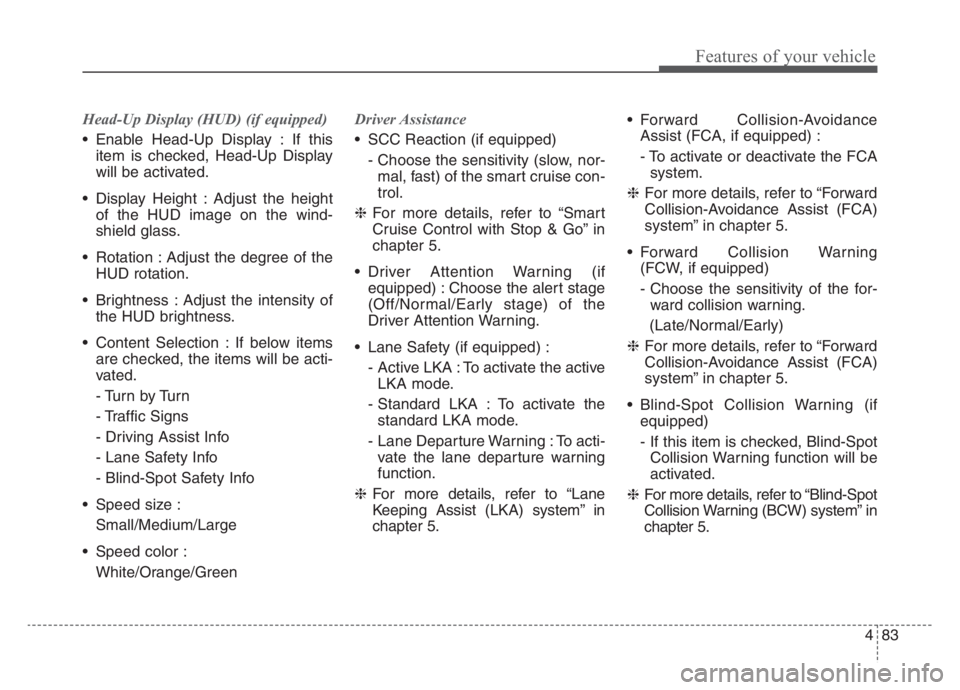
Head-Up Display (HUD) (if equipped)
Enable Head-Up Display : If this
item is checked, Head-Up Display
will be activated.
Display Height : Adjust the height
of the HUD image on the wind-
shield glass.
Rotation : Adjust the degree of the
HUD rotation.
Brightness : Adjust the intensity of
the HUD brightness.
Content Selection : If below items
are checked, the items will be acti-
vated.
- Tu r n b y Tu r n
- Traffic Signs
- Driving Assist Info
- Lane Safety Info
- Blind-Spot Safety Info
Speed size :
Small/Medium/Large
Speed color :
White/Orange/GreenDriver Assistance
SCC Reaction (if equipped)
- Choose the sensitivity (slow, nor-
mal, fast) of the smart cruise con-
trol.
❈For more details, refer to “Smart
Cruise Control with Stop & Go” in
chapter 5.
Driver Attention Warning (if
equipped) : Choose the alert stage
(Off/Normal/Early stage) of the
Driver Attention Warning.
Lane Safety (if equipped) :
- Active LKA : To activate the active
LKA mode.
- Standard LKA : To activate the
standard LKA mode.
- Lane Departure Warning : To acti-
vate the lane departure warning
function.
❈For more details, refer to “Lane
Keeping Assist (LKA) system” in
chapter 5. Forward Collision-Avoidance
Assist (FCA, if equipped) :
- To activate or deactivate the FCA
system.
❈For more details, refer to “Forward
Collision-Avoidance Assist (FCA)
system” in chapter 5.
Forward Collision Warning
(FCW, if equipped)
- Choose the sensitivity of the for-
ward collision warning.
(Late/Normal/Early)
❈For more details, refer to “Forward
Collision-Avoidance Assist (FCA)
system” in chapter 5.
Blind-Spot Collision Warning (if
equipped)
- If this item is checked, Blind-Spot
Collision Warning function will be
activated.
❈For more details, refer to “Blind-Spot
Collision Warning (BCW) system” in
chapter 5.
Page 193 of 585

Features of your vehicle
104 4
Lane Keeping Assist
(LKA) system Indicator
Light (if equipped)
The LKA indicator will illuminate
when you turn the Lane Keeping
Assist system on by pressing the
LKA button.
If there is a problem with the system,
the yellow LKA indicator will illumi-
nate.
❈For more details, refer to “Lane
Keeping Assist (LKA) system” in
chapter 5.
WARNING - Distracted
driving
Driving while distracted can
result in a loss of vehicle con-
trol that may lead to an acci-
dent, severe personal injury,
and death. The driver's primary
responsibility is in the safe and
legal operation of a vehicle, and
use of any handheld devices,
other equipment, or vehicle sys-
tems which take the driver's
eyes, attention and focus away
from the safe operation of a
vehicle or which are not permis-
sible by law should never be
used during operation of the
vehicle.
Page 211 of 585

Features of your vehicle
122 4
The high beam switches to low beam
in the following conditions:
- When High Beam Assist (HBA)
system is off.
- When the light switch is not in the
AUTO position.
- When the headlamp is detected
from the on-coming vehicle.
- When the tail lamp is detected
from the front vehicle.
- When the surrounding is bright
enough that high beams are not
needed.
- When streetlights or other lights
are detected.
- When vehicle speed is below 15
mph (24 km/h).
- When headlamp / taillamp of bicy-
cle/motorcycle is detectedThe system may not operate in the
following conditions:
When the light from a vehicle is not
detected because of lamp dam-
age, or because it is hidden from
sight, etc.
When the lamp of a vehicle is cov-
ered with dust, snow or water.
When the light from a vehicle is not
detected because of exhaust fume,
smoke, fog, snow, etc.
When the front window is covered
with foreign matters such as ice,
dust, fog, or is damaged.
When there is a similar shape lamp
with the front vehicle’s lamps.
When it is hard to see because of
fog, heavy rain or snow.
When the headlamp is not repaired
or replaced at an authorized deal-
er.
When headlamp aiming is not
properly adjusted.
When driving on a narrow curved
road or rough road. When driving downhill or uphill.
When only part of the vehicle in
front is visible on a crossroad or
curved road.
When there is a traffic light, reflect-
ing sign, flashing sign or mirror.
When the road conditions are bad
such as being wet or covered with
snow.
When the front vehicle’s head-
lamps are off but the fog lamps on.
When a vehicle suddenly appears
from a curve.
When the vehicle is tilted from a
flat tire or being towed.
When Lane Keeping Assist (LKA)
system warning light illuminates. (if
equipped)
Page 212 of 585

4123
Features of your vehicle
✽ ✽
NOTICE
• Do not place any accessories,
stickers or tint on the windshield.
• Have the windshield glass
replaced by an authorized dealer.
• Do not remove or damage related
parts of High Beam Assist (HBA)
system.
• Be careful that water doesn’t get
into High Beam Assist (HBA) sys-
tem unit.
• Do not place objects on the dash-
board that reflect light such as
mirrors, white paper, etc. The sys-
tem may not be able to function if
sunlight is reflected.
• At times, High Beam Assist (HBA)
system may not operate due to sys-
tem limitations. Always check the
road conditions for your safety.
When the system does not operate
normally, manually change
between the high beam and low
beam.
Turn signals and lane change
signals
The ignition switch must be on for the
turn signals to function. To turn on
the turn signals, move the lever up or
down (A). The green arrow indicators
on the instrument panel indicate
which turn signal is operating.
They will self-cancel after a turn is
completed. If the indicator continues
to flash after a turn, manually return
the lever to the OFF position.
To signal a lane change, move the
turn signal lever slightly and hold it in
position (B). The lever will return to
the OFF position when released.If an indicator stays on and does not
flash or if it flashes abnormally, one of
the turn signal bulbs may be burned
out and will require replacement.
✽ ✽
NOTICE
If an indicator flash is abnormally
quick or slow, a bulb may be burned
out or have a poor electrical connec-
tion in the circuit.
OCK047415N
Page 263 of 585
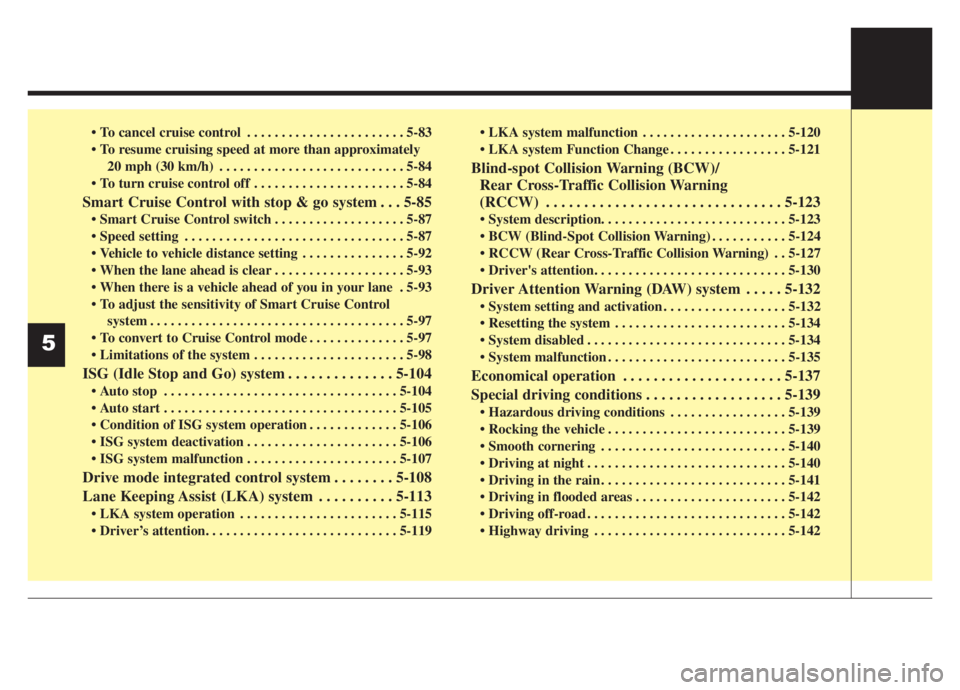
. . . . . . . . . . . . . . . . . . . . . . . 5-83
20 mph (30 km/h) . . . . . . . . . . . . . . . . . . . . . . . . . . . 5-84
. . . . . . . . . . . . . . . . . . . . . . 5-84
Smart Cruise Control with stop & go system . . . 5-85
. . . . . . . . . . . . . . . . . . . 5-87
. . . . . . . . . . . . . . . . . . . . . . . . . . . . . . . . 5-87
. . . . . . . . . . . . . . . 5-92
. . . . . . . . . . . . . . . . . . . 5-93
. 5-93
system . . . . . . . . . . . . . . . . . . . . . . . . . . . . . . . . . . . . . 5-97
. . . . . . . . . . . . . . 5-97
. . . . . . . . . . . . . . . . . . . . . . 5-98
ISG (Idle Stop and Go) system . . . . . . . . . . . . . . 5-104
. . . . . . . . . . . . . . . . . . . . . . . . . . . . . . . . . . 5-104
. . . . . . . . . . . . . . . . . . . . . . . . . . . . . . . . . . 5-105
. . . . . . . . . . . . . 5-106
. . . . . . . . . . . . . . . . . . . . . . 5-106
. . . . . . . . . . . . . . . . . . . . . . 5-107
Drive mode integrated control system . . . . . . . . 5-108
Lane Keeping Assist (LKA) system . . . . . . . . . . 5-113
. . . . . . . . . . . . . . . . . . . . . . . 5-115
. . . . . . . . . . . . . . . . . . . . . 5-120
. . . . . . . . . . . . . . . . . 5-121
Blind-spot Collision Warning (BCW)/
Rear Cross-Traffic Collision Warning
(RCCW) . . . . . . . . . . . . . . . . . . . . . . . . . . . . . . . 5-123
. . . . . . . . . . . 5-124
. . 5-127
Driver Attention Warning (DAW) system . . . . . 5-132
. . . . . . . . . . . . . . . . . . 5-132
. . . . . . . . . . . . . . . . . . . . . . . . . 5-134
. . . . . . . . . . . . . . . . . . . . . . . . . . . . . 5-134
. . . . . . . . . . . . . . . . . . . . . . . . . . 5-135
Economical operation . . . . . . . . . . . . . . . . . . . . . 5-137
Special driving conditions . . . . . . . . . . . . . . . . . . 5-139
. . . . . . . . . . . . . . . . . 5-139
. . . . . . . . . . . . . . . . . . . . . . . . . . 5-139
. . . . . . . . . . . . . . . . . . . . . . . . . . . 5-140
. . . . . . . . . . . . . . . . . . . . . . . . . . . . . 5-140
. . . . . . . . . . . . . . . . . . . . . . . . . . . 5-141
. . . . . . . . . . . . . . . . . . . . . . 5-142
. . . . . . . . . . . . . . . . . . . . . . . . . . . . . 5-142
. . . . . . . . . . . . . . . . . . . . . . . . . . . . 5-142
5
Page 337 of 585

Driving your vehicle
76 5
- Driving on a curve
The performance of Forward
Collision-Avoidance Assist system
may be limited when driving on a
curved road.
The front camera or radar sensor
recognition system may not detect
the vehicle or pedestrian traveling in
front on a curved road.This may result in no alarm and brak-
ing when necessary.
Always pay attention to road and
driving conditions, and if necessary,
depress the brake pedal to reduce
your driving speed in order to main-
tain a safe distance.
Forward Collision-Avoidance Assist
system may recognize a vehicle or
pedestrian in the next lane or out-
side the lane when driving on a
curved road.
If this occurs, the system may unnec-
essarily alarm the driver and apply
the brake.
OHM059349L
OHM059350L
OHM059352L
OHM059353L
Page 374 of 585

5113
Driving your vehicle
Lane Keeping Assist (LKA) system is
designed to detect the lane markers
on the road with a front view camera
at the front windshield, and assists
the driver's steering to help keep the
vehicle in the lanes.When the system detects the vehicle
straying from its lane, it alerts the
driver with a visual and audible warn-
ing, while applying a slight counter-
steering torque, trying to prevent the
vehicle from moving out of its lane.
✽ ✽
NOTICE
Driver is responsible for being
aware of surroundings and steering
the vehicle, and safe driving prac-
tices.
LANE KEEPING ASSIST (LKA) SYSTEM (IF EQUIPPED)
WARNING
Do not turn the steering wheel
suddenly when the vehicle is
being directed by LKA system.
This can result in a sudden loss
of control and crash of the vehi-
cle.OCK057037L
OCK057170L
WARNING
LKA system is a supplemental
system and is not a substitute
for safe driving practices. It is
the responsibility of the driver
to always pay attention and
drive safely.