Start KIA STONIC 2018 Owner's Manual
[x] Cancel search | Manufacturer: KIA, Model Year: 2018, Model line: STONIC, Model: KIA STONIC 2018Pages: 523, PDF Size: 24.99 MB
Page 147 of 523
WARNING AND INDICATOR LIGHTS
Warning lights
NOTICE
nWarning lights
Make sure that all warning lights are
OFF after starting the engine. If any
light is still ON, this indicates a situa‐
tion that needs attention.
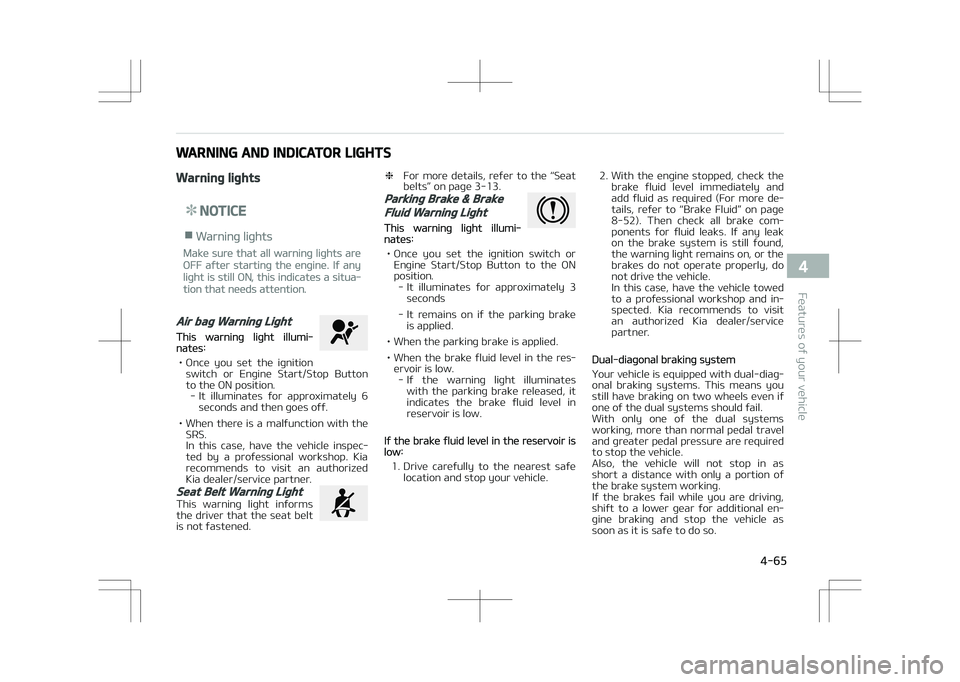
Air bag Warning Light
This warning light illumi‐nates:
• Once you set the ignition switch or Engine Start/Stop Button
to the ON position. - It illuminates for approximately 6 seconds and then goes off.
• When there is a malfunction with the SRS.
In this case, have the vehicle inspec‐
ted by a professional workshop. Kia
recommends to visit an authorized
Kia dealer/service partner.
Seat Belt Warning Light
This warning light informs the driver that the seat belt
is not fastened.
❈ For more details, refer to the L
Page 148 of 523
WARNING
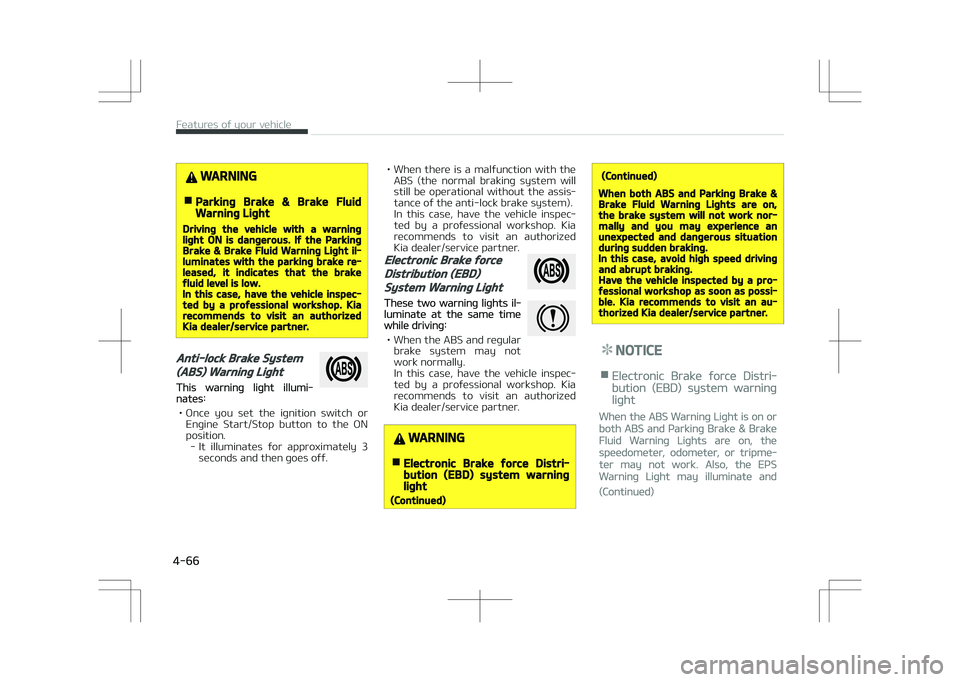
nParking Brake & Brake FluidWarning Light
Driving the vehicle with a warninglight ON is dangerous. If the ParkingBrake & Brake Fluid Warning Light il‐luminates with the parking brake re‐leased, it indicates that the brakefluid level is low.In this case, have the vehicle inspec‐ted by a professional workshop. Kiarecommends to visit an authorizedKia dealer/service partner.
Anti-lock Brake System
(ABS) Warning Light
This warning light illumi‐nates:
• Once you set the ignition switch or Engine Start/Stop button to the ON
position. - It illuminates for approximately 3 seconds and then goes off.
• When there is a malfunction with theABS (the normal braking system will
still be operational without the assis‐ tance of the anti-lock brake system).
In this case, have the vehicle inspec‐
ted by a professional workshop. Kia
recommends to visit an authorized
Kia dealer/service partner.
Electronic Brake force
Distribution (EBD)
System Warning Light
These two warning lights il‐luminate at the same timewhile driving:
• When the ABS and regular brake system may not
work normally.
In this case, have the vehicle inspec‐ ted by a professional workshop. Kia
recommends to visit an authorized
Kia dealer/service partner.
WARNING
nElectronic Brake force Distri‐bution (EBD) system warninglight
(Continued)
(Continued)
When both ABS and Parking Brake &Brake Fluid Warning Lights are on,the brake system will not work nor‐mally and you may experience anunexpected and dangerous situationduring sudden braking.In this case, avoid high speed drivingand abrupt braking.Have the vehicle inspected by a pro‐fessional workshop as soon as possi‐ble. Kia recommends to visit an au‐thorized Kia dealer/service partner.
NOTICE
nElectronic Brake force Distri‐
bution (EBD) system warning
light
When the ABS Warning Light is on or
both ABS and Parking Brake & Brake
Fluid Warning Lights are on, the
speedometer, odometer, or tripme‐
ter may not work. Also, the EPS
Warning Light may illuminate and
(Continued)
Features of your vehicle
4-66
Page 149 of 523
(Continued)
the steering effort may increase or
decrease.
In this case, have the vehicle inspec‐
ted by a professional workshop as
soon as possible.
Kia recommends to visit an author‐
ized Kia dealer/service partner.
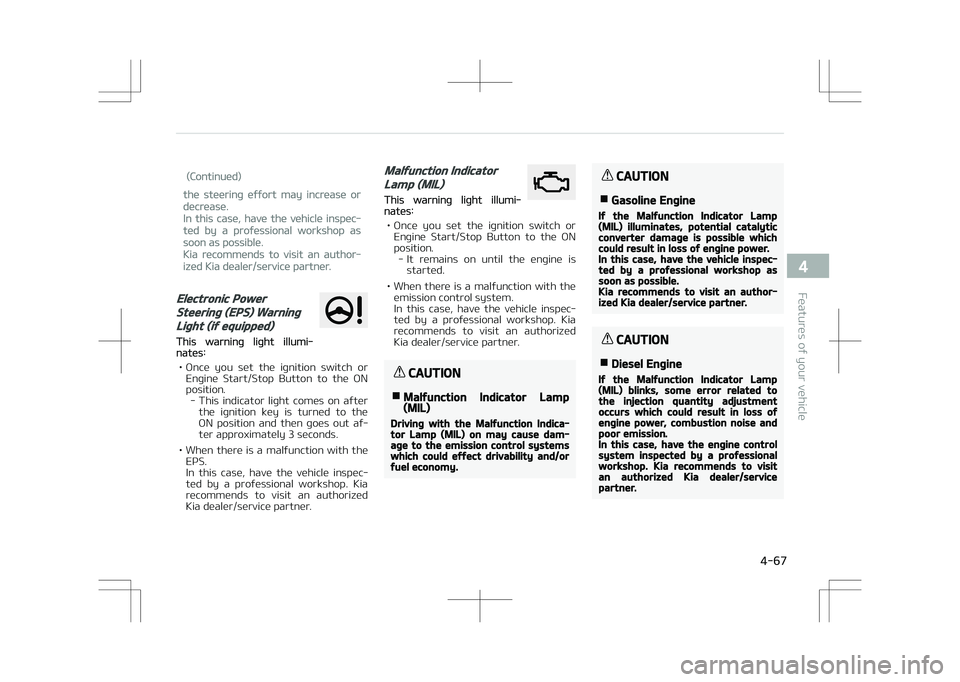
Electronic Power
Steering (EPS) Warning
Light (if equipped)
This warning light illumi‐nates:
• Once you set the ignition switch or Engine Start/Stop Button to the ON
position. - This indicator light comes on after the ignition key is turned to the
ON position and then goes out af‐
ter approximately 3 seconds.
• When there is a malfunction with the EPS.
In this case, have the vehicle inspec‐ted by a professional workshop. Kia
recommends to visit an authorized
Kia dealer/service partner.
Malfunction Indicator
Lamp (MIL)
This warning light illumi‐nates:
• Once you set the ignition switch or Engine Start/Stop Button to the ON
position. - It remains on until the engine is started.
• When there is a malfunction with the emission control system.
In this case, have the vehicle inspec‐
ted by a professional workshop. Kia recommends to visit an authorized
Kia dealer/service partner.
CAUTION
nMalfunction Indicator Lamp(MIL)
Driving with the Malfunction Indica‐tor Lamp (MIL) on may cause dam‐age to the emission control systemswhich could effect drivability and/orfuel economy.
CAUTION
nGasoline Engine
If the Malfunction Indicator Lamp(MIL) illuminates, potential catalyticconverter damage is possible whichcould result in loss of engine power.In this case, have the vehicle inspec‐ted by a professional workshop assoon as possible.Kia recommends to visit an author‐ized Kia dealer/service partner.
CAUTION
nDiesel Engine
If the Malfunction Indicator Lamp(MIL) blinks, some error related tothe injection quantity adjustmentoccurs which could result in loss ofengine power, combustion noise andpoor emission.In this case, have the engine controlsystem inspected by a professionalworkshop. Kia recommends to visitan authorized Kia dealer/servicepartner.
4-67
4
Features of your vehicle
Page 150 of 523
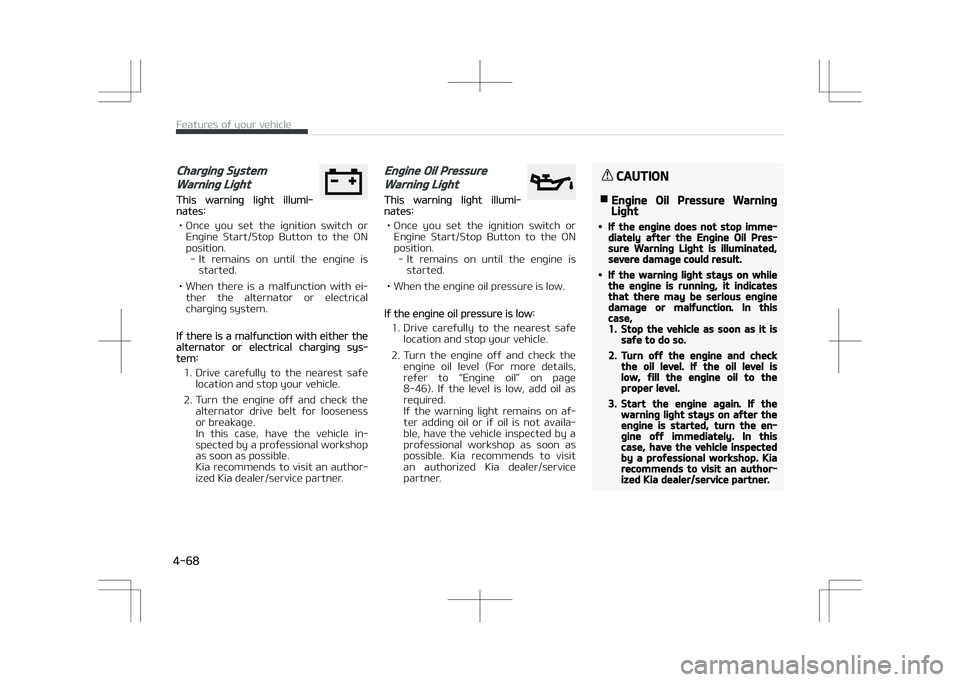
Charging System
Warning Light
This warning light illumi‐nates:
• Once you set the ignition switch or Engine Start/Stop Button to the ON
position. - It remains on until the engine is started.
• When there is a malfunction with ei‐ ther the alternator or electrical
charging system.
If there is a malfunction with either thealternator or electrical charging sys‐tem:
1. Drive carefully to the nearest safe location and stop your vehicle.
2. Turn the engine off and check the alternator drive belt for looseness
or breakage.
In this case, have the vehicle in‐
spected by a professional workshopas soon as possible.
Kia recommends to visit an author‐
ized Kia dealer/service partner.
Engine Oil Pressure
Warning Light
This warning light illumi‐nates:
• Once you set the ignition switch or Engine Start/Stop Button to the ON
position. - It remains on until the engine is started.
• When the engine oil pressure is low.
If the engine oil pressure is low:
1. Drive carefully to the nearest safe location and stop your vehicle.
2. Turn the engine off and check the engine oil level (For more details,
refer to L
Page 154 of 523
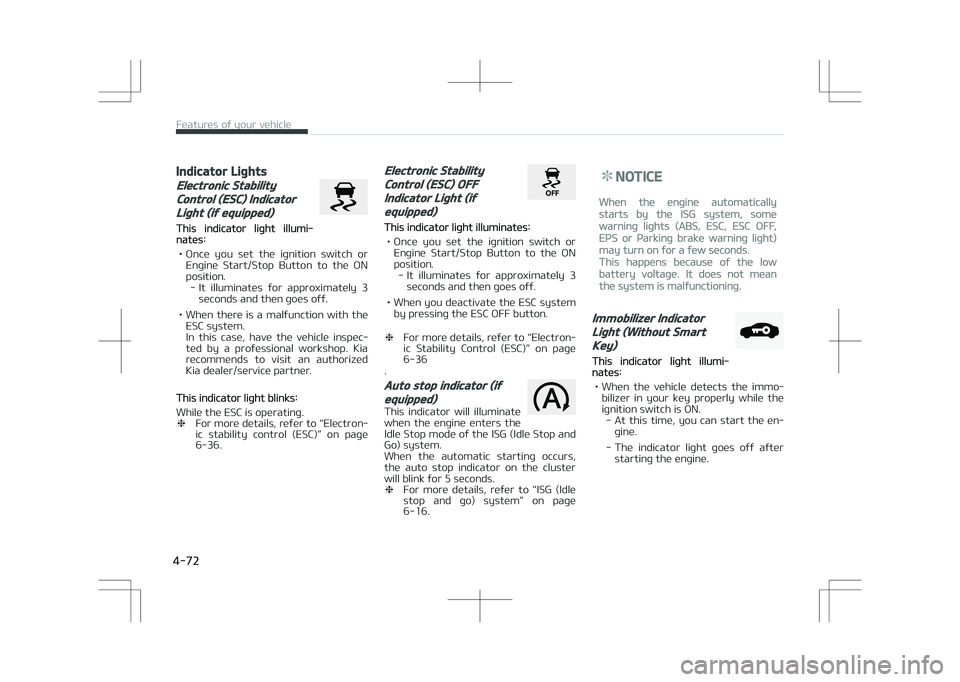
Indicator Lights
Electronic Stability
Control (ESC) Indicator
Light (if equipped)
This indicator light illumi‐nates:
• Once you set the ignition switch or Engine Start/Stop Button to the ON
position. - It illuminates for approximately 3 seconds and then goes off.
• When there is a malfunction with the ESC system.
In this case, have the vehicle inspec‐
ted by a professional workshop. Kia recommends to visit an authorized
Kia dealer/service partner.
This indicator light blinks:
While the ESC is operating. ❈ For more details, refer to L
Page 155 of 523
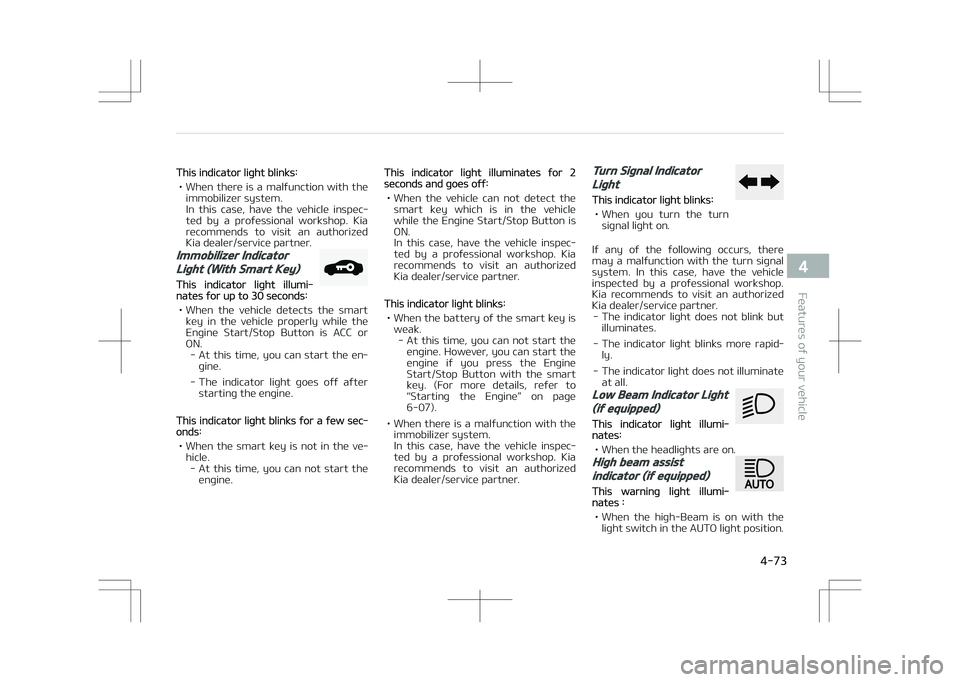
This indicator light blinks:
• When there is a malfunction with the immobilizer system.
In this case, have the vehicle inspec‐
ted by a professional workshop. Kia recommends to visit an authorized
Kia dealer/service partner.
Immobilizer Indicator
Light (With Smart Key)
This indicator light illumi‐nates for up to 30 seconds:
• When the vehicle detects the smart key in the vehicle properly while the
Engine Start/Stop Button is ACC or
ON. - At this time, you can start the en‐ gine.
- The indicator light goes off after starting the engine.
This indicator light blinks for a few sec‐onds:
• When the smart key is not in the ve‐ hicle.- At this time, you can not start the engine.
This indicator light illuminates for 2seconds and goes off:
• When the vehicle can not detect the smart key which is in the vehiclewhile the Engine Start/Stop Button is
ON.
In this case, have the vehicle inspec‐
ted by a professional workshop. Kia
recommends to visit an authorized Kia dealer/service partner.
This indicator light blinks:
• When the battery of the smart key is weak.- At this time, you can not start the engine. However, you can start the
engine if you press the Engine
Start/Stop Button with the smart
key. (For more details, refer to
L
Page 174 of 523
(Continued)
age to system parts could occur andmay not be covered by your vehiclewarranty.When starting the vehicle in winter,set the wiper switch in the off posi‐tion. Otherwise, wipers may operateand ice may damage the windshieldwiper blades. Always remove allsnow and ice and defrost the wind‐shield properly prior to operating thewindshield wipers.
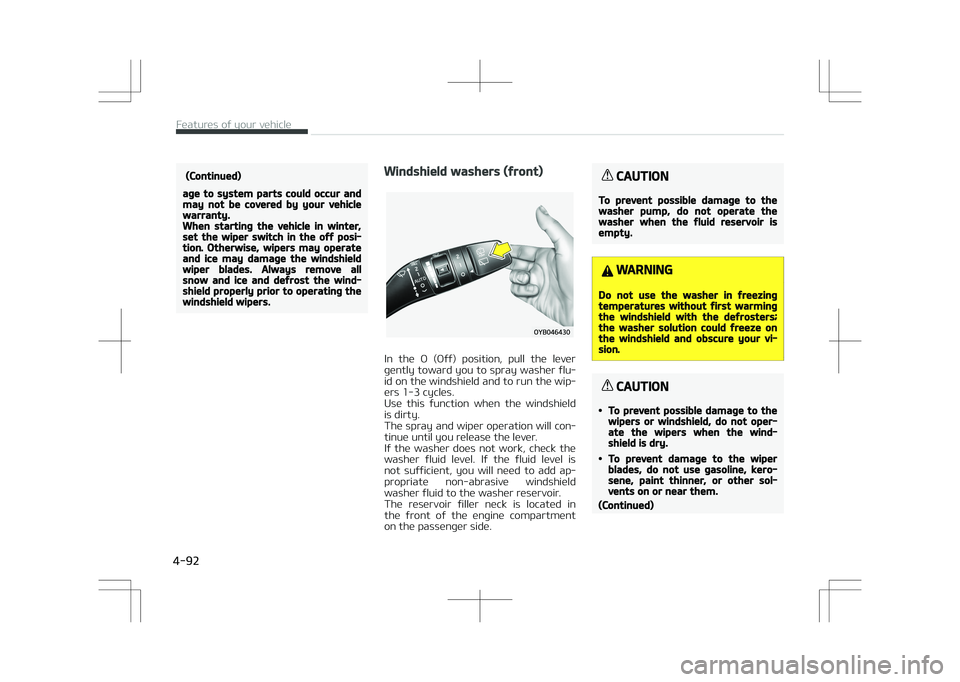
Windshield washers (front)
In the O (Off) position, pull the lever
gently toward you to spray washer flu‐ id on the windshield and to run the wip‐
ers 1-3 cycles.
Use this function when the windshield
is dirty.
The spray and wiper operation will con‐ tinue until you release the lever.
If the washer does not work, check the
washer fluid level. If the fluid level is
not sufficient, you will need to add ap‐ propriate non-abrasive windshield
washer fluid to the washer reservoir.
The reservoir filler neck is located in
the front of the engine compartment on the passenger side.
CAUTION
To prevent possible damage to thewasher pump, do not operate thewasher when the fluid reservoir isempty.
WARNING
Do not use the washer in freezingtemperatures without first warmingthe windshield with the defrosters;the washer solution could freeze onthe windshield and obscure your vi‐sion.
CAUTION
•To prevent possible damage to thewipers or windshield, do not oper‐ate the wipers when the wind‐shield is dry.
•To prevent damage to the wiperblades, do not use gasoline, kero‐sene, paint thinner, or other sol‐vents on or near them.
(Continued)
Features of your vehicle
4-92
Page 182 of 523
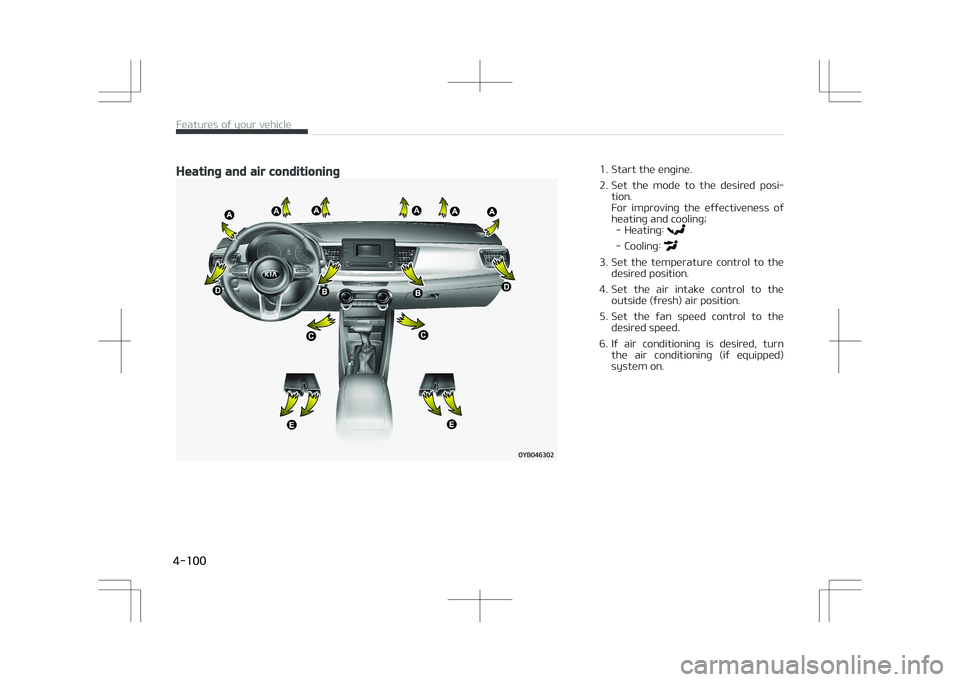
Heating and air conditioning1. Start the engine.
2. Set the mode to the desired posi‐tion.
For improving the effectiveness of
heating and cooling; - Heating:
- Cooling:
3. Set the temperature control to the desired position.
4. Set the air intake control to the outside (fresh) air position.
5. Set the fan speed control to the desired speed.
6. If air conditioning is desired, turn the air conditioning (if equipped)
system on.
Features of your vehicle
4-100
Page 186 of 523
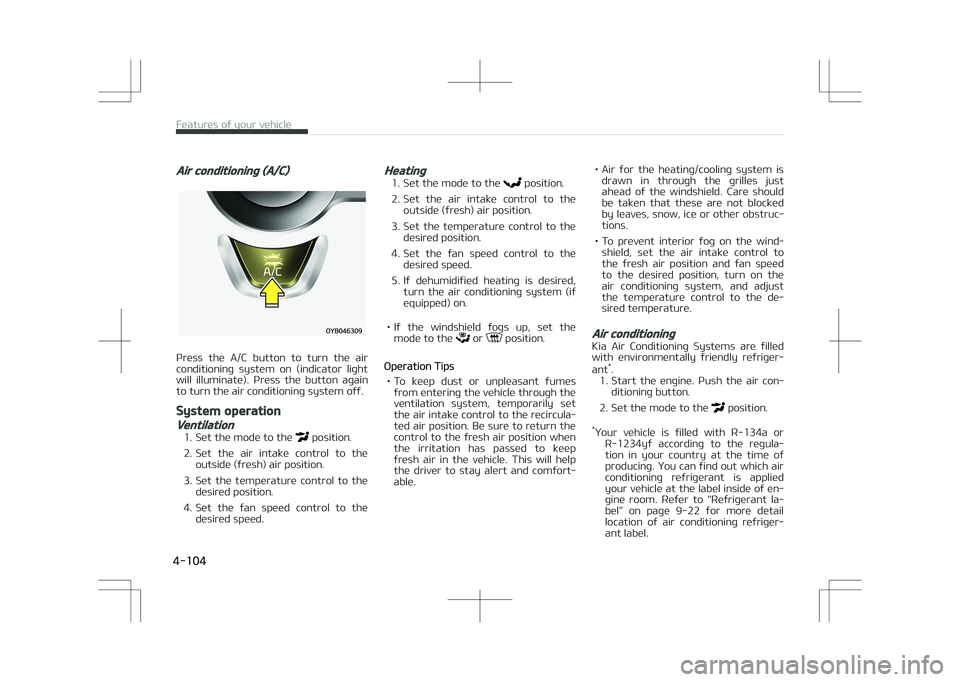
Air conditioning (A/C)
Press the A/C button to turn the air
conditioning system on (indicator light will illuminate). Press the button again
to turn the air conditioning system off.
System operation
Ventilation
1. Set the mode to the position.
2. Set the air intake control to the outside (fresh) air position.
3. Set the temperature control to the desired position.
4. Set the fan speed control to the desired speed.
Heating
1. Set the mode to the position.
2. Set the air intake control to the outside (fresh) air position.
3. Set the temperature control to the desired position.
4. Set the fan speed control to the desired speed.
5. If dehumidified heating is desired, turn the air conditioning system (if
equipped) on.
• If the windshield fogs up, set the mode to the
or position.
Operation Tips
• To keep dust or unpleasant fumes from entering the vehicle through the
ventilation system, temporarily set the air intake control to the recircula‐
ted air position. Be sure to return the
control to the fresh air position when
the irritation has passed to keep
fresh air in the vehicle. This will help the driver to stay alert and comfort‐
able. • Air for the heating/cooling system is
drawn in through the grilles just
ahead of the windshield. Care should
be taken that these are not blocked by leaves, snow, ice or other obstruc‐
tions.
• To prevent interior fog on the wind‐ shield, set the air intake control to
the fresh air position and fan speed to the desired position, turn on the
air conditioning system, and adjust
the temperature control to the de‐
sired temperature.
Air conditioning
Kia Air Conditioning Systems are filled
with environmentally friendly refriger‐
ant *
.
1. Start the engine. Push the air con‐ ditioning button.
2. Set the mode to the
position.
* Your vehicle is filled with R-134a or
R-1234yf according to the regula‐tion in your country at the time of
producing. You can find out which air
conditioning refrigerant is applied
your vehicle at the label inside of en‐
gine room. Refer to L
Page 192 of 523
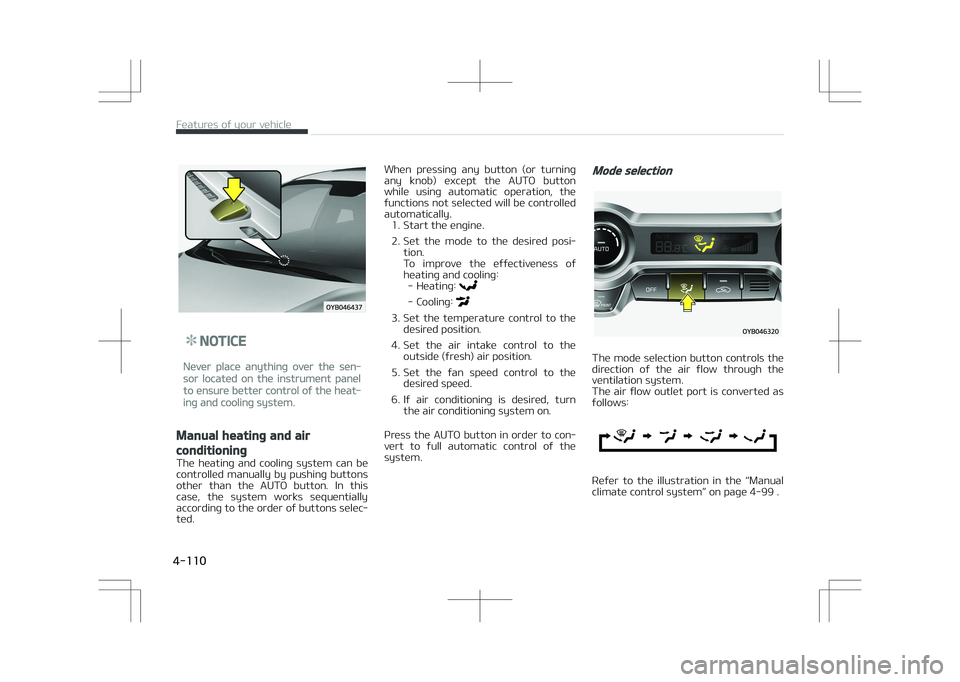
NOTICE
Never place anything over the sen‐
sor located on the instrument panel
to ensure better control of the heat‐
ing and cooling system.
Manual heating and air
conditioning
The heating and cooling system can be
controlled manually by pushing buttons other than the AUTO button. In this
case, the system works sequentially
according to the order of buttons selec‐ ted. When pressing any button (or turning
any knob) except the AUTO button
while using automatic operation, the
functions not selected will be controlled automatically. 1. Start the engine.
2. Set the mode to the desired posi‐ tion.
To improve the effectiveness of
heating and cooling: - Heating:
- Cooling:
3. Set the temperature control to the desired position.
4. Set the air intake control to the outside (fresh) air position.
5. Set the fan speed control to the desired speed.
6. If air conditioning is desired, turn the air conditioning system on.
Press the AUTO button in order to con‐ vert to full automatic control of the
system.
Mode selection
The mode selection button controls the
direction of the air flow through the ventilation system.
The air flow outlet port is converted as
follows:
Refer to the illustration in the L