change KIA TELLURIDE 2021 Navigation System Quick Reference Guide
[x] Cancel search | Manufacturer: KIA, Model Year: 2021, Model line: TELLURIDE, Model: KIA TELLURIDE 2021Pages: 300, PDF Size: 10.06 MB
Page 2 of 300
[This guide covers specifications for all vehicle models, including optional specifications, and
is based on the latest version of system software.
[The design and specification of the system may change without prior notice for
performance improvement.
[In order to improve the product performance, the functions and services in this manual are
subject to change without notice. In case of software update, the screens in this manual
may differ from actual ones on the product.
[For more information about the functions and services updated for performance
improvement, access the online user's manual.
[Functions and services in this manual may differ from those in the actual vehicle. For more
details, refer to the owner's manual or brochure of your vehicle.
[Your system is not compatible with the system software and map data for regions outside
of the country of purchase.
To access the online manual for Car Infotainment
System, scan the QR code.
Be sure to read this User' s Manual before using the product to ensure safety and usability.
Page 7 of 300
5
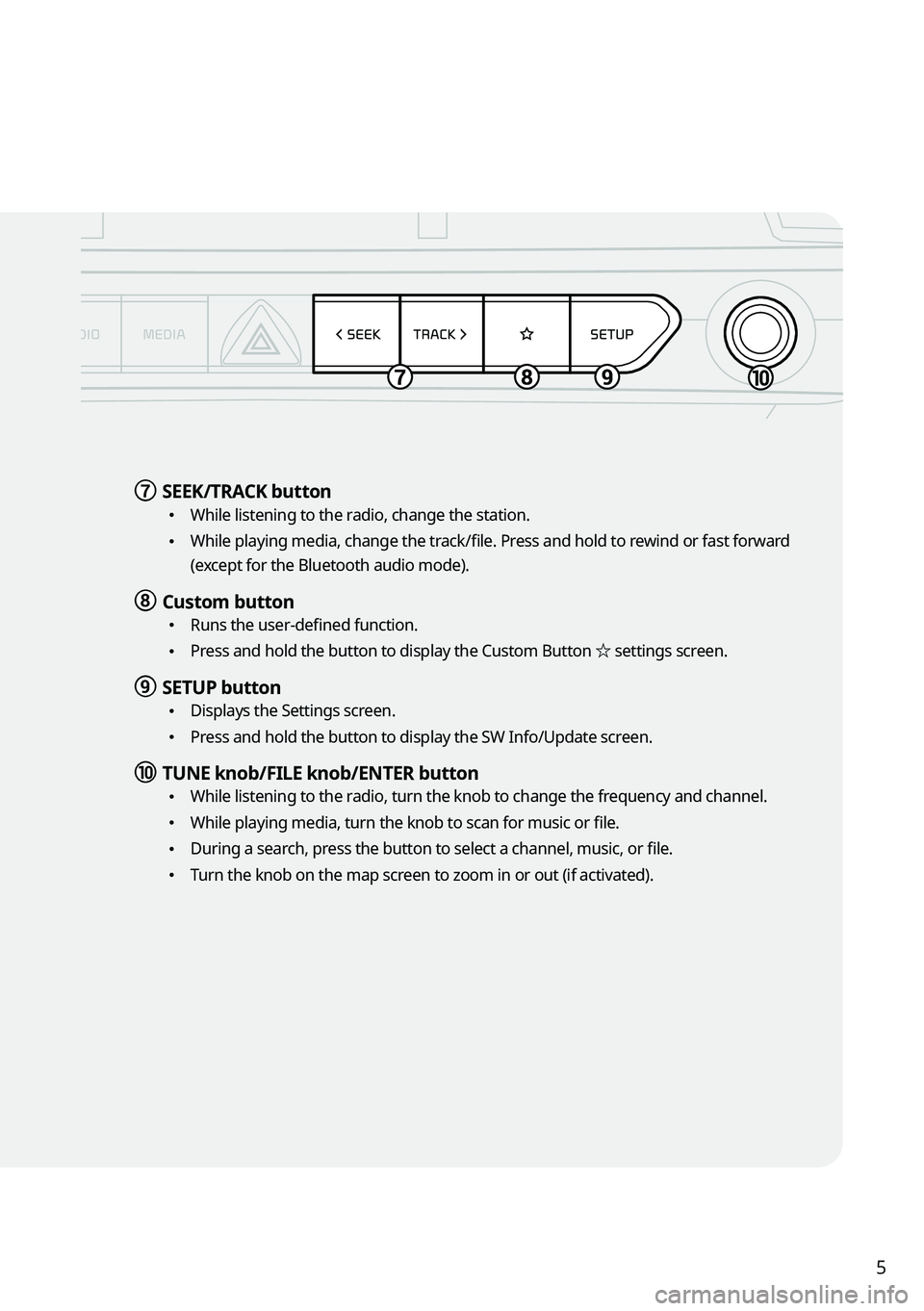
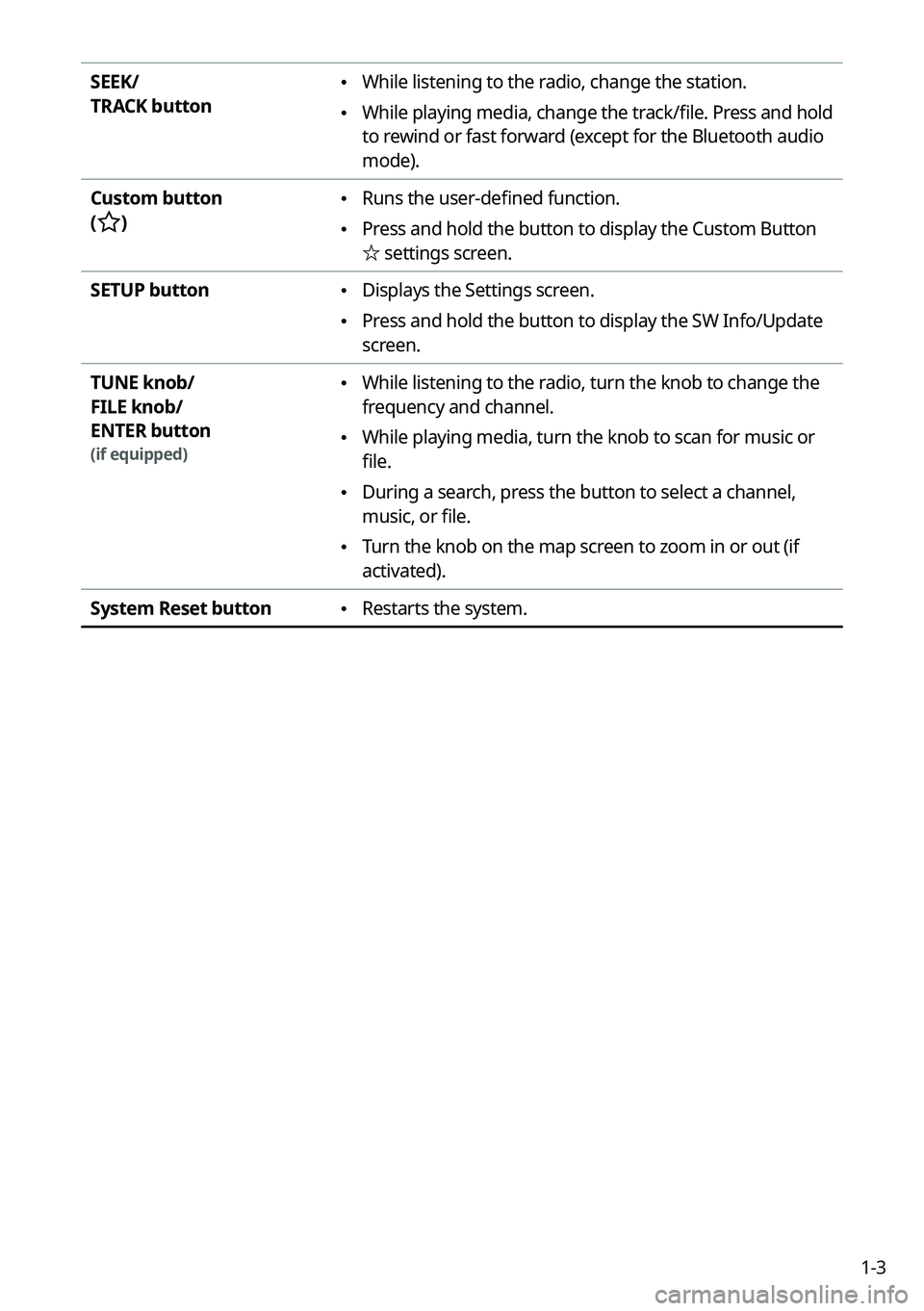
g g SEEK/TRACK button
\225
While listening to the radio, change the station.
\225While playing media, change the track/file. Press and hold to rewind or fast forward
(except for the Bluetooth audio mode).
h h Custom button
\225Runs the user-defined function.
\225Press and hold the button to display the Custom Button ☆ settings screen.
i i SETUP button
\225
Displays the Settings screen.
\225Press and hold the button to display the SW Info/Update screen.
j j TUNE knob/FILE knob/ENTER button
\225
While listening to the radio, turn the knob to change the frequency and channel.
\225While playing media, turn the knob to scan for music or file.
\225During a search, press the button to select a channel, music, or file.
\225Turn the knob on the map screen to zoom in or out (if activated).
Page 8 of 300
6
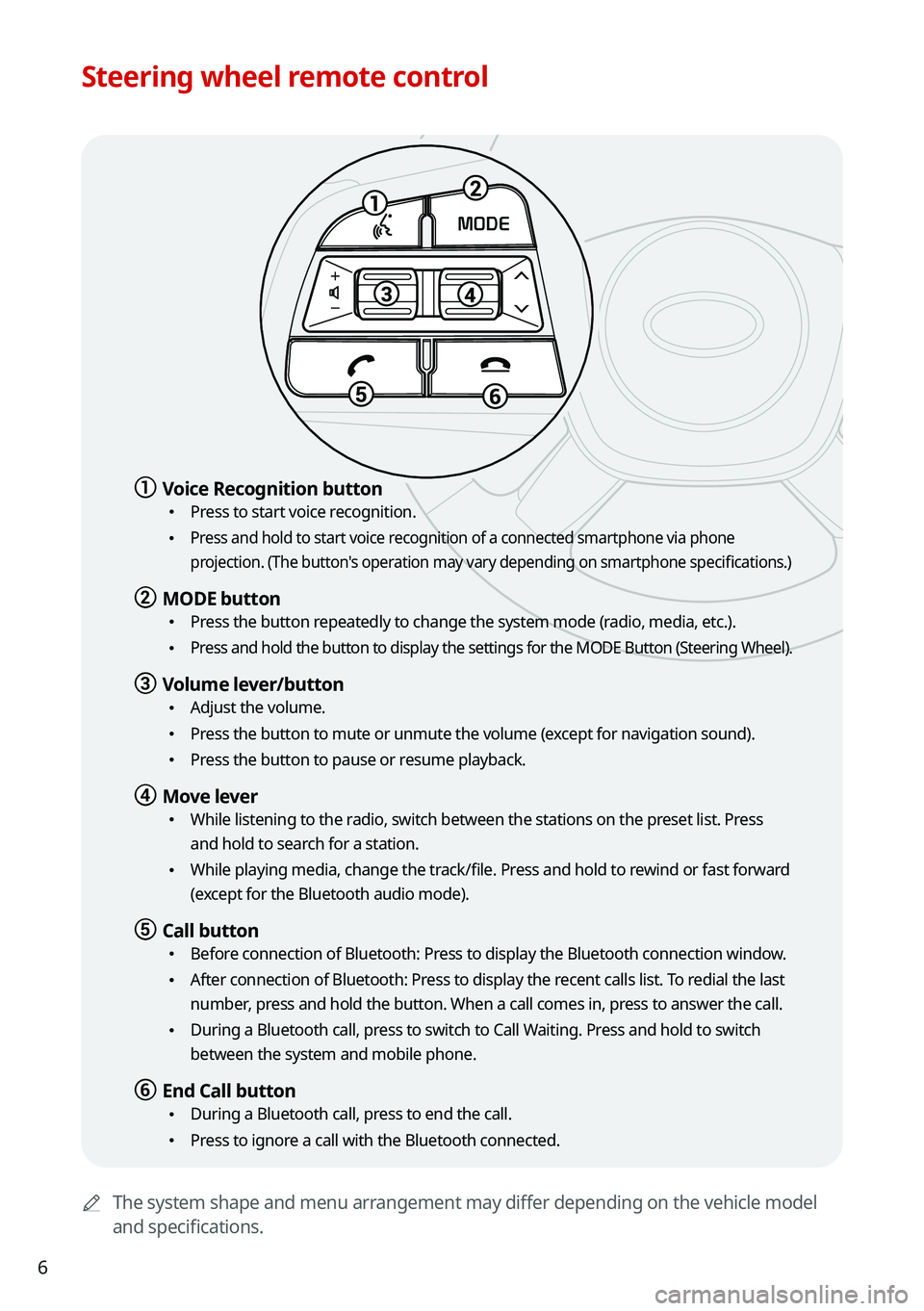
Steering wheel remote control
0000AThe system shape and menu arrangement may differ depending on the vehicle model
and specifications.
1
23
4
5
6
MODE
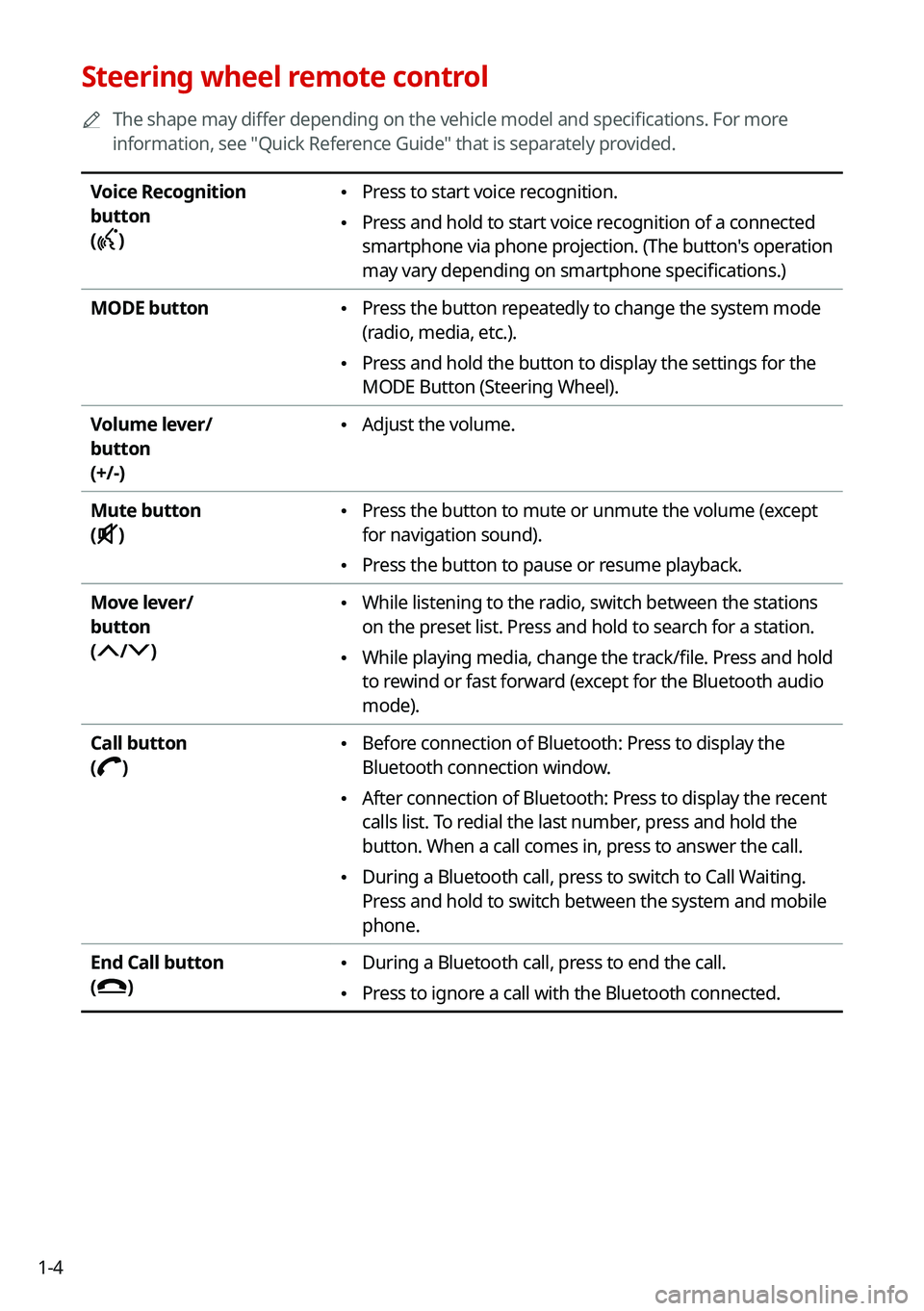
a a Voice Recognition button
\225Press to start voice recognition.
\225 Press and hold to start voice recognition of a connected smartphone via phone
projection. (The button's operation may vary depending on smartphone specifications.)
b b MODE button
\225
Press the button repeatedly to change the system mode (radio, media, etc.).
\225 Press and hold the button to display the settings for the MODE Button (St\
eering Wheel).
c c Volume lever/button
\225Adjust the volume.
\225Press the button to mute or unmute the volume (except for navigation sound).
\225Press the button to pause or resume playback.
d d Move lever
\225While listening to the radio, switch between the stations on the preset list. Press
and hold to search for a station.
\225While playing media, change the track/file. Press and hold to rewind or fast forward
(except for the Bluetooth audio mode).
e e Call button
\225Before connection of Bluetooth: Press to display the Bluetooth connection window.
\225After connection of Bluetooth: Press to display the recent calls list. To redial the last
number, press and hold the button. When a call comes in, press to answer the call.
\225During a Bluetooth call, press to switch to Call Waiting. Press and hold to switch
between the system and mobile phone.
f f End Call button
\225During a Bluetooth call, press to end the call.
\225Press to ignore a call with the Bluetooth connected.
Page 9 of 300

7
Turning the system on or off
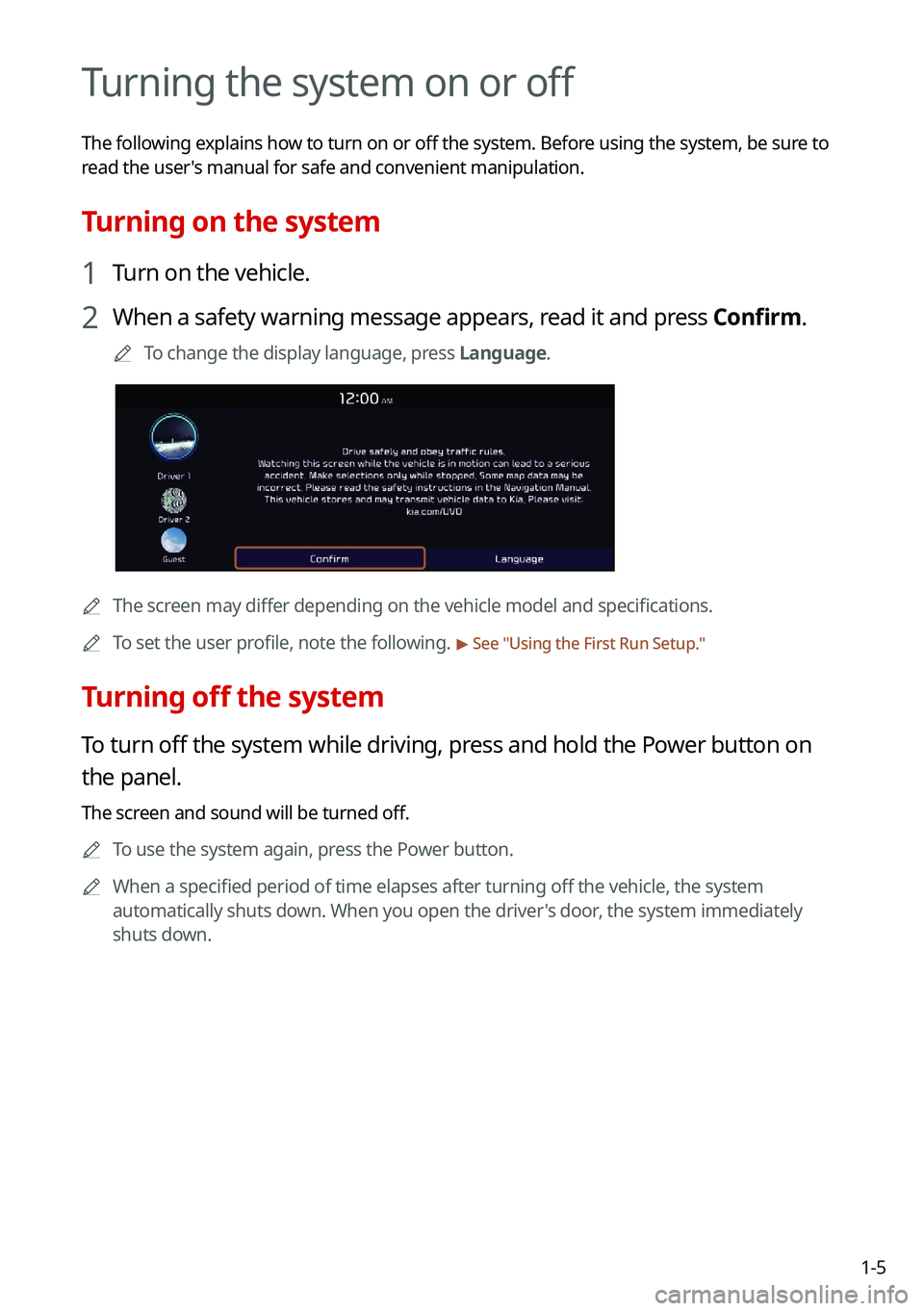
Turning on the system
1 Turn on the vehicle.
2 When a safety warning message appears, read it and press Confirm.
0000
A
To change the display language, press Language.
Turning off the system
To turn off the system while driving, press and hold the Power button on
the panel.
The screen and sound will be turned off.
0000
A
To use the system again, press the Power button.
0000
A
When a specified period of time elapses after turning off the vehicle, the system
automatically shuts down. When you open the driver's door, the system immediately
shuts down.
\335Warning
\225Driving while distracted can result in a loss of vehicle control that may lead to an accident,
severe bodily injury, or death. The driver's primary responsibility is the safe and legal
operation of the vehicle, and the use of any vehicle systems, including the \
touch screen
and steering wheel controls, which take the driver's eyes, attention, and focus away from
the safe operation of the vehicle, or which are not permissible by law, should never be
used during the operation of the vehicle.
\225Some functions may not be active while driving to ensure safety. Those functions run only
when the vehicle is stationary. In order to use them, first stop the vehicle.
\225When the screen is not displayed, the volume is muted, or other system failures occur,
immediately stop using the system. When you use the faulty system contin\
uously, it may
cause fire, electric shock, or fatal system failure.
\334\334Caution
\225The system can be turned on even when the ignition switch is in "ACC" or "ON." However,
when you use the system without turning on the vehicle for a long time, \
it may cause
battery discharge. To use the system for a long time, be sure to turn on the vehicle.
\225When you use the system with the vehicle turned off, the battery warning message
appears. The warning message disappears as soon as you turn on the vehic\
le.
Page 11 of 300

9
Disclaimers
\225Driving while distracted is dangerous and should be avoided. Drivers should remain
attentive to driving and always exercise caution when using the steering-wheelmounted
controls while driving.
\225Driving while distracted can result in a loss of vehicle control that may lead to an accident,
severe personal injury and death. The driver's primary responsibility is in the safe and
legal operation of a vehicle, and use of any handheld devices, other equipment or vehicle
systems which take the driver's eyes, attention and focus away from the safe operation of
a vehicle or that are not permissible by law should never be used during operation of the
vehicle.
\225SiriusXM®: SiriusXM Satellite Radio, SiriusXM Traffic and SiriusXM Travel Link each require
a subscription sold separately, or as a package, by SiriusXM Radio Inc. If you decide
to continue your service at the end of your trial subscription, the plan\
you choose will
automatically renew and bill at then-current rates until you call 1-866-635-2349 to cancel.
See SiriusXM Customer Agreement for complete terms at www.siriusxm.com. Other fees
and taxes will apply. All fees and programming are subject to change. Not all vehicles
or devices are capable of receiving all services offered by SiriusXM. Data displays and
individual product availability vary by vehicle hardware. Current information and features
may not be available in all locations, or on all receivers. Weather Forecast, Current
Conditions may not be available in all locations. Images above are for representative
purposes only and are not real products. For actual features and images of real
products, consult the vehicle manufacturer. SiriusXM is not responsible for any errors
or inaccuracies in the data services or their use in the vehicle. Travel Link Stocks displays
current price and daily delta of around 7,000 actively reported securities traded on the
NYSE
®, NASDAQ® and AMEX®. The service is delayed approximately 20 minutes. SiriusXM
satellite service is available only to those at least 18 years of age in\
the 48 contiguous
USA, DC, and Puerto Rico (with coverage limitations). SiriusXM Internet Radio service is
available throughout our satellite service area and in AK and HI. ©2020 SiriusXM Radio
Inc.
\225 Android Auto: Vehicle user interface is a product of Google and its terms and privacy
statements apply. Requires the Android Auto app on Google Play and an Android
compatible smartphone running Android™ 5.0 Lollipop or higher. Data plan rates apply.
\225Navigation: Distracted driving can result in a loss of vehicle control. When operating
a vehicle, never use a vehicle system that takes your focus away from safe vehicle
operation. Navigation is for information purposes only, and Kia does not make any
warranties about the accuracy of the information.
Page 12 of 300

10
FCC Certification
This equipment has been tested and found to comply with the limits for a\
Class B digital
device, pursuant to part 15 of the FCC Rules. These limits are designed to provide reasonable
protection against harmful interference in a residential installation.
This equipment generates, uses and can radiate radio frequency energy and, if not
installed and used in accordance with the instructions, may cause harmful interference
to radio communications. However, there is no guarantee that interference will not occur
in a particular installation. If this equipment does cause harmful inter\
ference to radio or
television reception, which can be determined by turning the equipment off and on, the user
is encouraged to try to correct the interference by one or more of the following measures:
\225Reorient or relocate the receiving antenna.
\225Increase the separation between the equipment and receiver.
\225Connect the equipment into an outlet on a circuit different from that to which the receiver
is connected.
\225Consult the dealer or an experienced radio/TV technician for help.
Caution: Any changes or modifications to this device not explicitly approved by manufacturer
could void your authority to operate this equipment.
This device complies with part 15 of the FCC Rules. Operation is subject to the following
two conditions: (1) This device may not cause harmful interference, and (2) this device must
accept any interference received, including interference that may cause undesired operation.
This equipment complies with FCC radiation exposure limits set forth for an uncontrolled
environment.
This equipment should be installed and operated with minimum 20 cm between the radiator
and your body. This transmitter must not be co-located or operating in conjunction with any
other antenna or transmitter unless authorized to do so by the FCC.
Page 13 of 300
1
Car Infotainment SystemUser's Manual
[This guide covers specifications for all vehicle models, including optional specifications, and
is based on the latest version of system software.
[The design and specification of the system may change without prior notice for
performance improvement.
[In order to improve the product performance, the functions and services in this manual are
subject to change without notice. In case of software update, the screens in this manual
may differ from actual ones on the product.
[For more information about the functions and services updated for performance
improvement, access the online user's manual.
[Functions and services in this manual may differ from those in the actual vehicle. For more
details, refer to the owner's manual or brochure of your vehicle.
[Your system is not compatible with the system software and map data for regions outside
of the country of purchase.
Page 25 of 300
1-3
SEEK/
TRACK button \225While listening to the radio, change the station.
\225While playing media, change the track/file. Press and hold
to rewind or fast forward (except for the Bluetooth audio
mode).
Custom button
(
)
\225 Runs the user-defined function.
\225Press and hold the button to display the Custom Button
☆
settings screen.
SETUP button
\225 Displays the Settings screen.
\225Press and hold the button to display the SW Info/Update
screen.
TUNE knob/
FILE knob/
ENTER button
(if equipped)
\225 While listening to the radio, turn the knob to change the
frequency and channel.
\225While playing media, turn the knob to scan for music or
file.
\225During a search, press the button to select a channel,
music, or file.
\225Turn the knob on the map screen to zoom in or out (if
activated).
System Reset button
\225 Restarts the system.
Page 26 of 300
1-4
Steering wheel remote control
0000
A
The shape may differ depending on the vehicle model and specifications. For more
information, see "Quick Reference Guide" that is separately provided.
Voice Recognition
button
(
)
\225 Press to start voice recognition.
\225Press and hold to start voice recognition of a connected
smartphone via phone projection. (The button's operation
may vary depending on smartphone specifications.)
MODE button
\225 Press the button repeatedly to change the system mode
(radio, media, etc.).
\225Press and hold the button to display the settings for the
MODE Button (Steering Wheel).
Volume lever/
button
(+/-)
\225 Adjust the volume.
Mute button
(
)
\225 Press the button to mute or unmute the volume (except
for navigation sound).
\225Press the button to pause or resume playback.
Move lever/
button
(
/)
\225 While listening to the radio, switch between the stations
on the preset list. Press and hold to search for a station.
\225While playing media, change the track/file. Press and hold
to rewind or fast forward (except for the Bluetooth audio
mode).
Call button
(
)
\225 Before connection of Bluetooth: Press to display the
Bluetooth connection window.
\225After connection of Bluetooth: Press to display the recent
calls list. To redial the last number, press and hold the
button. When a call comes in, press to answer the call.
\225During a Bluetooth call, press to switch to Call Waiting.
Press and hold to switch between the system and mobile
phone.
End Call button
(
)
\225 During a Bluetooth call, press to end the call.
\225Press to ignore a call with the Bluetooth connected.
Page 27 of 300
1-5
Turning the system on or off
The following explains how to turn on or off the system. Before using the system, be sure to
read the user's manual for safe and convenient manipulation.
Turning on the system
1 Turn on the vehicle.
2 When a safety warning message appears, read it and press Confirm.
0000
A
To change the display language, press Language.
0000AThe screen may differ depending on the vehicle model and specifications.
0000
A
To set the user profile, note the following.
> See "Using the First Run Setup."
Turning off the system
To turn off the system while driving, press and hold the Power button on
the panel.
The screen and sound will be turned off.
0000
A
To use the system again, press the Power button.
0000
A
When a specified period of time elapses after turning off the vehicle, the system
automatically shuts down. When you open the driver's door, the system immediately
shuts down.