remote control KIA VENGA 2011 User Guide
[x] Cancel search | Manufacturer: KIA, Model Year: 2011, Model line: VENGA, Model: KIA VENGA 2011Pages: 761, PDF Size: 34.65 MB
Page 542 of 761
4 121
Features of your vehicle
Bluetooth
You can use a Bluetooth device in your
car to make a hands-free phone call or to
stream music onto your in-car speakers
(via this Head Unit). This Head Unit sup-
ports HFP, A2DP and AVRCP connec-tion.
Advanced Audio Distribution Profile (A2DP)
This profile defines how high quality audio (stereo or mono) can be streamed
from one device to another over a
Bluetooth connection. For example:
music streamed from a mobile phone to
a wireless headset or car audio.
Audio/Video Remote Control Profile
(AVRCP)
This profile is designed to provide a stan-
dard interface to control TVs, Hi-fi equip-
ment, etc. to allow a single remote con-
trol (or other device) to control all of theA/V equipment to which a user has
access. It may be used in concert with
Advanced Audio Distribution Profile.Hands-Free Profile (HFP)
This is commonly used to allow car
handsfree kits to communicate with
mobile phones in the car.
Notes for mobile phones
Some functions (e.g. starting of speech
recognition) are not supported by all
mobile phones. We cannot guarantee
that all functions described will be sup-
ported by all mobile phones withBluetooth. New device
This function allows you to add a new phone to the Head Units Bluetooth
Device List. Maximum of 5 devices can
be added to the list. If the list is full, the
oldest device will be replaced by the
newly added Bluetooth device, based on
last pairing date.
Pairing
To pair your Bluetooth-enabled device to
this Head Unit, make sure that no deviceis currently streaming to this Head Unitfirst.
)
Short press the SETUPbutton to
enter the Setup menu.
) Short press the or button to
access the Bluetooth sub-menu.
) Now select “New Device”.
) Press the or button to select
the number of the first digit.
) Press the or button to select the
next digit.
) Repeat the above steps for the other
three digits.
) Press the OKbutton to confirm the 4-
digit PIN for authentication and acti-
vate the “Discoverable Mode”.
9 In “Discoverable Mode” the Head Unit
broadcasts a Bluetooth ID.
) Look for the “KIA-BLUETOOTH” on
your Bluetooth device.
) Enter identically the same PIN in your
Bluetooth device and authenticate
pairing on your Bluetooth device.
9 When pairing is established, the ID of
the Bluetooth device and the service
list info will be stored in the Head Unit
Bluetooth Device List.
YN RHD 4(99~AUDIO).QXP 6/1/2010 4:03 PM Page 121
Page 543 of 761
Features of your vehicle
122
4
Device List
With this function you can browse
through and select bluetooth devices thatare stored in the Head Unit Bluetooth
Device List.
) Short press the SETUPbutton to
enter the Setup menu.
) Short press the or button to
access the Bluetooth sub-menu.
) Press the button to browse the
Device List to select the required
device.
) Press the OKbutton to start pairing
between the selected device and theHead Unit.
✎ Note: Whenever there is at least one
connected device active, in the dis-
play the Bluetooth icon is visible. Delete Device
This function allows you to delete a
Bluetooth device ID from the Head Unit
Bluetooth Device List.
)
Short press the SETUPbutton to
enter the Setup menu.
) Short press the or button to
access the Bluetooth sub-menu.
) Press the button to select Delete
Device.
) Press the OKbutton to delete the
selected device from the Head Unit
Bluetooth Device List
Phone Volume
) Short press the SETUPbutton to
enter the Setup menu.
) Short press the or button to
access the Bluetooth sub-menu.
) Select the option “Phone Volume”.
) Press the or button to decrease
or increase the phone volume setting.
‰ Default setting: 12
‰ Setting range: 0 ... 35
‰ During an ongoing call, user is
allowed to adjust the BT Phone vol-
ume. The adjusted volume is memo-
rized into Phone Volume setting. Answering a Call
)
Press the Callbutton on the Steering
Wheel Remote Control to accept an incoming call.
Terminate / Reject Call
) Press the End Callbutton on the
Steering Wheel Remote Control to
terminate or reject a call.
Last Call Re-dial
) Short press the Callbutton on the
Steering Wheel Remote Control to re-
dial last dialled number (one attempt).
) Long press the Callbutton on the
Steering Wheel Remote Control to re-
dial last dialled number (twoattempts).
Private Call
This function allows you to have a private
call even if the phone is connected to theHead Unit.
) Press the Callbutton on your phone
to start a private call.
OR
) Press the End Callbutton on your
phone to end a private call.
YN RHD 4(99~AUDIO).QXP 6/1/2010 4:03 PM Page 122
Page 544 of 761
4 123
Features of your vehicle
Transferring a Call
This function allows you to transfer a call
during an ongoing call. ‰From the tuner to the phone
‰ From the phone to the tuner
) Long press the Callbutton on the
Steering Wheel Remote Control to
transfer the ongoing call back to the
phone or back to the tuner again.
Audio Streaming
Start Audio Streaming
This function allows the Head Unit to
start streaming music from phone.
9 The Bluetooth device must be con- nected with the Head Unit.
) Press the AUXbutton and select BT
AUDIO.
✎ The Head Unit starts streaming the
audio from the phone and will start
playing the audio files.
✎ The Head Unit has no control on the
sequence of track playback in phone. Next/Previous Track
This function allows you to select the
next/ previous track of phone‘s music
player by using the next/previous track
buttons on the Head Unit or SteeringWheel Remote Control.
)
Short press the or button on the
Head Unit or the Steering WheelRemote Control.
Suspend Audio Streaming
This function allows you to suspend
streaming music from the phone to theHead Unit.
) Short press the Mutebutton on the
Steering Wheel Remote Control.
) Press the AUXbutton and de-select
BT AUDIO.
YN RHD 4(99~AUDIO).QXP 6/1/2010 4:03 PM Page 123
Page 545 of 761
Features of your vehicle
124
4
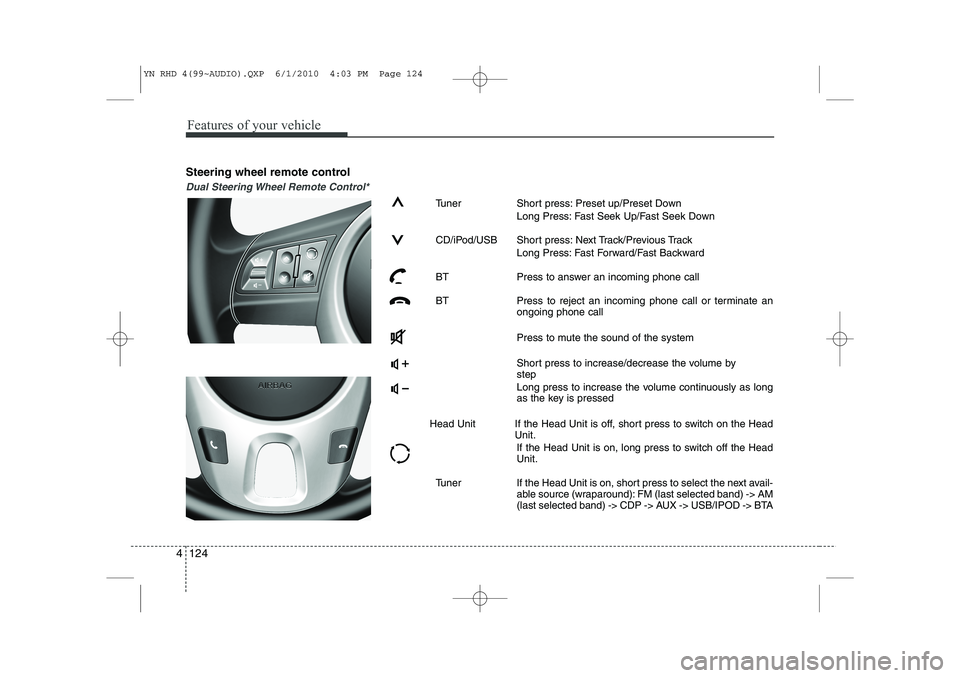
Steering wheel remote control
Dual Steering Wheel Remote Control*
Tuner Short press: Preset up/Preset Down
Long Press: Fast Seek Up/Fast Seek Down
CD/iPod/USB Short press: Next Track/Previous Track Long Press: Fast Forward/Fast Backward
BT Press to answer an incoming phone call
BT Press to reject an incoming phone call or terminate an ongoing phone call
Press to mute the sound of the system
Short press to increase/decrease the volume by step
Long press to increase the volume continuously as long
as the key is pressed
Head Unit If the Head Unit is off, short press to switch on the Head Unit.
If the Head Unit is on, long press to switch off the HeadUnit.
Tuner If the Head Unit is on, short press to select the next avail- able source (wraparound): FM (last selected band) -> AM
(last selected band) -> CDP -> AUX -> USB/IPOD -> BTA
YN RHD 4(99~AUDIO).QXP 6/1/2010 4:03 PM Page 124
Page 546 of 761
4 125
Features of your vehicle
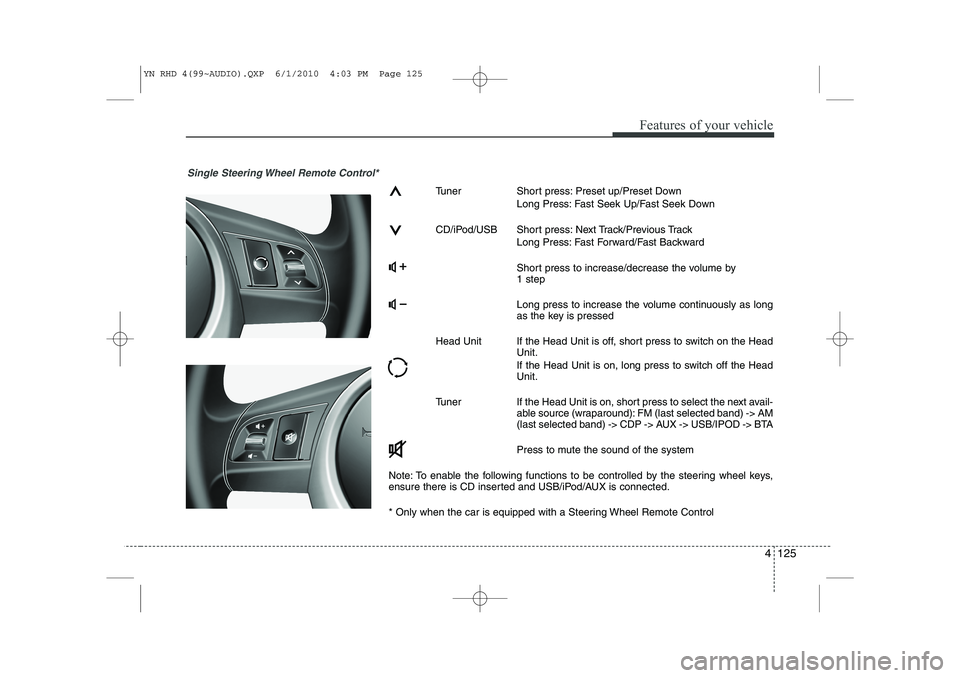
Single Steering Wheel Remote Control*
Tuner Short press: Preset up/Preset DownLong Press: Fast Seek Up/Fast Seek Down
CD/iPod/USB Short press: Next Track/Previous Track Long Press: Fast Forward/Fast Backward
Short press to increase/decrease the volume by 1 step
Long press to increase the volume continuously as long
as the key is pressed
Head Unit If the Head Unit is off, short press to switch on the Head Unit.
If the Head Unit is on, long press to switch off the Head Unit.
Tuner If the Head Unit is on, short press to select the next avail- able source (wraparound): FM (last selected band) -> AM
(last selected band) -> CDP -> AUX -> USB/IPOD -> BTA
Press to mute the sound of the system
Note: To enable the following functions to be controlled by the steering wheel keys,
ensure there is CD inserted and USB/iPod/AUX is connected.
* Only when the car is equipped with a Steering Wheel Remote Control
YN RHD 4(99~AUDIO).QXP 6/1/2010 4:03 PM Page 125
Page 552 of 761
4 131
Features of your vehicle
Abbreviations
A2DP Advanced Audio Distribution Profile
AF Alternate Frequency
AST Auto-Store
AVRCP Audio/Video Remote Control Profile
BT Bluetooth
BTA Bluetooth Audio
CA Compressed Audio
CDP CD Player
EON Enhanced Other Networks information
FF Fast Forward
FR Fast Reverse or Fast Backward
HFP Hands-Free Profile
PS Program Service Name
PTY Program Type
RDS Radio Data System
RND Random
RPT Repeat
TP Traffic Program Identification
TA Traffic Announcement
YN RHD 4(99~AUDIO).QXP 6/1/2010 4:03 PM Page 131
Page 633 of 761
What to do in an emergency
22
6
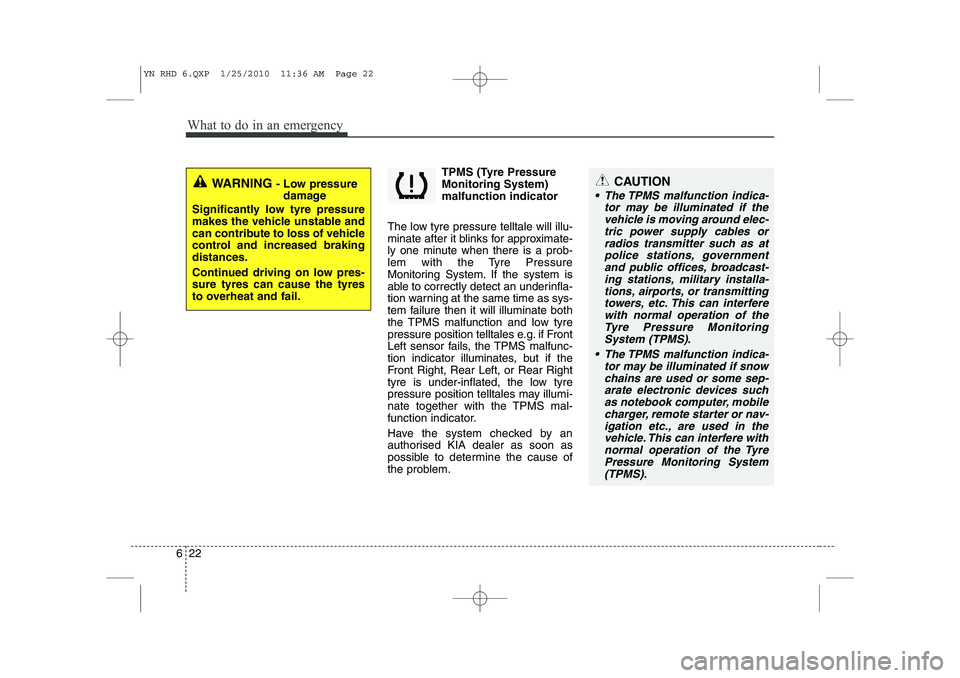
TPMS (Tyre Pressure Monitoring System)malfunction indicator
The low tyre pressure telltale will illu-
minate after it blinks for approximate-
ly one minute when there is a prob-
lem with the Tyre Pressure
Monitoring System. If the system is
able to correctly detect an underinfla-
tion warning at the same time as sys-
tem failure then it will illuminate both
the TPMS malfunction and low tyre
pressure position telltales e.g. if Front
Left sensor fails, the TPMS malfunc-
tion indicator illuminates, but if the
Front Right, Rear Left, or Rear Right
tyre is under-inflated, the low tyre
pressure position telltales may illumi-
nate together with the TPMS mal-
function indicator.
Have the system checked by an
authorised KIA dealer as soon as
possible to determine the cause of
the problem.
WARNING - Low pressure
damage
Significantly low tyre pressure
makes the vehicle unstable and
can contribute to loss of vehicle
control and increased brakingdistances.
Continued driving on low pres- sure tyres can cause the tyres
to overheat and fail.CAUTION
The TPMS malfunction indica- tor may be illuminated if thevehicle is moving around elec- tric power supply cables orradios transmitter such as atpolice stations, government and public offices, broadcast-ing stations, military installa-tions, airports, or transmitting towers, etc. This can interferewith normal operation of theTyre Pressure Monitoring System (TPMS).
The TPMS malfunction indica- tor may be illuminated if snowchains are used or some sep-arate electronic devices such as notebook computer, mobilecharger, remote starter or nav-igation etc., are used in the vehicle. This can interfere withnormal operation of the TyrePressure Monitoring System(TPMS).
YN RHD 6.QXP 1/25/2010 11:36 AM Page 22
Page 727 of 761
I3
Index
If the engine will not start . . . . . . . . . . . . . . . . . . . . . . 6-3
If you have a flat tyre (with spare tyre) . . . . . . . . . . . 6-7
If you have a flat tyre (with TyreMobilityKit) . . . . . 6-15
In case of an emergency while driving . . . . . . . . . . . . 6-2
Indicator symbols on the instrument cluster . . . . . . . 1-6
Instrument cluster . . . . . . . . . . . . . . . . . . . . . . . . . . . 4-40
Instrument panel overview . . . . . . . . . . . . . . . . . . . . . 2-3
Interior features . . . . . . . . . . . . . . . . . . . . . . . . . . . . . 4-93
Interior light . . . . . . . . . . . . . . . . . . . . . . . . . . . . . . . . 4-70
Interior overview. . . . . . . . . . . . . . . . . . . . . . . . . . . . . . 2-2
ISG(idle stop and go) system . . . . . . . . . . . . . . . . . . . 5-14
Key positions . . . . . . . . . . . . . . . . . . . . . . . . . . . . . . . . . 5-4
Keys . . . . . . . . . . . . . . . . . . . . . . . . . . . . . . . . . . . . . . . . 4-2
Light bulbs. . . . . . . . . . . . . . . . . . . . . . . . . . . . . . . . . . 7-59
Lighting . . . . . . . . . . . . . . . . . . . . . . . . . . . . . . . . . . . . 4-61
Maintenance services . . . . . . . . . . . . . . . . . . . . . . . . . . 7-3
Manual climate control system . . . . . . . . . . . . . . . . . 4-72
Manual transaxle . . . . . . . . . . . . . . . . . . . . . . . . . . . . 5-16
Mirrors . . . . . . . . . . . . . . . . . . . . . . . . . . . . . . . . . . . . . 4-35 Owner maintenance . . . . . . . . . . . . . . . . . . . . . . . . . . . 7-5
Panorama sunroof . . . . . . . . . . . . . . . . . . . . . . . . . . . 4-29
Parking brake . . . . . . . . . . . . . . . . . . . . . . . . . . . . . . . 7-31
Rear parking assist system. . . . . . . . . . . . . . . . . . . . . 4-57
Rearview camera . . . . . . . . . . . . . . . . . . . . . . . . . . . . 4-60
Recommended lubricants and capacities . . . . . . . . . . 8-4
Remote keyless entry . . . . . . . . . . . . . . . . . . . . . . . . . . 4-5
Road warning . . . . . . . . . . . . . . . . . . . . . . . . . . . . . . . . 6-2
Scheduled maintenance service . . . . . . . . . . . . . . . . . . 7-7
Seat belts . . . . . . . . . . . . . . . . . . . . . . . . . . . . . . . . . . . 3-14
Seats . . . . . . . . . . . . . . . . . . . . . . . . . . . . . . . . . . . . . . . . 3-2
Smart key. . . . . . . . . . . . . . . . . . . . . . . . . . . . . . . . . . . . 4-8
Special driving conditions . . . . . . . . . . . . . . . . . . . . . 5-42
Speed limit control system . . . . . . . . . . . . . . . . . . . . . 5-38
Steering wheel . . . . . . . . . . . . . . . . . . . . . . . . . . . . . . . 4-33
Storage compartment . . . . . . . . . . . . . . . . . . . . . . . . . 4-91
K
L
M
O
P
R
S
YN RHD INDEX.QXP 1/25/2010 11:51 AM Page 3
Page 733 of 761
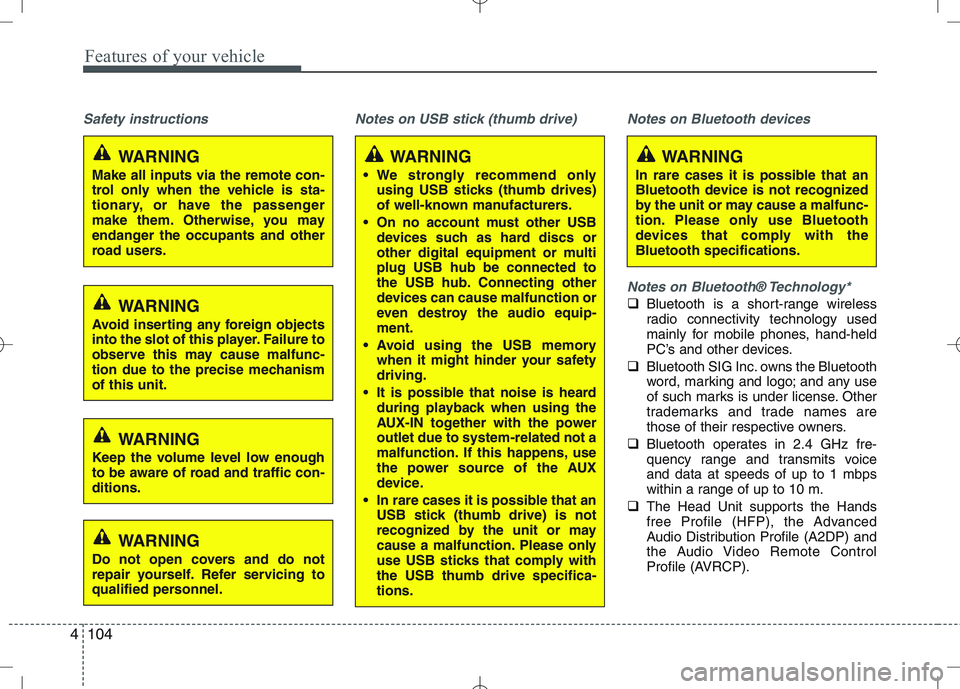
Features of your vehicle
104
4
Safety instructions Notes on USB stick (thumb drive) Notes on Bluetooth devices
Notes on Bluetooth® Technology*
Bluetooth is a short-range wireless
radio connectivity technology used
mainly for mobile phones, hand-held
PC’s and other devices.
Bluetooth SIG Inc. owns the Bluetooth
word, marking and logo; and any use
of such marks is under license. Other
trademarks and trade names are
those of their respective owners.
Bluetooth operates in 2.4 GHz fre-
quency range and transmits voiceand data at speeds of up to 1 mbps
within a range of up to 10 m.
The Head Unit supports the Hands
free Profile (HFP), the Advanced
Audio Distribution Profile (A2DP) and
the Audio Video Remote Control
Profile (AVRCP).
WARNING
Make all inputs via the remote con-
trol only when the vehicle is sta-
tionary, or have the passenger
make them. Otherwise, you may
endanger the occupants and other
road users.WARNING
In rare cases it is possible that an
Bluetooth device is not recognized
by the unit or may cause a malfunc-
tion. Please only use Bluetooth
devices that comply with theBluetooth specifications.WARNING
We strongly recommend only using USB sticks (thumb drives)
of well-known manufacturers.
On no account must other USB devices such as hard discs or
other digital equipment or multiplug USB hub be connected to
the USB hub. Connecting other
devices can cause malfunction or
even destroy the audio equip-ment.
Avoid using the USB memory when it might hinder your safetydriving.
It is possible that noise is heard during playback when using the
AUX-IN together with the poweroutlet due to system-related not a
malfunction. If this happens, use
the power source of the AUX
device.
In rare cases it is possible that an USB stick (thumb drive) is not
recognized by the unit or may
cause a malfunction. Please only
use USB sticks that comply withthe USB thumb drive specifica-tions.
WARNING
Avoid inserting any foreign objects
into the slot of this player. Failure to
observe this may cause malfunc-
tion due to the precise mechanismof this unit.
WARNING
Keep the volume level low enough
to be aware of road and traffic con-ditions.
WARNING
Do not open covers and do not
repair yourself. Refer servicing to
qualified personnel.
Page 750 of 761
4121
Features of your vehicle
Auxiliary In
Via the Auxiliary Input (3.5 mm plug)
you can connect your portable deviceto the Head Unit.
Insert the 3.5 mm plug (connected to
your portable device) into the Auxinput.
✎ Audio output from the auxiliary source
is directly audible when the device isplugged in.
✎ The Auxiliary Source is aborted when
another source becomes active.
To re-select the Auxiliary Sourcewhen it is plugged in already:
Short press the AUXbutton on the
Head Unit.
OR
Short press the Modebutton on the
Steering Wheel Remote Control.
✎ If no Auxiliary Source is detected,
“NO MEDIA” will be displayed for 5
seconds and the Head Unit will return
to the previous selected source.✽✽
NOTICE
The AUX source is not available if an
iPod is connected.
The volume setting of Auxiliary source
is independent of other sources. Any volume changes in Auxiliary source
is memorized and used whenever the
Auxiliary source is selected.