instrument cluster KIA VENGA 2011 Owner's Manual
[x] Cancel search | Manufacturer: KIA, Model Year: 2011, Model line: VENGA, Model: KIA VENGA 2011Pages: 761, PDF Size: 34.65 MB
Page 475 of 761
Features of your vehicle
54
4
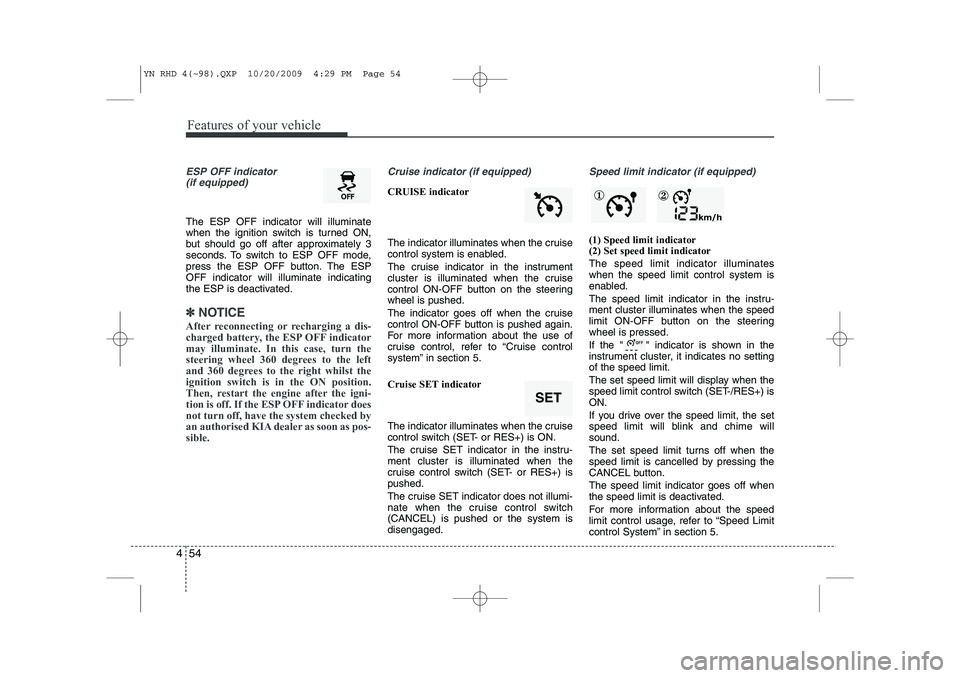
ESP OFF indicator
(if equipped)
The ESP OFF indicator will illuminate
when the ignition switch is turned ON,
but should go off after approximately 3
seconds. To switch to ESP OFF mode,
press the ESP OFF button. The ESPOFF indicator will illuminate indicating
the ESP is deactivated.
✽✽ NOTICE
After reconnecting or recharging a dis-
charged battery, the ESP OFF indicatormay illuminate. In this case, turn the
steering wheel 360 degrees to the left
and 360 degrees to the right whilst theignition switch is in the ON position.
Then, restart the engine after the igni-
tion is off. If the ESP OFF indicator doesnot turn off, have the system checked by
an authorised KIA dealer as soon as pos-sible.
Cruise indicator (if equipped)
CRUISE indicator
The indicator illuminates when the cruise
control system is enabled.
The cruise indicator in the instrument
cluster is illuminated when the cruise
control ON-OFF button on the steeringwheel is pushed.
The indicator goes off when the cruise
control ON-OFF button is pushed again.
For more information about the use of
cruise control, refer to “Cruise control
system” in section 5.
Cruise SET indicator
The indicator illuminates when the cruise
control switch (SET- or RES+) is ON.
The cruise SET indicator in the instru- ment cluster is illuminated when the
cruise control switch (SET- or RES+) ispushed.
The cruise SET indicator does not illumi-
nate when the cruise control switch(CANCEL) is pushed or the system isdisengaged.
Speed limit indicator (if equipped)
(1) Speed limit indicator (2) Set speed limit indicator The speed limit indicator illuminates when the speed limit control system is
enabled.
The speed limit indicator in the instru- ment cluster illuminates when the speed
limit ON-OFF button on the steeringwheel is pressed.
If the " " indicator is shown in the
instrument cluster, it indicates no settingof the speed limit.
The set speed limit will display when the
speed limit control switch (SET-/RES+) isON.
If you drive over the speed limit, the set
speed limit will blink and chime willsound.
The set speed limit turns off when the
speed limit is cancelled by pressing the
CANCEL button. The speed limit indicator goes off when
the speed limit is deactivated.
For more information about the speed
limit control usage, refer to “Speed Limit
control System” in section 5.
SET
① ②
YN RHD 4(~98).QXP 10/20/2009 4:29 PM Page 54
Page 564 of 761
Driving your vehicle
12
5
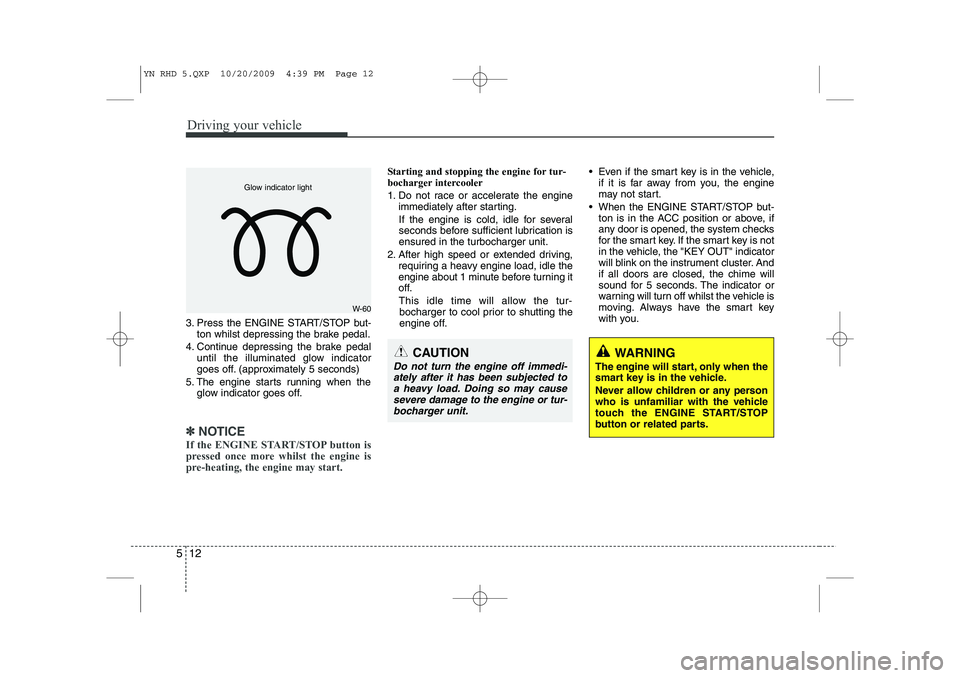
3. Press the ENGINE START/STOP but-
ton whilst depressing the brake pedal.
4. Continue depressing the brake pedal until the illuminated glow indicator
goes off. (approximately 5 seconds)
5. The engine starts running when the glow indicator goes off.
✽✽
NOTICE
If the ENGINE START/STOP button is
pressed once more whilst the engine is
pre-heating, the engine may start.
Starting and stopping the engine for tur-
bocharger intercooler
1. Do not race or accelerate the engine immediately after starting.
If the engine is cold, idle for several
seconds before sufficient lubrication isensured in the turbocharger unit.
2. After high speed or extended driving, requiring a heavy engine load, idle the
engine about 1 minute before turning it
off.
This idle time will allow the tur- bocharger to cool prior to shutting the
engine off. Even if the smart key is in the vehicle,
if it is far away from you, the engine
may not start.
When the ENGINE START/STOP but- ton is in the ACC position or above, if
any door is opened, the system checks
for the smart key. If the smart key is not
in the vehicle, the "KEY OUT" indicator
will blink on the instrument cluster. Andif all doors are closed, the chime will
sound for 5 seconds. The indicator or
warning will turn off whilst the vehicle is
moving. Always have the smart key
with you.
WARNING
The engine will start, only when the
smart key is in the vehicle.
Never allow children or any person
who is unfamiliar with the vehicle
touch the ENGINE START/STOP
button or related parts.
W-60
Glow indicator light
CAUTION
Do not turn the engine off immedi- ately after it has been subjected toa heavy load. Doing so may causesevere damage to the engine or tur-
bocharger unit.
YN RHD 5.QXP 10/20/2009 4:39 PM Page 12
Page 567 of 761
515
Driving your vehicle
ISG auto-starting
Before and after the engine enters the
idle stop mode, the ISG system will auto-
matically check all the necessary items
such as the safety of the vehicle and pas-
senger comfort.
The engine will start automatically with-
out the driver's action if any of the follow-ing occurs:
• If the brake vacuum pressure is low
If the fan speed of the manual climatecontrol system is set above the 3rd position when the air conditioning is on
If the fan speed of the automatic cli- mate control system is set above the6th position when the air conditioningis on
When a certain amount of time has passed with the climate control systemon
When the defroster is ON
When the battery charge status is low
If the vehicle speed is over 5km/h by rolling down a hill
It could be different up to the vehicle con-dition.
When the automatic starting occurs, the
"AUTO STOP" indicator on the cluster
will blink for 5 seconds. ISG(Idle Stop and Go) system
deactivation
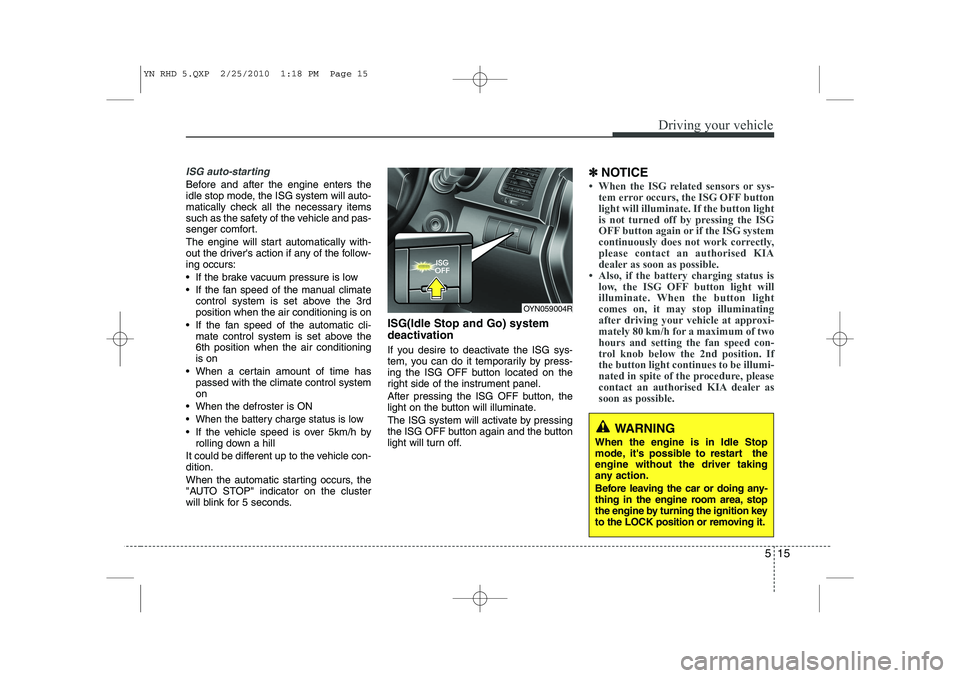
If you desire to deactivate the ISG sys-
tem, you can do it temporarily by press-
ing the ISG OFF button located on the
right side of the instrument panel.
After pressing the ISG OFF button, the
light on the button will illuminate.
The ISG system will activate by pressing
the ISG OFF button again and the button
light will turn off. ✽
✽
NOTICE
Page 586 of 761
Driving your vehicle
34
5
The cruise control system allows you to
program the vehicle to maintain a con-stant speed without pressing the acceler-ator pedal. This system is designed to function
above approximately 40 km/h (25 mph).✽✽
NOTICE
During normal cruise control operation,
when the SET switch is activated or
reactivated after applying the brakes,
the cruise control will energize after
approximately 3 seconds. This delay isnormal.
CRUISE CONTROL SYSTEM (IF EQUIPPED)
WARNING
If the cruise control is left on, (CRUISE indicator light in the
instrument cluster illuminated)
the cruise control can be
switched on accidentally. Keep
the cruise control system off
(CRUISE indicator light OFF)
when the cruise control is not in
use, to avoid inadvertently set-ting a speed.
Use the cruise control system only when travelling on open
highways in good weather.
(Continued)
(Continued)
Do not use the cruise controlwhen it may not be safe to keep
the car at a constant speed, for
instance, driving in heavy or
varying traffic, or on slippery
(rainy, icy or snow-covered) or
winding roads or over 6% up-hill
or down-hill roads.
Pay particular attention to the driving conditions whenever
using the cruise control system.
CAUTION
During cruise-speed driving of a
manual transaxle vehicle, do notshift into neutral without depress- ing the clutch pedal, since theengine will be overrevved. If this
happens, depress the clutch pedal or release the cruise control ON-OFF switch.
YN RHD 5.QXP 10/20/2009 4:40 PM Page 34
Page 587 of 761
535
Driving your vehicle
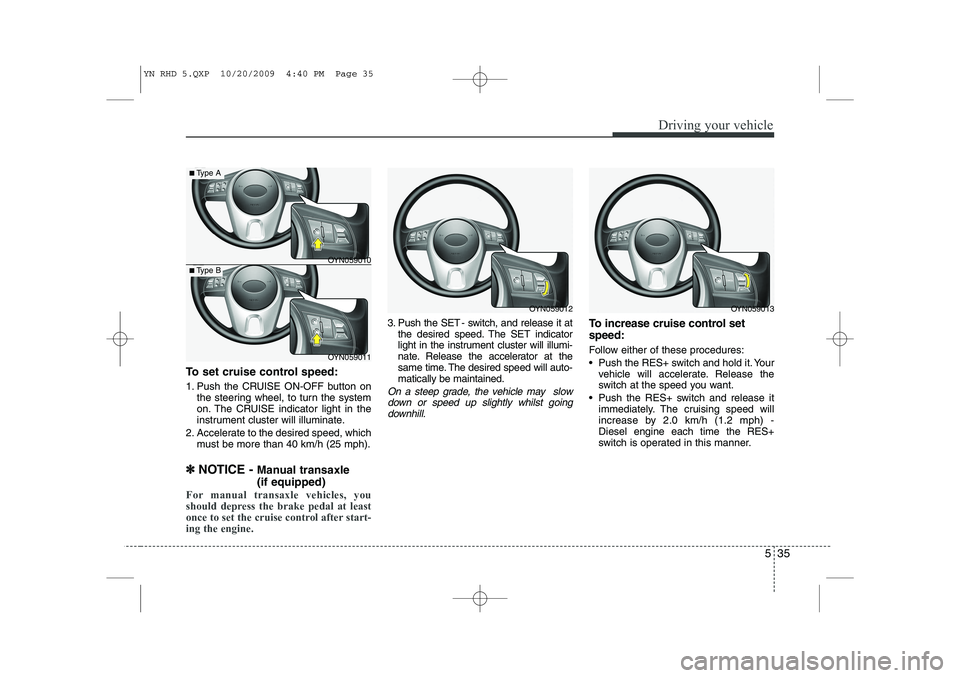
To set cruise control speed:
1. Push the CRUISE ON-OFF button onthe steering wheel, to turn the system
on. The CRUISE indicator light in the
instrument cluster will illuminate.
2. Accelerate to the desired speed, which must be more than 40 km/h (25 mph).
✽
✽ NOTICE - Manual transaxle (if equipped)
For manual transaxle vehicles, you
should depress the brake pedal at least
once to set the cruise control after start-ing the engine.
3. Push the SET - switch, and release it at
the desired speed. The SET indicator
light in the instrument cluster will illumi-
nate. Release the accelerator at the
same time. The desired speed will auto-matically be maintained.
On a steep grade, the vehicle may slow
down or speed up slightly whilst goingdownhill.
To increase cruise control set speed:
Follow either of these procedures:
Push the RES+ switch and hold it. Your vehicle will accelerate. Release the
switch at the speed you want.
Push the RES+ switch and release it immediately. The cruising speed will
increase by 2.0 km/h (1.2 mph) -Diesel engine each time the RES+
switch is operated in this manner.
OYN059012OYN059013
OYN059011
■Type A
■Type BOYN059010
YN RHD 5.QXP 10/20/2009 4:40 PM Page 35
Page 589 of 761
537
Driving your vehicle
Each of these actions will cancel cruisecontrol operation (the SET indicator lightin the instrument cluster will go off), but itwill not turn the system off. If you wish to
resume cruise control operation, pushthe RES+ switch located on your steeringwheel. You will return to your previously
preset speed.
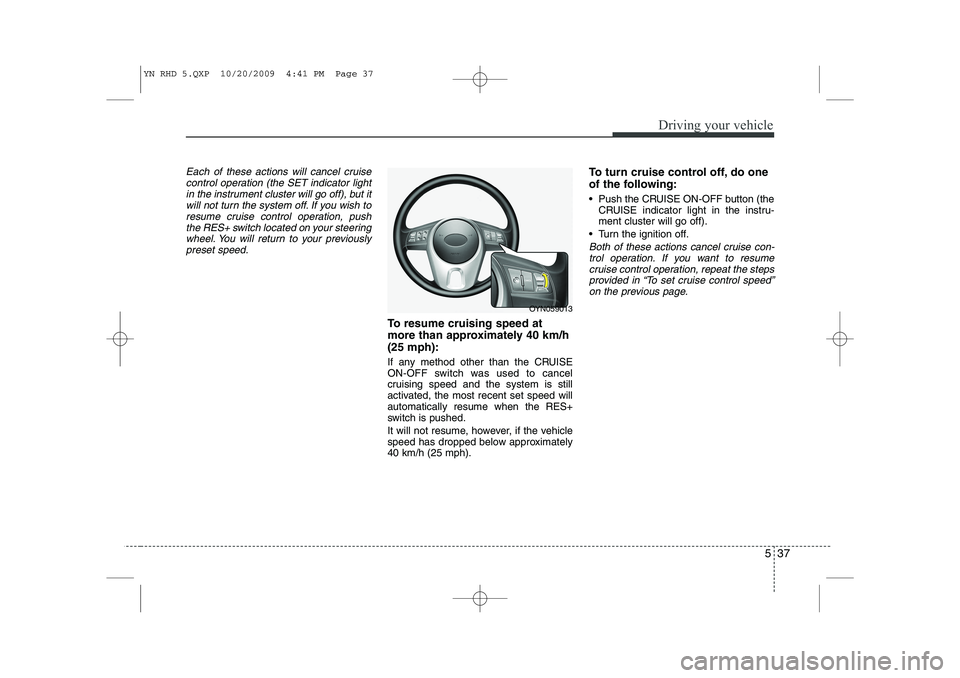
To resume cruising speed at
more than approximately 40 km/h(25 mph):
If any method other than the CRUISE
ON-OFF switch was used to cancel
cruising speed and the system is still
activated, the most recent set speed willautomatically resume when the RES+
switch is pushed.
It will not resume, however, if the vehicle
speed has dropped below approximately40 km/h (25 mph). To turn cruise control off, do one
of the following:
Push the CRUISE ON-OFF button (the
CRUISE indicator light in the instru- ment cluster will go off).
Turn the ignition off.
Both of these actions cancel cruise con- trol operation. If you want to resume cruise control operation, repeat the stepsprovided in “To set cruise control speed” on the previous page.
OYN059013
YN RHD 5.QXP 10/20/2009 4:41 PM Page 37
Page 590 of 761
Driving your vehicle
38
5
You can set the speed limit when you
don’t want to drive over a specific speed.
If you drive over the preset speed limit,
the warning system operates (set speed
limit will blink and chime will sound) until
the vehicle speed returns within thespeed limit.
✽✽
NOTICE
Whilst speed limit control in operation,
the cruise control system cannot be acti-vated.
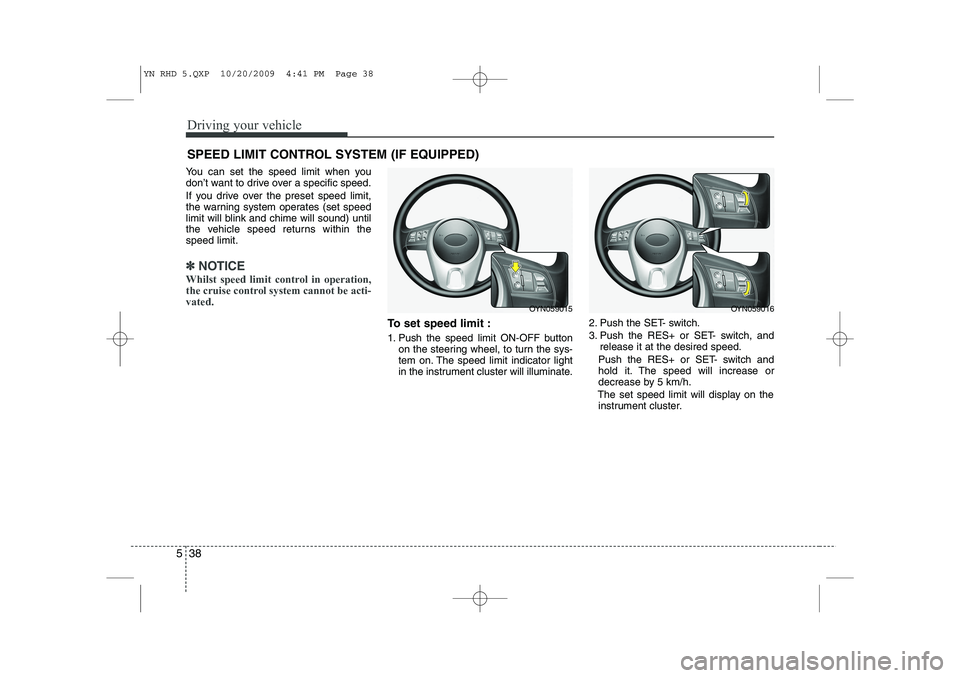
To set speed limit :
1. Push the speed limit ON-OFF button on the steering wheel, to turn the sys-
tem on. The speed limit indicator light
in the instrument cluster will illuminate. 2. Push the SET- switch.
3. Push the RES+ or SET- switch, and
release it at the desired speed.
Push the RES+ or SET- switch and
hold it. The speed will increase or
decrease by 5 km/h.
The set speed limit will display on the instrument cluster.
SPEED LIMIT CONTROL SYSTEM (IF EQUIPPED)
OYN059015OYN059016
YN RHD 5.QXP 10/20/2009 4:41 PM Page 38
Page 727 of 761
I3
Index
If the engine will not start . . . . . . . . . . . . . . . . . . . . . . 6-3
If you have a flat tyre (with spare tyre) . . . . . . . . . . . 6-7
If you have a flat tyre (with TyreMobilityKit) . . . . . 6-15
In case of an emergency while driving . . . . . . . . . . . . 6-2
Indicator symbols on the instrument cluster . . . . . . . 1-6
Instrument cluster . . . . . . . . . . . . . . . . . . . . . . . . . . . 4-40
Instrument panel overview . . . . . . . . . . . . . . . . . . . . . 2-3
Interior features . . . . . . . . . . . . . . . . . . . . . . . . . . . . . 4-93
Interior light . . . . . . . . . . . . . . . . . . . . . . . . . . . . . . . . 4-70
Interior overview. . . . . . . . . . . . . . . . . . . . . . . . . . . . . . 2-2
ISG(idle stop and go) system . . . . . . . . . . . . . . . . . . . 5-14
Key positions . . . . . . . . . . . . . . . . . . . . . . . . . . . . . . . . . 5-4
Keys . . . . . . . . . . . . . . . . . . . . . . . . . . . . . . . . . . . . . . . . 4-2
Light bulbs. . . . . . . . . . . . . . . . . . . . . . . . . . . . . . . . . . 7-59
Lighting . . . . . . . . . . . . . . . . . . . . . . . . . . . . . . . . . . . . 4-61
Maintenance services . . . . . . . . . . . . . . . . . . . . . . . . . . 7-3
Manual climate control system . . . . . . . . . . . . . . . . . 4-72
Manual transaxle . . . . . . . . . . . . . . . . . . . . . . . . . . . . 5-16
Mirrors . . . . . . . . . . . . . . . . . . . . . . . . . . . . . . . . . . . . . 4-35 Owner maintenance . . . . . . . . . . . . . . . . . . . . . . . . . . . 7-5
Panorama sunroof . . . . . . . . . . . . . . . . . . . . . . . . . . . 4-29
Parking brake . . . . . . . . . . . . . . . . . . . . . . . . . . . . . . . 7-31
Rear parking assist system. . . . . . . . . . . . . . . . . . . . . 4-57
Rearview camera . . . . . . . . . . . . . . . . . . . . . . . . . . . . 4-60
Recommended lubricants and capacities . . . . . . . . . . 8-4
Remote keyless entry . . . . . . . . . . . . . . . . . . . . . . . . . . 4-5
Road warning . . . . . . . . . . . . . . . . . . . . . . . . . . . . . . . . 6-2
Scheduled maintenance service . . . . . . . . . . . . . . . . . . 7-7
Seat belts . . . . . . . . . . . . . . . . . . . . . . . . . . . . . . . . . . . 3-14
Seats . . . . . . . . . . . . . . . . . . . . . . . . . . . . . . . . . . . . . . . . 3-2
Smart key. . . . . . . . . . . . . . . . . . . . . . . . . . . . . . . . . . . . 4-8
Special driving conditions . . . . . . . . . . . . . . . . . . . . . 5-42
Speed limit control system . . . . . . . . . . . . . . . . . . . . . 5-38
Steering wheel . . . . . . . . . . . . . . . . . . . . . . . . . . . . . . . 4-33
Storage compartment . . . . . . . . . . . . . . . . . . . . . . . . . 4-91
K
L
M
O
P
R
S
YN RHD INDEX.QXP 1/25/2010 11:51 AM Page 3