buttons KIA VENGA 2013 User Guide
[x] Cancel search | Manufacturer: KIA, Model Year: 2013, Model line: VENGA, Model: KIA VENGA 2013Pages: 751, PDF Size: 27.49 MB
Page 200 of 751
Features of your vehicle
128
4
Regionalization (REG) This function controls the automatic sta-
tion follow-me in order to keep tuned to
the same regional station, or to switch
between regional stations which might
have different audio programs.
) Enter the REG sub-menu as
described above.
) Press the or buttons to select
REG Off, On or Auto.
‰ Regionalization Off – This setting willignore the region setting.
‰ Regionalization On – This setting willnot ignore the region setting.
‰ Regionalization Auto – The tuner willtune to the station with the bestreception condition and with the same
regional characteristic. If none of the
stations satisfy the above condition,
the regional characteristic will beignored.
‰ Standard setting: REG OFF Alternative Frequency (AF)
This function enables or disables the
Alternate Frequency function. With AF
enabled, the tuner will automatically tune
to the alternative frequency from the AF-list of the tuned station, with the bestreception signal.
)
Enter the AF sub-menu as described
above.
) Press the or buttons to selectAF Off or AF On.
‰ AF on: Automatic re-tuning to alterna-
tive frequencies for the same station.
‰ AF off: No automatic re-tuning to
alternative frequencies. The tuner will
not leave the frequency set. MP3 Text Scrolling
Activating/ deactivating text display with
MP3 playback. The text appears in themiddle line of the screen.
)
Enter the “Text Scrolling” sub-menu
as described above.
) Press the or buttons to select
Text scrolling On or Off.
‰ The following settings are available:
‰ Fixed: This allows to display one page
only (with a maximum of 12 charac-ters)
‰ Scrolling: This allows to display two
pages (with a maximum of 12 charac-
ters per page, 24 characters in total).
Only one page is displayed at a time,
the pages will alternate every 5 sec-
onds.
YN ENG 4(100~AUDIO).QXP 4/16/2012 10:13 AM Page 128
Page 201 of 751
4 129
Features of your vehicle
Security Code
The unit is equipped with a security code
option. This code can be used to protect
the Head Unit against theft. In case theHead Unit is being disconnected from the
car’s power supply and the security code
option being active you will be prompted
to enter the four digit security code. ‰Any code except 0000 enables the
security code feature.
‰ Code 0000 disables the security code
feature.
Behavior of security code function ‰ Security Code will be prompted if
security code function is enabled and
battery is disconnected.
‰ radio functions are deactivated dur-
ing the Security Code Prompt
‰ User is given 2 attempts to enter the
correct security code.
‰ Upon correct entry of the security
code, all the radio functions will be
activated.
‰ Upon 2 attempts of incorrect entry of
the security code, radio will enter the
LOCKED state.
‰ Once in LOCKED state, radio will only
prompt for security code after 1 hour. Enabling the Security Code option
)
Short press the SETUPbutton to
enter the SETUP menu.
) Short press the or button to
access the Security Code mode.
✎ Now you have to enter the current
security code.
) 1.Short press the or button to
set the value for each digit of the cur-
rent security code.
) 2.Short press the or button to
select a specific digit.
) 3.Short press the OKbutton to con-
firm the security code.
9 Upon correct entry of the security
code, you will be asked to enter the
new security code that will replace the
previous code memorized in the HeadUnit.
) Repeat the steps 1., 2. and 3.to enter
the new code.
) To abort the Security Code Menu in
Setup mode, press either one of the
following buttons: , , FM, AM,
CD, AUX, MUTE, TA, 1 through 6,
AST, SCAN, INFO, SETUP, SOUND
or .
WARNING
If security code function is activat-
ed and battery was disconnected,
audio set will ask for the Security
code. Be careful and remember the
password that you have changed.
YN ENG 4(100~AUDIO).QXP 4/16/2012 10:13 AM Page 129
Page 472 of 751
Features of your vehicle
8
4
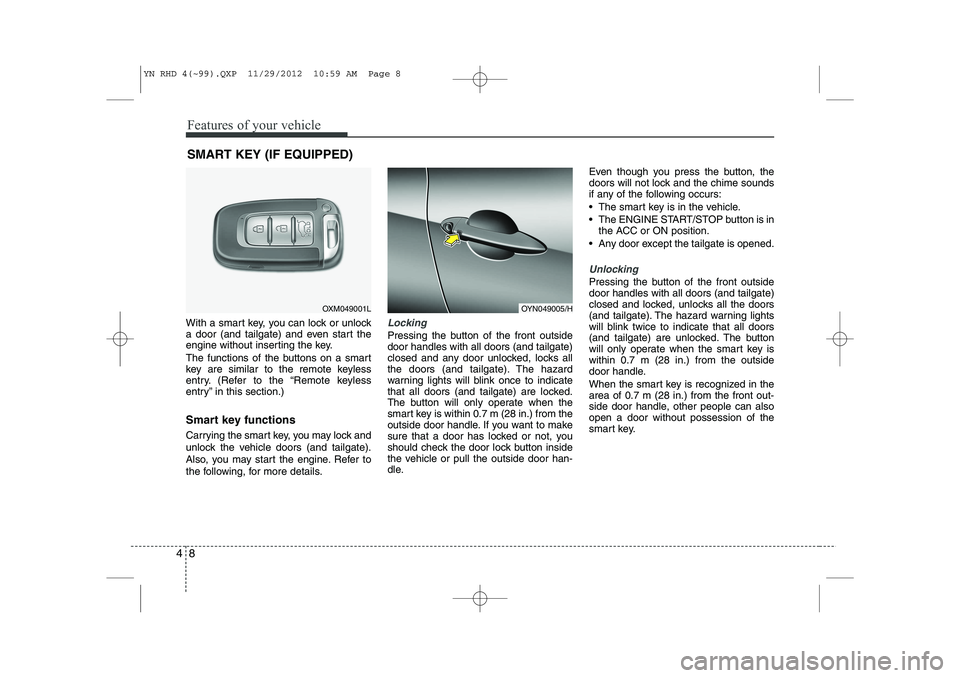
With a smart key, you can lock or unlock
a door (and tailgate) and even start the
engine without inserting the key.
The functions of the buttons on a smart
key are similar to the remote keyless
entry. (Refer to the “Remote keyless
entry” in this section.)
Smart key functions
Carrying the smart key, you may lock and
unlock the vehicle doors (and tailgate).
Also, you may start the engine. Refer to
the following, for more details.Locking
Pressing the button of the front outside door handles with all doors (and tailgate)
closed and any door unlocked, locks all
the doors (and tailgate). The hazard
warning lights will blink once to indicate
that all doors (and tailgate) are locked.
The button will only operate when the
smart key is within 0.7 m (28 in.) from the
outside door handle. If you want to make
sure that a door has locked or not, you
should check the door lock button inside
the vehicle or pull the outside door han-
dle. Even though you press the button, the
doors will not lock and the chime sounds
if any of the following occurs:
The smart key is in the vehicle.
The ENGINE START/STOP button is in
the ACC or ON position.
Any door except the tailgate is opened.
Unlocking
Pressing the button of the front outside door handles with all doors (and tailgate)
closed and locked, unlocks all the doors
(and tailgate). The hazard warning lights
will blink twice to indicate that all doors
(and tailgate) are unlocked. The button
will only operate when the smart key iswithin 0.7 m (28 in.) from the outside
door handle.
When the smart key is recognized in the area of 0.7 m (28 in.) from the front out-
side door handle, other people can alsoopen a door without possession of the
smart key.
SMART KEY (IF EQUIPPED)
OXM049001LOYN049005/H
YN RHD 4(~99).QXP 11/29/2012 10:59 AM Page 8
Page 547 of 751
483
Features of your vehicle
Manual heating and air condition- ing The heating and cooling system can be
controlled manually by pushing buttons
other than the AUTO button. In this case,
the system works sequentially according
to the order of buttons selected.
When pressing any button (or turning
any knob) except AUTO button whilst
automatic operation, the functions not
selected will be controlled automatically.
1. Start the engine.
2. Set the mode to the desired position.
3. Set the temperature control to thedesired position.
4. Set the air intake control to the outside (fresh) air position.
5. Set the fan speed control to the desired speed.
6. If air conditioning is desired, turn the air conditioning system on.
Press the AUTO button in order to con-
vert to full automatic control of the sys-tem.
Mode selection
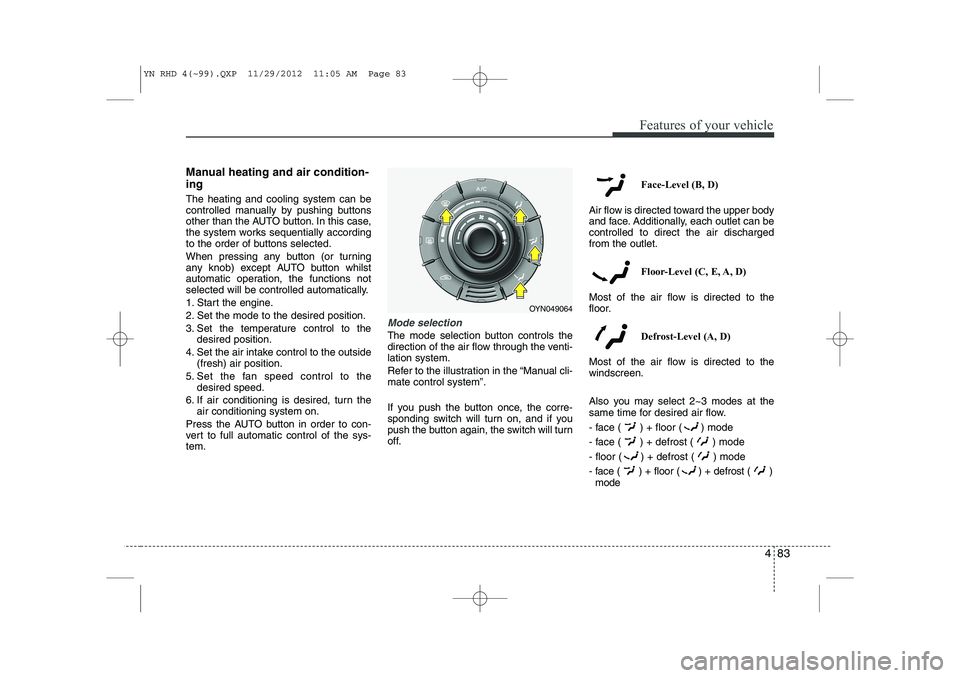
The mode selection button controls the
direction of the air flow through the venti-lation system.
Refer to the illustration in the “Manual cli- mate control system”.
If you push the button once, the corre-
sponding switch will turn on, and if you
push the button again, the switch will turn
off. Face-Level (B, D)
Air flow is directed toward the upper body
and face. Additionally, each outlet can becontrolled to direct the air dischargedfrom the outlet.
Floor-Level (C, E, A, D)
Most of the air flow is directed to the
floor.
Defrost-Level (A, D)
Most of the air flow is directed to thewindscreen.
Also you may select 2~3 modes at the
same time for desired air flow.
- face ( ) + floor ( ) mode
- face ( ) + defrost ( ) mode
- floor ( ) + defrost ( ) mode
- face ( ) + floor ( ) + defrost ( ) mode
OYN049064
YN RHD 4(~99).QXP 11/29/2012 11:05 AM Page 83