battery KIA VENGA 2014 User Guide
[x] Cancel search | Manufacturer: KIA, Model Year: 2014, Model line: VENGA, Model: KIA VENGA 2014Pages: 392, PDF Size: 20.26 MB
Page 127 of 392
455
Features of your vehicle
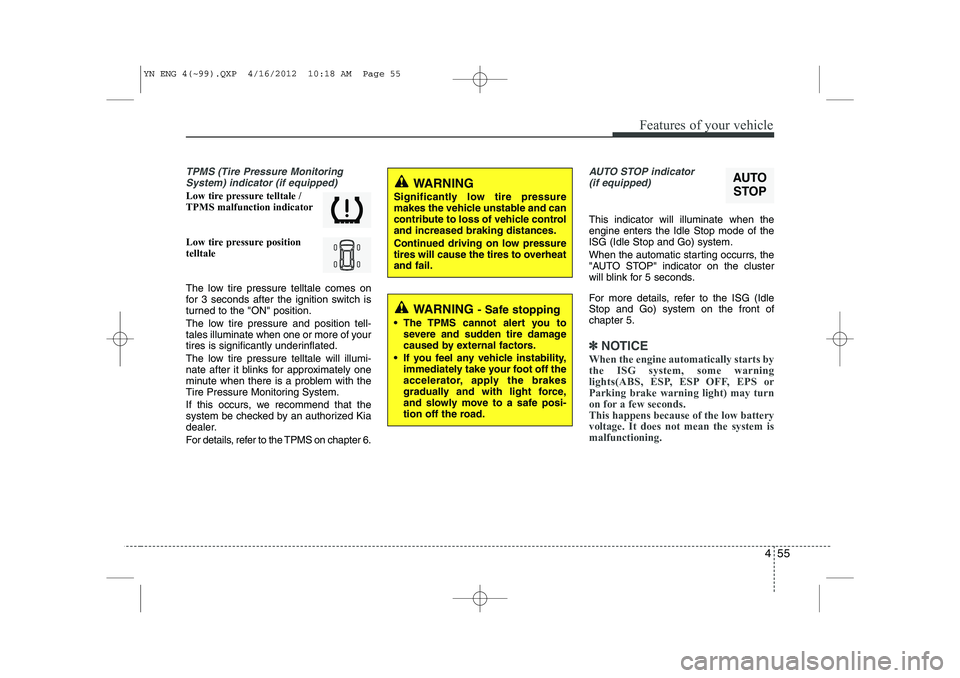
TPMS (Tire Pressure MonitoringSystem) indicator (if equipped)
Low tire pressure telltale / TPMS malfunction indicator
Low tire pressure position telltale
The low tire pressure telltale comes on
for 3 seconds after the ignition switch is
turned to the "ON" position.
The low tire pressure and position tell-
tales illuminate when one or more of your
tires is significantly underinflated.
The low tire pressure telltale will illumi-
nate after it blinks for approximately one
minute when there is a problem with the
Tire Pressure Monitoring System.
If this occurs, we recommend that the
system be checked by an authorized Kia
dealer.
For details, refer to the TPMS on chapter 6.
AUTO STOP indicator(if equipped)
This indicator will illuminate when the engine enters the Idle Stop mode of theISG (Idle Stop and Go) system.
When the automatic starting occurrs, the
"AUTO STOP" indicator on the cluster
will blink for 5 seconds.
For more details, refer to the ISG (Idle Stop and Go) system on the front ofchapter 5.
✽✽ NOTICE
When the engine automatically starts by
the ISG system, some warning
lights(ABS, ESP, ESP OFF, EPS orParking brake warning light) may turn
on for a few seconds. This happens because of the low batteryvoltage. It does not mean the system ismalfunctioning.
AUTO
STOPWARNING
Significantly low tire pressure
makes the vehicle unstable and can
contribute to loss of vehicle controland increased braking distances.
Continued driving on low pressure
tires will cause the tires to overheatand fail.
WARNING - Safe stopping
The TPMS cannot alert you to severe and sudden tire damage
caused by external factors.
If you feel any vehicle instability, immediately take your foot off the
accelerator, apply the brakes
gradually and with light force,
and slowly move to a safe posi-
tion off the road.
YN ENG 4(~99).QXP 4/16/2012 10:18 AM Page 55
Page 128 of 392
Features of your vehicle
56
4
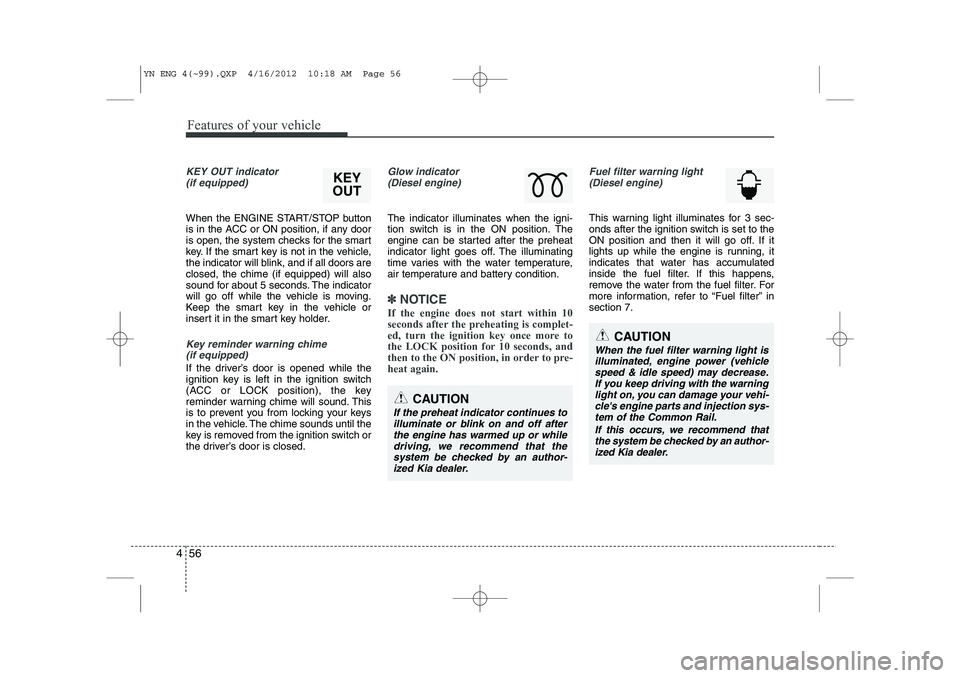
KEY OUT indicator
(if equipped)
When the ENGINE START/STOP button
is in the ACC or ON position, if any door
is open, the system checks for the smart
key. If the smart key is not in the vehicle,
the indicator will blink, and if all doors areclosed, the chime (if equipped) will also
sound for about 5 seconds. The indicator
will go off while the vehicle is moving.
Keep the smart key in the vehicle or
insert it in the smart key holder.
Key reminder warning chime
(if equipped)
If the driver’s door is opened while the
ignition key is left in the ignition switch
(ACC or LOCK position), the key
reminder warning chime will sound. This
is to prevent you from locking your keys
in the vehicle. The chime sounds until the
key is removed from the ignition switch or
the driver’s door is closed.
Glow indicator (Diesel engine)
The indicator illuminates when the igni-
tion switch is in the ON position. The
engine can be started after the preheat
indicator light goes off. The illuminating
time varies with the water temperature,
air temperature and battery condition.
✽✽ NOTICE
If the engine does not start within 10
seconds after the preheating is complet-
ed, turn the ignition key once more to
the LOCK position for 10 seconds, and
then to the ON position, in order to pre-heat again.
Fuel filter warning light (Diesel engine)
This warning light illuminates for 3 sec-
onds after the ignition switch is set to the
ON position and then it will go off. If it
lights up while the engine is running, it
indicates that water has accumulated
inside the fuel filter. If this happens,
remove the water from the fuel filter. For
more information, refer to “Fuel filter” insection 7.
CAUTION
When the fuel filter warning light isilluminated, engine power (vehicle
speed & idle speed) may decrease. If you keep driving with the warninglight on, you can damage your vehi-cle's engine parts and injection sys-
tem of the Common Rail.
If this occurs, we recommend thatthe system be checked by an author-ized Kia dealer.
CAUTION
If the preheat indicator continues to illuminate or blink on and off afterthe engine has warmed up or while
driving, we recommend that the system be checked by an author-ized Kia dealer.
KEY
OUT
YN ENG 4(~99).QXP 4/16/2012 10:18 AM Page 56
Page 133 of 392
461
Features of your vehicle
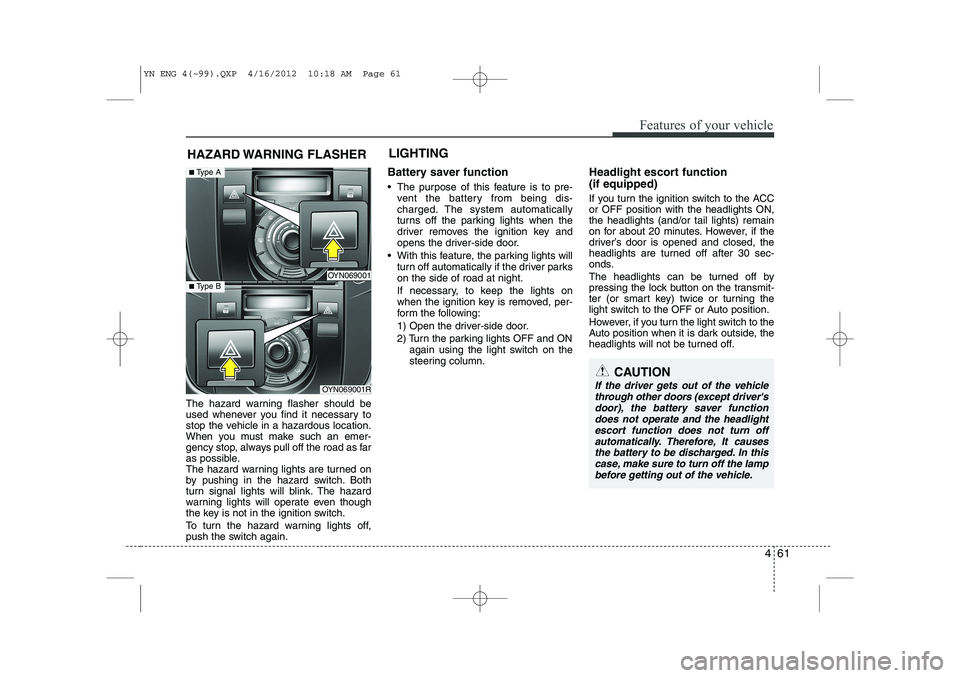
The hazard warning flasher should be
used whenever you find it necessary to
stop the vehicle in a hazardous location.
When you must make such an emer-
gency stop, always pull off the road as far
as possible.
The hazard warning lights are turned on
by pushing in the hazard switch. Both
turn signal lights will blink. The hazard
warning lights will operate even though
the key is not in the ignition switch.
To turn the hazard warning lights off,
push the switch again.Battery saver function
The purpose of this feature is to pre-
vent the battery from being dis-
charged. The system automatically
turns off the parking lights when the
driver removes the ignition key and
opens the driver-side door.
With this feature, the parking lights will turn off automatically if the driver parkson the side of road at night.
If necessary, to keep the lights on
when the ignition key is removed, per-
form the following:
1) Open the driver-side door.
2) Turn the parking lights OFF and ON again using the light switch on the
steering column. Headlight escort function (if equipped)
If you turn the ignition switch to the ACC or OFF position with the headlights ON,the headlights (and/or tail lights) remain
on for about 20 minutes. However, if the
driver’s door is opened and closed, the
headlights are turned off after 30 sec-
onds.
The headlights can be turned off by
pressing the lock button on the transmit-
ter (or smart key) twice or turning the
light switch to the OFF or Auto position.
However, if you turn the light switch to the
Auto position when it is dark outside, the
headlights will not be turned off.
HAZARD WARNING FLASHER
CAUTION
If the driver gets out of the vehicle
through other doors (except driver'sdoor), the battery saver functiondoes not operate and the headlight
escort function does not turn offautomatically. Therefore, It causes the battery to be discharged. In thiscase, make sure to turn off the lamp
before getting out of the vehicle.
LIGHTING
OYN069001
OYN069001R
■ Type A
■ Type B
YN ENG 4(~99).QXP 4/16/2012 10:18 AM Page 61
Page 136 of 392
Features of your vehicle
64
4
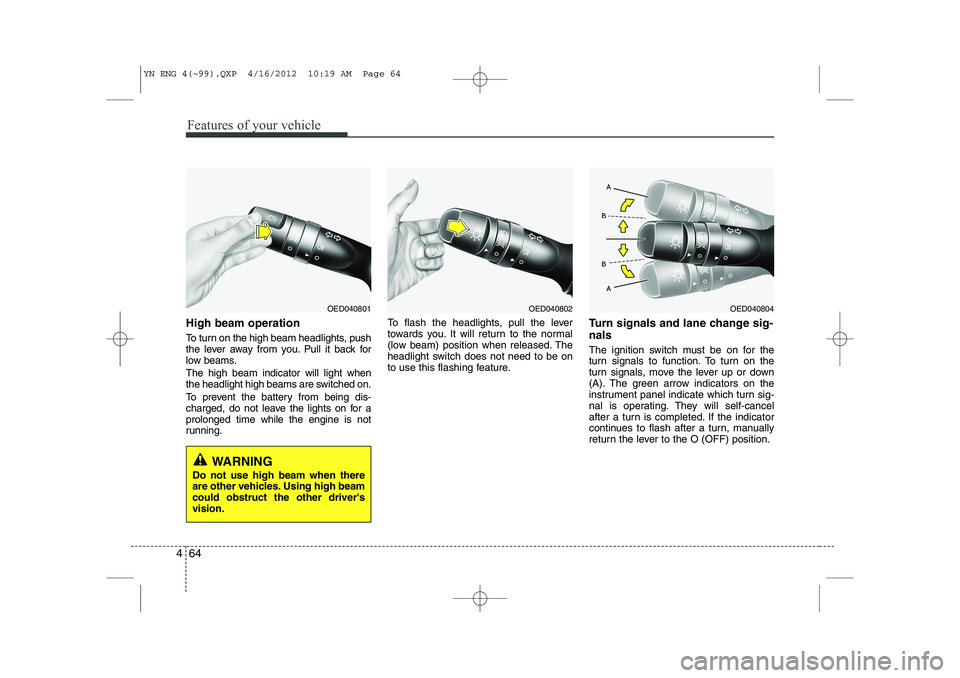
High beam operation
To turn on the high beam headlights, push
the lever away from you. Pull it back for
low beams. The high beam indicator will light when
the headlight high beams are switched on.
To prevent the battery from being dis-
charged, do not leave the lights on for aprolonged time while the engine is not
running. To flash the headlights, pull the lever
towards you. It will return to the normal
(low beam) position when released. The
headlight switch does not need to be on
to use this flashing feature.
Turn signals and lane change sig- nals
The ignition switch must be on for the
turn signals to function. To turn on the
turn signals, move the lever up or down
(A). The green arrow indicators on the
instrument panel indicate which turn sig-
nal is operating. They will self-cancel
after a turn is completed. If the indicator
continues to flash after a turn, manually
return the lever to the O (OFF) position.
OED040804OED040802OED040801
WARNING
Do not use high beam when there
are other vehicles. Using high beamcould obstruct the other driver'svision.
YN ENG 4(~99).QXP 4/16/2012 10:19 AM Page 64
Page 142 of 392
Features of your vehicle
70
4
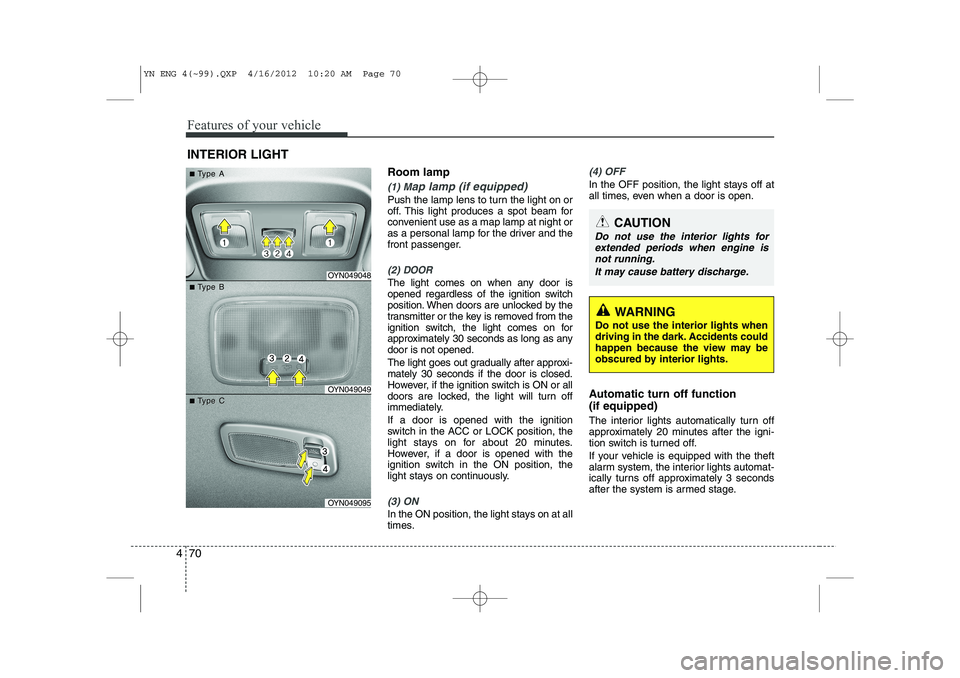
Room lamp
(1) Map lamp (if equipped)
Push the lamp lens to turn the light on or
off. This light produces a spot beam for
convenient use as a map lamp at night or
as a personal lamp for the driver and the
front passenger.
(2) DOOR
The light comes on when any door is
opened regardless of the ignition switch
position. When doors are unlocked by the
transmitter or the key is removed from the
ignition switch, the light comes on for
approximately 30 seconds as long as anydoor is not opened.
The light goes out gradually after approxi- mately 30 seconds if the door is closed.
However, if the ignition switch is ON or all
doors are locked, the light will turn off
immediately. If a door is opened with the ignition
switch in the ACC or LOCK position, the
light stays on for about 20 minutes.
However, if a door is opened with the
ignition switch in the ON position, the
light stays on continuously.
(3) ON
In the ON position, the light stays on at all
times.
(4) OFF
In the OFF position, the light stays off at
all times, even when a door is open.
Automatic turn off function (if equipped)
The interior lights automatically turn off
approximately 20 minutes after the igni-
tion switch is turned off.
If your vehicle is equipped with the theft
alarm system, the interior lights automat-
ically turns off approximately 3 seconds
after the system is armed stage.
INTERIOR LIGHT
CAUTION
Do not use the interior lights for
extended periods when engine is not running.
It may cause battery discharge.
OYN049048
OYN049049
OYN049095
■■TType Aype A
■■TType Bype B
■■TType Cype C
WARNING
Do not use the interior lights when
driving in the dark. Accidents could
happen because the view may be
obscured by interior lights.
YN ENG 4(~99).QXP 4/16/2012 10:20 AM Page 70
Page 157 of 392
485
Features of your vehicle
Temperature conversion
If the battery has been discharged or dis-
connected, the temperature mode dis-
play will reset to Centigrade.
This is normal condition. You can switch the
temperature mode between Centigrade to
Fahrenheit as follows;
While depressing the AUTO button,
depress the OFF button for 3 seconds or
more. The display will change from
Centigrade to Fahrenheit, or from
Fahrenheit to Centigrade.
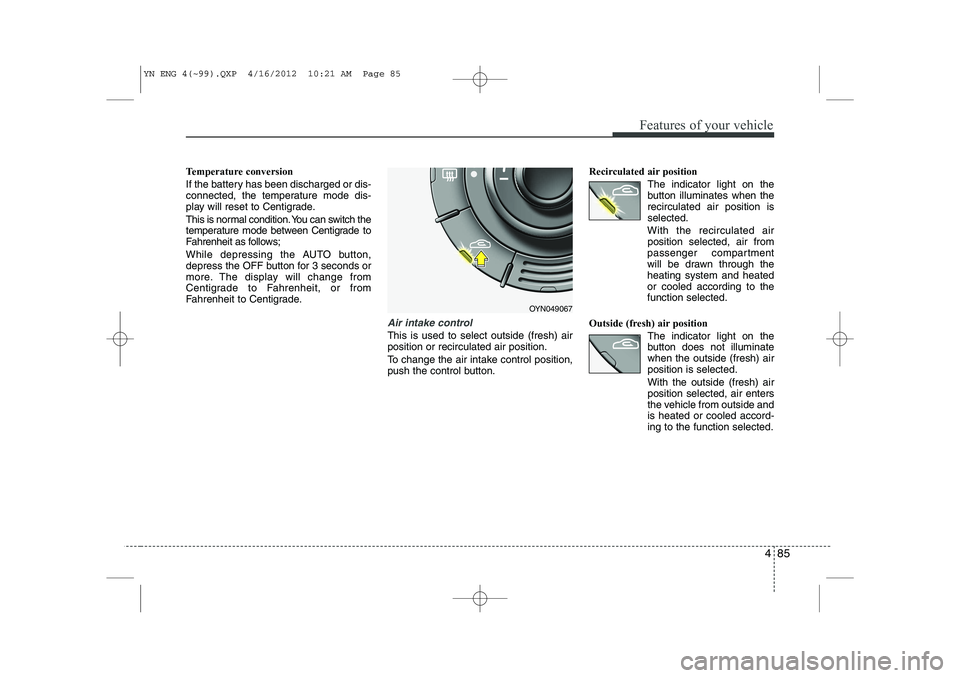
Air intake control
This is used to select outside (fresh) air position or recirculated air position.
To change the air intake control position,
push the control button.Recirculated air position
The indicator light on the
button illuminates when therecirculated air position isselected.
With the recirculated air position selected, air from
passenger compartment
will be drawn through theheating system and heatedor cooled according to thefunction selected.
Outside (fresh) air position The indicator light on the
button does not illuminatewhen the outside (fresh) airposition is selected. With the outside (fresh) air position selected, air enters
the vehicle from outside andis heated or cooled accord-ing to the function selected.
OYN049067
YN ENG 4(~99).QXP 4/16/2012 10:21 AM Page 85
Page 165 of 392
493
Features of your vehicle
INTERIOR FEATURES
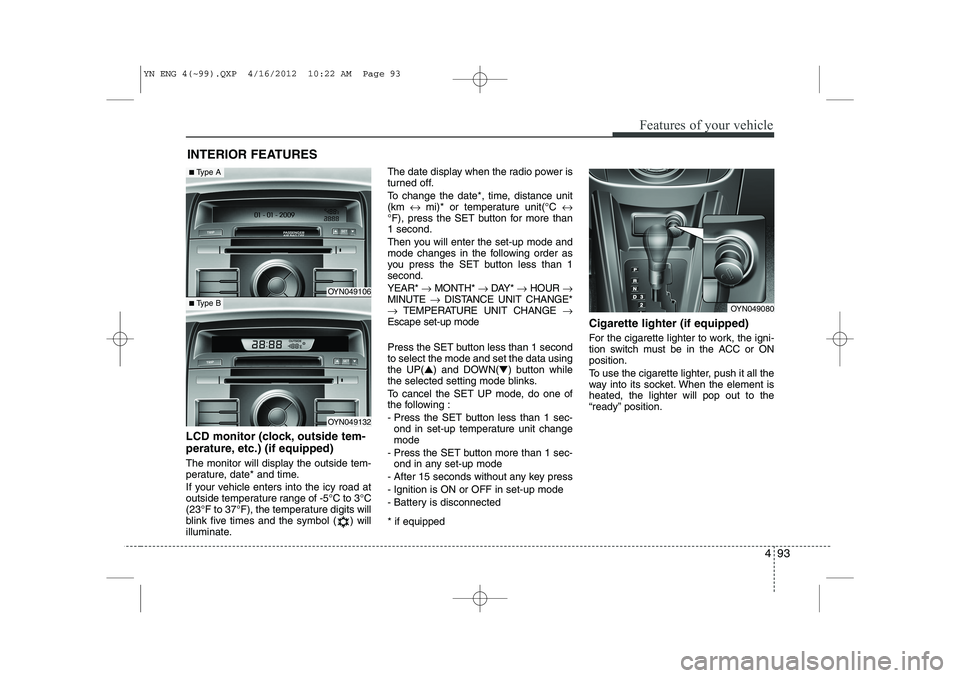
LCD monitor (clock, outside tem-
perature, etc.) (if equipped)
The monitor will display the outside tem-
perature, date* and time.
If your vehicle enters into the icy road at
outside temperature range of -5°C to 3°C
(23°F to 37°F), the temperature digits will
blink five times and the symbol ( ) will
illuminate. The date display when the radio power is
turned off.
To change the date*, time, distance unit (km
↔ mi)* or temperature unit(°C ↔
°F), press the SET button for more than1 second.
Then you will enter the set-up mode and
mode changes in the following order as
you press the SET button less than 1second. YEAR* →MONTH* →DAY* →HOUR →
MINUTE →DISTANCE UNIT CHANGE*
→ TEMPERATURE UNIT CHANGE →
Escape set-up mode
Press the SET button less than 1 second to select the mode and set the data usingthe UP( ▲) and DOWN( ▼) button while
the selected setting mode blinks.
To cancel the SET UP mode, do one of
the following :
- Press the SET button less than 1 sec- ond in set-up temperature unit change mode
- Press the SET button more than 1 sec- ond in any set-up mode
- After 15 seconds without any key press
- Ignition is ON or OFF in set-up mode
- Battery is disconnected * if equipped Cigarette lighter (if equipped)
For the cigarette lighter to work, the igni-
tion switch must be in the ACC or ONposition.
To use the cigarette lighter, push it all the
way into its socket. When the element isheated, the lighter will pop out to the
“ready” position.
OYN049080
OYN049106
OYN049132
■
Type A
■Type B
YN ENG 4(~99).QXP 4/16/2012 10:22 AM Page 93
Page 167 of 392
495
Features of your vehicle
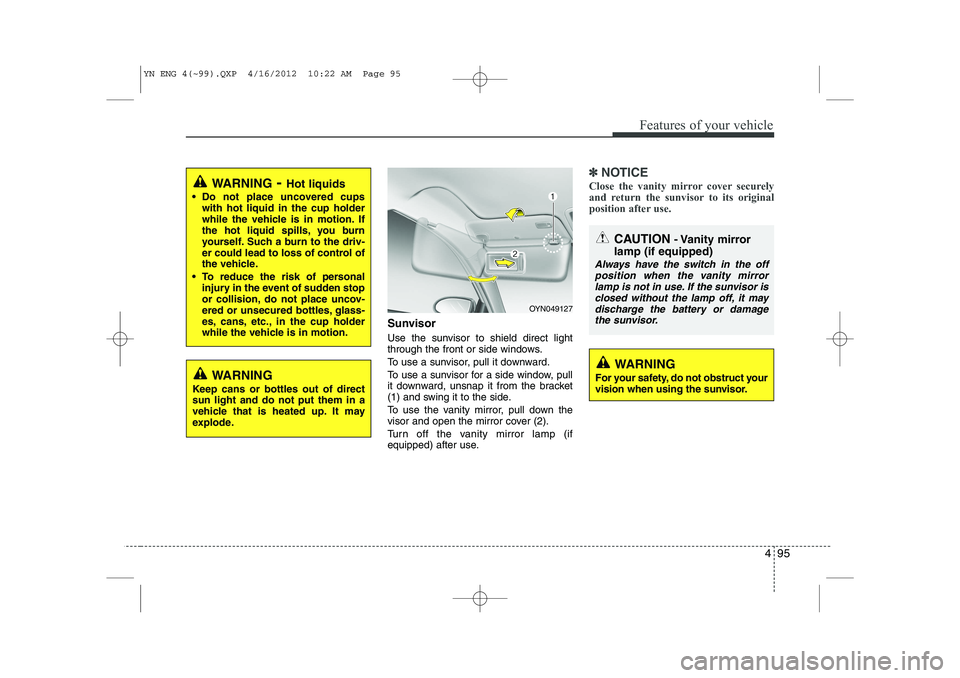
Sunvisor
Use the sunvisor to shield direct light
through the front or side windows.
To use a sunvisor, pull it downward.
To use a sunvisor for a side window, pull
it downward, unsnap it from the bracket
(1) and swing it to the side.
To use the vanity mirror, pull down the
visor and open the mirror cover (2).
Turn off the vanity mirror lamp (if
equipped) after use.
✽✽NOTICE
Close the vanity mirror cover securely
and return the sunvisor to its original
position after use.
OYN049127
CAUTION - Vanity mirror
lamp (if equipped)
Always have the switch in the off position when the vanity mirror lamp is not in use. If the sunvisor isclosed without the lamp off, it may
discharge the battery or damagethe sunvisor.
WARNING - Hot liquids
Do not place uncovered cups with hot liquid in the cup holder
while the vehicle is in motion. If
the hot liquid spills, you burn
yourself. Such a burn to the driv-
er could lead to loss of control of
the vehicle.
To reduce the risk of personal injury in the event of sudden stop
or collision, do not place uncov-
ered or unsecured bottles, glass-
es, cans, etc., in the cup holder
while the vehicle is in motion.
WARNING
Keep cans or bottles out of direct sun light and do not put them in a
vehicle that is heated up. It may
explode.WARNING
For your safety, do not obstruct your
vision when using the sunvisor.
YN ENG 4(~99).QXP 4/16/2012 10:22 AM Page 95
Page 168 of 392
Features of your vehicle
96
4
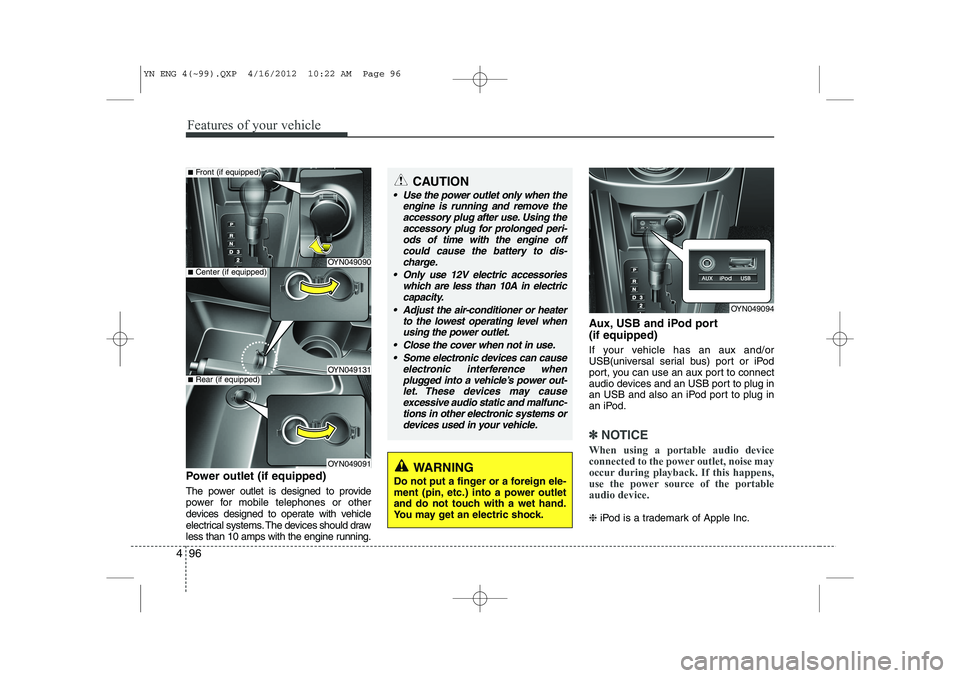
Power outlet (if equipped)
The power outlet is designed to provide
power for mobile telephones or other
devices designed to operate with vehicle
electrical systems. The devices should draw
less than 10 amps with the engine running. Aux, USB and iPod port (if equipped)
If your vehicle has an aux and/or
USB(universal serial bus) port or iPod
port, you can use an aux port to connect
audio devices and an USB port to plug in
an USB and also an iPod port to plug in
an iPod.
✽✽
NOTICE
When using a portable audio device
connected to the power outlet, noise may
occur during playback. If this happens,
use the power source of the portableaudio device.
❈ iPod is a trademark of Apple Inc.
OYN049094
CAUTION
Use the power outlet only when the
engine is running and remove the
accessory plug after use. Using the accessory plug for prolonged peri-ods of time with the engine offcould cause the battery to dis-
charge.
Only use 12V electric accessories which are less than 10A in electriccapacity.
Adjust the air-conditioner or heater to the lowest operating level whenusing the power outlet.
Close the cover when not in use. Some electronic devices can cause electronic interference when
plugged into a vehicle’s power out- let. These devices may causeexcessive audio static and malfunc- tions in other electronic systems or
devices used in your vehicle.
OYN049090
OYN049131
OYN049091
■ Center (if equipped)
■Front (if equipped)
■Rear (if equipped)
WARNING
Do not put a finger or a foreign ele-
ment (pin, etc.) into a power outlet
and do not touch with a wet hand.
You may get an electric shock.
YN ENG 4(~99).QXP 4/16/2012 10:22 AM Page 96
Page 201 of 392
4 129
Features of your vehicle
Security Code
The unit is equipped with a security code
option. This code can be used to protect
the Head Unit against theft. In case theHead Unit is being disconnected from the
car’s power supply and the security code
option being active you will be prompted
to enter the four digit security code. ‰Any code except 0000 enables the
security code feature.
‰ Code 0000 disables the security code
feature.
Behavior of security code function ‰ Security Code will be prompted if
security code function is enabled and
battery is disconnected.
‰ radio functions are deactivated dur-
ing the Security Code Prompt
‰ User is given 2 attempts to enter the
correct security code.
‰ Upon correct entry of the security
code, all the radio functions will be
activated.
‰ Upon 2 attempts of incorrect entry of
the security code, radio will enter the
LOCKED state.
‰ Once in LOCKED state, radio will only
prompt for security code after 1 hour. Enabling the Security Code option
)
Short press the SETUPbutton to
enter the SETUP menu.
) Short press the or button to
access the Security Code mode.
✎ Now you have to enter the current
security code.
) 1.Short press the or button to
set the value for each digit of the cur-
rent security code.
) 2.Short press the or button to
select a specific digit.
) 3.Short press the OKbutton to con-
firm the security code.
9 Upon correct entry of the security
code, you will be asked to enter the
new security code that will replace the
previous code memorized in the HeadUnit.
) Repeat the steps 1., 2. and 3.to enter
the new code.
) To abort the Security Code Menu in
Setup mode, press either one of the
following buttons: , , FM, AM,
CD, AUX, MUTE, TA, 1 through 6,
AST, SCAN, INFO, SETUP, SOUND
or .
WARNING
If security code function is activat-
ed and battery was disconnected,
audio set will ask for the Security
code. Be careful and remember the
password that you have changed.
YN RHD 4(100~AUDIO).QXP 3/31/2012 3:58 PM Page 129