Lexus CT200h 2012 (in English) User Guide
CT200h 2012
Lexus
Lexus
https://www.carmanualsonline.info/img/36/12742/w960_12742-0.png
Lexus CT200h 2012 (in English) User Guide
Page 387 of 710
386
3-2. Using the audio system
CT200h_OM_OM76067E_(EE)
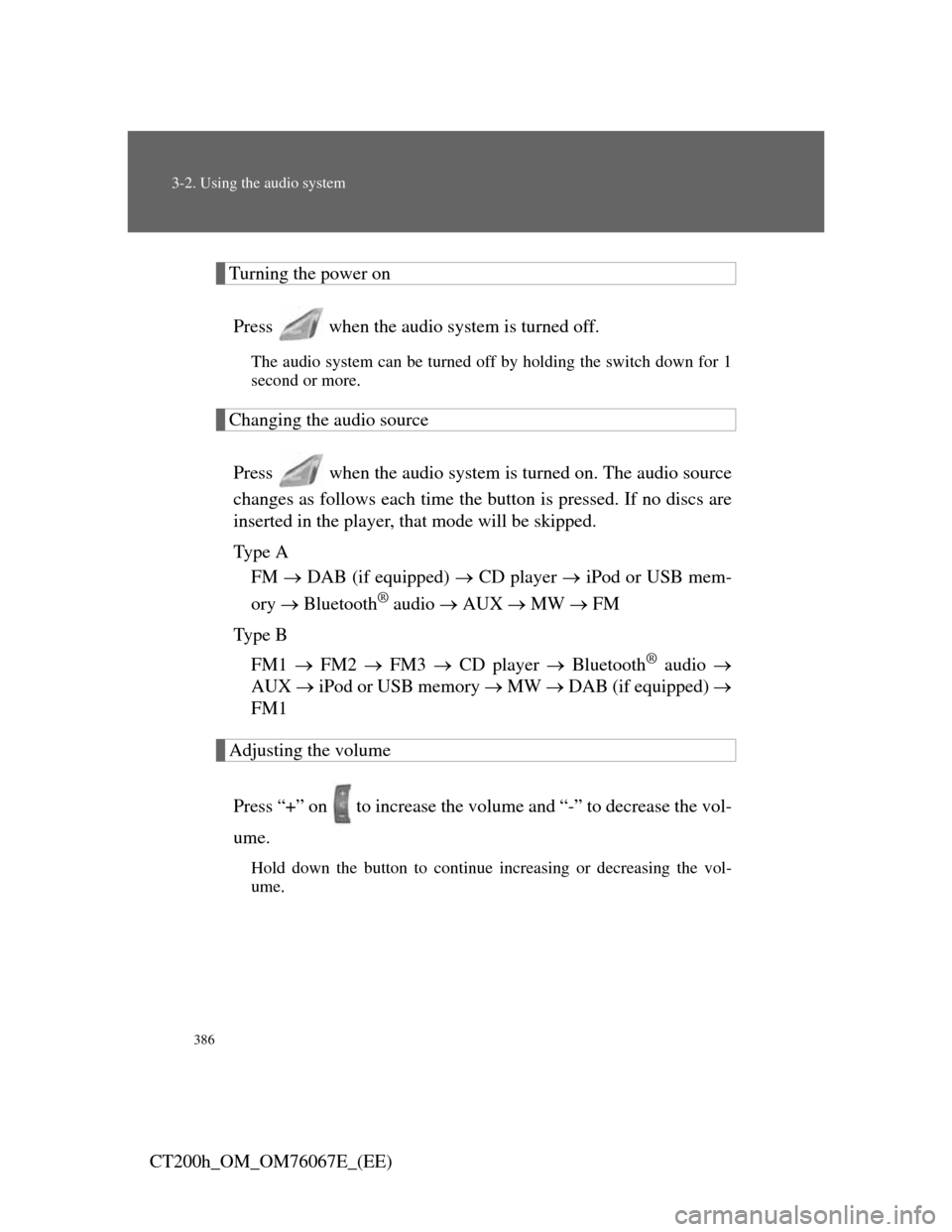
Turning the power on
Press when the audio system is turned off.
The audio system can be turned off by holding the switch down for 1
second or more.
Changing the audio source
Press when the audio system is turned on. The audio source
changes as follows each time the button is pressed. If no discs are
inserted in the player, that mode will be skipped.
Ty p e A
FM DAB (if equipped) CD player iPod or USB mem-
ory Bluetooth
® audio AUX MW FM
Ty p e B
FM1 FM2 FM3 CD player Bluetooth
® audio
AUX iPod or USB memory MW DAB (if equipped)
FM1
Adjusting the volume
Press “+” on to increase the volume and “-” to decrease the vol-
ume.
Hold down the button to continue increasing or decreasing the vol-
ume.
Page 450 of 710
448
CT200h_OM_OM76067E_(EE)
3-6. Using the storage features
List of storage features
CAUTION
Items that should not be left in the storage spaces
Do not leave glasses, lighters or spray cans in the storage spaces, as this may
cause the following when cabin temperature becomes high:
Glasses may be deformed by heat or cracked if they come into contact
with other stored items.
Lighters or spray cans may explode. If they come into contact with other
stored items, the lighter may catch fire or the spray can may release gas,
causing a fire hazard.
Console box
Bottle holders
Auxiliary boxes
Glove box
Cup holders
Page 455 of 710
453
3-6. Using the storage features
3
Interior features
CT200h_OM_OM76067E_(EE)
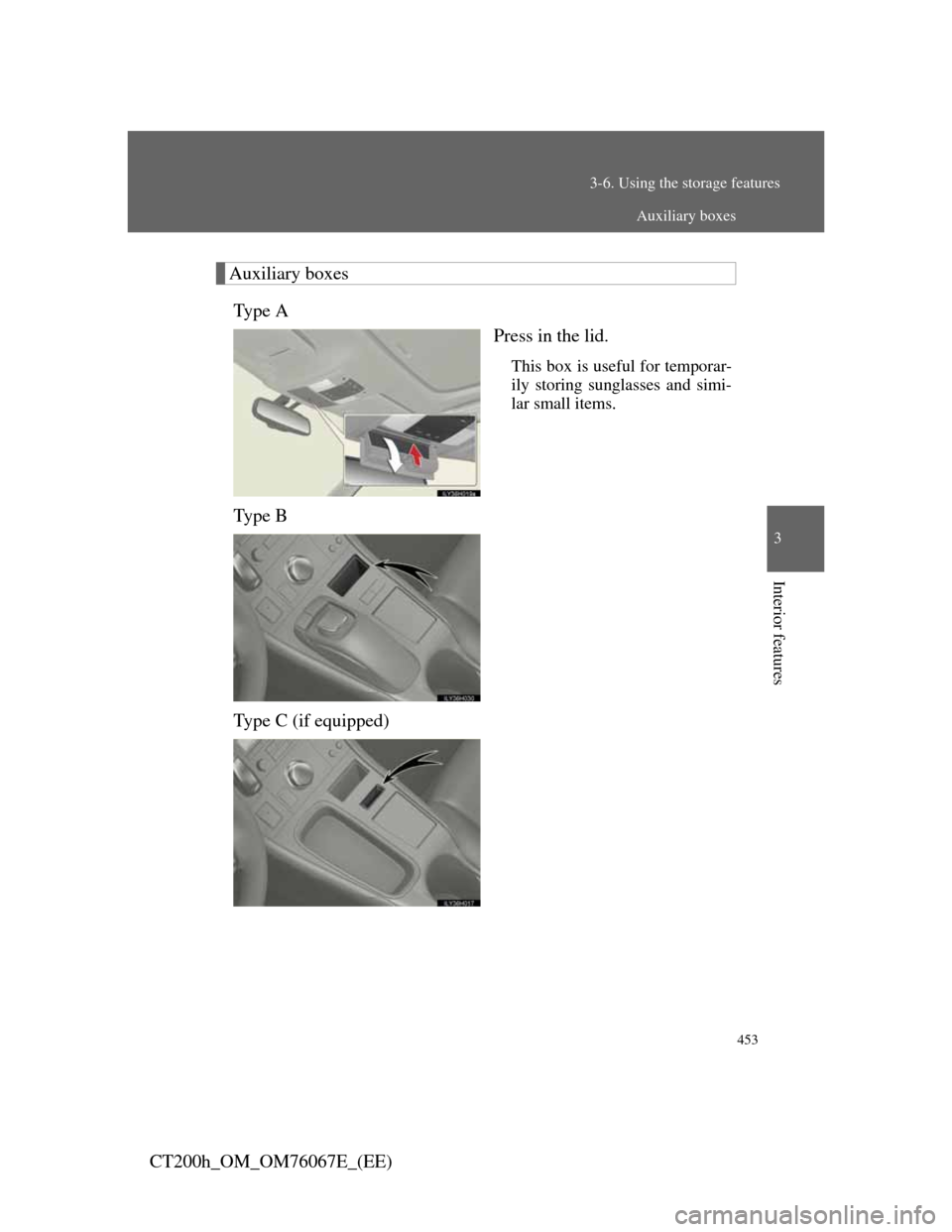
Auxiliary boxes
Ty p e A
Press in the lid.
This box is useful for temporar-
ily storing sunglasses and simi-
lar small items.
Ty p e B
Type C (if equipped)
Auxiliary boxes
Page 456 of 710
454
3-6. Using the storage features
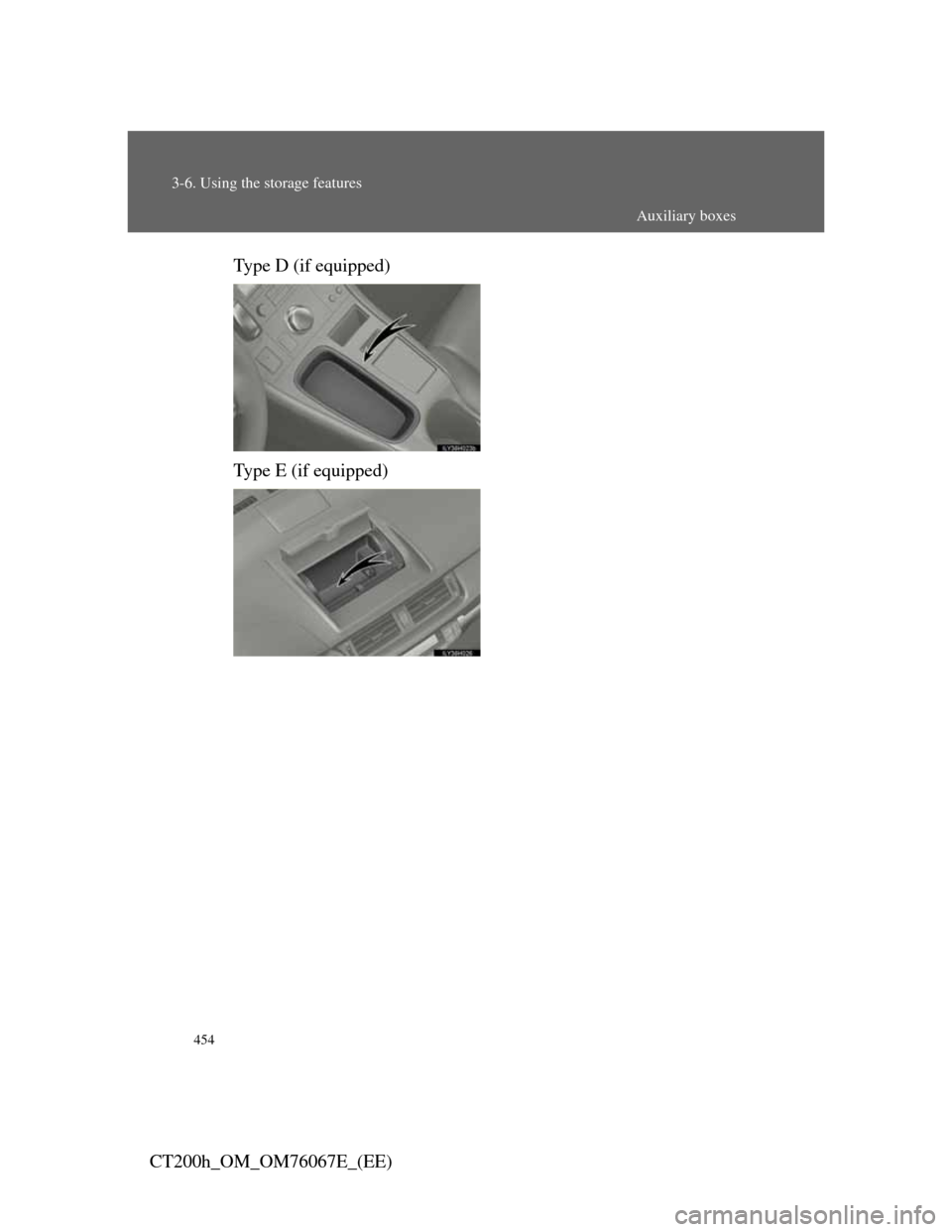
CT200h_OM_OM76067E_(EE)Type D (if equipped)
Type E (if equipped)
Auxiliary boxes
Page 457 of 710
455
3-6. Using the storage features
3
Interior features
CT200h_OM_OM76067E_(EE)
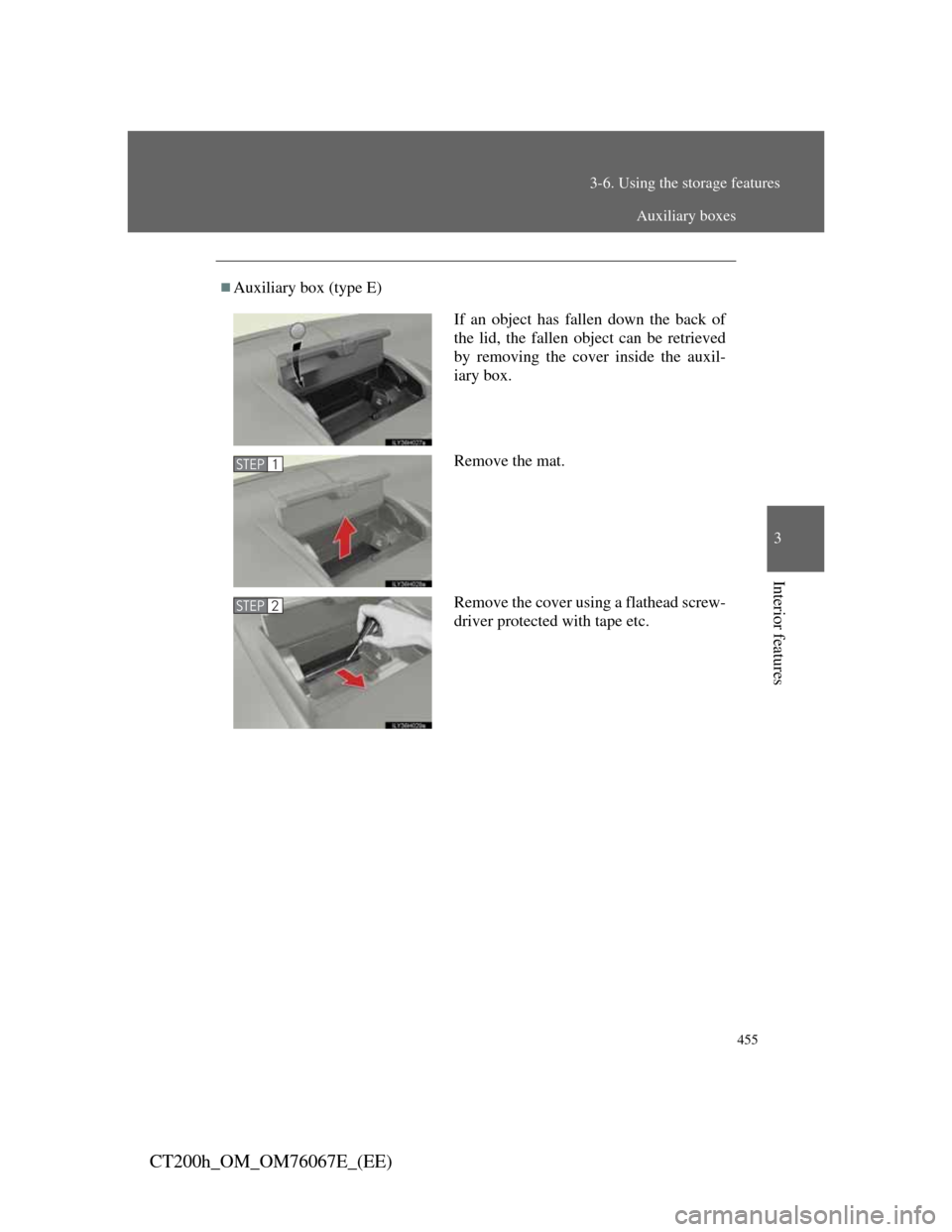
Auxiliary box (type E)
If an object has fallen down the back of
the lid, the fallen object can be retrieved
by removing the cover inside the auxil-
iary box.
Remove the mat.
Remove the cover using a flathead screw-
driver protected with tape etc.
STEP1
STEP2
Auxiliary boxes
Page 458 of 710
456
3-6. Using the storage features
CT200h_OM_OM76067E_(EE)
CAUTION
Caution while driving (type A and E)
Keep the auxiliary boxes closed when not in use. In the event of sudden
braking, an accident may occur due to an occupant being struck by an open
auxiliary box or the items stored inside.
Items unsuitable for storing (type A)
Do not store items heavier than 200 g (0.44 lb.).
Doing so may cause the auxiliary box to open and the items inside may fall
out, resulting in an accident.
NOTICE
Auxiliary box (type E)
Do not leave items in the auxiliary box or on the dashboard for long periods
of time when the vehicle is in the sun.
The inside of the auxiliary box and the dashboard will become extremely
hot compared to other parts of the vehicle, and the items could be deformed
or damaged.
Auxiliary boxes
Page 463 of 710
461
3-7. Other interior features
3
Interior features
CT200h_OM_OM76067E_(EE)
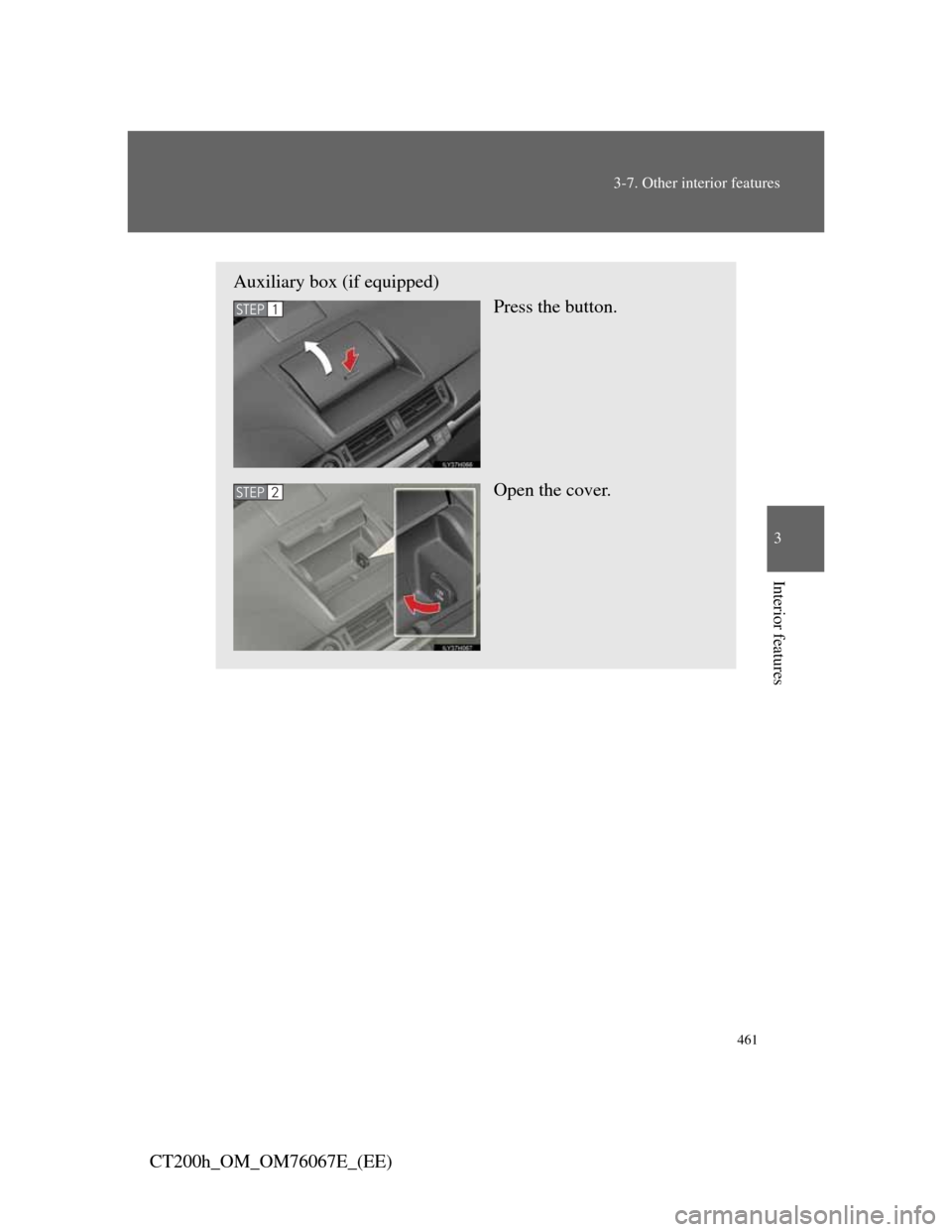
Auxiliary box (if equipped)
Press the button.
Open the cover.
STEP1
STEP2
Page 464 of 710
462
3-7. Other interior features
CT200h_OM_OM76067E_(EE)
The power outlet can be used when
The “POWER” switch is in ACCESSORY or ON mode.
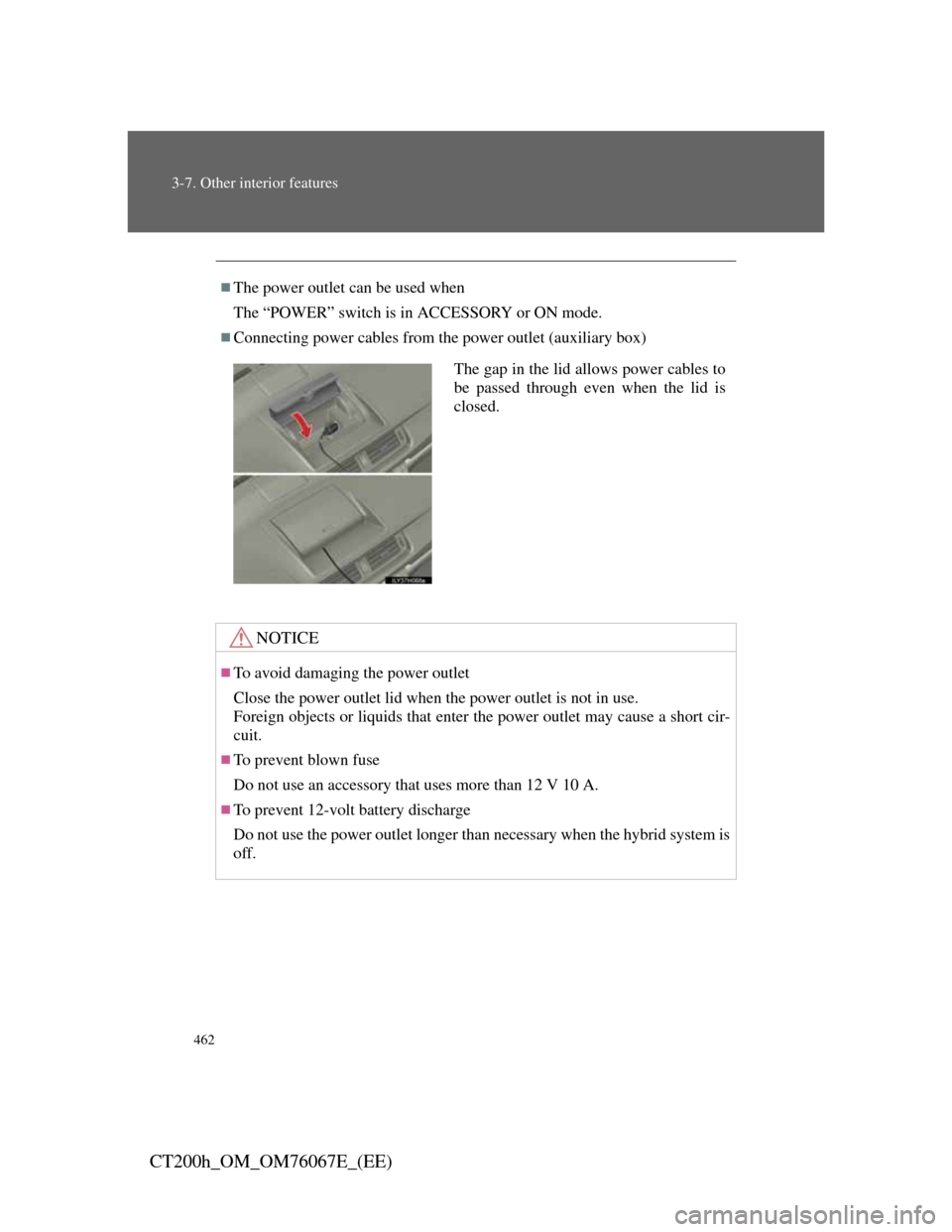
Connecting power cables from the power outlet (auxiliary box)
NOTICE
To avoid damaging the power outlet
Close the power outlet lid when the power outlet is not in use.
Foreign objects or liquids that enter the power outlet may cause a short cir-
cuit.
To prevent blown fuse
Do not use an accessory that uses more than 12 V 10 A.
To prevent 12-volt battery discharge
Do not use the power outlet longer than necessary when the hybrid system is
off.
The gap in the lid allows power cables to
be passed through even when the lid is
closed.
Page 472 of 710
470
3-7. Other interior features
CT200h_OM_OM76067E_(EE)
Auxiliary boxes
Center
Lift the center deck board.
Right side
Lift the right side deck board.
Left side (if equipped)
Lift the left side deck board.
Page 474 of 710
472
3-7. Other interior features
CT200h_OM_OM76067E_(EE)
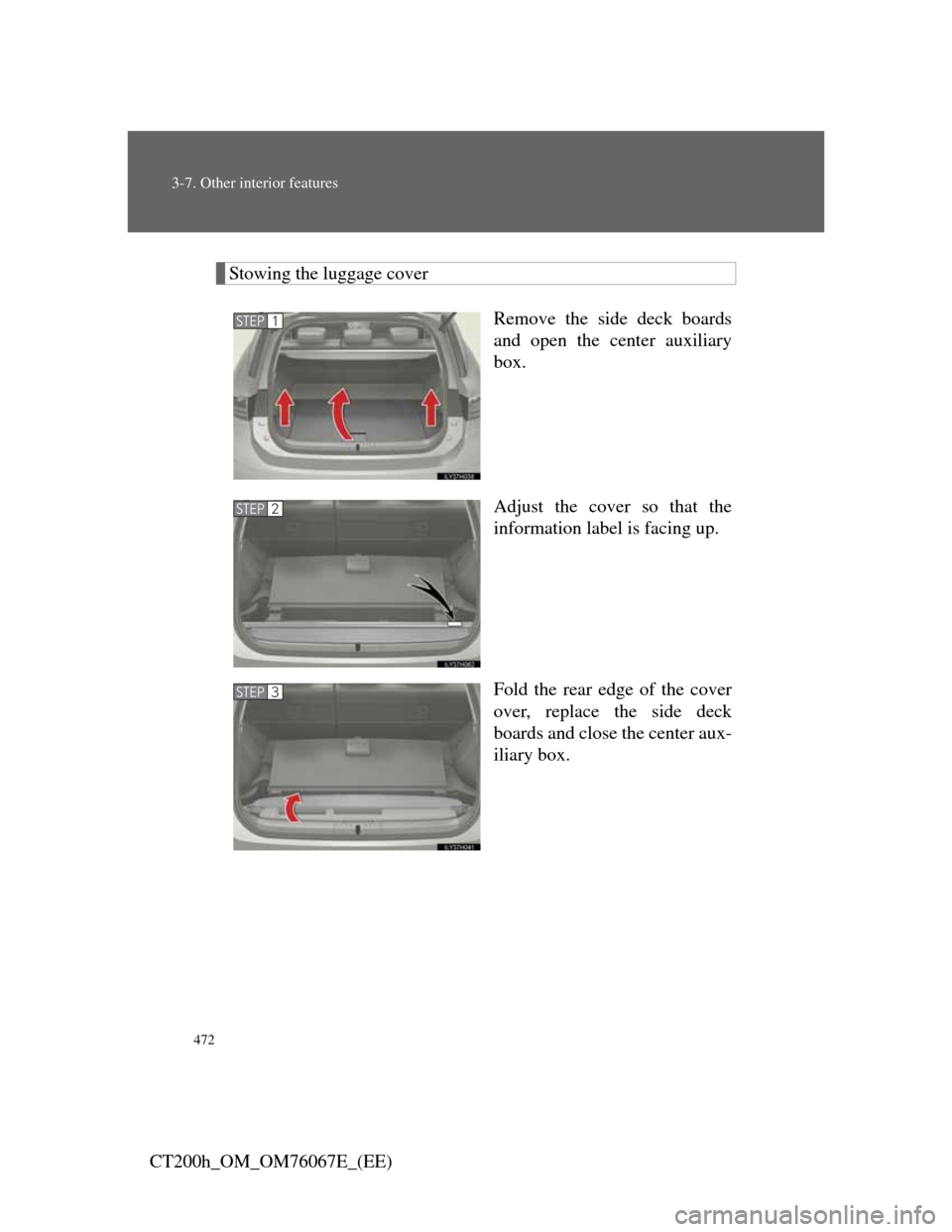
Stowing the luggage cover
Remove the side deck boards
and open the center auxiliary
box.
Adjust the cover so that the
information label is facing up.
Fold the rear edge of the cover
over, replace the side deck
boards and close the center aux-
iliary box.
STEP1
STEP2
STEP3