air conditioning Lexus ES300h 2013 User Guide
[x] Cancel search | Manufacturer: LEXUS, Model Year: 2013, Model line: ES300h, Model: Lexus ES300h 2013Pages: 910, PDF Size: 9.95 MB
Page 333 of 910
332
ES350 300h_OM_OM33A01U_(U)
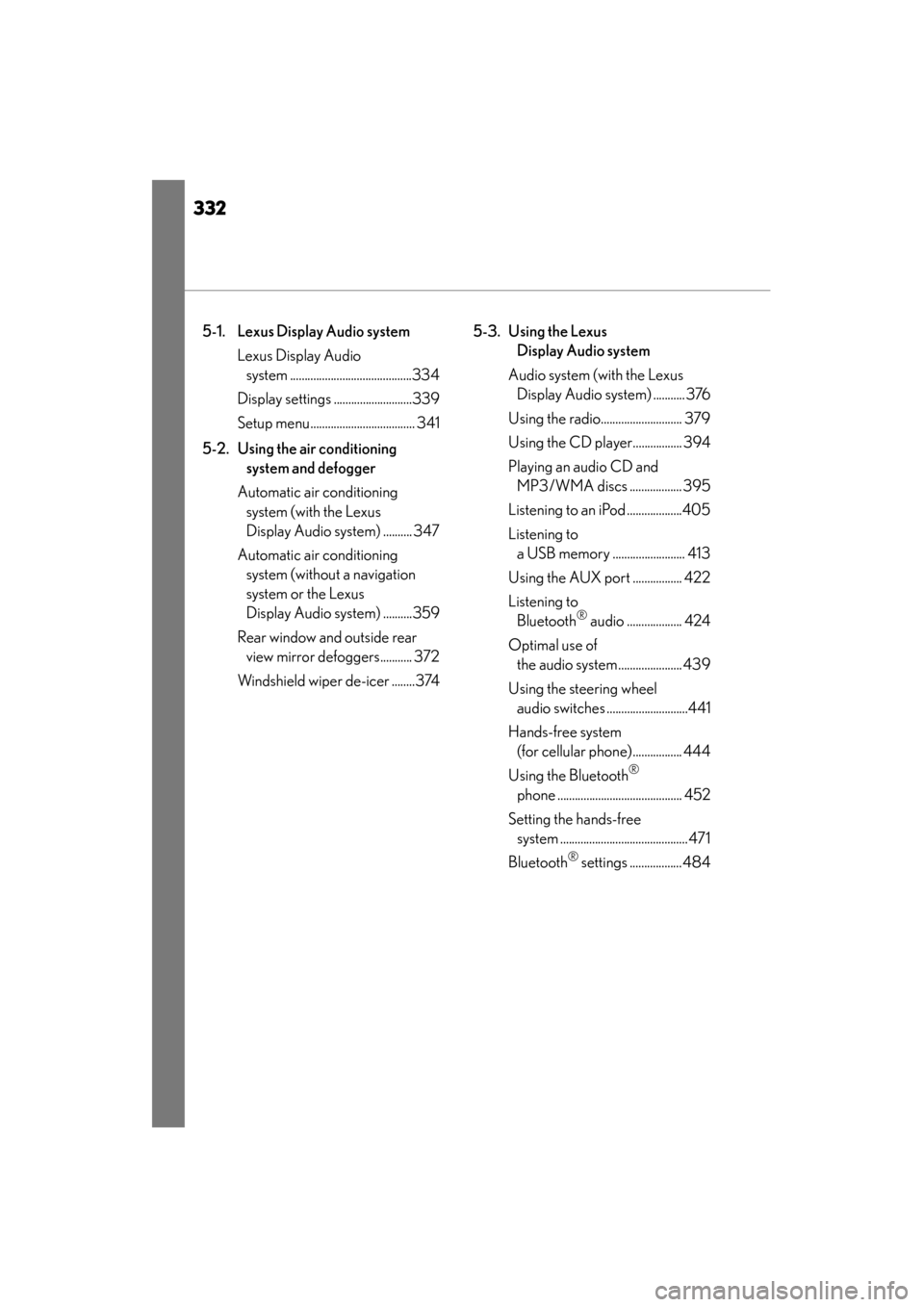
5-1. Lexus Display Audio systemLexus Display Audio system ..........................................334
Display settings ...........................339
Setup menu.................................... 341
5-2. Using the air conditioning system and defogger
Automatic air conditioning system (with the Lexus
Display Audio system) .......... 347
Automatic air conditioning system (without a navigation
system or the Lexus
Display Audio system) ..........359
Rear window and outside rear view mirror defoggers........... 372
Windshield wiper de-icer ........374 5-3. Using the Lexus
Display Audio system
Audio system (with the Lexus Display Audio system) ........... 376
Using the radio............................ 379
Using the CD player................. 394
Playing an audio CD and MP3/WMA discs .................. 395
Listening to an iPod ...................405
Listening to a USB memory ......................... 413
Using the AUX port ................. 422
Listening to Bluetooth
® audio ................... 424
Optimal use of the audio system...................... 439
Using the steering wheel audio switches ............................441
Hands-free system (for cellular phone)................. 444
Using the Bluetooth
®
phone ........................................... 452
Setting the hands-free system ............................................ 471
Bluetooth
® settings .................. 484
Page 336 of 910
ES350 300h_OM_OM33A01U_(U)
3355-1. Lexus Display Audio system
5
Interior features
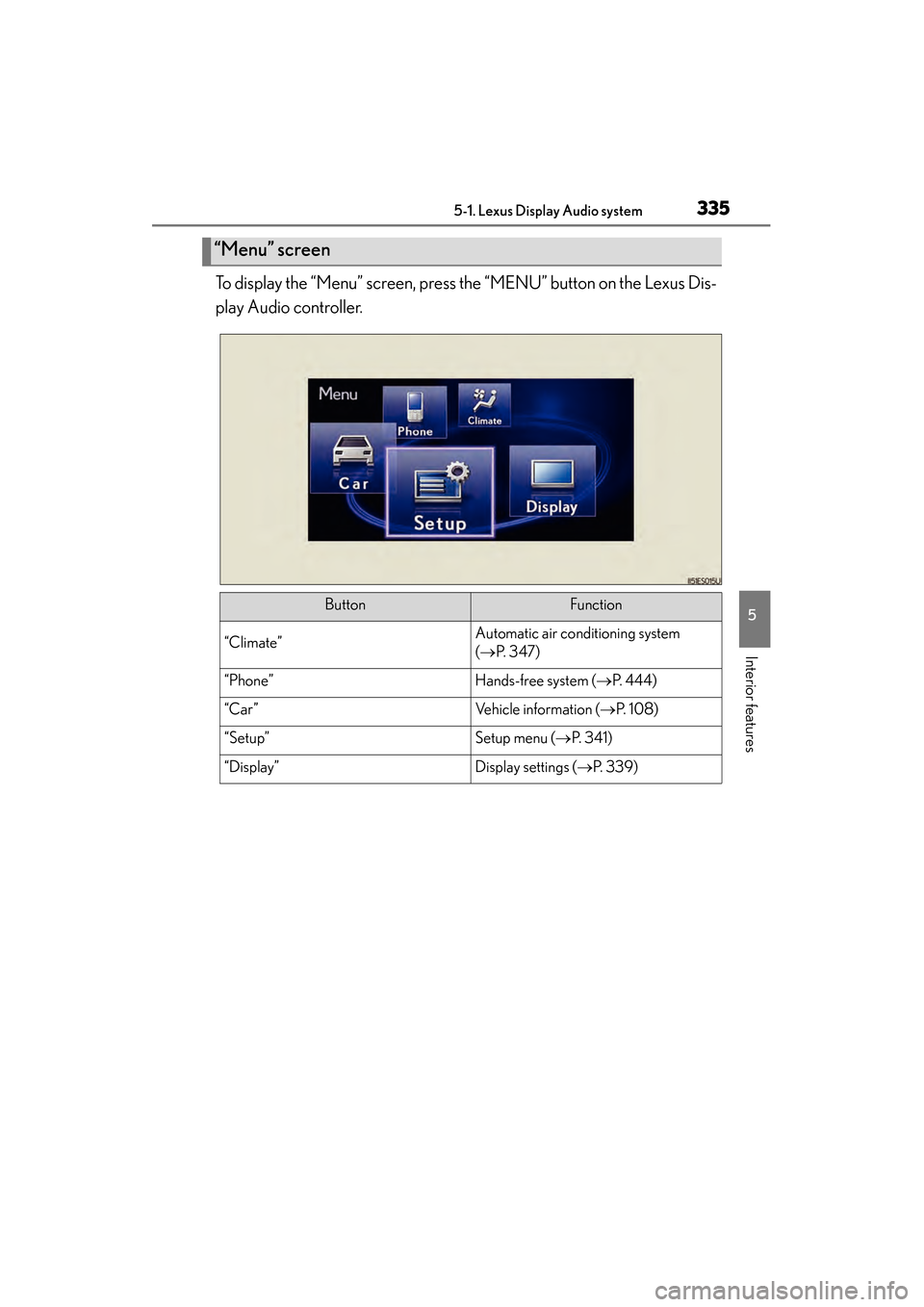
To display the “Menu” screen, press the “MENU” button on the Lexus Dis-
play Audio controller.
“Menu” screen
ButtonFunction
“Climate”Automatic air conditioning system
(→ P. 3 4 7 )
“Phone”Hands-free system ( →P. 444)
“Car ”Vehicle information ( →P. 1 0 8 )
“Setup”Setup menu ( →P. 3 4 1 )
“Display”Display settings ( →P. 3 3 9 )
Page 348 of 910
347
ES350 300h_OM_OM33A01U_(U)
5-2. Using the air conditioning system and defogger
5
Interior features
Automatic air conditioning system (with the Lexus
Display Audio system)
XVehicles with a navigation system
Owners of models equipped with a navigation system should refer to
the “Navigation System Owner’s Manual”.
XVehicles without a navigation system or the Lexus Display Audio sys-
tem
→P. 359
Air outlets and fan speed are automat ically adjusted according to the
temperature setting.
To display the air conditioning operation screen, press the “MENU”
button on the Lexus Display Audio co ntroller and then select “Cli-
mate”.
Page 349 of 910
348
ES350 300h_OM_OM33A01U_(U)
5-2. Using the air conditioning system and defogger
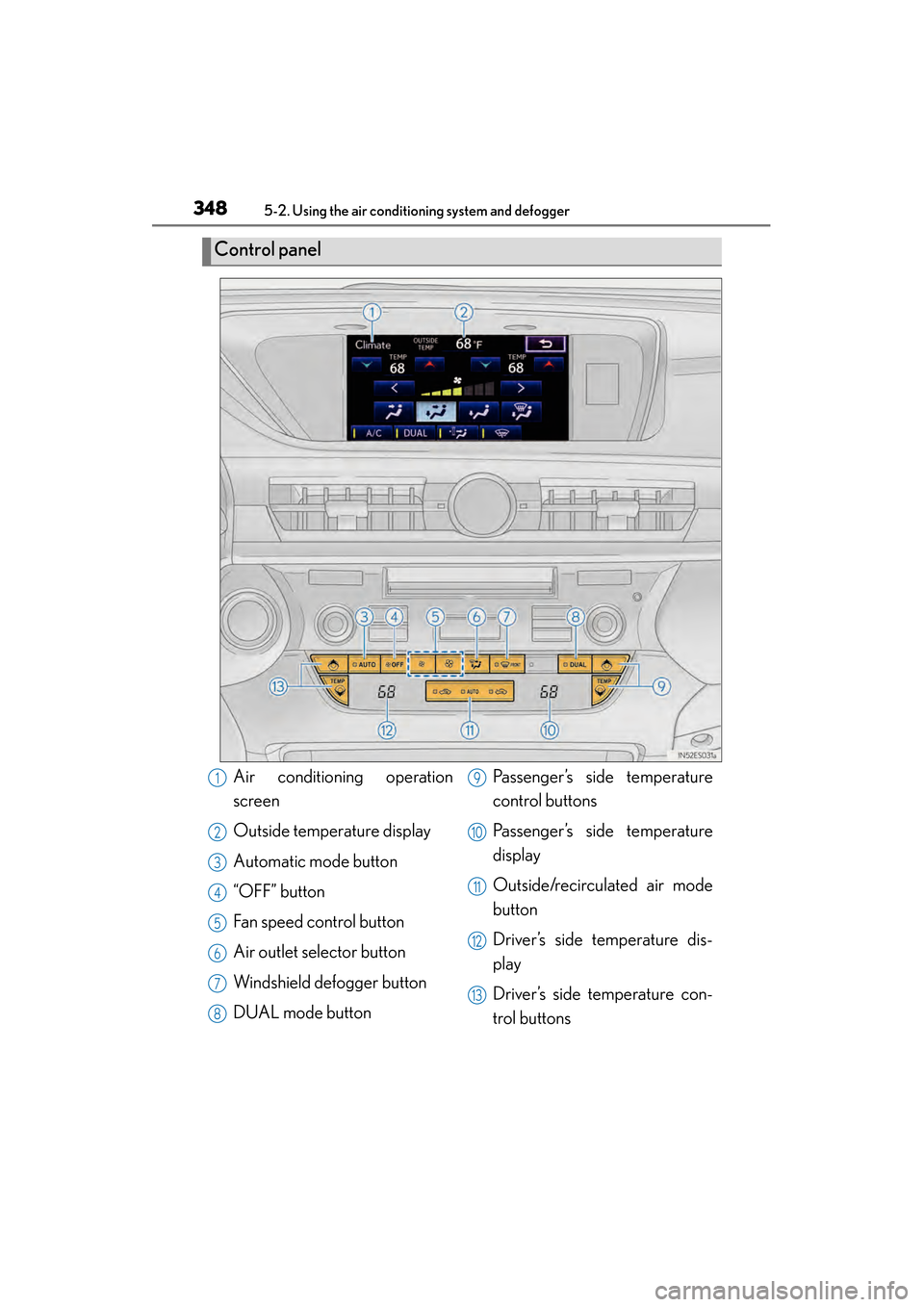
Control panel
Air conditioning operation
screen
Outside temperature display
Automatic mode button
“OFF” button
Fan speed control button
Air outlet selector button
Windshield defogger button
DUAL mode buttonPassenger’s side temperature
control buttons
Passenger’s side temperature
display
Outside/recirculated air mode
button
Driver’s side temperature dis-
play
Driver’s side temperature con-
trol buttons1
2
3
4
5
6
7
8
9
10
11
12
13
Page 350 of 910
ES350 300h_OM_OM33A01U_(U)
3495-2. Using the air conditioning system and defogger
5
Interior features
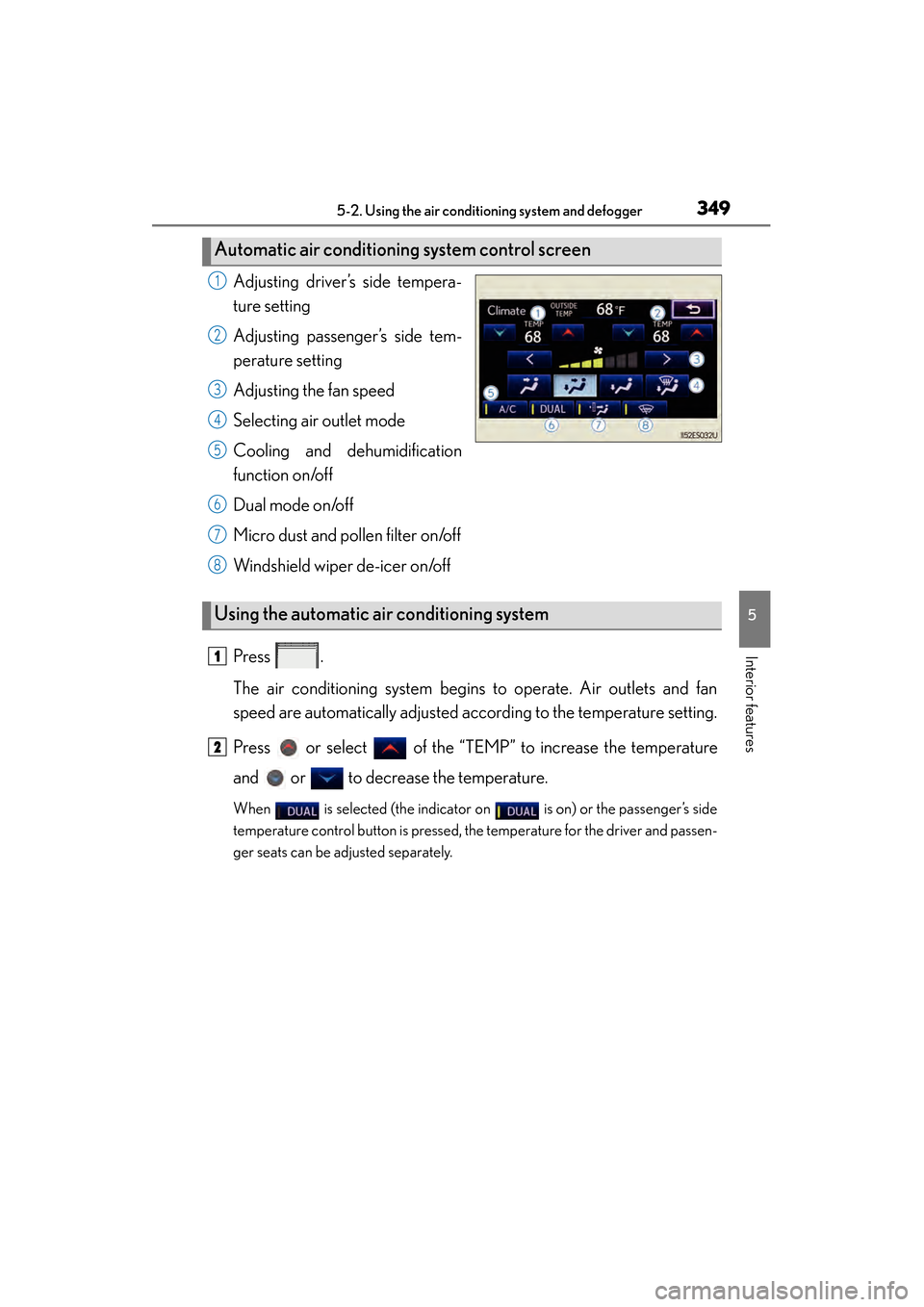
Adjusting driver’s side tempera-
ture setting
Adjusting passenger’s side tem-
perature setting
Adjusting the fan speed
Selecting air outlet mode
Cooling and dehumidification
function on/off
Dual mode on/off
Micro dust and pollen filter on/off
Windshield wiper de-icer on/off
Press .
The air conditioning system begins to operate. Air outlets and fan
speed are automatically adjusted according to the temperature setting.
Press or select of the “TEMP” to increase the temperature
and or to decrease the temperature.
When is selected (the indicator on is on) or the passenger’s side
temperature control button is pressed, the temperature for the driver and passen-
ger seats can be adjusted separately.
Automatic air conditioning system control screen
1
2
3
4
5
6
7
8
Using the automatic air conditioning system
1
2
Page 351 of 910
350
ES350 300h_OM_OM33A01U_(U)
5-2. Using the air conditioning system and defogger
To turn on the air conditioning system and adjust the fan speed, press on to increase the fan speed and to decrease the
fan speed or select “ >” of to increase the fan speed and “ <”
to decrease the fan speed.
Press to turn the fan off.
To adjust the temperature setting, press or select of the
“TEMP” to increase the temperature and or to decrease the
temperature.
When is selected (the indicator on is on) or the passenger’s side
temperature control button is pressed, the temperature for the driver and passen-
ger seats can be adjusted separately.
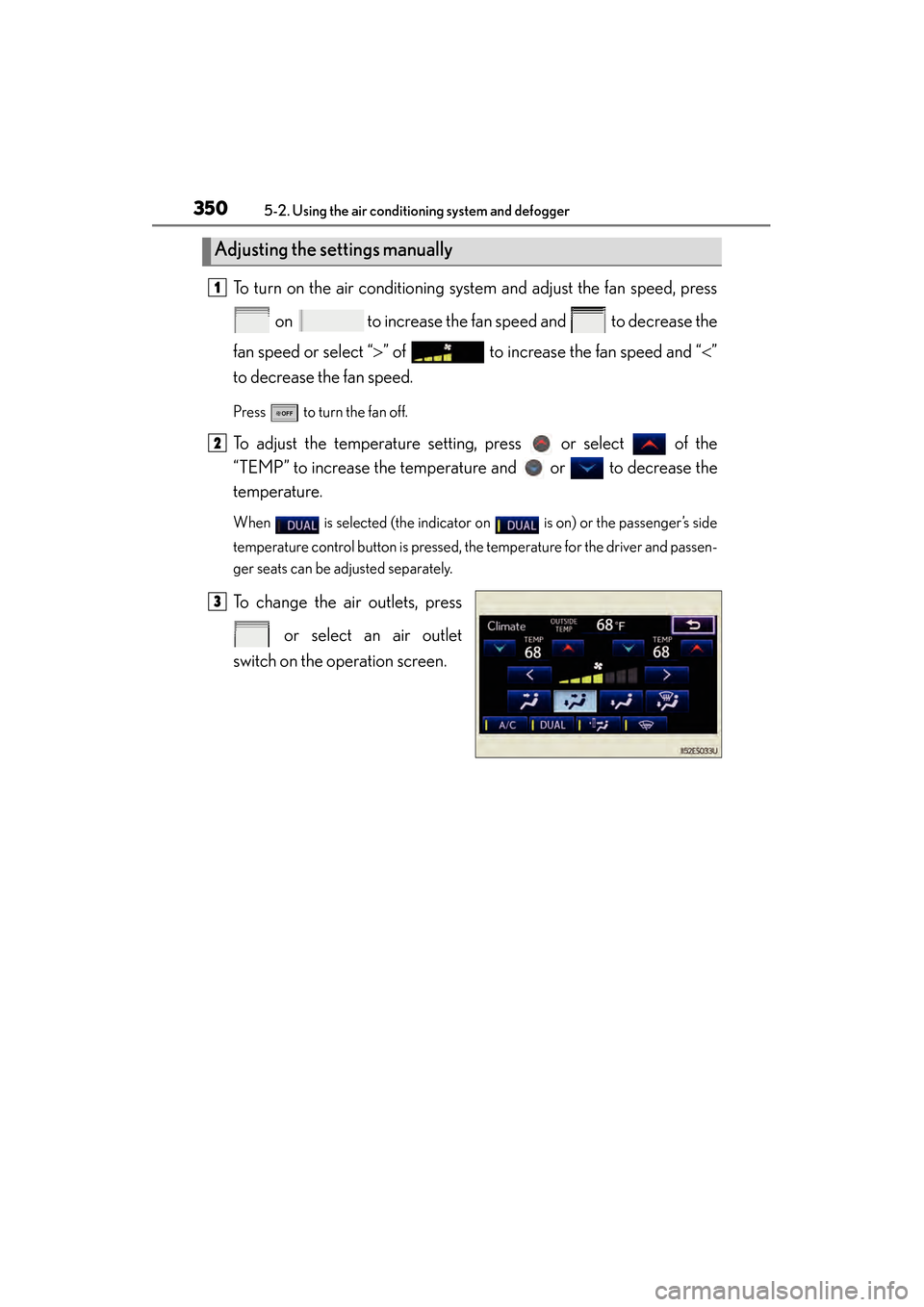
To change the air outlets, press
or select an air outlet
switch on the operation screen.
Adjusting the settings manually
1
2
3
Page 352 of 910
ES350 300h_OM_OM33A01U_(U)
3515-2. Using the air conditioning system and defogger
5
Interior features
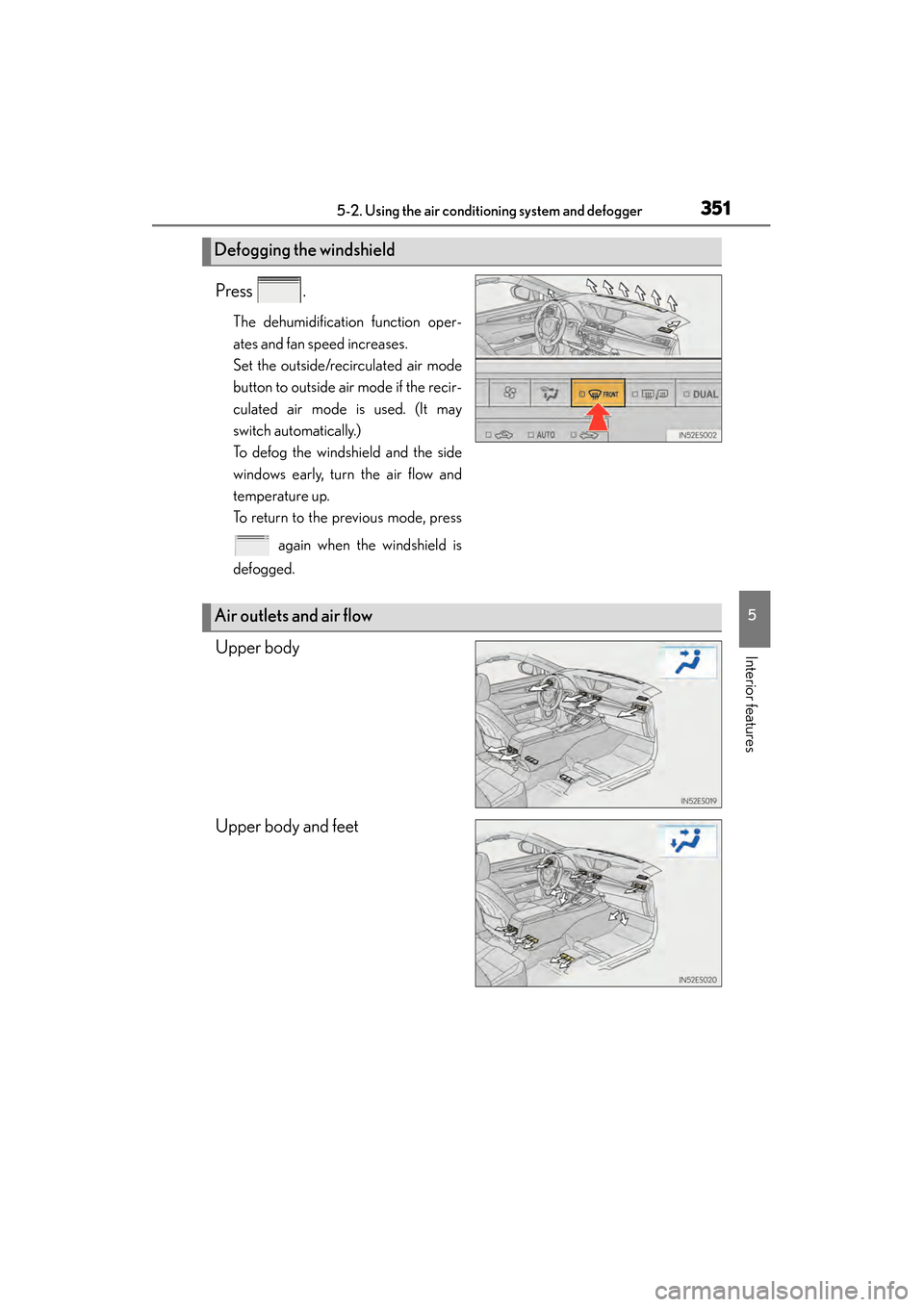
Press .
The dehumidification function oper-
ates and fan speed increases.
Set the outside/recirculated air mode
button to outside air mode if the recir-
culated air mode is used. (It may
switch automatically.)
To defog the windshield and the side
windows early, turn the air flow and
temperature up.
To return to the previous mode, press
again when the windshield is
defogged.
[
Upper body
Upper body and feet
Defogging the windshield
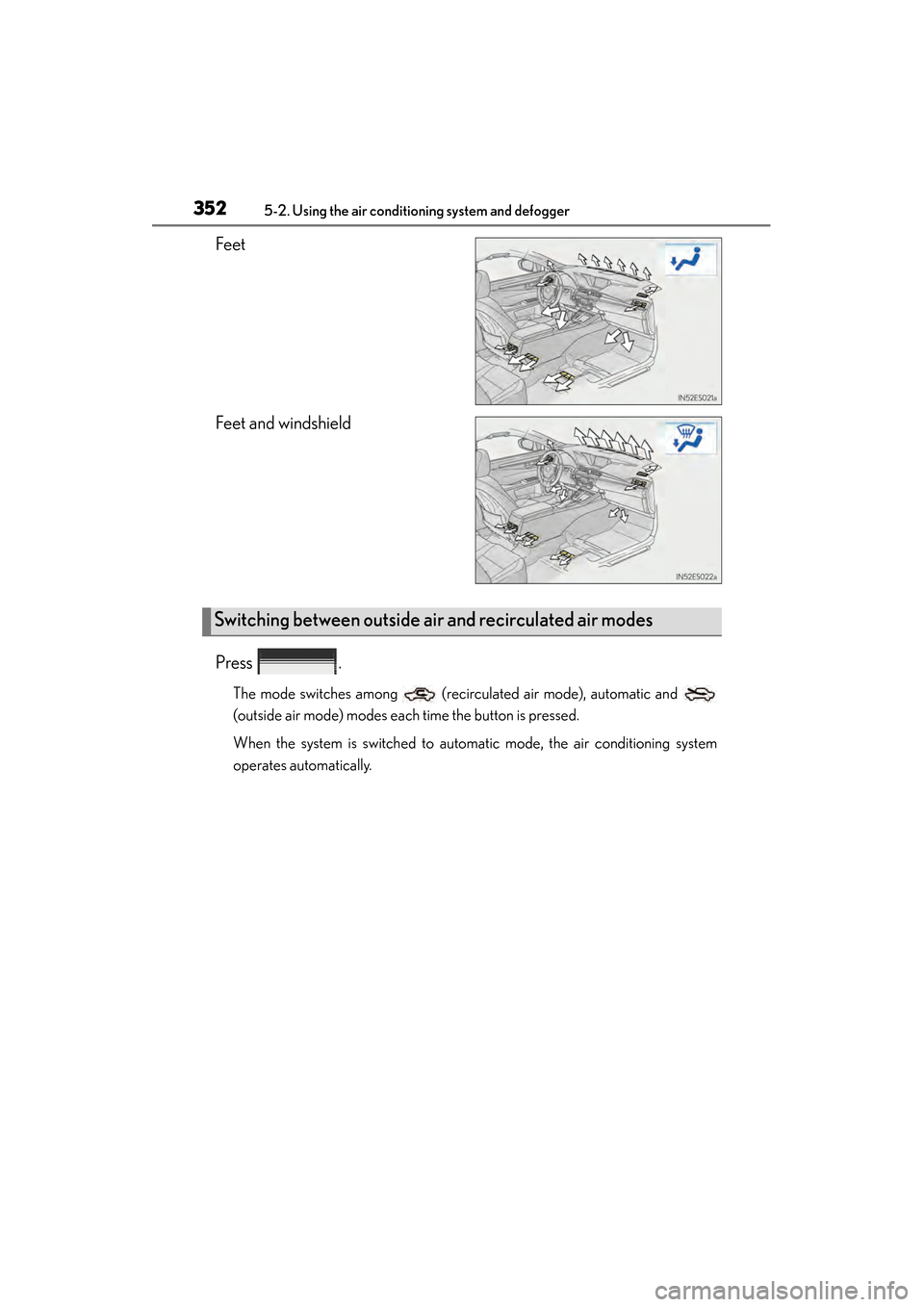
Air outlets and air flow
Page 353 of 910
352
ES350 300h_OM_OM33A01U_(U)
5-2. Using the air conditioning system and defogger
Feet
Feet and windshield
Press .
The mode switches among (recirculated air mode), automatic and
(outside air mode) modes each time the button is pressed.
When the system is switched to automatic mode, the air conditioning system
operates automatically.
Switching between outside air and recirculated air modes
Page 354 of 910
ES350 300h_OM_OM33A01U_(U)
3535-2. Using the air conditioning system and defogger
5
Interior features
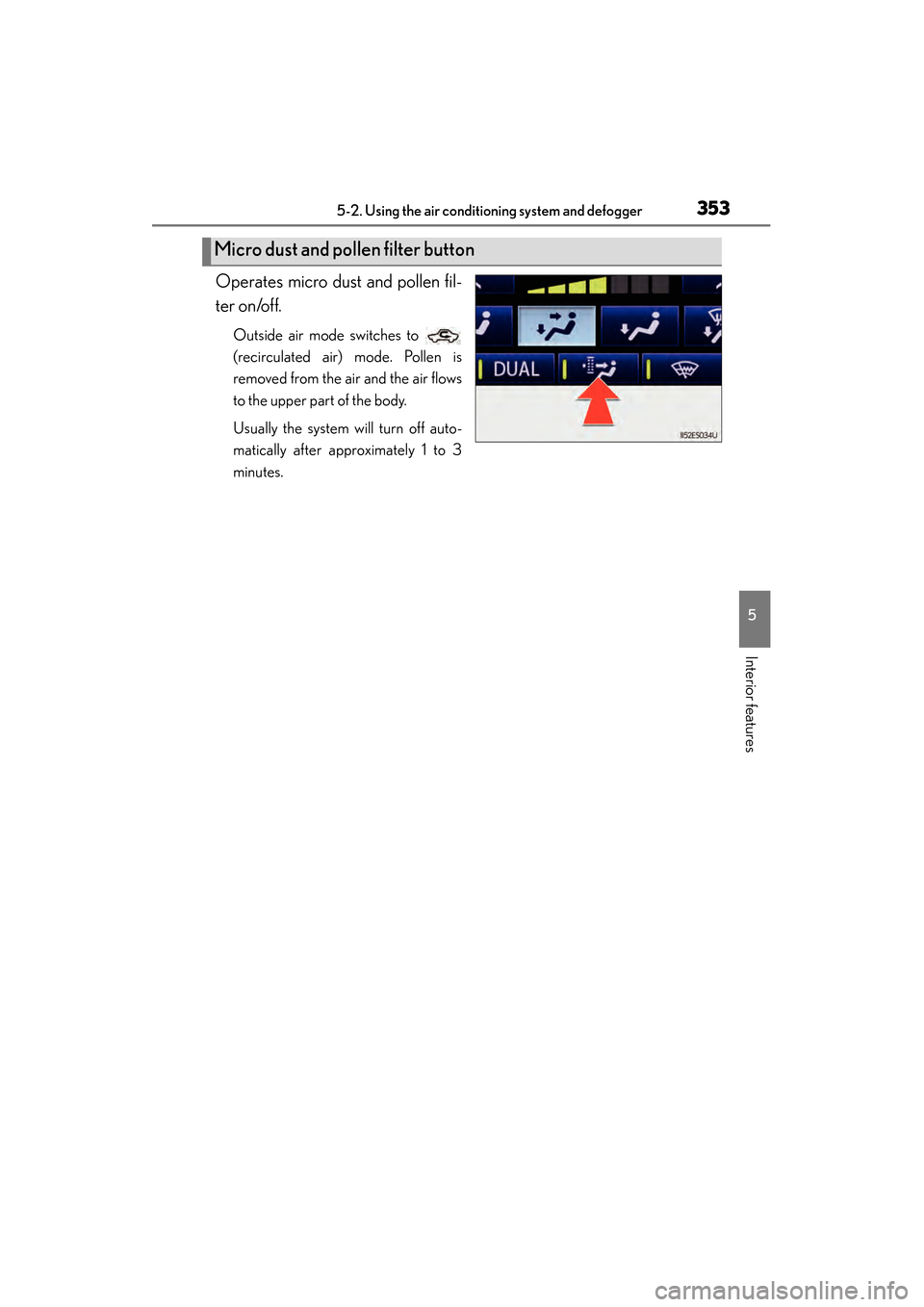
Operates micro dust and pollen fil-
ter on/off.
Outside air mode switches to
(recirculated air) mode. Pollen is
removed from the air and the air flows
to the upper part of the body.
Usually the system will turn off auto-
matically after approximately 1 to 3
minutes.
Micro dust and pollen filter button
Page 355 of 910
354
ES350 300h_OM_OM33A01U_(U)
5-2. Using the air conditioning system and defogger
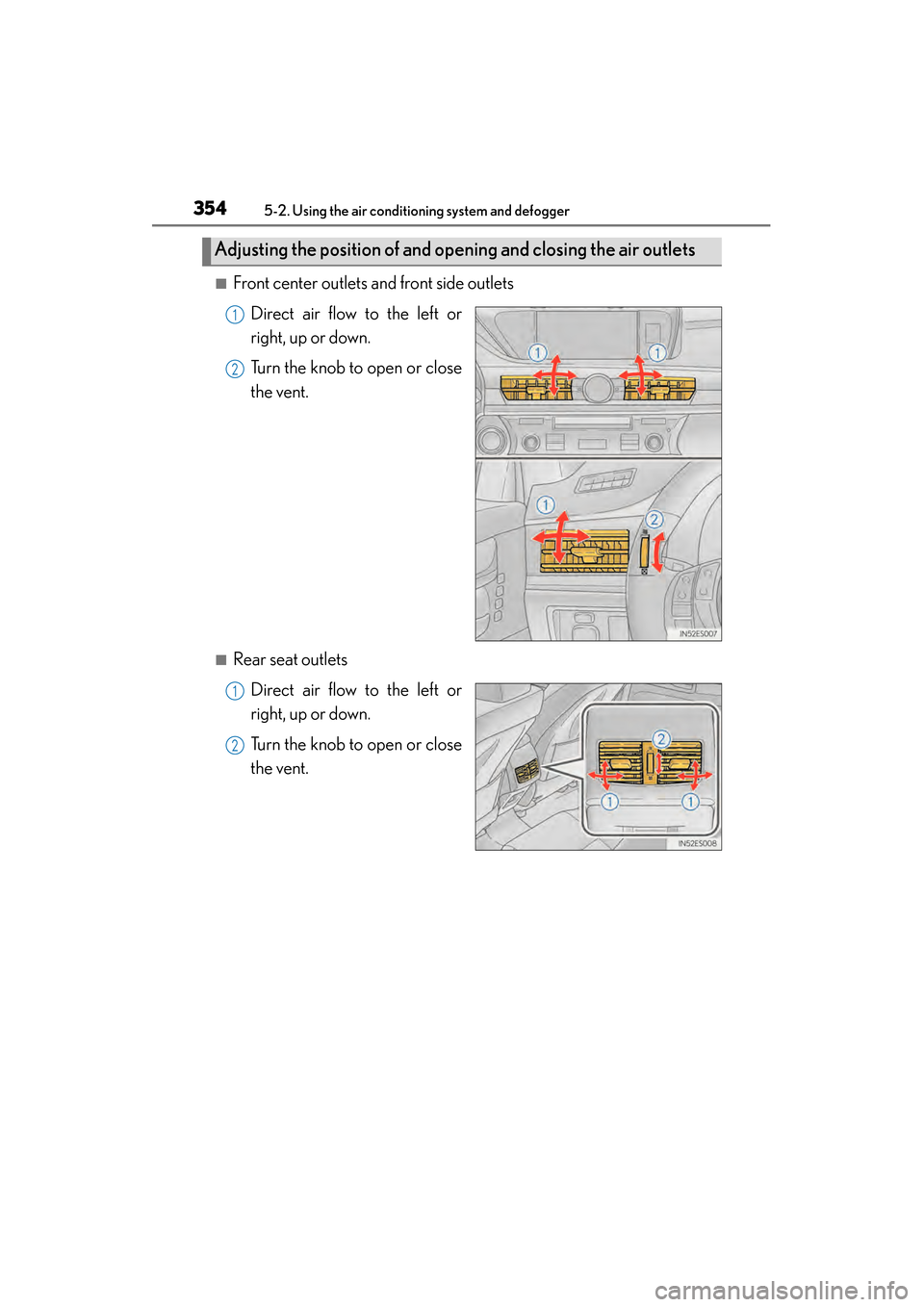
■Front center outlets and front side outletsDirect air flow to the left or
right, up or down.
Turn the knob to open or close
the vent.
■Rear seat outletsDirect air flow to the left or
right, up or down.
Turn the knob to open or close
the vent.
Adjusting the position of and opening and closing the air outlets
1
2
1
2