brake light Lexus ES300h 2013 User Guide
[x] Cancel search | Manufacturer: LEXUS, Model Year: 2013, Model line: ES300h, Model: Lexus ES300h 2013Pages: 910, PDF Size: 9.95 MB
Page 282 of 910
ES350 300h_OM_OM33A01U_(U)
2814-5. Using the driving support systems
4
Driving
■Intuitive parking assist display
When an obstacle is detected while the rear view monitor system is in use, the warn-
ing indicator will appear in the top right of the screen even if the display setting has
been set to off.
■Sensor detection information
●The sensor’s detection areas are limited to the areas around the vehicle’s front cor-
ner and rear bumpers.
●Certain vehicle conditions and the surrounding environment may affect the ability
of the sensor to correctly detect obstacles. Particular instances where this may
occur are listed below.
• There is dirt, snow or ice on the sensor. (Wiping the sensors will resolve thisproblem.)
• The sensor is frozen. (Thawing the area will resolve this problem.) In especially cold weather, if a sensor is frozen the screen may show an abnor-
mal display, or obstacles may not be detected.
• The sensor is covered in any way.
• The vehicle is leaning considerably to one side.
• On an extremely bumpy road, on an incline, on gravel, or on grass.
• The vicinity of the vehicle is noisy due to vehicle horns, motorcycle engines, air brakes of large vehicles, or other loud noises producing ultrasonic waves.
• There is another vehicle equipped with parking assist sensors in the vicinity.
• The sensor is coated with a sheet of spray or heavy rain.
• The vehicle is equipped with a fender pole or wireless antenna.
• Towing eyelets are installed.
• The bumper or sensor receives a strong impact.
• The vehicle is approaching a tall or curved curb.
• In harsh sunlight or intense cold weather.
• The area directly under the bumpers is not detected.
• If obstacles draw too close to the sensor.
• A non-genuine Lexus suspension (lowered suspension etc.) is installed.
• People may not be detected if they are wearing certain types of clothing.
In addition to the examples above, there are instances in which, because of their
shape, signs and other objects may be judged by the sensor to be closer than they
are.
Page 302 of 910
ES350 300h_OM_OM33A01U_(U)
3014-5. Using the driving support systems
4
Driving
■When the message is displayed on the multi-information display showing that
TRAC has been disabled even if the VSC OFF switch has not been pressed
TRAC and hill-start assist control (hybrid vehicles) cannot be operated. Contact
your Lexus dealer.
■When the 12-volt battery is disconnected
The steering wheel may move from its straight forward position, but this will be cor-
rected automatically when driving.
■Sounds and vibrations caused by the ABS, brake assist, VSC and TRAC systems
●A sound may be heard from the engine compartment when the brake pedal is
depressed repeatedly, when the engine
vehicle begins to move. This sound does not indicate that a malfunction has
occurred in any of these systems.
●Any of the following conditions may occur when the above systems are operating.
None of these indicates that a malfunction has occurred.
• Vibrations may be felt through the vehicle body and steering.
• A motor sound may be heard after the vehicle comes to a stop.
• The brake pedal may pulsate slightly after the ABS is activated. (gasoline vehi-cles)
• The brake pedal may move down slightly after the ABS is activated. (gasoline vehicles)
■EPS operation sound
When the steering wheel is operated, a motor sound (whirring sound) may be heard.
This does not indicate a malfunction.
■Automatic reactivation of TRAC and VSC systems
After turing the TRAC and VSC systems off, the systems will be automatically reacti-
vated in the following situations:
●When the “START STOP ENGINE” <“POWER”> switch is turned off
●If only the TRAC system is turned off, the TRAC will turn on when vehicle speed
increases.
If both the TRAC and VSC systems are turned off, automatic reactivation will not
occur when vehicle speed increases.
Page 305 of 910
304
ES350 300h_OM_OM33A01U_(U)
4-5. Using the driving support systems
Hill-start assist control (hybrid vehicles)
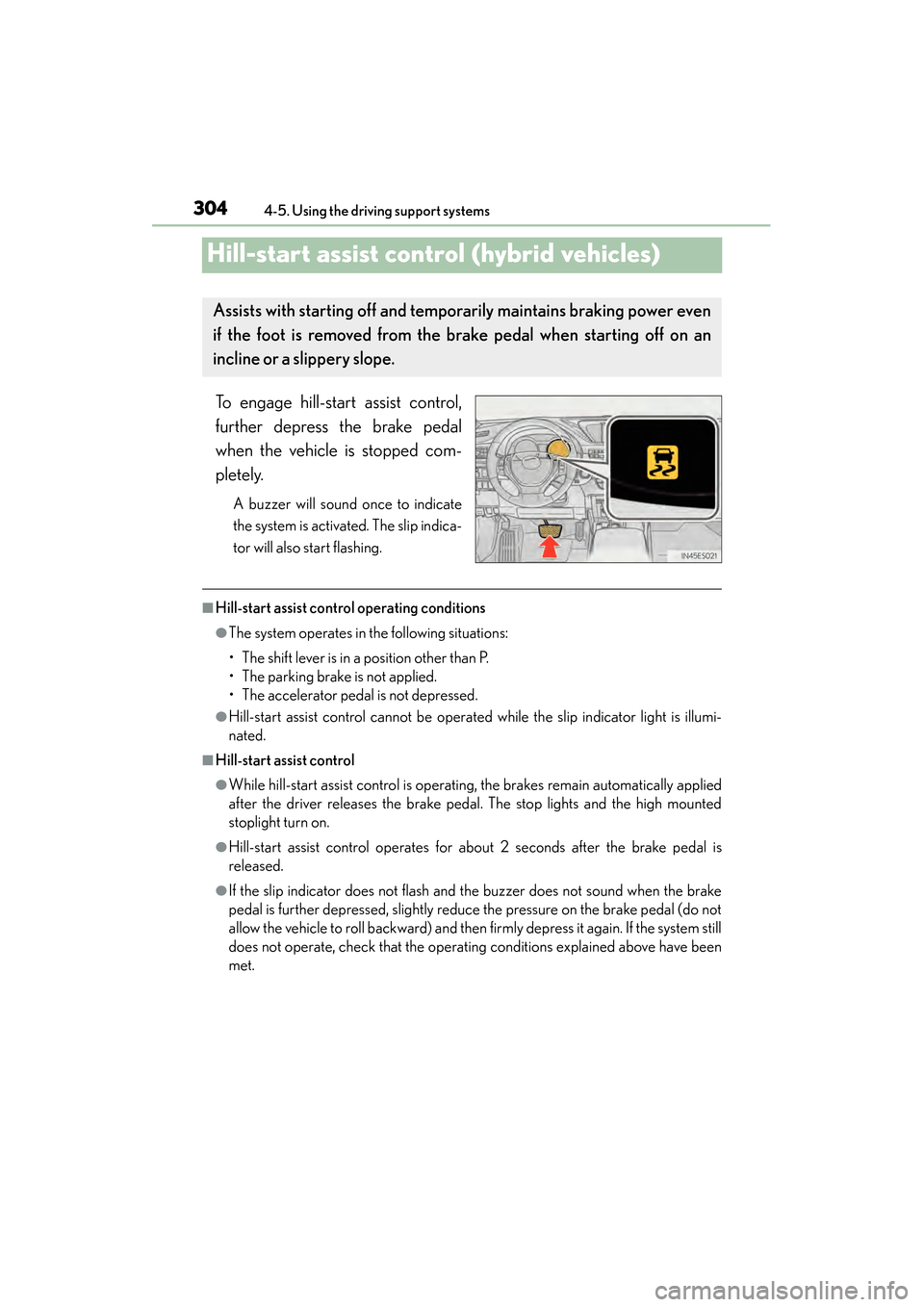
To engage hill-start assist control,
further depress the brake pedal
when the vehicle is stopped com-
pletely.
A buzzer will sound once to indicate
the system is activated. The slip indica-
tor will also start flashing.
■Hill-start assist control operating conditions
●The system operates in the following situations:
• The shift lever is in a position other than P.
• The parking brake is not applied.
• The accelerator pedal is not depressed.
●Hill-start assist control cannot be operated while the slip indicator light is illumi-
nated.
■Hill-start assist control
●While hill-start assist control is operating, the brakes remain automatically applied
after the driver releases the brake pedal. The stop lights and the high mounted
stoplight turn on.
●Hill-start assist control operates for about 2 seconds after the brake pedal is
released.
●If the slip indicator does not flash and the buzzer does not sound when the brake
pedal is further depressed, slightly reduce the pressure on the brake pedal (do not
allow the vehicle to roll backward) and then firmly depress it again. If the system still
does not operate, check that the operating conditions explained above have been
met.
Assists with starting off and temporarily maintains braking power even
if the foot is removed from the brake pedal when starting off on an
incline or a slippery slope.
Page 307 of 910
306
ES350 300h_OM_OM33A01U_(U)
4-5. Using the driving support systems
PCS (Pre-Collision System)∗
◆Pre-collision seat belts (front seats only)
If the pre-collision sensor detects that a collision is unavoidable, the
pre-collision system will retract the seat belt before the collision occurs.
The same will happen if the driver makes an emergency braking or
loses control of the vehicle. (→P. 3 4 )
However, when the VSC system is disabled, the system will not operate
in the event of skidding.
◆Pre-collision brake assist
When there is a high possibility of a frontal collision, the system applies
greater braking force in relation to how strongly the brake pedal is
depressed.
◆Pre-collision braking
When there is a high possibility of a frontal collision, the system warns
the driver using a warning light, warning display and buzzer. If the sys-
tem determines that a collision is unavoidable, the brakes are automati-
cally applied to reduce the collision speed.
∗
: If equipped
When the radar sensor detects possibility of a frontal collision, the pre-
collision system such as the brakes and seat belts are automatically
engaged to lessen impact as well as vehicle damage.
The pre-collision system can be turned on and off as necessary by oper-
ating the switch. ( →P. 307)
Page 312 of 910
ES350 300h_OM_OM33A01U_(U)
3114-5. Using the driving support systems
4
Driving
CAUTION
■Limitations of the pre-collision system
Do not overly rely on the pre-collision system. Always drive safely, taking care to
observe your surroundings and checking for any obstacles or other road hazards.
Failure to do so may cause an accident resulting in death or serious injury.
■When the sensor may not be correctly detecting the vehicle ahead
Apply the brakes as necessary in any of the following situations.
●When water or snow thrown up by the surrounding vehicles hinders the function-
ing of the sensor
●When your vehicle is pointing upwards (caused by a heavy load in the luggage
compartment etc.)
●Vehicles that cut in suddenly
●Vehicles with small rear ends (trailers with no load on board etc.)
●Motorcycles traveling in the same lane
■Handling the radar sensor
Observe the following to ensure the pre-collision system can function effectively.
Otherwise, the system may not function correctly and could result in an accident.
●Keep the sensor and grille cover clean at all times.
Clean the sensor and grille cover with a soft cloth so you do not mark or damage
them.
●Do not subject the sensor or surrounding area to a strong impact.
If the sensor moves even slightly off position, the system may become inaccurate
or malfunction. If the sensor or surrounding area is subject to a strong impact,
always have the area inspected and adjusted by your Lexus dealer.
●Do not disassemble the sensor.
●Do not attach accessories or stickers to the sensor, grille cover or surrounding
area.
●Do not modify or paint the sensor and grille cover.
●Do not replace them with non-genuine parts.
Page 324 of 910
323
ES350 300h_OM_OM33A01U_(U)
4-6. Driving tips
4
Driving
Hybrid vehicle driving tips (hybrid vehicles)
When using Eco drive mode, the torque corresponding to the accelerator
pedal depression amount can be generated more smoothly than it is in
normal conditions. In addition, the operation of the air conditioning system
(heating/cooling) will be minimized, improving the fuel economy.
(→P. 2 9 6 )
The Eco-friendly driving is possible by keeping the indicate of Hybrid Sys-
tem Indicator within Eco area. ( →P. 9 6 )
Make sure to operate the brakes gently and in good time. A greater
amount of electrical energy can be retained when slowing down.
Repeated acceleration and deceleration, as well as long waits at traffic
lights, will lead to bad fuel consumption. Check traffic reports before leav-
ing and avoid delays as much as possible. When encountering a delay,
gently release the brake pedal to allow the vehicle to move forward
slightly while avoiding overuse of the accelerator pedal. Doing so can help
control excessive gasoline consumption.
For economical and ecological drivin g, pay attention to the following
points:
Using Eco drive mode
Use of Hybrid System Indicator
When braking the vehicle
Delays
Page 328 of 910
ES350 300h_OM_OM33A01U_(U)
3274-6. Driving tips
4
Driving
Perform the following according to the driving conditions:
●Do not try to forcibly open a window or move a wiper that is frozen.
Pour warm water over the frozen area to melt the ice. Wipe away the
water immediately to prevent it from freezing.
●To ensure proper operation of the climate control system fan, remove
any snow that has accumulated on the air inlet vents in front of the wind-
shield.
●Check for and remove any excess ice or snow that may have accumu-
lated on the exterior lights, vehicle’s roof, chassis, around the tires or on
the brakes.
●Remove any snow or mud from the bottom of your shoes before getting
in the vehicle.
Accelerate the vehicle slowly, keep a safe distance between you and the
vehicle ahead, and drive at a reduced speed suitable to road conditions.
Park the vehicle and move the shift lever to P without setting the parking
brake. The parking brake may freeze up, preventing it from being
released. If necessary, block the wheels to prevent inadvertent sliding or
creeping.
Before driving the vehicle
When driving the vehicle
When parking the vehicle
Page 663 of 910
662
ES350 300h_OM_OM33A01U_(U)
6-2. Maintenance
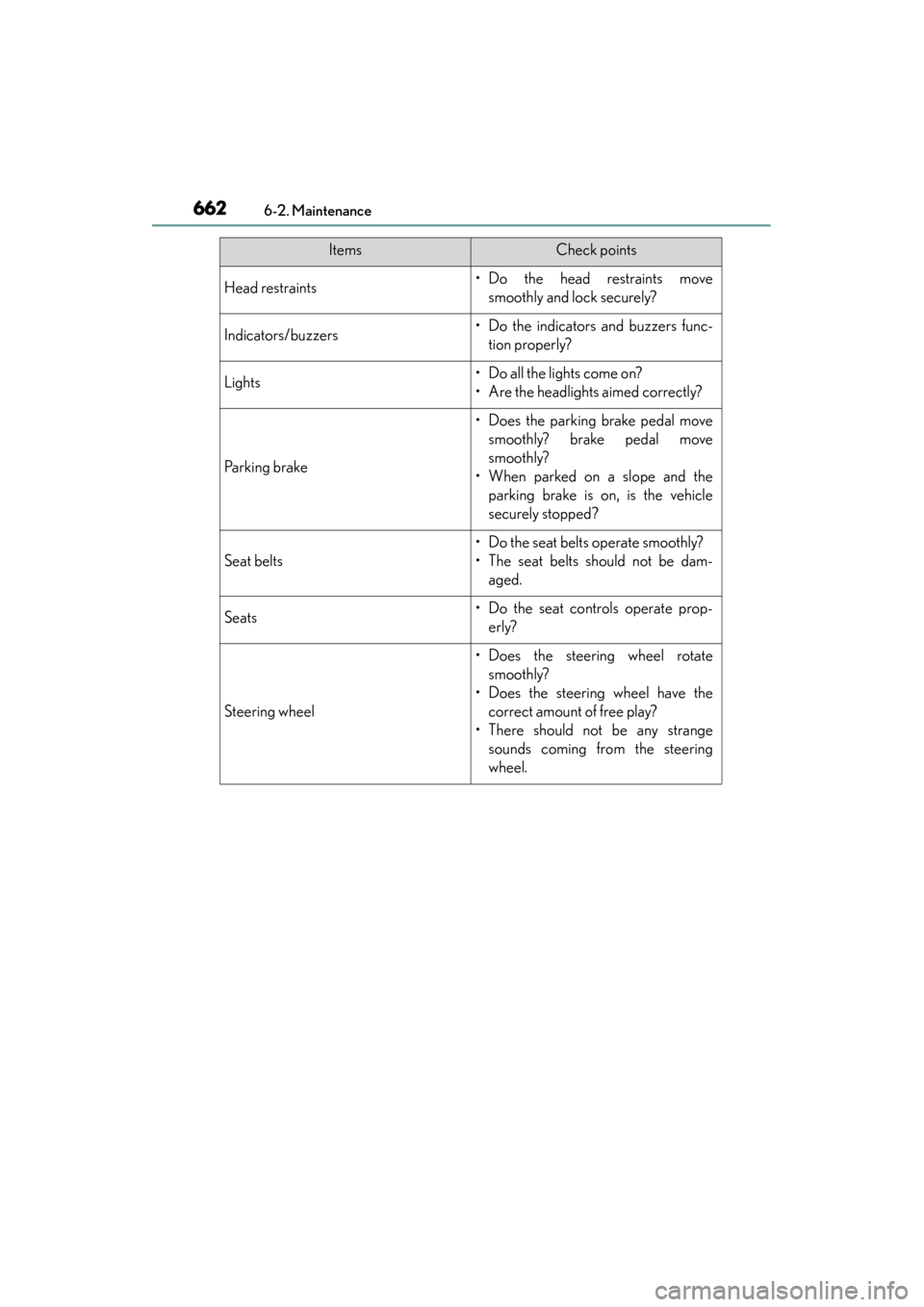
Head restraints• Do the head restraints movesmoothly and lock securely?
Indicators/buzzers• Do the indicators and buzzers func-tion properly?
Lights• Do all the lights come on?
• Are the headlights aimed correctly?
Parking brake
• Does the parking brake pedal movesmoothly? brake pedal move
smoothly?
• When parked on a slope and the parking brake is on, is the vehicle
securely stopped?
Seat belts
• Do the seat belts operate smoothly?
• The seat belts should not be dam-aged.
Seats• Do the seat controls operate prop-erly?
Steering wheel
• Does the steering wheel rotatesmoothly?
• Does the steering wheel have the correct amount of free play?
• There should not be any strange sounds coming from the steering
wheel.
ItemsCheck points
Page 686 of 910
ES350 300h_OM_OM33A01U_(U)
6856-3. Do-it-yourself maintenance
6
Maintenance and care
Check the 12-volt battery as follows.
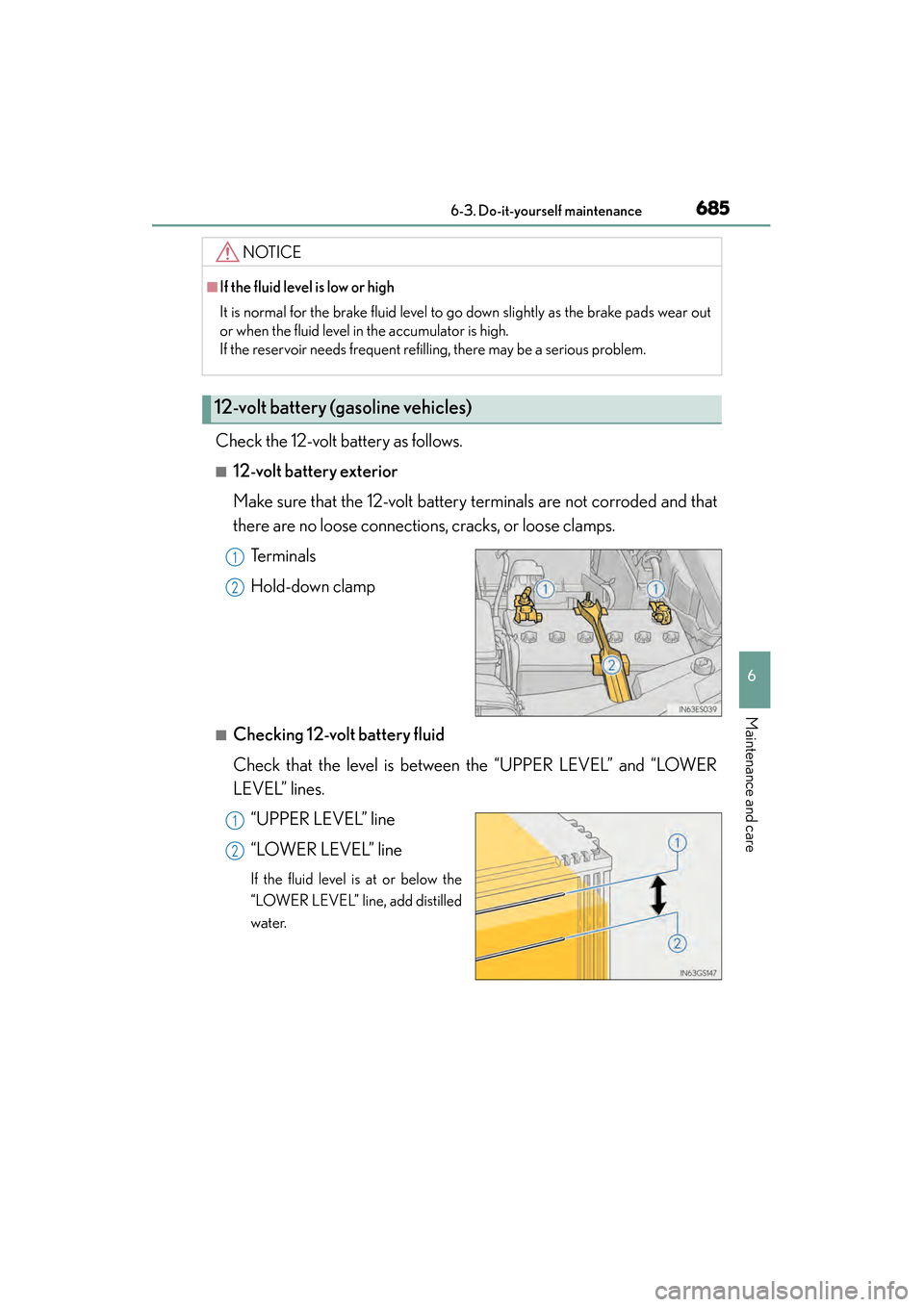
■12-volt battery exterior
Make sure that the 12-volt battery terminals are not corroded and that
there are no loose connections, cracks, or loose clamps.Te r m i n a l s
Hold-down clamp
■Checking 12-volt battery fluid
Check that the level is between the “UPPER LEVEL” and “LOWER
LEVEL” lines.“UPPER LEVEL” line
“LOWER LEVEL” line
If the fluid level is at or below the
“LOWER LEVEL” line, add distilled
water.
NOTICE
■If the fluid level is low or high
It is normal for the brake fluid level to go down slightly as the brake pads wear out
or when the fluid level in the accumulator is high.
If the reservoir needs frequent refilling, there may be a serious problem.
12-volt battery (gasoline vehicles)
1
2
1
2
Page 752 of 910
751
ES350 300h_OM_OM33A01U_(U)
7
When trouble arises
7-2. Steps to take in an emergency
If a warning light turns on or a warning buzzer
sounds
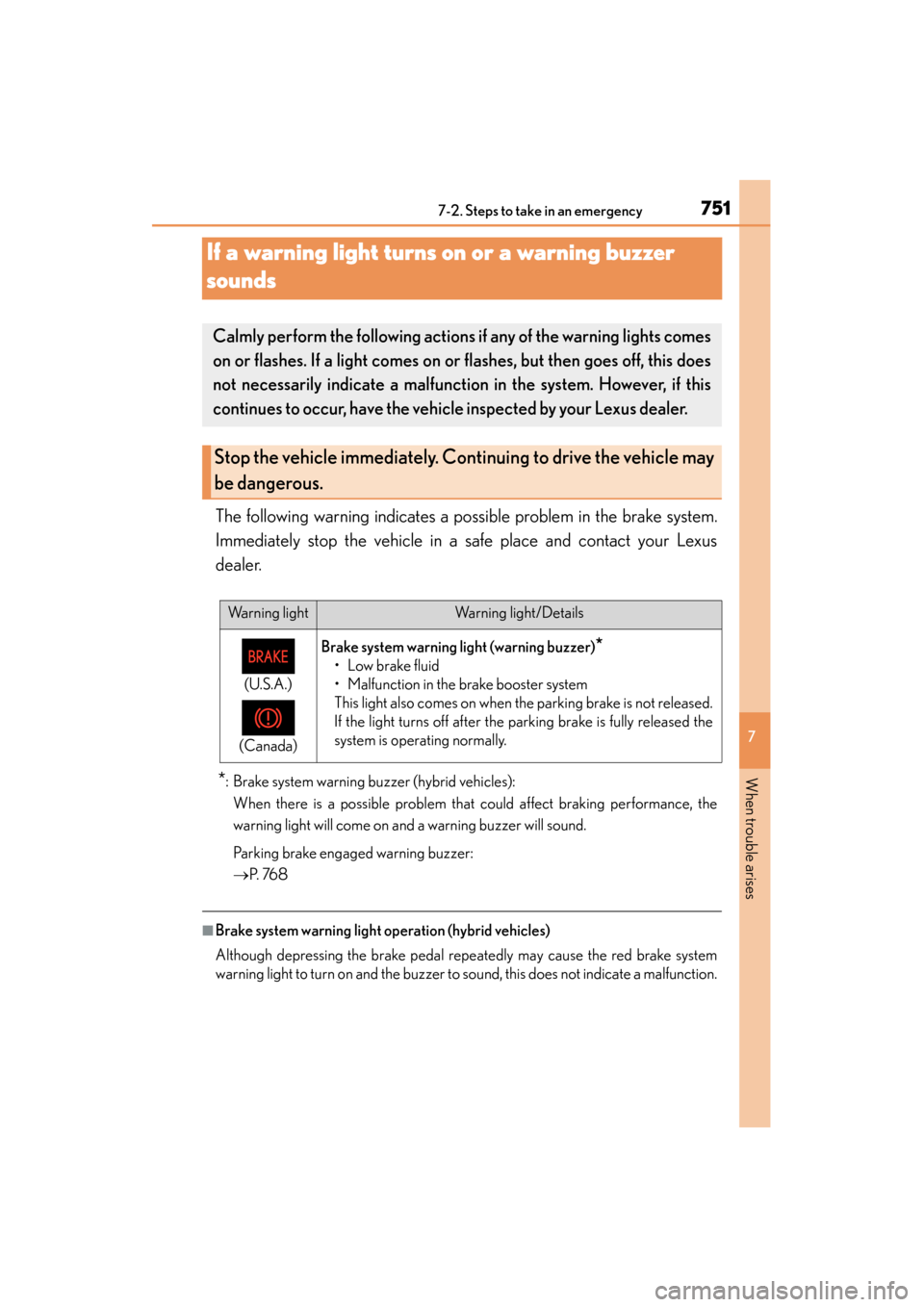
The following warning indicates a possible problem in the brake system.
Immediately stop the vehicle in a safe place and contact your Lexus
dealer.
*: Brake system warning buzzer (hybrid vehicles): When there is a possible problem that could affect braking performance, the
warning light will come on and a warning buzzer will sound.
Parking brake engaged warning buzzer:
→ P. 76 8
■Brake system warning light operation (hybrid vehicles)
Although depressing the brake pedal repeatedly may cause the red brake system
warning light to turn on and the buzzer to sound, this does not indicate a malfunction.
Calmly perform the following actions if any of the warning lights comes
on or flashes. If a light comes on or flashes, but then goes off, this does
not necessarily indicate a malfunction in the system. However, if this
continues to occur, have the vehicle inspected by your Lexus dealer.
Stop the vehicle immediately. Continuing to drive the vehicle may
be dangerous.
Warning lightWarning light/Details
(U.S.A.)
(Canada)
Brake system warning light (warning buzzer)*
• Low brake fluid
• Malfunction in the brake booster system
This light also comes on when the parking brake is not released.
If the light turns off after the parking brake is fully released the
system is operating normally.