Low battery Lexus ES300h 2014 Owner's Guide
[x] Cancel search | Manufacturer: LEXUS, Model Year: 2014, Model line: ES300h, Model: Lexus ES300h 2014Pages: 918, PDF Size: 25.26 MB
Page 187 of 918
186
ES350_300h_OM_OM33A60U_(U)
4-1. Before driving
■Breaking in your new Lexus
To extend the life of the vehicle, observing the following precautions is recom-
mended:
●For the first 186 miles (300 km):
Avoid sudden stops.
●For the first 621 miles (1000 km):
• Do not drive at extremely high speeds.
• Avoid sudden acceleration.
• Do not drive continuously in low gears.
• Do not drive at a constant speed for extended periods.
■Drum-in-disc type parking brake system
Your vehicle has a drum-in-disc type parking brake system. This type of brake system
needs bedding-down of the brake shoes periodically or whenever the parking brake
shoes and/or drum are replaced. Have your Lexus dealer perform the bedding
down operation.
■Operating your vehicle in a foreign country
Comply with the relevant vehicle registration laws and confirm the availability of the
correct fuel. (→P. 847)
■For efficient use (hybrid vehicles)
●Shift the shift lever to D when driving.
In the N position, the gasoline engine operates but electricity cannot be generated.
The hybrid battery (traction battery) will discharge, requiring unnecessary engine
power to recharge.
●Drive your vehicle smoothly.
Avoid abrupt acceleration and deceleration. Gradual acceleration and decelera-
tion will make more effective use of the electric motor (traction motor) without hav-
ing to use gasoline engine power.
●Avoid repeated acceleration.
Repeated acceleration consumes hybrid battery (traction battery) power, resulting
in poor acceleration. Battery power can be restored by driving with the accelerator
pedal slightly released.
●Shift the shift lever to P when parking.
In the N position, the hybrid battery (traction battery) does not recharge.
Leaving the shift lever in the N position for an extended period of time may dis-
charge the hybrid battery. The vehicle cannot run if the hybrid battery is dis-
charged.
Page 212 of 918
ES350_300h_OM_OM33A60U_(U)
2114-2. Driving procedures
4
Driving
■Auto power off function
If the vehicle is left in ACCESSORY mode for more than 20 minutes or ON mode
(the hybrid system is not operating) for more than an hour with the shift lever in P, the
“POWER” switch will automatically turn off. However, this function cannot entirely
prevent 12-volt battery discharge. Do not leave the vehicle with the “POWER”
switch in ACCESSORY or ON mode for long periods of time when the hybrid sys-
tem is not operating.
■Sounds and vibrations specific to a hybrid vehicles
→ P. 7 5
■Electronic key battery depletion
→P. 1 3 6
■When the ambient temperature is low, such as during winter driving conditions
It may take time until the “READY” indicator comes on.
■Conditions affecting operation
→P. 1 3 2
■Notes for the entry function
→P. 1 3 3
■If the hybrid system does not start
●The immobilizer system may not have been deactivated. (→ P. 8 4 )
Contact your Lexus dealer.
●Check that the shift lever is securely set in P. The hybrid system may not start if the
shift lever is displaced out of P. “Shift to P position when starting” will be displayed
on the multi-information display.
■Steering lock
After turning the “POWER” switch off and opening and closing the doors, the steer-
ing wheel will be locked due to the steering lock function. Operating the “POWER”
switch again automatically cancels the steering lock.
Page 216 of 918
215
ES350_300h_OM_OM33A60U_(U)
4-2. Driving procedures
4
Driving
EV drive mode (hybrid vehicles)
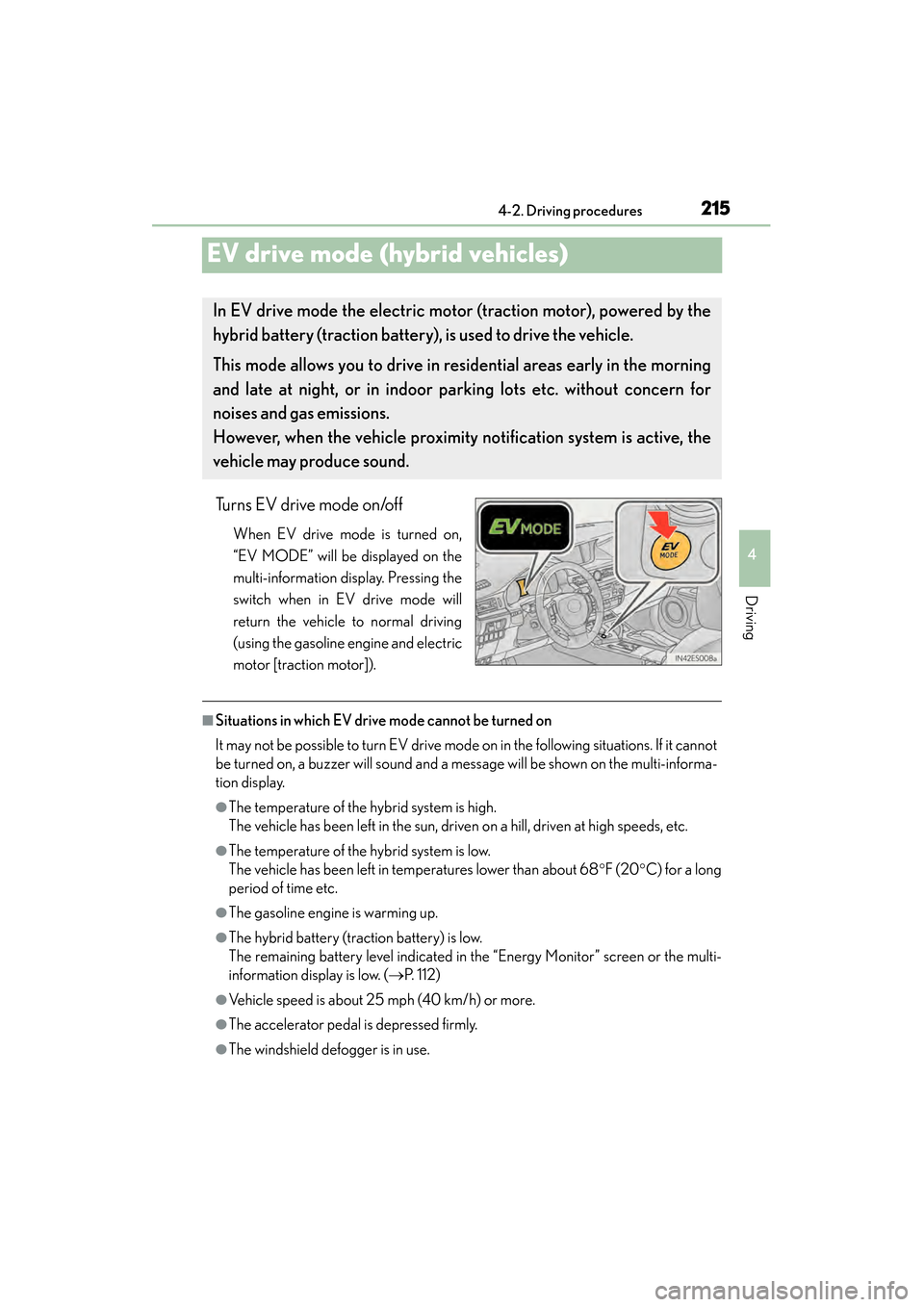
Turns EV drive mode on/off
When EV drive mode is turned on,
“EV MODE” will be displayed on the
multi-information display. Pressing the
switch when in EV drive mode will
return the vehicle to normal driving
(using the gasoline engine and electric
motor [traction motor]).
■Situations in which EV drive mode cannot be turned on
It may not be possible to turn EV drive mode on in the following situations. If it cannot
be turned on, a buzzer will sound and a message will be shown on the multi-informa-
tion display.
●The temperature of the hybrid system is high.
The vehicle has been left in the sun, driven on a hill, driven at high speeds, etc.
●The temperature of the hybrid system is low.
The vehicle has been left in temperatures lower than about 68 °F (20 °C) for a long
period of time etc.
●The gasoline engine is warming up.
●The hybrid battery (traction battery) is low.
The remaining battery level indicated in the “Energy Monitor” screen or the multi-
information display is low. ( →P. 112)
●Vehicle speed is about 25 mph (40 km/h) or more.
●The accelerator pedal is depressed firmly.
●The windshield defogger is in use.
In EV drive mode the electric motor (traction motor), powered by the
hybrid battery (traction battery), is used to drive the vehicle.
This mode allows you to drive in re sidential areas early in the morning
and late at night, or in indoor pa rking lots etc. without concern for
noises and gas emissions.
However, when the vehicle proximity notification system is active, the
vehicle may produce sound.
Page 217 of 918
216
ES350_300h_OM_OM33A60U_(U)
4-2. Driving procedures
■Switching to EV drive mode when the gasoline engine is cold
If the hybrid system is started while the gasoline engine is cold, the gasoline engine
will start automatically in order to warm up. In this case, you will become unable to
switch to EV drive mode.
After the hybrid system has started and the “READY” indicator has illuminated,
press the EV drive mode switch before the gasoline engine starts to switch to EV
drive mode.
■Automatic cancelation of EV drive mode
When driving in EV drive mode, the gasoline engine may automatically restart in the
following situations. When EV drive mode is canceled, a buzzer will sound and the
EV indicator will flash 3 times and go off.
●The hybrid battery (traction battery) becomes low.
The remaining battery level indicated in the “Energy Monitor” screen or the multi-
information display is low. ( →P. 112)
●Vehicle speed becomes more than about 25 mph (40 km/h).
●The accelerator pedal is depressed firmly.
When it is possible to inform the driver of automatic cancelation in advance, a prior
notice screen will appear on the multi-information display.
■Possible driving distance when driving in EV drive mode
EV drive mode’s possible driving distance ranges from a few hundred meters to
approximately 1.3 mile (2 km). Driving is possible at speeds of less than approxi-
mately 25 mph (40 km/h). However, depending on vehicle conditions, there are sit-
uations when EV drive mode cannot be used.
(The distance that is possible depends on the hybrid battery [traction battery] level
and driving conditions.)
■Fuel economy
Your Lexus is designed to achieve the best possible fuel economy during normal
driving (using the gasoline engine and electric motor [traction motor]). Driving in EV
drive mode more than necessary may lower fuel economy.
Page 306 of 918
ES350_300h_OM_OM33A60U_(U)
3054-5. Using the driving support systems
4
Driving
■When the message is displayed on the multi-information display showing that
TRAC has been disabled even if the VSC OFF switch has not been pressed
TRAC and hill-start assist control (hybrid vehicles) cannot be operated. Contact
your Lexus dealer.
■When the 12-volt battery is disconnected
The steering wheel may move from its straight forward position, but this will be cor-
rected automatically when driving.
■Sounds and vibrations caused by the ABS, brake assist, VSC and TRAC systems
●A sound may be heard from the engine compartment when the brake pedal is
depressed repeatedly, when the engine
vehicle begins to move. This sound does not indicate that a malfunction has
occurred in any of these systems.
●Any of the following conditions may occur when the above systems are operating.
None of these indicates that a malfunction has occurred.
• Vibrations may be felt through the vehicle body and steering.
• A motor sound may be heard after the vehicle comes to a stop.
• The brake pedal may pulsate slightly after the ABS is activated (gasoline vehi-cles).
• The brake pedal may move down slightly after the ABS is activated (gasoline vehicles).
■EPS operation sound
When the steering wheel is operated, a motor sound (whirring sound) may be heard.
This does not indicate a malfunction.
■Automatic reactivation of TRAC and VSC systems
After turing the TRAC and VSC systems off, the systems will be automatically re-
enabled in the following situations:
●When the “START STOP ENGINE” <“POWER”> switch is turned off
●If only the TRAC system is turned off, the TRAC will turn on when vehicle speed
increases.
If both the TRAC and VSC systems are turned off, automatic re-enabling will not
occur when vehicle speed increases.
Page 365 of 918
364
ES350_300h_OM_OM33A60U_(U)
5-2. Using the air conditioning system and defogger
NOTICE
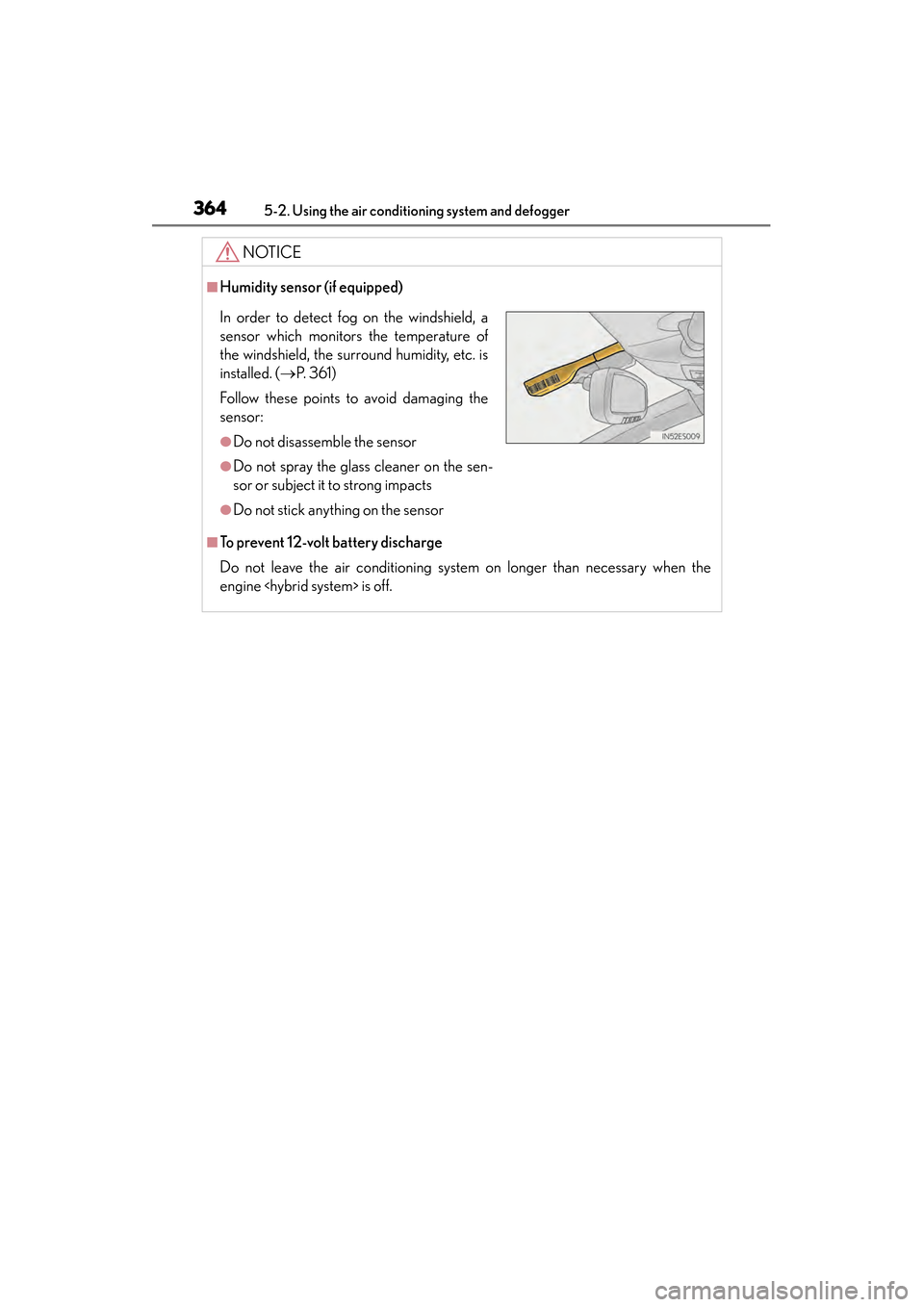
■Humidity sensor (if equipped)
■To prevent 12-volt battery discharge
Do not leave the air conditioning system on longer than necessary when the
engine
In order to detect fog on the windshield, a
sensor which monitors the temperature of
the windshield, the surround humidity, etc. is
installed. ( →P. 3 6 1 )
Follow these points to avoid damaging the
sensor:
●Do not disassemble the sensor
●Do not spray the glass cleaner on the sen-
sor or subject it to strong impacts
●Do not stick anything on the sensor
Page 378 of 918
ES350_300h_OM_OM33A60U_(U)
3775-2. Using the air conditioning system and defogger
5
Interior features
NOTICE
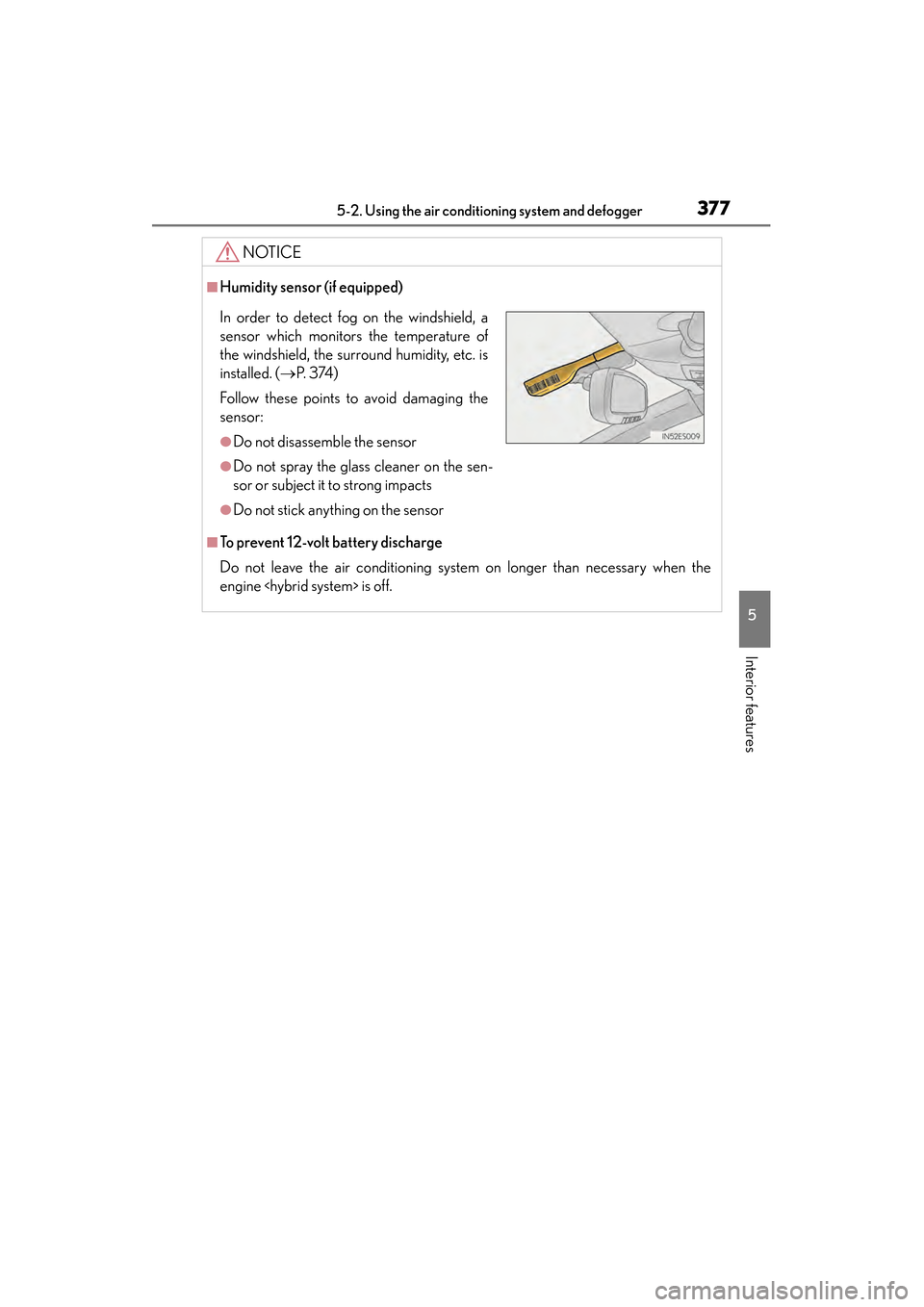
■Humidity sensor (if equipped)
■To prevent 12-volt battery discharge
Do not leave the air conditioning system on longer than necessary when the
engine
In order to detect fog on the windshield, a
sensor which monitors the temperature of
the windshield, the surround humidity, etc. is
installed. ( →P. 3 74 )
Follow these points to avoid damaging the
sensor:
●Do not disassemble the sensor
●Do not spray the glass cleaner on the sen-
sor or subject it to strong impacts
●Do not stick anything on the sensor
Page 417 of 918
416
ES350_300h_OM_OM33A60U_(U)
5-3. Using the Lexus Display Audio system
■About iPod
●“Made for iPod” and “Made for iPhone” mean that an electronic accessory has
been designed to connect specifically to iPod, or iPhone, respectively, and has
been certified by the developer to meet Apple performance standards.
●Apple is not responsible for the operation of this device or its compliance with
safety and regulatory standards. Please note that the use of this accessory with
iPod or iPhone may affect wireless performance.
●iPhone, iPod, iPod classic, iPod nano and iPod touch are trademarks of Apple Inc.,
registered in the U.S. and other countries.
■iPod cover art
●Depending on the iPod and songs in the iPod, iPod cover art may be displayed.
●This function can be changed to “On” or “Off”. (→P. 3 4 9 )
●It may take time to display iPod cover art, and the iPod may not be operated while
the cover art display is in process.
●Only iPod cover art that is saved in a JPEG format can be displayed.
■iPod functions
●When the iPod connected to the system includes iPod video, the system can only
output the sound by selecting on the “iPod” screen.
●Depending on the iPod, the video sound may not be able to be heard.
●When an iPod is connected and the audio source is changed to iPod mode, the
iPod will resume play from the same point in which it was last used.
●Depending on the iPod that is connected to the system, certain functions may not
be available. If a function is unavailable due to a malfunction (as opposed to a sys-
tem specification), disconnecting the device and reconnecting it once again may
resolve the problem.
●While connected to the system, the iPod cannot be operated with its own controls.
It is necessary to use the controls of the vehicle’s audio system instead.
●When the battery level of an iPod is very low, the iPod may not operate. If so, charge
the iPod before use.
●Supported models ( →P. 4 1 7 )
Page 442 of 918
ES350_300h_OM_OM33A60U_(U)
4415-3. Using the Lexus Display Audio system
5
Interior features
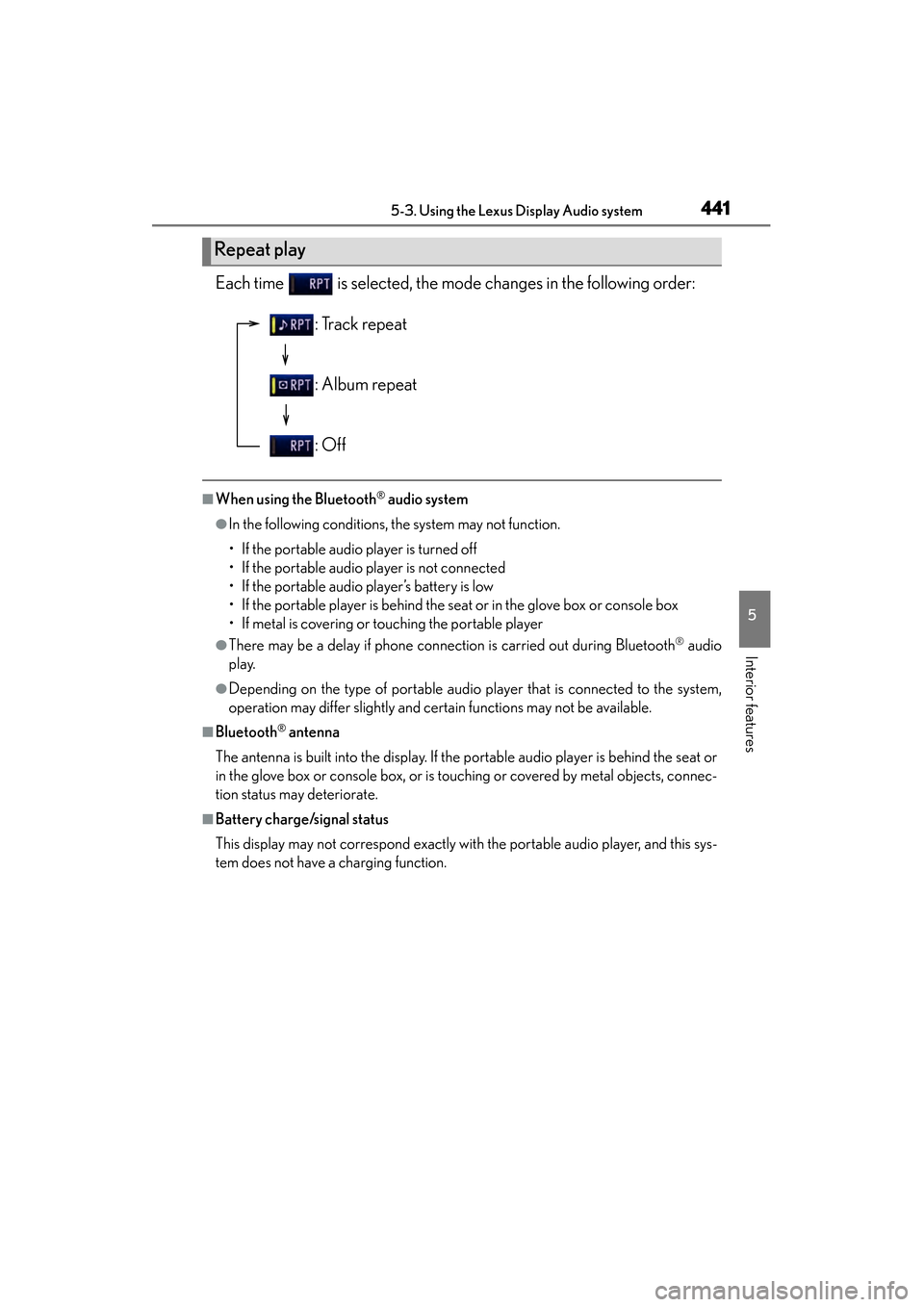
Each time is selected, the mode changes in the following order:
■When using the Bluetooth® audio system
●In the following conditions, the system may not function.
• If the portable audio player is turned off
• If the portable audio player is not connected
• If the portable audio player’s battery is low
• If the portable player is behind the seat or in the glove box or console box
• If metal is covering or touching the portable player
●There may be a delay if phone connection is carried out during Bluetooth® audio
play.
●Depending on the type of portable audio player that is connected to the system,
operation may differ slightly and certain functions may not be available.
■Bluetooth® antenna
The antenna is built into the display. If the portable audio player is behind the seat or
in the glove box or console box, or is touching or covered by metal objects, connec-
tion status may deteriorate.
■Battery charge/signal status
This display may not correspond exactly with the portable audio player, and this sys-
tem does not have a charging function.
Repeat play
: Track repeat
: Album repeat
: Off
Page 455 of 918
454
ES350_300h_OM_OM33A60U_(U)
5-3. Using the Lexus Display Audio system
●In the following circumstances, it may be difficult to hear the other party:
• When driving on unpaved roads
• When driving at high speeds
• If a window is open
• If the air conditioning is blowing directly on the microphone
• There is an effect from the network of the cellular phone
■Conditions under which the system will not operate
●If using a cellular phone that does not support Bluetooth®
●If the cellular phone is turned off
●If you are outside service range
●If the cellular phone is not connected
●If the cellular phone’s battery is low
●When outgoing is controlled, due to heavy traffic on telephone lines, etc.
●When the cellular phone itself cannot be used
●When transferring the phonebook data from the cellular phone
■Bluetooth® antenna
The antenna is built into the display. If the cellular phone is behind the seat or in the
console box, or touching or covered by metal objects, connection status may deteri-
orate.
■Battery charge/Signal status
●This display may not correspond exactly with the cellular phone itself.
●This system does not have a charging function.
●The Bluetooth® phone battery will burn quickly when it is connected to Bluetooth®.
●When the cellular phone is not connected, “No Connect” is displayed.
●When you are out of service area or in a place inaccessible by radio waves, “No
service” is displayed.
■When using Bluetooth® audio and hands-free system at the same time
The following problems may occur.
●The Bluetooth® connection may be cut.
●Noise may be heard on the Bluetooth® audio playback.