wheel Lexus ES300h 2014 Owner's Guide
[x] Cancel search | Manufacturer: LEXUS, Model Year: 2014, Model line: ES300h, Model: Lexus ES300h 2014Pages: 918, PDF Size: 25.26 MB
Page 194 of 918
ES350_300h_OM_OM33A60U_(U)
1934-1. Before driving
4
Driving
NOTICE
■When driving the vehicle
●Do not depress the accelerator and brake pedals at the same time during driving,
as this may restrain driving torque.
●Do not use the accelerator pedal or depress the accelerator and brake pedals at
the same time to hold the vehicle on a hill.
■When parking the vehicle
Always shift the shift lever to P. Failure to do so may cause the vehicle to move or
the vehicle may accelerate suddenly if the accelerator pedal is accidentally
depressed.
■Avoiding damage to vehicle parts
●Do not turn the steering wheel fully in either direction and hold it there for an
extended period of time.
Doing so may damage the power steering motor.
●When driving over bumps in the road, drive as slowly as possible to avoid damag-
ing the wheels, underside of the vehicle, etc.
■If you get a flat tire while driving
A flat or damaged tire may cause the following situations. Hold the steering wheel
firmly and gradually depress the brake pedal to slow down the vehicle.
●It may be difficult to control your vehicle.
●The vehicle will make abnormal sounds or vibrations.
●The vehicle will lean abnormally.
Information on what to do in case of a flat tire ( →P. 7 9 2 )
Page 200 of 918
199
ES350_300h_OM_OM33A60U_(U)
4-1. Before driving
4
Driving
Trailer towing
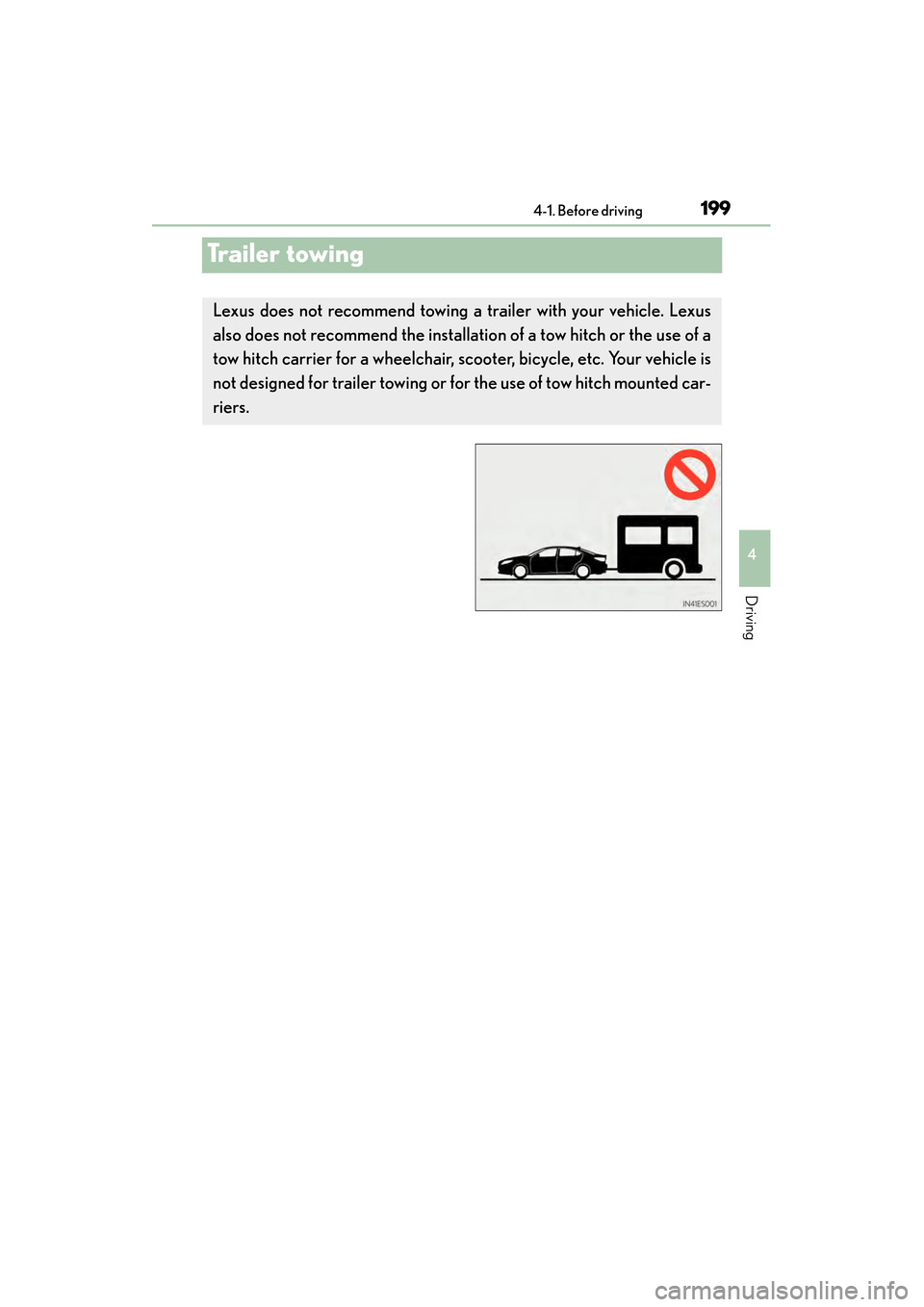
Lexus does not recommend towing a trailer with your vehicle. Lexus
also does not recommend the installation of a tow hitch or the use of a
tow hitch carrier for a wheelchair, sc ooter, bicycle, etc. Your vehicle is
not designed for trailer towing or for the use of tow hitch mounted car-
riers.
Page 201 of 918
200
ES350_300h_OM_OM33A60U_(U)
4-1. Before driving
Dinghy towing
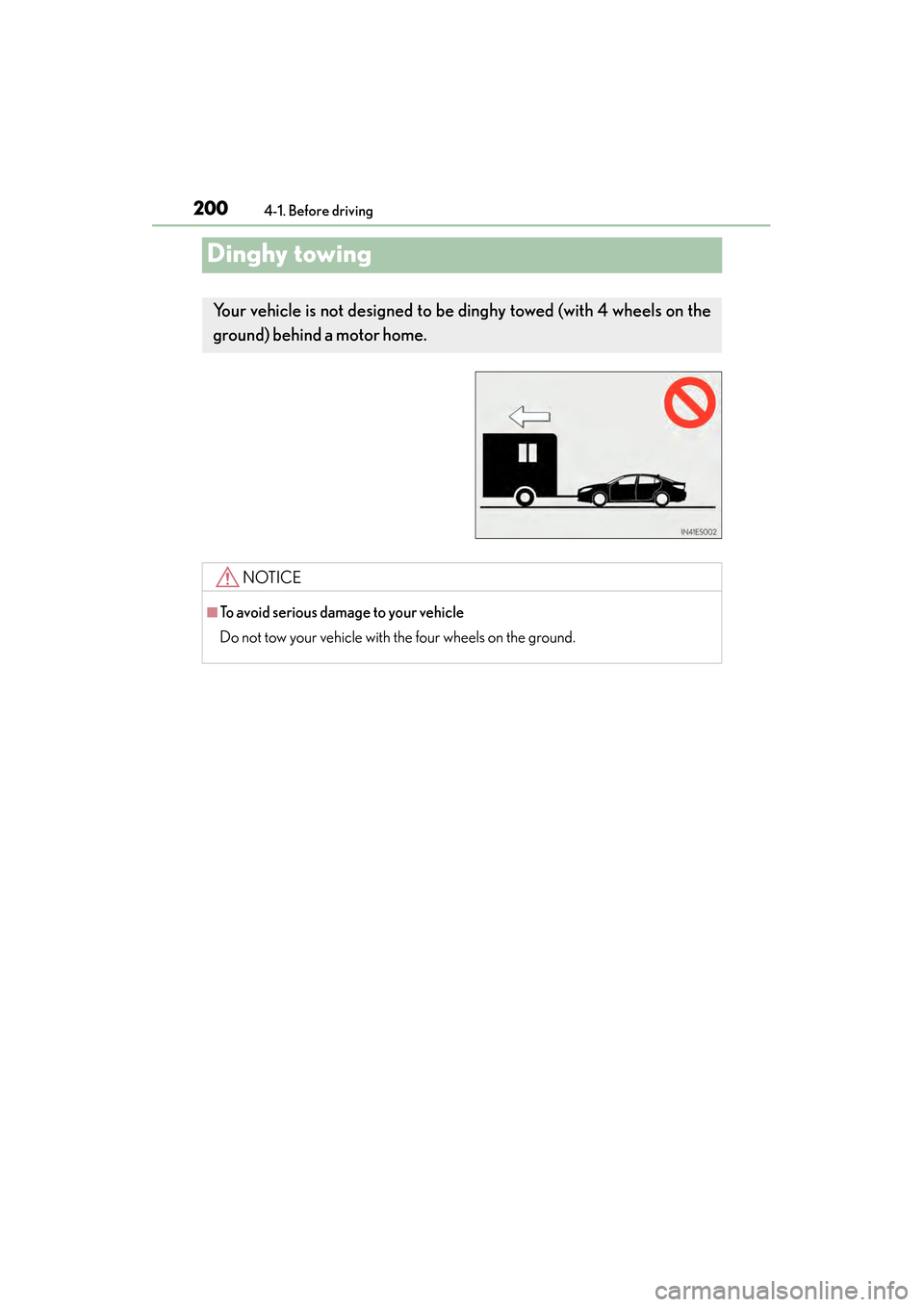
Your vehicle is not designed to be dinghy towed (with 4 wheels on the
ground) behind a motor home.
NOTICE
■To avoid serious damage to your vehicle
Do not tow your vehicle with the four wheels on the ground.
Page 205 of 918
204
ES350_300h_OM_OM33A60U_(U)
4-2. Driving procedures
■Auto power off function
If the vehicle is left in ACCESSORY mode for more than 20 minutes or IGNITION
ON mode (the engine is not running) for more than an hour with the shift lever in P,
the “START STOP ENGINE” switch will automatically turn off. However, this func-
tion cannot entirely prevent 12-volt battery discharge. Do not leave the vehicle with
the “START STOP ENGINE” switch in ACCESSORY or IGNITION ON mode for
long periods of time when the engine is not running.
■Electronic key battery depletion
→P. 1 3 6
■Conditions affecting operation
→P. 1 3 2
■Notes for the entry function
→P. 1 3 3
■If the engine does not start
●The engine immobilizer system may not have been deactivated. ( →P. 8 2 )
Contact your Lexus dealer.
●Check that the shift lever is securely set in P. The engine may not start if the shift
lever is displaced out of P. “Shift to P position to Start” will be displayed on the multi-
information display.
■Steering lock
After turning the “START STOP ENGINE” switch off and opening and closing the
doors, the steering wheel will be locked due to the steering lock function. Operating
the “START STOP ENGINE” switch again automatically cancels the steering lock.
Page 206 of 918
ES350_300h_OM_OM33A60U_(U)
2054-2. Driving procedures
4
Driving
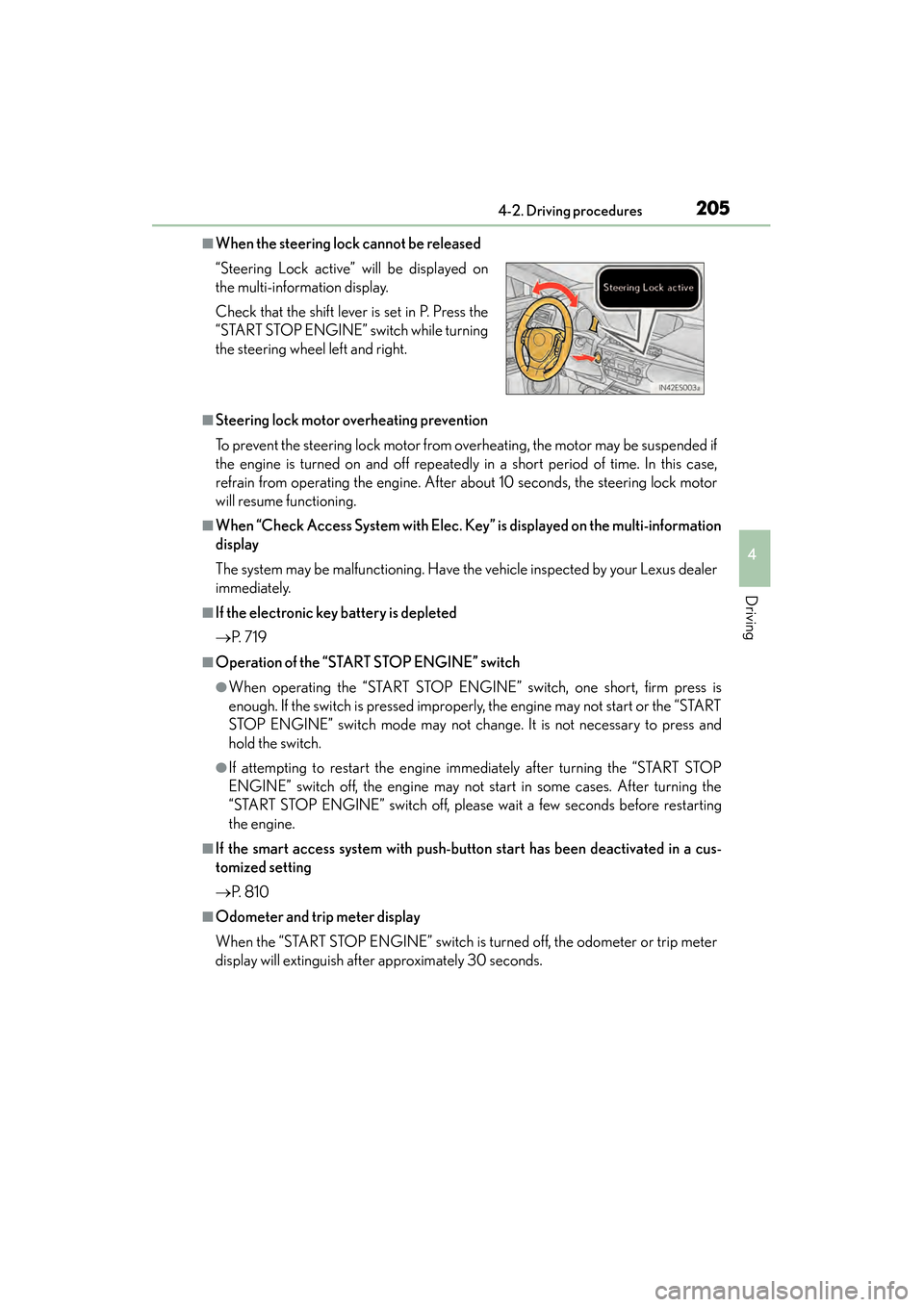
■When the steering lock cannot be released
■Steering lock motor overheating prevention
To prevent the steering lock motor from overheating, the motor may be suspended if
the engine is turned on and off repeatedly in a short period of time. In this case,
refrain from operating the engine. After about 10 seconds, the steering lock motor
will resume functioning.
■When “Check Access System with Elec. Key” is displayed on the multi-information
display
The system may be malfunctioning. Have the vehicle inspected by your Lexus dealer
immediately.
■If the electronic key battery is depleted
→P. 7 1 9
■Operation of the “START STOP ENGINE” switch
●When operating the “START STOP ENGINE” switch, one short, firm press is
enough. If the switch is pressed improperly, the engine may not start or the “START
STOP ENGINE” switch mode may not change. It is not necessary to press and
hold the switch.
●If attempting to restart the engine immediately after turning the “START STOP
ENGINE” switch off, the engine may not start in some cases. After turning the
“START STOP ENGINE” switch off, please wait a few seconds before restarting
the engine.
■If the smart access system with push-button start has been deactivated in a cus-
tomized setting
→P. 8 1 0
■Odometer and trip meter display
When the “START STOP ENGINE” switch is turned off, the odometer or trip meter
display will extinguish after approximately 30 seconds. “Steering Lock active” will be displayed on
the multi-information display.
Check that the shift lever is set in P. Press the
“START STOP ENGINE” switch while turning
the steering wheel left and right.
Page 212 of 918
ES350_300h_OM_OM33A60U_(U)
2114-2. Driving procedures
4
Driving
■Auto power off function
If the vehicle is left in ACCESSORY mode for more than 20 minutes or ON mode
(the hybrid system is not operating) for more than an hour with the shift lever in P, the
“POWER” switch will automatically turn off. However, this function cannot entirely
prevent 12-volt battery discharge. Do not leave the vehicle with the “POWER”
switch in ACCESSORY or ON mode for long periods of time when the hybrid sys-
tem is not operating.
■Sounds and vibrations specific to a hybrid vehicles
→ P. 7 5
■Electronic key battery depletion
→P. 1 3 6
■When the ambient temperature is low, such as during winter driving conditions
It may take time until the “READY” indicator comes on.
■Conditions affecting operation
→P. 1 3 2
■Notes for the entry function
→P. 1 3 3
■If the hybrid system does not start
●The immobilizer system may not have been deactivated. (→ P. 8 4 )
Contact your Lexus dealer.
●Check that the shift lever is securely set in P. The hybrid system may not start if the
shift lever is displaced out of P. “Shift to P position when starting” will be displayed
on the multi-information display.
■Steering lock
After turning the “POWER” switch off and opening and closing the doors, the steer-
ing wheel will be locked due to the steering lock function. Operating the “POWER”
switch again automatically cancels the steering lock.
Page 213 of 918
212
ES350_300h_OM_OM33A60U_(U)
4-2. Driving procedures
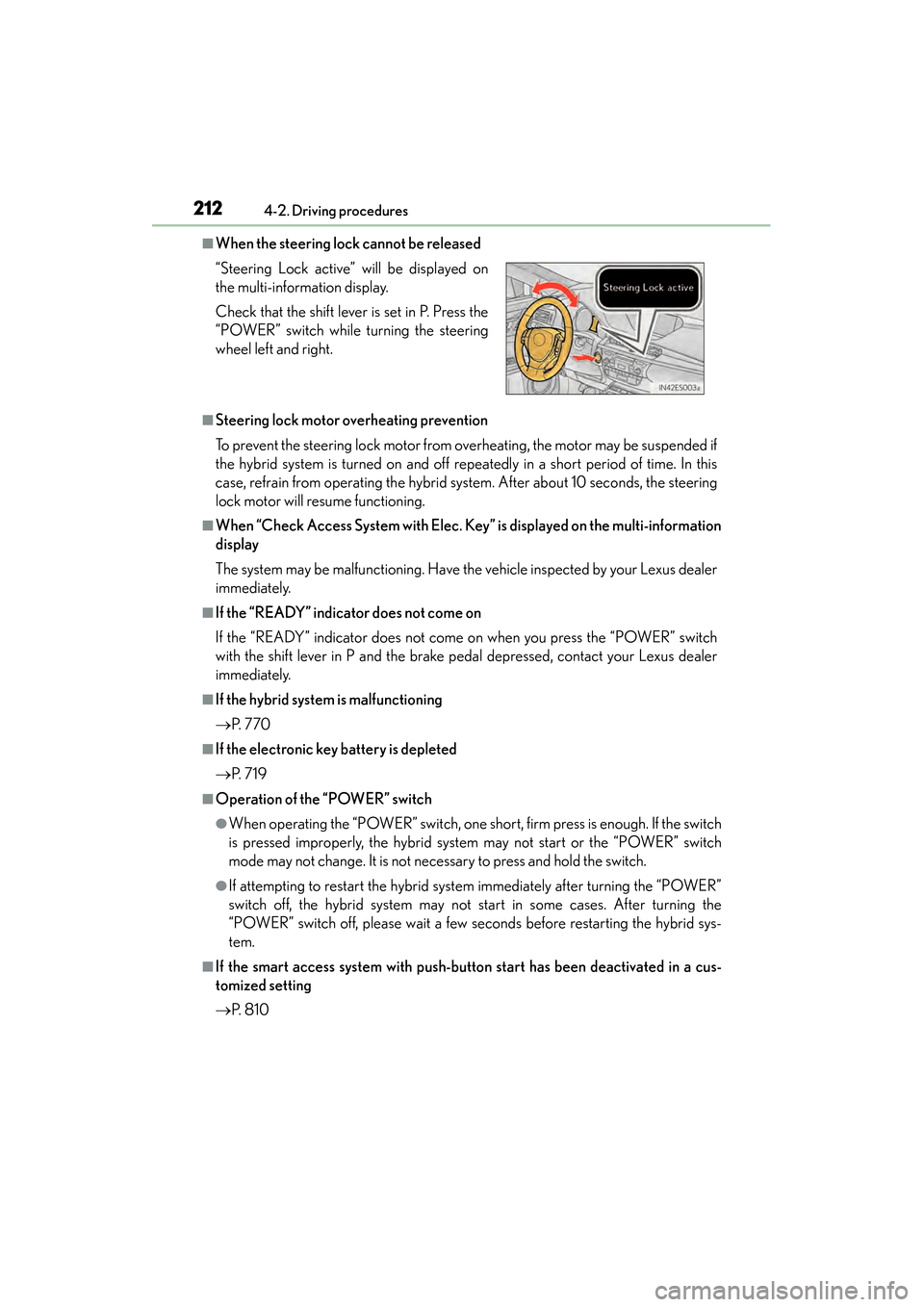
■When the steering lock cannot be released
■Steering lock motor overheating prevention
To prevent the steering lock motor from overheating, the motor may be suspended if
the hybrid system is turned on and off repeatedly in a short period of time. In this
case, refrain from operating the hybrid system. After about 10 seconds, the steering
lock motor will resume functioning.
■When “Check Access System with Elec. Key” is displayed on the multi-information
display
The system may be malfunctioning. Have the vehicle inspected by your Lexus dealer
immediately.
■If the “READY” indicator does not come on
If the “READY” indicator does not come on when you press the “POWER” switch
with the shift lever in P and the brake pedal depressed, contact your Lexus dealer
immediately.
■If the hybrid system is malfunctioning
→P. 7 7 0
■If the electronic key battery is depleted
→P. 7 1 9
■Operation of the “POWER” switch
●When operating the “POWER” switch, one short, firm press is enough. If the switch
is pressed improperly, the hybrid system may not start or the “POWER” switch
mode may not change. It is not necessary to press and hold the switch.
●If attempting to restart the hybrid system immediately after turning the “POWER”
switch off, the hybrid system may not start in some cases. After turning the
“POWER” switch off, please wait a few seconds before restarting the hybrid sys-
tem.
■If the smart access system with push-button start has been deactivated in a cus-
tomized setting
→P. 8 1 0
“Steering Lock active” will be displayed on
the multi-information display.
Check that the shift lever is set in P. Press the
“POWER” switch while turning the steering
wheel left and right.
Page 228 of 918
227
ES350_300h_OM_OM33A60U_(U)
4-2. Driving procedures
4
Driving
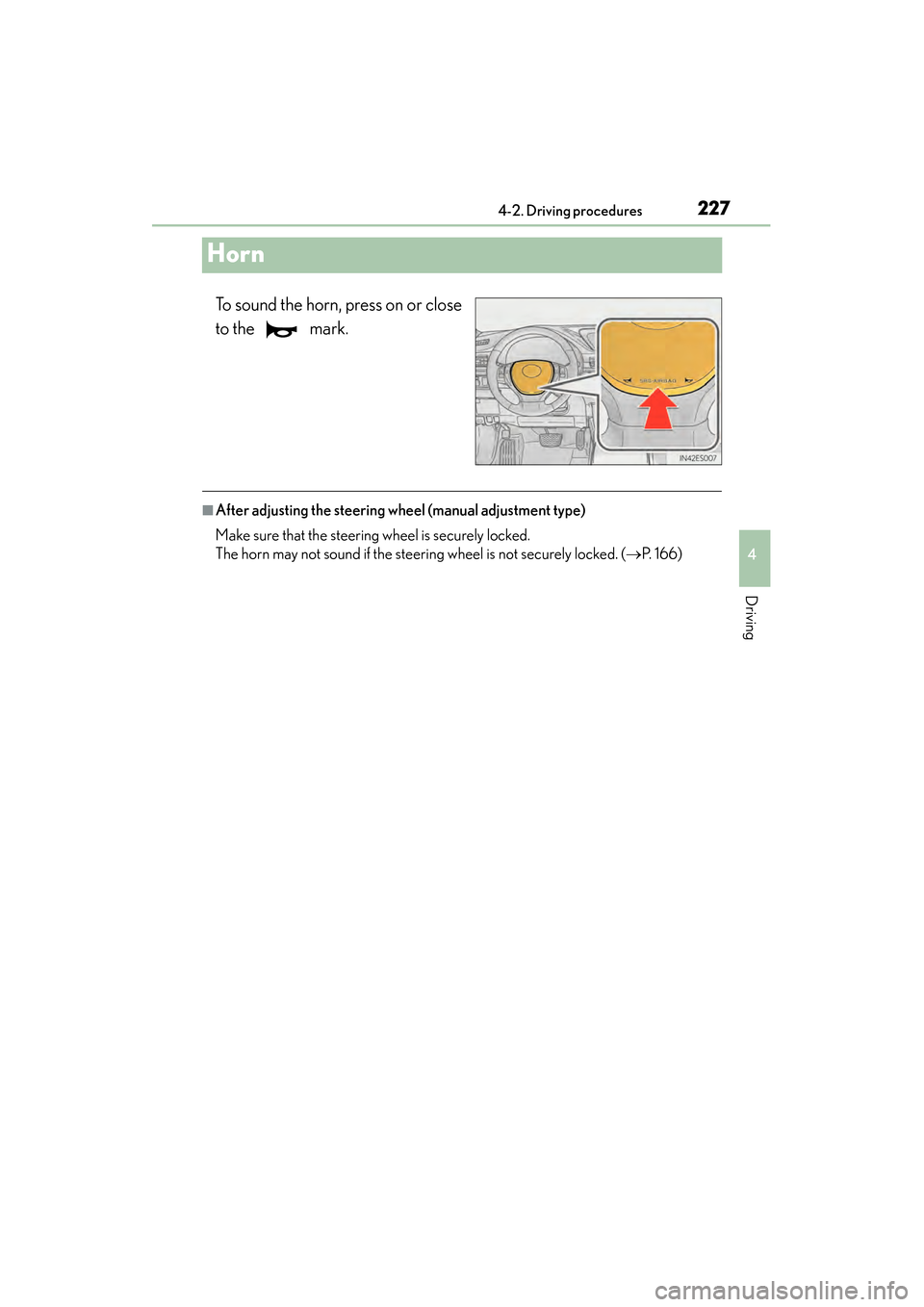
Horn
To sound the horn, press on or close
to the mark.
■After adjusting the steering wheel (manual adjustment type)
Make sure that the steering wheel is securely locked.
The horn may not sound if the steering wheel is not securely locked. (→P. 1 6 6 )
Page 236 of 918
ES350_300h_OM_OM33A60U_(U)
2354-3. Operating the lights and wipers
4
Driving
■The Automatic High Beam can be operated when
The “START STOP ENGINE” <“POWER”> switch is in IGNITION ON
mode.
■Camera sensor detection information
●High beam may not be automatically turned off in the following situations:
• When oncoming vehicles suddenly appear from a curve
• When the vehicle is cut in front of by another
• When oncoming or preceding vehicles are hidden from sight due to repeatedcurves, road dividers or roadside trees
• When oncoming vehicles appear from the faraway lane on wide road
• When oncoming or preceding vehicles have no lights
●High beam may be turned off if an oncoming vehicle that is using fog lights without
using the headlights is detected.
●House lights, street lights, red traffic signals, and illuminated billboards or signs may
cause the high beam to turn off.
●The following factors may affect the amount of time taken to turn high beam on or
off:
• The brightness of headlights, fog lights, and tail lights of oncoming and preced- ing vehicles
• The movement and direction of oncoming and preceding vehicles
• When a oncoming or preceding vehicle only has operational lights on one side
• When a oncoming or preceding vehicle is a two-wheeled vehicle
• The condition of the road (gradient, curve, condition of the road surface etc.)
• The number of passengers and amount of luggage
●High beam may be turned on or off when unexpected by the driver.
Page 266 of 918
ES350_300h_OM_OM33A60U_(U)
2654-5. Using the driving support systems
4
Driving
CAUTION
■When the sensor may not be correctly detecting the vehicle ahead
Apply the brakes as necessary when any of the following types of vehicles are in
front of you.
As the sensor may not be able to correctly detect these types of vehicles, the
approach warning (→P. 258) will not be activated, and a fatal or serious accident
may result.
●Vehicles that cut in suddenly
●Vehicles traveling at low speeds
●Vehicles that are not moving
●Vehicles with small rear ends (trailers with no load on board etc.)
●Motorcycles traveling in the same lane
■Conditions under which the vehicle-to-vehicle distance control may not function
correctly
Apply the brakes as necessary in the following conditions as the radar sensor may
not be able to correctly detect vehicles ahead, and a fatal or serious accident may
result:
●When water or snow thrown up by the surrounding vehicles hinders the function-
ing of the sensor
●When your vehicle is pointing upwards (caused by a heavy load in the trunk etc.)
●When the road curves or when the lanes are narrow
●When steering wheel operation or your position in the lane is unstable
●When the vehicle ahead of you decelerates suddenly