mirror Lexus ES300h 2017 Owner's Guide
[x] Cancel search | Manufacturer: LEXUS, Model Year: 2017, Model line: ES300h, Model: Lexus ES300h 2017Pages: 612, PDF Size: 14.05 MB
Page 394 of 612
3926-1. Using the air conditioning system and defogger
ES300h_OM_OM33C75U_(U)
■Adjusting the temperature for driv er and passenger seats separately
(“DUAL” mode)
To turn on the “DUAL” mode, perform any of the following procedures:
●Press the “DUAL” button.
●Select “DUAL” on the option control screen.
●Adjust the passenger’s side temperature setting.
The indicator comes on when the “DUAL” mode is on.
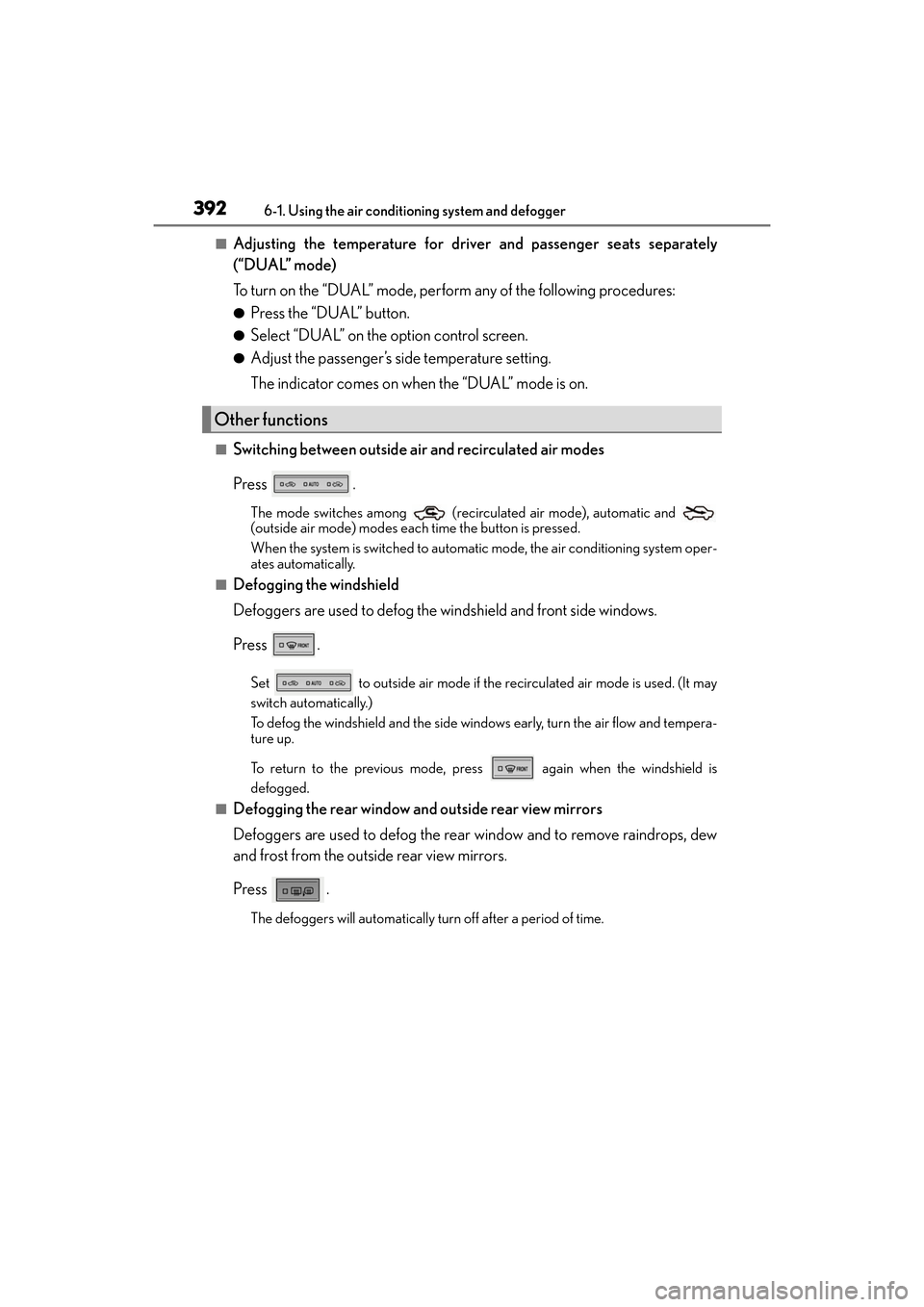
■Switching between outside air and recirculated air modes
Press .
The mode switches among (recirculated air mode), automatic and
(outside air mode) modes each time the button is pressed.
When the system is switched to automatic mode, the air conditioning system oper-
ates automatically.
■Defogging the windshield
Defoggers are used to defog the windshield and front side windows.
Press .
Set to outside air mode if the recirculated air mode is used. (It may
switch automatically.)
To defog the windshield and the side windows early, turn the air flow and tempera-
ture up.
To return to the previous mode, press again when the windshield is
defogged.
■Defogging the rear window and outside rear view mirrors
Defoggers are used to defog the rear window and to remove raindrops, dew
and frost from the outside rear view mirrors.
Press .
The defoggers will automatically turn off after a period of time.
Other functions
Page 398 of 612
3966-1. Using the air conditioning system and defogger
ES300h_OM_OM33C75U_(U)
■Ventilation and air conditioning odors
●To let fresh air in, set the air conditioning system to the outside air mode.
●During use, various odors from inside and outside the vehicle may enter into and accu-
mulate in the air conditioning system. This may then cause odor to be emitted from the
vents.
●To reduce potential odors from occurring:
• It is recommended that the air conditioning system be set to outside air mode prior to turning the vehicle off.
• Immediately after the air conditioning system is started in automatic mode, the start
timing of the blower may be delayed for a short period of time.
■Air conditioning filter
→ P. 4 7 9
■Customization
Settings (e.g. A/C automatic mode switch operation) can be changed.
(Customizable features: →P. 5 7 0 )
WA R N I N G
■To prevent the windshield from fogging up
●Do not use during cool air operation in extremely humid weather. The differ-
ence between the temperature of the outside air and that of the windshield can cause
the outer surface of the windshield to fog up, blocking your vision.
■To prevent burns
●Do not touch the rear view mirror surfaces when the outside rear view mirror defog-
gers are on.
●Vehicles with windshield wiper de-icer: Do not touch the glass at lower part of the
windshield or to the side of the front pilla rs when the windshield wiper de-icer is on.
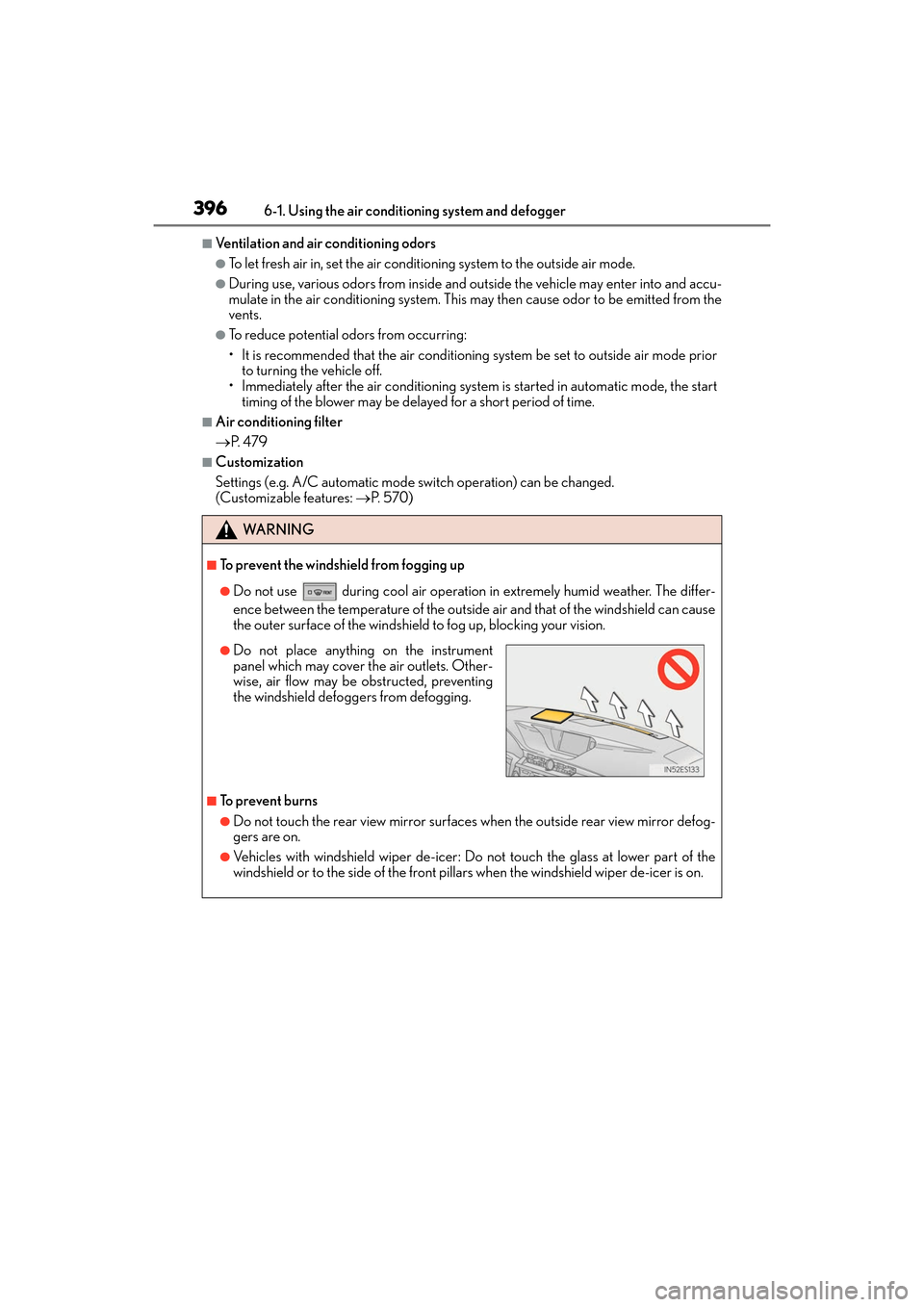
●Do not place anything on the instrument
panel which may cover the air outlets. Other-
wise, air flow may be obstructed, preventing
the windshield defoggers from defogging.
Page 411 of 612
409
ES300h_OM_OM33C75U_(U)6-4. Using the other interior features
6
Interior features
Other interior features
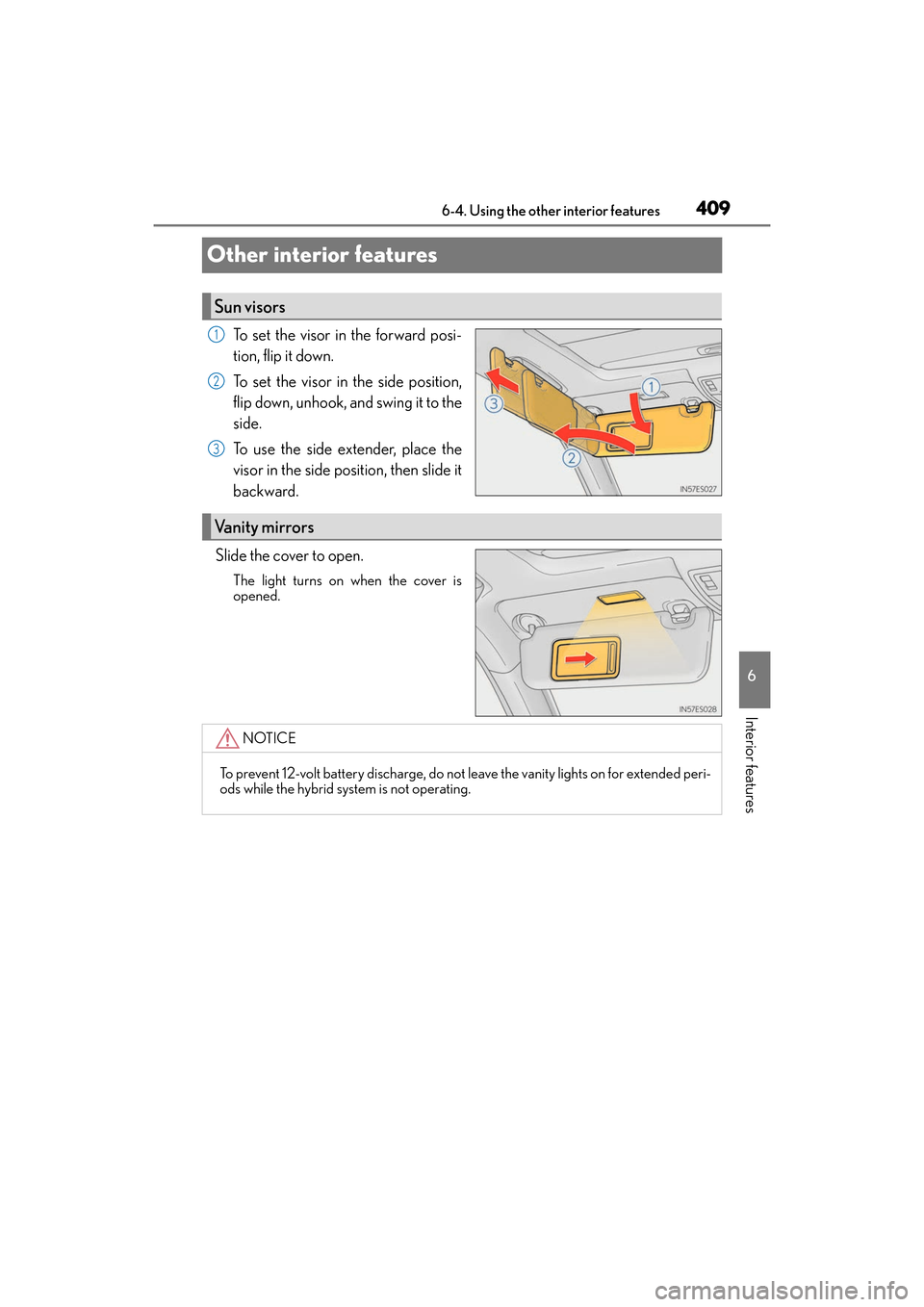
To set the visor in the forward posi-
tion, flip it down.
To set the visor in the side position,
flip down, unhook, and swing it to the
side.
To use the side extender, place the
visor in the side position, then slide it
backward.
Slide the cover to open.
The light turns on when the cover is
opened.
Sun visors
1
2
3
Vanity mirrors
NOTICE
To prevent 12-volt battery discharge, do not leave the vanity lights on for extended peri-
ods while the hybrid system is not operating.
Page 418 of 612
416
ES300h_OM_OM33C75U_(U)6-4. Using the other interior features
■Programming HomeLink®
Press and release the HomeLink® button you want to program and check
that the HomeLink® indicator light flashes (orange).
Perform within 60 seconds of , or the indicator light will stop flashing and
programming will not be able to be completed.
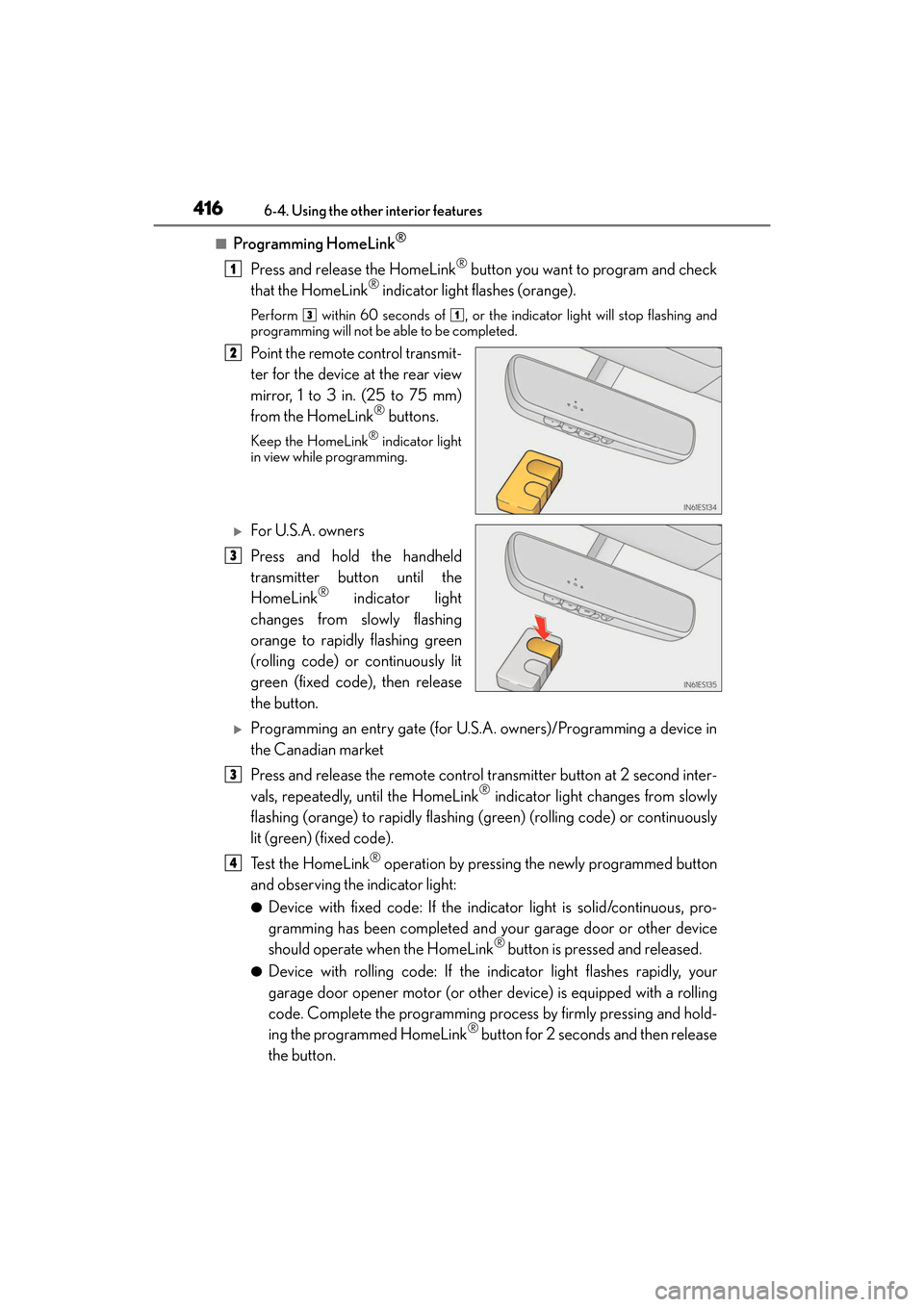
Point the remote control transmit-
ter for the device at the rear view
mirror, 1 to 3 in. (25 to 75 mm)
from the HomeLink
® buttons.
Keep the HomeLink® indicator light
in view while programming.
XFor U.S.A. owners
Press and hold the handheld
transmitter button until the
HomeLink
® indicator light
changes from slowly flashing
orange to rapidly flashing green
(rolling code) or continuously lit
green (fixed code), then release
the button.
XProgramming an entry gate (for U.S.A. owners)/Programming a device in
the Canadian market
Press and release the remote control transmitter button at 2 second inter-
vals, repeatedly, until the HomeLink
® indicator light changes from slowly
flashing (orange) to rapidly flashing (green) (rolling code) or continuously
lit (green) (fixed code).
Te s t t h e H o m e L i n k
® operation by pressing the newly programmed button
and observing the indicator light:
●Device with fixed code: If the indicator light is solid/continuous, pro-
gramming has been completed and your garage door or other device
should operate when the HomeLink
® button is pressed and released.
●Device with rolling code: If the indicator light flashes rapidly, your
garage door opener motor (or other device) is equipped with a rolling
code. Complete the programming process by firmly pressing and hold-
ing the programmed HomeLink
® button for 2 seconds and then release
the button.
1
31
2
3
3
4
Page 424 of 612
422
ES300h_OM_OM33C75U_(U)6-4. Using the other interior features
Compass∗
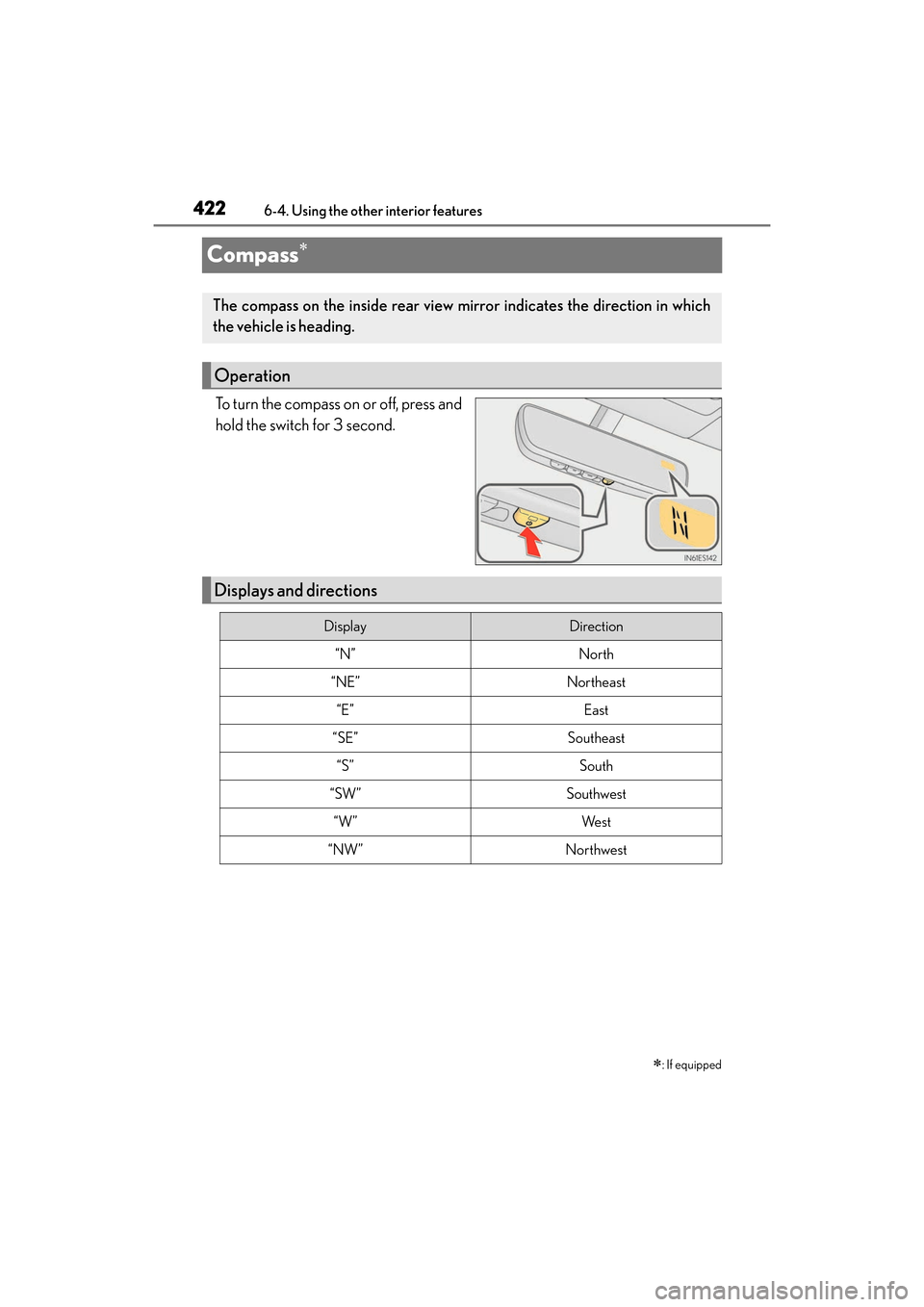
To turn the compass on or off, press and
hold the switch for 3 second.
∗: If equipped
The compass on the inside rear view mirror indicates the direction in which
the vehicle is heading.
Operation
Displays and directions
DisplayDirection
“N”North
“NE”Northeast
“E”East
“SE”Southeast
“S”South
“SW”Southwest
“W”We s t
“NW”Northwest
Page 426 of 612
424
ES300h_OM_OM33C75U_(U)6-4. Using the other interior features
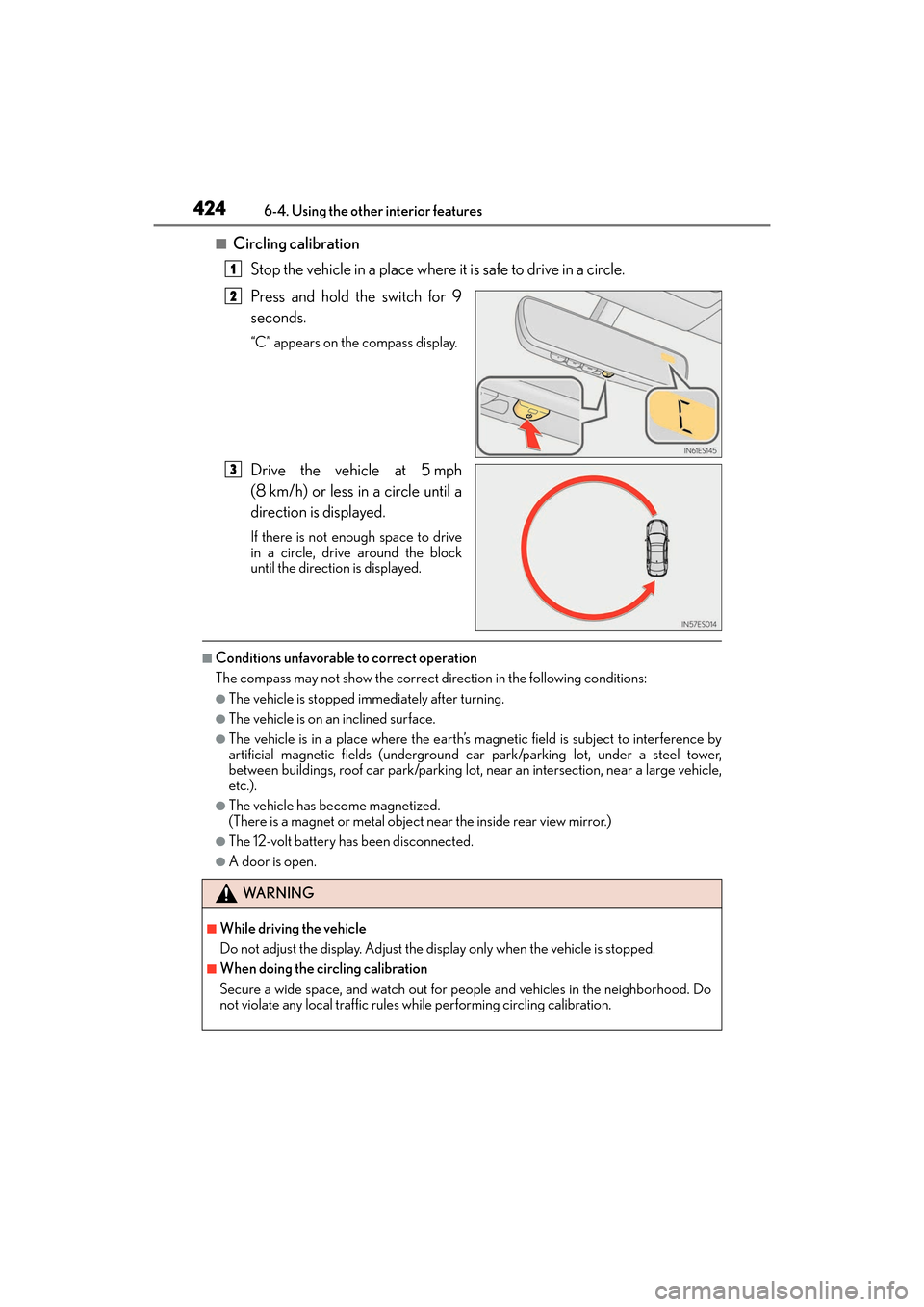
■Circling calibration
Stop the vehicle in a place where it is safe to drive in a circle.
Press and hold the switch for 9
seconds.
“C” appears on the compass display.
Drive the vehicle at 5 mph
(8 km/h) or less in a circle until a
direction is displayed.
If there is not enough space to drive
in a circle, drive around the block
until the direction is displayed.
■Conditions unfavorable to correct operation
The compass may not show the correct direction in the following conditions:
●The vehicle is stopped immediately after turning.
●The vehicle is on an inclined surface.
●The vehicle is in a place where the earth’s magnetic field is subject to interference by
artificial magnetic fields (underground car park/parking lot, under a steel tower,
between buildings, roof car park/parking lot, near an intersection, near a large vehicle,
etc.).
●The vehicle has become magnetized.
(There is a magnet or metal object near the inside rear view mirror.)
●The 12-volt battery has been disconnected.
●A door is open.
1
2
3
WA R N I N G
■While driving the vehicle
Do not adjust the display. Adjust the di splay only when the vehicle is stopped.
■When doing the circling calibration
Secure a wide space, and watch out for people and vehicles in the neighborhood. Do
not violate any local traffic rules while performing circling calibration.
Page 427 of 612
ES300h_OM_OM33C75U_(U)
4256-4. Using the other interior features
6
Interior features
NOTICE
■To avoid the compass malfunctions
Do not place magnets or any metal objects near the inside rear view mirror.
Doing this may cause the compass sensor to malfunction.
■To ensure normal operation of the compass
●Do not perform circling calibration of the compass in a place where the earth’s mag-
netic field is subject to interference by artificial magnetic fields.
●During calibration, do not operate electric systems (moon roof, power windows, etc.)
as they may interfere with the calibration.
Page 436 of 612
434
ES300h_OM_OM33C75U_(U)7-1. Maintenance and care
Cleaning and protecting the vehicle exterior
●Working from top to bottom, liberally
apply water to the vehicle body, wheel
wells and underside of the vehicl e to remove any dirt and dust.
●Wash the vehicle body using a sponge or soft cloth, such as a chamois.
●For hard-to-remove marks, use car wash soap and rinse thoroughly with
water.
●Wipe away any water.
●Wax the vehicle when the waterproof coating deteriorates.
If water does not bead on a clean surface, apply wax when the vehicle body is cool.
■Self-restoring coat
The vehicle body has a self-restoring coating that is resistant to small surface scratches
caused in a car wash etc.
●The coating lasts for 5 to 8 years from when the vehicle is delivered from the plant.
●The restoration time differs depending on the depth of the scratch and outside temper-
ature. The restoration time may become shor ter when the coating is warmed by apply-
ing warm water.
●Deep scratches caused by keys, coins, etc. cannot be restored.
●Do not use wax that contain abrasives.
■Automatic car washes
●Fold the mirrors before washing the vehicle. Start washing from the front of the vehicle.
Make sure to extend the mirrors before driving.
●Brushes used in automatic car washes may scratch the vehicle surface and harm your
vehicle’s paint.
●Rear spoiler may not be washable in some automatic car washes. There may also be an
increased risk of damage to vehicle.
■High pressure car washes
●Do not allow the nozzles of the car wash to come within close proximity of the windows.
●Before using the car wash, check that the fuel filler door on your vehicle is closed prop-
erly.
■Notes for a smart access system with push-button start
If the door handle becomes wet while the electr onic key is within the effective range, the
door may lock and unlock repeatedly. In that case, follow the following correction proce-
dures to wash the vehicle:
●Place the key in a position 6 ft. (2 m) or more separate from the vehicle while the vehi-
cle is being washed. (Take care to ensure that the key is not stolen.)
●Set the electronic key to battery-saving mode to disable the smart access system with
push-button start. ( →P. 1 2 3 )
Perform the following to protect the vehicle and maintain it in prime condi-
tion:
Page 595 of 612
593Alphabetical index
ES300h_OM_OM33C75U_(U)
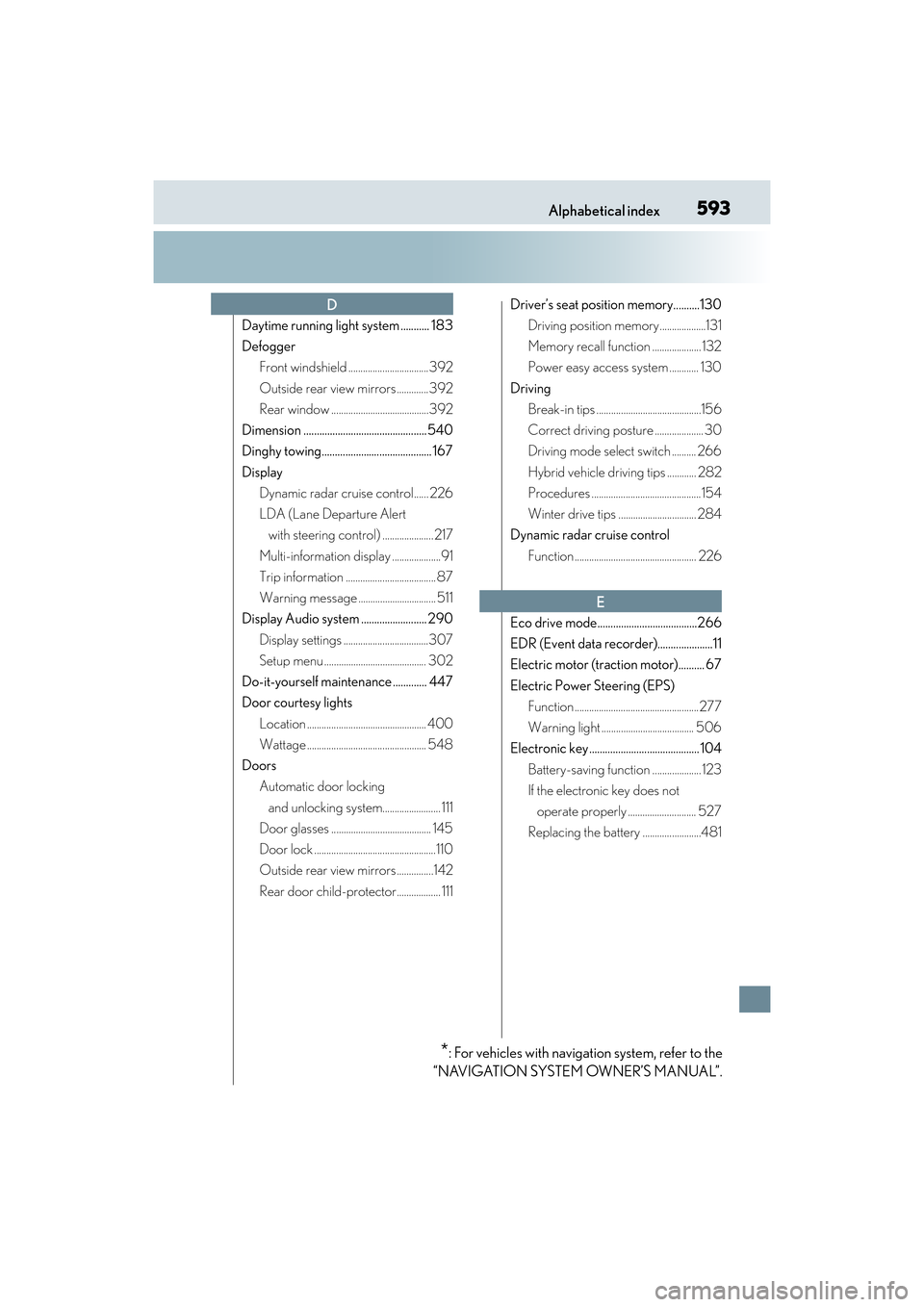
Daytime running light system ........... 183
DefoggerFront windshield ................................. 392
Outside rear view mirrors .............392
Rear window ........................................392
Dimension ............................................... 540
Dinghy towing.......................................... 167
Display Dynamic radar cruise control...... 226
LDA (Lane Departure Alert with steering control) ..................... 217
Multi-information display ....................91
Trip information ..................................... 87
Warning message ................................ 511
Display Audio system ......................... 290
Display settings ...................................307
Setup menu .......................................... 302
Do-it-yourself maintenance ............. 447
Door courtesy lights Location ................................................. 400
Wattage ................................................. 548
Doors Automatic door locking
and unlocking system........................ 111
Door glasses ......................................... 145
Door lock ..................................................110
Outside rear view mirrors ...............142
Rear door child-protector.................. 111 Driver’s seat position memory..........130
Driving position memory...................131
Memory recall function .................... 132
Power easy access system ............ 130
Driving Break-in tips ...........................................156
Correct driving posture .................... 30
Driving mode select switch .......... 266
Hybrid vehicle driving tips ............ 282
Procedures .............................................154
Winter drive tips ................................ 284
Dynamic radar cruise control
Function .................................................. 226
Eco drive mode......................................266
EDR (Event data recorder).....................11
Electric motor (traction motor).......... 67
Electric Power Steering (EPS) Function ...................................................277
Warning light ...................................... 506
Electronic key .......................................... 104
Battery-saving function .................... 123
If the electronic key does not operate properly ............................ 527
Replacing the battery ........................481
D
E
*: For vehicles with navigation system, refer to the
“NAVIGATION SYSTEM OWNER’S MANUAL”.
Page 598 of 612
596Alphabetical index
ES300h_OM_OM33C75U_(U)
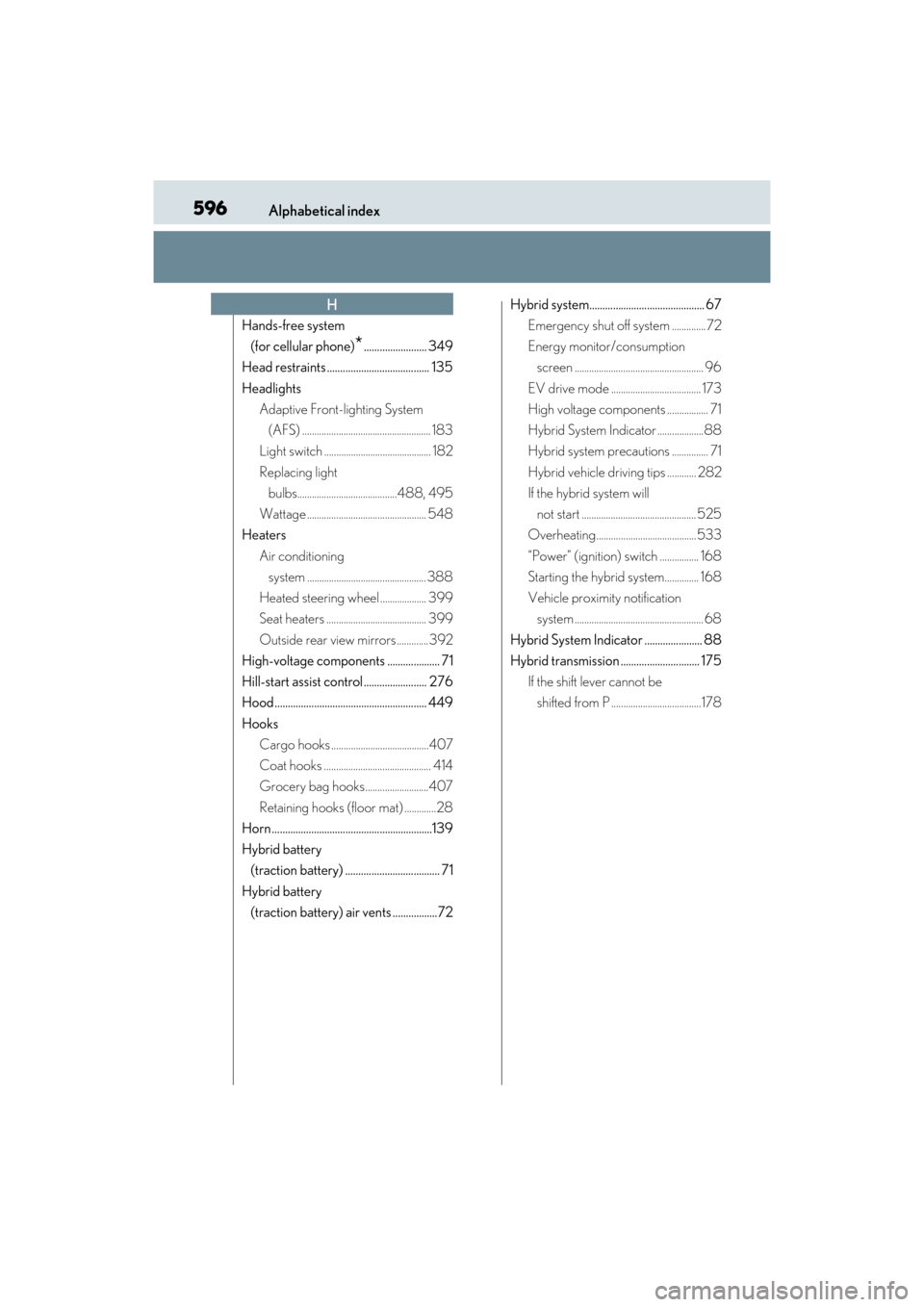
Hands-free system (for cellular phone)
*........................ 349
Head restraints ....................................... 135
Headlights Adaptive Front-lighting System
(AFS) ..................................................... 183
Light switch ............................................ 182
Replacing light bulbs.........................................488, 495
Wattage ................................................. 548
Heaters
Air conditioning system ................................................. 388
Heated steering wheel ................... 399
Seat heaters ......................................... 399
Outside rear view mirrors .............392
High-voltage components .................... 71
Hill-start assist control ........................ 276
Hood .......................................................... 449
Hooks Cargo hooks ........................................407
Coat hooks ............................................ 414
Grocery bag hooks..........................407
Retaining hooks (floor mat) .............28
Horn .............................................................139
Hybrid battery (traction battery) .................................... 71
Hybrid battery (traction battery) air vents .................72 Hybrid system............................................ 67
Emergency shut off system .............. 72
Energy monitor/consumption screen ..................................................... 96
EV drive mode ..................................... 173
High voltage components ................. 71
Hybrid System Indicator ...................88
Hybrid system precautions ............... 71
Hybrid vehicle driving tips ............ 282
If the hybrid system will not start ............................................... 525
Overheating.........................................533
“Power” (ignition) switch ................ 168
Starting the hybrid system.............. 168
Vehicle proximity notification system ..................................................... 68
Hybrid System Indicator ...................... 88
Hybrid transmission .............................. 175 If the shift lever cannot be shifted from P .....................................178
H