phone Lexus ES300h 2018 Owner's Manual Quick Guide (OM33D51U)
[x] Cancel search | Manufacturer: LEXUS, Model Year: 2018, Model line: ES300h, Model: Lexus ES300h 2018Pages: 102, PDF Size: 2.37 MB
Page 2 of 102
2
ES300h_QG_OM33D51U_(U)
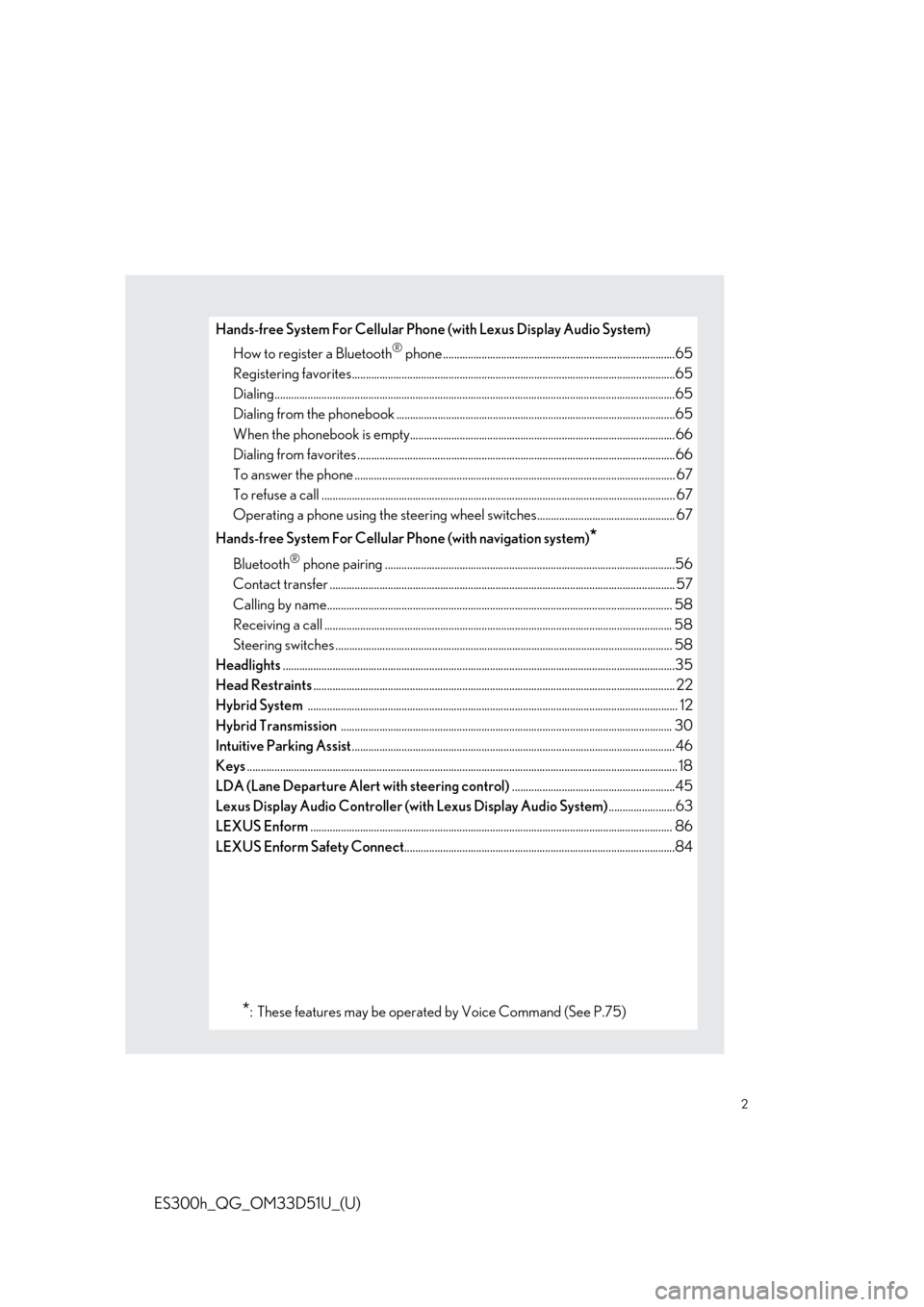
Hands-free System For Cellular Phone (with Lexus Display Audio System)
How to register a Bluetooth
® phone ....................................................................................65
Registering favorites.......................................................................................................... ...........65
Dialing.................................................................................................................................................65
Dialing from the phonebook ..................................................................................................... 65
When the phonebook is empty................................................................................................66
Dialing from favorites ......................................................................................................... ..........66
To answer the phone ............................................................................................................ ........ 67
To refuse a call ............................................................................................................... ................. 67
Operating a phone using the steering wheel switches.................................................. 67
Hands-free System For Cellular Phone (with navigation system)
*
Bluetooth® phone pairing .........................................................................................................56
Contact transfer ............................................................................................................... .............. 57
Calling by name................................................................................................................ ............. 58
Receiving a call .............................................................................................................................. 58
Steering switches .............................................................................................................. ............ 58
Headlights ..............................................................................................................................................35
Head Restraints ............................................................................................................................... .... 22
Hybrid System ............................................................................................................................... ....... 12
Hybrid Transmission ........................................................................................................................ 30
Intuitive Parking Assist .....................................................................................................................46
Keys ............................................................................................................................................................ 18
LDA (Lane Departure Alert with steering control) ...........................................................45
Lexus Display Audio Controller (with Lexus Display Audio System) ........................63
LEXUS Enform ............................................................................................................................... .... 86
LEXUS Enform Safety Connect ..................................................................................................84
*: These features may be operated by Voice Command (See P.75)
Page 8 of 102
8
ES300h_QG_OM33D51U_(U)
∗: If equipped
*: Refer to “OWNER’S MANUAL”.
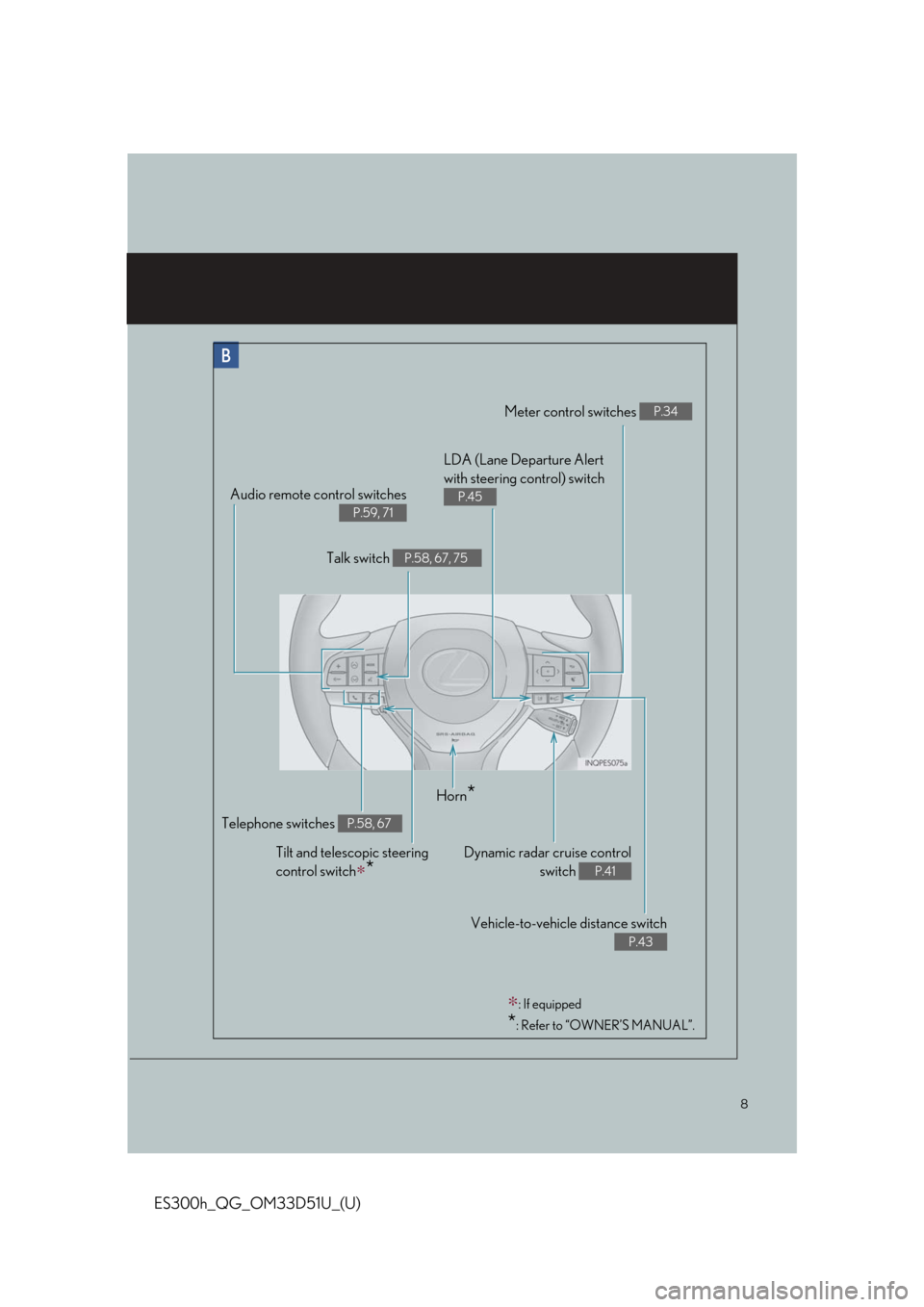
Meter control switches P.34
Telephone switches P.58, 67
Vehicle-to-vehicle distance switch
P.43
Audio remote control switches
P.59, 71
LDA (Lane Departure Alert
with steering control) switch
P.45
Dynamic radar cruise controlswitch
P.41
Horn*
Tilt and telescopic steering
control switch
∗*
Talk switch P.58, 67, 75
Page 51 of 102

51
ES300h_QG_OM33D51U_(U)
■Menu
Press the “MENU” button on the Remote
Touch to display the “Menu” screen.
“Nav” ( →P.54)
“Radio” (→ P.60)
“Media” ( →P.61)
“Phone” ( →P.56)
“LEXUS App Suite”
“Info”
“Climate” ( →P.72)
“Setup”
“Display”
1
2
3
4
5
6
7
8
9
Page 56 of 102
56
ES300h_QG_OM33D51U_(U)
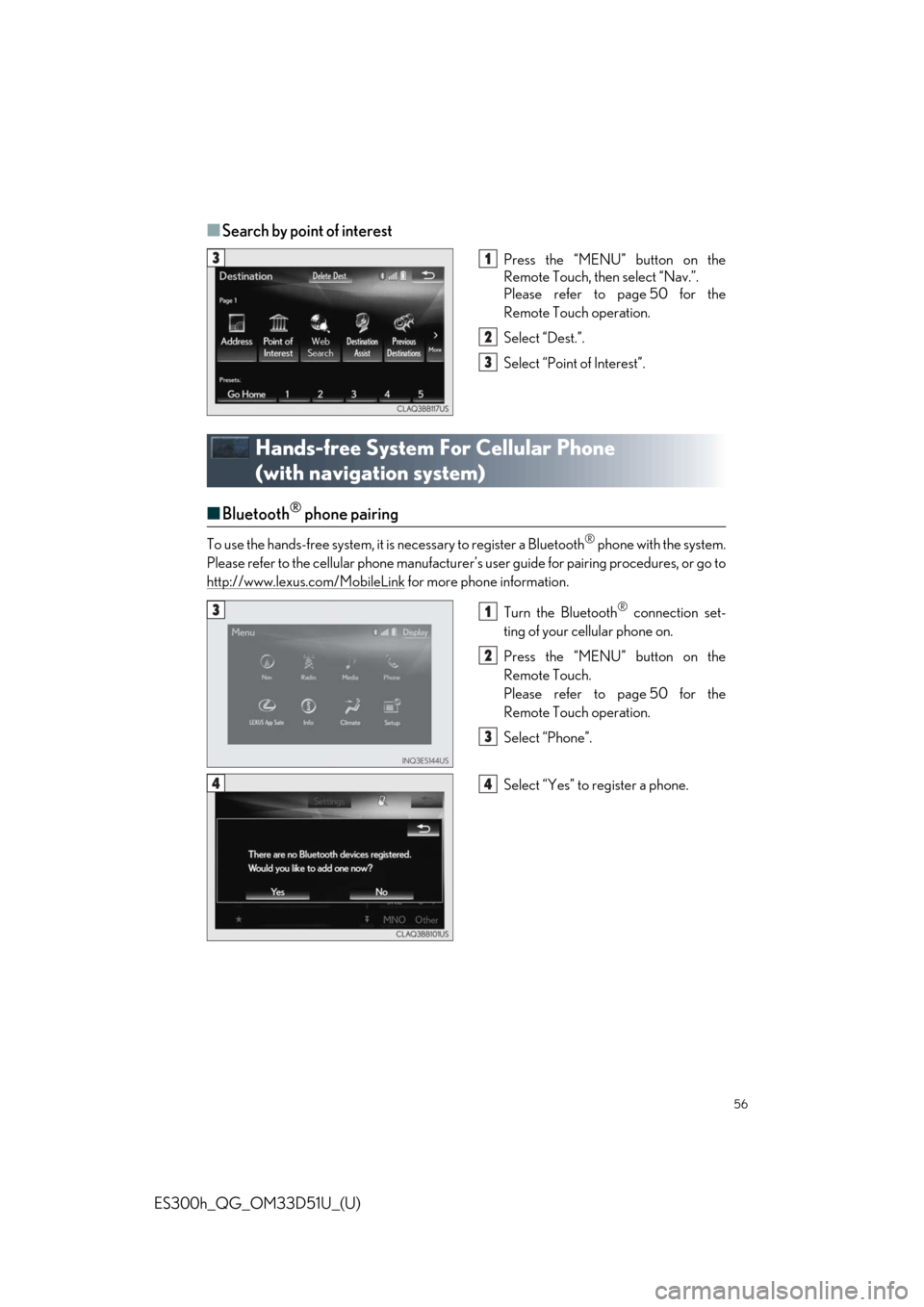
■Search by point of interest
Press the “MENU” button on the
Remote Touch, then select “Nav.”.
Please refer to page 50 for the
Remote Touch operation.
Select “Dest.”.
Select “Point of Interest”.
Hands-free System For Cellular Phone
(with navigation system)
■Bluetooth® phone pairing
To use the hands-free system, it is necessary to register a Bluetooth® phone with the system.
Please refer to the cellular phone manufacturer’s user guide for pairing procedures, or go to
http://www.lexus.com/MobileLink
for more phone information.
Turn the Bluetooth
® connection set-
ting of your cellular phone on.
Press the “MENU” button on the
Remote Touch.
Please refer to page 50 for the
Remote Touch operation.
Select “Phone”.
Select “Yes” to register a phone.
31
2
3
31
2
3
44
Page 57 of 102
57
ES300h_QG_OM33D51U_(U)
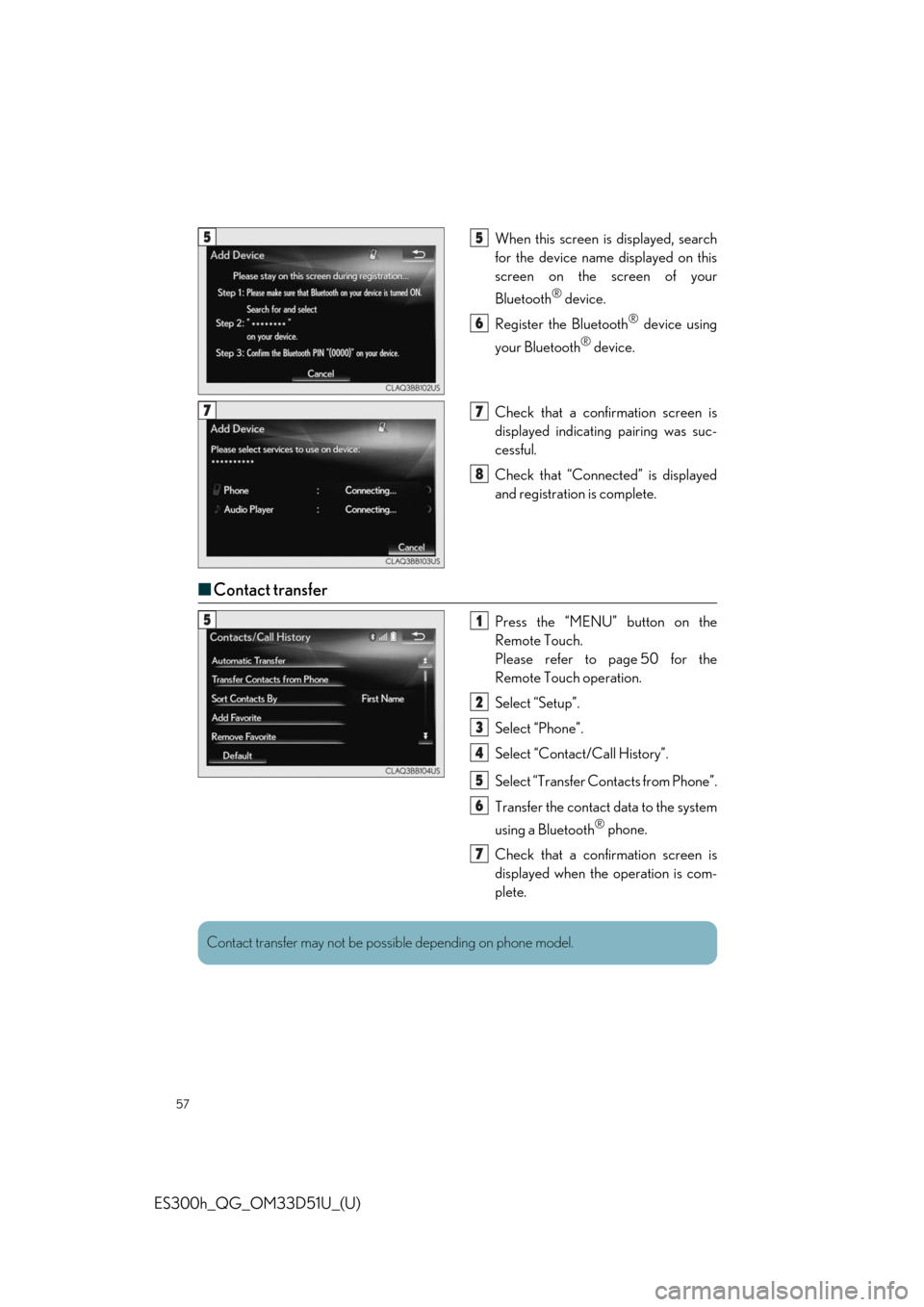
When this screen is displayed, search
for the device name displayed on this
screen on the screen of your
Bluetooth
® device.
Register the Bluetooth
® device using
your Bluetooth
® device.
Check that a confirmation screen is
displayed indicating pairing was suc-
cessful.
Check that “Connect ed” is displayed
and registration is complete.
■ Contact transfer
Press the “MENU” button on the
Remote Touch.
Please refer to page 50 for the
Remote Touch operation.
Select “Setup”.
Select “Phone”.
Select “Contact/Call History”.
Select “Transfer Contacts from Phone”.
Transfer the contact data to the system
using a Bluetooth
® phone.
Check that a confirmation screen is
displayed when the operation is com-
plete.
55
6
77
8
51
2
3
4
5
6
7
Contact transfer may not be poss ible depending on phone model.
Page 58 of 102
58
ES300h_QG_OM33D51U_(U)
■Calling by name
You can call by giving a name registered in the contact list. For details, refer to the
“NAVIGATION SYSTEM OWNER’S MANUAL”.
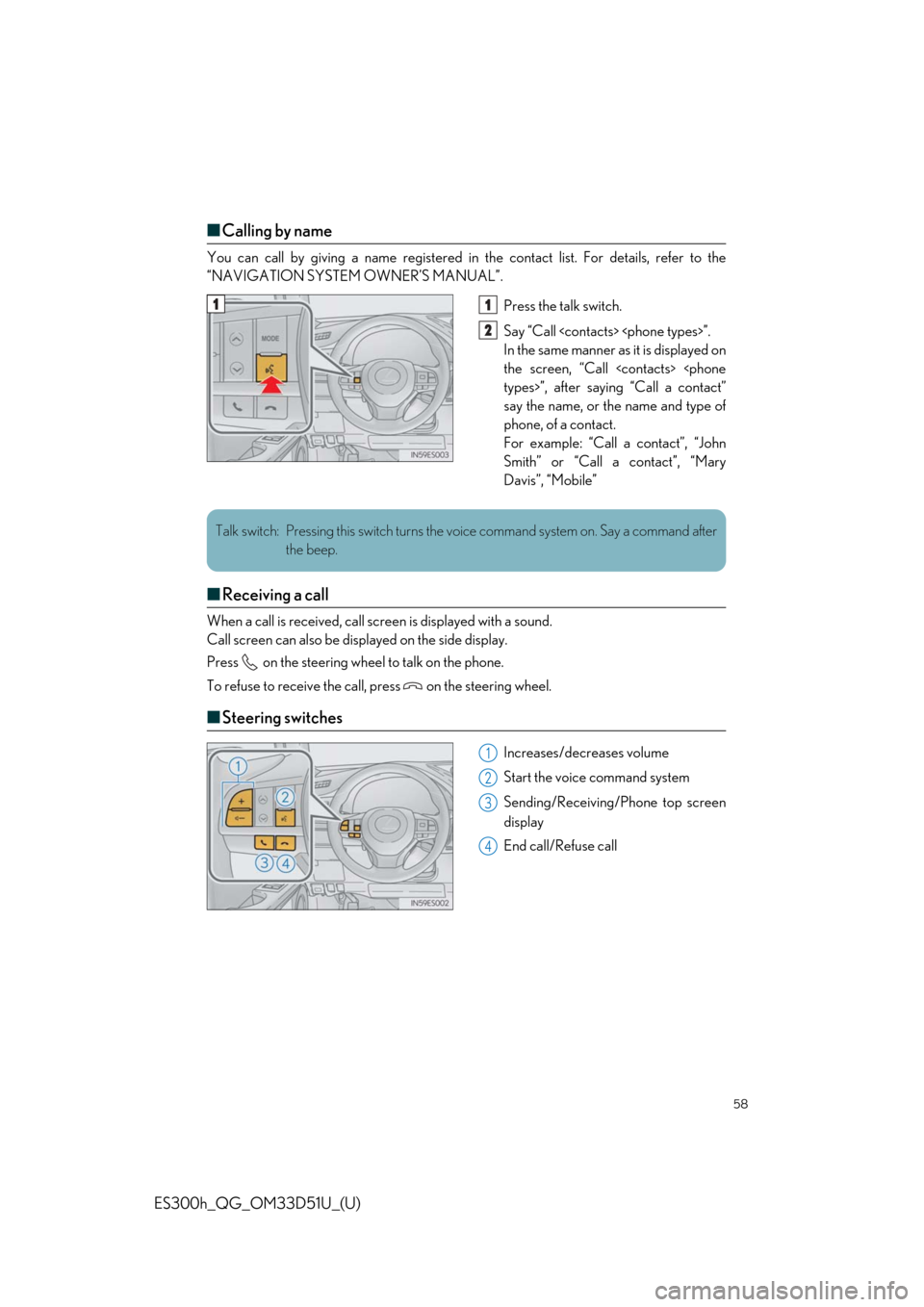
Press the talk switch.
Say “Call
In the same manner as it is displayed on
the screen, “Call
say the name, or the name and type of
phone, of a contact.
For example: “Call a contact”, “John
Smith” or “Call a contact”, “Mary
Davis”, “Mobile”
■ Receiving a call
When a call is received, call scre en is displayed with a sound.
Call screen can also be disp layed on the side display.
Press on the steering wheel to talk on the phone.
To refuse to receive the call, press on the steering wheel.
■ Steering switches
Increases/decreases volume
Start the voice command system
Sending/Receiving/Phone top screen
display
End call/Refuse call
11
2
Talk switch: Pressing this switch turns the voice command system on. Say a command after
the beep.
1
2
3
4
Page 64 of 102
64
ES300h_QG_OM33D51U_(U)
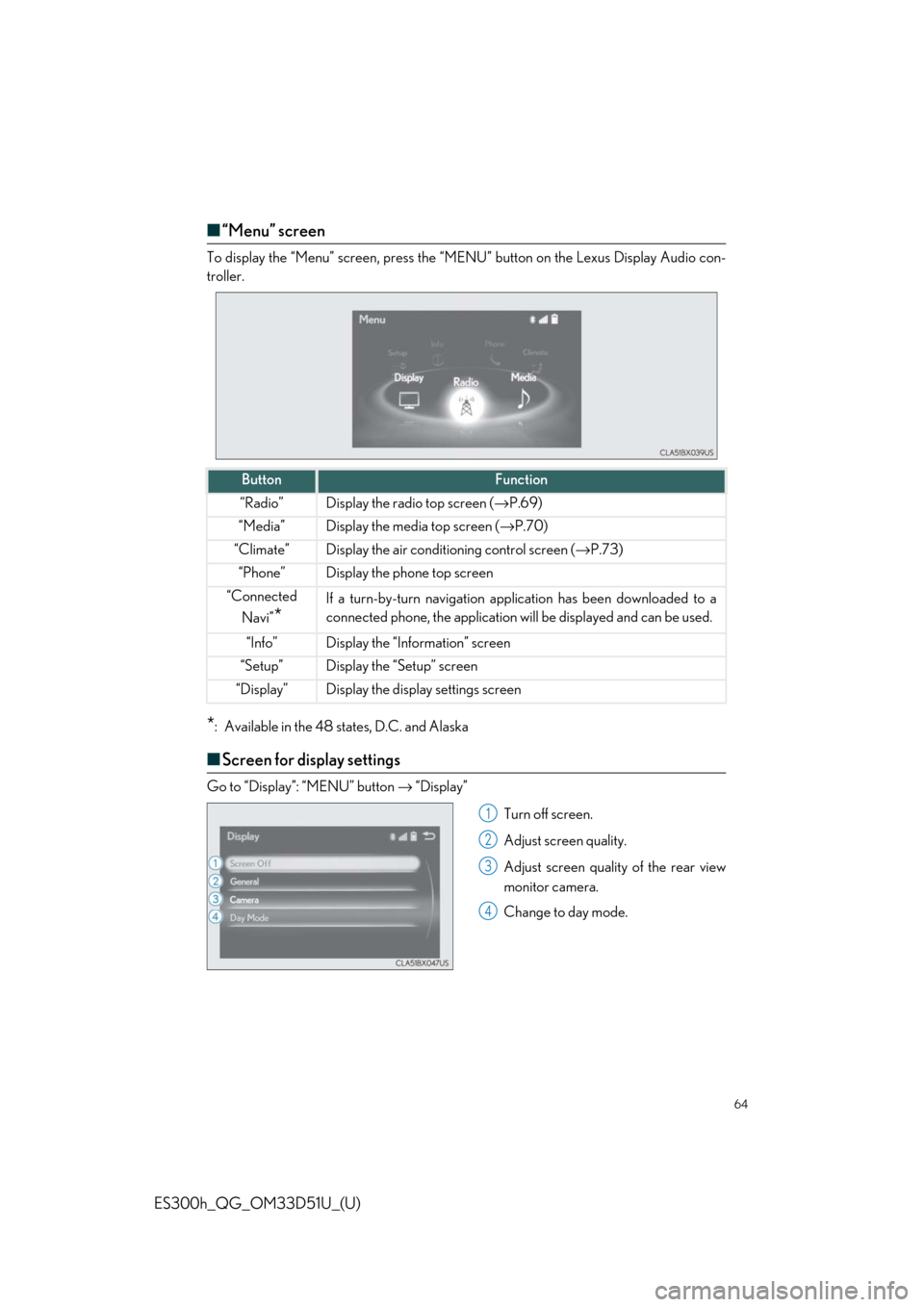
■“Menu” screen
To display the “Menu” screen , press the “MENU” button on the Lexus Display Audio con-
troller.
*: Available in the 48 states, D.C. and Alaska
■ Screen for display settings
Go to “Display”: “MENU” button → “Display”
Turn off screen.
Adjust screen quality.
Adjust screen quality of the rear view
monitor camera.
Change to day mode.
ButtonFunction
“Radio”Display the radio top screen ( →P.69)
“Media”Display the media top screen ( →P.70)
“Climate”Display the air conditioning control screen ( →P.73)
“Phone”Display the phone top screen
“Connected
Navi”
*
If a turn-by-turn navigation appl ication has been downloaded to a
connected phone, the application will be displayed and can be used.
“Info”Display the “Information” screen
“Setup”Display the “Setup” screen
“Display”Display the display settings screen
1
2
3
4
Page 65 of 102
65
ES300h_QG_OM33D51U_(U)
Hands-free System For Cellular Phone
(with Lexus Display Audio System)
■How to register a Bluetooth® phone
Compatible Bluetooth®-equipped phones can be connected to the vehicle, enabling
hands-free operation. Please refer to the ce llular phone manufacture’s user guide for pair-
ing procedures, or go to “www.lexus.com/MobileLink
” (for U.S.A.) for phone information.
Turn the Bluetooth® connection setting of your device set to on.
Go to “Bluetooth* Setup”: “MENU” button → “Setup” → “Bluetooth*”
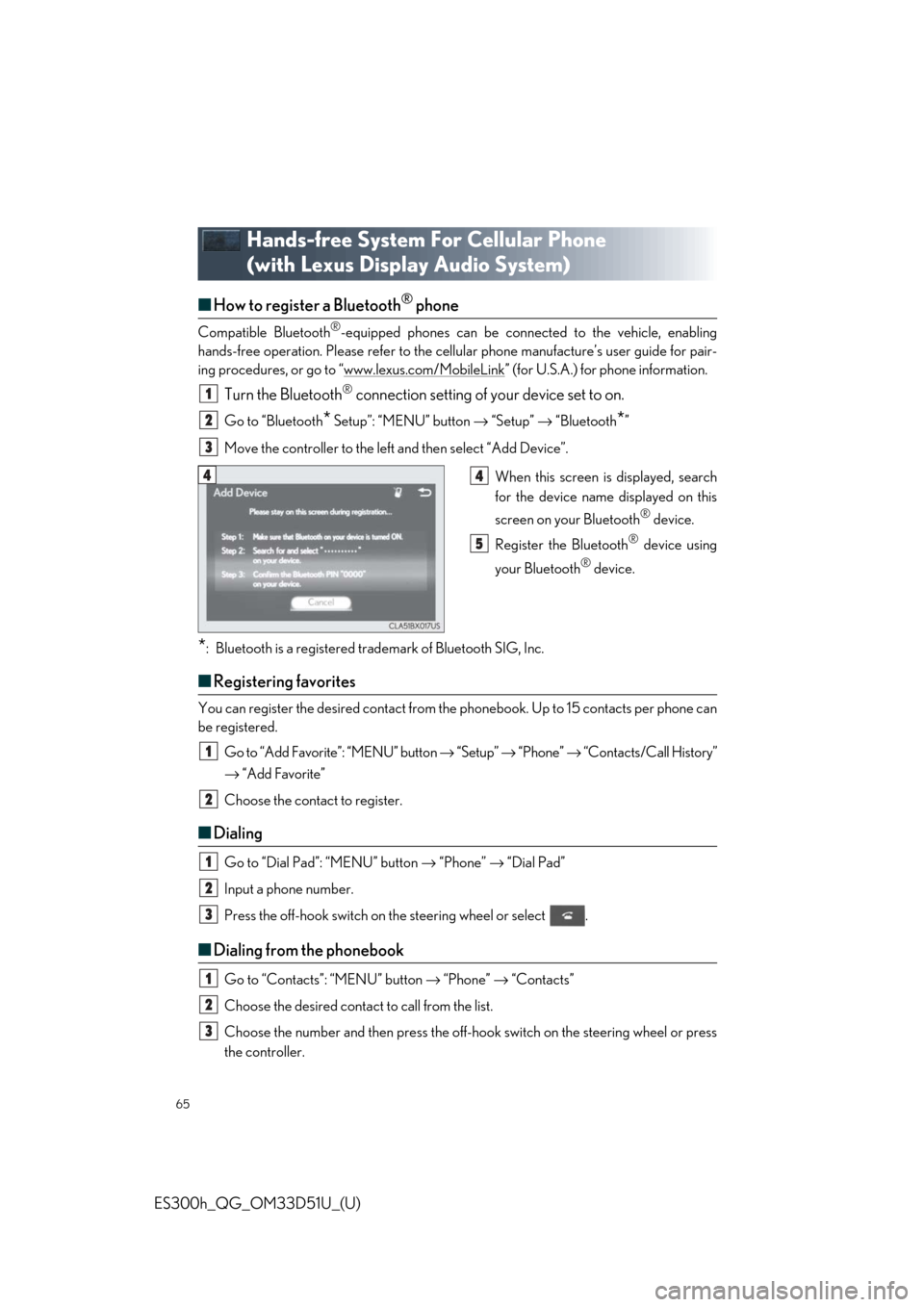
Move the controller to the left and then select “Add Device”.
When this screen is displayed, search
for the device name displayed on this
screen on your Bluetooth
® device.
Register the Bluetooth
® device using
your Bluetooth
® device.
*: Bluetooth is a registered trademark of Bluetooth SIG, Inc.
■ Registering favorites
You can register the desired contact from the phonebook. Up to 15 contacts per phone can
be registered.
Go to “Add Favorite”: “MENU” button → “Setup” → “Phone” → “Contacts/Call History”
→ “Add Favorite”
Choose the contact to register.
■ Dialing
Go to “Dial Pad”: “MENU” button → “Phone” → “Dial Pad”
Input a phone number.
Press the off-hook switch on th e steering wheel or select .
■Dialing from the phonebook
Go to “Contacts”: “MENU” button → “Phone” → “Contacts”
Choose the desired contact to call from the list.
Choose the number and then press the off-hook switch on the steering wheel or press
the controller.
1
2
3
44
5
1
2
1
2
3
1
2
3
Page 66 of 102

66
ES300h_QG_OM33D51U_(U)
■When the phonebook is empty
You can transfer the phone numbers in a Bluetooth® phone to the system.
Operation methods differ between PBAP (Phone Book Access Profile) compatible and
PBAP incompatible Bluetooth
® phones. If the cellular phone does not support either PBAP
or OPP (Object Push Profile) serv ice, you cannot transfer contacts.
Press the off-hook switch on the steering wheel.
If the phonebook is empty, a message will be displayed.
For a PBAP compatible Bluetooth
® phone and “Automatic Transfer” is off
To enable automatic transfer of new contacts from a cellular phone every time it is con-
nected, select “Always”.
Select “Once” if you want to transfer new contacts from a cellular phone.
For a PBAP incompatible and OPP compatible Bluetooth
® phone
Select “Transfer” and operate your cellular phone to transfer new contacts from a cellu-
lar phone.
Select “Add” if you want to add a new contact manually.
■ Dialing from favorites
You can make a call using numbers registered in the favorites.
Go to “Favorites”: “MENU” button → “Phone” → “Favorites”
Choose the desired contact to call from the list.
Choose the number and then press the off-hook switch on the steering wheel or press
the controller.
1
2
2
1
2
3
Page 67 of 102
67
ES300h_QG_OM33D51U_(U)
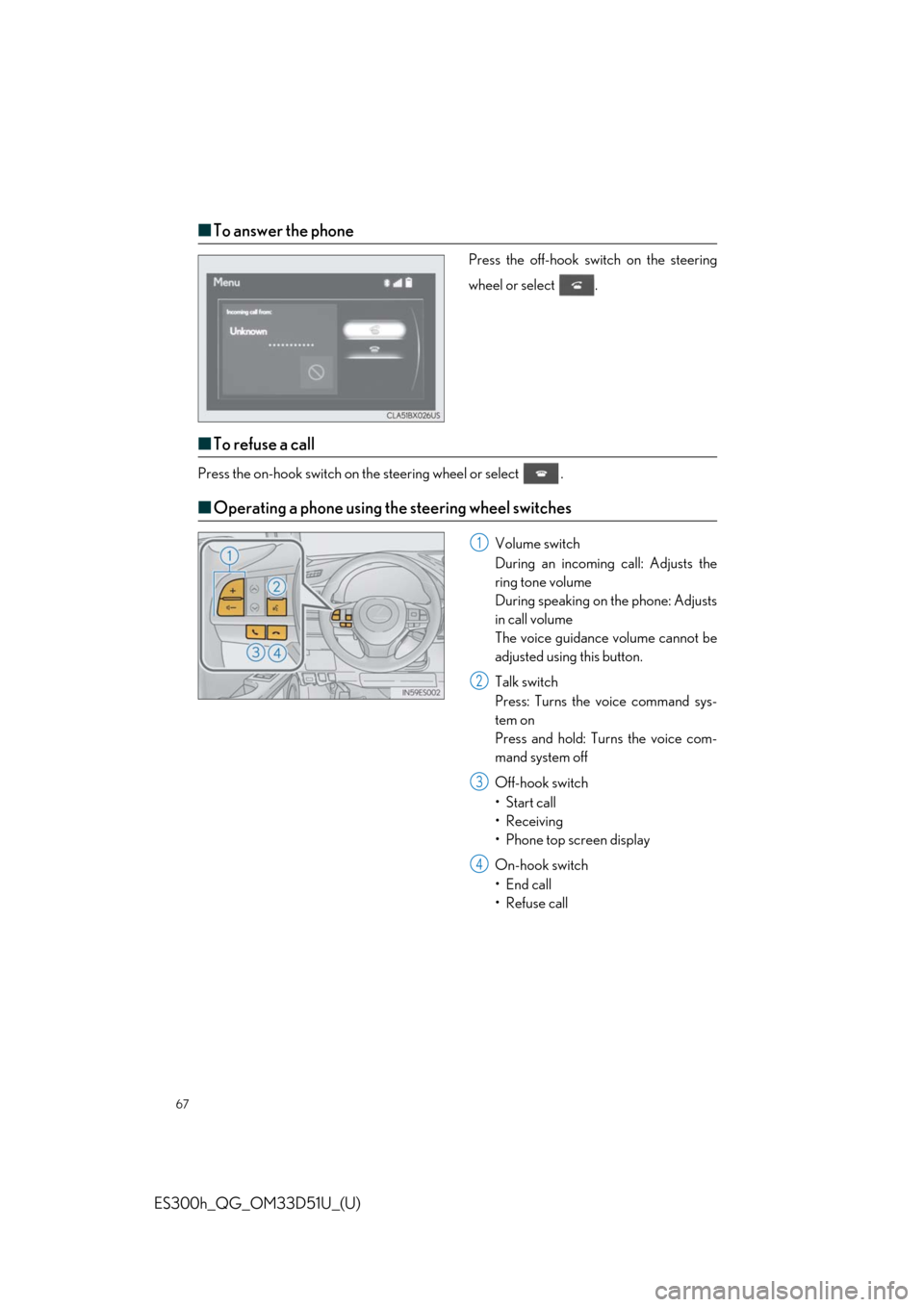
■To answer the phone
Press the off-hook switch on the steering
wheel or select .
■To refuse a call
Press the on-hook switch on th e steering wheel or select .
■Operating a phone using th e steering wheel switches
Volume switch
During an incoming call: Adjusts the
ring tone volume
During speaking on the phone: Adjusts
in call volume
The voice guidance volume cannot be
adjusted using this button.
Talk switch
Press: Turns the voice command sys-
tem on
Press and hold: Turns the voice com-
mand system off
Off-hook switch
• Start call
• Receiving
• Phone top screen display
On-hook switch
•End call
•Refuse call1
2
3
4