fuel consumption Lexus ES300h 2019 Owner's Manual Quick Guide (OM06179U)
[x] Cancel search | Manufacturer: LEXUS, Model Year: 2019, Model line: ES300h, Model: Lexus ES300h 2019Pages: 98, PDF Size: 7.2 MB
Page 42 of 98
42
ES300h_QG_OM06179U_(U)
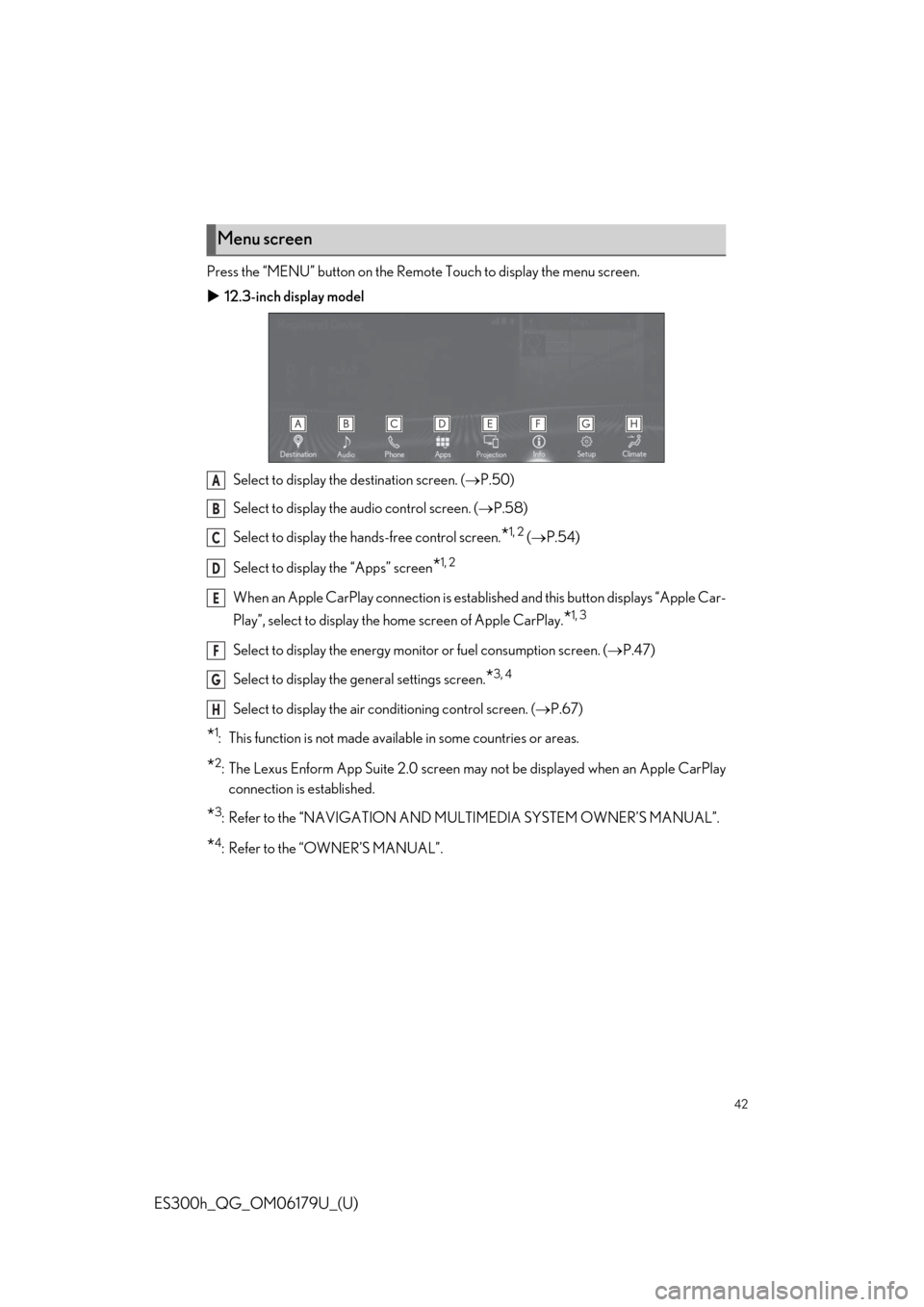
Press the “MENU” button on the Remote Touch to display the menu screen.
12.3-inch display model
Select to display the destination screen. (P.50)
Select to display the audio control screen. (P.58)
Select to display the hands-free control screen.
*1, 2 (P.54)
Select to display the “Apps” screen
*1, 2
When an Apple CarPlay connection is established and this button displays “Apple Car-
Play”, select to display the home screen of Apple CarPlay.
*1, 3
Select to display the energy monitor or fuel consumption screen. (P.47)
Select to display the general settings screen.
*3, 4
Select to display the air conditioning control screen. (P.67)
*1: This function is not made available in some countries or areas.
*2: The Lexus Enform App Suite 2.0 screen may not be displayed when an Apple CarPlay
connection is established.
*3: Refer to the “NAVIGATION AND MULTIMEDIA SYSTEM OWNER’S MANUAL”.
*4: Refer to the “OWNER’S MANUAL”.
Menu screen
A
B
C
D
E
F
G
H
Page 43 of 98
43
ES300h_QG_OM06179U_(U)
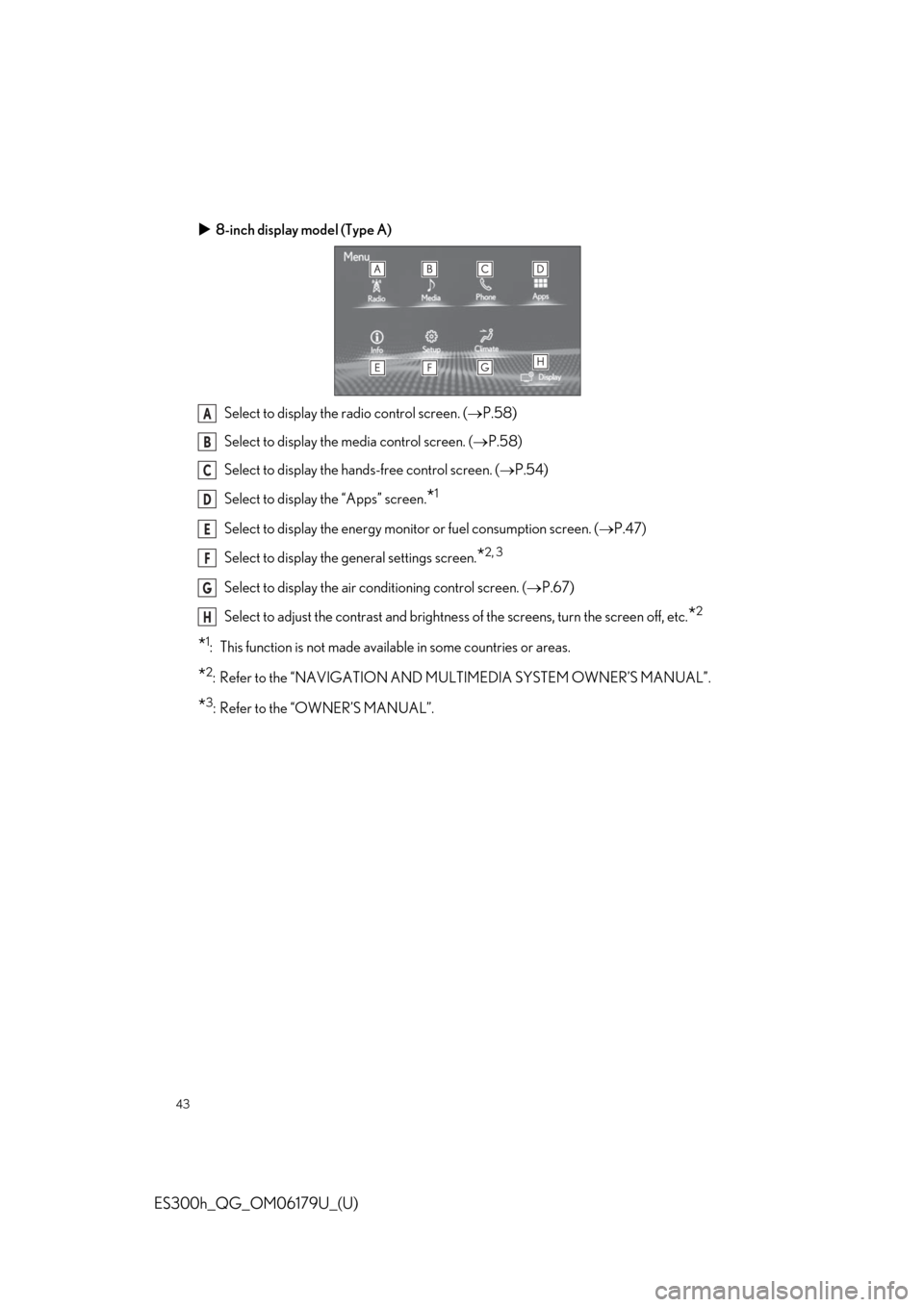
8-inch display model (Type A)
Select to display the radio control screen. (P.58)
Select to display the media control screen. (P.58)
Select to display the hands-free control screen. (P.54)
Select to display the “Apps” screen.
*1
Select to display the energy monitor or fuel consumption screen. (P.47)
Select to display the general settings screen.
*2, 3
Select to display the air conditioning control screen. (P.67)
Select to adjust the contrast and brightness of the screens, turn the screen off, etc.
*2
*1: This function is not made available in some countries or areas.
*2: Refer to the “NAVIGATION AND MULTIMEDIA SYSTEM OWNER’S MANUAL”.
*3: Refer to the “OWNER’S MANUAL”.
A
B
C
D
E
F
G
H
Page 44 of 98
44
ES300h_QG_OM06179U_(U)
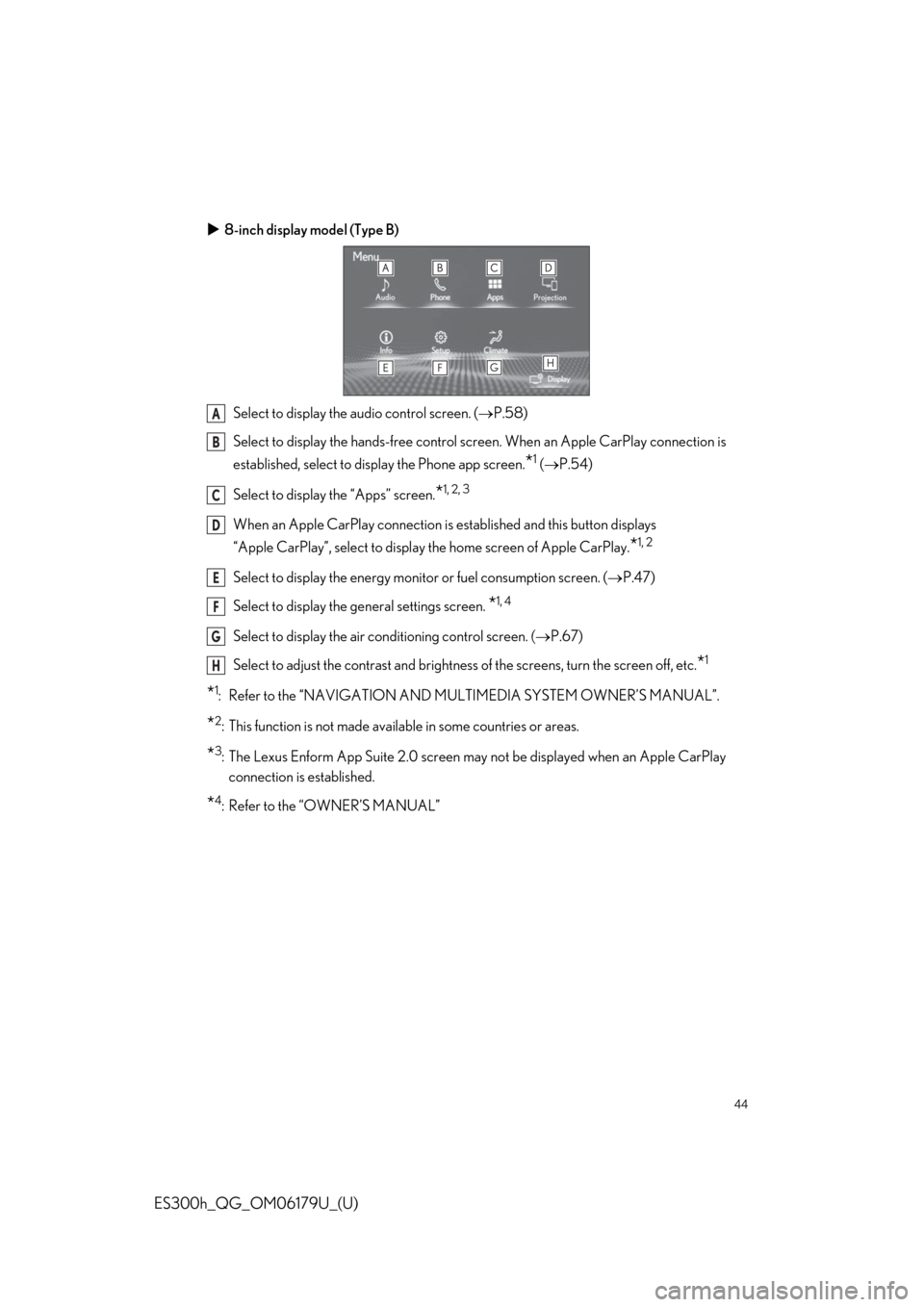
8-inch display model (Type B)
Select to display the audio control screen. (P.58)
Select to display the hands-free control screen. When an Apple CarPlay connection is
established, select to display the Phone app screen.
*1 (P.54)
Select to display the “Apps” screen.
*1, 2, 3
When an Apple CarPlay connection is established and this button displays
“Apple CarPlay”, select to display the home screen of Apple CarPlay.
*1, 2
Select to display the energy monitor or fuel consumption screen. (P.47)
Select to display the general settings screen.
*1, 4
Select to display the air conditioning control screen. (P.67)
Select to adjust the contrast and brightness of the screens, turn the screen off, etc.
*1
*1: Refer to the “NAVIGATION AND MULTIMEDIA SYSTEM OWNER’S MANUAL”.
*2: This function is not made available in some countries or areas.
*3: The Lexus Enform App Suite 2.0 screen may not be displayed when an Apple CarPlay
connection is established.
*4: Refer to the “OWNER’S MANUAL”
A
B
C
D
E
F
G
H
Page 45 of 98
45
ES300h_QG_OM06179U_(U)
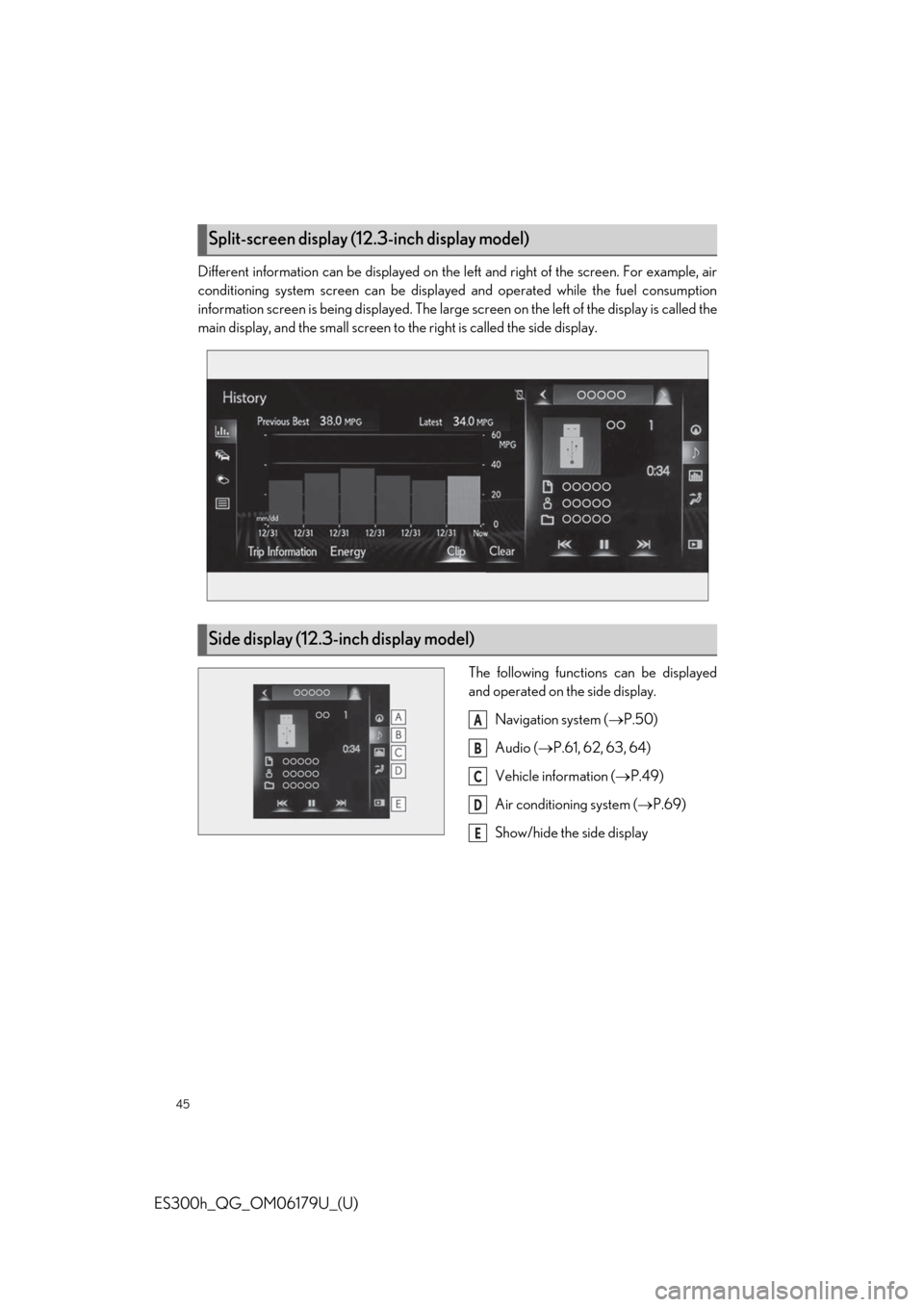
Different information can be displayed on the left and right of the screen. For example, air
conditioning system screen can be displayed and operated while the fuel consumption
information screen is being displayed. The large screen on the left of the display is called the
main display, and the small screen to the right is called the side display.
The following functions can be displayed
and operated on the side display.
Navigation system (P.50)
Audio (P.61, 62, 63, 64)
Vehicle information (P.49)
Air conditioning system (P.69)
Show/hide the side display
Split-screen display (12.3-inch display model)
Side display (12.3-inch display model)
A
B
C
D
E
Page 47 of 98
47
ES300h_QG_OM06179U_(U)
■How to display on the Center Display
Press the “MENU” button on the Remote Touch, and then select on the menu
screen.
If the “Trip Information” or “History” screen is displayed, select “Energy”.
■How to display on the multi-information display
Press or of the meter control switches and select , and then press or
to select the energy monitor display.
Energy Monitor/Consumption Screen
You can view the status of your hybrid system and fuel consumption information on the
multi-information display and Center Display.
12.3-inch display model: The energy monitor or consumption screen can be displayed on
the side display. For details, refer to the “OWNER’S MANUAL”.
Energy monitor
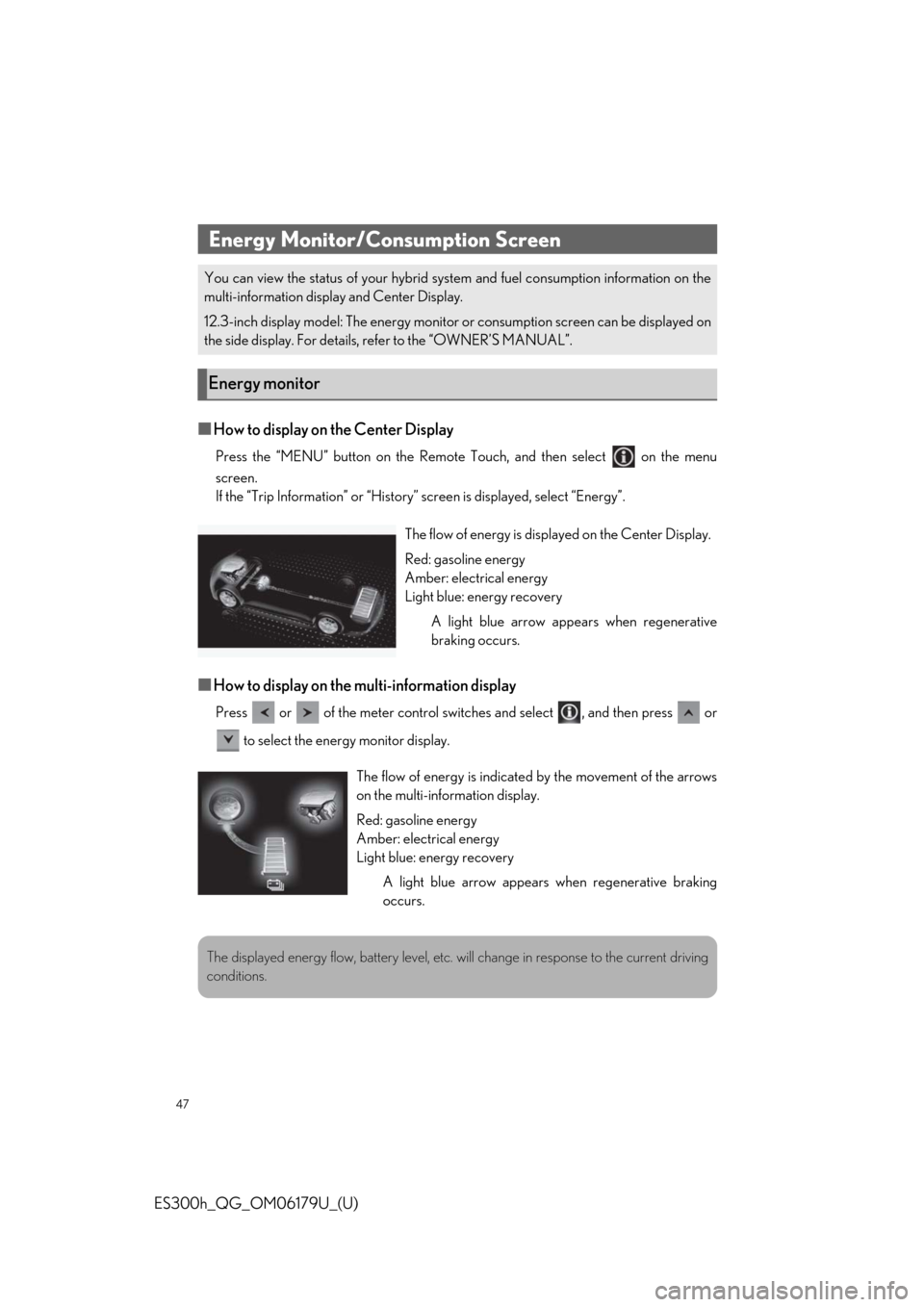
The flow of energy is displayed on the Center Display.
Red: gasoline energy
Amber: electrical energy
Light blue: energy recovery
A light blue arrow appears when regenerative
braking occurs.
The flow of energy is indicated by the movement of the arrows
on the multi-information display.
Red: gasoline energy
Amber: electrical energy
Light blue: energy recovery
A light blue arrow appears when regenerative braking
occurs.
The displayed energy flow, battery level, etc. will change in response to the current driving
conditions.
Page 48 of 98
48
ES300h_QG_OM06179U_(U)
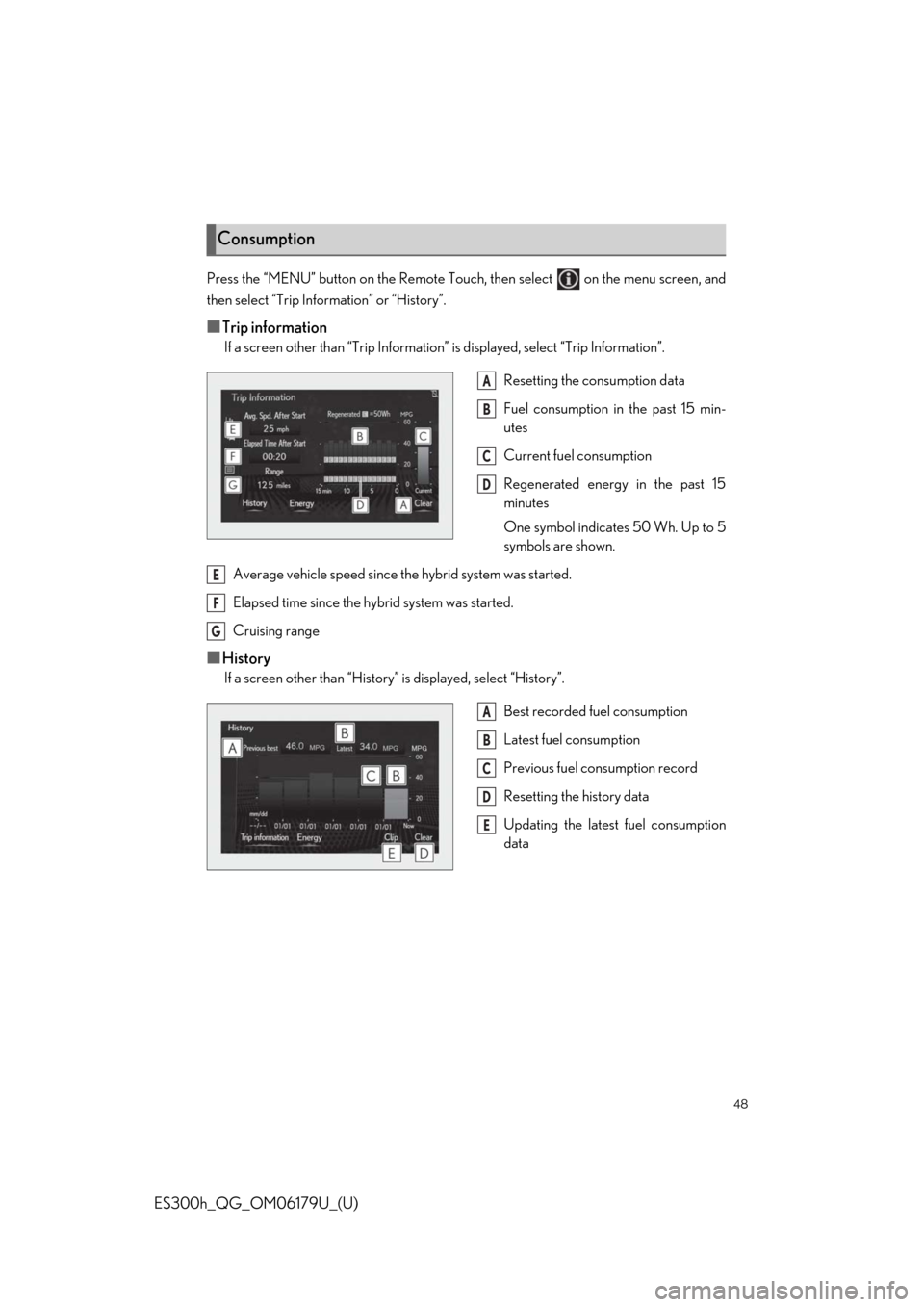
Press the “MENU” button on the Remote Touch, then select on the menu screen, and
then select “Trip Information” or “History”.
■Trip information
If a screen other than “Trip Information” is displayed, select “Trip Information”.
Resetting the consumption data
Fuel consumption in the past 15 min-
utes
Current fuel consumption
Regenerated energy in the past 15
minutes
One symbol indicates 50 Wh. Up to 5
symbols are shown.
Average vehicle speed since the hybrid system was started.
Elapsed time since the hybrid system was started.
Cruising range
■History
If a screen other than “History” is displayed, select “History”.
Best recorded fuel consumption
Latest fuel consumption
Previous fuel consumption record
Resetting the history data
Updating the latest fuel consumption
data
Consumption
A
B
C
D
E
F
G
A
B
C
D
E