pedestrian Lexus ES300h 2020 Owner's Guide
[x] Cancel search | Manufacturer: LEXUS, Model Year: 2020, Model line: ES300h, Model: Lexus ES300h 2020Pages: 462, PDF Size: 9.98 MB
Page 234 of 462

2324-5. Using the driving support systems
Time
Hybrid system output restriction control begins operating
System determines that po ssibility of collision with detected object is high
Hybrid system output reduced
System determines that possibility of col lision with detected object is extremely
high
Brake control begins operating
Brake control strength increased
Example: Multi-informat ion display: “BRAKE!”
Example: Multi-information display: “Switch to Brake”
■If the Parking Support Brake has oper-
ated
If the vehicle is stopped due to operation of
the Parking Support Brake, the Parking
Support Brake will be disabled and the
PKSB OFF indicator will illuminate. If the
Parking Support Brake operates unneces-
sarily, brake control can be canceled by
depressing the brake pedal or waiting for
approximately 2 seconds for it to automati-
cally be canceled. Then, the vehicle can be
operated by depressing the accelerator
pedal.
■Re-enabling the Park ing Support Brake
To re-enable the Parking Support Brake
when it has been disabled due to system
operation, perform any of the following
operations. At this time, the PKSB OFF indi-
cator will turn off. ( P.73)
●Turn the PKSB system on ( P.229)
●Turn the power switch off, and then back
to ON mode
●Shift the shift lever to P
●Drive with no operation targets in the
traveling direction of the vehicle
●Change the traveling direction of the
vehicle*
*
: Except the Parking Support Brake func- tion (rear pedestrian)
■If “Parking Support Brake Unavailable”
is displayed on th e multi-information
display and the PKSB OFF indicator is
flashing
●If this message is di splayed only when the
shift lever is in R, the rear camera lens
may be dirty. Clean the camera lens. If
this message is disp layed when the shift
lever is in any position other than R, a sen-
sor on the front or rear bumper may be
dirty. Clean the sensors and their sur-
rounding area on the bumpers.
●Initialization may not have been per-
formed after a 12-volt battery terminal
was disconnected and reconnected. Ini-
tialize the system. ( P.233)
If this message continues to be displayed
even after initializati on, have the vehicle
inspected by your Lexus dealer.
■If “Parking Support Brake Unavailable”
and “Parking Assist Unavailable Clean
Parking Assist Sensor” are displayed on
the multi-information display and the
PKSB OFF indicator is flashing
●A sensor may be cove red with ice, snow,
dirt, etc. In this case, remove the ice,
snow, dirt, etc., from the sensor to return
the system to normal. If this message is
shown even after removing dirt from the
sensor, or shown when the sensor was
not dirty to begin with, have the vehicle
inspected at your Lexus dealer.
●A sensor may be frozen. Once the ice
C
D
E
F
G
H
I
J
K
Page 239 of 462
2374-5. Using the driving support systems
4
Driving
has become avoidable with normal brake
operation.
• The static object is no longer 6 to 13 ft. (2 to 4 m) away from the vehicle or in the
traveling direction of the vehicle.
●Brake control
• The Parking Support Brake is disabled.
• Approximately 2 seconds have elapsed since the vehicle was stopped by brake
control.
• The brake pedal is depressed after the vehicle is stopped by brake control.
• The static object is no longer 6 to 13 ft. (2 to 4 m) away from the vehicle or in the
traveling direction of the vehicle.
■Detection range of the Parking Support
Brake function (static objects)
The detection range of the Parking Support
Brake function (static objects) differs from
the detection range of the intuitive parking
assist. ( P.218) Therefore, even if the intui-
tive parking assist de tects an object and
provides a warning, the Parking Support
Brake function (static objects) may not start
operating.
■Objects that the Parking Support Brake
function (static obje cts) may not detect
The sensors may not be able to detect cer-
tain objects, such as the following:
●Pedestrian
●Cotton cloth, snow, and other materials
that are poor reflectors of ultrasonic
waves
●Objects which are not perpendicular to
the ground, are not perpendicular to the
traveling direction of the vehicle, are
uneven or are waving
●Low objects
●Thin objects such as wires, fences, ropes
and signposts
●Objects that are extremely close to the
bumper
●Sharply-angled objects
●Tall objects with upper sections project-
ing outwards in the direction of your vehi-
cle
■Situations in which the Parking Support
Brake function (static objects) may not
operate
When driving with the shift lever in N
■Intuitive parking assist buzzer
Regardless of whether the intuitive parking
assist system is enabled or not ( P.216), if
the Parking Support Brake function (static
objects) is enabled ( P.229), the front or
rear sensors detect an object and brake
control is performed, the intuitive parking
assist buzzer will sound to notify the driver
of the approximate distance to the object.
■Situations in which the Parking Support
Brake function (static objects) may
operate even if there is no possibility of a
collision
In some situations, such as the following, the
Parking Support Brake function (static
objects) may operate even though there is
no possibility of a collision.
●Vehicle surroundings
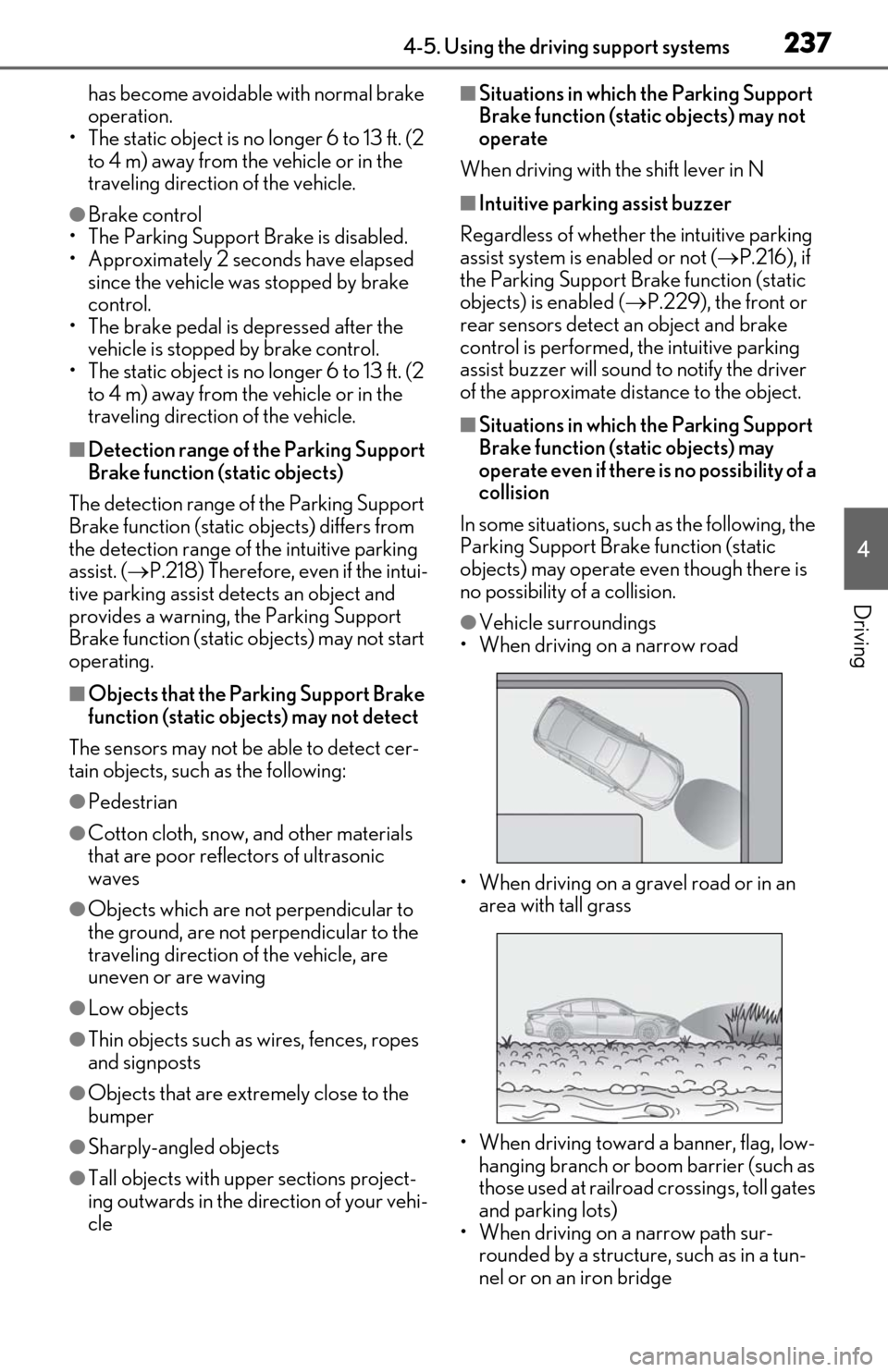
• When driving on a narrow road
• When driving on a gravel road or in an area with tall grass
• When driving toward a banner, flag, low- hanging branch or boom barrier (such as
those used at railroad crossings, toll gates
and parking lots)
• When driving on a narrow path sur-
rounded by a structure, such as in a tun-
nel or on an iron bridge
Page 240 of 462
2384-5. Using the driving support systems
• When parallel parking
• When there is a rut or hole in the surface of the road
• When driving on a metal cover (grating),
such as those used for drainage ditches
• When driving on a steep slope
• If a sensor is hit by a large amount of water, such as when driving on a flooded
road
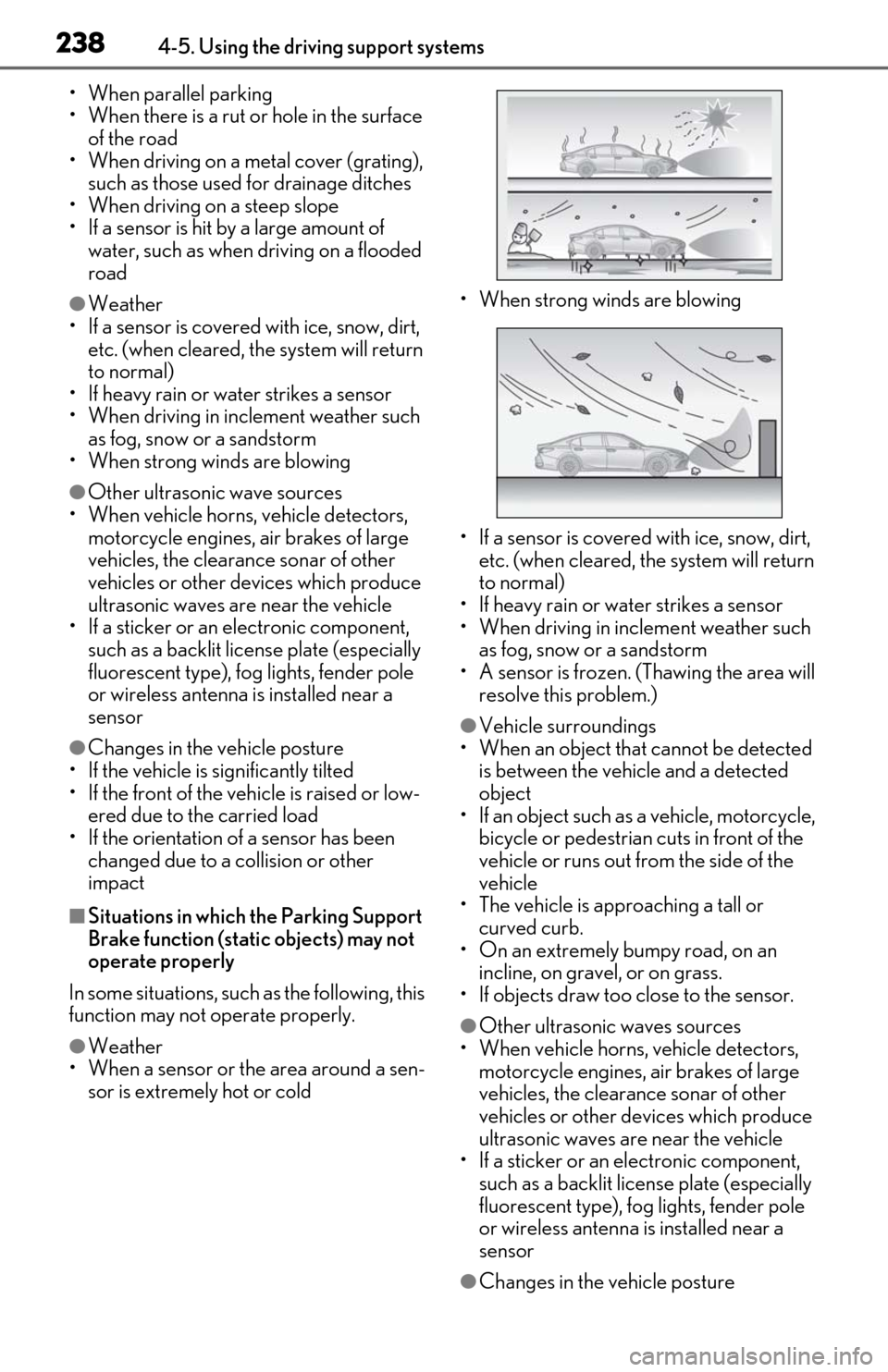
●Weather
• If a sensor is covered with ice, snow, dirt, etc. (when cleared, the system will return
to normal)
• If heavy rain or water strikes a sensor
• When driving in incl ement weather such
as fog, snow or a sandstorm
• When strong winds are blowing
●Other ultrasonic wave sources
• When vehicle horns, vehicle detectors, motorcycle engines, air brakes of large
vehicles, the clearance sonar of other
vehicles or other devices which produce
ultrasonic waves are near the vehicle
• If a sticker or an el ectronic component,
such as a backlit license plate (especially
fluorescent type), fog lights, fender pole
or wireless antenna is installed near a
sensor
●Changes in the vehicle posture
• If the vehicle is significantly tilted
• If the front of the vehicle is raised or low- ered due to the carried load
• If the orientation of a sensor has been changed due to a collision or other
impact
■Situations in which the Parking Support
Brake function (stati c objects) may not
operate properly
In some situations, such as the following, this
function may not operate properly.
●Weather
• When a sensor or the area around a sen- sor is extremely hot or cold • When strong winds are blowing
• If a sensor is covered with ice, snow, dirt,
etc. (when cleared, the system will return
to normal)
• If heavy rain or water strikes a sensor
• When driving in incl ement weather such
as fog, snow or a sandstorm
• A sensor is frozen. (Thawing the area will resolve this problem.)
●Vehicle surroundings
• When an object that cannot be detected is between the vehicle and a detected
object
• If an object such as a vehicle, motorcycle, bicycle or pedestrian cuts in front of the
vehicle or runs out from the side of the
vehicle
• The vehicle is approaching a tall or
curved curb.
• On an extremely bumpy road, on an incline, on gravel, or on grass.
• If objects draw too close to the sensor.
●Other ultrasonic waves sources
• When vehicle horns, vehicle detectors, motorcycle engines, air brakes of large
vehicles, the clearance sonar of other
vehicles or other de vices which produce
ultrasonic waves are near the vehicle
• If a sticker or an electronic component,
such as a backlit license plate (especially
fluorescent type), fog lights, fender pole
or wireless antenna is installed near a
sensor
●Changes in the vehicle posture
Page 243 of 462

2414-5. Using the driving support systems
4
Driving
■The Parking Support Brake function
(rear-crossing vehicles) will operate
when
The function will operate when the PKSB
OFF indicator is not illuminated or flashing
( P.72, 73) and all of the following condi-
tions are met:
●Hybrid system output restriction control
• The Parking Support Brake is enabled.
• The vehicle speed is 9 mph (15 km/h) or less.
• Vehicles are approaching from the right or left at the rear of the vehicle at a travel-
ing speed of more than approximately 5
mph (8 km/h)
• The shift lever is in R.
• The Parking Support Brake determines that a stronger than normal brake opera-
tion is necessary to avoid a collision with
an approaching vehicle.
●Brake control
• Hybrid system output restriction control
is operating.
• The Parking Support Brake determines that an emergency brake operation is
necessary to avoid a collision with an
approaching vehicle.
■The Parking Support Brake function
(rear-crossing vehicles) will stop operat-
ing when
The function will stop operating if any of the
following conditions are met:
●Hybrid system output restriction control
• The Parking Support Brake is disabled.
• The collision becomes avoidable with normal brake operation.
• A vehicle is no longer approaching from the right or left at the rear of the vehicle.
●Brake control • The Parking Support Brake is disabled.
• Approximately 2 seconds have elapsed
since the vehicle was stopped by brake
control.
• The brake pedal is depressed after the vehicle is stopped by brake control.
• A vehicle is no longer approaching from
the right or left at the rear of the vehicle.
■Re-enabling the Parking Support Brake
function (rear-crossing vehicles)
P.232
■Detection area of the Parking Support
Brake function (rear-crossing vehicles)
The detection area of the Parking Support
Brake function (rear-crossing vehicles) dif-
fers from the detection area of the RCTA
function ( P.223). Therefore, even if the
RCTA function detects a vehicle and pro-
vides an alert, the Parking Support Brake
function (rear-crossing vehicles) may not
start operating.
■Conditions under which the Parking
Support Brake function (rear-crossing
vehicles) will not detect a vehicle
The Parking Support Brake function (rear-
crossing vehicles) is not designed to detect
the following types of vehicles and/or
objects:
●Vehicles approaching from directly
behind
●Vehicles backing up in a parking space
next to your vehicle
●Vehicles that the sensors cannot detect
due to obstructions
●Vehicles which suddenly accelerate or
decelerate near your vehicle
●Guardrails, walls, signs, parked vehicles
and similar stationary objects*
●Small motorcycles, bicycles, pedestrians,
WARNING
●If the area around a rear radar sensor
is subjected to an impact, the system
may not operate properly due to a
sensor malfunction. Have the vehicle
inspected by your Lexus dealer.
●Observe the rear radar sensor han-
dling precautions. ( P.208)
Page 246 of 462

2444-5. Using the driving support systems
*:If equipped
When a pedestrian is detected behind the vehicle while backing up, the brake
pedal is not depressed or is depressed late.
Displays a message to urge the driver
to take evasive action when a pedes-
trian is detected in the detection area
behind the vehicle. (A message will
also be displayed on the multi-informa-
tion display and head-up display (if
equipped).)Pedestrian detection icon
Brake reminder
Parking Support Brake function (rear pedestrians)*
If the rear camera sensor detects a pedestrian behind the vehicle while back-
ing up and the system determines that the possibility of colliding with the
detected pedestrian is high, a buzzer will sound. If the system determines that
the possibility of colliding with the dete cted pedestrian is extremely high, the
brakes will be applied automatically to he lp reduce the impact of the collision.
Examples of system operation
Center Display
A
B
Page 247 of 462

2454-5. Using the driving support systems
4
Driving
■Parking Support Brake function (rear
pedestrians) will operate when
The function will operate when the PKSB
OFF indicator is not illuminated or flashing
( P.72, 73) and all of the following condi-
tions are met:
●Hybrid system output restriction control
• The Parking Support Brake is enabled.
• The vehicle speed is 9 mph (15 km/h) or less.
• The shift position is in R.
• The rear camera sensor detects a pedes- trian behind the vehicle while backing up
and the system determines that the possi-
bility of colliding with the detected
pedestrian is high.
●Brake control • Hybrid system output restriction control
is operating.
• The Parking Support Brake determines that an emergency brake operation is
necessary to avoid a collision with a
pedestrian.
■The Parking Support Brake function
(rear pedestrians) will stop operating
when
The function will stop operating if any of the
following conditions are met:
●Hybrid system output restriction control
• The Parking Support Brake is disabled.
• The collision becomes avoidable with normal brake operation.
• The pedestrian is no longer detected behind your vehicle.
●Brake control
• The Parking Support Brake is disabled.
• Approximately 2 seconds have elapsed since the vehicle was stopped by brake
control.
• The brake pedal is depressed after the vehicle is stopped by brake control.
• The pedestrian is no longer detected behind your vehicle.
■Re-enabling the Parking Support Brake
function (rear pedestrians)
P.232
■Detection area of the Parking Support
Brake function (rear pedestrians)
The detection area of the Parking Support
Brake function (rear pedestrians) differs
from the detection area of the RCD func-
tion ( P.226). Therefore, even if the RCD
function detects a pedestrian and provides
an alert, the Parking Support Brake function
(rear pedestrians) may not start operating.
■Situations in which the system may not
operate properly
●Some pedestrians, such as the following,
may not be detected by the Parking Sup-
port Brake function (rear pedestrians),
preventing the function from operating
properly:
• Pedestrians who are bending forward or squatting
• Pedestrians who are lying down
• Pedestrians who are running
• Pedestrians who suddenly enter the
WARNING
■If the Parking Support Brake function
(rear pedestrians) operates unneces-
sarily
Depress the brake pedal immediately
after the Parking Support Brake function
(rear pedestrians) operates. (Operation
of the function is ca nceled by depressing
the brake pedal.)
■In order to correctly use the Parking
Support Brake function (rear pedes-
trians)
Do not rely solely upon the system.
Depending on the road conditions, vehi-
cle conditions, and weather conditions,
etc., the system may not operate. The
detection capability of the rear camera is
limited. Always driv e while confirming
the safety of the surroundings of the vehi-
cle.
Also, if the PKSB OFF indicator is flash-
ing or the message indicating that the
system is unavailable is displayed over
the camera image, the system cannot be
used. However, even if the indicator is not
flashing or the message is not displayed,
do not rely solely upon the system and
make sure to always drive while directly
confirming the safety of your surround-
ings.
Page 248 of 462

2464-5. Using the driving support systems
detection area
• People riding a bicycle, skateboard, or other light vehicle
• Pedestrians wearing oversized clothing
such as a rain coat, long skirt, etc., making
their silhouette obscure
• Pedestrians whose body is partially hid-
den by an object, such as a cart or
umbrella
• Pedestrians which are obscured by dark-
ness, such as at night
●In some situations, such as the following,
pedestrians may not be detected by the
Parking Support Brake function (rear
pedestrians), preventing the function
from operating properly:
• When backing up in inclement weather (rain, snow, fog, etc.)
• When the rear camera is obscured (dirt, snow, ice, etc. are attached) or scratched
• When a very bright light, such as the sun, or the headlights of another vehicle,
shines directly into the rear camera
• When backing up in a place where the surrounding brightness changes sud-
denly, such as at the entrance or exit of a
garage or underground parking lot
• When backing up in a dim environment
such as during dusk or in an underground
parking lot
●Even though there are no pedestrians in
the detection area, some objects, such as
the following, may be detected, possibly
causing the Parking Support Brake func-
tion (rear pedestri ans) to operate.
• Three dimensional objects, such as a
pole, traffic cone, fence, or parked vehi-
cle
• Moving objects, such as a car or motor-
cycle
• Objects moving toward your vehicle when backing up, such as flags or pud-
dles (or airborne matter, such as smoke,
steam, rain, or snow)
• Cobblestone or gravel roads, tram rails,
road repairs, white lines, pedestrian
crossings, puddles or fallen leaves on the
road
• Metal covers (gratings), such as those used for drainage ditches
• Objects reflected in a puddle or on a wet
road surface
• The roadside or bumps on the road •Shadows on the road
●In some situations, such as the following,
the Parking Support Brake function (rear
pedestrians) may operate even though
there are no pedestrians in the detection
area.
• When backing up toward the roadside or a bump on the road
• If the vehicle is signif icantly tilted, such as
when carrying a heavy load
• When backing up toward an incline/decline
• If the suspension has been modified or tires of a size othe r than specified are
installed
• If the rear of the vehicle is raised or low- ered due to the carried load
• If an electronic component, such as a
backlit license plate or rear fog light, is
installed near the rear camera
• If a bumper protector, such as an addi- tional trim strip, is installed to the rear
bumper
• If the orientation of the rear camera has been changed due to a collision or other
impact, or removal and installation
• If a towing eyelet is in stalled to the rear of
the vehicle
• When water is flowing over the rear cam- era lens
• When the rear camera is obscured (dirt,
snow, ice, etc. are at tached) or scratched
• If there is a flashing light in the detection area, such as the emergency flashers of
another vehicle
Page 450 of 462

448Alphabetical index
Exterior ...........................................................306
Interior .............................................................309
Seat belts........................................................309
Cargo capacity................................................ 141
Cargo hooks ................................................. 283
Center Display ............................................. 258
Chains .............................................................. 254
Child-protectors............................................102
Child restraint system................................... 42 Fixed with a LATCH system .................. 49
Fixed with a seat belt................................... 46
Front passenger occupant classification system ..............................................................37
Points to remember .....................................42
Riding with children ......................................42
Types of child restraint system installation method ........................................................... 43
Using an anchor bracket ............................ 51
Child safety ....................................................... 42 12-volt battery precautions ....... 327, 393
Airbag precautions...................................... 33
Child restraint system................................. 43
Heated steering wheel and seat heater
precautions................................................ 273
How your child should wear the seat belt ............................................................................ 25
Moon roof precautions ............................. 131
Power window lock switch..................... 129
Power window precautions ................... 129
Rear door child-protectors ....................102
Removed electronic key battery precau- tions ............................................................... 347
Seat belt extender precautions ............. 25
Seat belt precautions ...................................42
Trunk precautions ...................................... 103
Cleaning.............................................. 306, 309 Aluminum wheels ......................................306
Exterior ...........................................................306
Interior .............................................................309
Radar sensor......................................172, 208
Seat belts........................................................309
Clock ........................................................ 76, 284 Coat hooks..................................................... 295
Compass ......................................................... 302
Condenser ..................................................... 324
Console box ....................................................281
Console box light ..........................................281
Cooling system............................................. 323
Engine overheating.................................. 395
Hybrid system overheating ................. 396
Cornering lights .............................................. 161 Replacing light bulbs ................................. 351
Cruise control Dynamic radar cruise control with full-
speed range ............................................... 196
Cup holder .......................................................281
Current fuel consumption .......................... 80
Curtain shield airbags .................................. 28
Customizable features ............................... 418
D
Daytime running light system ...................159
Defogger Outside rear view mirrors.....................266
Rear window ................................................266
Windshield ....................................................266
Dimension ......................................................400
Dinghy towing................................................. 142
Display BSM (Blind Spot Monitor)................... 206
Dynamic radar cruise control with full-
speed range ............................................... 196
Energy monitor ............................................. 88
Head-up display............................................84
Intuitive parking assist ............................... 215
LTA (Lane-Tracing Assist) .................... 190
Multi-information display .......................... 79
Parking Support Brake function (rear
pedestrians)............................................... 244
RCD (Rear Camera Detection) ........ 225
RCTA................................................................. 221
Warning message ..................................... 374
Distance until next engine oil change .... 78
Do-it-yourself maintenance ......................313
Page 456 of 462

454Alphabetical index
.......................................................................... 156
Warning light ............................................... 370
Warning message...................................... 156
Parking lights ...................................................159 Light switch .................................................... 159
Parking Support Brake function (rear- crossing vehicles) ..........................228, 240Function .......................................................... 240
Parking Support Brake function (rear pedestrians) ..................................... 228, 244Function .......................................................... 244
Parking Support Brake function (static objects) ..............................................228, 234Function .......................................................... 234
PCS (Pre-Collision System) .....................178 Function ............................................................178
PCS OFF switch ......................................... 180
Warning light ............................................... 370
Personal lights................................................277
PKSA (Parking Support Alert) ................ 214
PKSB (Parking Support Brake)............. 228 Warning message..................................... 232
Power control unit.......................................... 63
Power control unit coolant ...................... 323 Capacity .........................................................403
Checking ....................................................... 323
Preparing and checking before winter......................................................................... 253
Power easy access system ......................... 118
Power outlet .................................................. 284
Power steering (Elect ric power steering
system)...........................................................247 Warning light ...............................................366
Power switch ...................................................143 Auto power off function ...........................146
Changing the power switch modes ..146
If your vehicle has to be stopped in an
emergency ................................................356
Starting the hybrid system....................... 143
Power trunk lid .............................................. 103
Power windows ..............................................128 Door lock linked window operation.. 129 Jam protection function ............................129
Operation ....................................................... 128
Window lock switch...................................129
Pre-Collision System (PCS) .....................178 Function ........................................................... 178
PCS OFF switch ......................................... 180
Warning light ...............................................370
R
Radar cruise control (dynamic radar cruise control with full-speed range)...............196
Radiator ........................................................... 324
RCD (Rear Camera Detection) ............. 214 Function .......................................................... 225
Warning message ..................................... 226
RCTA (Rear Cross Traffic Alert) . 214, 221
RCTA Function ............................................................ 221
Warning message ..................................... 222
Rear Cross Traffic Alert (RCTA) . 214, 221
Rear door sunshades ................................. 293
Rear seats Head restraints............................................... 121
Rear side marker lights ...............................159 Light switch .................................................... 159
Rear sunshades ............................................ 293
Rear turn signal lights ..................................154 Replacing light bulbs ................................. 351
Turn signal lever .......................................... 154
Rear view mirror Inside rear view mirror ..............................124
Outside rear view mirrors...................... 125
Rear window defogger ............................. 266
Refueling ...........................................................170 Capacity .......................................................... 401
Fuel types ........................................................ 401
If the fuel filler do or cannot be opened
..........................................................................387
Opening the fuel tank cap ..................... 170
Regenerative braking ..................................... 61
Remote Touch .............................................. 258
Replacing